Posts tagged with "app store"

“Everyone Has A Scam”

“Everyone Has A Scam”

Dave Winer on iPhone apps that silently grab your data:

It’s like spammers took over technology, like the pet food guys did in 1999. Everyone has a scam. This year the scam is to grab all the user’s data and resell it. It’s gotten to the point where it’s a risky proposition to try out a new iPhone product.

Perhaps a little bit tragic, but I get his point: how do you gain trust in a sea of 300,000 apps?

Permalink

The Power Of In-App Purchases

The Power Of In-App Purchases

The common-sense approach to make money on the App Store used to be to do anything to get on the top charts. In-app purchases changed all of that. Good in-app purchases can make your app profitable without being anywhere on the charts, and are the best hope for the independent developer. Come to this session to learn why IAPs can be so effective and how to leverage them effectively: what makes a good IAP, how to increase your user involvement, how to present IAPs in an attractive way, what things attract users, and what things turn them away. We’ll go through lots of detailed real-world data from Flower Garden and other games with strong IAPs.

Recommended read for developers.

Permalink

Why Developers Create Apps for iOS

Why Developers Create Apps for iOS

Marco Arment:

The problem is that hardware manufacturers and tech journalists assume that the hardware just needs to exist, and developers will flock to it because it’s possible to write software for it. But that’s not why we’re making iPhone and iPad software, yet those are the basis for the theory.

We’re making iPhone software primarily for three reasons:

Dogfooding: We use iPhones ourselves.
Installed base: A ton of other people already have iPhones.
Profitability: There’s potentially a lot of money in iPhone apps.

With this in mind, think about the installed based of Macs.

Permalink

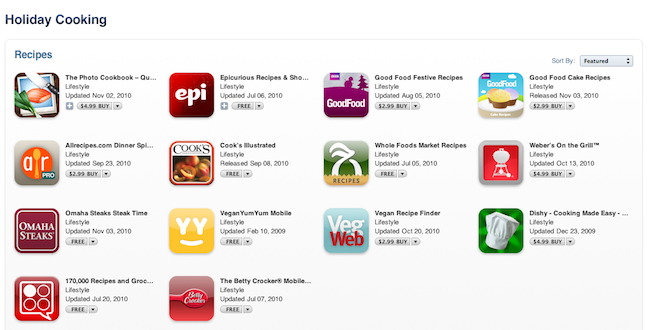
Apple Showcases Cooking Apps Ahead of Holiday Season

Just like every Friday, today Apple launched new sections and new games / apps of the week in the App Store. We already noticed the App Store Hall of Fame which showcases the 50 best apps of all time. Together with that section, Apple is also featuring the best cooking apps users can download aheda of the holiday season.

The section is organized in 5 sub-sections: Recipes, Chefs & Cooks, Drinks, Shopping and Tools & Basics. Free and paid apps for iPhone and iPad are featured, with notable examples such as Epicurious, The Photo CookBook and 20 Minutes Meals.

You can check out “Holiday Cooking” here.


Apple Launches App Store Hall of Fame

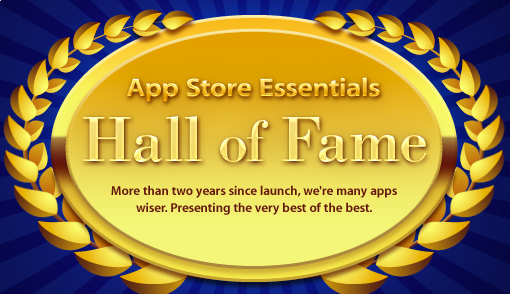
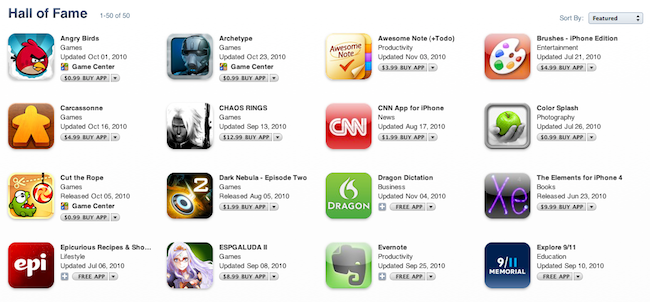
The App Store was launched exactly 848 days ago in July 2008. Today, Apple launched a new section in the App Store called “App Store Essentials: Hall of Fame” which is aimed at presenting the “very best of the best” and contains 50 apps for iPhone and iPad, both paid and free.

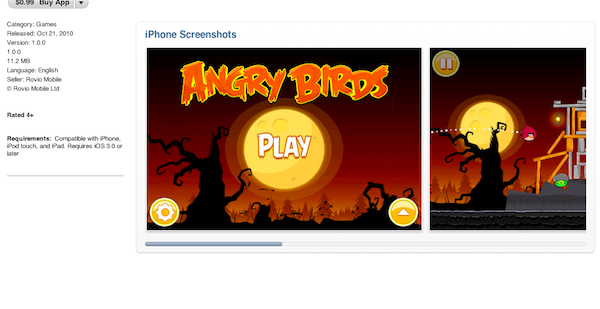
Among the apps, there are true gems such as Angry Birds, Hipstamatic, Instapaper, Reeder for iPhone, Siri (which was acquired by Apple), Zen Bound 2, Facebook and Photogene. Surprisingly enough, the official Twitter app didn’t make the list, nor did other clients such as Twitterrific or Weet. The list will likely grow during the weekend and the holiday season, so perhaps more apps will be added.

You can check out the Hall of Fame by following this link in iTunes.


Developers, Start Submitting Your Mac Apps Today

Apple is now accepting submissions for the Mac App Store. With an email sent to registered Mac developers earlier today, Apple confirmed that Mac apps can now be sent to Apple for approval.

We don’t know which developers are jumping on this today and whether Apple has refined its review guidelines following the many doubts arisen in the past weeks, but we know it’s going to be huge – right?

The Mac App Store is set to open in less than 90 days. We can’t wait.


VLC for iOS May Soon Be Gone From the App Store Due To Videolan’s Complaint

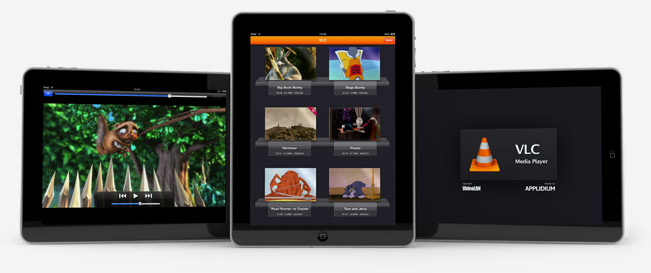
VLC, the popular media player for Windows, Mac and Linux that landed on the iPad in September and on the iPhone last week, may soon be gone from the App Store. Rémi Denis-Courmont, one of the primary developers of VLC, explained that Videolan sent a formal notification of copyright infringement to Apple regarding the way VLC for iOS is distributed in the App Store. VLC for iOS is developed by French 3rd party studio Applidium.

Basically, here’s the problem: VLC is an open source program distributed under the GNU General Public License (also known as “GPL”) while VLC for iOS is, as you may guess, distributed under Apple’s iTunes Terms and Conditions, which don’t allow users to install both free and paid apps on more than 5 devices. This restriction is also known as “DRM” which stands for Digital Rights Management. So even if VLC for iOS is free, Videolan can’t accept the fact that Apple’s DRM goes against the original GNU license VLC’s code is based on. Read more


14 Hours Later, Ratings and Reviews Still Gone From The App Store

We noticed this last night and we thought it might be a temporary glitch, but 14 hours later reviews and ratings are still nowhere to be found in the App Store.

If you try to open an App Store app page, in fact, you’ll notice that ratings and user reviews have simply disappeared. The “Customers also bought” section is in there, and reviews are accessible through Apple’s web view for iTunes pages, but you can’t find them in the App Store.

Read more


A Cloud Over The Mac App Store

Wayne Dixon over at Macgasm, about how app data will be backed up with the Mac App Store:

So this leads me to wondering something: how does the application’s data get backed up? Right now within the iOS App Store, your data is backed up when you sync your iOS device and this information is then backed up again when you backup your computer (you do backup your computer, right?). But if your application data is just stored locally and you do have to do a re-install of your computer, even though you are able to download the software itself again, your data may not be easily placed in the correct location, even with backups.

When Apple announced the iOS-like model for the desktop we didn’t really wonder much about how the backup model was going to be carried over to the Mac. Is it going to be carried over at all? On the current version of OS X (and on previous iterations as well) each app stores its data in various folders on the hard disk. Usually it’s the “Application Support” folder inside a user’s library, but preferences, caches and databases may be stored somewhere else. Not to mention the possibility to manually select a different destination for the main database in some applications, think of 1Password, Candybar and DEVONthink. Is the Mac App Store going to change this? Read more