

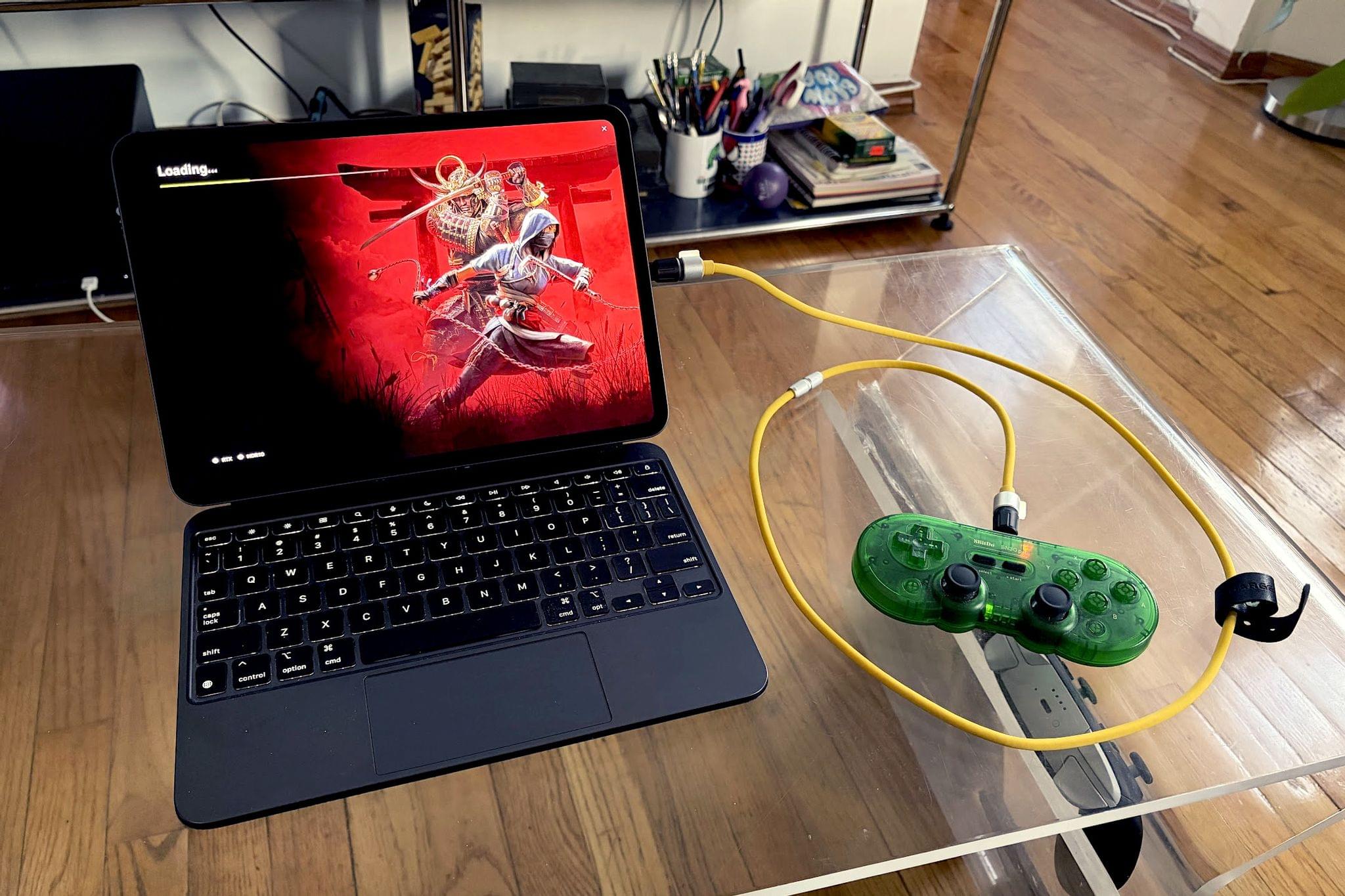
My iPad has been gathering dust. I bought it last May – an 11” M4 iPad Pro with 512GB of storage and a Magic Keyboard – mostly for writing, photo and video editing, and experimenting with Apple’s seemingly renewed focus on gaming.
On paper, it excels at all of these things.
While the M4 chip is overkill for the iPad’s possibility space, the ever-present specter of the shortcomings inherent in iPadOS tends to loom over more intensive tasks. There’s a clear disconnect between what Apple states the iPad is for in a post-iPadOS 26 world and what the hardware itself is allowed to do when constrained by software limitations. Quinn Nelson of Snazzy Labs explored this from multiple angles in a recent video that ended with a poignant sentiment:
There are still days that I reach for my $750 MacBook Air because my $2,000 iPad Pro can’t do what I need it to. Seldom is the reverse true.
As a person who also owns a MacBook Pro with an M4 Pro chip stashed away inside, I’ve found the moments I choose my iPad to be few and far between. Despite the ease with which I could fit it into most of my small sling bags when I leave the house and the fact that it’s “good enough” at accomplishing most tasks I could throw at it, I still tend to pack the MacBook instead.
Just in case.
And for that reason, the iPad Pro with a chip built for high-effort, laptop-tier tasks is basically a typewriter for pieces like this.
The irony here is that for all of its shortcomings, the iPad also sports the best display I have at my disposal. A tandem OLED screen with HDR and a 120Hz refresh rate is nothing to sneeze at! For all intents and purposes, the iPad should be my go-to for gaming in many instances, like emulating certain consoles from the 1990s that fit its 4:3-adjacent aspect ratio or game streaming with HDR enabled.
But the idea of my iPad as a central gaming destination hadn’t occurred to me until recently. In theory, it should be possible to load the thing up with emulators and streaming services, plug in a controller and an HDMI cord to an external display, and suddenly have a surprisingly viable “video game console“ in an abstract sense. And yet, issues tend to bubble up again with the limitations and frustrations of iPadOS.
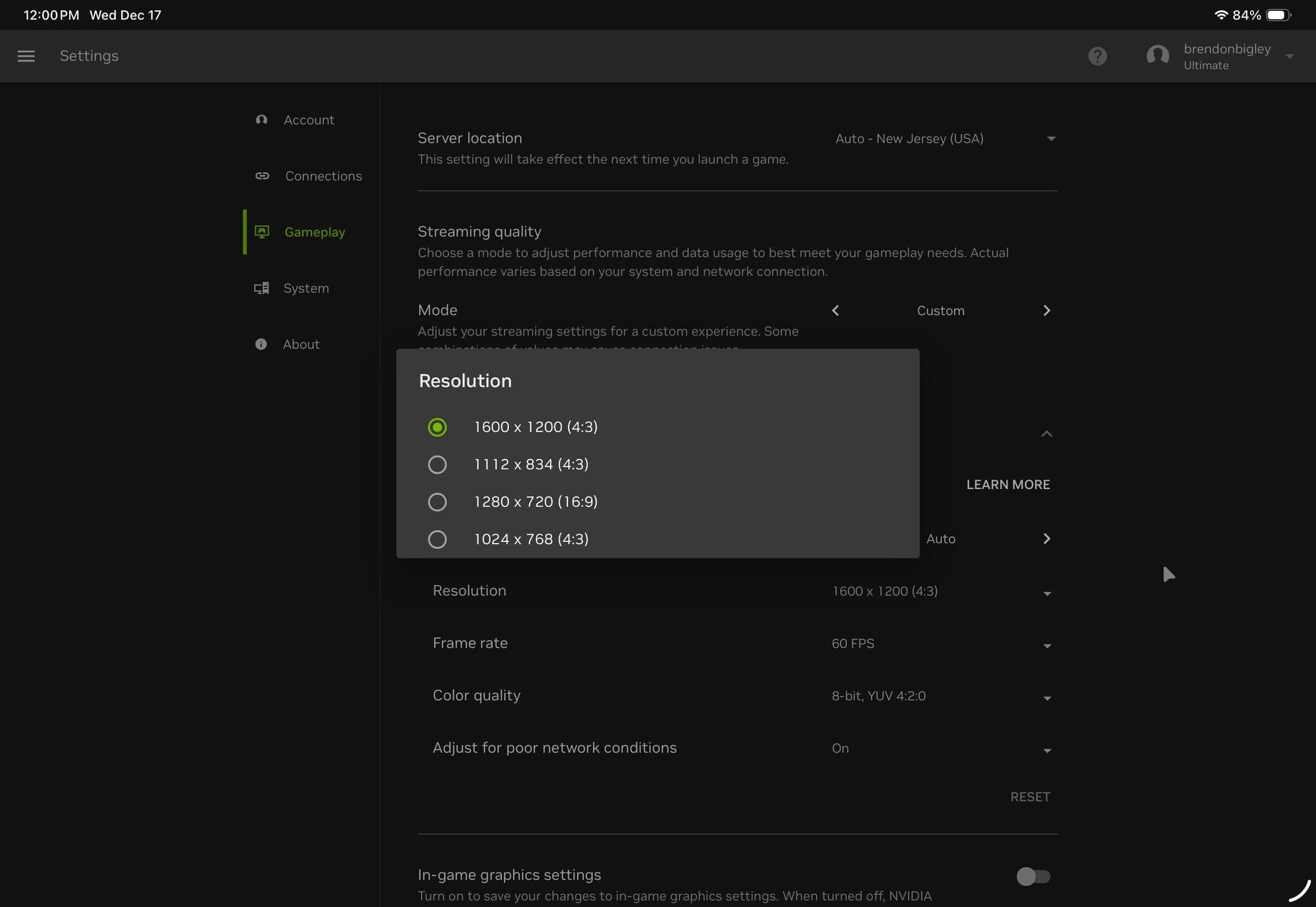
Take, for example, my streaming service of choice: Nvidia GeForce NOW. I pay for the Ultimate tier, which grants access to machines running the best graphics cards Nvidia has to offer, but using Safari on the iPad to access it prevents me from making use of this hardware. My options are very literally limited, with a max resolution of 1600 × 1200 available and no HDR output possible.
Enter CloudGear, a new browser built specifically for game streaming from multiple services on iPadOS and iOS. Its onboarding is slick, introducing you to its method for showing and hiding the browser’s features by double-tapping the screen with two fingers to bring up FPS monitoring and other helpful functions, like external display behavior.
Signing into GeForce NOW via CloudGear reveals a litany of new display options, with HDR enabled and resolution options all the way up to 5K. After dialing in the settings I was shooting for, I was off to the races playing Assassin’s Creed Shadows at max settings in no time flat – a significantly better experience than what’s possible on every other device I own.
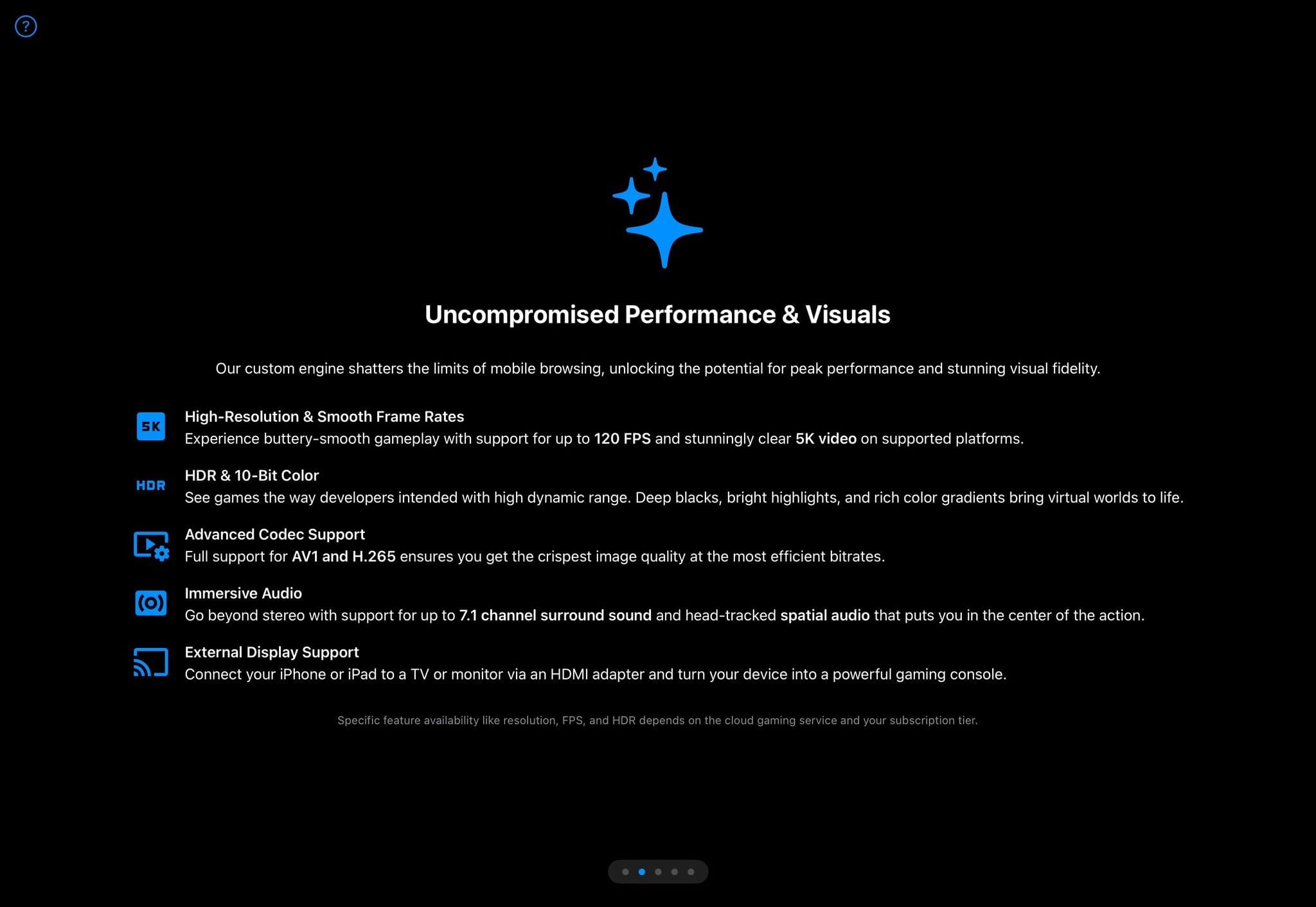
CloudGear’s onboarding outlines features that are both broadly useful and super niche, depending on your personal setup.
Once I fiddled with the in-game HDR-specific options, I was floored. The iPad’s screen is unreal, and it’s hard to articulate how impressive it is without being able to display content that actually makes use of it – something that I suddenly realized wasn’t happening often enough! It’s a 1,600-nit reminder of the exceptional nature of this hardware and, simultaneously, an example of how Apple’s own software design is preventing it from being utilized.
Because while it’s lovely to finally have true external monitor support on iPadOS, the process of using it is bizarre. Plugging in a USB-C dongle with an HDMI cable to my 4K television does extend the iPad’s display out… but doesn’t reroute the audio. So when I go to open up CloudGear and jump into a videogame, I first need to bring up Control Center and tap a few unlabeled buttons to ensure my sound will be coming from the right place. And leaving Control Center open on the iPad’s internal display also prevents my controller inputs from working on the external display, so time is now being spent troubleshooting my suddenly inexplicably inoperable controller.
Once CloudGear is up and running, though, and once I’m cruising through the world of Hollow Knight: Silksong, ARC Raiders, or Dragon’s Dogma II, I’m once again blown away by how far game streaming has come. That the iPad is capable of tapping into and allowing me to access these games at a much higher fidelity and with much better frame rates than the devices I specifically purchased for playing video games is a marvel. There’s a world where the iPad Pro sits almost permanently docked under one’s television and serves as the primary way of playing video games in 2025. Between streaming and emulation, there’s a very strange, but not totally outlandish, case to be made for the iPad as your next video game console – that is, if it weren’t for the operating system’s own limitations making everything just a little bit more cumbersome than it should be.
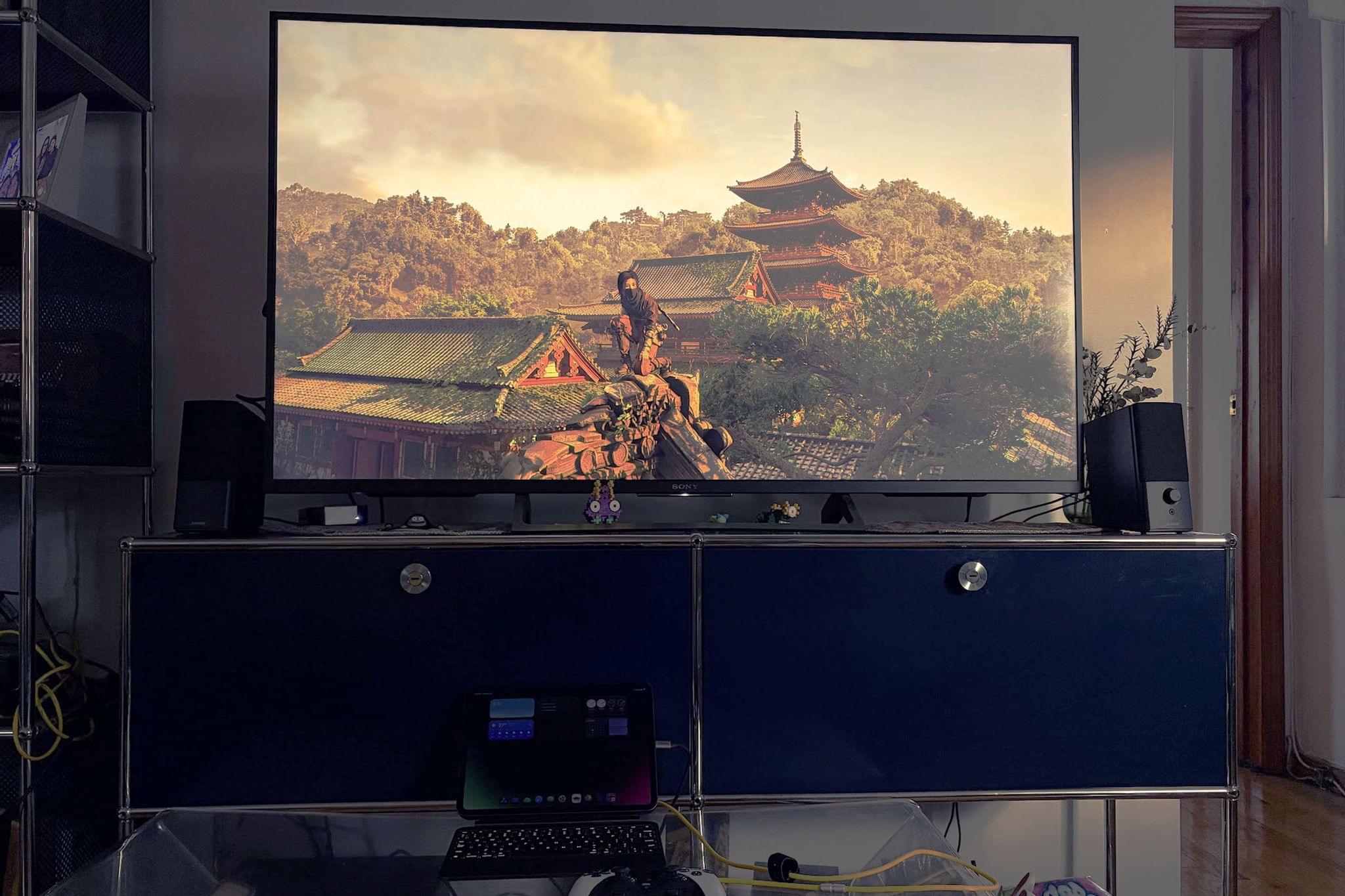
The iPad Pro plugged into an Anker USB-C hub to provide wired internet, HDMI out, and power delivery makes for a truly console-like experience.
None of this is CloudGear’s fault, nor is it Nvidia’s. Both are fantastic at the services they provide. But this is just a small, strange collection of hoops that need to be jumped through to accomplish one facet of what the iPad can – theoretically – already do. Apps need to be created to give users options they should already have. Extrapolate this same experience to any other “professional” task you’d reasonably throw at your starting-at-$999-and-labeled-Pro device, and you start to see the nomenclature crumble. I don’t think it’s unreasonable to wonder why the default experience on Safari is so limiting.
I’m aware that some people live perfectly productive lives working solely off their iPads, and I respect the hell out of it. In fact, I think this experience of using my iPad as a gaming hub for the past few days has opened my eyes to a whole collection of possibilities.
I wish I trusted Apple to make those possibilities a reality, but I sure am glad to find third-party developers picking up the slack.
