I’m pleased to announce my latest free and open-source project, which I’ve been working on for the past six months: MacRemote, a Mac app that lets you securely connect your Mac’s tools and local MCPs to any AI agent of your choice.
You can find the notarized app, extensive documentation for people and agents, and the source code on GitHub.
I released MacRemote as a private beta for Club MacStories members two weeks ago, and after lots of feedback and some feature additions, I think it is ready for its public debut. I’ve been using MacRemote with all my agents on any device and cloud environment since May and, honestly, I can’t imagine living without it.
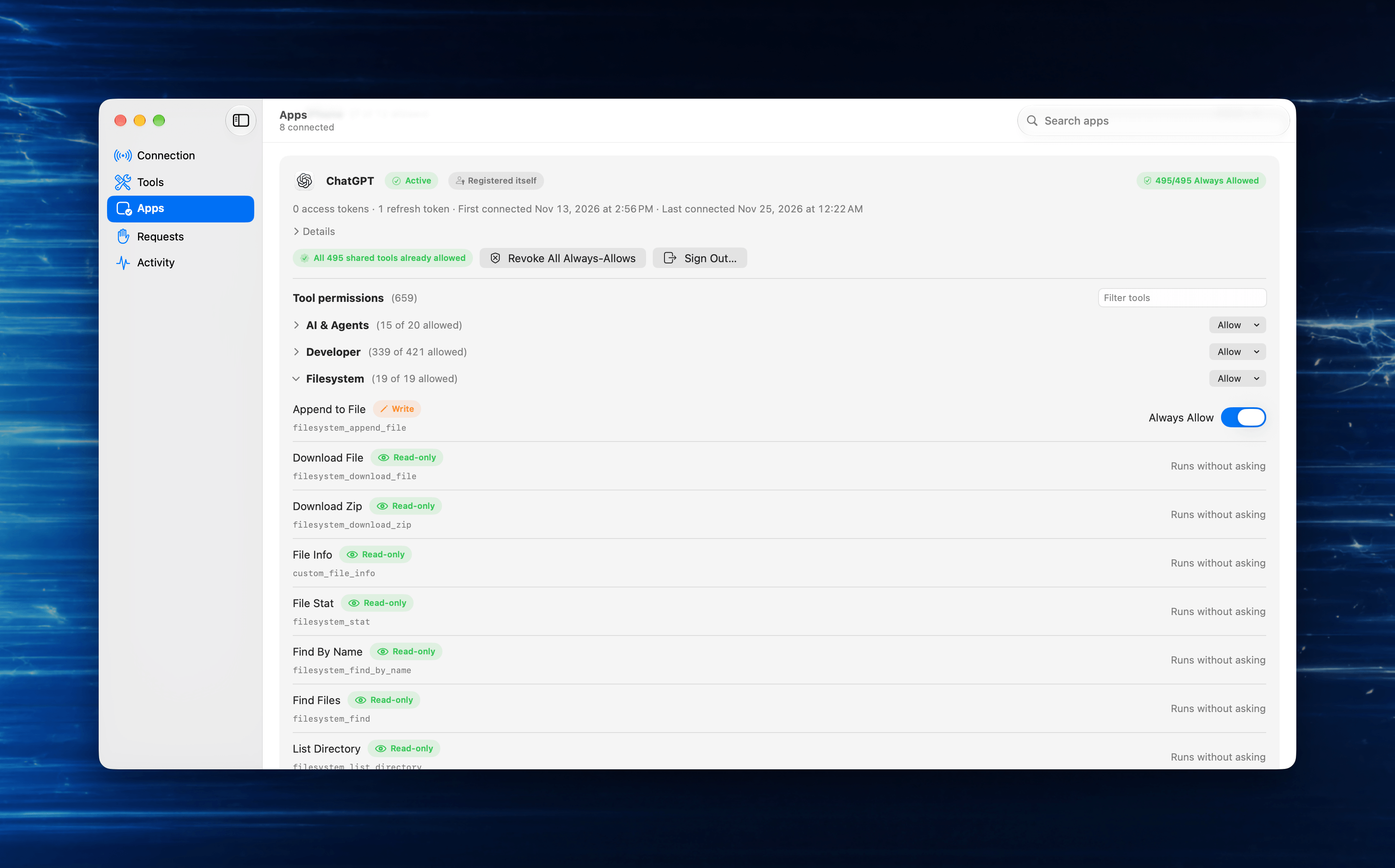
Here’s the gist of MacRemote: it’s a Mac app, which contains an MCP server that exposes user-selected tools (CLIs) and MCP servers from your Mac to any MCP-compatible AI app that wants to connect to it. MacRemote effectively serves as a bridge between your Mac and any other agent by opening a secure, permission-based Cloudflare tunnel that can either live at a randomized domain or be hosted under a domain you own. You’re always in control: you can choose the authentication system you prefer, grant granular permissions on a per-app basis, revoke and grant specific tools at any time, and, of course, accept or deny agents that want to connect to it.
MacRemote is compliant with the most recent MCP spec and supports modern features of MCP such as long-running Tasks, file uploads, skills over MCP, MCP Apps, and more. It is also backwards-compatible with clients that use an older MCP spec.
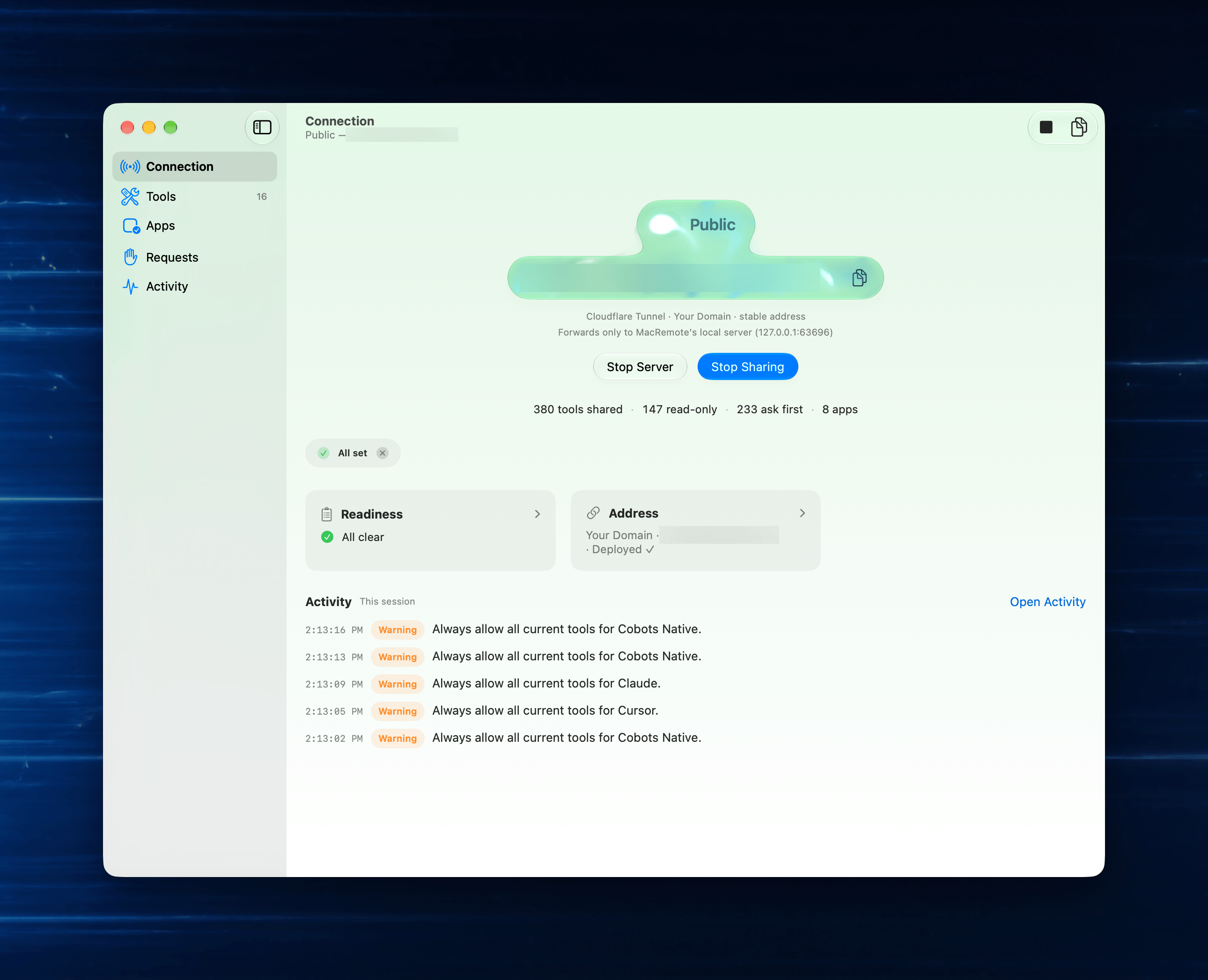
MacRemote’s connection screen animates with a Metal shader. I’ve been sharing hundreds of tools via MacRemote for months.
Rather than rehash what I already wrote, here’s how I described MacRemote to Club members during the beta process:
The idea behind MacRemote was born out of frustration: I wanted to use products like Claude Cowork or ChatGPT Work – and, later, the likes of Muse or Grok Bot – but those services were running in their own isolated environments and had no access to my Mac Studio. And my Mac Studio had plenty of tools I wanted to be able to access: from my advanced Reminders or Apple Frames CLIs to local MCP servers that were running exclusively on my Mac, I didn’t want to give up on the apps and tools I was using locally on my Mac only because those other agents were running in the cloud. There were some options, such as OpenAI’s Secure MCP Tunnels for local MCP servers, but they were too fiddly to set up, did not support generic command-line interfaces, and they were specific to one company. Instead, I wanted a secure, all-in-one, permission-based application with a polished macOS UI that would let me intuitively choose which parts of my Mac I wanted to expose to another AI running remotely. Thus MacRemote was born.
And:
I’ve been running my own custom domain in MacRemote for weeks at a time without ever rebooting my Mac or stopping the tunnel; it’s worked amazingly well. If you’re unsure about how to set up a Cloudflare domain and required token to deploy it in MacRemote, just ask your agent to read the docs and help you in the process.
The other aspect of MacRemote I’m especially proud of is the automatic discovery of CLIs and MCP servers already installed on your Mac. I started from the assumption that, if I have a Mac that is always on, available, and under my control, I shouldn’t have to replicate my setup in a cloud environment for a new agent every single time. My Mac is the source of truth and has all my files and tools I want to use. MacRemote is able to automatically detect CLIs installed on your machine, categorize them by type and source, and it can also offer to import MCP servers you’ve already configured in Claude Code, Codex, Cursor, or other desktop agents. For each MCP server, MacRemote extracts individual tools, understands which ones are safer than others and which ones perform potentially destructive actions, and lets you choose which tools you want to make available remotely.
While every cloud-based agent these days is shipping its own version of macOS integration, thus resulting in a fragmented ecosystem of how agents can reach out to your Mac, MacRemote is an agent-agnostic solution that makes any Mac tool or local MCP server you want available, with extensive permissions, to multiple agents at the same time.
Want to run your local ffmpeg setup from Claude’s website or Claude Duet? That works. You like Muse, but wish it could use RemCTL or Xcode’s MCP server? That can be done. You use Dots, Grok Bot, Hermes, or an agentic app for iOS and wish they could grab files from your Mac, but not delete them, and also do something in Python with them? How about accessing local AI models, remotely? Or perhaps you’d like ChatGPT Work to kick off a Computer Use agent like the amazing Cua Driver on your own Mac mini, rather than some cloud sandbox? Yes, yes, and yes. MacRemote can do it all.
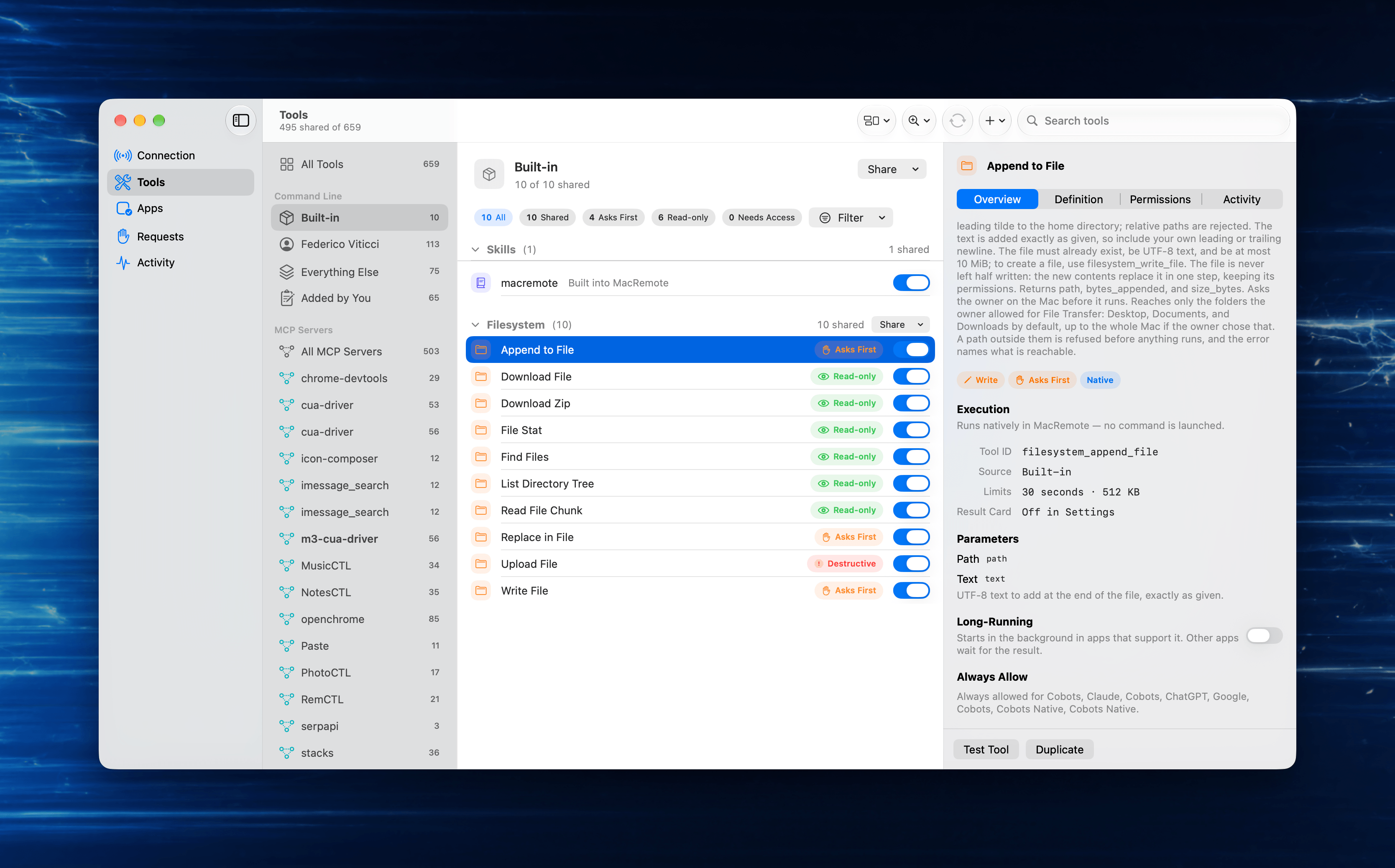
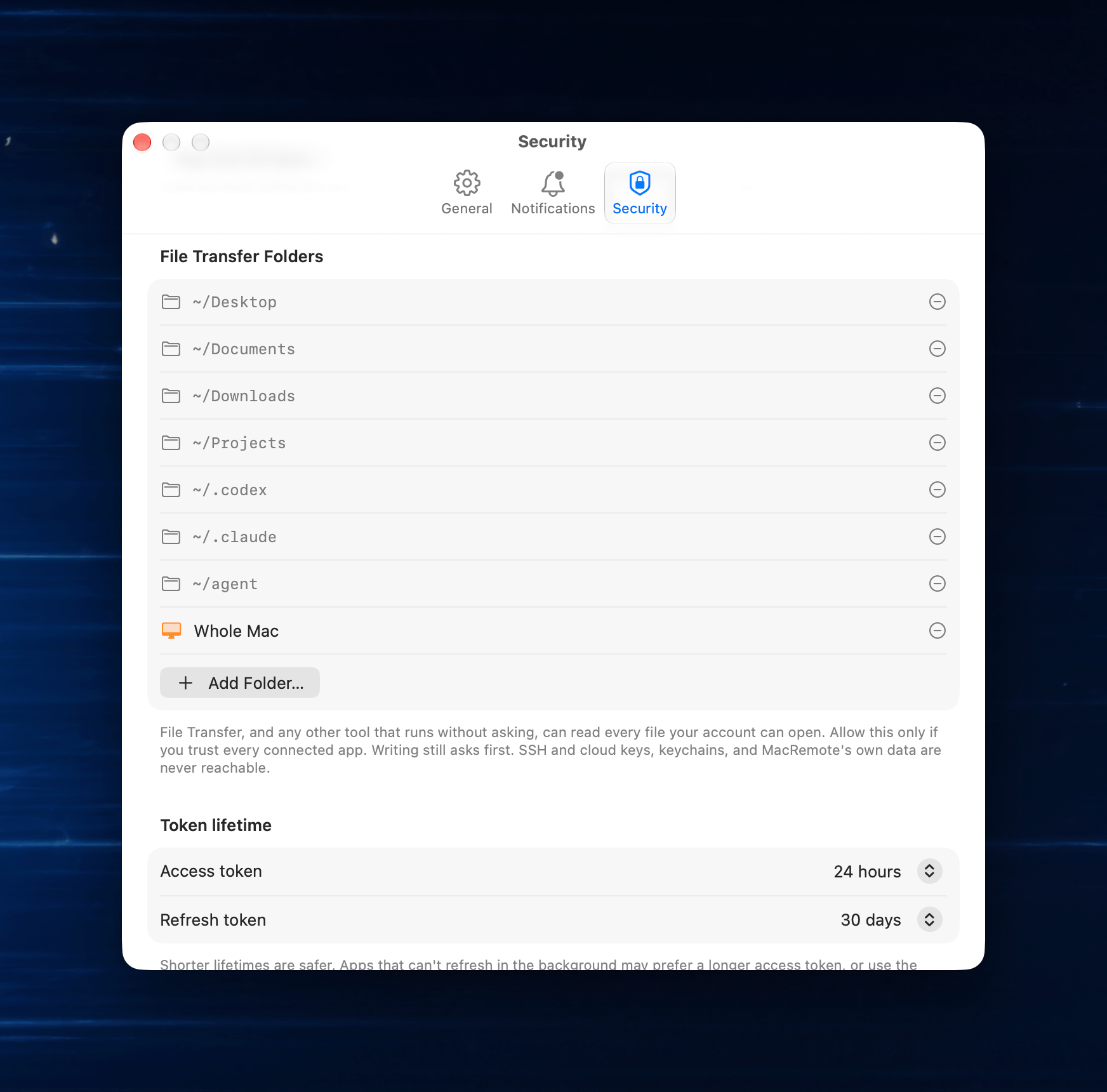
I’ve spent a lot of time testing and thinking about the architecture of MacRemote, as well as keeping up with the latest additions to the MCP spec. Today, MacRemote already supports passing skills over MCP to Claude and other clients that use the latest version of the protocol; it also comes with built-in support for my CLIs (Apple Frames and Reminders), which will soon be joined by Apple Notes, Mail, Photos, and Apple Music once they’ve been tested by Club MacStories members.
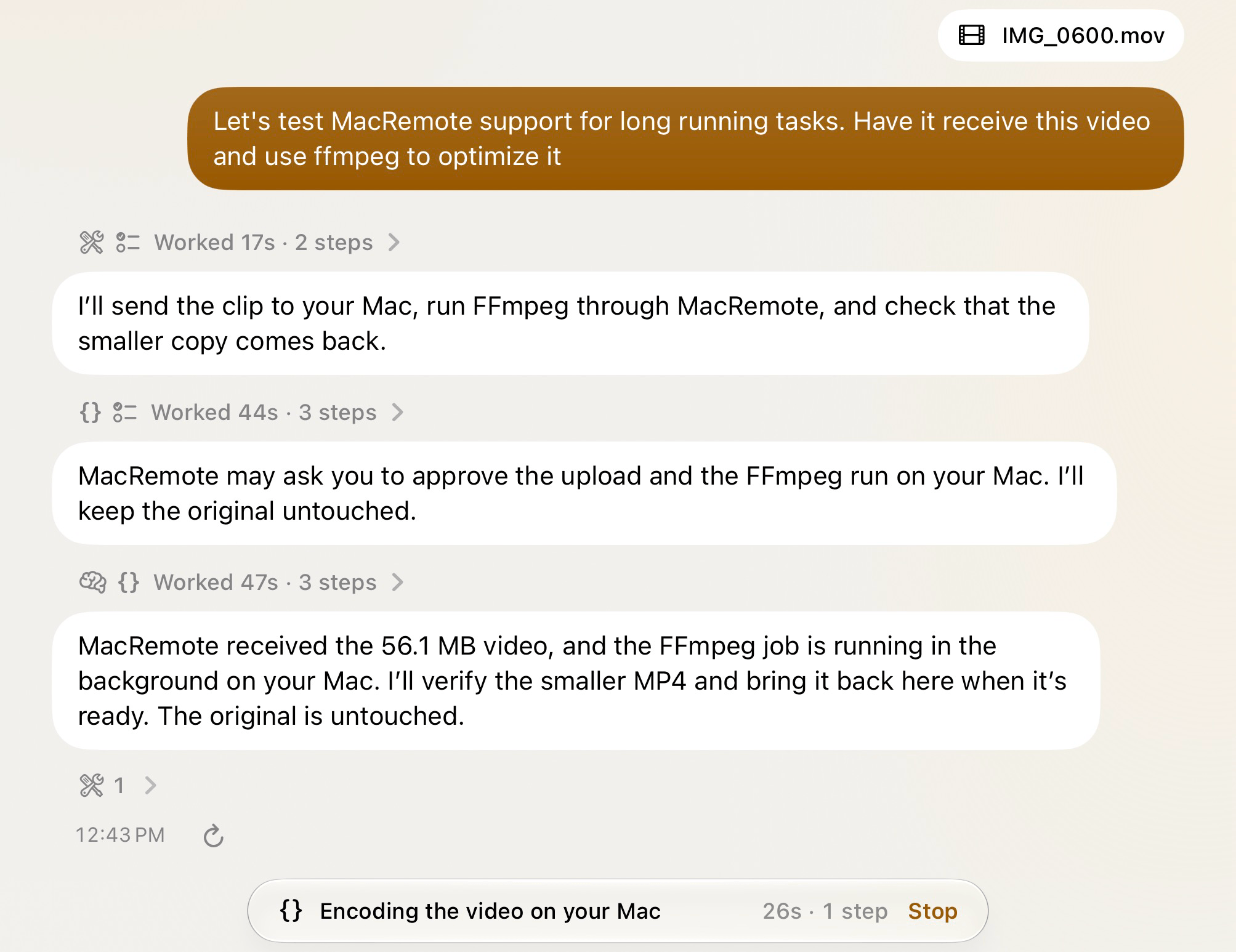
An example of a long-running task being executed on my Mac, via MacRemote’s MCP Tasks, from the app I’m working on.
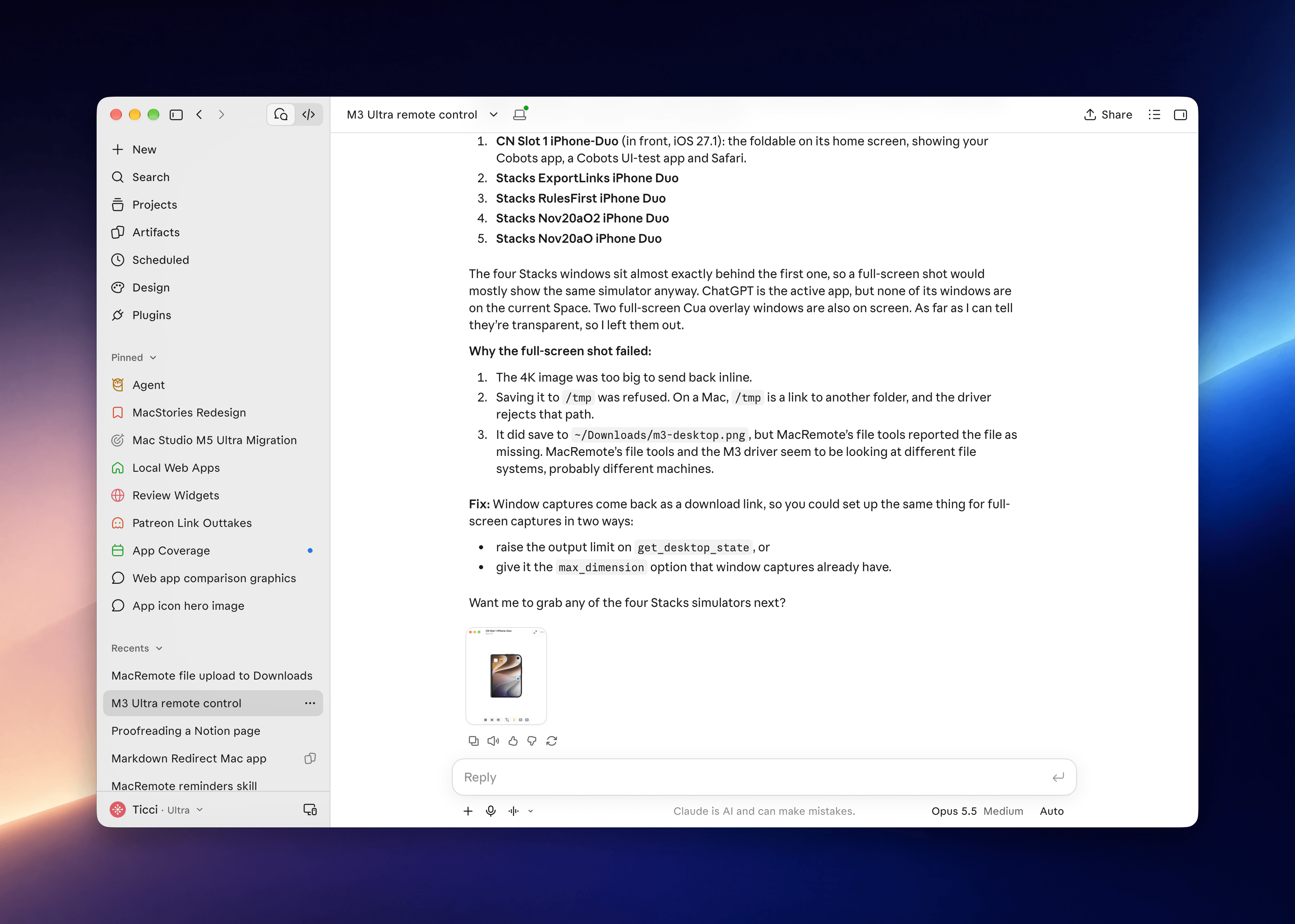
Here’s Claude, using an MCP server on my M5 Ultra Mac Studio to control my other Mac Studio via Cua Driver.
I strongly believe in the idea of owning your compute and having full control over the tools that you want to make available to agents. And while – rightfully so, I’d say – each AI lab is shipping its own (limited) version of macOS integration, MacRemote provides you with a centralized, Mac-native way to select the tools you want, browse a catalog of CLIs and MCPs found on your computer, and decide exactly what you want to do with them.
Like my other open-source projects, MacRemote has been a labor of love and helped me learn a lot about a new field in the process. Feature and pull requests are welcome, and I urge you – if you’re so inclined – to look at the source code and tell me if it should be better in any particular way. Since I’m the first user of MacRemote, it’s in my own interest to maintain it and grow it alongside the MCP spec for the foreseeable future. I expect nothing in return: I’d just love for you to try it and tell me how it could be improved.
MacRemote is free, open source under an MIT license, and it’s become an essential tool in my agentic workflow. I hope you’ll like it as much as I loved building it.

