
BetterTouchTool has long been one of the Mac’s most versatile customization tools, offering deep control over trackpad and mouse gestures, keyboard shortcuts, Stream Deck buttons, Floating Menus, window actions, Apple Shortcuts, and more.
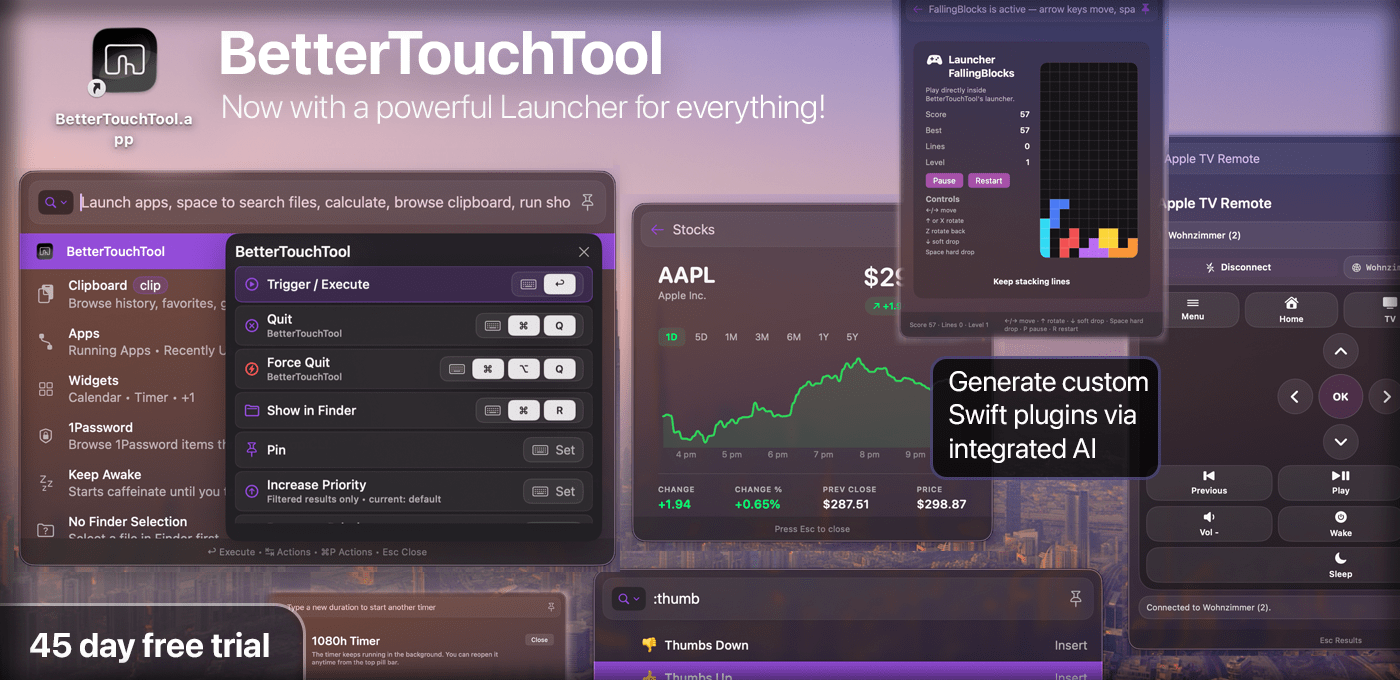
The latest version adds a powerful new Spotlight-like Launcher that brings many parts of your Mac and BTT together in one fast interface. Open it with e.g. a hotkey, gesture, mouse button, or Stream Deck button, then launch apps, run Shortcuts, search and browse files, switch windows, use clipboard history, create reminders or calendar events, control Apple TV, and run BTT actions. The Launcher also handles complex calculations and unit conversions directly in the search field, powered by the excellent Soulver.app.
Your own BTT triggers can appear there too, so personal automations sit alongside apps, files, Shortcuts, and system actions.
One of the Launcher’s most powerful features is native Swift plugin support. Plugins can add rows, commands, nested results, and rich custom interfaces inside the Launcher window, making it possible to build mini apps for BTT: dashboards, device controllers, API clients, automation panels, and more. BetterTouchTool’s built-in [email protected] assistants can even create custom Launcher plugins from a prompt, making advanced customization more approachable for Mac power users.
Since BetterTouchTool’s last sponsored MacStories post, input-device support has expanded too. Native Logitech mouse and keyboard support makes many Logitech devices directly configurable in BTT without extra software, including special keys and remappable buttons. Normal mouse support has gained scroll modifiers, e.g. for smooth scrolling, drag gestures, and trackpad-like interactions such as fluid space switching and zooming, while Magic Trackpad and Magic Mouse users continue to get new options for deep gesture customization.
Try BetterTouchTool free for 45 days at folivora.ai. MacStories readers can use MACSTORIESBTT2026 for 20% off a license.
