iCab Browser Updated for iOS 7, Adds Keyboard Shortcuts and Multi-User Support

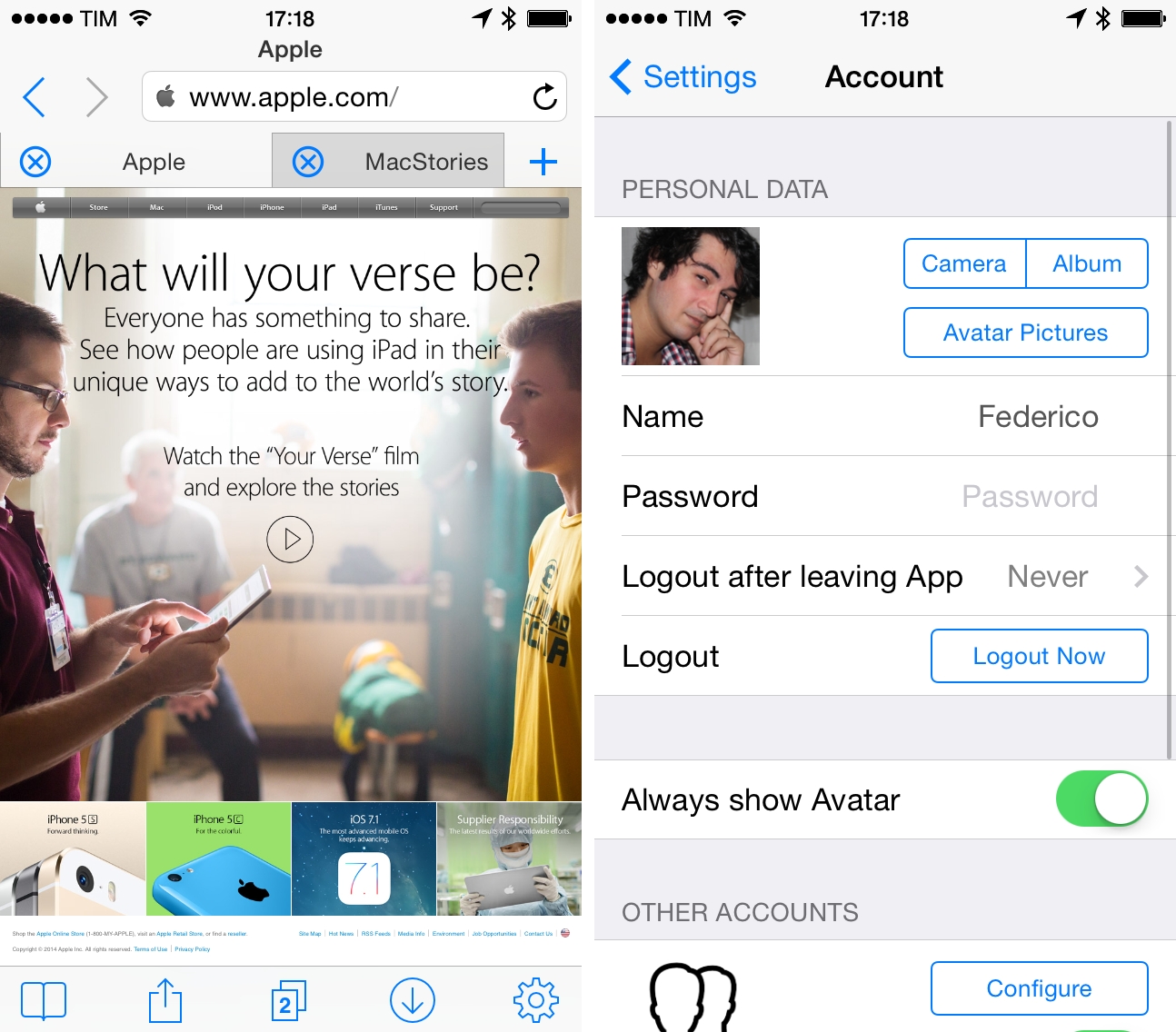
iCab has long been one of the most powerful third-party browsers for iOS, pioneering features such as extensive integration with x-callback-url for automation, sync through iCloud and Dropbox for bookmarks and a proprietary Reading List, and integration with many third-party services for read-later and bookmarking functionalities.

Last week, iCab was updated to version 8.0, which has brought a redesign for iOS 7 and a reorganization of the app’s Settings; according to developer Alexander Clauss, the app has also been completely rewritten, resulting in native support for 64-bit devices, background downloads (iCab’s download manager is one of the app’s marquee features), and overall faster performance under iOS 7.

Read more


Facebook Messenger 4.0 Adds Group Creation, Message Forwarding

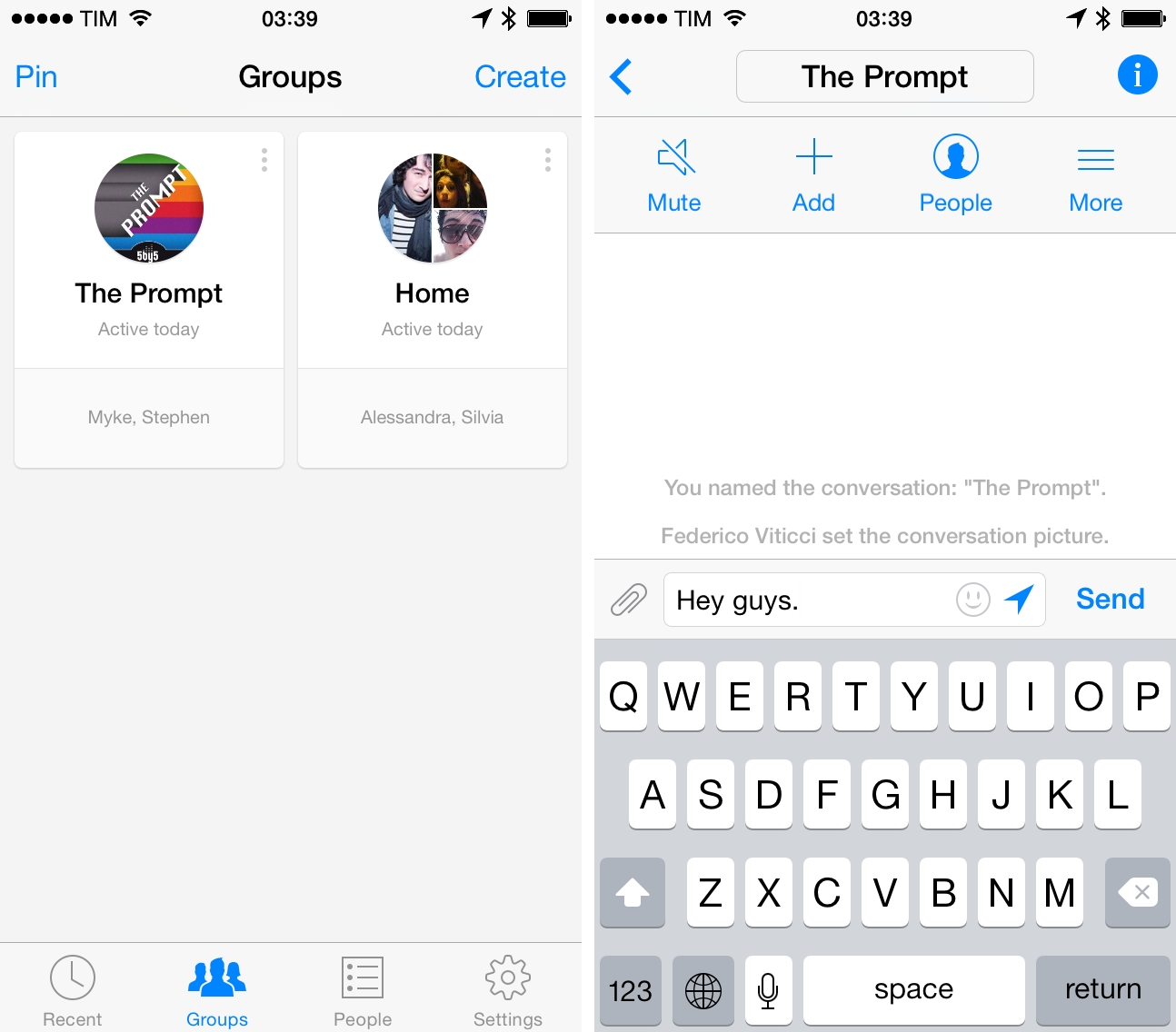
Facebook’s Messenger app for iPhone was updated to version 4.0 earlier today, adding support for group creation and a “Forward” feature for individual messages reminiscent of the same option in Apple’s Messages app.

Groups can be created in the dedicated Groups section of the app, which provides a separate area to list all ongoing groups as cards; group conversations are also listed in the main Recent section. Groups can be created by picking contacts and choosing a group photo, and once created in Messenger they will sync with Facebook’s Messages view on the web and other clients. A minor addition to the chat experience is the Forward button, which can be accessed by tapping & holding an individual message in a conversation.

Facebook Messenger, first launched in 2011, is the company’s standalone chat app focused on conversations and photo/location sharing. Version 4.0 is available (still only for iPhone and iPod touch) on the App Store.


Paul Thurrott Reviews Office for iPad

A positive review from Thurrott, who calls the suite of apps for iPad “the real deal”. He also makes a good point on the decision of allowing users to view documents for free:

Once you get past the weirdness of Office even being on the iPad, it sort of settles in. Yes, it’s here. Yes, it works as expected. But … why bother? Why even release such a product? Obviously, the success of the iPad and similar Android-based tablets—and their use as productivity devices in some cases—warrants the release. But it’s more than that. Users of the iPad get built-in viewers for Office documents, and they’re lousy. They don’t show the correct formatting on anything but the simplest documents, making it hard for users to move documents back and forth between a PC and the device.

iPad users also have their choice of Office-like apps such as Apple’s iWork applications and various third party apps. These apps let you open and edit Office documents, but they also screw up the formatting fidelity of those documents. So if you’re trying to integrate your iPad into your workflow you may end up screwing up those documents, not just for yourself but for others. Only Office treats Office documents correctly.

Look no further than Apple’s Top Productivity charts to understand why Microsoft is calling them “the real Microsoft Office apps for iPad”.

Permalink

Microsoft Announces Office for iPad, Now Available On The App Store

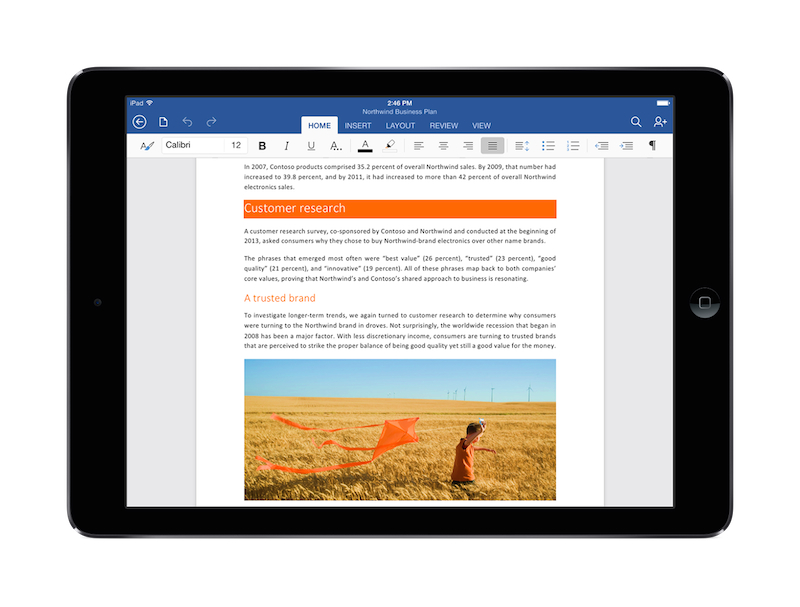
At a special event in San Francisco, Microsoft took the wraps off the highly anticipated Office for iPad today with a demo that showed Word, Excel, and PowerPoint running on Apple’s iPad. The three apps are launching on the App Store as a “freemium” experience: the download will be free, and free users will get the ability to view and present documents on the iPad; subscribers of Microsoft’s Office 365 service will be able to unlock the full experience of Office on iPad with editing features. Read more


The Prompt: Progress, Not A Revolution

With Stephen being away this week, Myke and Federico talk about the things they always talk about—music services and video games. More specifically, advancements to iTunes Radio and Facebook buying Oculus.

I’ve been taking notes about iTunes Radio and Oculus for a while now, and I like how the discussion turned out. Get the episode here.

Brought to you by:

  • Lynda (get a 7-day free trial with our link)
  • Squarespace (use code TALLYHO3 for 10% off)
Permalink

Keyboard Maestro Adds Mavericks Tags Integration

With version 6.4 released yesterday, Keyboard Maestro (one of my favorite utilities to automate tasks on OS X) added support for Mavericks tags alongside improvements to AppleScript, asynchronous macro and script execution, and a variety of bug fixes and refinements.

Introduced last year in OS X Mavericks as a way to quickly group and organize related files, tags have been integrated in various automation-related apps and workflows that include Hazel, Alfred, script launchers, and command line utilities. With version 6.4, Keyboard Maestro is now capable of getting and setting tags as attributes to files – with just a couple of actions, you can now set up a macro that tags multiple files at once with a hotkey.

If you work with tags on Mavericks and wish you could speed up the process of adding or removing tags, Keyboard Maestro 6.4 is available here; if you’re new to Keyboard Maestro, check out my previous coverage here.

Permalink

Connected Data Opens Transporter Developer Program

Connected Data has officially launched the Transporter developer program today, which will allow third-party developers to integrate Transporter cloud storage and sync features into their desktop and mobile apps. Transporter is a private cloud storage platform that turns any USB drive (with Transporter Sync) or local storage (original Transporter) into a personal cloud storage space that’s private and has no monthly fees.

In a blog post, Connected Data has announced that initial partners for the Transporter developer program will include Smile’s PDFpen for iPad and Readdle’s Scanner Pro:

Not only have we used the Transporter SDK to develop our own applications, but we’ve also spent months creating a core services layer that eliminates complexity and allows third-party apps to make simple, native calls,” said Dave Mendelson, CTO of Connected Data. “Combined with extensive documentation, sample code, a developer community and dedicated support infrastructure, we’ve worked hard to make integration as simple as possible for our partners.

Starting at $99 for the Transporter Sync and $199 for the 500 GB model, Connected Data’s Transporter provides a different solution from traditional cloud services such as Dropbox and Google Drive. Developers interested in adding Transporter storage and sync features to their apps can register for API access at the Transporter developer portal.


Twitter Rolling Out Photo Tagging, Up To Four Photos In A Tweet

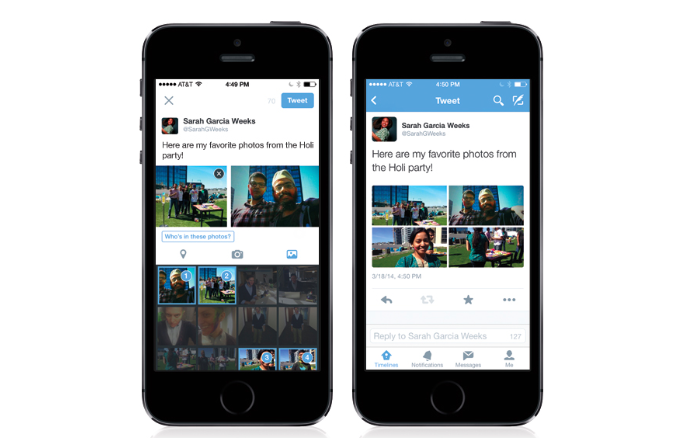
In an update to their iOS app released today, Twitter has started rolling out two enhancements to make photos “more social”: one is the ability to tag people in a tweet; the other is an option to include up to four photos in a single tweet.

With photo tagging, Twitter aims at increasing conversations between users by allowing people to be tagged with @usernames that don’t count against the limit of 140 characters in a tweet. As noted by Matthew Panzarino, tagged @usernames count as metadata in the new photo tagging feature; up to 10 people can be tagged in a photo, and they will be alerted of the new tag through a notification. Photo tagging has long been a marquee feature of networks such as Facebook and Instagram, and it’ll be interesting to see if Twitter will eventually roll out new gallery views on profiles to browse or filter photos by tag.

The second change in today’s update is an option to attach up to four photos in a tweet. From Twitter’s blog post:

And now, you can also share a series of photos that automatically create a collage. Just tap on a preview to get the full image and slide through the group. The ability to upload multiple photos is starting to roll out today on iPhone, and is coming soon to Android and twitter.com. Whether you’re on iPhone, Android or twitter.com, you can view Tweets with multiple photos.

Both tags and multiple photos will be enabled in embedded tweets, and, while the statement has been made by Twitter’s developer team before, “there’s no reason” today’s new features couldn’t be available for third-party clients as well.

Twitter 6.3 for iOS is available on the App Store.