
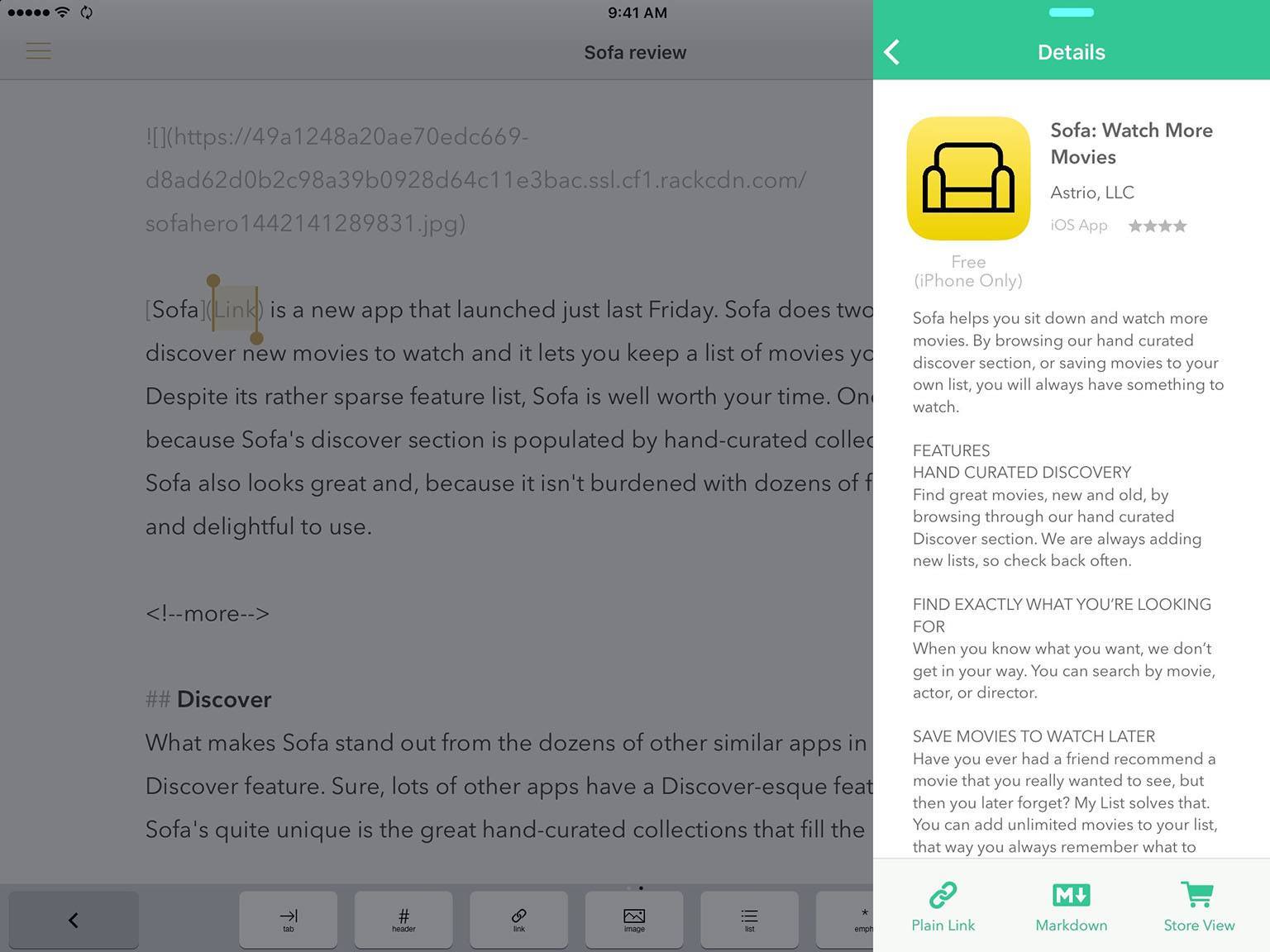
In my original review of Blink, I described it as “effortless affiliate link generation on iOS” and that rings true six months on with the launch of Blink 2.0. The update arrived yesterday, and whilst it does require iOS 9, it also comes with some really neat feature additions.
Blink 2.0: iPad Multitasking Support and Removing Small Frustrations
Just Press Record Is a Simple Voice Recorder for watchOS 2 and iOS 9
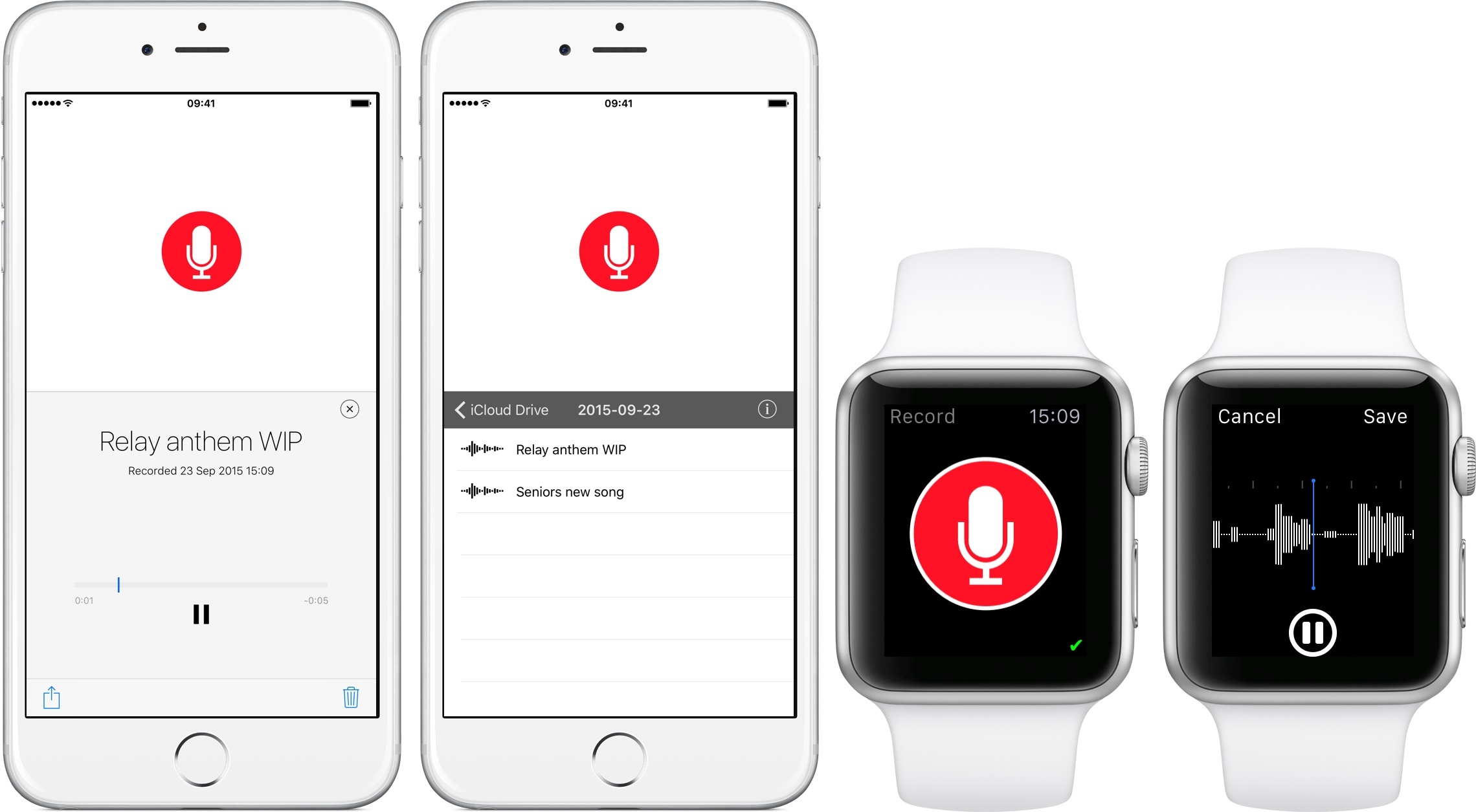
Among the various first-party omissions on watchOS 2, the lack of a Voice Memos app for Apple Watch is perhaps the most curious one. Given the OS’ support for audio recording and playback, a native Voice Memos app for the Watch would be an ideal companion for capturing ideas and audio notes anywhere. Just Press Record, a $2.99 Universal app, wants to provide the missing voice recorder for Apple Watch users.
Instagram Hits 400 Million Users→
Instagram announced yesterday that they had hit the milestone of 400 million monthly active users:
We are thrilled to announce that the Instagram community has grown to more than 400 million strong. While milestones like this are important, what really excites us is the way that visual communication makes the world feel a little bit smaller to every one of us.
Our community has evolved to be even more global, with more than 75 percent living outside of the US. To all the new Instagrammers: welcome! Among the last 100 million to join, more than half live in Europe and Asia. The countries that added the most Instagrammers include Brazil, Japan and Indonesia.
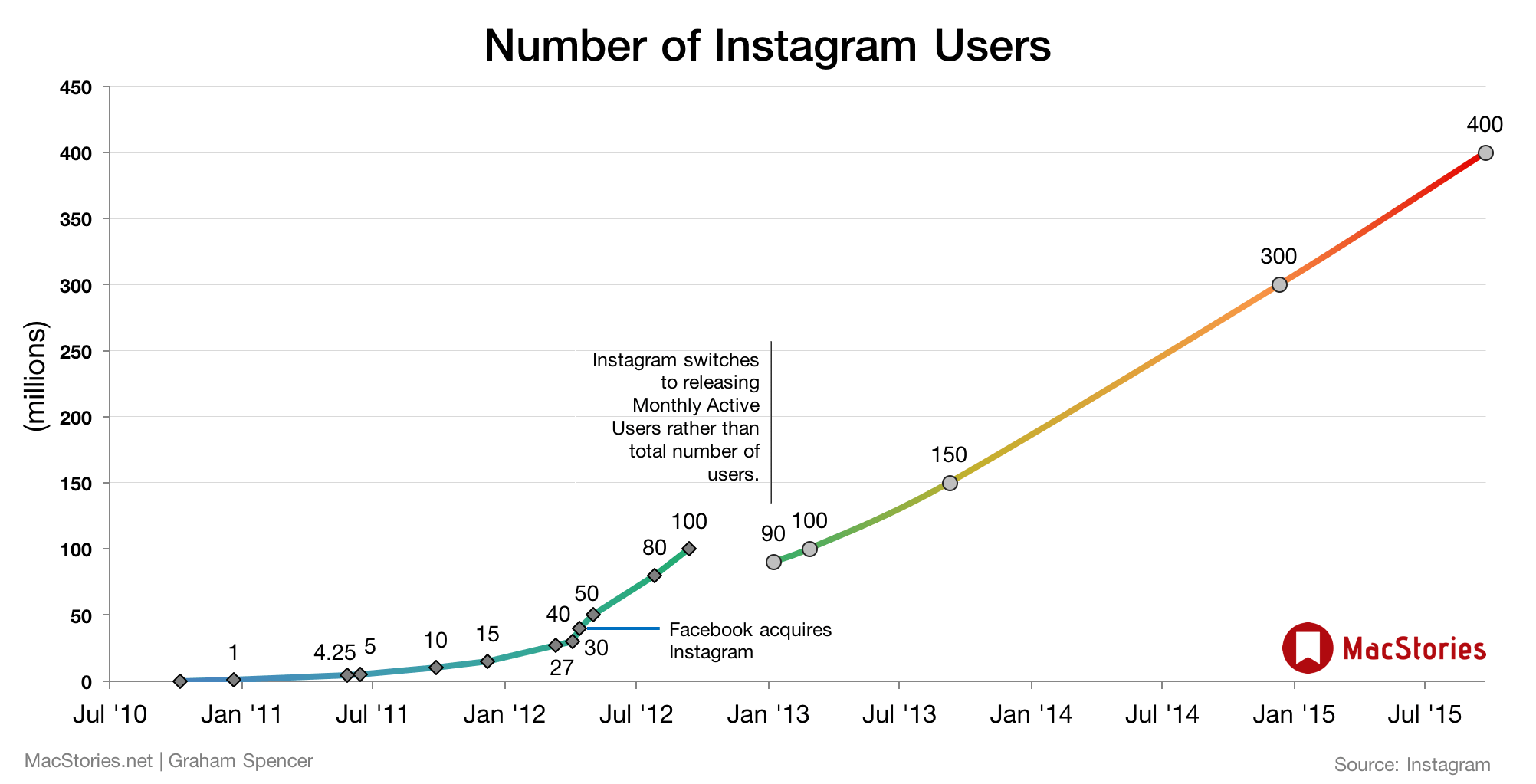
I can’t believe its been nearly five years since Instagram launched, it really doesn’t feel like it’s been that long. But I was really surprised to remember that Facebook acquired Instagram in April 2012, when Instagram had “only” 40 million users. If I recall correctly, a lot of people thought Facebook was crazy to buy Instagram for $1 billion. Well, I think Facebook got the last laugh on that one, and as Forbes points out, Instagram now has more monthly active users than Twitter (316 million).
It’s been a few years since I updated my Instagram growth chart, so here’s an updated version.
Pixelmator Updated with iOS 9 Support, iPad Multitasking
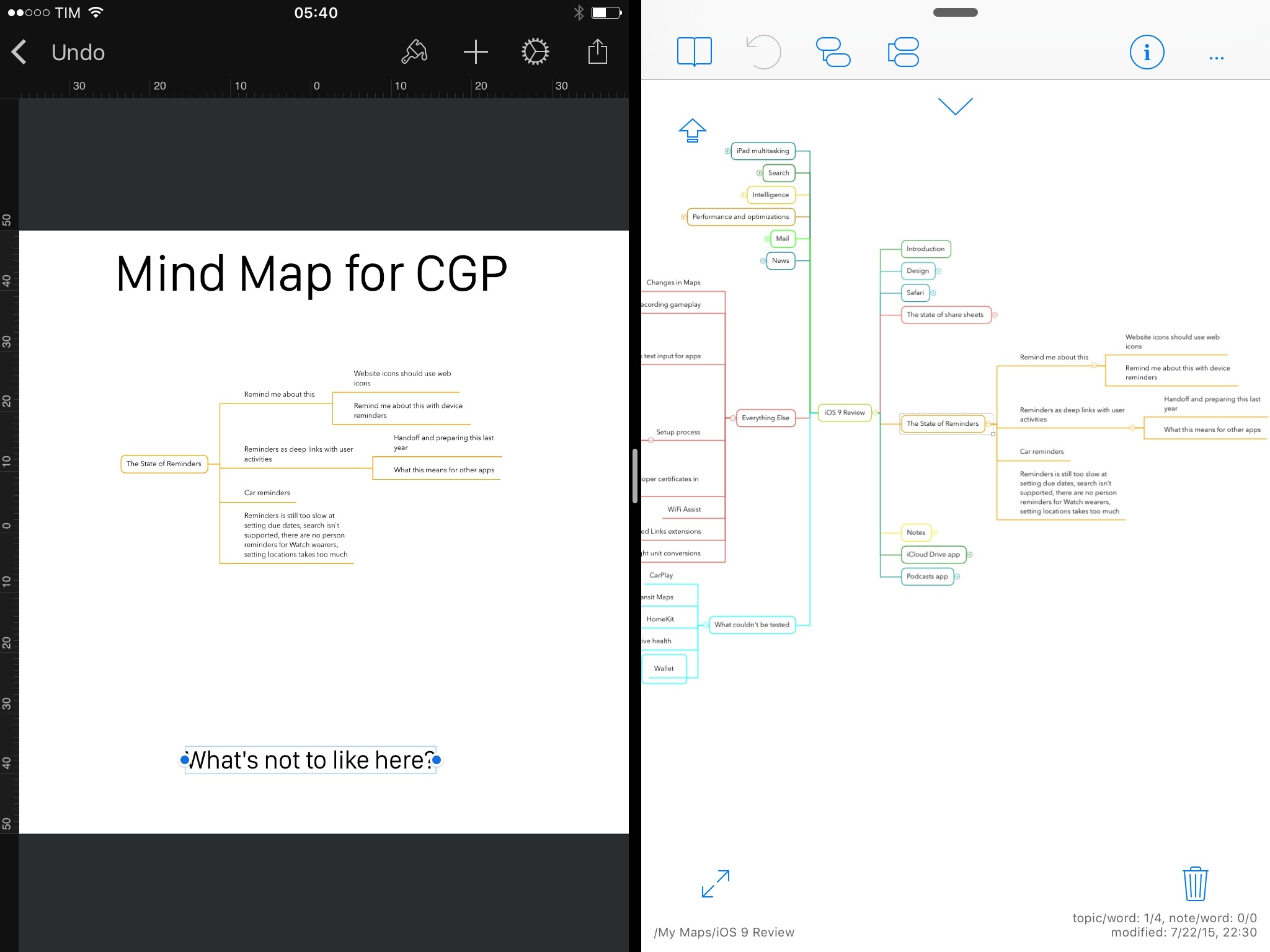
The excellent Pixelmator for iOS – which I use regularly on my iPhone and iPad to assemble screenshots that can’t be automated with scripts – has been updated today with support for 8K images and iOS 9. I’ve been playing with a beta version of Pixelmator 2.1 on my iPad running iOS 9, and the ability to work with the app’s canvas alongside other apps in Split View is a refreshing change that saves me time when creating images off multiple assets.
iOS 9 and YouTube Picture in Picture with YouPlayer
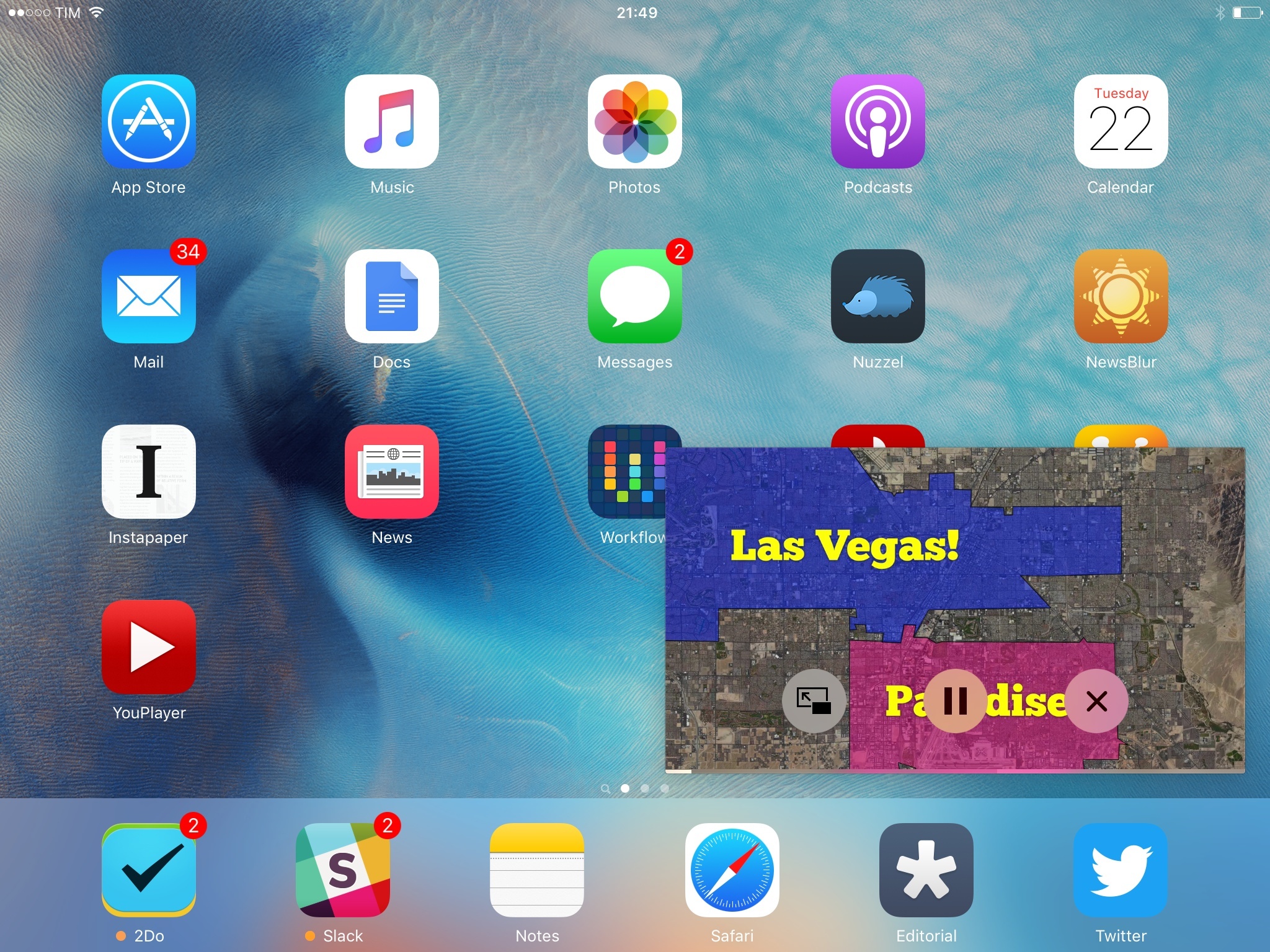
With the release of iOS 9 last week, I was hoping YouTube would be ready with an app update to support Picture in Picture. As I suspected, though, YouTube hasn’t brought iOS 9’s improved video playback experience to their official app yet, and I wouldn’t be surprised to know they’re not thrilled to enable a floating video player that would make ads and annotations non-tappable.
To overcome the lack of Picture in Picture for YouTube – a perfect use case for the feature, especially if you consider YouTube as a music player – I’ve started using YouPlayer, a free app by Homegrown Software that supports iOS 9 multitasking on iPad and, more importantly, Picture in Picture for all videos.
Automatic: A Smart Driving Assistant on Your iPhone [Sponsor]
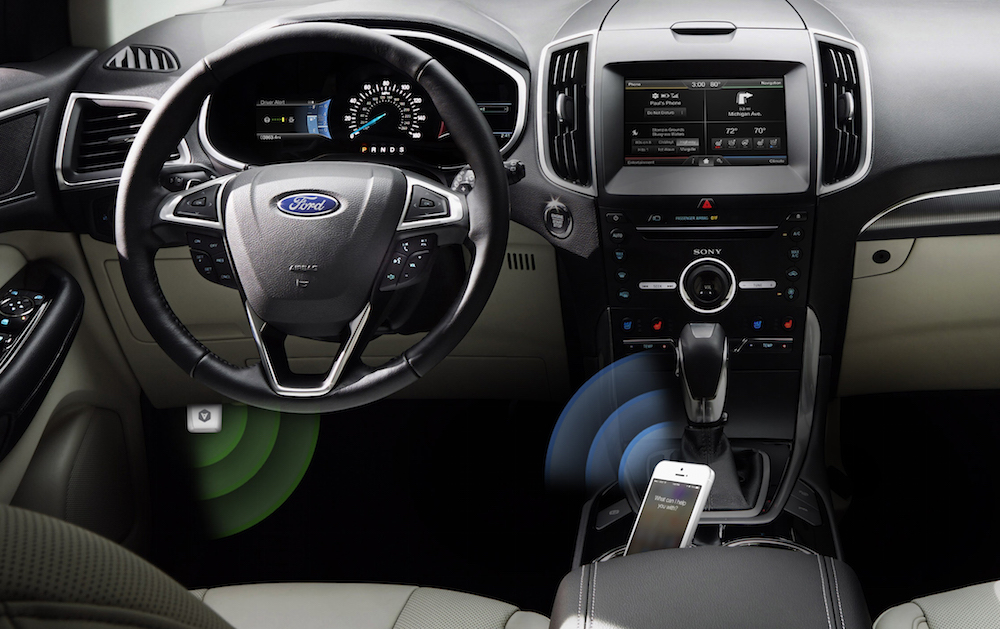
There’s a mountain of data inside your car waiting to be unleashed, and all you have to do is plug in a quick little connector and download a mobile application.
Automatic is a smart driving assistant that plugs into your car’s data port and lets you connect your smartphone (either iPhone or Android) with your car. By talking to your car’s onboard computer and using your smartphone’s GPS and data plan to upgrade your car’s capabilities, Automatic will allow you to easily diagnose your engine light, never forget where you parked your car, and save hundreds of dollars on gas.
Automatic learns your driving habits and gives you suggestions through subtle audio cues to drive smarter and stop wasting gas. Thanks to a map view available on your phone, Automatic can display a trip timeline after every driving session, showing you how you’re doing with a Drive Score; the app can even track local gas prices and tell you how much you’re spending.
In case of engine problems, Automatic can decipher what the “check engine” light means and show you a description of the issue with a possible solution. And thanks to a feature called Crash Alert, Automatic can detect many types of serious crashes and automatically alert local authorities as well as your loved ones when you can’t.
Automatic is currently available in the US for iPhone and Android devices, with a 45-day return policy and free shipping in 2 business days.
MacStories readers can go to automatic.com/macstories to get $20 off and buy Automatic at just $79.99. For more information, check out Automatic’s website.
Our thanks to Automatic for sponsoring MacStories this week.
Matthew Panzarino on the iPhone 6s and 3D Touch→
TechCrunch’s Matthew Panzarino has written my favorite iPhone 6s review yet. He goes into detail on performance and camera improvements, but he also focuses on the productivity aspect of 3D Touch and why iOS 7’s design helped bring the feature to life.
This is one of the big things that 3D Touch does, it eases the fear of handling actionable items. It allows you to retain your context while adding something to your calendar, peeking at an email or sneaking a look at a link to see if you really want to read it.
Pressing lightly to ‘peek’ and pushing hard to ‘pop’ it into existence provides an escape hatch that eases your mind, and a new iOS 9 affordance injects a ‘back’ button at the top left corner of any screen you jump to. iOS 9’s new task manager, accessed by a firm press on the edge of the screen (or the standard double-tap of the home button) is also arranged in a much more contextually rich card format — a time-line of your jumping around through apps.
It’s not hard to imagine how apps will take advantage of 3D Touch, and Matthew gets it.
Twitter for iOS Adds Universal Links Support on iOS 9

Joanna Stern on the iPhone 6s’ Battery Life→
From Joanna Stern’s iPhone 6s review for the WSJ:
Let’s get this out of the way first. The No. 1 thing people want in a smartphone is better battery life. And the iPhone 6s doesn’t deliver that.
And:
Still, there is no battery improvement over last year’s iPhone 6 models. In our grueling test; which loops a series of websites with brightness set at around 65%, I found the 6s and 6s Plus get no more—but also no less—battery life than their predecessors. (iOS 9 itself adds an hour of savings to the iPhone 6, and has Low Power Mode.) Strangely, although Apple says that the 6s Plus gets hours more battery life than the 6s, repeated testing on multiple devices reveals a slimmer difference. In a Web surfing test, the 6s on average lasted for 8 hours, while the 6s Plus went 20 minutes longer. In a video playback test, the difference was an hour.
This is a common theme in reviews I’ve read this morning. Given that Apple had to ship a smaller battery to make room for new components, the fact that the 6s is still getting the same performance on a more powerful hardware suggests that iOS 9’s optimization technologies are working.