This Week's Sponsor:

BetterTouchTool

Now with a Powerful Launcher for Your Mac


VideoBlocks: Royalty-Free Stock Footage Downloads [Sponsor]

VideoBlocks is an affordable, subscription-based stock media site that gives you unlimited access to premium stock footage.

One of the main benefits of VideoBlocks is its unlimited download model: with a library of over 100,000 HD video clips, plus After Effects templates and motion backgrounds (for a total of 250,000 graphics), VideoBlocks subscribers pay on average less than a dollar per download over the course of a year. VideoBlocks offers the same content you would find on more expensive stock sites with a great variety of time lapse, aerials, US and international locations, nature shots, and more.

VideoBlocks is continuously adding new content to their library so it stays fresh all the time. Everything on VideoBlocks is 100% royalty-free, with unrestricted usage rights for personal or commercial projects: keep what you download and maintain usage rights forever.

Want to know more? Visit videoblocks.com/promo/macstories and start your subscription today.

Our thanks to VideoBlocks for sponsoring MacStories this week.



Kids React to First iPod

Kids React is one of my favorite YouTube shows. It’s always interesting to see how new generations react to old products and technologies, commenting on aspects that they now take for granted but that actually took years of evolution and cultural changes to happen.

Their latest video is about kids reacting to the first iPod. There are many great moments in the video, but the part about touching the screen really shows how tech has changed since 2001. You can watch it below.

Permalink

Craig Hockenberry on the Mac App Store

Craig Hockenberry on the many limitations of the Mac App Store when compared to its iOS counterpart:

I think the thing that bothers me most about this situation is the inequality. Mac developers aren’t getting the same value from the App Store as their counterparts on iOS. We all pay Apple 30% of our earnings to reach our customers, we should all get the same functionality for that fee.

It’s not fair to developers to keep the Mac App Store like this. Developers should be able to test and track performance of Mac apps just like they can on iOS. Instead of improving the Mac App Store for developers, things are only getting worse the more it’s neglected – this isn’t right, and it should be fixed.

Permalink


Connected: The Year of Now for You

This week, the Connected gang talk about the iOS 9 beta, new iPods and what the future may hold for the iPad.

On this week’s Connected, we elaborated on Apple blocking App Store reviews on the iOS 9 beta and Stephen’s usage of iPods in 2015. You can listen here.

Sponsored by:

Permalink

YouTube and Full-Screen Playback of Vertical Videos

YouTube has added support for full-screen playback of vertical videos in their latest iOS app update. The new version follows a mobile web redesign and new Android features that will soon come to iOS as well.

While I understand that many people are deeply against vertical videos, the reality is that vertical video makes sense for some cases in the age of smartphones. The ergonomics of big phones make it easier to start shooting in portrait mode without having to rotate the device and wait for the interface to adjust. On the iPhone, for instance, there’s no landscape Lock screen, and a camera shortcut is right there in the portrait Lock screen. Vertical video is ideal for framing people or faces with the front-facing camera – just see how people are watching videos in Snapchat, and you’ll get the idea.

On iOS, FaceTime, selfies, and the majority of the iPhone UI are mostly portrait experiences, and that has changed how people approach media content created on mobile.

TVs and computer monitors are horizontally oriented and horizontal video is how movies and other videos are best experienced – I get that. But, like it or not, we live in an era where a lot of video content is also created by people with phones oriented vertically because it’s faster, easier, or simply better to record that way in some scenarios.

For this reason, I welcome YouTube adding support for full-screen vertical video playback on their platform.


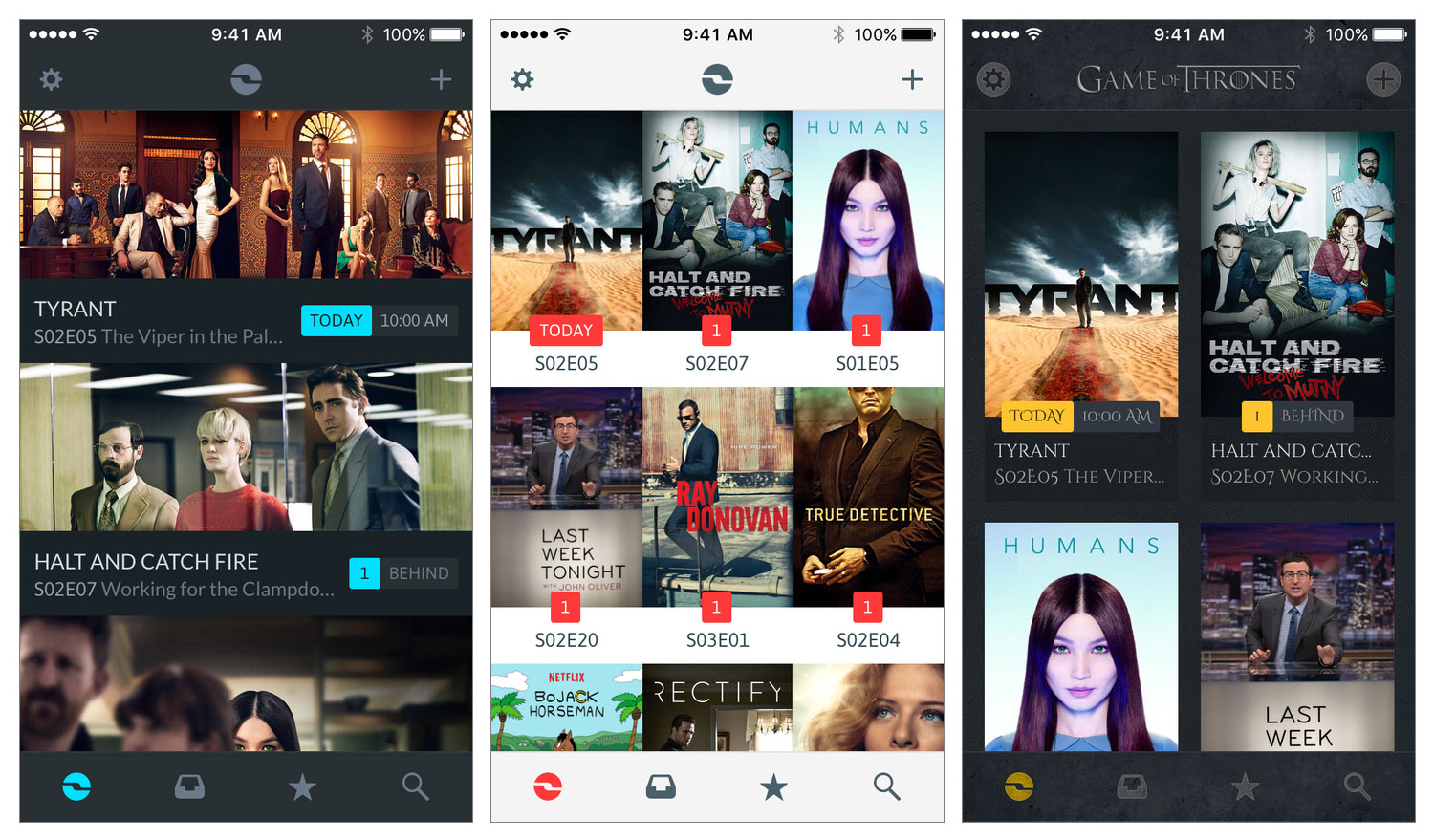
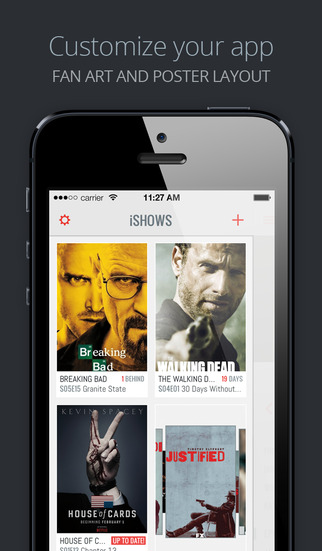
Tracking TV Shows with iShows 2: Welding Great Design with Extensive Customization

I watch a lot of TV – almost certainly too much TV. Years ago I used to keep track of the TV shows I watched mentally and through a TV guide from the Saturday newspaper. But as I started to watch more TV it became harder to keep track of when shows air. Fortunately, I started to use iPhone TV tracker apps, which make it effortless to keep track of your favorite TV shows. I’ve probably used 4 or 5 different apps for a solid period of time, and this February I switched to what I think is the latest and greatest TV tracker app: iShows 2, which officially launches today in the App Store.

I had briefly used the original iShows app, but I never permanently switched to it. Whilst the design was quite good, it had this very odd layout that left a gap on the side of the screen which (as petty as it sounds) I couldn’t get over. Somewhat embarrassingly the other issue I encountered was that I never discovered some of the gestures, without which the app was a lot harder to use. Some of those gestures persist in iShows 2, and I’ll discuss them shortly.

Prior to switching to iShows 2 whilst it was in beta, I had been using iTV Shows for around a year. It never looked quite as good as iShows or TeeVee 3 (another popular and very pretty app), but I preferred the way iTV Shows worked. I’m still a fan of iTV Shows, but I’ve been convinced (after months of use) that iShows 2 is the better option for me.

Read more


Apple’s 2015 Back to School Promotion

Benjamin Mayo, writing for 9to5Mac:

Apple is today launching its Back to School promotion for 2015. This year, it will give away a free pair of Beats Solo2 headphones with the purchase of an eligible Mac. Customers must either purchase an iMac, MacBook, MacBook Pro, MacBook Air, or Mac Pro with education pricing to qualify, including build-to-order configurations. The Mac mini does not participate in the deal.

Somewhat curious that Apple isn’t including iPad purchases in this year’s promotion (they have in previous years). An iPad is, in theory, a great device for students and education purposes. However, I wouldn’t be surprised to see more of a push next year after new iPads and iOS 9, and the cheapest Mac starts at $899, not $299 like an iPad mini 2. Beats headphones are a pretty good deal.

Permalink