iPod Fans Are Trying to Preserve Lost Click Wheel Games

I last wrote about iPod click wheel games here on MacStories in…2011, when Apple officially delisted them from the iTunes Store. Thirteen years later, some enterprising iPod fans are trying to preserve those games and find a way to let other old-school iPod fans play them today.

Here’s Kyle Orland, writing at Ars Technica:

In recent years, a Reddit user going by the handle Quix used this workaround to amass a local library of 19 clickwheel iPod games and publicly offered to share “copies of these games onto as many iPods as I can.” But Quix’s effort ran into a significant bottleneck of physical access—syncing his game library to a new iPod meant going through the costly and time-consuming process of shipping the device so it could be plugged into Quix’s actual computer and then sending it back to its original owner.

Enter Reddit user Olsro, who earlier this month started the appropriately named iPod Clickwheel Games Preservation Project. Rather than creating his master library of authorized iTunes games on a local computer in his native France, Olsro sought to “build a communitarian virtual machine that anyone can use to sync auth[orized] clickwheel games into their iPod.” While the process doesn’t require shipping, it does necessitate jumping through a few hoops to get the Qemu Virtual Machine running on your local computer.

Olsro’s project is available here, and it includes instructions on how to set up the virtual machine so you can install the games yourself. Did you know that, for example, Square Enix made two iPod games, Crystal Defenders and Song Summoner? Without these fan-made projects, all of these games would be lost to time and link rot – and we unfortunately know why.
Permalink

CoverSutra Adds a Standalone Apple Music Client to Your Mac’s Menu Bar

CoverSutra by Sophiestication is a name that may sound familiar if you’re as ancient as Federico, who last reviewed the app on MacStories in January 2010. At the time, the app was a fully-featured iTunes controller. It could display your music in the menu bar as well on the Desktop. It also used to act as a Last.fm client and ship with a bunch of customization features.

This month, CoverSutra is back with version 4.0. This new version was rewritten from the ground up with a different approach: instead of being a controller for Apple’s native Music app, CoverSutra is now a standalone client for Apple Music on the Mac. In practice, this means that you can search your Apple Music library, pick any album or playlist, and start listening without ever having to launch the Music app.

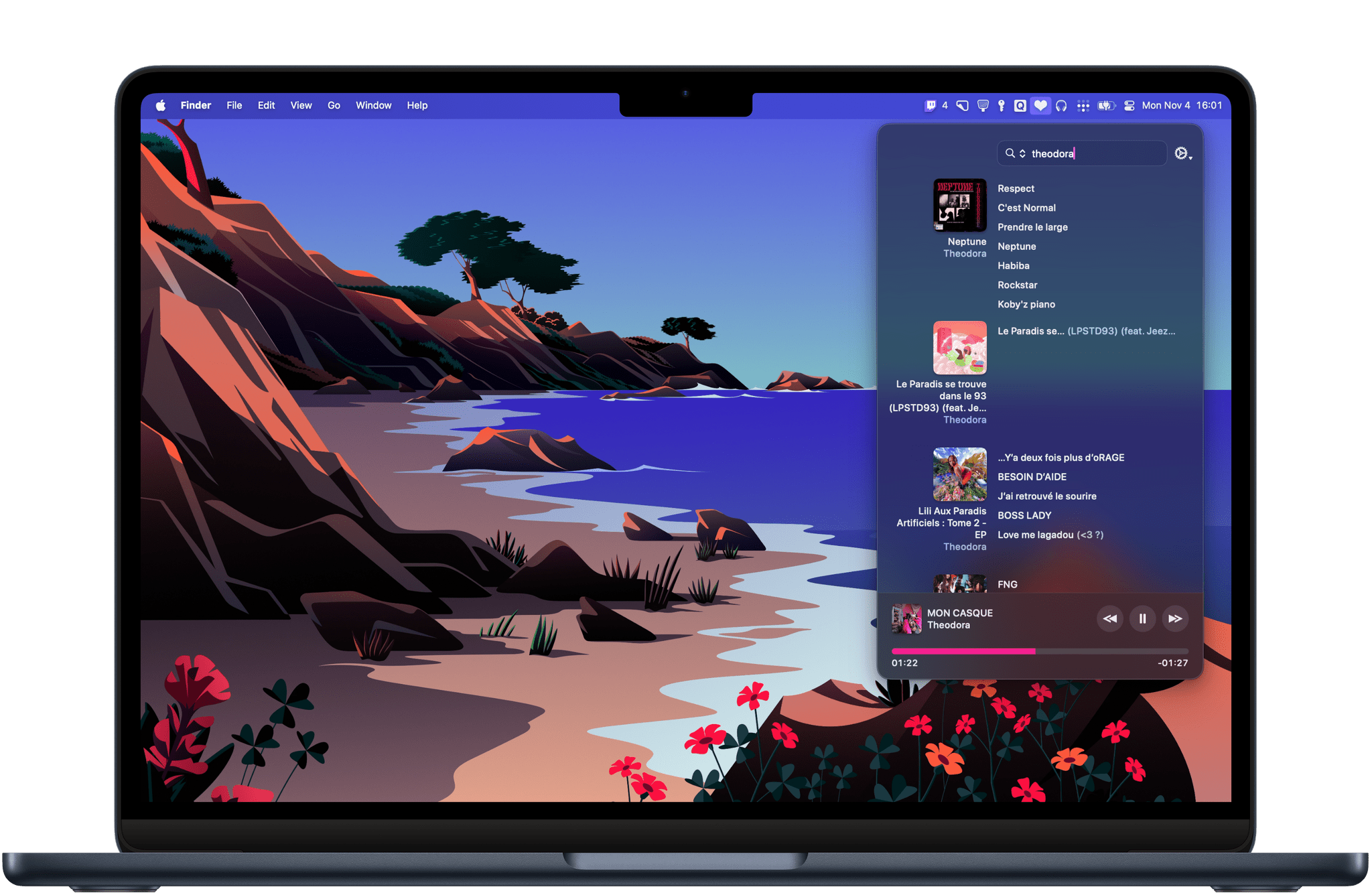
Search is CoverSutra’s highlight feature. Using CoverSutra for the past week on my Mac has made me realize how much more time I usually spend in the Music app just searching through my library. Searching with CoverSutra, on the other hand, is fast and persistent. You can start typing part of an artist’s name, album, or song title, and search results will instantly appear in the menu bar popover window. And as long as you don’t start a new search, your search results will not disappear, even if you click away from the menu bar.

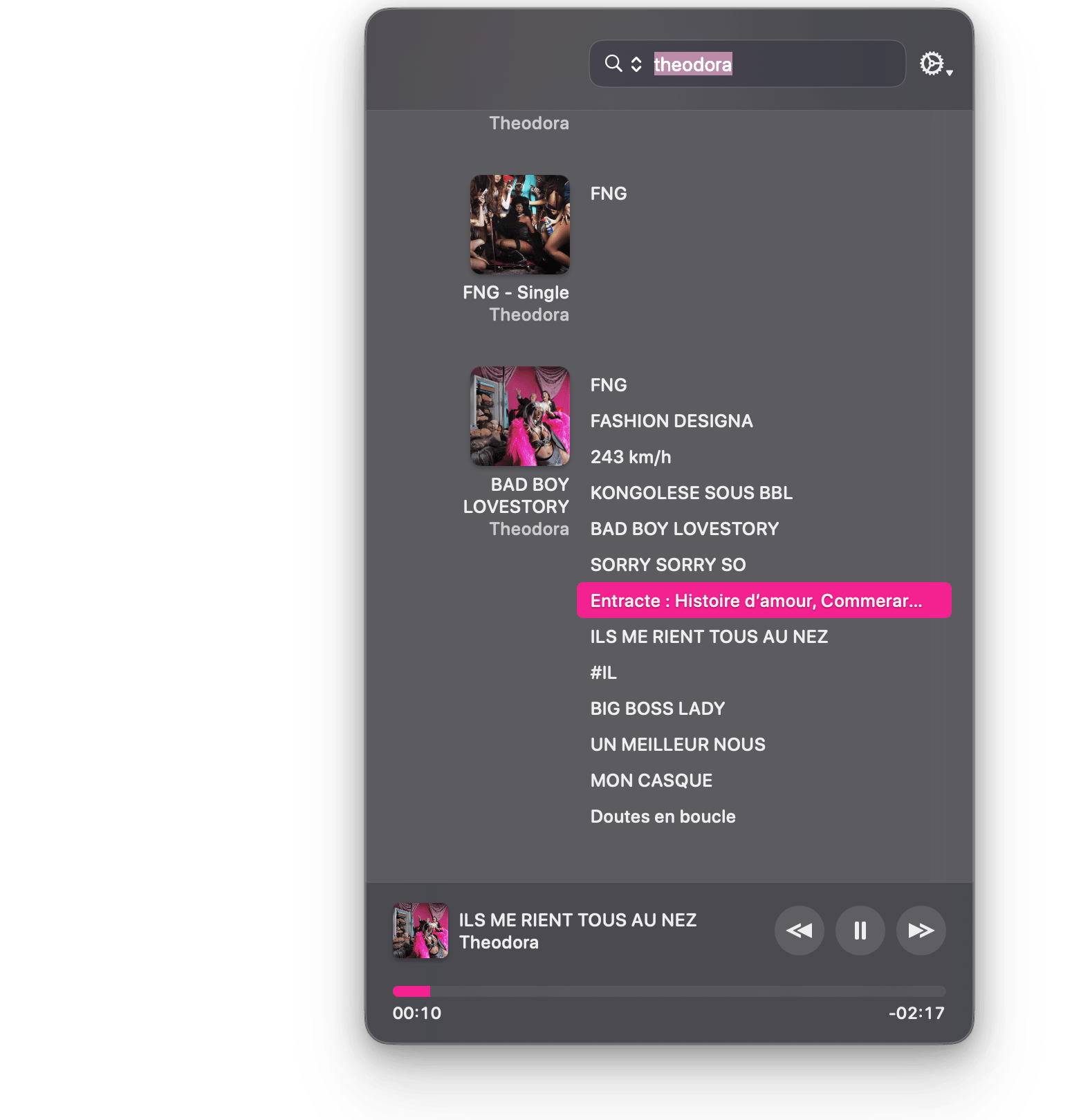
CoverSutra's layout for search results puts the emphasis on album and playlist covers.

CoverSutra’s layout for search results puts the emphasis on album and playlist covers.

I’ve also found that CoverSutra suits my listening habits pretty well. As the kind of person who likes to play albums from front to back and rarely relies on curated playlists, I’ve enjoyed how CoverSutra allows me to quickly bring up an album and play it from the beginning. The layout emphasizes album and playlist covers and makes it easy to instantly spot the album you are looking for.

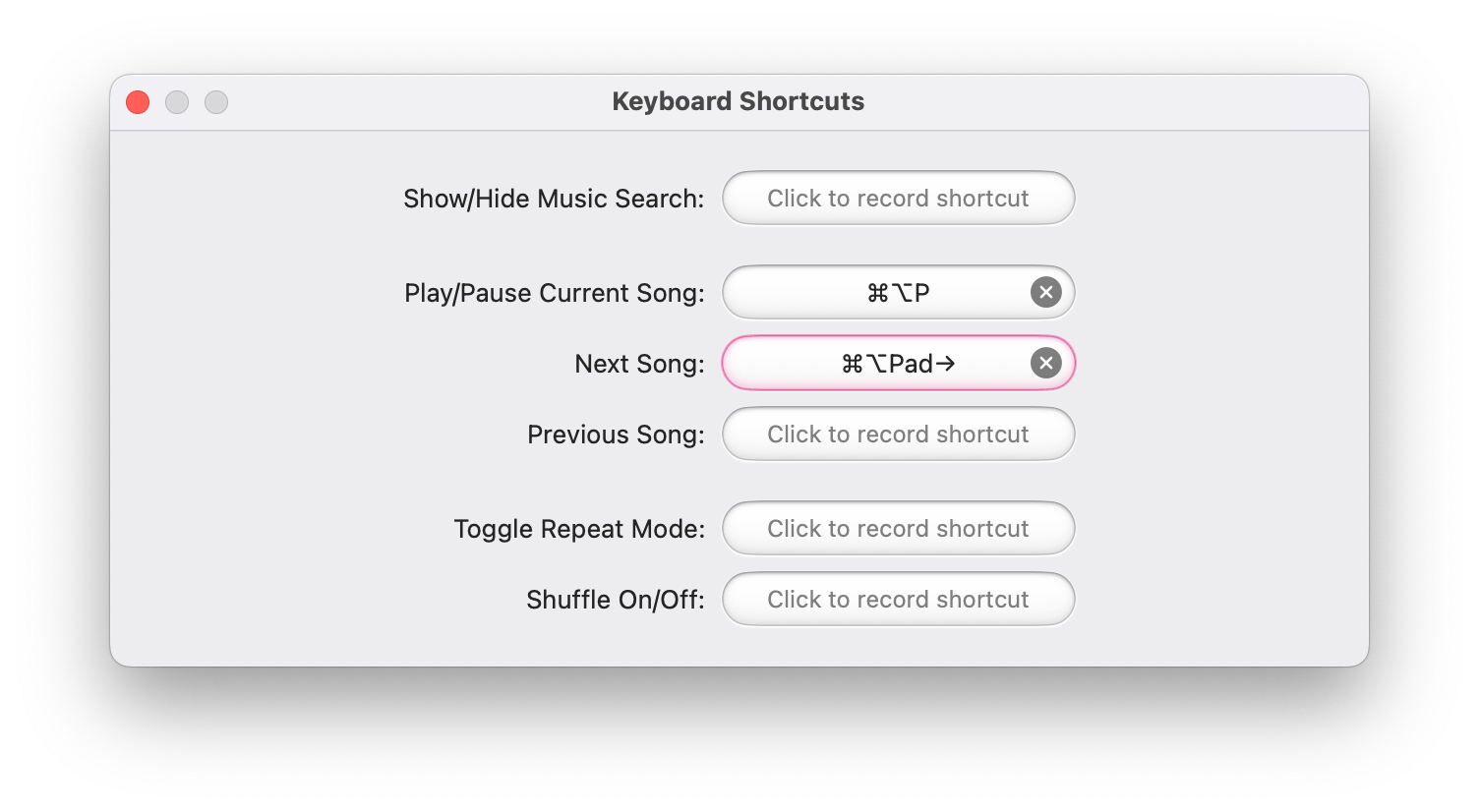
In its current shape, CoverSutra 4.0 is pretty basic. Apart from search, playback controls, and the ability to set your own global keyboard shortcuts, there are no additional features or settings. However, I’m hopeful that the app can start fresh from this new foundation. Unlike similar alternatives on the Mac like Neptunes or Sleeve, CoverSutra’s potential as a standalone player in the menu bar may enable a range of more advanced features.

CoverSutra supports custom global keyboard shortcuts.

CoverSutra supports custom global keyboard shortcuts.

CoverSutra 4.0 is available on the Mac App Store. For a limited time, the app is available at an introductory price of $4.99. If you’ve purchased CoverSutra on the Mac App Store in the past, the upgrade to version 4.0 is free.


Pixelmator Pro: Professional Image Editing Tools Anyone Can Use [Sponsor]

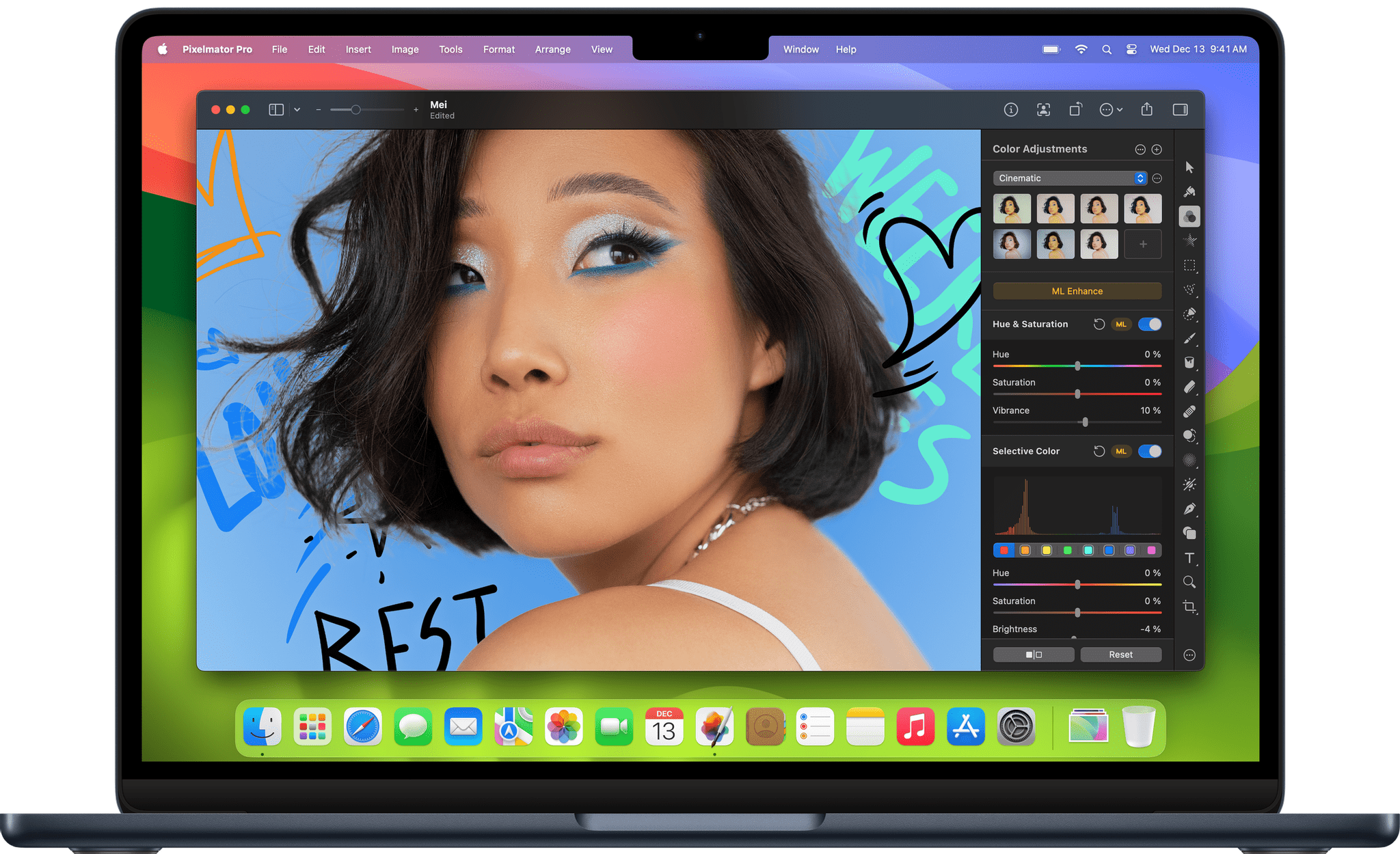
Pixelmator Pro proves that powerful Mac image editors don’t need to be complex. The app is designed for ultimate ease of use. It’s the ‘image editor for the rest of us’ who want a native Mac app that’s instantly familiar.

The app includes a refined, single-window design that puts the focus on your work instead of your tools. Pixelmator Pro features a completely nondestructive editing workflow that allows you to experiment, unleashing your creativity with the confidence that you can always revert any changes you make.

Pixelmator Pro has full RAW image support, layers, and advanced photo editing for fine tuning. The app also includes extensive machine learning-based tools that can automatically enhance your photos.

Pixelmator Pro isn’t just for photographers though. Illustrators will love the app for its vector tools and SVG file support, digital painters will appreciate the app’s powerful painting engine and extensive set of dual-texture brushes, and anyone who works with video will enjoy its video templates designed with YouTube and social media in mind.

Best of all, Pixelmator Pro’s features are lightning fast because they’ve been built from the ground up using Apple’s latest technologies like Metal 2, which powers the app’s editing engine. Pixelmator Pro is ready for the upcoming Mac Pro too with full support for multiple GPUs.

To learn more, visit Pixelmator Pro’s website where you’ll find even more details along with terrific tutorials. Then, download the app and start editing your images like a pro.

Our thanks to Pixelmator Pro for sponsoring MacStories this week.


The Latest from Comfort Zone, Magic Rays of Light, and MacStories Unwind

Enjoy the latest episodes from MacStories’ family of podcasts:

Comfort Zone

Matt buys his first ereader, Niléane has moved to a new calendar app, and for the challenge everyone did something with Stage Manager.


Magic Rays of Light

Sigmund and Devon discuss the first five years of Apple TV+ and where the service stands today. Plus, they highlight new Apple Original series You Would Do It Too and Before.


MacStories Unwind

This week, the differences between U.S. and Italian Halloween, plus game, app, and TV recommendations. We also share a spooky season movie bundle deal.

Read more


Pixelmator Team to Join Apple

Today, the Pixelmator team (this and next week’s MacStories sponsor) announced on their company blog that they plan to join Apple after regulatory approvals are obtained. The Pixelmator team had this to say about the news:

We’ve been inspired by Apple since day one, crafting our products with the same razor-sharp focus on design, ease of use, and performance. And looking back, it’s crazy what a small group of dedicated people have been able to achieve over the years from all the way in Vilnius, Lithuania. Now, we’ll have the ability to reach an even wider audience and make an even bigger impact on the lives of creative people around the world.

Pixelmator also says:

There will be no material changes to the Pixelmator Pro, Pixelmator for iOS, and Photomator apps at this time.

The Pixelmator Team’s apps have always been among our favorites at MacStories. In 2022 we awarded Pixelmator Photo (now, Photomator), the MacStories Selects Best Design Award, and in 2023, Pixelmator received our MacStories Selects Lifetime Achievement Award. Congratulations to everyone at Pixelmator. We can’t wait to see what this exciting new chapter means for them and their fantastic suite of apps.

Permalink


Apple Reports Q4 2024 Financial Results

Last quarter, Apple reported revenue of $85.8 billion, which was a 5% year-over-year gain.

Today, fourth-quarter earnings are out and Apple reported revenue of $94.9 billion, a 6% year-over-year gain. Also, the diluted earnings per share was $1.64 a 12% year-over-year gain. Both revenue and earnings beat Wall Street expectations.

Tim Cook had this to say:

Today Apple is reporting a new September quarter revenue record of $94.9 billion, up 6 percent from a year ago. During the quarter, we were excited to announce our best products yet, with the all-new iPhone 16 lineup, Apple Watch Series 10, AirPods 4, and remarkable features for hearing health and sleep apnea detection. And this week, we released our first set of features for Apple Intelligence, which sets a new standard for privacy in AI and supercharges our lineup heading into the holiday season.

Going into today’s earnings Yahoo Finance reported on analyst expectations:

For the quarter, Wall Street expects Apple to report earnings per share (EPS) of $1.59 on revenue of $94.3 billion, according to Bloomberg consensus estimates. The company saw EPS of $1.46 on revenue of $89.4 billion during the same period last year.

One question that is sure to be on analysts minds as Apple enters the holiday season is whether Apple Intelligence, which has been heavily marketed and is only available on Apple’s latest model devices, will move the needle on iPhone and other device upgrades. By then, at least some of the planned Apple Intelligence features will have been in customers’ hands for a while and may help drive demand.


A Roundup of Club MacStories Giveaways and Discounts

Tomorrow, November 1st, is the final day of the Club MacStories Fall Membership Drive. So if you haven’t jumped on our deal to get 20% off any annual plan with the code ‘CLUB2024’, you can read more about it here.

Each of the Club’s three tiers offers a variety of perks, but today, I want to highlight two: giveaways and discounts. I’d also like to thank the developers who have participated in this year’s giveaways and discounts, along with those whose apps we’ve added throughout the year for Club members. We appreciate the support immensely.

If you haven’t joined yet, you can do so here:

Join Club MacStories:

Join Club MacStories+:

Join Club Premier:

We’ve been doing app giveaways for all members since the beginning of the Club in 2015, but this year’s Membership Drive giveaways are some of the best we’ve ever done. We announced the first batch in last week’s issue of our Club-exclusive MacStories Weekly newsletter, and below, I’ll reveal the giveaways we’re doing this week. Giveaways are all announced in MacStories Weekly, and any Club member can enter.

To kick things off last week, we announced giveaways of:

  • Parcel, the excellent universal app for tracking deliveries with tight integration with Amazon and many delivery companies around the world;
  • Shareshot, the terrific utility for the iPhone, iPad, and Vision Pro that frames screenshots in photorealistic hardware frames with beautiful gradient backgrounds;
  • Paku, a tool for keeping an eye on air quality;
  • Text Workflow for iOS, an excellent way to automate text transformations with its long list of built-in tools and Shortcuts support;
  • Photomator, which recently got a big update with flagging, filtering, and rating options;
  • Due for Mac, which lets you set a reminder and have it ping you at intervals until you complete the task; and
  • two Suti PhoneBacks for the iPhone 16 Pro Max.

This week, we’ll add the following giveaways:

  • Acorn, the Mac image editor from Flying Meat;
  • Retrobatch, Flying Meat’s batch editor for images that integrates with Shortcuts;
  • Due for iOS, which lets you set a reminder and have it ping you at intervals until you complete the task;
  • Unsqueeze, a utility for intelligently upscaling videos to as high as 8K; and
  • the Dual Grip Ultimate v.3 iPhone 16 Pro Max adapter for Joy-Con controllers.

Entries for all of these dozen giveaways will remain open until November 6th, so anyone who joins Club MacStories during the Fall Membership Drive can enter to win.

For Club MacStories Plus and Premier members, we’ve also announced brand new discounts for the following apps:

Those deals join a long list of ongoing discounts currently available to Club MacStories Plus and Premier members and viewable by anyone, whether you’re a Club member or not, here. Altogether, it’s become quite a list:

Thanks again to all the developers who have participated in our giveaways and discounts this year and in the past. You make the apps we love, so your support means a lot to us.

And thank you to everyone who has signed up for Club MacStories this week, too. As the Club has grown, so have our plans for it and MacStories in general, and having the support of Club members old and new is what has given us the confidence to keep growing despite difficult times in the advertising world.