The Elements of Stickers

With stickers coming to iMessage in iOS 10, Connie Chan has posted a great overview of stickers in WeChat and Line and why they’re more than glorified emoji:

Besides invisible messages, bigger and predictive emoji, full-screen effects, and movie/TV GIFs, Apple recently announced that stickers, too, are finally coming to its most popular app, iMessage. It’s no surprise that messaging is the company’s most popular app — if smartphones are like extensions of our fingers, then messaging is like touching people and things.

What is surprising — especially when compared to the more mature messaging ecosystem in Asia — is that many people still tend to treat stickers (i.e., the ability to easily incorporate pre-set images into texts) as just-for-fun frivolity, when they’re an important visual digital language fully capable of communicating a nuanced range of thoughts. For example, a single sticker could convey very different messages: “I’m so hungry I could collapse” or “I miss you” or “I’m sound asleep snoring”. Complex feelings, actions, punch lines, and memes are all possible with stickers.

(via Jeremy Burge’s excellent Emoji Wrap newsletter.)
Permalink

Amazon Kindle Devices and Apps Add Page Flip Navigation

Amazon has introduced the digital equivalent of saving your place in a book as you flip to another page. The feature, called ‘Page Flip,’ lets you pin the current page in the corner of the screen while you scroll through an eBook. While you browse through a compatible book in the Kindle iOS app or on Android devices, Fire tablets, and Kindle devices, a small thumbnail of the page where you started is displayed in the corner of the screen. To return to where you started, you simply tap the thumbnail.

Amazon has posted a video to YouTube that does a good job comparing the feature to doing the same thing in a paper book:

Permalink

Twitter Launches Dashboard App for Small Businesses

Last week saw Twitter introduce Engage, a business-oriented analytics app for iOS. Twitter continued the roll-out of new features and products today with Twitter Dashboard, a free iOS account management app (US only) aimed at businesses that can also be accessed on the web. Dashboard, is designed to address the needs of small business in particular. According to The Twitter Small Business Blog,

Dashboard offers a single destination to get things done. It gives business owners a clear picture of what’s being said about their businesses, lets them schedule Tweets, and offers insights about their Tweet performance.

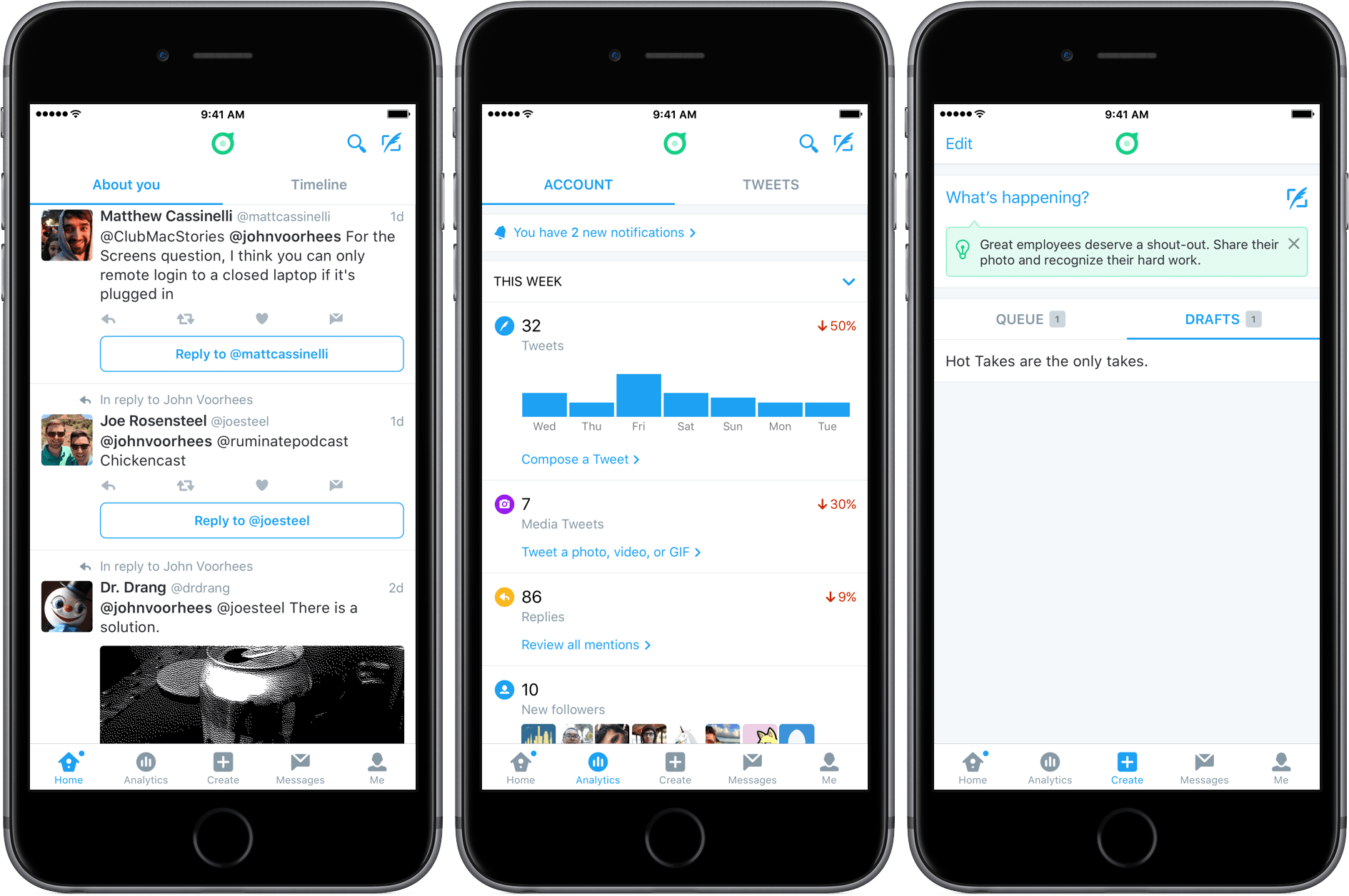
Dashboard will be familiar to anyone who has used the official Twitter client, with some interesting differences. The ‘Home’ tab defaults to a view called ‘About You’ instead of your timeline. ‘About You’ includes things like mentions, replies, tweets that use of your account name, and tweets with any other keywords that you add because you want to surface them in Dashboard. A second tab within the ‘Home’ view takes you to your timeline.

Dashboard also includes two unique tabs called ’Analytics’ and ‘Create.’ ‘Analytics’ includes some of the same information provided by Engage, but presented in a more summary fashion than in Engage. ‘Create’ serves the same purpose as a service like Buffer, allowing you to schedule tweets and save multiple drafts.

If you have used Twitter account management tools in the past, you’ll find that there is nothing revolutionary about the tools included in Dashboard. The benefit, however, is having these tools all in one place with a design that focuses on what people are saying about your business, which should make it easier for business owners to monitor what people are saying about their businesses on Twitter and also promote their businesses with Twitter.


Connected, Episode 97: 70% Optimistic

Federico’s back, to talk about iOS 10 and Messages while Stephen gets sad about his Thunderbolt Display.

I’m back on Connected this week, which features one of the (many upcoming) segments on the progress with my iOS 10 review. You can listen here.

Sponsored by:

  • Ministry of Supply: Dress smarter. Work smarter. Use ‘connected’ for 15% off your first purchase.
  • Willing.com: The best free way to make a will. Get 50% off additional services with the code ‘CONNECTED’.
  • Braintree: Code for easy online payments.
Permalink


Pennies Review: Spend Wisely

A few months ago, I took a look at Monthly, a budget tracker that kept track of your expenses on a broad level. While I lauded Monthly for being a stripped-down planner, its simplicity left room for other apps to aid in expense tracking.

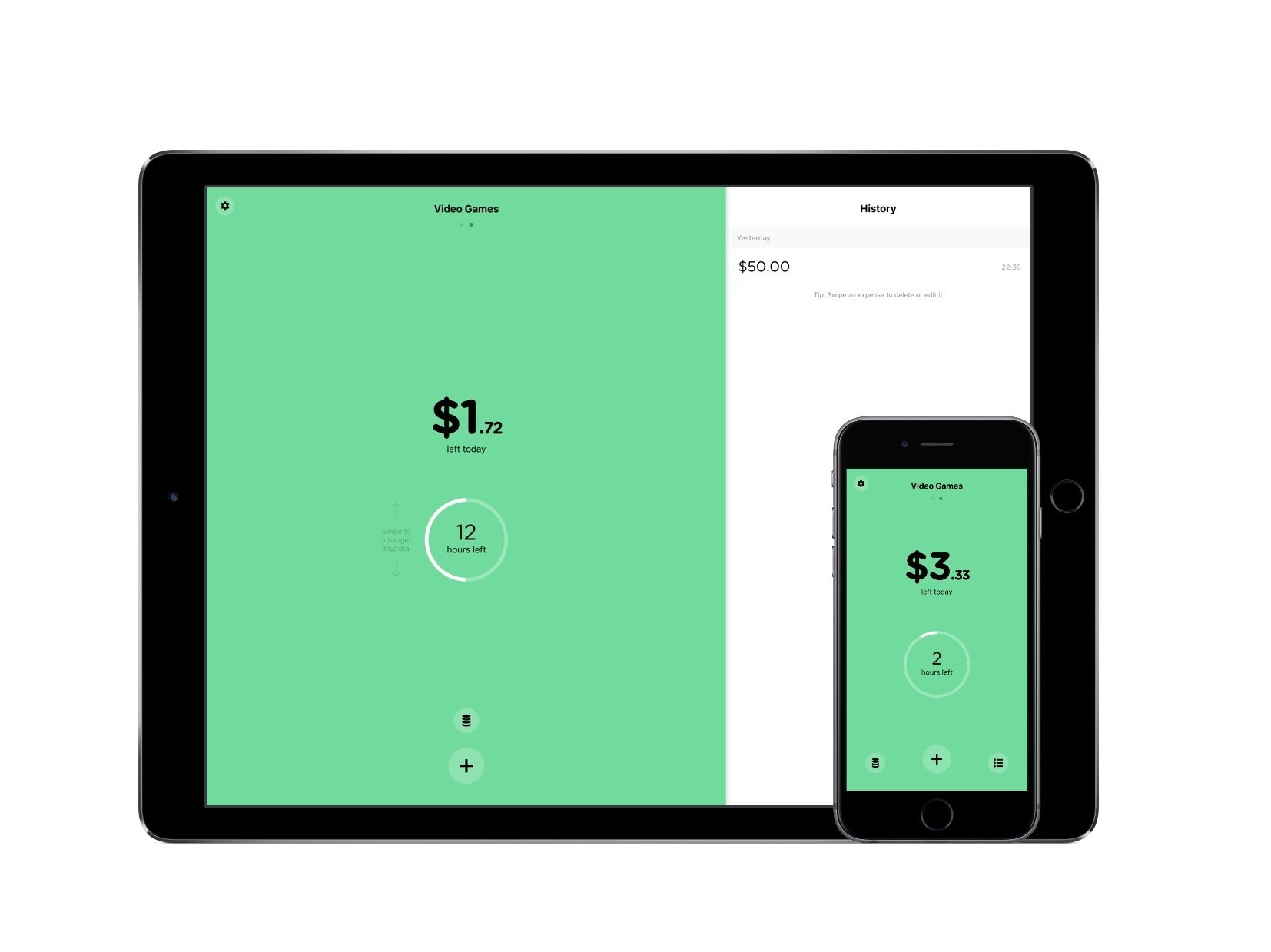
For a more detailed experience regarding multiple budgets, there’s Pennies. Instead of inputting every bit of money you earn and spend, Pennies is meant to keep tabs on specific spending habits, like video game purchases. Through the user setting an allowance and logging your purchases, Pennies can set you on a course toward responsible spending.

Read more


Homescreen.me: Upload and Share Your iPhone Home Screen


How different people arrange their iPhone Home screen is a natural curiosity for most of us with an interest in technology. We’ve featured Home screens in the vast majority of MacStories Weekly email newsletters, and it has easily been one of the most popular sections.

The iPhone has become an integral part of our lives, and seeing the apps that different people elevate to their Home screen provides insights into how they work and live their lives. But it also gives us the opportunity to discover new apps, find a new wallpaper, or re-think the layout and structure of how we organize the apps on our own Home screens.

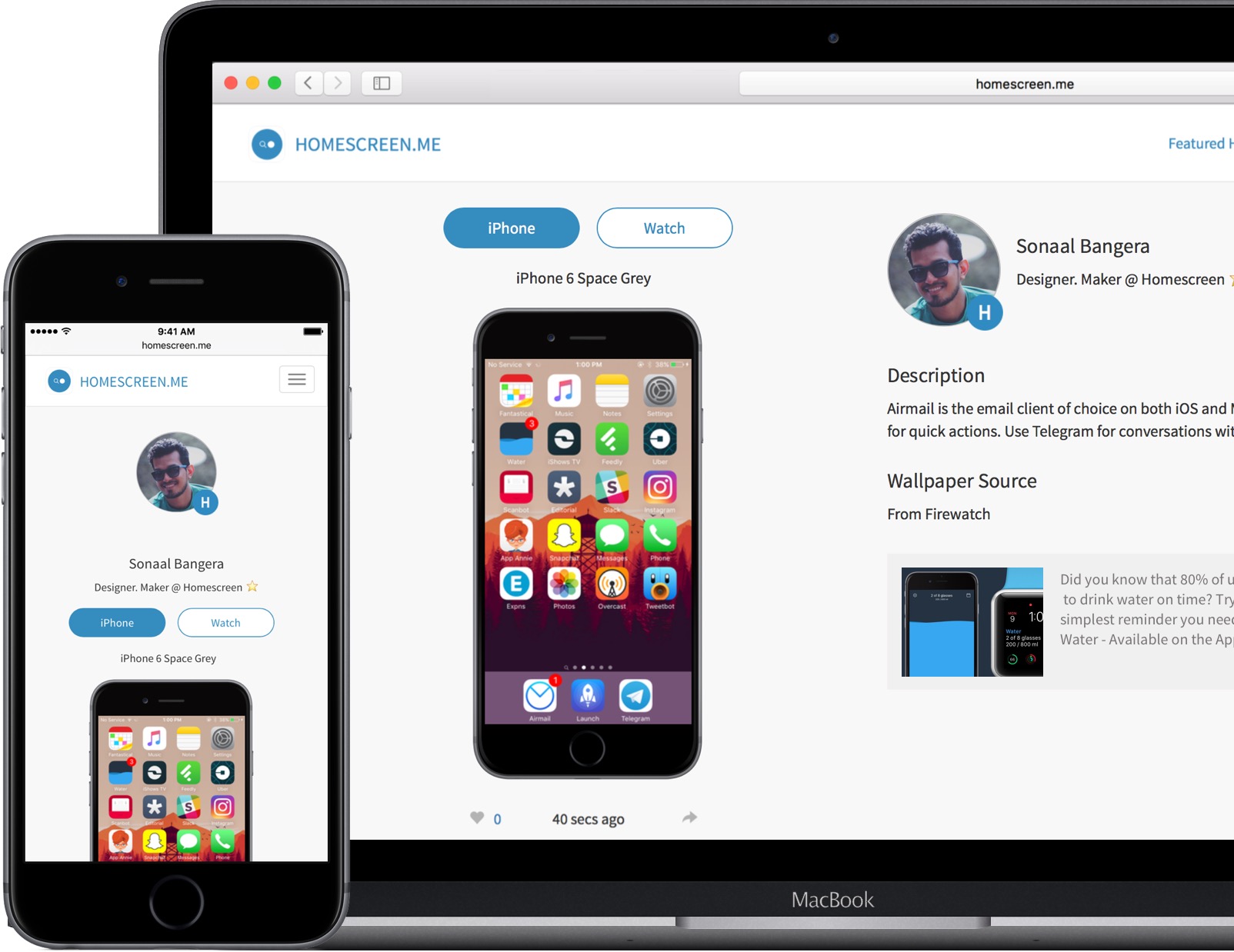
If you find yourself curious about the iPhone Home screens of others, the relaunch of the Homescreen.me website might interest you. The basic pitch is that it allows anyone to upload and share their iPhone Home screen and Apple Watch watch face. The team behind Homescreen.me is also featuring the Home screens of different users, giving you the opportunity to get inspired and discover new apps.

A particularly nice touch with Homescreen.me is that in your profile settings you can choose which iPhone (model and color) and Watch (model) you own. This selection has an impact because the screenshots you upload will be superimposed onto the correct device. When you upload your screenshot you’re also given the option to provide a description, and a wallpaper source.

Read more


Apple’s iOS Icon Templates Are a Little Off

Update 2016-06-28: The iOS icon templates provided by Apple as part of the iOS Human Interface Guidelines section of its developer website have been updated to the correct shape.


Last week Apple posted templates for iOS icons on its developer website. Designer Michael Flarup noticed something was a little off about the templates. It turns out that the templates aren’t the ‘squircle’ icon shape that is created when developers submit an app to the App Store. Instead, the templates are rounded rectangles. The difference is small, but as Flarup explains with a neat GIF that highlights the difference between the two shapes:

using the wrong canvas can have consequences for your design. Apple will crop your icon in the squircle shape, so you’d better not try to do anything precise in the templates they provide.

Fortunately, Flarup and others have created their own squircle templates that are linked in his article.

Permalink

Twitter Adds Stickers

Virtual stickers are all the rage on social networks and in messaging apps. Just two weeks ago, Apple jumped on the sticker bandwagon at WWDC with the upcoming version of the Messages app that will ship with iOS 10. This is not something particularly new (remember Gowalla?), but the pace of adoption seems to have accelerated in the past year with the growing popularity of apps like Snapchat and Facebook Messenger.

Adding stickers to photos in Twitter.

Adding stickers to photos in Twitter.

Now Twitter is going all-in with hundreds of custom stickers and rotating seasonal sticker packs you can use to decorate photos. As reported by the The Verge this morning, Twitter will be rolling out stickers to all users in its official app over the next few weeks.

Twitter has its own special take on stickers. From within the official Twitter client, you will be able to

search them like hashtags. Tap on a sticker inside a tweet and you’ll be taken to a new timeline that shows you how it’s being used around the world.

It appears that stickers will be available through Twitter’s official client only, which undoubtedly will be viewed by some people as yet another advantage of third-party Twitter clients, but I can’t help but wonder if sticker-mania will have a net negative impact on third-party clients like Tweetbot and Twitterrific.

Permalink