
 MacStories Weekly: Issue 42
Apple Reveals Limited Edition Apple Watch Bands for the Olympics→
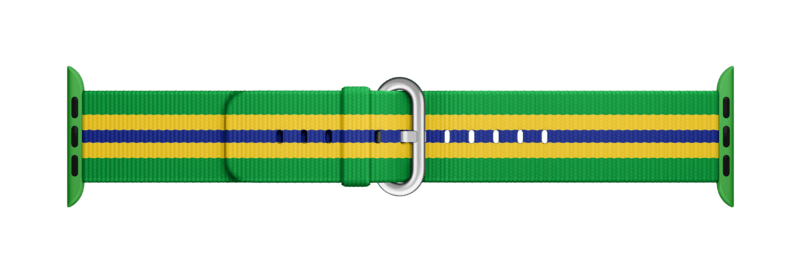
Apple will sell Apple Watch bands based on their nylon watch band line to commemorate the Olympics. According to GQ, which reported the story first:
When the games start in August, the tech company will be selling Apple Watch bands that reference the national flags of 14 major competitors, meaning you can symbolically cheer on Team USA (or Team France, or Team Brazil) every time you get a text message.
The 14 countries with commemorative bands are Australia, Brazil, Canada, China, France, Germany, Jamaica, Japan, Mexico, The Netherlands, New Zealand, South Africa, Great Britain, and the United States.
The catch is that the bands will only be sold at the VillageMall Apple Store in Barra da Tijuca, Brazil. Like the limited edition bands given to Apple employees to celebrate Pride weekend in June, the Olypmic bands are sure to become instant collector’s items. Although the bands will not be sold until August, at least one athlete, Travon Bromell, already has a USA model.
Google Enhances Crowdsourcing of Its Maps Data→

Maps are a highly competitive corner of the mobile device landscape. Today, Google added features that make it easier for users to add new places, suggest edits to locations, and verify other users’ submissions.
Google announced on the Google Maps blog that adding and editing locations has been expanded worldwide in Google Maps and Google Search. In my limited tests, I only saw links to edit locations in Google Maps, but it may be that the feature is still being rolled out to Search.
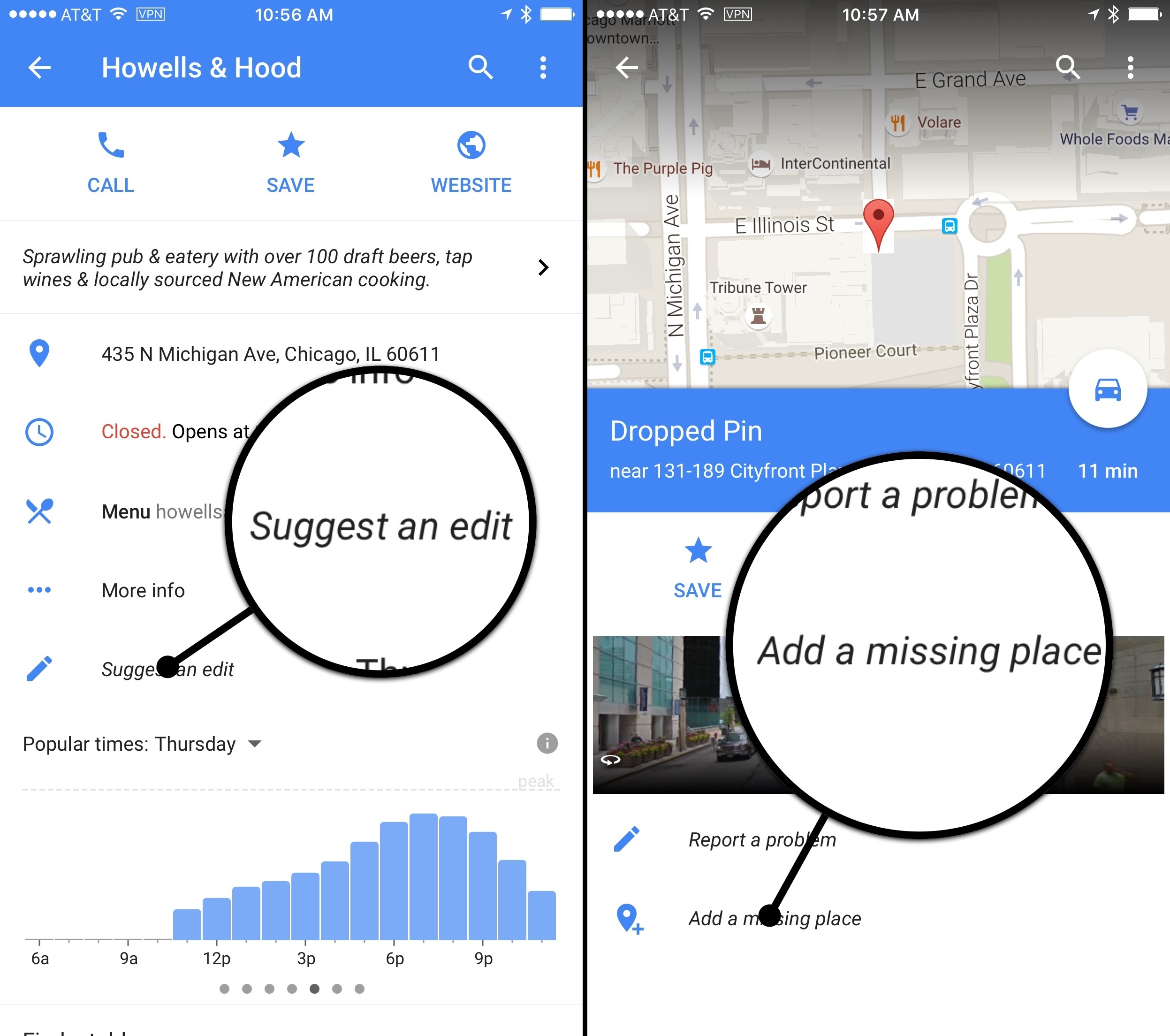
In addition, you can now add additional details about a location that you find using Google search. As Google describes it:
There’s more to a place than its business hours or address—you might want to know if a place has a romantic vibe, serves vegetarian food or offers outdoor seating. Now on Google Maps for Android and when searching on your mobile phone, you can contribute what you know about a place so that others can benefit from the info as well. Knowing these types of details helps us build a deeper understanding of a place so we can better help users find the places most relevant to them.
I added some information about one of my favorite Chicago restaurants and found the process to be easy and fast. On iOS this only works if you use search in Safari. Android users can also add location details in Google Maps.
Finally, Google has opened up verification of user-submitted data to other users. If new data has been added to a location you can indicate whether it is accurate or not. After a location receives sufficient support for a change, Google will make it permanent.
Mapping services are only as good as the data behind them. Google continues to push forward at a fast clip and adding legions of users to its efforts to provide valuable map data makes a lot of sense. Apple Maps has made great strides since its introduction, but I’d like to see something like this added to Apple Maps to help it catch up and stay competitive with Google Maps.
Square Enix Working on Apple Watch-Only RPG→
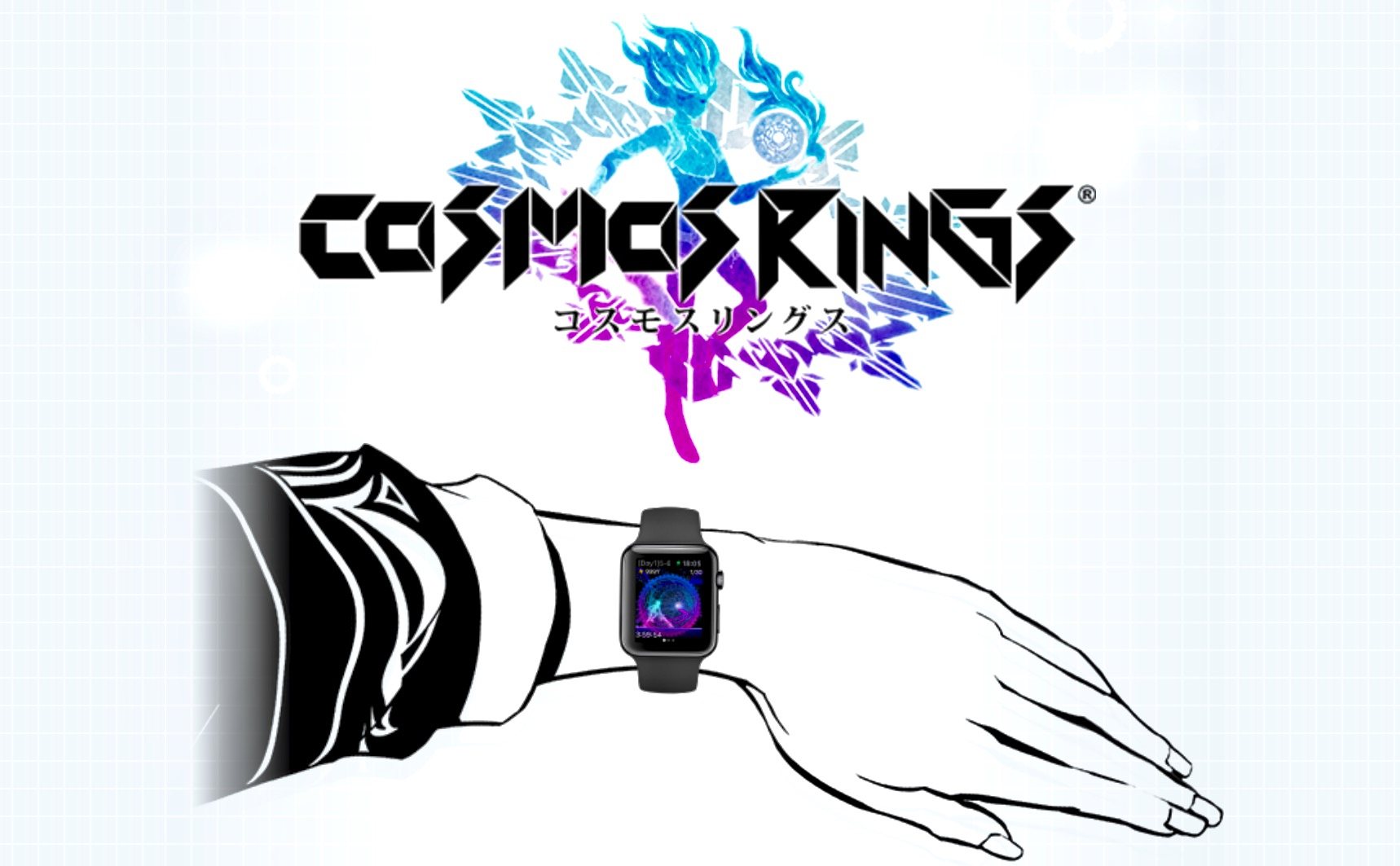
Siliconera reports that Square Enix, the maker of the Final Fantasy franchise and Chaos Rings, is developing an Apple Watch-exclusive role-playing game called Cosmos Rings. Square Enix has a bare bones teaser website up with virtually no information about the game, but Siliconera says that Cosmos Rings:
features the “Time Upstream System” that uses the Apple Watch’s Digital Crown. The game will send you various messages according to your daily step counts as part of an experience that Square Enix says can only be done through the Apple Watch.
Siliconera also says that Cosmos Rings is being produced by Takehiro Ando who worked on the Chaos Rings series of games that originally debuted on iOS in 2010. In addition, Yusuke Naora, who was the art director on several Final Fantasy games and designed characters for Chaos Rings will have a hand in the Cosmos Rings visuals.
Cosmos Rings is slated for release later this summer.
(Via Eurogamer.net)
Exploring the App Store’s Top Grossing Chart

You have probably noticed that there are a lot of free apps, apps with In-App Purchases, and games in the Top Grossing charts. I did too, so today I decided to survey the US App Store’s Top 200 Grossing iPhone apps and create some charts to visualize various data points and trends. Included in this article is an analysis which examines the upfront price, In-App Purchases, category, and other details of the apps in the Top 200 Grossing charts.
The rankings will change from day to day, and country by country, but I think the results in this article provide interesting observations from a general perspective, even if some of the exact details may differ depending on the day.
Connected, Episode 100: Tepid Takes→
On the centennial episode of Connected, the crew covers #TicciMentee program applications, checks out Scrivener for iOS and considers iOS 10’s widgets and privacy features.
On this week’s Connected, we celebrate episode 100 with a very special surprise and a host of iOS 10 topics. I’d like to thank everyone who has listened to us so far. I’m excited to keep producing Connected every week with Myke and Stephen.
You can listen here.
Sponsored by:
- Hover: Simplified domain management. Use code BONDI to get 10% off your first purchase.
- Textexpander, from Smile: Simply indispensable.
Pixelmator for iOS Adds Quick and Magnetic Selection Tools
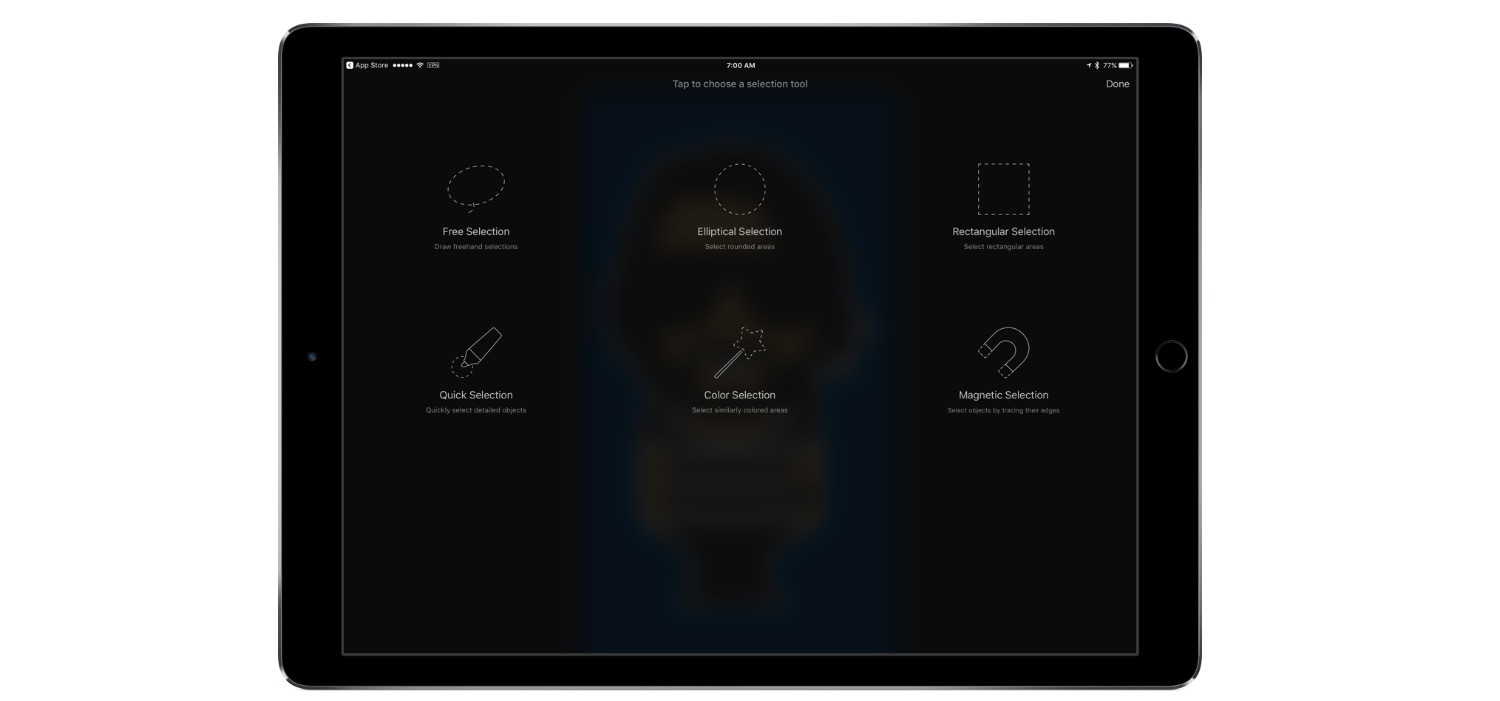
Pixelmator 2.3 for iOS was updated today to add the same Quick Selection and Magnetic Selection tools that were introduced on the Mac with Pixelmator 3.5 in May. The Quick Selection Tool lets you paint over an image with your finger to select it. Magnetic selection grabs the outline of an object based on anchor points you create as you trace around the object with your finger. Pixelmator detects the edges of the object in the image and snaps the section to them. In my brief tests, both selection tools worked well and are particularly well-suited to touch.
In addition to the new selection tools, Pixelmator 2.3 adds many small refinements and other improvements, including:
- Apple Pencil pressure sensitivity support for the Quick Selection Tool;
- Greater Apple Pencil precision when using the Free Selection Tool;
- a ‘tap to invert selection’ button;
- improvements to the precision and speed of the Color Selection Tool; and
- snap to pixel precision for the Free, Rectangular, and Elliptical Selection Tools.
Pixelmator 2.3 for iOS is a free upgrade for existing Pixelmator customers and is available to new customers on the App Store for $4.99. Pixelmator 3.5 for Mac, which we previously covered, is available for $29.99 on the Mac App Store.
Apple Pay Launches in France
Starting today, Apple Pay is now available in France for credit and debit cards issued by Banque Populaire, Ticket Restaurant, Carrefour Banque, and Caisse d’Epargne. Apple’s website also notes that support will soon be added for cards issued by Boon and Orange.
Out of the 4 big banks in France, just BPCE is supported (Banque Populaire and Caisse d’Epargne merged to become BPCE in 2009). There is no word on when cards issued by the other three big banks (BNP Paribas, Crédit Agricole or Société Générale) will be supported by Apple Pay.
The international expansion of Apple Pay is slowly but surely gaining momentum, with France now the eighth country which has some level of Apple Pay support. Today’s launch in France comes after Apple Pay launched in Switzerland earlier this month, and all 5 of Canada’s big banks signed up for Apple Pay in early May. The other 5 countries with support for Apple Pay are the US, UK, Australia, China and Singapore.
The All-New Glif iPhone Tripod Mount→
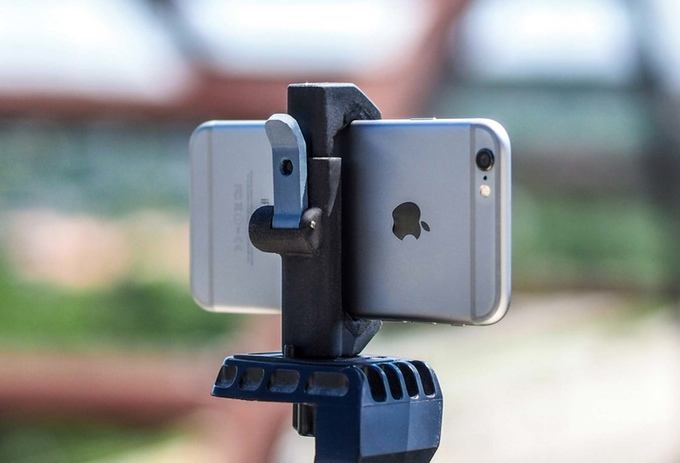
The first Glif, an iPhone tripod mount by Studio Neat, was released in November 2010. Fast forward almost six years to today and Studio Neat is back with an all-new version of the Glif that looks like the best one yet.
Having a tripod mount for your iPhone is surprisingly handy. Club MacStories members may recall that just last month, Graham Spencer and I used the Glif for two very different projects. Graham mounted his iPhone to a Glif to take time-lapse movies of the Australian sky, while I used my Glif with a GorillaPod tripod and microphone to record interviews with developers at WWDC. Those projects, which we described in detail in the Club MacStories Monthly Log, were very different, yet perfectly suited for the Glif.
The latest version of the Glif focuses on three areas. The first is a quick-release lever that makes it easier to get you iPhone in and out of the Glif. The second is multiple mounting points that let you mount the Glif in landscape or portrait mode, or attach additional items to the Glif like a light and microphone that can turn your iPhone into a portable movie rig.
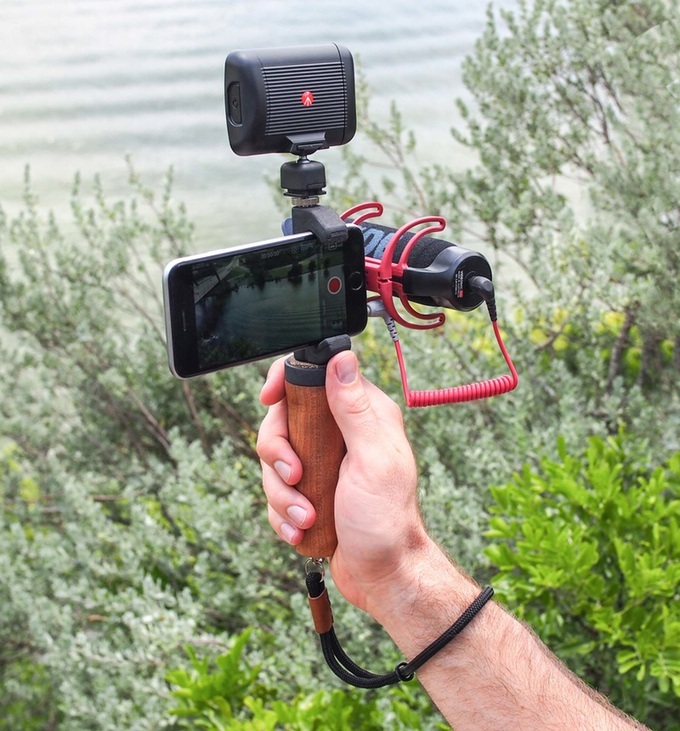
The third improvement to the Glif is the introduction of two accessories. The first is a handle that screws into one of the Glif’s mounting points. The handle should make it easier to hold your iPhone steady without accidentally covering the camera lens with your finger. The second accessory is a strap that you can loop around your wrist for added protection against dropping your iPhone.
As with previous Studio Neat products, the new Glif is a Kickstarter campaign. Over time, I’ve become more cautious about the Kickstarters I back, especially when it comes to hardware products, but Studio Neat is one of the few companies where I do not hesitate to back a product I want, because it has a solid track record of past success. For a $25 pledge, you will receive the new Glif if the project is funded, while $50 gets you the Glif, handle, and wrist strap. If you want two complete sets of the Glif and its accessories, you can pledge $100.