
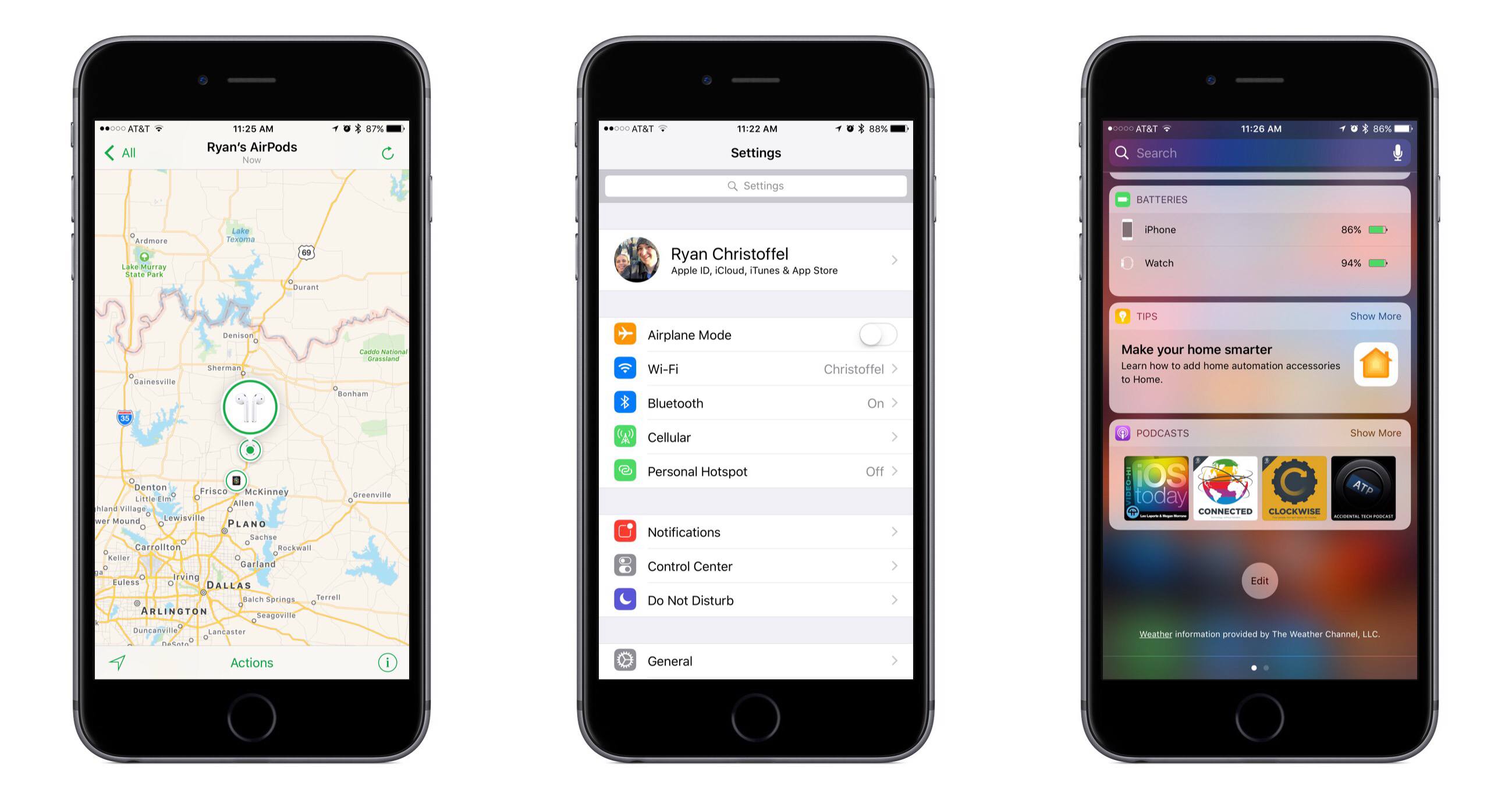
The latest update to iOS, version 10.3, was released publicly today. The update’s hallmark feature is the addition of AirPods into the Find My iPhone app. Besides that, there is a new standardized format for in-app review prompts, and a number of other improvements.
Apple Releases iOS 10.3 with Find My AirPods, Standardized In-App Review Prompts, and Other Improvements
Shapego – Beautiful Word Clouds for iPad and iPhone [Sponsor]
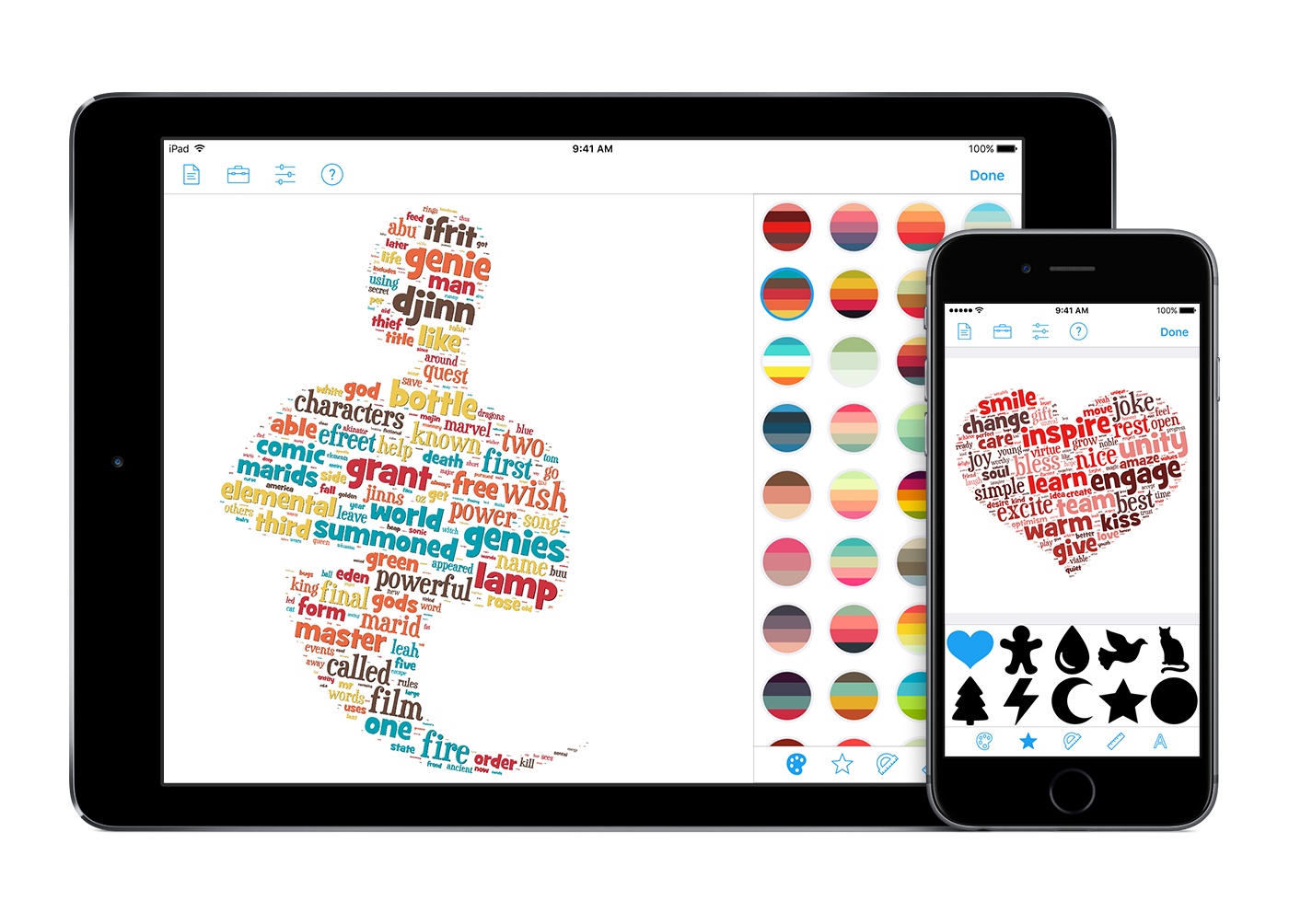
Shapego is a full-featured word cloud generator that gives you everything you need to create amazing word clouds for your presentations, marketing, and communication materials.
Whether you are a marketing professional, a teacher, a community manager, or somebody that wants to communicate a message in a visual manner, Shapego is the app you need.
Shapego features a streamlined user interface that was built to fine-tune the appearance, shape, and position of the words that compose your word cloud. Once you are satisfied with your creations, Shapego lets you export to PDF vector documents or layered Photoshop files.
Still have doubts? Here are some real-world use cases:
- Need to brainstorm on a document and need a quick way to highlight the words that matter most? Shapego can help you by making a word cloud with only the most recurrent words thanks to iOS state-of-the-art Natural Language Processing technologies.
- Need to express your ideas in a different way? Tired of the old PowerPoint thing? Just create a word cloud with Shapego and accurately position the key words of your message.
- Need to engage your students? Let them write a description of an object or an animal and use Shapego to have their words laid out in a word cloud that has the shape of what they are describing.
Check out the video teaser and find more information at shapegoapp.com. Shapego is available exclusively on the App Store as a free download with In-App-Purchases.
Our thanks to Shapego for sponsoring MacStories this week.
Remaster, Episode 31: ‘The Legend of Zelda: Breath of the Wild’ Review→
Federico and Myke give their review of The Legend of Zelda: Breath of the Wild.
On the latest Remaster, we go deep into Breath of the Wild with our thoughts on the game after 60-70 hours, tips on gameplay, and more. You can listen here.
Sponsored by:
- Blue Apron: A better way to cook. Get three meals free with your first purchase, and free shipping.
- Squarespace: Make your next move. Enter offer code INSERTCOIN at checkout to get 10% off your first purchase.
How Drake and Apple Music Broke Streaming Records with More Life→
Fascinating look by Micah Singleton at how Drake’s latest mixtape More Life broke streaming records on Apple Music despite not being exclusive to it:
After setting a record with 89.9 million streams in its first 24 hours on Apple’s streaming service — over 33 million streams ahead of Sheeran’s Divide in its first 24 hours on Spotify, which has around 80 million more users — it’s clear Drake and his favorite music service have cracked the streaming formula.
So how did Apple manage to break a record with an album that’s also available on Spotify, with only 20 million users compared to Spotify’s 100 million? The answer, according to the Apple Music team, is the power of Beats 1 and OVO Sound Radio.
For Drake, Beats 1 has essentially replaced SoundCloud, the platform he once dominated and released singles through — a move that Jackson and Apple VP of apps and content Robert Kondrk said was a risk for Drake at the time. “We weren’t a proven hit, we weren’t a proven entity at all, whatsoever,” says Jackson. SoundCloud just got a shoutout from Chance The Rapper at the Grammys, but the service has been having a rough time since Drake left, with Recode reporting it recently had to raise a $70 million debt round just to stay afloat.
I still wish Beats 1 shows were easier to access and discover, but clearly the system has been working out well for Drake.
Game Day: Typeshift
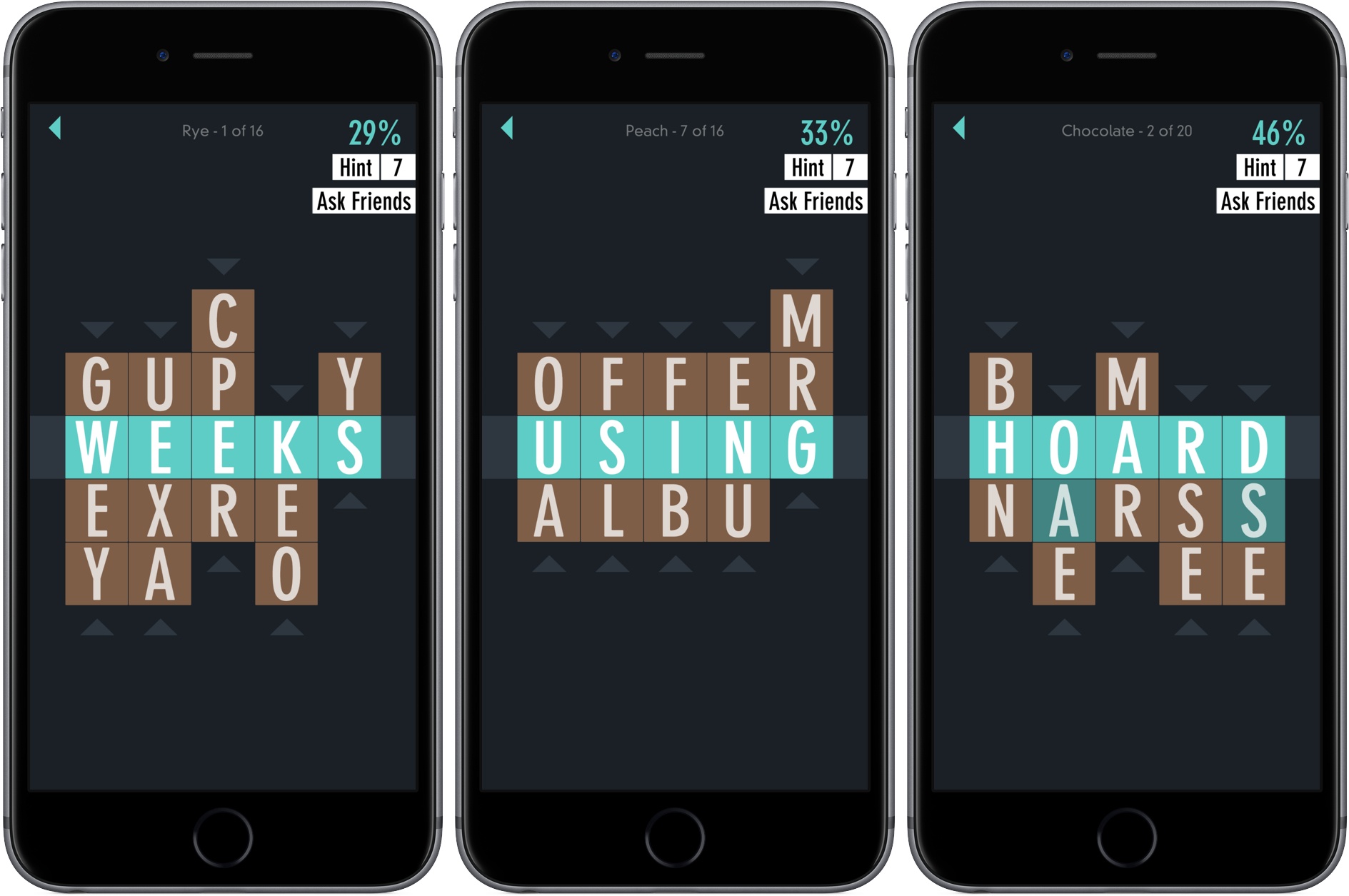
Developer Zach Gage describes Typeshift as ‘Anagrams meets Word Search, with a sprinkle of Crosswords,’ which fits well. Gage is the creator of SpellTower and other excellent iOS games. It’s a clever mashup of the familiar in an unconventional way. With an extensive library of free puzzles, new daily puzzles, and puzzle packs that are available as In-App Purchases, TypeShift is a thoroughly addicting, seemingly bottomless pit of word game fun.
 MacStories Weekly: Issue 72
1Blocker Adds Easy Page Element Hiding
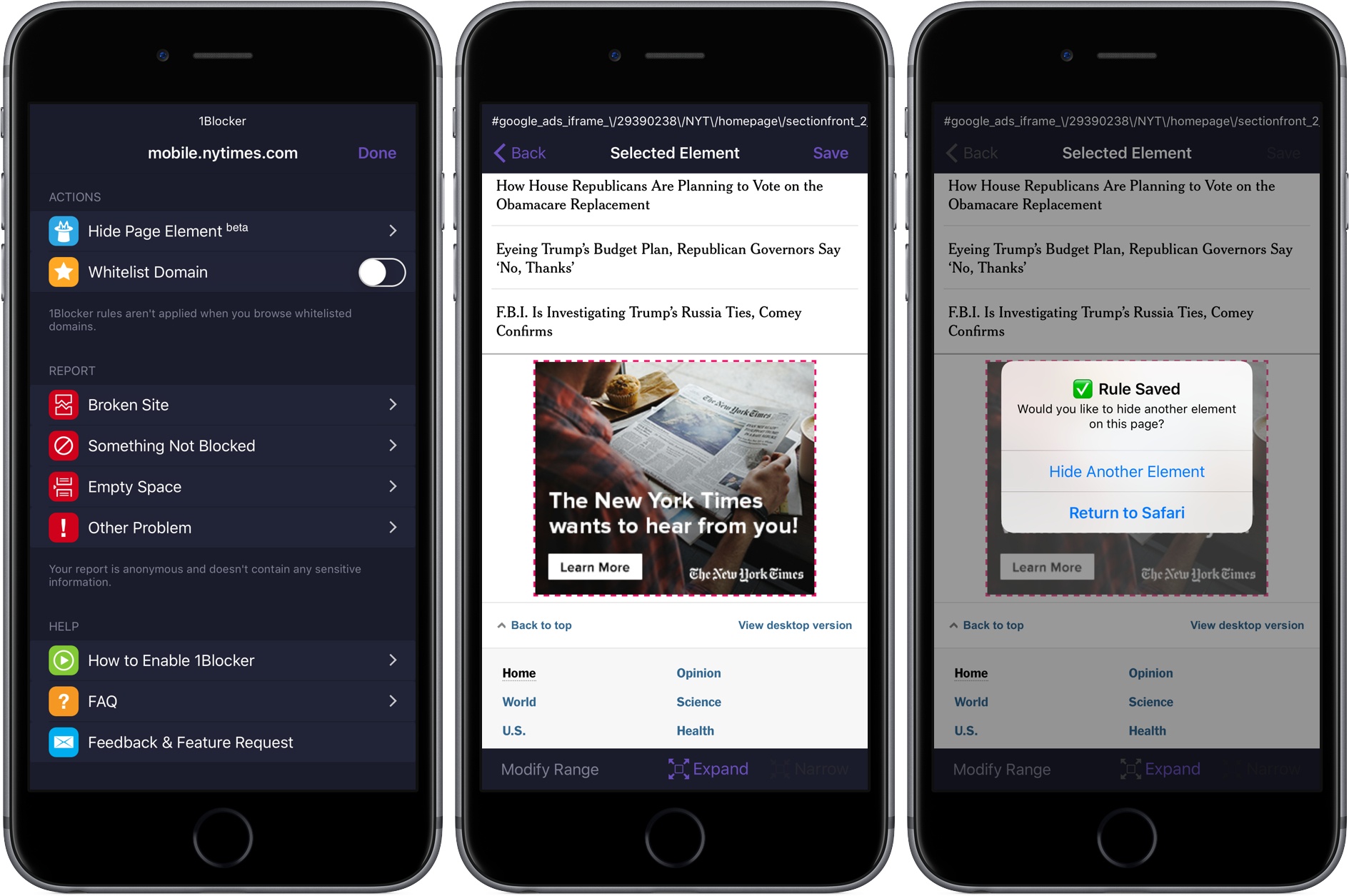
1Blocker is one of our favorite content blockers on iOS and macOS. The app has been continuously updated and refined on both platforms, syncs between the two, and has an extensive list of blocking rules.
On iOS, 1Blocker made Federico’s list of ‘Must Have’ apps for 2015 in part because he could create custom rules with CSS overrides to hide individual elements on a webpage. That’s a powerful feature, but the developer of 1Blocker found that too many people didn’t want to be bothered inspecting webpages on a Mac and typing in a blocking rule manually. Other users simply weren’t comfortable with using Safari’s inspector.
iPad Diaries: Working with Zip Archives
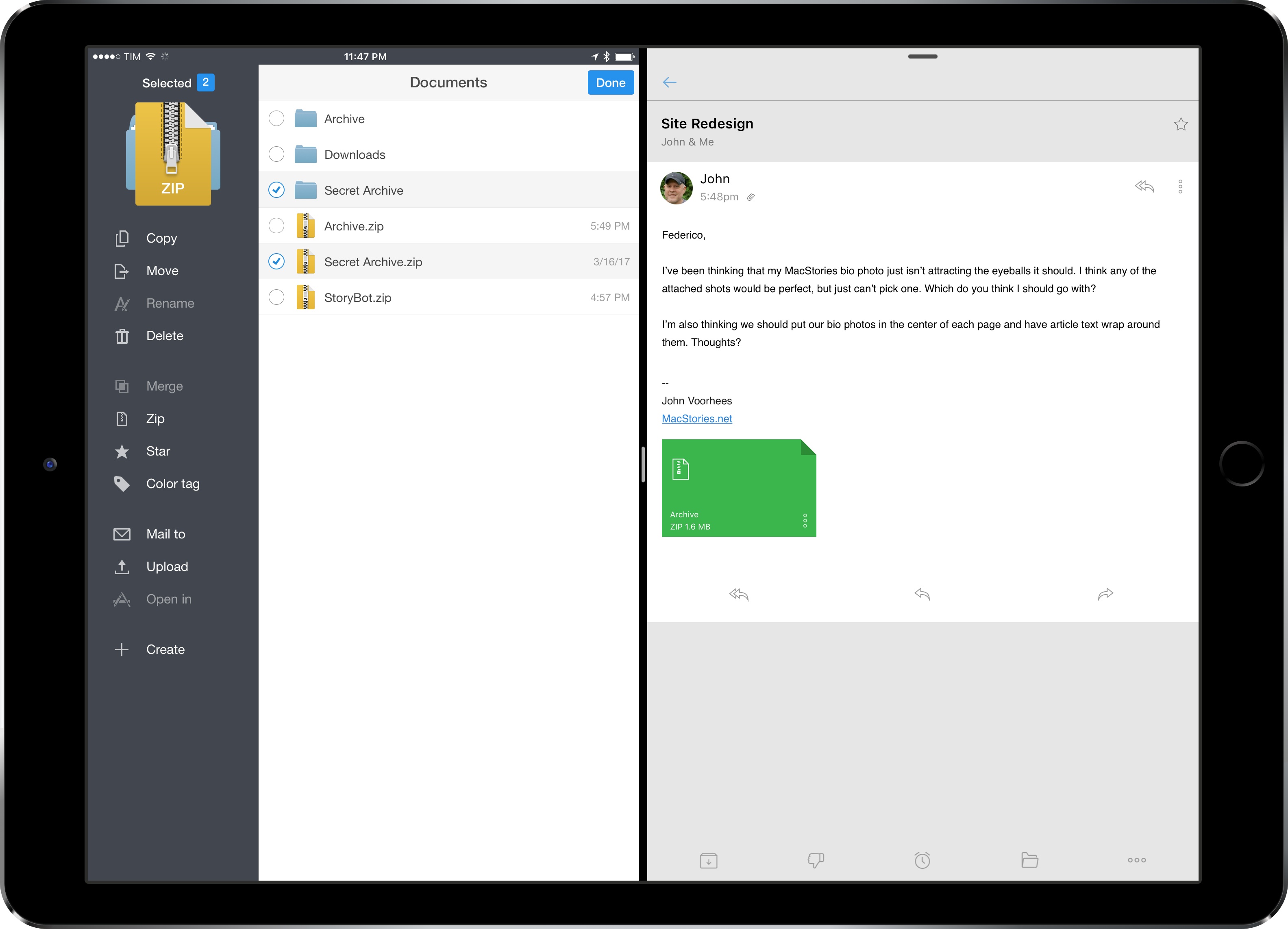
iPad Diaries is a regular series about using the iPad as a primary computer. You can find more installments here and subscribe to the dedicated RSS feed.
Compressing files into archives and extracting them into a specific location is one of the most common desktop tasks that is still surprisingly tricky to adapt to the iPad.
Unlike macOS, the iPad doesn’t come with a built-in Archive Utility app that takes care of decompressing archives, nor does iOS include a native ‘Compress Files’ system action to create and share archives. I’d wager that anyone who works from an iPad deals with file archives on a regular basis, whether they come from email clients, Dropbox links shared by colleagues, or uploads in a Slack channel.
Archives – and the popular .zip format – are a staple of document-based workflows and file management, but the iPad isn’t well-equipped to handle them. Working with .zip files on iOS is among the most frequent questions I receive from iPad-first users every week; effectively, Apple only offers basic integration with iOS’ Quick Look when it comes to file archives. Fortunately, just like advanced file management, we have some solid third-party options and automation to help us.
Super Mario Run 2.0 Arrives

On the heels of Super Mario Run’s debut on Android, Nintendo released a big update to the iOS version of the game that adds new features and refines gameplay.
Parts of Super Mario Run are free to play. Unlocking the remaining levels requires a one-time In-App Purchase. Nintendo has been criticized by some for making too few levels available for free. Version 2.0 addresses that criticism by letting players unlock courses 1-4 after completing one of Bowser’s challenges. Clear courses 1-4, and new Toad Rally courses are unlocked too.
You can now play Toad Rally with different colors of Yoshi, which will unlock Toads of that same color. Also, Nintendo’s release notes say that new buildings will be available in an upcoming event. The remainder of the updates to the game consist of tweaks to gameplay such as an expansion of the availability of Easy Mode and changes that make it easier to earn Rally Tickets for Toad’s Rally.
The update to Super Mario Run is free and available on the App Store.