
 MacStories Weekly: Issue 137
iFixit Tests MacBook Pro’s Keyboard Membrane→
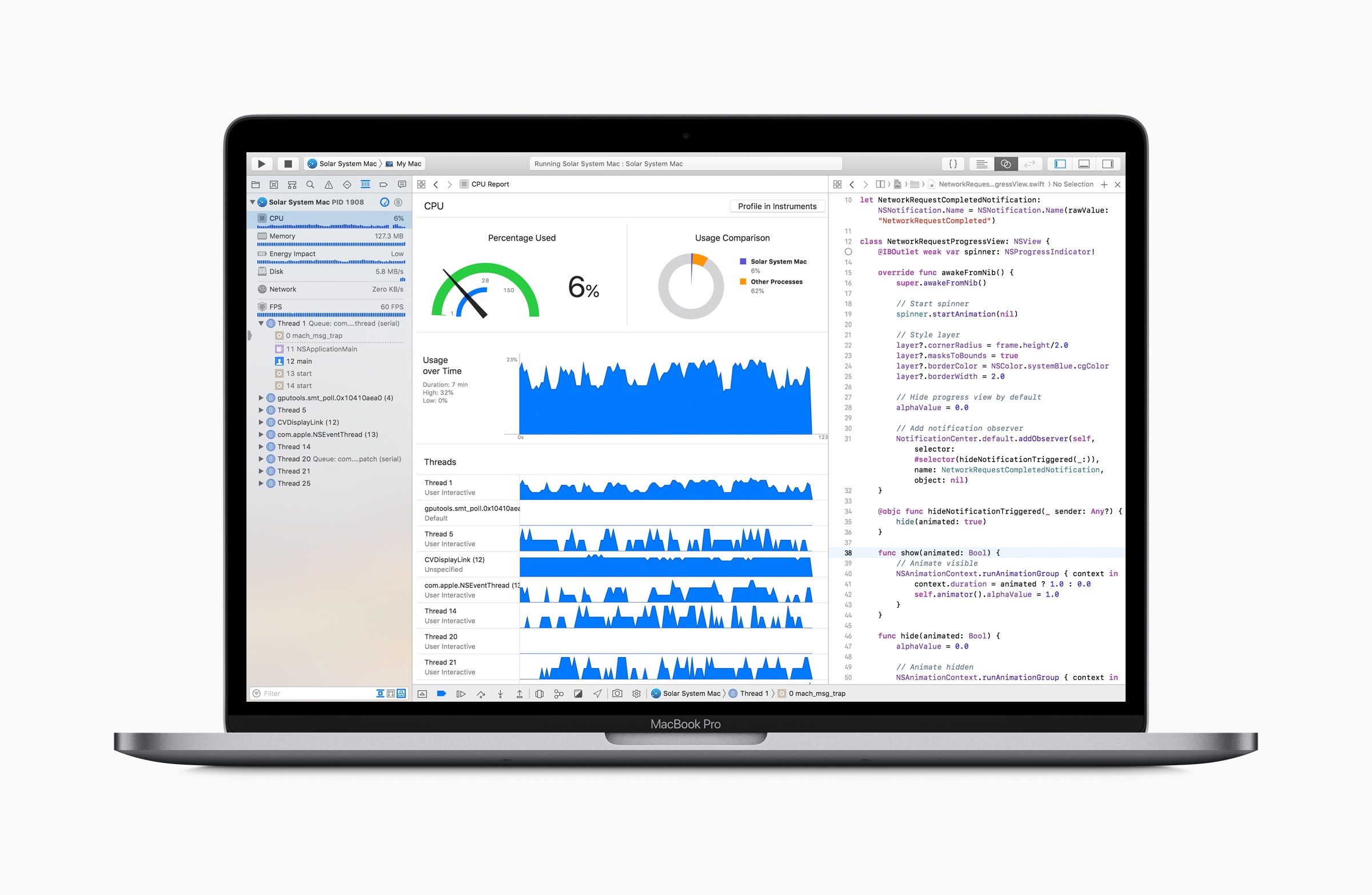
iFixit ran more tests and took a closer look at the keyboard membrane that was added to the 2018 MacBook Pro released last week. It turns out, the membrane is one sheet of die-cut silicone with tiny cutouts to allow keycaps to connect to the butterfly switches beneath.
To test how well the new design holds up against dust, iFixit sprayed a new MacBook Pro with a dusting of paint additive. They then tore apart the notebook and found:
Lo and behold, the dust is safely sequestered at the edges of the membrane, leaving the mechanism fairly sheltered. The holes in the membrane allow the keycap clips to pass through, but are covered by the cap itself, blocking dust ingress. The previous-gen butterfly keys are far less protected, and are almost immediately flooded with our glowing granules. On the 2018 keyboard, with the addition of more particulate and some aggressive typing, the dust eventually penetrates under the sheltered clips, and gets on top of the switch—so the ingress-proofing isn’t foolproof just yet. Time will tell how long the barrier will hold up.
iFixit followed up by testing with grittier sand, which managed to cause keys to stick.
It’s good to see that the MacBook Pro’s keyboard withstands fine particles better than earlier models in testing. The real test, of course, is long-term human testing. Only time will tell whether the 2018 MacBook Pros can hold up when faced with a crumbly muffin in your local café or the pollen blowing across your keyboard as you browse the web in your backyard.
iPhone 3G: 10 Years Later
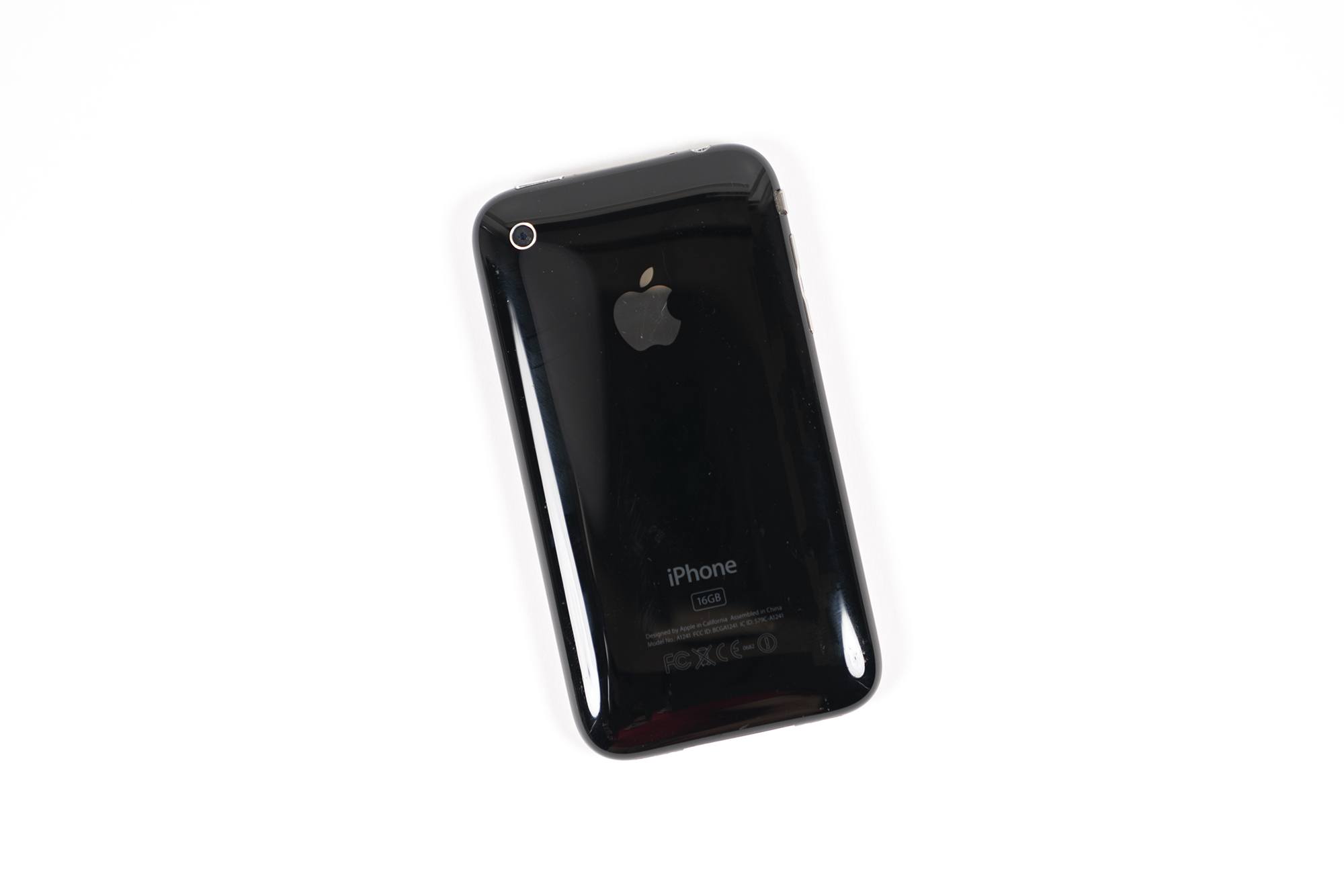
July 2008 was a very busy time for Apple. It launched the iOS App Store, replaced .Mac with MobileMe and launched it second-ever iPhone: the iPhone 3G.
Doppler Enables Pain-Free Importing of Music and Podcasts from Safari on iOS
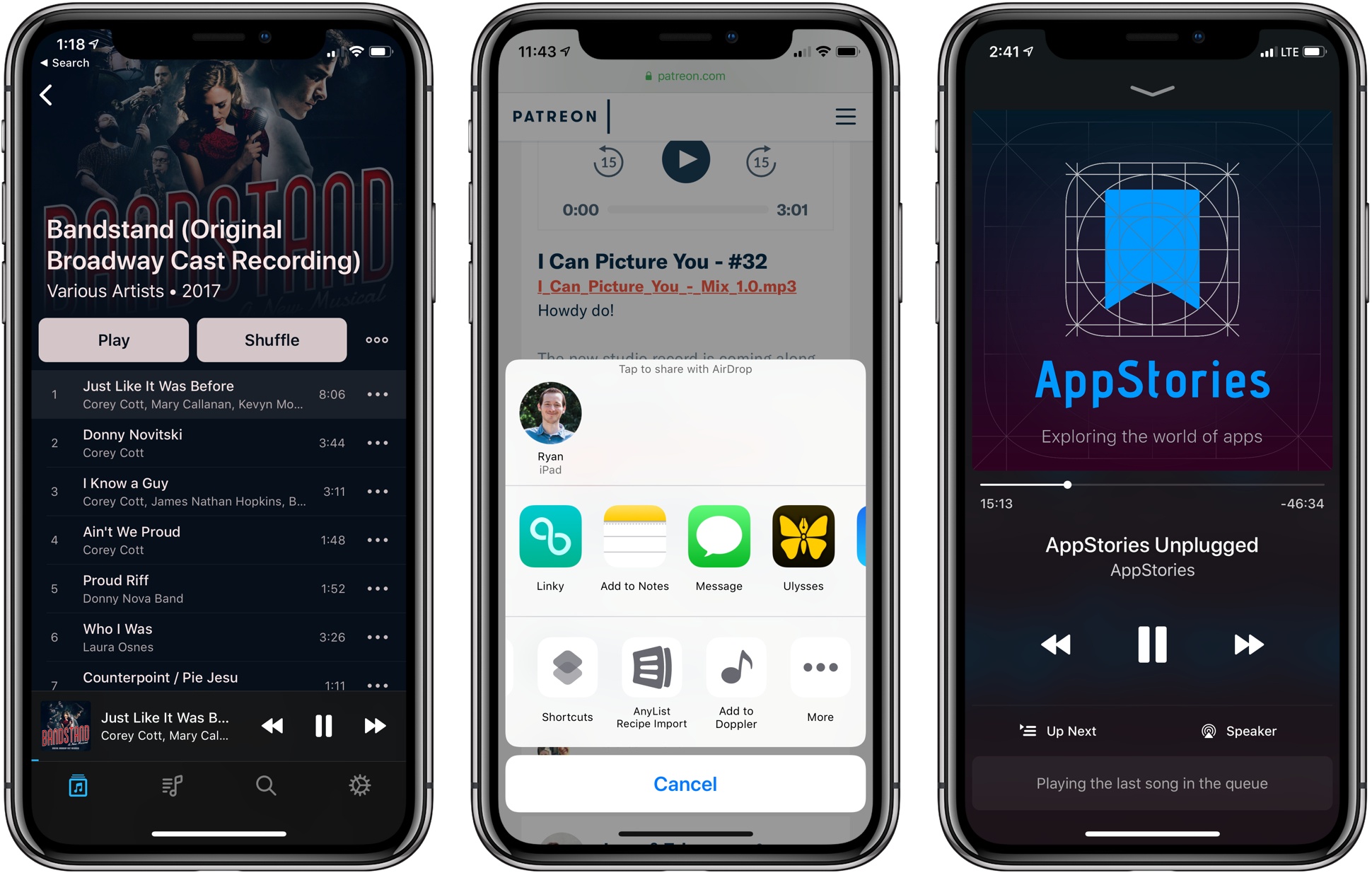
I’ve been an iOS-first user for nearly three years now, and during that time there have been very few tasks that required me to pull out my old MacBook Air. One remaining holdout has been downloading music or podcast files from the web and saving them somewhere I can conveniently access them on iOS. The ideal scenario would enable importing those files into iTunes, where they get added to my iCloud Music Library – unfortunately, that remains impossible on iOS today. But the next-best option I’ve discovered can be found in an iPhone app called Doppler.
Doppler launched a few months ago as a music app aimed at the non-streaming market. Despite the increasing popularity of services like Apple Music and Spotify, there are still plenty of users who want greater ownership of their music library, and that’s where Doppler comes in. It specializes in offline playback and custom library curation. You can import your existing iTunes purchases, or import songs or podcasts saved in the Files app, and customize metadata so your library’s organized exactly as you like it.
Today in version 1.2, Doppler adds a feature I’ve long wanted on iOS: the ability to import files directly from Safari.
My main use cases for Doppler’s new feature include downloading MP3 tracks from an artist I support on Patreon, and downloading special members-only podcasts, like AppStories Unplugged from Club MacStories. In both cases, getting the audio files from Safari into a music player, or even just a cloud storage provider, has historically been way too difficult on iOS. Last year when iOS 11 introduced the Files app, I thought this problem would finally be taken care of; surely I’d be able to use Files’ share extension from Safari to save the audio tracks. Unfortunately, Safari only presents the Files extension when downloading certain file types, and audio files aren’t included. And that’s where Doppler comes in.
Doppler now offers an action extension that can be used in two contexts: either when an audio file is already loaded in Safari, or even just when long-pressing a link to an audio file and hitting the ‘Share…’ option. The action extension then pulls in the file, lets you modify track metadata, and saves it to your Doppler library. The app is billed as a music player, but this same process works well for podcasts too – just know that due to their increased track size, podcasts will take longer to import.
Doppler is still a young app, so it’s missing key features that will hopefully be added in the future, such as an iPad app and iCloud sync. Its design is solid though – I like how it evokes past versions of Apple’s Music app with backgrounds matching the color scheme of each album. Despite being feature-light, Doppler works well as a basic music player for your non-streaming service needs. And now, thanks to its Safari import feature, it’s become a crucial utility that’s staying installed on my device.
Doppler is available for iPhone on the App Store.
Tom Gruber, Co-Founder of Siri, Retires from Apple

The Information reports that Tom Gruber, Apple’s head of the Siri Advanced Developments group, has retired to pursue personal interests including photography and ocean conservation. Gruber joined Apple as part of the company’s acquisition of Siri in 2010 along with his co-founders Dag Kittlaus and Adam Cheyer, who previously left Apple in 2011 and 2012 respectively. In addition to Gruber, The Information reports that Vipul Ved Prakash, Apple’s head of search, has left the company. Apple confirmed both departures to The Information.
Siri, which Apple incorporated into iOS in 2011, has been through recent leadership changes as it has fallen behind voice assistants like Amazon’s Alexa and Google Assistant. In 2017, Craig Federighi, Apple’s Senior Vice President of Software Engineering, took over Siri’s oversight from Eddy Cue. Just this past May, Apple hired John Giannandrea, Google’s former Chief of Search and Artificial Intelligence to be Apple’s Chief of Machine Learning and AI Strategy. Last week, Giannandrea showed up on the leadership page on Apple.com, and, according to a TechCrunch story, the Siri team now reports to him.
With all of Siri’s co-founders departed from the company, it will be interesting to see in what direction Giannandrea and the Siri team take Apple’s voice assistant.
Connected, Episode 201: An Internal Fortnite→
Federico bought an iPod touch, Nest and Instapaper both have new bosses and the world is finally getting the leg emoji it deserves.
On this week’s Connected, I also shared a status update on my iOS 12 review and the apps I’m using to put it together. You can listen here.
Sponsored by:
- Pingdom: Start monitoring your websites and servers today. Use offer code CONNECTED to get 30% off.
- Simple Contacts: Contact lens prescriptions from home: Use offer code CONNECTED20 for $20 off your contact lenses
- Timing: The automatic time tracking app for macOS. Use this link to save 10% on your purchase.
Sharecuts→
Fun new project by iOS developer extraordinaire Guilherme Rambo – Sharecuts is a (so far, beta and invitation-only) directory to browse and install custom shortcuts created by other users. Sarah Perez has more details at TechCrunch:
But by the time iOS 12 releases to the public later this fall, Sharecuts’ directory will be filled out and a lot more functional.
The premise, explains Sharecuts’ creator Guilherme Rambo, was to make an easily accessible place where people could share their shortcuts with one another, discover those others have shared, and suggest improvements to existing shortcuts.
“I was talking to a friend [Patrick Balestra] about how cool shortcuts are, and how it should be easier for people to share and discover shortcuts,” says Guilherme. “He mentioned he wanted to build a website for that – he even had the idea for the name Sharecuts – but he was on vacation without a good internet connection so I decided to just build it myself in one day,” he says.
The site is currently a bare bones, black-and-white page with cards for each shortcut, but an update will bring a more colorful style (see below) and features that will allow users to filter the shortcuts by tags, vote on favorites, among other things.
This isn’t the first time users have tried to launch curated directories for workflows (there were a bunch for the old Workflow app), but I think projects like this are going to be especially important given the lack of an official public directory for Shortcuts; the gallery built into the Shortcuts app is managed by Apple and doesn’t accept user submissions. For now, Sharecuts works by uploading plain .shortcut files to the service, but I’m hoping that, once Apple brings back link-based sharing, you’ll be able to just paste a link to a shortcut you’ve created. In the meantime, you can find a couple of shortcuts I’ve shared here and here.
Fantastical 2.5 for Mac Adds Time Change Proposals, Meetup.com Support, and More
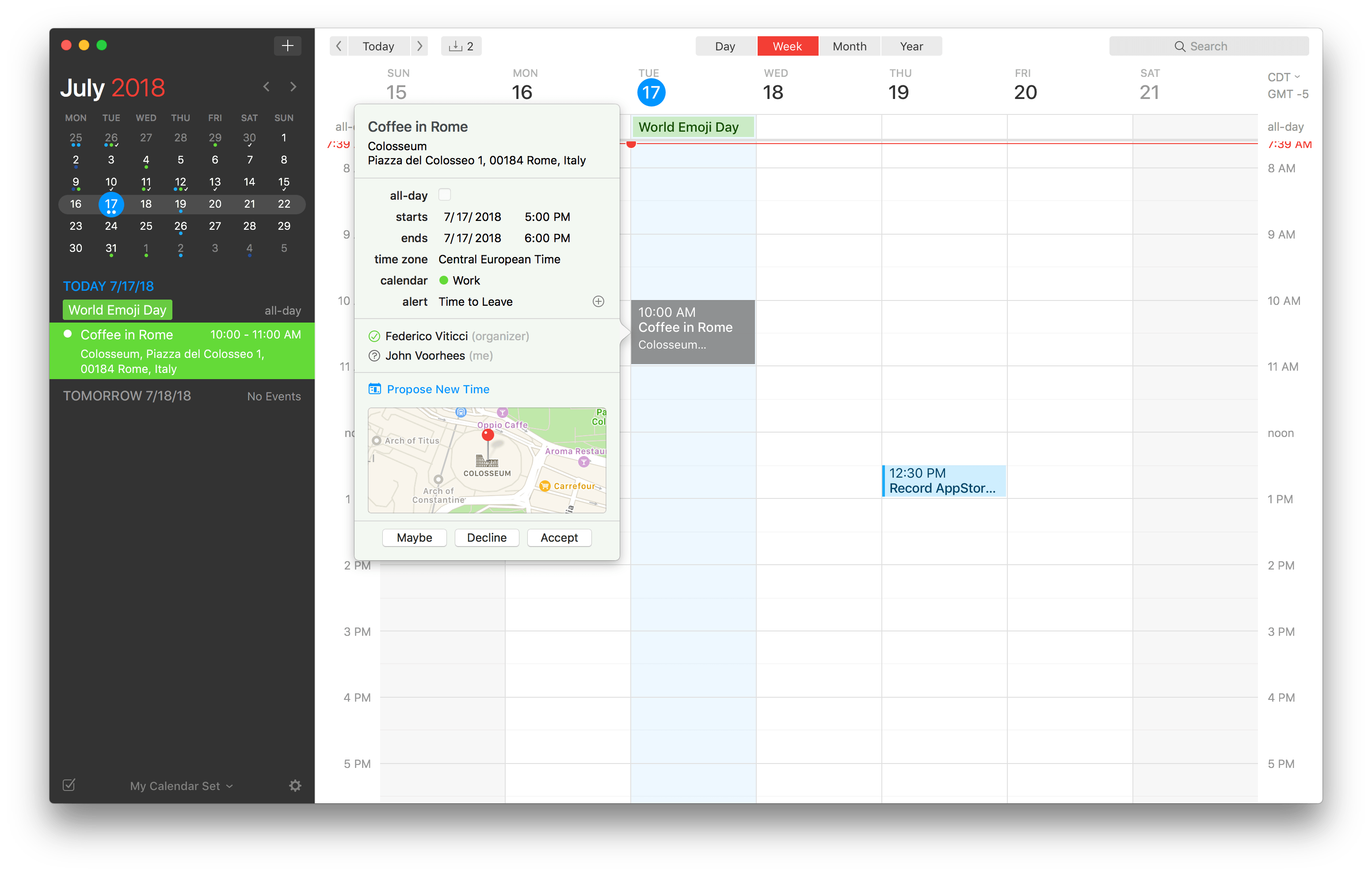
Flexibits has released an update to the Mac version of its popular calendar app Fantastical. The feature that should be useful to most users immediately is the ability to send and receive new time proposals for events. Fantastical already could send meeting invitations and acceptances, but with version 2.5, recipients of an invitation can propose a new time. The feature works with iCloud, Google, Exchange and CalDAV calendaring services, which should cover most use cases.
Microsoft Releases Cross-Platform Skype Update and Announces Call Recording and Other Features
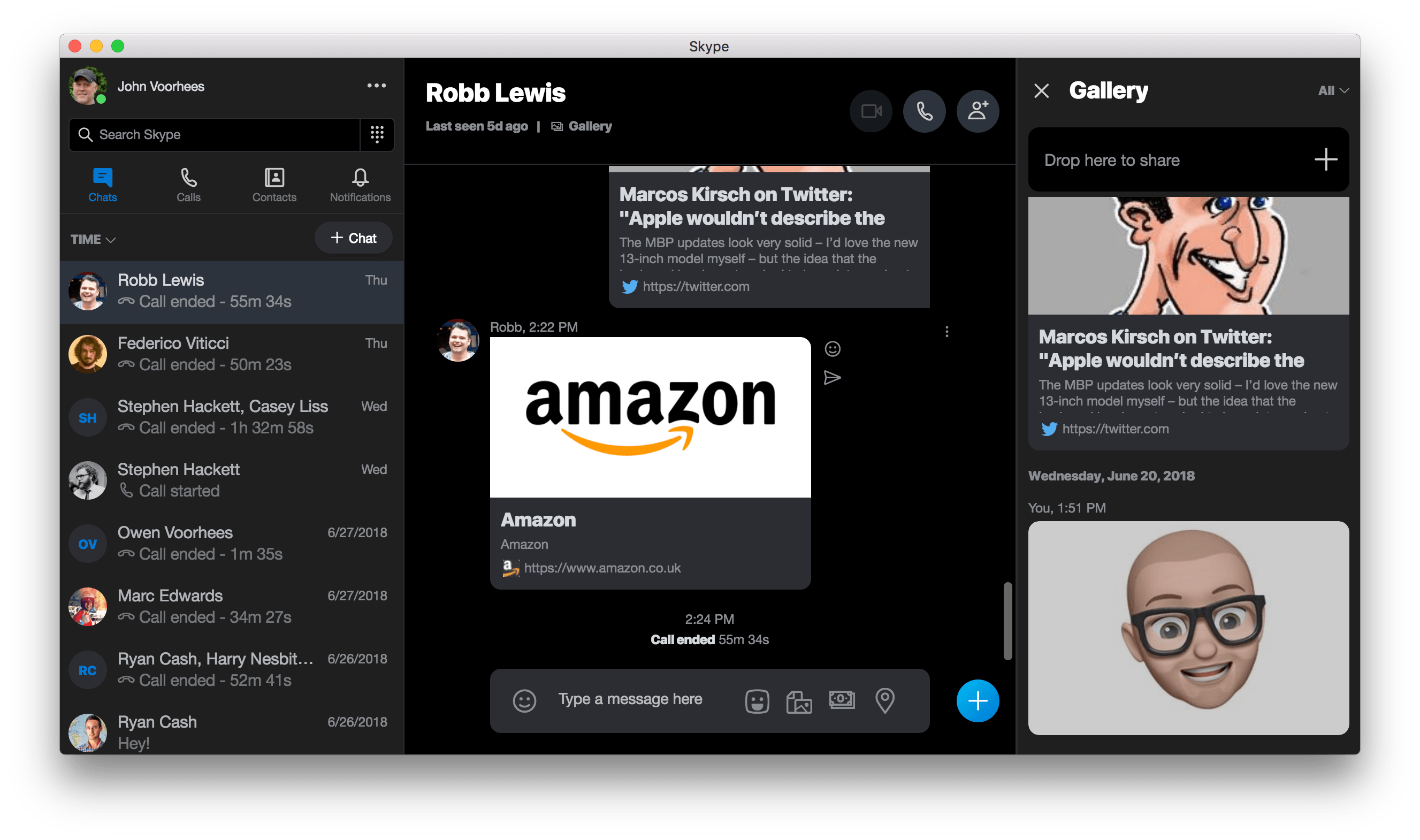
Microsoft has released version 8 of Skype for the desktop, which features a redesign inspired by the app’s mobile clients. The update, which is available on Mac, Windows, and Linux, replaces version 7, which will no longer work after September 1, 2018.
The update includes 1080p video calls with screen sharing for up to 24 participants. Twitter-style ‘@mentions’ have been added too. Mentioning someone by name preceded by the ‘@‘ symbol sends them a notification. Microsoft has also added a media gallery. Clicking on ‘Gallery’ in a conversation opens a panel on the right side of the Skype window with links, files, and other media that has been shared. Finally, users can share files, photos, and videos of up to 300 MB by dragging them into a conversation.
Microsoft also updated Skype’s iOS apps. The update to the iPad version of Skype is noteworthy because it’s been about a year since it was last updated, and it now includes features that are in line with the more frequently updated iPhone version.
Microsoft says it has other features planned for later this summer too. Skype will add read receipts that display avatars beneath the most recent message a user has read, so you can see at a glance where each participant in a conversation is. End-to-end encrypted audio calls and text messaging with file attachments based on the Signal protocol is coming later too.
Perhaps the most significant new feature that Skype will introduce is cloud-based call recording that works with audio and video calls. When a recording is begun, each participant will be notified that the call is being recorded. This should be an excellent addition for anyone who has relied on third-party solutions or QuickTime to record Skype calls.
Also, starting conversations should become simpler. Users will be able to invite new users to join Skype by sharing a link from their profile. In addition, shareable links to group chats will make it easier to add new members to a group.
I’ve never been a fan of Skype’s Mac app. Unifying the app across different platforms undoubtedly simplifies Microsoft’s development process and will be useful to anyone who uses Skype on multiple OSes. The unification comes at a cost though. Skype 8 is a cross-platform Electron app based on Chrome OS, which means non-standard windows and controls on the Mac. Apps like Skype are why I’m looking forward to UIKit coming to the Mac. If it isn’t worth the effort to Microsoft to build a native AppKit version of Skype, a UIKit version on the Mac that is based on Skype for iOS should at least be more familiar to users.