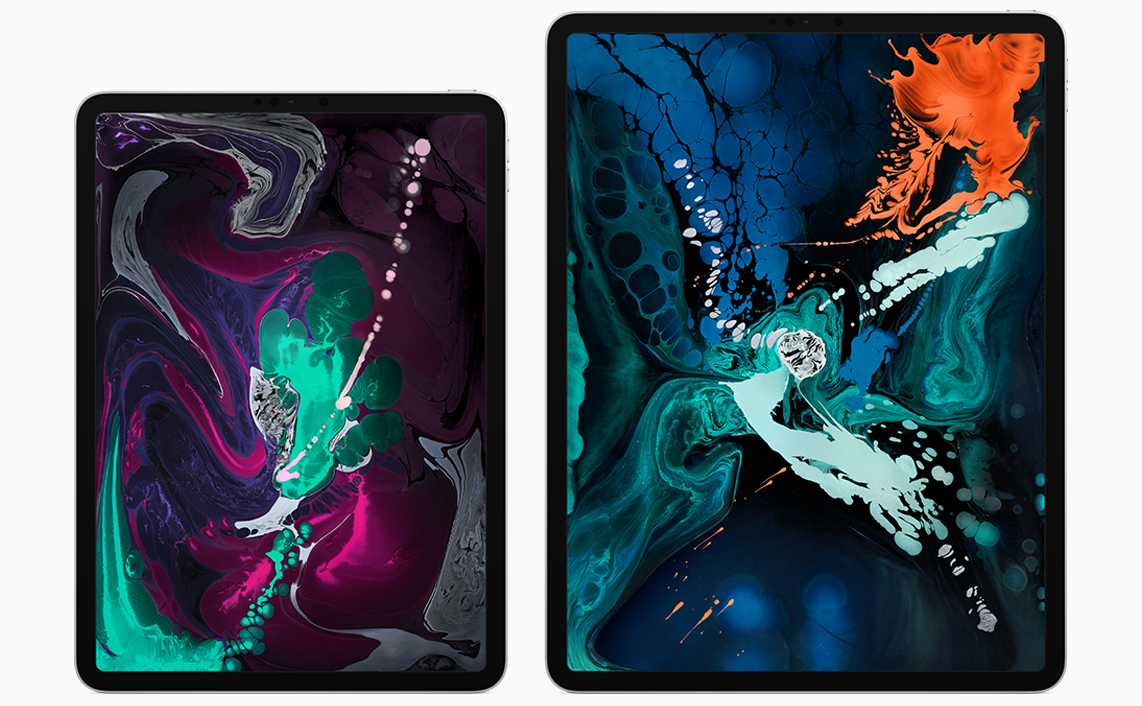
Phil Schiller and Anand Shimpi Discuss the iPad Pro’s A12X Chip

Ars Technica interviewed Phil Schiller, Senior Vice President of Worldwide Marketing, and Anand Shimpi, from Apple’s Hardware Technologies group, about the new iPad Pro’s A12X system on a chip. The article also benchmarks the iPad Pro against other iOS devices, Macs, and competing products. The results of Ars Technica’s tests are impressive. The iPad is not only the fastest iOS device available, but it also compares favorably with Apple’s pro Mac lineup.

In the interview, Samuel Axon of Ars leads off by asking about the iPad’s CPU. Shimpi explains how the chip outperforms the A10X:

“We’ve got our own custom-designed performance controller that lets you use all eight at the same time,” Shimpi told Ars. “And so when you’re running these heavily-threaded workloads, things that you might find in pro workflows and pro applications, that’s where you see the up to 90 percent improvement over A10X.”

Regarding the GPU, Shimpi says:

“It’s our first 7-core implementation of our own custom-designed GPU,” he said. “Each one of these cores is both faster and more efficient than what we had in the A10X and the result is, that’s how you get to the 2x improved graphics performance. It’s unheard of in this form factor, this is really an Xbox One S class GPU. And again, it’s in a completely fanless design.”

Apple is predictably tight-lipped about the Neural Engine, which powers machine learning tasks. In response to why the company keeps pushing its chip technology forward so rapidly despite its lead, Schiller pointed to Apple’s culture:

We don’t care if they’re doing something that isn’t interesting to us. We don’t care if we’re lapping them. Good. We’ll lap them ten times. It doesn’t matter because it’s in service to the user, not the competition.

It’s not surprising that Apple was unwilling to share much detail about how and why it’s pushing so aggressively with its custom silicon solutions. What’s clear, however, is that the company is well aware of the advantage its custom solution provides and is moving forward as fast as ever to improve it even further.
Permalink

MacBook Air and Mac mini Review Roundup: Welcome Updates to Apple’s Mac Lineup

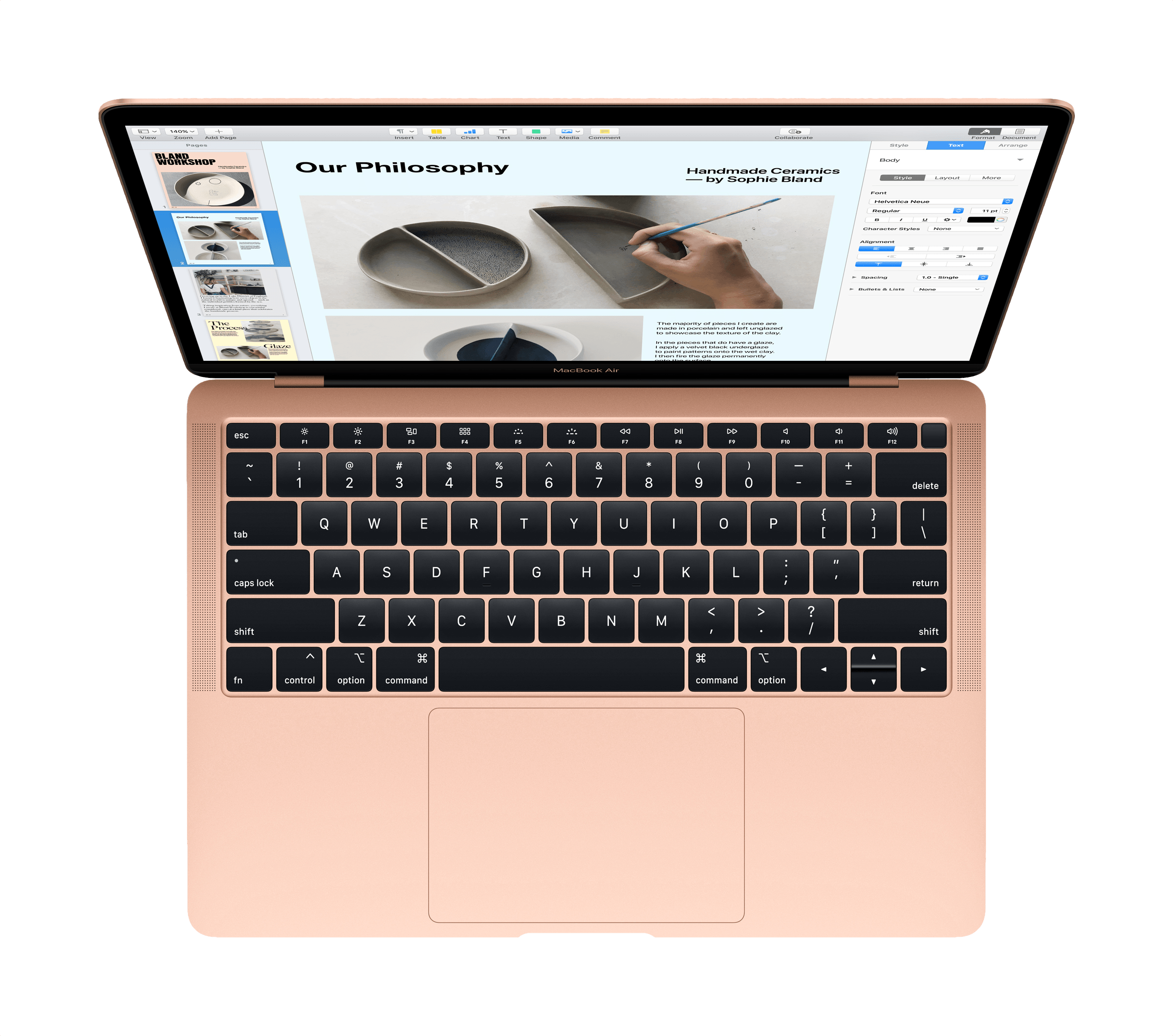
Tomorrow, Apple will begin delivering new MacBook Airs and Mac minis to customers around the world. It’s been a long time since either computer was updated; too long many would say. John Gruber of Daring Fireball asked around about the period between updates:

Behind the scenes last week in New York, I asked a few folks from Apple for any sort of hint why these two Macs — the MacBook Air and Mac Mini — went so long between updates. One thing I was told is that Apple wants to focus on “meaningful updates”. The days of “speed bump” updates are largely over. The value just isn’t there.

That may not be a message that long-time Mac users want to hear, but it’s consistent with recent history and seems to be supported by the reviews published today. Regardless of the backstory though, both new Macs are substantial updates that have received generally favorable reviews.

Read more


Choosing Your Markdown Editor: A Comparison of Ulysses and Drafts

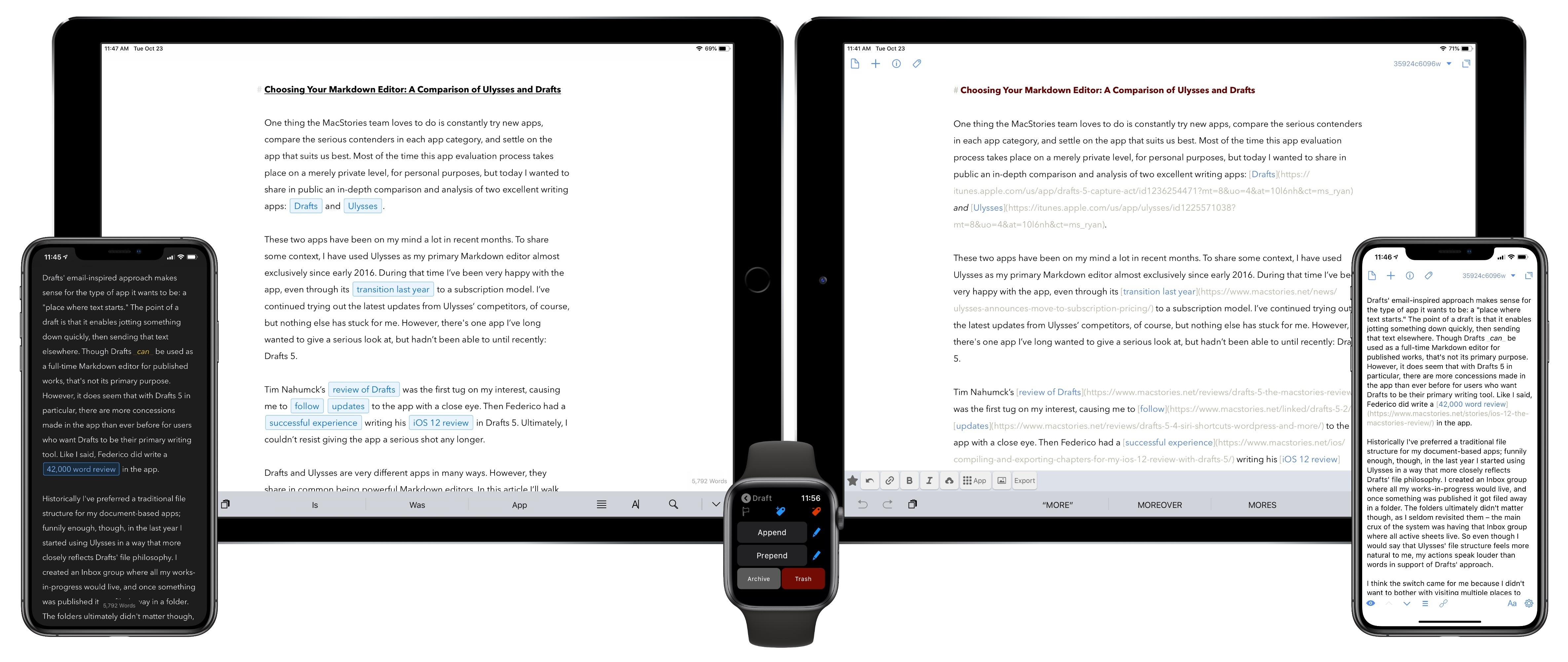
One thing the MacStories team loves to do is constantly try new apps, compare the serious contenders in each app category, and settle on the app that suits us best. Most of the time this app evaluation process takes place on a merely private level, for personal purposes, but today I wanted to share in public an in-depth comparison and analysis of two excellent writing apps: Drafts and Ulysses.

These two apps have been on my mind a lot in recent months. To share some context, I have used Ulysses as my primary Markdown editor almost exclusively since early 2016. During that time I’ve been very happy with the app, even through its transition last year to a subscription model. I’ve continued trying out the latest updates from Ulysses’ competitors, of course, but nothing else has stuck for me. However, there’s one app I’ve long wanted to give a serious look at, but hadn’t been able to until recently: Drafts 5.

Tim Nahumck’s review of Drafts was the first tug on my interest, causing me to follow updates to the app with a close eye. Then Federico had a successful experience writing his iOS 12 review in Drafts 5. Ultimately, I couldn’t resist giving the app a serious shot any longer.

Drafts and Ulysses are very different apps in many ways. However, they share in common being powerful Markdown editors. In this article I’ll walk through their similarities, divergences, and ultimately share which app I’ve decided to write in going forward. The goal is not to say which app is better, as the answer to that question is entirely subjective. Instead, I want to help you decide which app is likely best for you.

Read more


AppStories, Episode 86 – Apps and the New iPad Pro

On this week’s episode of AppStories, we talk about the new iPad Pros announced at the event held by Apple in Brooklyn, New York, the apps announced onstage and that Federico tried in the hands-on area, Apple’s dubious comparison of the iPad GPU to the Xbox One S, and the first-party apps we expected but didn’t see.

Sponsored by:

  • Linode: High performance SSD Linux servers for all of your infrastructure needs. Get a $20 credit with promo code ‘appstories2018’
  • Luna Display: The only hardware solution that turns your iPad into a wireless display for your Mac. Use promo code APPSTORIES at checkout for 10% off.

AppStories+ Deeper into the world of apps

AppStories Episode 86 - Apps and the New iPad Pro

0:00
38:23

AppStories+ Deeper into the world of apps

Permalink

iPad Pro Review Roundup: Impressive Hardware Held Back by iOS Limitations

The initial reviews of Apple’s new iPad Pros are out. There is a general consensus that the hardware is impressive, but many reviewers conclude that limitations of iOS are holding the device back. Here are highlights from some of the reviews:

Performance

Laptop Magazine sums up what many reviewers discovered about the iPad Pro’s hardware:

The iPad Pro is the quintessential tablet for power users and creative pros. It’s so fast that I imagine the likes of Qualcomm and Intel are getting nervous. This tablet wiped the floor with premium Windows laptops and 2-in-1s, in both benchmarks and real-world tests. The iPad Pro’s display, sound and battery life are also top-notch, and the improved Apple Pencil is more comfortable and easier to store.

John Gruber, writing for Daring Fireball says:

“No one buys an iPad because of CPU benchmarks”, I wrote last year. I don’t think that’s true any more. I think there are people who will and should buy the new iPad Pro because of its performance. At the hands-on area after last week’s event, Apple was showing Adobe Lightroom editing 50 megapixel RAW images from a Hasselblad camera. The photos were by Austin Mann, who was there, and helpfully demoed the software, showing what a real pro photographer would do in real life with real images. The experience was completely fluid and instantaneous.

Read more


BetterTouchTool: Customize your Input Devices [Sponsor]

BetterTouchTool is a little but powerful app that makes it possible to customize your Mac’s input devices to perfectly match and improve your workflow. BetterTouchTool allows you to completely re-design your Touch Bar, configure various Magic Mouse and Trackpad gestures, define keyboard shortcuts, bind normal mouse buttons, use the Siri Remote with your Mac and do tons more.

BetterTouchTool offers many actions to automate various tasks on your Mac, these can be assigned to any input-device trigger you choose. Additionally, it contains some handy features like window snapping, a clipboard manager, a screenshot editor, and much more. It even includes a free iOS app to remotely control your Mac and trigger actions.

Recently, the BetterTouchTool Community was begun, which you can find at community.folivora.ai. Users have shared some amazing presets there, including some very advanced custom Touch Bar setups that you should definitely check out.

BetterTouchTool comes with a 45-day trial after which you can choose between a license that includes all updates for 2 years and a lifetime license.

BetterTouchTool has been around for 8 years, during which it has increased the productivity of many Mac users. To celebrate its 8th birthday, MacStories readers can purchase BetterTouchTool for 15% off at checkout by using the coupon code MACSTORIESBTT for a limited time. So don’t delay. Go to folivora.ai to learn more and take advantage of the special limited-time, 15% discount on BetterTouchTool.

Our thanks to BetterTouchTool for sponsoring MacStories this week.


Inside MacStadium’s Mac Data Center

If you’ve been around the Apple community a while, you’ve probably heard of MacStadium, but you may not understand the scale at which it operates. Snazzy Labs paid a visit to MacStadium’s data center in Las Vegas to check out some of the company’s roughly 8,000 Mac minis humming away powering websites like MacStories and performing all sorts of other tasks. During the segment, Snazzy Labs interviews MacStadium’s Brian Stucki about the Mac minis, hundreds of Mac Pros, iMac Pros, and even some Xserves that the company uses. Besides the huge number of Macs in operation, the customizations made to the Macs for things like data storage, redundant power, and networking are fascinating.

Permalink

Captivating the Creative Community with ‘Today at Apple’

Michael Steeber of 9to5Mac writes about the increasing importance of ‘Today at Apple’ as a unique competitive strength for the company:

Would you go to a Photo Walk at a Microsoft store? Do you trust a Google retail employee to teach you how to draw? Is there a group of passionate musicians dedicated to Samsung platforms?

Apple has captivated the creative community for over 40 years, and many people across the world have done their life’s work with Apple products. This year’s “Behind the Mac” ad campaign perfectly encapsulates why people are excited about Today at Apple.

In-store sessions aren’t totally new. Apple stores have held workshops in one form or another since their introduction in 2001. But until Today at Apple, sessions were more focused on technical training and lacked the same creative spark.

Steeber’s point about other big tech companies is a great one. I wouldn’t look to any other tech giant for creative lessons in areas of music, photography, or drawing, and I don’t think any other average customer would either. But with Apple, the story’s different. The company has always held a special level of credibility among creators, and that remains true today.

I’ve never attended a Today at Apple session, but over time I’ve grown more and more intrigued by Apple’s major retail initiative. Unlike the intense scrutiny given to everything else Apple does, Today at Apple seems to receive very little attention from the world of tech journalism. Yet Apple clearly believes it’s on to something with Today at Apple, and it shows every time Angela Ahrendts or Tim Cook spend time at an event lauding the program.

It’s hard to care too much about Today at Apple when your closest Apple Store is far enough away to be an inconvenience, which is perhaps why I never seriously considered attending a session while living in the suburbs of Dallas. Now that I’m in the urban environment of New York City, however, with Apple Stores all around and in walking distance, the idea of popping in for a session to help sharpen my creative senses is really appealing. It doesn’t hurt that Apple’s latest retail store work is so visually stunning, making a great environment for learning.

Moving forward, I’m definitely eager to keep a close eye on Today at Apple.

Permalink

Jony Ive Reflects on the Design of the New iPad Pros, Apple Pencil, and MacBook Air in a New Interview

Jony Ive, Apple’s Chief Design Officer, sat for an interview with David Phelan of The Independent to talk about designing Apple products in general and the new iPad Pros, Apple Pencil, and MacBook Air in particular.

On redesigning successful products Ive said:

Because when a product has been highly regarded there is often a desire from people to see it redesigned. I think one of the most important things is that you change something not to make it different but to make it better.

If you are making changes that are in the service of making something better, then you don’t need to convince people to fall in love with it again. Our sense of habit and familiarity with something is so developed, there is always that initial reaction that is more of a comment on something being different rather than necessarily better or worse. In my experience, if we try very hard to make material improvements, people quickly recognise those and make the sort of connection they had before with the product.

Ive also revealed that the original iPad was designed to be used primarily in a portrait orientation, while the new iPad Pros have no orientation:

So, in the new iPad Pro, one of the things we’ve been wanting to get to for a long time is a sense that the product is not oriented in a primary and then, therefore, in a secondary way.

The first iPad had a very clear orientation which was portrait. It had the ability to be used in landscape, I think very well, but it was pretty clear how the product was designed. And I think with the first iPad you had the sense that it was a product made up of distinct and somewhat separate components.

What I think marks the new iPad Pro as particularly special is it doesn’t have an orientation. It has speakers all the way around the perimeter. By getting rid of the Home Button and developing Face ID, the tablet is able to work in all of these different orientations.

On the Apple Pencil, Ive describes how its design abstracts away the underlying technical complexity to focus the user on the task at hand:

I think the way it just snaps onto the side, well, that’s a nice example of a sort of that magical feeling. It’s unexpected, we don’t quite understand how it’s working and even more incomprehensible is the fact that it’s also charging. You can see how that’s aligned with this idea that you can just pick the product up and use it without thought.

Actually, you’re using it with tremendous thought, but it’s based on what you want to be doing rather than wondering if you’re holding the tablet the right way up.

Phelan’s interview is full of many other wonderful insights and tidbits about the products Apple revealed earlier this week in New York and should be read in its entirety.

Permalink