iPadOS: The MacStories Overview

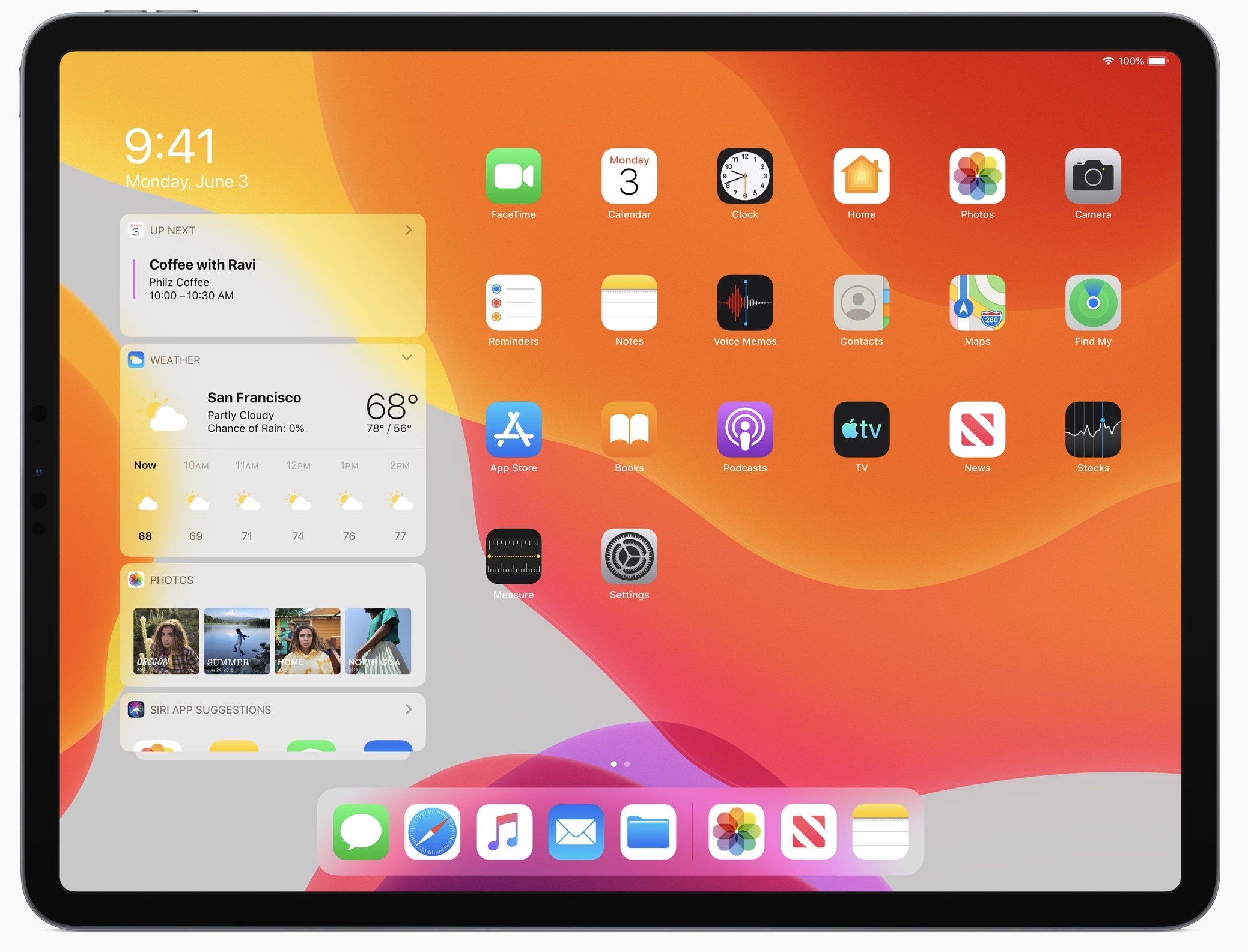
Today during the WWDC keynote, where Apple unveiled the next major version of its mobile software platform, iOS 13, the company also had a big surprise to share: iOS is now exclusive to the iPhone and iPod touch and has given birth to a new, dedicated operating system for the iPad, named iPadOS.

iPadOS includes all the existing features of iOS, including the host of updates coming in iOS 13, but adds to it a long list of enhancements that address common pain points among iPad Pro users. From an updated Home screen to multitasking improvements, Files upgrades including USB drive support, a desktop-class Safari, and much more. All of these features aim to make the iPad a more capable full-time computer than ever before.

Read more


Apple Releases Memoji Makeup Tutorial Video with YouTube Stars

YouTube stars Patrick Starrr and Desi Perkins joined forces with Apple to create a makeup tutorial video using only this year’s huge iOS 13 Memoji update. The new Memoji appear to be massively more customizable, and can be used to create Bitmoji-like stickers. Starrr and Perkins’ video premiered during Apple’s WWDC keynote address, and you can watch it below.

We’ll have more on the new Memoji updates and all of the changes coming in iOS 13 later today.


You can also follow all of our WWDC coverage through our WWDC 2019 hub, or subscribe to the dedicated WWDC 2019 RSS feed


Apple Publishes “For All Mankind” Apple TV+ Trailer

At this year’s WWDC keynote address, Apple dropped the first trailer for their upcoming Apple Original drama series For All Mankind. The series will follow an alternate timeline in which the space race never ended, and is set to premier this fall.

We’re actively at work on in-depth coverage for all of today’s announcements, and will be reporting on any additional news that trickles out in the coming days as WWDC 2019 continues.


You can also follow all of our WWDC coverage through our WWDC 2019 hub, or subscribe to the dedicated WWDC 2019 RSS feed


Apple Publishes Goodnight Developers Video from WWDC 2019 Keynote

Apple kicked off this year’s WWDC keynote address with a black and white video of developers hard at work in the middle of the night. The video, titled Goodnight Developers, showed a variety of iOS developers struggling and eventually succeeding in getting their apps to build. Check out the video below.


You can also follow all of our WWDC coverage through our WWDC 2019 hub, or subscribe to the dedicated WWDC 2019 RSS feed


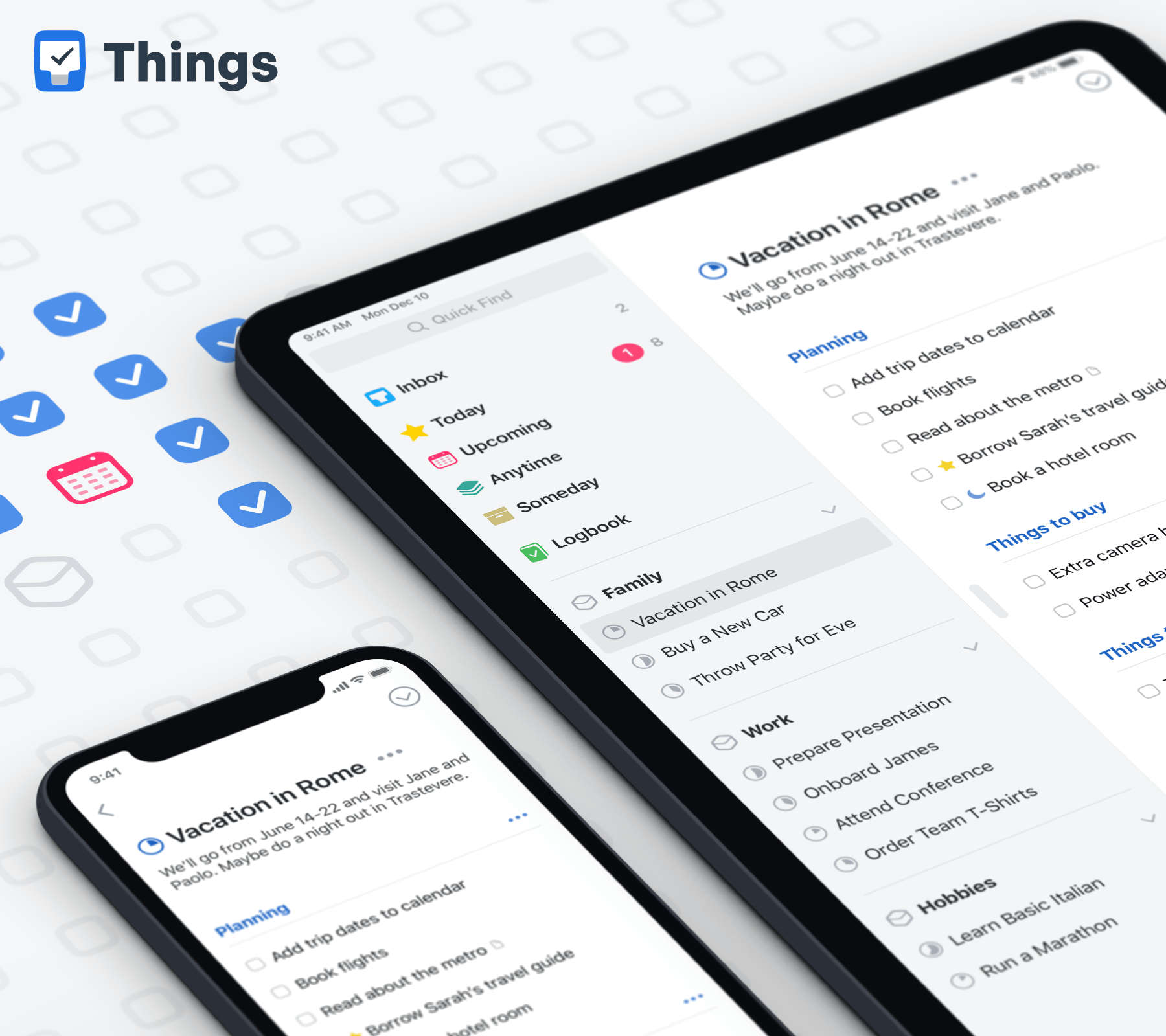
Things: Where Ideas Take Shape [Sponsor]

Things by Cultured Code delivers a carefully-balanced mix of clean design, ease-of-use, flexibility, and power that make it a world-class task management solution. The app is available natively on the Mac, iPhone, iPad, and Watch with deep OS integration that takes advantage of each platform’s unique features and strengths. It’s a compelling, integrated package that makes it clear why it has won two Apple Design Awards and a MacStories Select Award for Best App Update.

The design elegantly scales from the Watch all the way up to the biggest iMac screen, showing you exactly what you need to know about your tasks. The app has all the features you need like reminders, tags, notes, and checklists that can be added to a task, all organized by project. There are tons of fantastic little touches that set Things apart too like the ability to break a project into sections visually with headings and a Today view that brings together today’s tasks from across projects.

Things also has fantastic power user features. The app includes extensive keyboard shortcuts on the Mac and iPad, has a deep, well-documented URL scheme for automating tasks, and there’s Shortcuts and Siri shortcuts support. You can even paste a plain text list of items into a project and Things will automatically turn each line of text into a task, which makes the app a delight to use with a plain text editor and opens up powerful automation options.

Staying focused and on track is hard with a big project, but with an app like Things that’s available on all the devices you use and adaptable to the way you work, you can get that project over the finish line on time. So give Things a try today, you’ll be happy you did. New features are being added all the time too, so if you haven’t tried Things in a while, now is a great time to give it another look. You can download a free trial of Things for the Mac at thingsapp.com or get the iOS apps on the App Store.

Our thanks to Things by Cultured Code for sponsoring all of MacStories’ WWDC coverage this week.


Create Better Text Shots for Twitter Using Linky

Linky is a tiny utility for iOS that I love. The app serves as an easy way to share to Twitter or Mastodon from the iOS share extension, and I use it every day to tweet MacStories articles or new episodes of Adapt. Used from Safari, the Linky share extension can automatically populate a tweet compose field with information from the site you’re viewing, such as its title, URL, and featured images. Linky’s ease of use makes it my favorite way to share content via tweets.

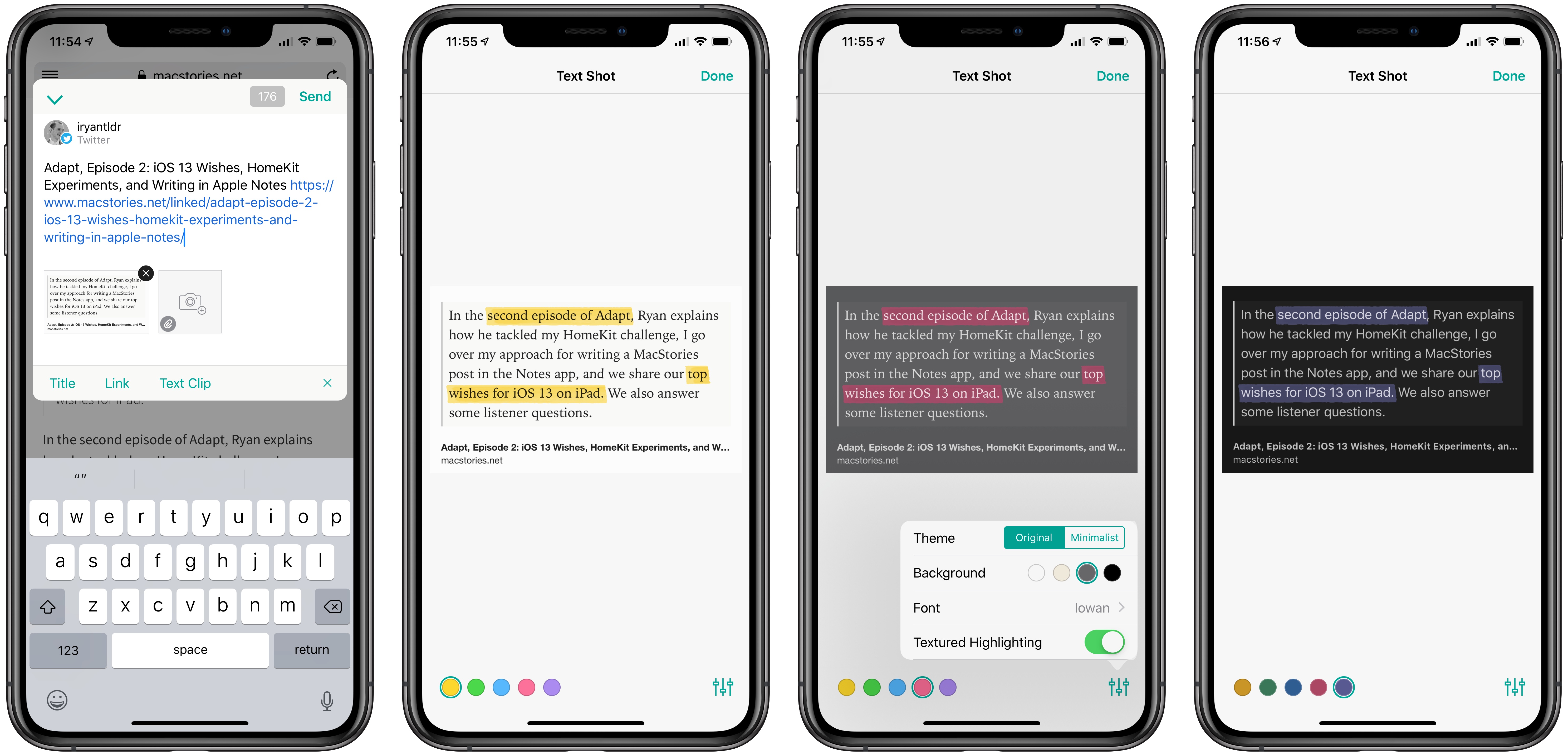
Earlier this week, Linky was updated with two new enhancements to its text shot feature. For years now the app has enabled easy creation of text shots for sharing portions of an article, or personal thoughts that exceed Twitter’s character limit. That text shot feature is now better than ever though thanks to the addition of highlighting and visual customization options.

After Linky has created a text shot – which happens upon activating the share extension when a portion of text is selected in Safari – you can tap that new image to enter editing mode. Inside editing mode, swiping over any portion of text in your text shot will cause it to highlight. This highlight can be one of five colors, and from the settings menu in the bottom-right corner you can choose whether the highlight is textured or solid. The feature is incredibly easy to use, and offers a great way to further call out certain words or phrases in a text shot.

Linky also offers an array of customization options for a text shot’s appearance. You can choose from one of six font options for the text, all of which look great; the background of the text shot can be white, sepia, gray, or black; you can also choose a minimalist theme or the default original. The added flexibility offered makes me far more likely to use text shots on a regular basis.

If you ever share clips of text you find online, Linky is hands-down the best way to do that. The app also includes support for multiple accounts, so you can tweet from several accounts at once, and offers annotation features for standard images. All told, I can’t recommend Linky highly enough.


Adapt, Episode 2: iOS 13 Wishes, HomeKit Experiments, and Writing in Apple Notes

Ryan tries new HomeKit options on his iPad, Federico writes and publishes an article from Notes, then the guys share their top two iOS 13 wishes for iPad.

In the second episode of Adapt, Ryan explains how he tackled my HomeKit challenge, I go over my approach for writing a MacStories post in the Notes app, and we share our top wishes for iOS 13 on iPad. We also answer some listener questions.

You can listen below (and find the show notes here), and don’t forget to send us questions using #AskAdapt and by tagging our Twitter account.

AppStories+ Deeper into the world of apps
0:00
01:06:11

Adapt, Episode 2

AppStories+ Deeper into the world of apps

Permalink