
 MacStories Weekly: Issue 249
Custom Shortcut Icons No Longer Open the Shortcuts App First in iOS 14.3 Beta 2→
Juli Clover, writing at MacRumors about a tweak to Shortcuts in iOS 14.3 beta 2:
Apple in iOS 14.3 is streamlining the Home Screen customization process by simplifying the way that app shortcuts work. With the launch of iOS 14, users quickly discovered that Shortcuts could be used to replace traditional app icons to create an entirely customized Home Screen look.
Unfortunately, while these Home Screens created with Shortcuts looked fantastic, the experience was less than ideal because launching an app through shortcuts required the Shortcuts app to open briefly, slowing the app opening process. In iOS 14.3 beta 2, that’s no longer the case because shortcuts no longer have to route through the Shortcuts app.
As Reddit users discovered after installing yesterday’s beta, launching an app through Shortcuts on the Home Screen in iOS 14.3 pops up a banner at the top of the display, but the full Shortcuts app no longer opens, so there’s less of a delay when using a custom icon to launch apps.
When I covered the new Shortcuts widget in my review of iOS and iPadOS 14, I noted how disappointing it was that shortcuts added to the Home Screen as custom icons couldn’t take advantage of compact UI, which makes shortcuts dramatically faster to run. This single tweak has major implications for casual and power users alike, and it’s fascinating for a couple reasons.
First, it shows that Apple is very much aware of the fact that millions of people are personalizing their Home Screens with custom icons that are actually shortcuts based on an ‘Open App’ action. As of iOS 14.2, those custom icons don’t open the linked app directly: they take you to Shortcuts first, which then launches the app you need; it’s an annoying limitation, and it’s why I couldn’t get into customizing my Home Screen icons – when I tap a Safari icon, I want Safari to open immediately. With iOS 14.3, that’s going to be the case, and I have to assume Apple is doing this because of the popularity of this technique over the past few months. Even better, when folks who customized their Home Screens update their devices to iOS 14.3, all their custom icons will instantly switch over to the new direct-launching behavior – they won’t have to recreate those custom shortcuts from scratch.
Second, compact UI means that running shortcuts from the Home Screen as custom icons will once again be better than doing so via widgets. In iOS 14.3 beta 2, custom icons and widgets run shortcuts exactly the same way, except that you can place more custom shortcut icons on a single Home Screen page than widgets. I lamented the low information density of the Shortcuts widget in my iOS and iPadOS 14 review as well; with iOS 14.3, I’ll be able to place four custom shortcut icons in the same slot where a single Shortcuts widget would go, and I won’t have to sacrifice the convenience of compact UI. When it comes to custom shortcut icons that open apps, I just wish Apple would add an option to get rid of the confirmation banner that pops up every time you launch an app via a custom icon. Is that banner really necessary after you’ve launched that custom shortcut dozens of times?
I’ve updated both my iPhone and iPad to iOS 14.3 beta, and I guess I’ll have to spend some time rethinking my Home Screen (again) to include several MacStories Shortcuts Icons alongside app icons, replacing the Shortcuts widgets I added last month. This is going to be fun, and I hope Apple will continue to improve this feature with an option to disable the confirmation banner.
Hazel 5 Makes the Leap from System Preferences
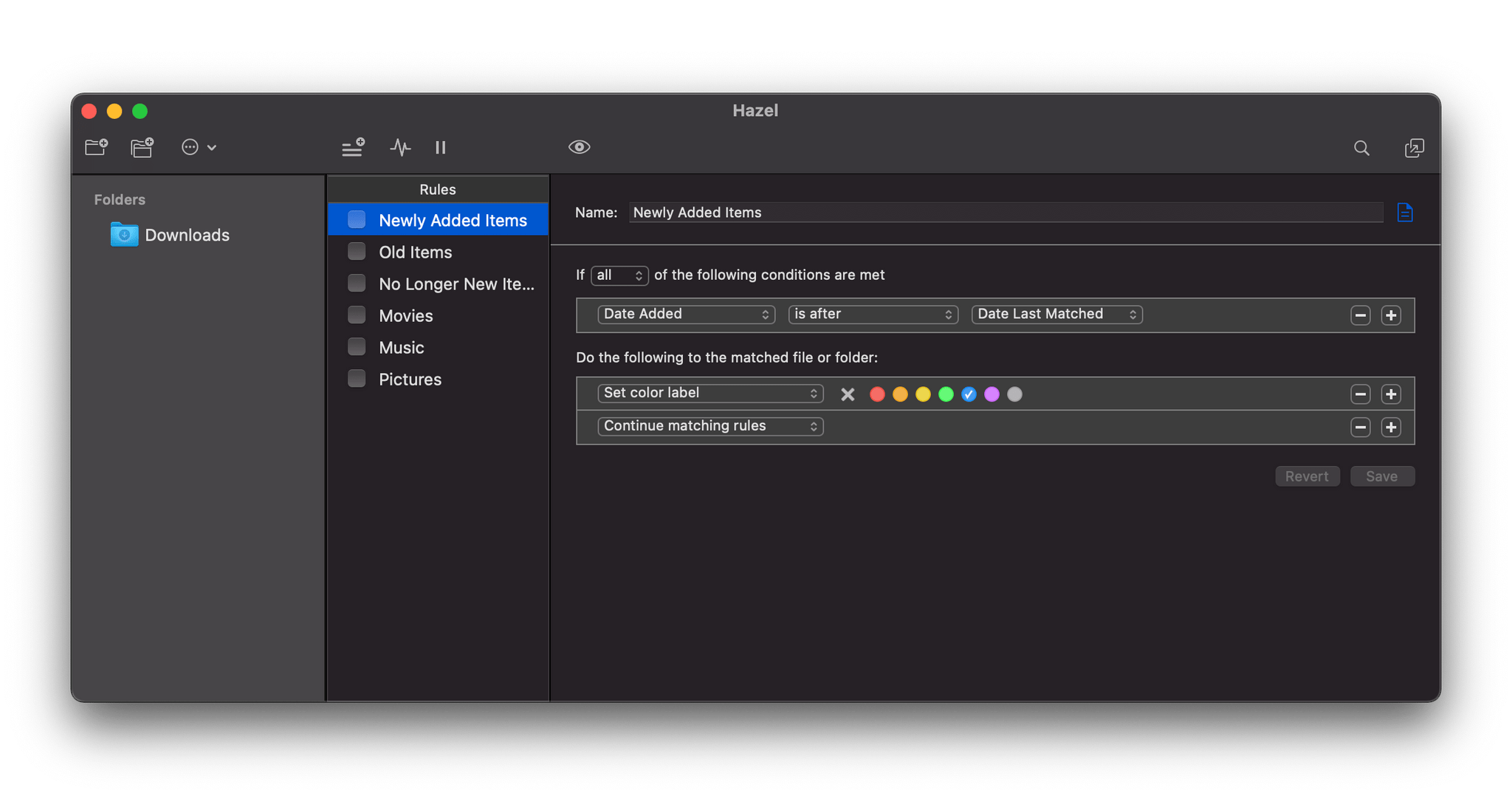
Hazel is a classic Mac automation tool which we last covered several years ago for version 4. This week Hazel is back with version 5, a major update which brings the tool out of System Preferences for the first time.
Previous iterations of Hazel existed as a preference pane within the macOS System Preferences app. While the interface remains pretty familiar in Hazel 5, it has finally been pulled out into its own full application.
Sofa Adds New Design, Widgets, More Themes, and “The Pile”
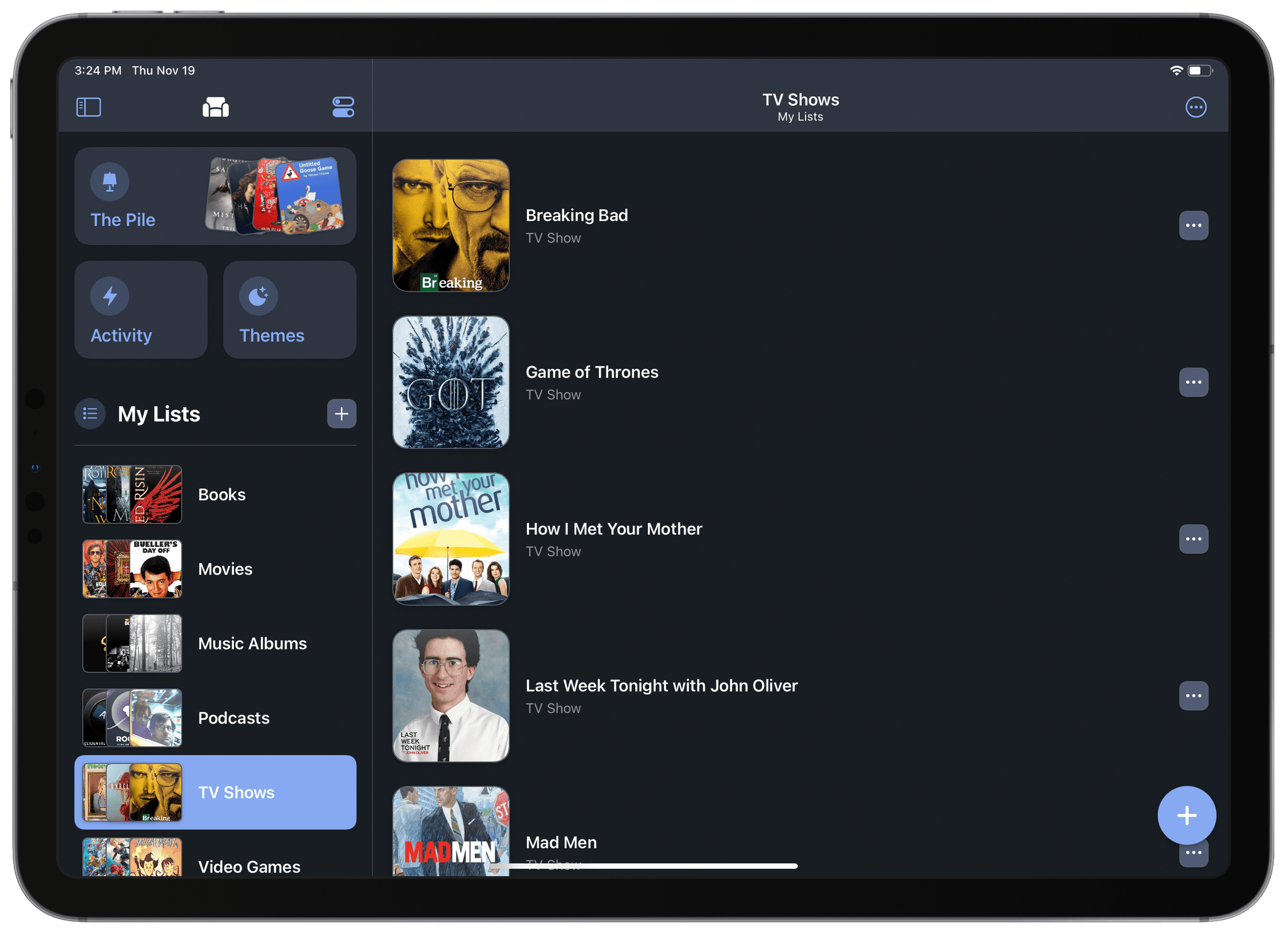
Sofa is an organization app for media which we last covered earlier this year. It provides a nice interface in which you can store TV shows, movies, books, podcasts, music, and videogames. I’ve been using it mostly to organize media that I’ve already seen, for record-keeping purposes. Another option is certainly to store media that you’re planning on consuming at some point in the future.
This week marked the release of Sofa 2.12, a huge update for iOS 14 which includes a refreshed design, widgets, new themes, an “Activity” list, and a brand new element which has been dubbed “The Pile.”
Pixelmator Pro 2.0 Released with M1 Mac Support, An Updated Design, and New Effects and Presets
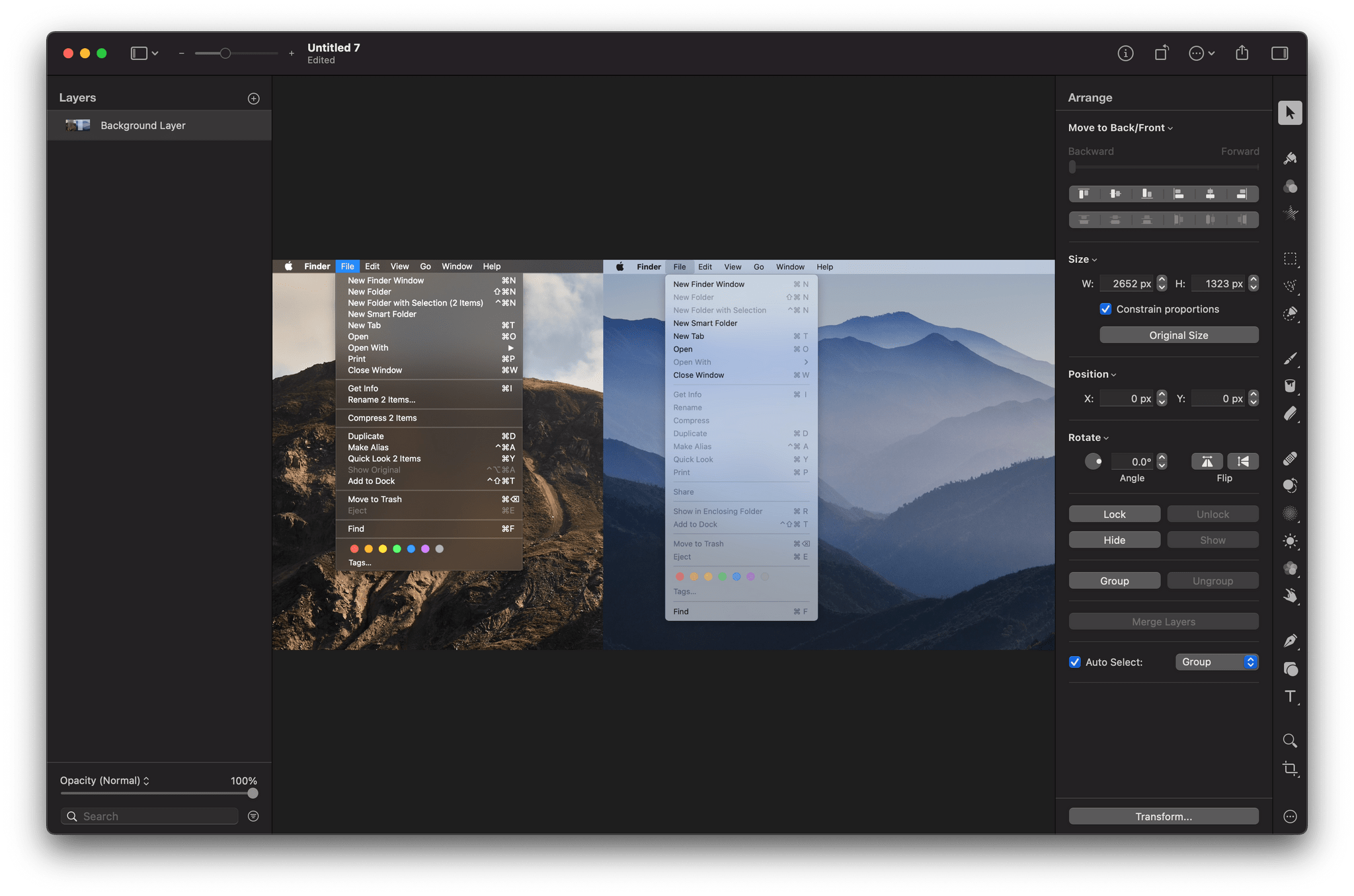
The Pixelmator team has released an extensive update to its image editing app, Pixelmator Pro. Version 2.0 is a Universal Mac app that supports both Intel and M1-based Macs. In addition to the under-the-hood support for Apple’s new SoC architecture, the update has an all-new Big Sur-style design and a host of new features like redesigned effects and presets browsers, the ability to customize the app’s layout, and a new app icon.
Pixelmator Pro’s new design is terrific, right down to its new Big Sur-style app icon. The app already featured a design with minimal chrome that stayed out of the way, focusing attention on the content, which is also a hallmark of Big Sur’s design. As a result, the update will look familiar to existing users but also fits right in with other apps designed for the latest version of macOS.
Changes big and small have been made throughout Pixelmator Pro’s UI. For example, like the Finder and Apple’s other system apps, button outlines are highlighted only when the pointer hovers over the icons in the app’s toolbar. The name of the document you’re working on has been left-justified too. Pixelmator Pro has also added a new zoom control to the toolbar for fast access to zooming in and out of an image using the pointer instead of a trackpad gesture or keyboard shortcut.
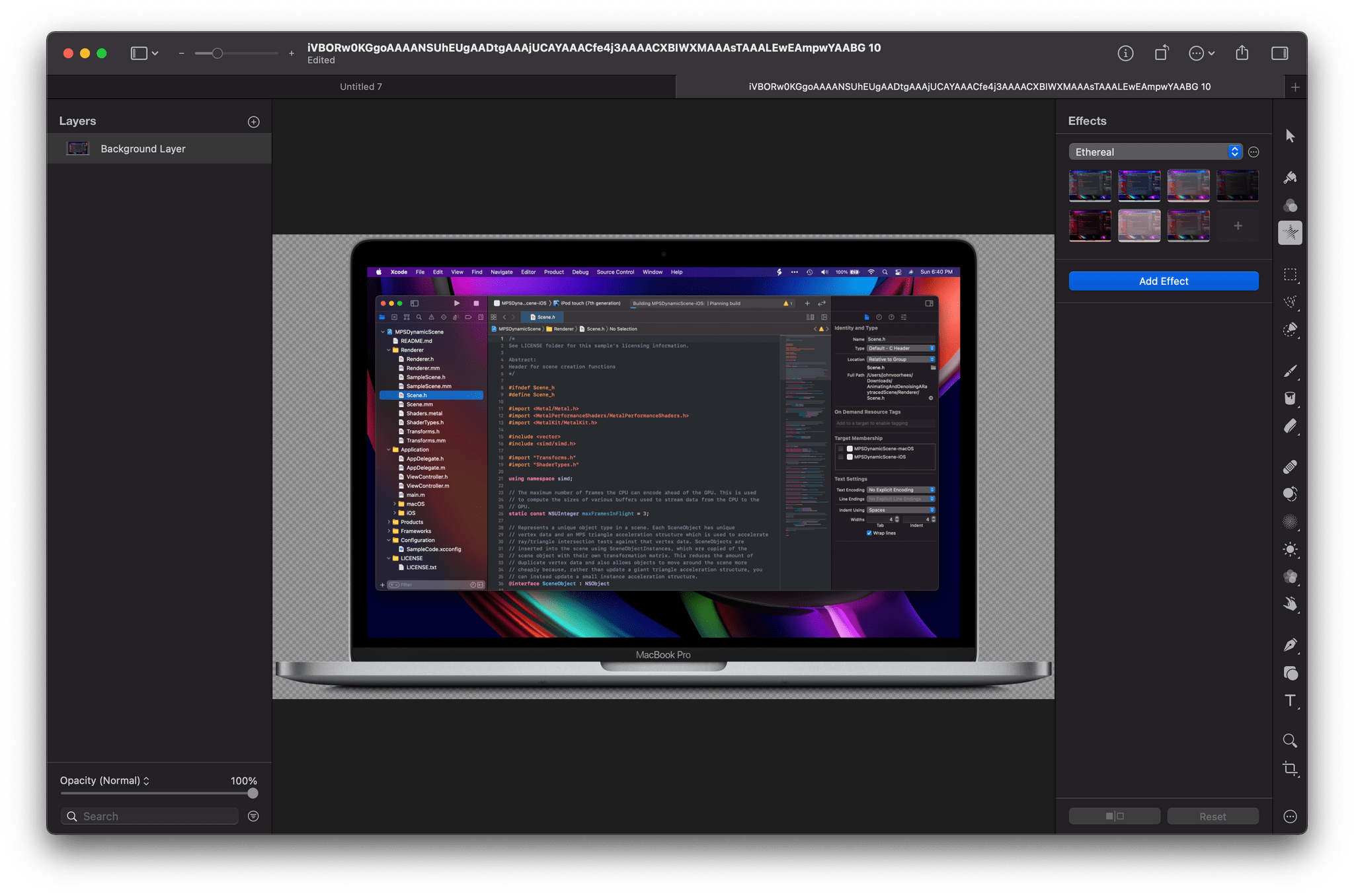
Although the order of the tools along the right edge of Pixelmator Pro is customizable, the default position of the effects tool has been moved near the top of the window. When active, the effects tool opens a panel that is divided into six default categories of image effects, which can be modified by the user. The design is more compact than before and provides a live thumbnail preview of what the effect will look like if applied, making it easier to find the look you’re after. With the addition of even more effects, the new UI is a much more efficient way to browse through them.
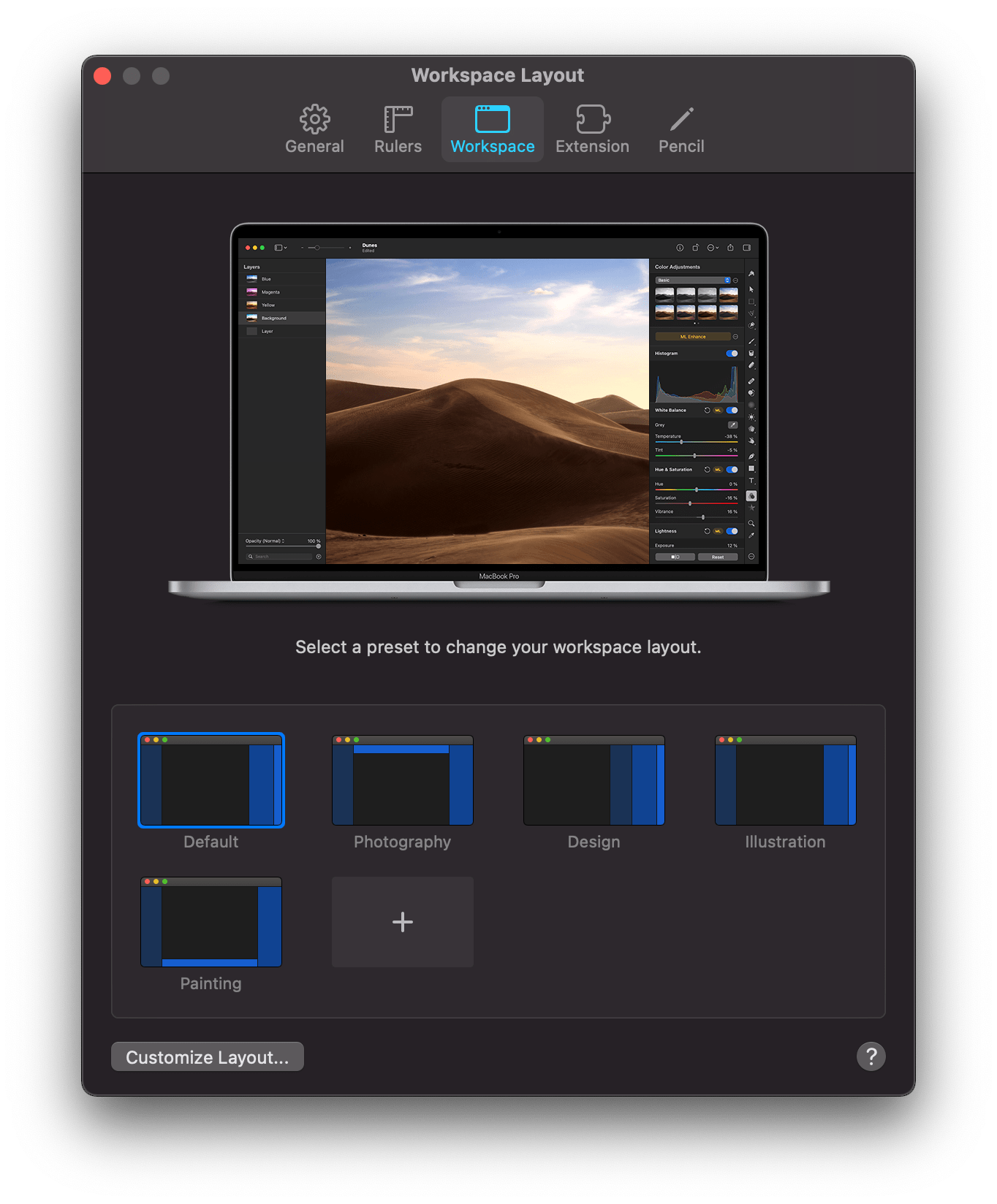
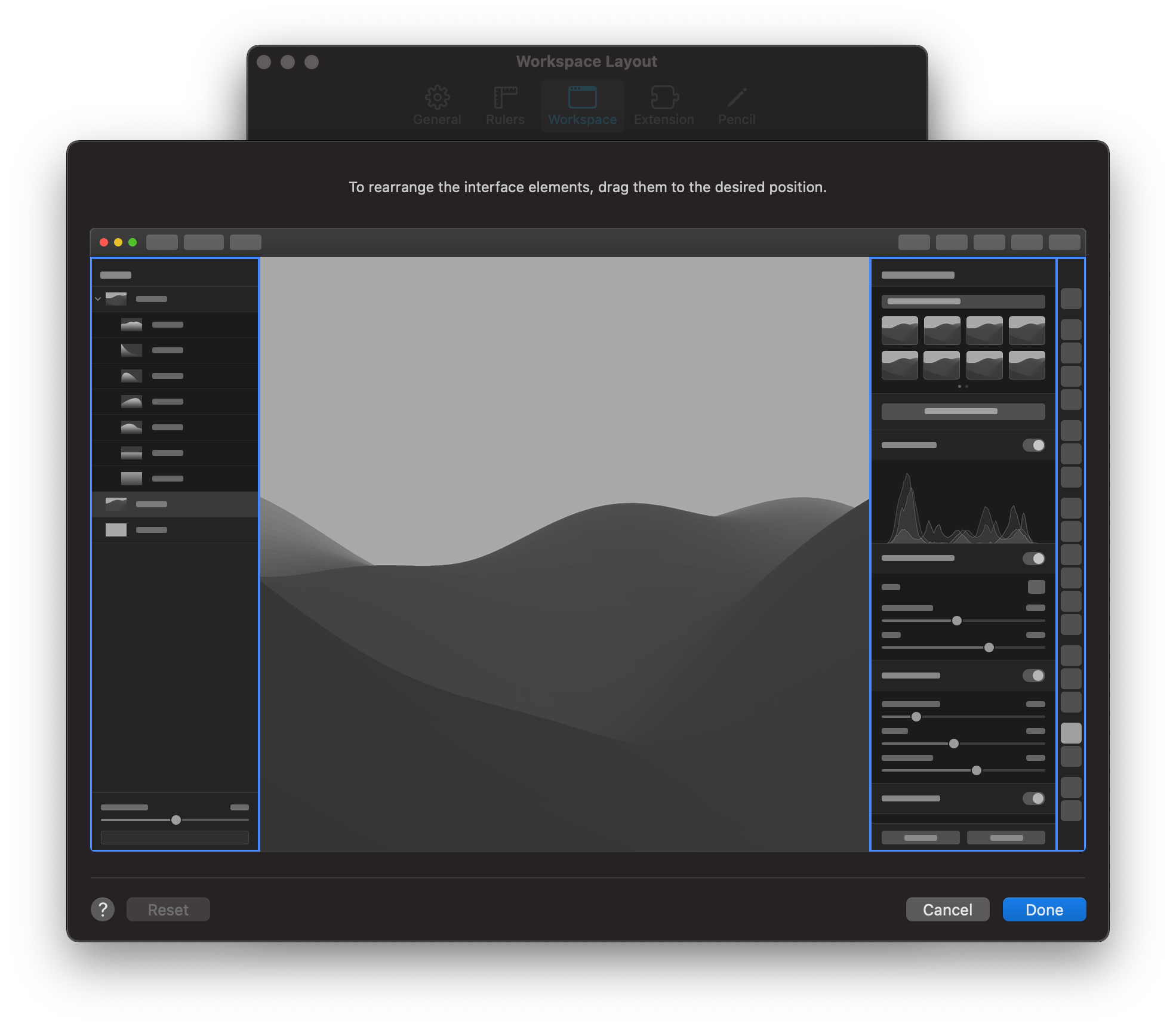
The update also features four preset workspaces in addition to the app’s default configuration, which each move the toolbar and panels to different positions in the app’s window to accommodate photography, design, illustration, and painting workflows. You can also design and save your own setup dragging the app’s two panels and toolbar into positions that suit you.
Presets have been greatly expanded and enjoy the same sort of compact UI as effects too. The Pixelmator team says it has added over 200 new presets for photography, design, and illustration use cases, which allow users to work more efficiently. The app also has more than 50 new vector shapes in five categories from which to choose.
On the new M1 Macs, Pixelmator Pro benefits from its use of Apple’s Metal frameworks. The M1 Macs are designed to take advantage of Metal, which accelerates tasks in Pixelmator Pro like upscaling images using the app’s ML Super Resolution feature. The Pixelmator team says ML Super Resolution can be accomplished up to 15 times faster on an M1 Mac than was possible before.
I’ve said many times before that Pixelmator Pro is the image editor I use most often for my work at MacStories. The app is powerful but easy to use, dispensing with the steep learning curves of many other pro-level image editors. With version 2.0, the Pixelmator team continues to push the app forward with a design and underlying technologies that are perfectly aligned with where the Mac is heading, which is a reassuring indication that the app will continue to be one of the premier Mac image editors for a long time to come.
Pixelmator Pro 2.0 is available on the Mac App Store to existing users as a free update and new customers for $39.99.
Winners of the Second Annual Apple Music Awards Announced

Last year, Apple announced the winners of its first-ever Apple Music Awards, honoring artists in five categories who received a unique award featuring a 12-inch silicon wafer suspended between a sheet of glass and anodized aluminum. The announcement of last year’s awards was followed by a performance by Billie Eilish at the Steve Jobs Theater in Cupertino, California.
The Apple Music Awards are back for 2020 with the same award categories as 2019. According to Apple’s press release:
The Apple Music Awards honor achievements in music across five distinct categories, and winners are chosen through a process that reflects both Apple Music’s editorial perspective and what customers around the world are loving most. The winners for global Artist of the Year, Songwriter of the Year, and Breakthrough Artist of the Year were hand-selected by Apple Music’s global editorial team of world-class experts and tastemakers, and the awards for Top Song of the Year and Top Album of the Year are based on streaming data that is reflective of what Apple Music subscribers have been listening to this year.
The 2020 Apple Music Awards winners are:
- Global Artist of the Year: Lil Baby
- Breakthrough Artist of the Year: Megan Thee Stallion
- Songwriter of the Year: Taylor Swift
- Top Song of the Year: ”The Box” by Roddy Ricch
- Top Album of the Year: “Please Excuse Me for Being Antisocial” by Roddy Ricch
Apple has more in store for music fans in December. To celebrate the Apple Music Awards, the company has it will kick off “a week of special performances, fan events, interviews, and more, streaming worldwide on Apple Music, Apple Music TV, and the Apple TV app” beginning December 14, 2020.
The Apple Music Awards strike a nice balance between editorial picks and awards based on streaming statistics. I’m eager to see what Apple has planned for December because last year’s performance by Billie Eilish was excellent. Although Apple’s press release is short on specifics, it suggests music fans are in for a treat with an expansion of last year’s festivities.
Sebastiaan de With Reviews the iPhone 12 Pro Max Camera→
Sebastiaan de With, Co-founder and designer at Lux (the studio behind the Halide Mark II camera app), has written a great review of the iPhone 12 Pro Max camera:
The Pro Max was the wildcard this year. Apple devoted a whole section of their keynote to it, and we got a ton of questions about it on our Twitter. Some reviewers on the internet panned it as an indistinguishable improvement from the iPhone 12 camera, while others called it quite good.
We’ll get into the iPhone 12 camera — we have a lot of thoughts on that. But the iPhone 12 Pro Max tests were quite surprising. So surprising we’ve decided to create this whole separate post about it.
De With clearly explains the impact of the Pro Max’s larger camera sensor, including detailing some scenarios in which the post-processing of Apple’s built-in Camera app can obscure the hardware’s superior results. Some excellent photographs are provided for comparison, and de With makes the point that the highest quality can be pulled from shots taken in RAW.
The whole article has an interesting viewpoint due to it coming from a team of experts on RAW photography. Make sure to give it a read and check out the photos.
This Holiday Season, Give the Gift of Club MacStories

The holiday season is just around the corner, and as you shop for gifts for friends and family, we wanted to remind everyone that Club MacStories memberships can be given as gifts all year long. The Club extends what we publish at MacStories, which makes it the perfect gift for someone who wants more of the kind of in-depth app, automation, and other coverage you find on the site every day. It’s also a great time to join the Club because we have a lot planned for 2021.
Better yet, it’s a gift that can be enjoyed every week all year long, with great exclusive content, including:
- MacStories Weekly, our weekly newsletter that’s sent on Fridays and packed full of our favorite apps, themed collections, tips, Shortcuts automations, answers to reader questions, featured Home screens, interviews, and much more.
- The MacStories Unplugged podcast, a bi-monthly show featuring a discussion of what’s going on behind the scenes at MacStories, articles we’re working on, the gear we’ve been testing, and more.
- The Monthly Log, a monthly newsletter that includes long-form and behind-the-scenes stories.
- Access to giveaways, discounts, and other treats like eBook versions of Federico’s annual iOS review, John’s macOS review, and other long-form stories.
- The full archive of over 300 issues of MacStories Weekly and the Monthly Log.
All told, that’s around 60 newsletters and lots of other perks over the course of a year.
So, if you have a MacStories reader on your holiday shopping list this season, consider a Club MacStories membership that they can enjoy all year long. Monthly ($5/month) and annual ($50/year) memberships can be given using the following links:
Finally, thanks to all our loyal Club members who have joined since the Club’s debut in 2015. You’re an essential part of what we do here at MacStories, and we hope you’ve enjoyed the Club as much as we enjoy creating its special content for you every week.
Happy Holidays!
- The MacStories Team





