This Week's Sponsor:

Goodnotes

It gives architects the freedom of a pencil and paper, with every project on one device


NVIDIA GeForce NOW Adds 4K 90 FPS Game Streaming on Apple Vision Pro

Source: NVIDIA.

Source: NVIDIA.

NVIDIA has released version 2.0.83 of its GeForce NOW game streaming service with a couple of upgrades for Vision Pro users. First, games can now be streamed at up to 4K resolution at 90 FPS. Gaming at this quality requires a subscription to the service’s Ultimate tier and a Wi-Fi connection with a speed of at least 55 Mbps, and users have to enable 4K resolution manually in their settings. Still, it’s great that game streaming of this quality is available to those who want to play cloud-streamed games on a huge virtual screen, and the 4K option is a Vision Pro exclusive not available on other headsets. It’ll really put the device’s powerful screens to good use.

This version of GeForce NOW also coincides with the gradual rollout of H.265 video encoding in supported browsers. Because the service is still accessed via Safari on Vision Pro rather than a native app, H.265 browser encoding will be beneficial for the efficiency and quality of game streaming on the device.

This news comes on the heels of foveated streaming support coming to Vision Pro with last week’s release of visionOS 26.4. Apple and NVIDIA worked together to include support for NVIDIA’s CloudXR technology in the framework, giving developers a way to take advantage of foveated streaming in their own VR games and apps. Flight simulator X-Plane, motorsport simulator iRacing, and 3D visualization tool Autodesk VRED have already committed to adopting the feature on visionOS, and I imagine we’ll hear more similar announcements soon.

The full gaming story on Vision Pro is yet to be told, but these developments – along with the integration of spatial controllers into visionOS last fall – point towards a bright future for gamers on Apple’s newest platform, and I’m happy to see Apple working with partners like NVIDIA to make the experience as enjoyable and immersive as possible.


The MacBook Neo Takes on Retro Gaming→

I love when my interests collide, and today, thanks to Russ Crandall, that’s exactly what happened. You see, Crandall runs Retro Game Corps, a YouTube channel covering the world of videogame emulation, handheld consoles, mini PCs, and more. It’s an excellent channel that we’ve covered multiple times on NPC: Next Portable Console, and yesterday, Crandall made a video exploring the MacBook Neo’s emulation capabilities.

It turns out that the Neo pulls its weight with more than productivity apps. It’s also does quite well with game emulation, some Steam titles, and streaming, with a couple of caveats.

Seeing is believing when it comes to emulation, so it’s worth seeing how your favorite systems fare before diving into emulation on the Neo yourself, but I was surprised to see how well the Neo did even on systems as recent as the Nintendo Switch 1. Beyond the GameCube, it’s hit or miss what will run well, but older systems like NES, Game Boy, GBA, SNES, PS1, PSP, 3DS, PS2, Dreamcast, and Saturn games all ran well and in most cases at upscaled resolutions and with shaders applied.

Probably the biggest limitation Crandall ran into is when he tried running games from more recent systems on external storage over the Neo’s USB-C 2 port, while using the USB-C 3 port for a capture card. Games from more recent systems are larger, so for anyone who wants to stream their gameplay, the Neo’s 256GB or optional 512GB internal storage could be a limitation.

That said, I was pleased to see how well the MacBook Neo handled emulation. Paired with lighter-weight Steam games, streaming on services like GeForce NOW, thanks to the Neo’s Wi-Fi 6E, and the App Store’s own catalog of native games, the Neo offers a lot of options for your downtime too.

Permalink

Well, I Guess I Like Safari’s Compact Tab Bar in iPadOS 26.4 (Also: Using Vertical Tabs in Safari for iPad)

We're so back.

We’re so back.

Yours truly, back in September 2021:

In case I haven’t been clear enough above, I’ll be blunt: I don’t understand why the compact tab bar exists on iPad, and I think this design shouldn’t have shipped to customers.

My understanding is that Apple thought the benefit of removing a separate address bar, therefore saving a few vertical pixels on the page, would have made all the compromises we’ve seen so far worth the trade-offs in usability. I think that’s a wrong and mismanaged decision driven by an unmotivated pursuit of an iPhone-like design that has no place on iPad. If slightly increasing vertical space on webpages is Apple’s only argument here in favor of the compact tab bar, you tell me if it’s worth the trouble by judging from the screenshots below.

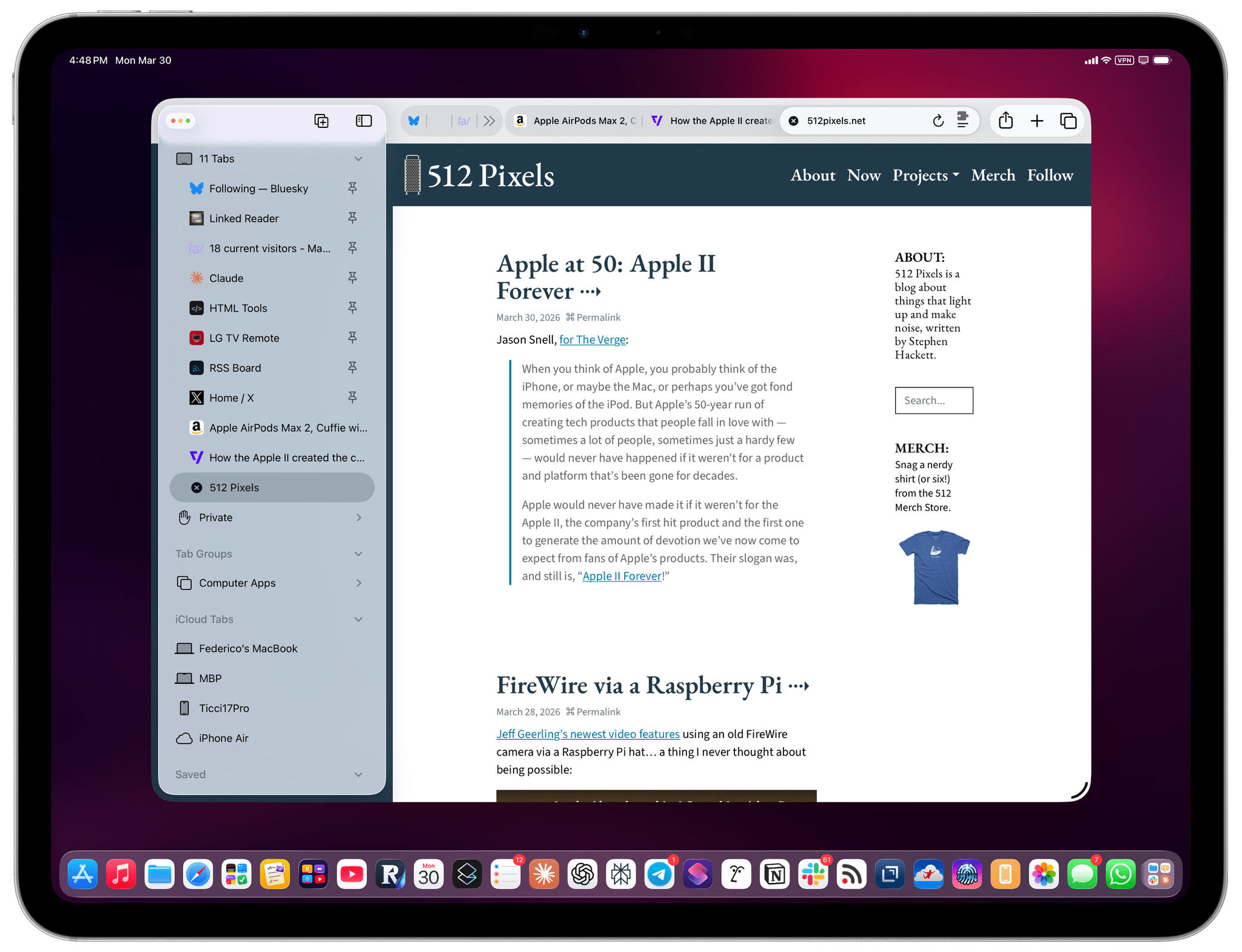
If, like me, you missed this in the release notes for the recently released iPadOS 26.4, the compact tab bar has returned to Safari for iPad after mysteriously disappearing in iPadOS 26.0. And I’m here to tell you that not only do I not despise it like I did five years ago, but I actually like this mode and have been working with Safari on my 13” iPad Pro like this for the past two weeks.

Read more


Deals Worth Checking Out Before Amazon’s Big Spring Sale Ends

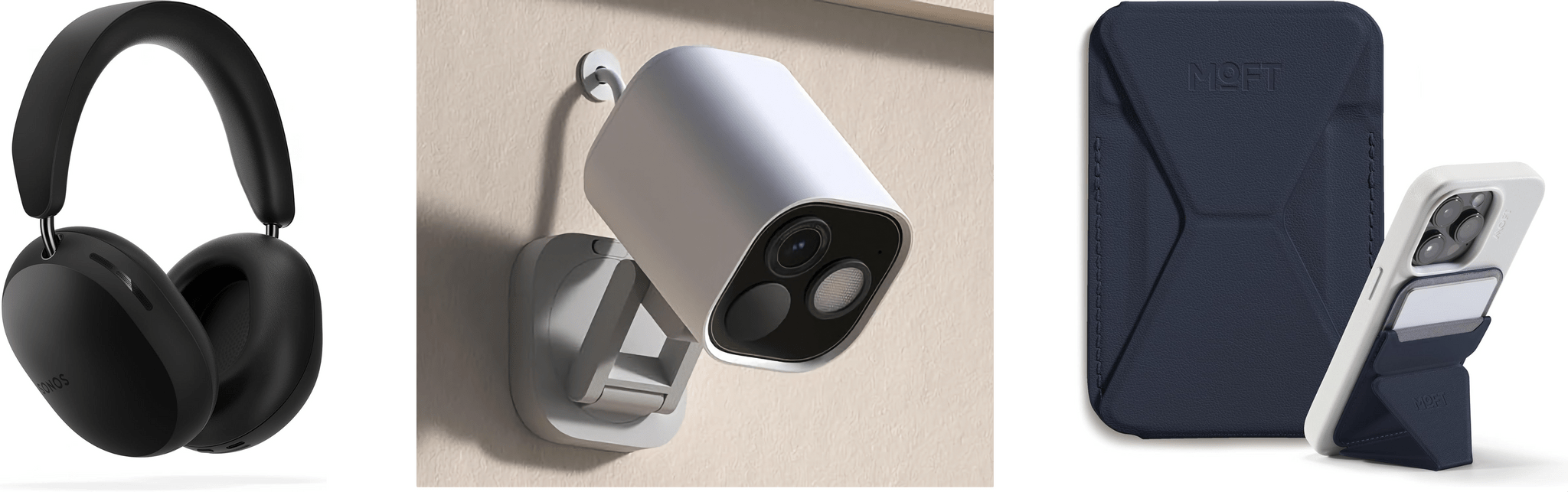
Sonos Ace Headphones, The Aqara Hub G5 Pro, and MOFT's Magnetic Wallet Stand.

Sonos Ace Headphones, The Aqara Hub G5 Pro, and MOFT’s Magnetic Wallet Stand.

Amazon’s Big Spring Sale is wrapping up tomorrow, but there is still time to take advantage of some great deals. There are deals across every category, but the smart home and headphones dominate this year’s sale, including some favorites from the MacStories Setups page such as the Aqara Hub G5 Pro outdoor camera that I reviewed last year.

Other great smart home gear on sale includes:

AirPods Pro 3 and Beats Studio Buds+.

AirPods Pro 3 and Beats Studio Buds+.

Headphones, especially Beats, are well-represented, too:

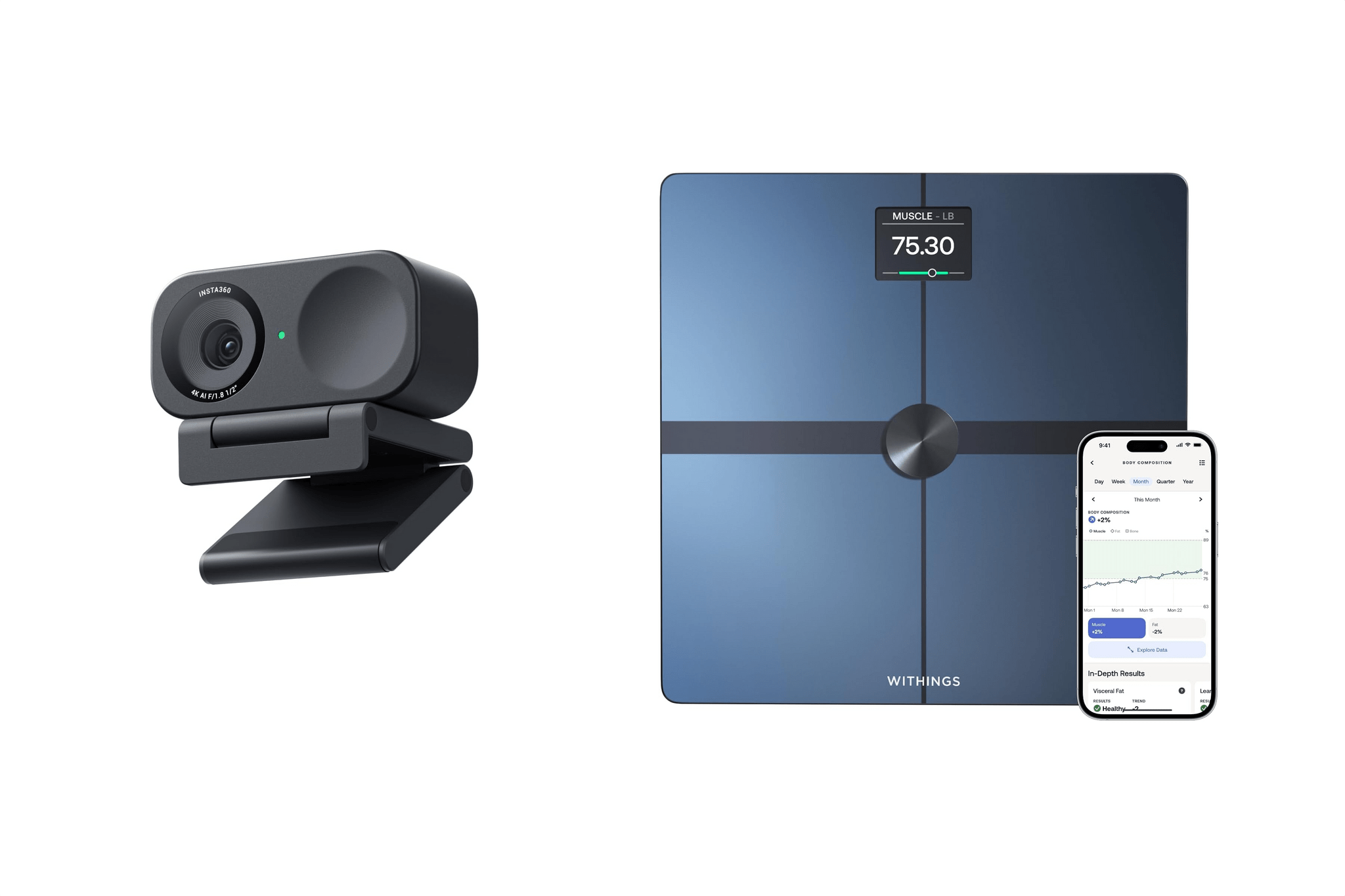
Insta360 Link 2C and WITHINGS Body Smart Scale.

Insta360 Link 2C and WITHINGS Body Smart Scale.

Finally, I wanted to highlight a few other gadgets and accessories I love that are on sale:

That’s it for another Amazon sale season. For hand-picked deals throughout the year, be sure to follow MacStories Deals on Bluesky or Mastodon.


Automatically Approve Claude Code Permissions in iMessage with Shortcuts

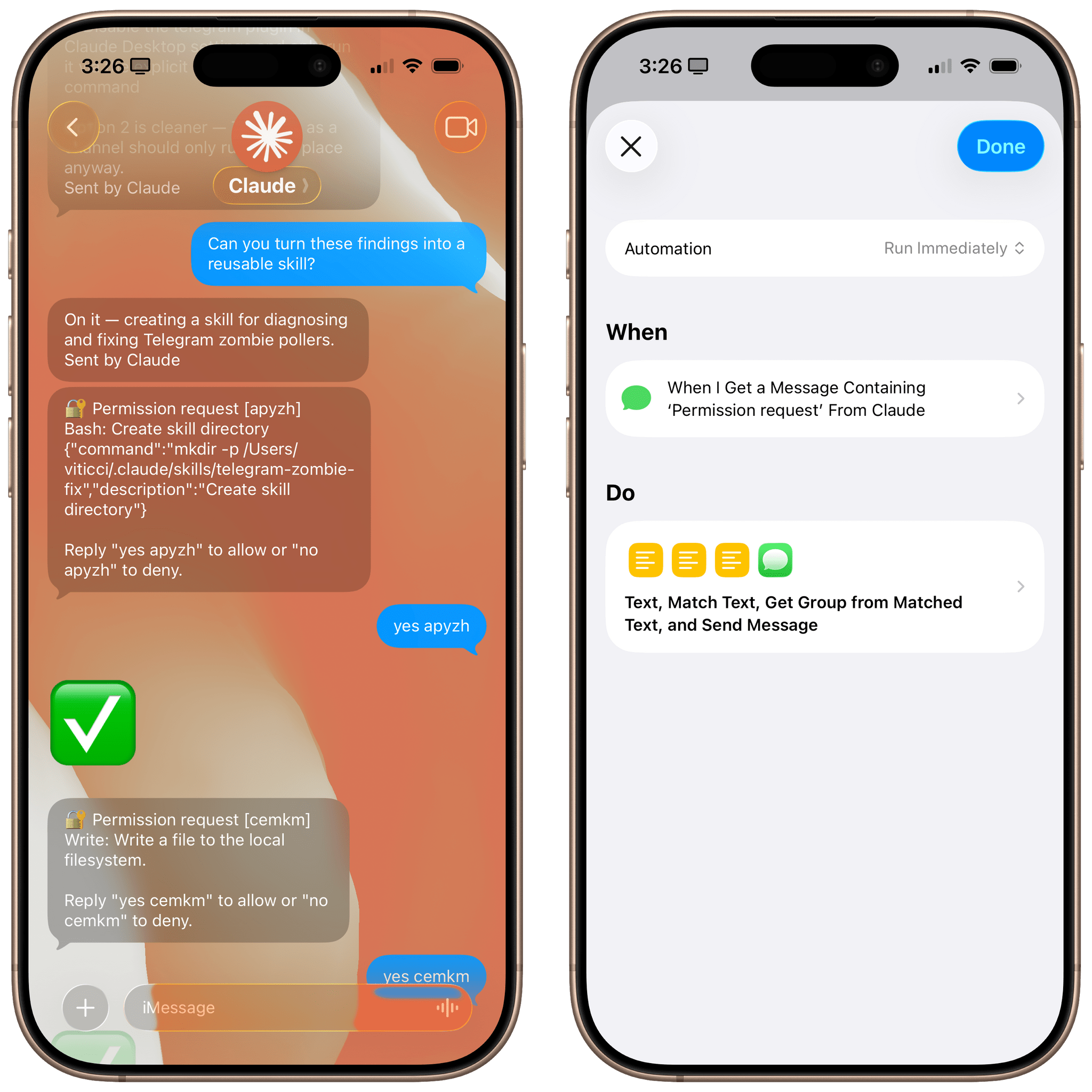
Automating Claude Code in iMessage.

Automating Claude Code in iMessage.

Let me start by saying that you probably shouldn’t do this. I’ve been having a surprisingly good time using Claude Code via its new iMessage channel (which is part of my attempt to recreate OpenClaw with an “OpenClaude” system, more about this here), but I find its permission prompt system fairly annoying. You see, while Claude’s Telegram integration allows you to tap on interactive buttons in a chat to grant Claude permission to do something, the iMessage integration (based on primitive AppleScript) supports no such buttons. As a result, the Claude Code team came up with a simple, but tedious idea: you have to manually type “yes” followed by a randomized authorization code every time.

Read more


Podcast Rewind: Folding Phones, a Big Switch 2 Update, Discovering New Mac Apps, and Setups Changes

Enjoy the latest episodes from MacStories’ family of podcasts:

AppStories

This week, Federico shares his experiences with foldable Android phones and what Apple might do for its first foldable hardware and its software.

On AppStories+, Federico shares his experience using Samsung DeX.

NPC: Next Portable Console

This week, Nintendo dropped a big Switch 2 software surprise, Anbernic got back to being weird, Federico went large with his PC streaming setup, and more.

Comfort Zone

Matt poisons the show with Android, Niléane brings us back with Forkflift, and everyone finds a really great Mac app they’ve never used before.

On Cozy Zone, we discover who has a good backup system, who has a robust backup system, and who basically doesn’t care about their data.

MacStories Unwind

This week, Federico and John share the highlights of their recent MacStories Setups update. Plus, John has an offbeat movie pick, and Federico is revisiting a game that’s an old favorite.

Read more


Apple Discontinues the Mac Pro→

In a move that should suprise no one, Apple discontinued the Mac Pro today.

From Chance Miller at 9to5 Mac:

It’s the end of an era: Apple has confirmed to 9to5Mac that the Mac Pro is being discontinued. It has been removed from Apple’s website as of Thursday afternoon. The “buy” page on Apple’s website for the Mac Pro now redirects to the Mac’s homepage, where all references have been removed.

Apple has also confirmed to 9to5Mac that it has no plans to offer future Mac Pro hardware.

This change has felt inevitable ever since the introduction of the Mac Studio. Although the Mac Studio lacks the Mac Pro’s expansion slots, it packs a lot of performance into a much smaller package, meeting a wide variety of professional needs, which undoubtedly cut into the Mac Pro’s sales.

Permalink