Whenever Apple holds a keynote event, the company shares a variety of numbers related to things like user counts for certain products, software performance improvements, and customer satisfaction. With the company announcing the future of key platforms like iOS, iPadOS, macOS, watchOS, and tvOS, there was unsurprisingly a lot of data mentioned during today’s WWDC keynote.
We’ve collected some of the most interesting numbers shared on-stage during the keynote:
- Apple has now opened 17 developer academies around the world
- According to Tim Cook, “many millions of developers” engaged with last year’s online-only WWDC
- There are now 34 million registered Apple developers
- Dictation is used 18 billion times each month. That’s a lot of words
- Improved Maps will launch in 11 more countries later this year
- According to Apple, over 130 products are in the pipeline with support for the Matter home connectivity standard
- 98% of cars sold in the United States now support CarPlay; and according to a survey, 79% of U.S. buyers would consider a car with CarPlay integration
Mac Numbers
- The second-generation chip in the Apple Silicon family, called M2, features:
- 20 billion transistors, 25% more than M1
- 100 GB/s of unified memory bandwidth, 50% more than M1
- Up to 24 GB of unified memory
- Up to 18% better performance than M1
- 1.9x performance compared to a 10-core laptop chip while using 1/4 of the power
- Up to 35% better GPU performance than M1
- Specifically, Apple says it offers 25% better graphics performance at the same power, but up to 35% at max power
- 40% more Neural Engine operations than M1
- The new MacBook Air with M2, announced today, comes in 4 colors
- It’s 20% thinner, weighs 2.7 lbs, and is 11.3mm thick
- It has a 13.6” display with thinner borders
- The display supports 500 nits, which is 25% brighter than before, and 1 billion colors
- It has a 1080p camera with twice the resolution and twice the low-light performance
- The Air has a 3-mic array and 4-speaker sound system
- It supports up to 18 hours of video playback according to Apple’s benchmarks
- It supports 67W fast-charging, so you can charge up to 50% in 30 minutes
- It starts at $1199
- As for the new 13” MacBook Pro, also carrying the M2 chip:
- It’s 40% faster than the previous model
- Supports up to 24 GB of unified memory
- Supports up to 20 hours of video playback
- This is not a number, but it comes with the Touch Bar. The Touch Bar!
- Starts at $1299
- The M1 MacBook Air continues to be a product in Apple’s lineup, and it now starts at $999.
You can follow all of our WWDC coverage through our WWDC 2022 hub or subscribe to the dedicated WWDC 2022 RSS feed.
Because Club MacStories now encompasses more than just newsletters, we’ve created a guide to the past week’s happenings along with a look at what’s coming up next:
Federico and I were joined by Lachlan Campbell to talk about:
- Our expectations for WWDC
- Federico’s story about the M1 MacBook Pro and what it means for long-time iPad Pro users
Federico published the latest edition of Automation Academy with 8 fantastic tips for getting the most out of Shortcuts for Mac.
I revisited the features introduced with macOS Monterrey to consider which have been hits and which were misses.
Up Next
We have a big WWDC week planned for Club members:
- Members of the Club MacStories+ Discord community can join us Monday through Thursday for live recordings of AppStories. In addition to covering everything announced at WWDC, we’ll be taking questions from the audience and releasing that as part of the extended AppStories+ version of the show for subscribers.
- We’ll also be doing two daily app giveaways during WWDC in Discord and two more in MacStories Weekly on Friday.
At Kolide, we believe the supposedly Average Person is the key to unlocking a new class of security detection, compliance, and threat remediation. So do the hundreds of organizations that send important security notifications to employees from Kolide’s Slack app.
Collectively, we know that organizations can dramatically lower the actual risks they will likely face with a structured, message-based approach. More importantly, they’ll be able to engage end-users to fix nuanced problems that can’t be automated.
Try Kolide for 14 days free; no credit card required.
Honest.Security is one part guide and another-part manifesto that defines a user-first approach to security and IT compliance. It’s not just Kolide’s north star but also an aspirational roadmap. It’s our positive contribution to counterbalance the worrying upward trend of human-hostile cyber security, device management, and workplace surveillance philosophies that we’ve seen reach a fever pitch as organizations adapt to the long-term term prospects of remote work.
Our thanks to Kolide for sponsoring MacStories and all of our WWDC coverage this week.
This week on MacStories Unwind, John turns the tables on Federico with a big surprise of his own.
Kolide: Endpoint security for teams that Slack. Try Kolide for 14 days free; no credit card required.
Links and Show Notes
John’s Pick:
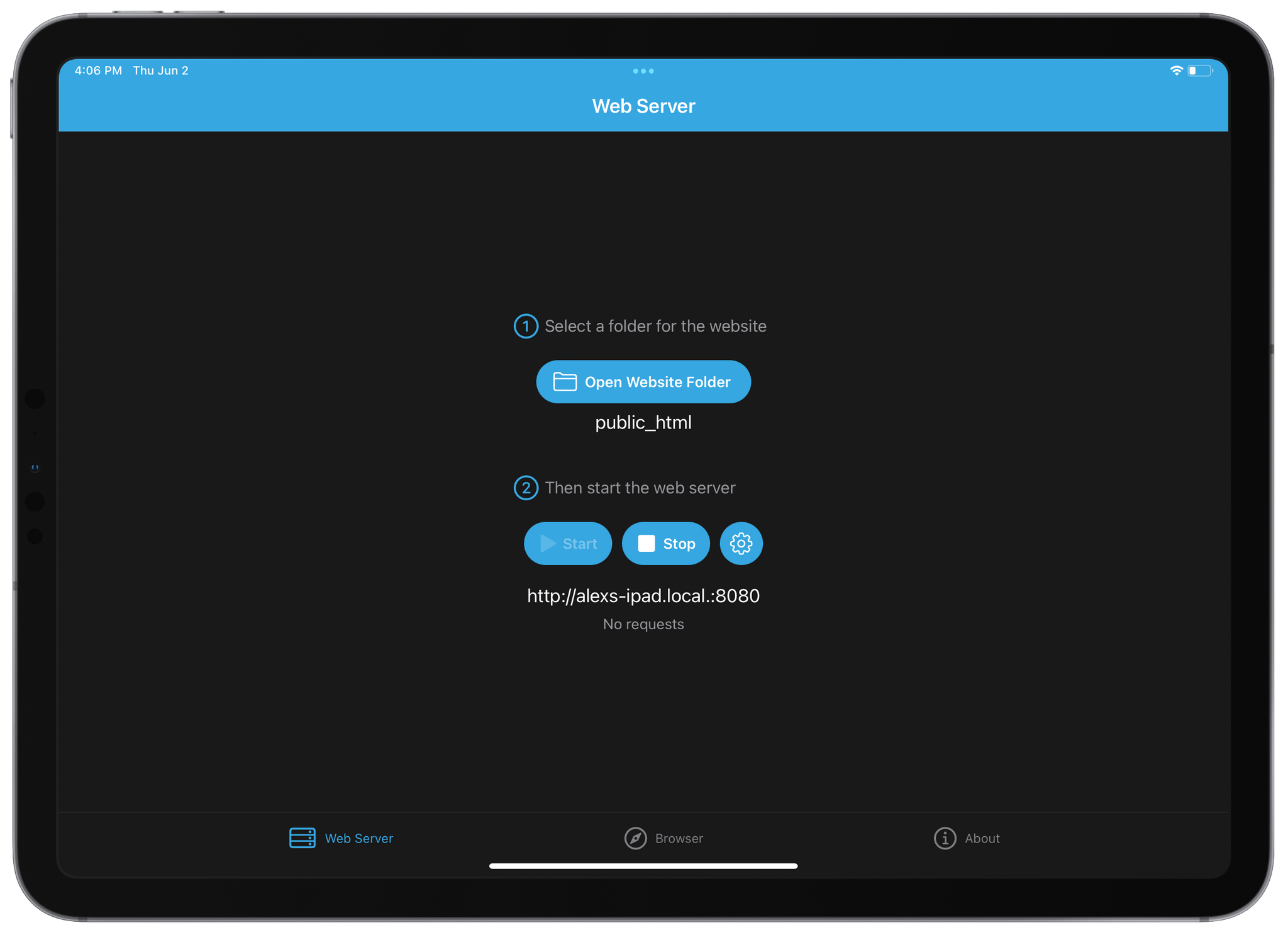
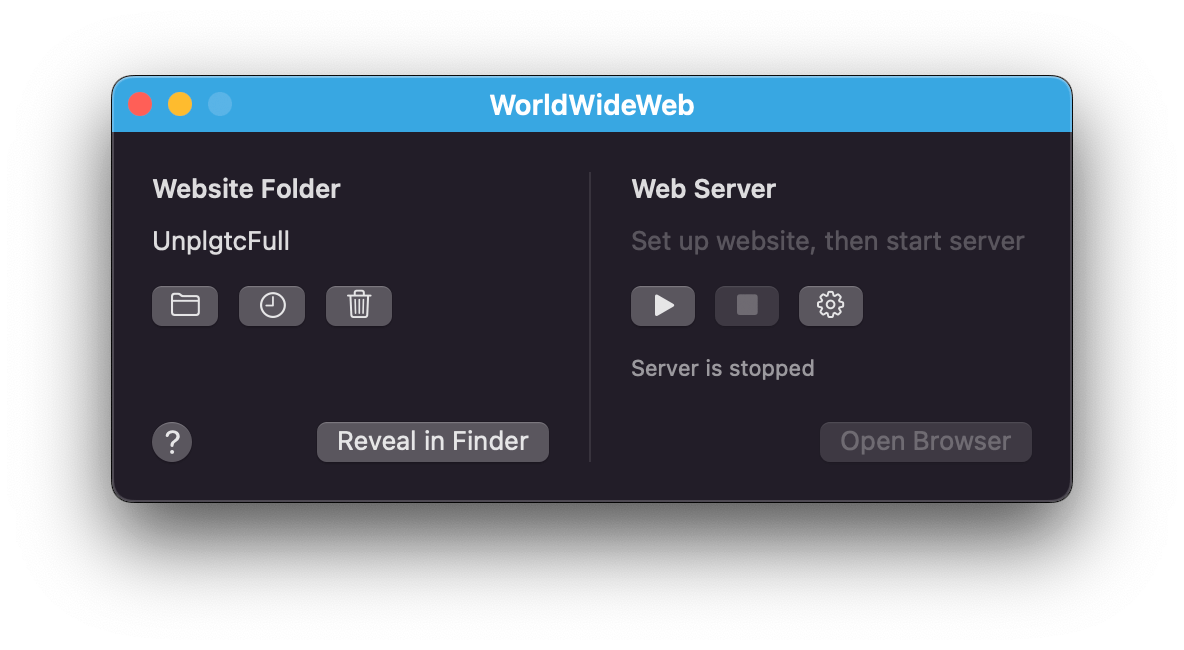
Early today The Iconfactory released their latest app, a simple web server utility called WorldWideWeb. Solidly developer-focused in scope, the app serves files from a local directory to an automatically generated URL, making these files available to any device on your local network. While there are sure to be more inventive use cases for such a utility, its general purpose is for testing simple websites built on the Web’s greatest primitive: HTML.
WorldWideWeb’s killer feature is simplicity. The app’s entire main interface consists of two tiny sections: in the first you select a folder, and in the second you start or stop the web server. When the server is activated, a URL is generated. The app uses Bonjour to make the address available to any device on the same Wi-Fi network as the host. Just copy and paste the URL or press the ‘Open in Browser’ button to view the website natively in a web browser.
Read more
It’s been about seven months since I reviewed macOS Monterey and nearly a year since I first used it. With WWDC starting next week, I wanted to revisit some of the features Monterey introduced and consider what has lived up to the hype and what hasn’t....
Read more
Earlier this week on MacStories, I published my story on why and how I’ve been using the MacBook Pro with M1 Max as my primary computer for the past six months. I don’t want to rehash the story here, but for those who missed it, it’s an exploration from the perspective of a longtime iPad...
Read more
This week on AppStories, we conclude our annual OS wishes series with a look at what we want to see in macOS this year at WWDC.
Sponsored by:
- Pillow – Sleeping better, made simple.
- Sourcegraph: Universal Code Search. Move fast, even in big codebases. Try it now.
- Instabug: Empower mobile teams to monitor, prioritize, and debug performance and stability issues and ship better mobile apps.
On AppStories+, I’m going to WWDC and share my last-minute preparations to cover the event in person for the first time in three years.
We deliver AppStories+ to subscribers with bonus content, ad-free, and at a high bitrate early every week.
To learn more about the benefits included with an AppStories+ subscription, visit our Plans page, or read the AppStories+ FAQ.












](https://cdn.macstories.net/banneras-1629219199428.png)