
Create Text Documents in Finder: “New Text File Here” Gets an Update

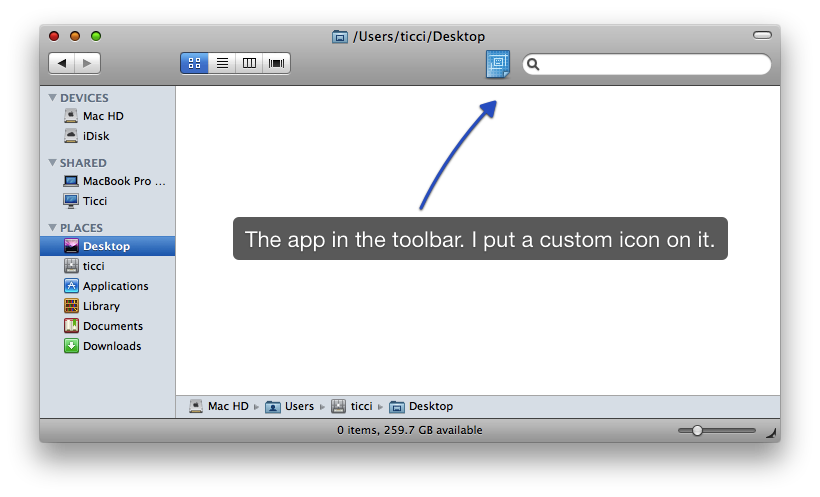
Some weeks ago I asked on Twitter whether there was a nice way to quickly create a new text documents in Finder, much like you can do on Windows. Jonas Wisser, one of my followers and  blogger over at Malum Elegans, created an Applescript app for that purpose called “New Text File Here” which you can drag into the Finder’s toolbar and creates a .txt file in the folder you’re in. The script got picked by Download Squad and Lifehacker.

I just received a reply by Jonas, regarding a “new, much cleaner version” of the script. Let’s call it “New Text File Here 2”. From the blog post:

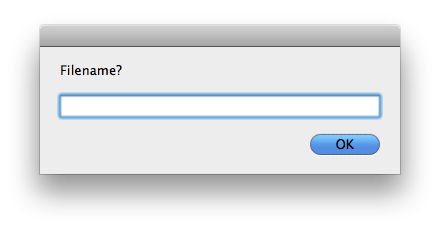
“This version asks you for a filename (instead of creating new.txt) and subsequently opens it in your default .txt-handling application (the old version didn’t).”
It’s simply the best and most intuitive solution I’ve tried so far. Go download.


Statistique Winners Announced

Thanks everyone for the support and the comments! Also, I’d like to thank Patrick for giving us these 9 promo codes to give away.

Now, here are the winners:

MarcoMoby

Matt Hojo

Guido Marucci Blas

Tyago Neres

Carlomaru

Abraham Vegh

Daylen

Pechpech

Dan Williams

You’ll receive the promo code straight in your inbox in a matter of a few hours.

Cheers!


Delicious Library: Cataloguing, Made Beautiful.

Everyday I save a lot of stuff from my internet life: links, pictures, videos..all my digital life usually goes into some applications I use as “buckets” where I throw all these digital media. They’re Yojimbo, LittleSnapper and the recently released web application ZooTool. Having a complete organizer application is usually a good practice, especially if that app supports tags, smart collections and a quite usual folder structure. Now, what about organizing the stuff from my “real” life? I’m talking about CDs, DVDs, gadgets, videogames and so on. Some well sorted room shelves can actually do the job but we’re Mac people - we need an app for that.

And here comes Delicious Library, the perfect tool for organizing, managing and even giving some eye-candy to your stuff. Your real stuff.

Read more


The iSlate will Run iPhone Apps (But Not Like How You Think)

Interesting post over at Apple-Bits, discussing the upcoming Tablet running iPhone apps in a dashboard-like interface. From the post:

“iPhone apps are small and easily digestible. Sure some of the apps (like games) can be quite large in terms of file size, but for the most part all of the apps on the iPhone provide many basic functions that could easily turn your current dashboard into a super dashboard. Not only would they be tucked out of the way, hidden from view, you could call them up and use them anytime you wish without having to take your iPhone out of your breast pocket. And unlike running an iPhone app on a MacBook or an iMac, and iSlate would allow you to carry over the same touch functions you’re used to on the iPhone.”

Sure the idea sounds cool, but yeah - sounds. How would you manage apps that have integration with iPhone OS core applications, like Mail? Just the first question I can think of. Sounds cool, but it’s not gonna happen.

What’s your take?


Win a Copy of Synotes and Syncopy

The Syncode guys gave me 10 promo codes to give away to MacStories readers. There are 5 codes of Syncopy and 5 codes of Synotes up for grabs. Be sure to read our Syncopy and Synotes reviews (here and here) if you missed them.

Entering the contest is simple. All you have to do is:

  • Follow me on Twitter (@storiesofmac) and tweet this message: “Win a Copy of Synotes and Syncopy for iPhone on MacStories http://ow.ly/WQJ2 @storiesofmac”

and

  • Leave a comment here with the link to your tweet.

I’ll pick up the winners on Wednesday, January 20th.

Good luck!


Yet Another Tablet OS Leaked Video

Or should I say “yet another fake video”? I wonder why these videos are always bad quality.

I do hope the widget rumor was fake. Apple just won’t do something like this. But the question is: let’s say Apple really came out with this idea of iPhone OS apps as widgets plus native tablet apps. Would you use them?


Synotes: Beautiful Notes App for iPhone

I really don’t know how many note taking applications are available for iPhone. I guess Steve doesn’t know either. But let me guess..

A lot.

Seems like together with Twitter clients and feeds readers, that of notes apps is a profitable market, or I couldn’t find an explanation for these thousands of similar apps floating around in the App Store. But you know what, amongst ugly and bad developed applications usually lie the awesome gems I review on MacStories. Speaking of note taking apps, John Gruber was the first to talk about Simplenote, and everyone started loving this app, which consists of an iPhone client and a web service. Simplenote is powerful, and the recent update made it am outstanding piece of software - built with power users in mind.

Today I’d like to talk about an application that has a similar purpose but takes a slightly different approach, focusing less on the pro features and more on the user interface. We’re gonna take some Synotes.

Read more


It Could Be a Mac App: Zootool, the iTunes for the Web.

I daily look for new Mac and iPhone applications I can write about and promote on MacStories. I’m subscribed to hundreds of blogs, post on many forums, browse Emberapp and read tweets so that I can keep up with the newest releases in the development scene. But sometimes, and this seems to happen very often recently, it’s not a Mac or iPhone app I want to write about, but it’s a web application.

Web applications are great. And useful. And powerful. Sometimes they’re not as polished as native Cocoa software, sometimes they’re not even fast and stable. On the other hand, sometimes they’re amazingly feature rich, gorgeous and blazing fast apps. “This could be a Mac app”, I say when I stumble upon a webapp like that. And that’s why I decided to start this new series on MacStories.

It could be a Mac app” will feature beautiful web applications that yeah -  they are as powerful, sexy and yet simple as a Mac app should always be. You can either run it in your browser or make it a Fluid app, it doesn’t matter. The first app I’d like to talk about is Zootool, a young startup from Germany, which in my opinion will revolutionize the way we collect data and information on the web.

Read more