
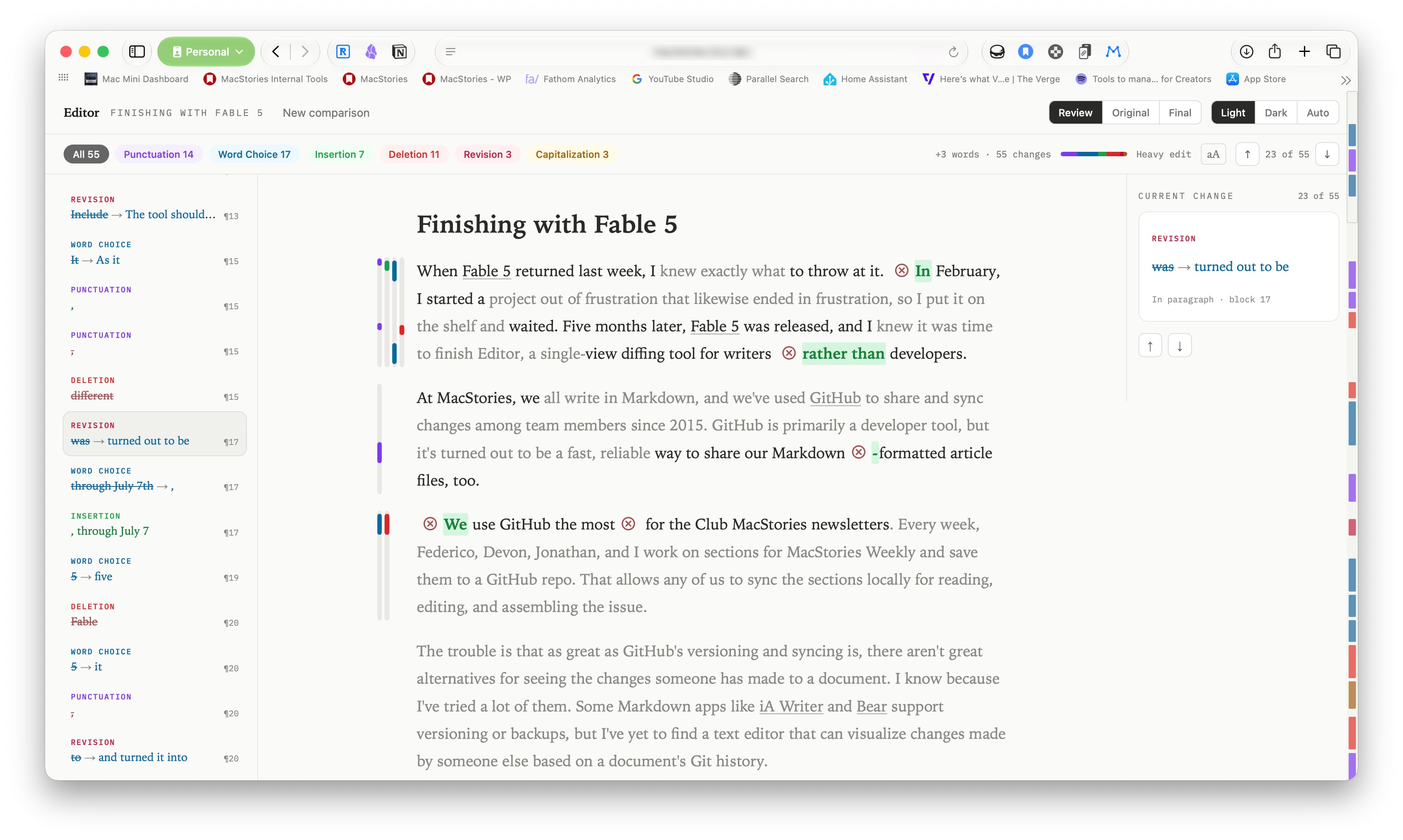
When Fable 5 returned last week, I knew exactly what to throw at it. In February, I started a project out of frustration that likewise ended in frustration, so I put it on the shelf and waited. Five months later, Fable 5 was released, and I knew it was time to finish Editor, a single-view diffing tool for writers rather than developers.
Finishing with Fable 5
Podcast Rewind: AI Aggregators, Fable 5, Steam Machine Pricing, and Chris’s App
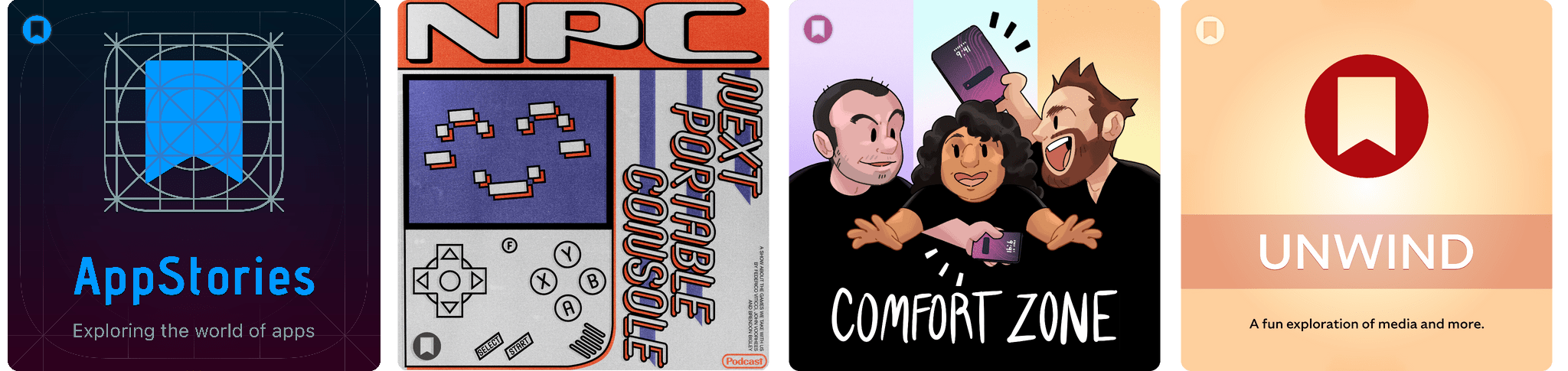
Enjoy the latest episodes from MacStories’ family of podcasts:
AppStories
This week, Federico and John talk about the state of AI aggregator apps and their future prospects before checking in on their current AI app setups for the AppStories+ post-show.
NPC: Next Portable Console
This week, Federico, Brendon, and John consider the Steam Machine’s pricing and early reviews.
On NPC XL, Brendon fulfills a long-ago Switch 2 promise, surprising John and Federico.
Comfort Zone
Niléane invested in a fast-appreciating asset (air conditioner), CHRIS MADE AN APP, and everyone surprises everyone else with their favorite challenges.
On Cozy Zone, we tier list the biggest iPhone features over the year.
MacStories Unwind
This week on MacStories Unwind, Federico and John are burning up Claude Fable 5 tokens as fast as they can, while Federico finds the time to try a brand new Switch 2 game.
 MacStories Weekly: Issue 520
Safari’s New MCP Server Is Great for Agents→
Saron Yitbarek, writing on the WebKit blog:
In Safari Technology Preview 247, we’re introducing the Safari MCP server — a Model Context Protocol server for web developers that makes your web development and debugging workflow faster and more powerful. We know agents are increasingly integral to the coding process and the Safari MCP server gives your agent the ability to know how your code actually renders in the browser by connecting it to a Safari browser window.
Any MCP-compatible client can connect to the Safari MCP server. By connecting your agent to a Safari browser window, your agent can emulate what your users experience, giving it the information it needs to debug more autonomously, like access to the DOM, network requests, screenshots, and console output.
Importantly:
The Safari MCP server runs entirely on your local machine and makes no network calls of its own. It also does not have access to your personal information in Safari (e.g. AutoFill or other browser activity). When it captures page content, screenshots, or console logs, that data goes directly to the agent you’re running — not to Apple. What happens to that data from there depends on the agent and model you’re using. As with any agent you give access to your browser, only use ones you trust.
For the past few months, I’ve been using Google Chrome on my MacBook Pro and Mac Studio not because I like the browser (in fact, I really dislike Chrome’s text rendering and UI), but simply because it was the best option for agents. In Codex specifically, between Playwright, Chrome Dev Tools, and OpenAI’s own Chrome extension, I could kick off research tasks (such as vacation planning and booking a hotel) that involved a browser directly from my iPhone, letting Codex drive the research on my remote Mac.
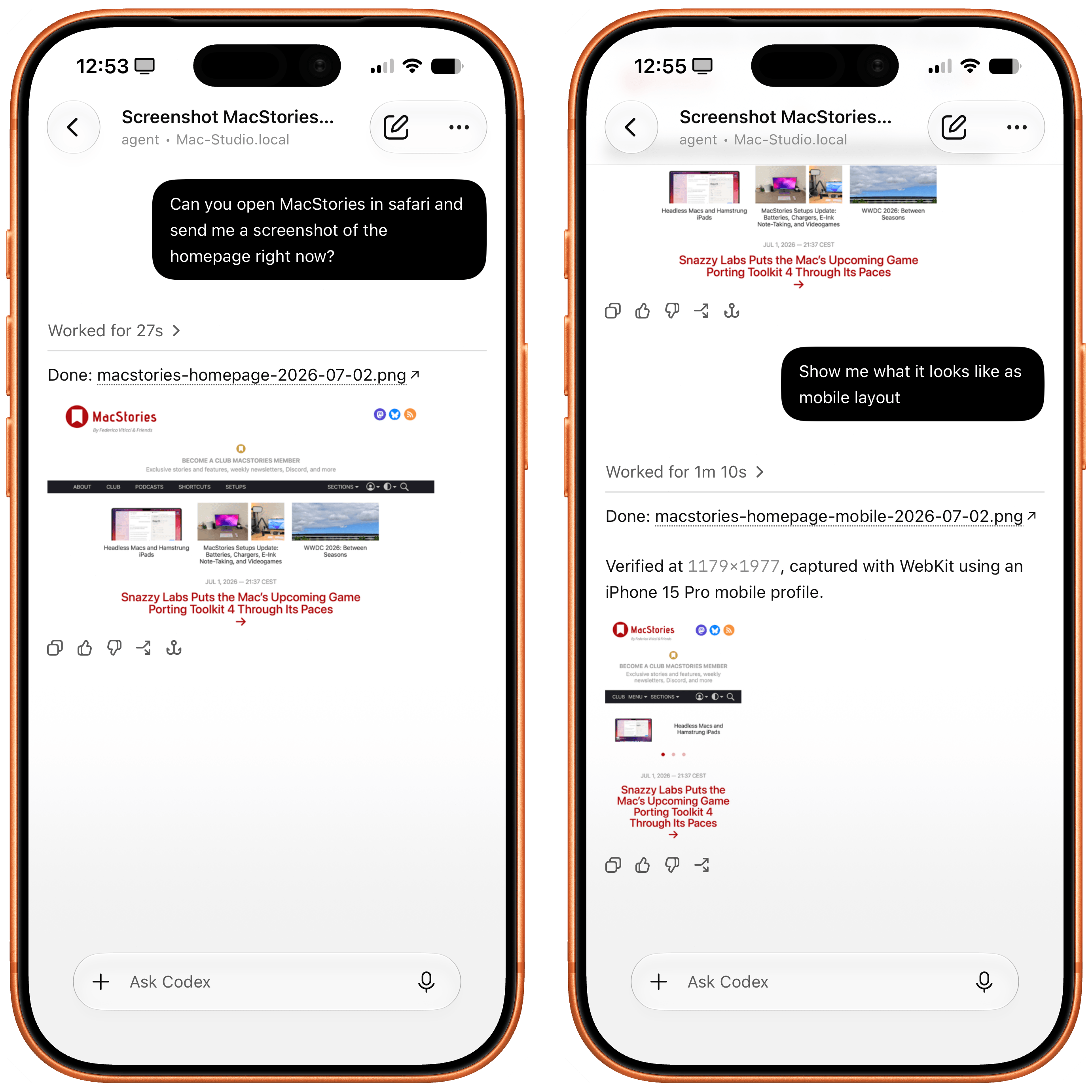
Now, thanks to Safari’s new MCP server, I no longer have to use Chrome on desktop and can return to a unified browser setup across all my devices. Even better: it actually looks like Apple shipped the most ergonomic browser MCP for agents to date. The MCP server has dedicated tools for page extraction (including getting webpages as Markdown, based on WebKit’s own conversion pipeline), evaluating JavaScript, DOM interactions (clicking, scrolling, resizing the viewport for mobile screens, etc.), taking screenshots, and more. I set this up immediately in Codex, and I also asked Codex about comparing Safari’s MCP to its own Chrome extension and the older Playwright. The verdict: although Chrome has a richer API with Chrome Dev Tools when it comes to network requests, Codex actually preferred Apple’s leaner, more direct approach for letting an agent drive and debug a browser.
I’m really happy to see folks at Apple embrace agentic tools: between the new MCP capabilities of Xcode and now this, it looks like Apple’s software (on the Mac, of course) is becoming more and more approachable by people who are working in new ways thanks to agents. Whether you’re a web developer or tinkerer, I highly recommend checking out what Apple has released in Safari Technology Preview. More of this, please.
Snazzy Labs Puts the Mac’s Upcoming Game Porting Toolkit 4 Through Its Paces→
Over at Snazzy Labs, Quinn Nelson has a great in-depth look at the changes coming to Apple’s Game Porting Toolkit with macOS 27 this fall. Paired with Metal 4, it’s a real leap over what’s possible today, and Nelson showcases the difference well.
Thanks to the upcoming update, Nelson was able to use CrossOver, a Windows-to-Mac compatibility layer that allows PC games to be played on a Mac, to spotlight some impressive numbers on games ranging from Red Dead Redemption to the recently released 007 First Light.
Not all games Nelson tried showed the same leap in performance, but that’s true on compatibility layers like Proton on the Steam Deck, too. What’s remarkable is that it’s all done in software and as Nelson points out, the advent of coding agents like Codex and Claude may help bring more PC games to Mac using the Game Porting Toolkit by reducing the porting costs.
Nelson also makes a pitch for an Apple gaming device. I agree with him that more than ever, the pieces, right down to a hardware-focused incoming CEO, are all there for such a device, and I remain optimistic. However, I’ve made the case for such a device for years now to no avail. Still, whether or not Apple builds gaming hardware itself, watch the full video above. It’s a fantastic view of how far the Mac has come as a potential gaming platform since the advent of Apple silicon.
Monthly Log: June 2026
Apple Updates Creator Studio Apps
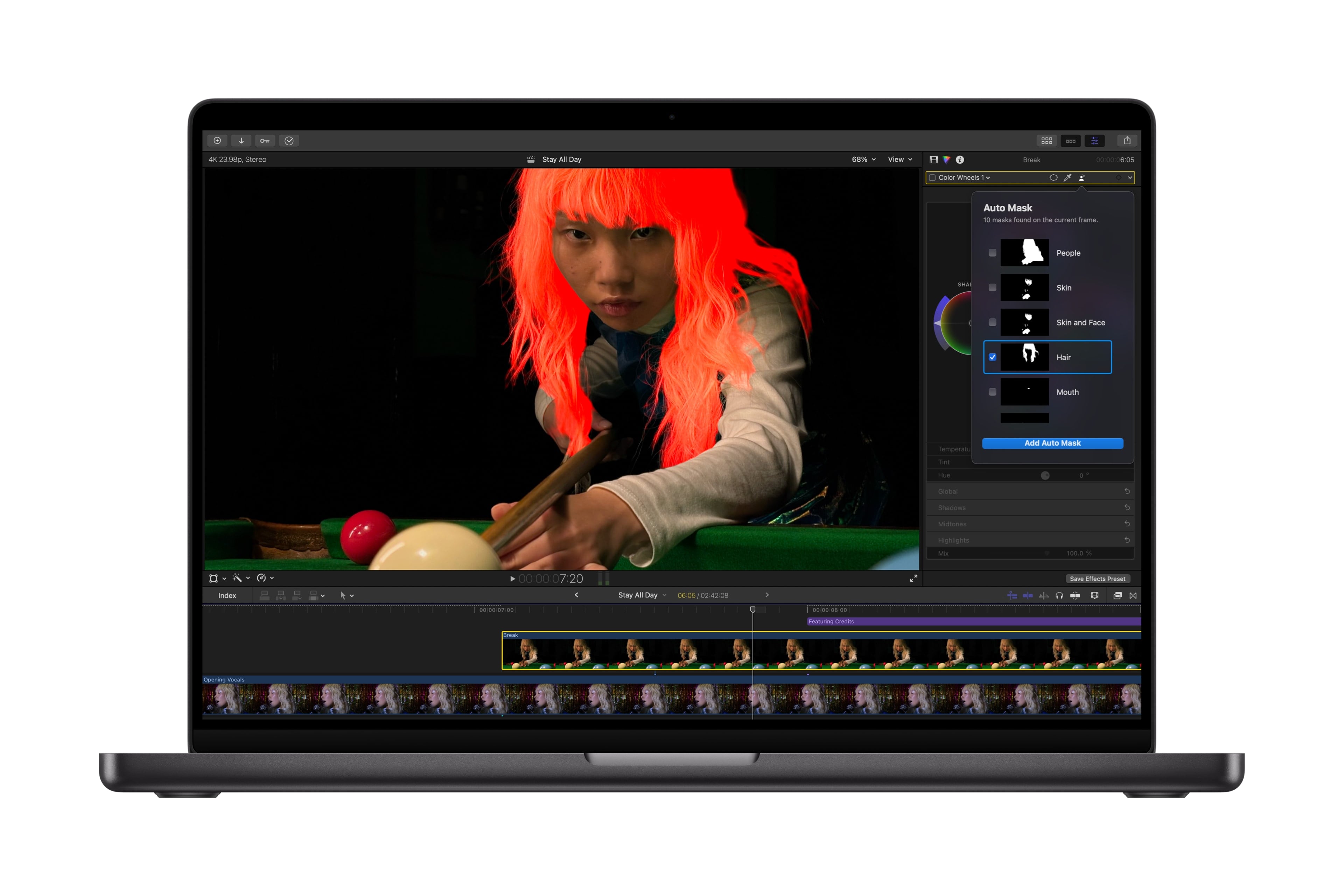
Today, Apple released an update to its Creator Studio subscription with new features across many of the suite’s apps.
Pixelmator Pro now integrates more deeply with Creator Studio’s other apps. While working in Keynote, Pages, and Numbers, you can open an image directly in Pixelmator Pro, edit it, and save the changes back to the source app’s document. On the Mac, Final Cut Pro can now send individual frames to Pixelmator Pro, making thumbnail creation simpler.
Final Cut Pro is also adding a set of Creator Themes with multiple aspect ratios, dynamic titles, and customizable backgrounds. Plus, users now have more control over the design of captions generated on-device using AI. On the Mac, Auto Mask lets you isolate certain parts of footage for editing, and Match Color reproduces colors more accurately.
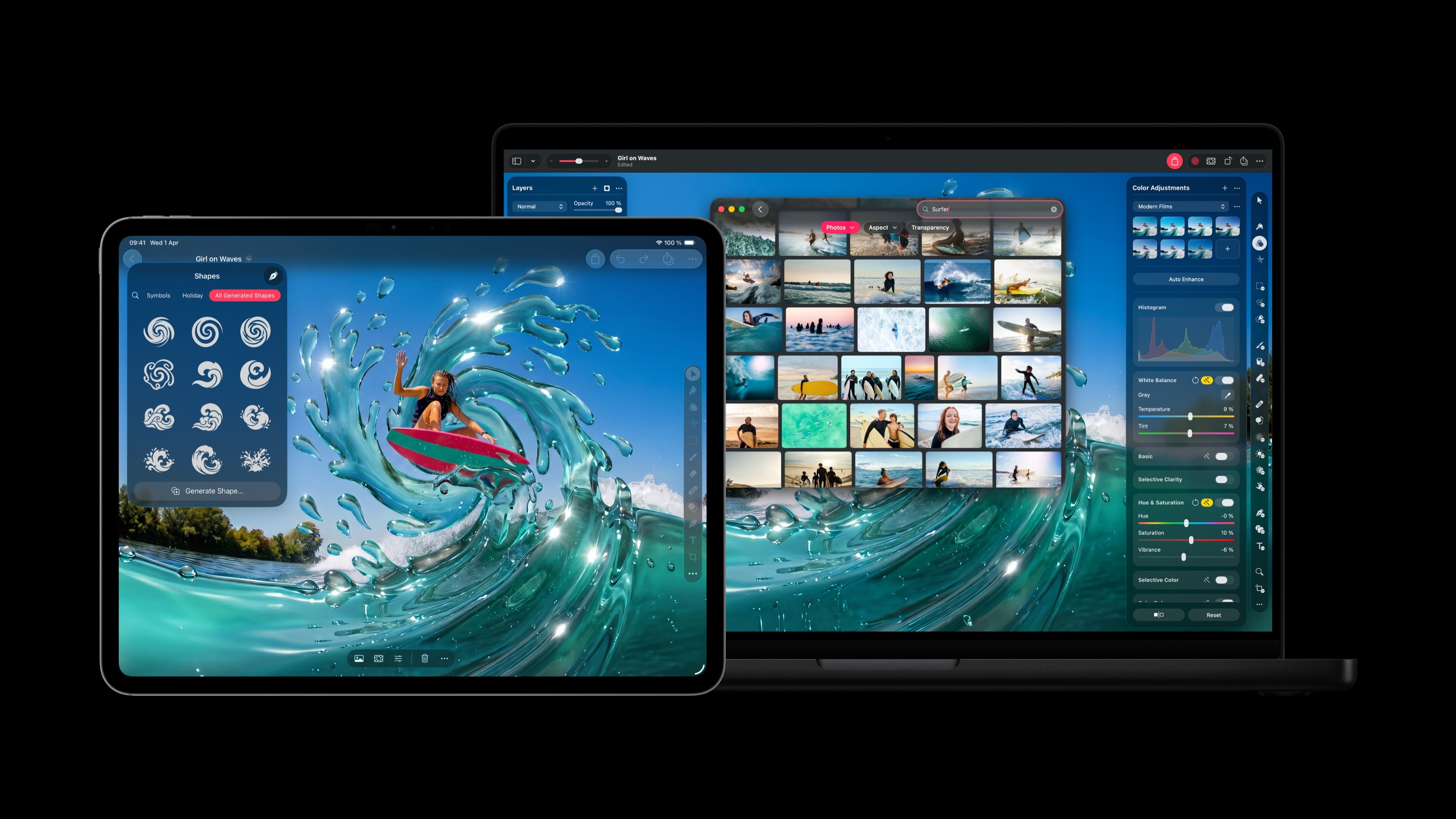
For Logic Pro users, today’s update includes improvements to Chord ID, a new Producer Project from Khris Riddick-Tynes, a new sound pack, and an expansion of Beat Breaker.
Final Cut Camera for the iPhone and iPad has been updated with support for Clean HDMI Out, more flexible ProRes support, and disabling of digital zoom. Motion now supports vector graphics, and Compressor gains Vision Pro features, while Freeform gains shape creation, opening images in Pixelmator Pro, a Dark Mode, folders, and drawing on the Mac. Plus, Pages, Keynote, and Numbers each added a handful of new features.
Creator Studio debuted just six months ago, so it’s good to see it already being updated with meaningful features. Creator Studio costs $12.99/month or $129/year. More information is available in Apple’s press release here.
Headless Macs and Hamstrung iPads
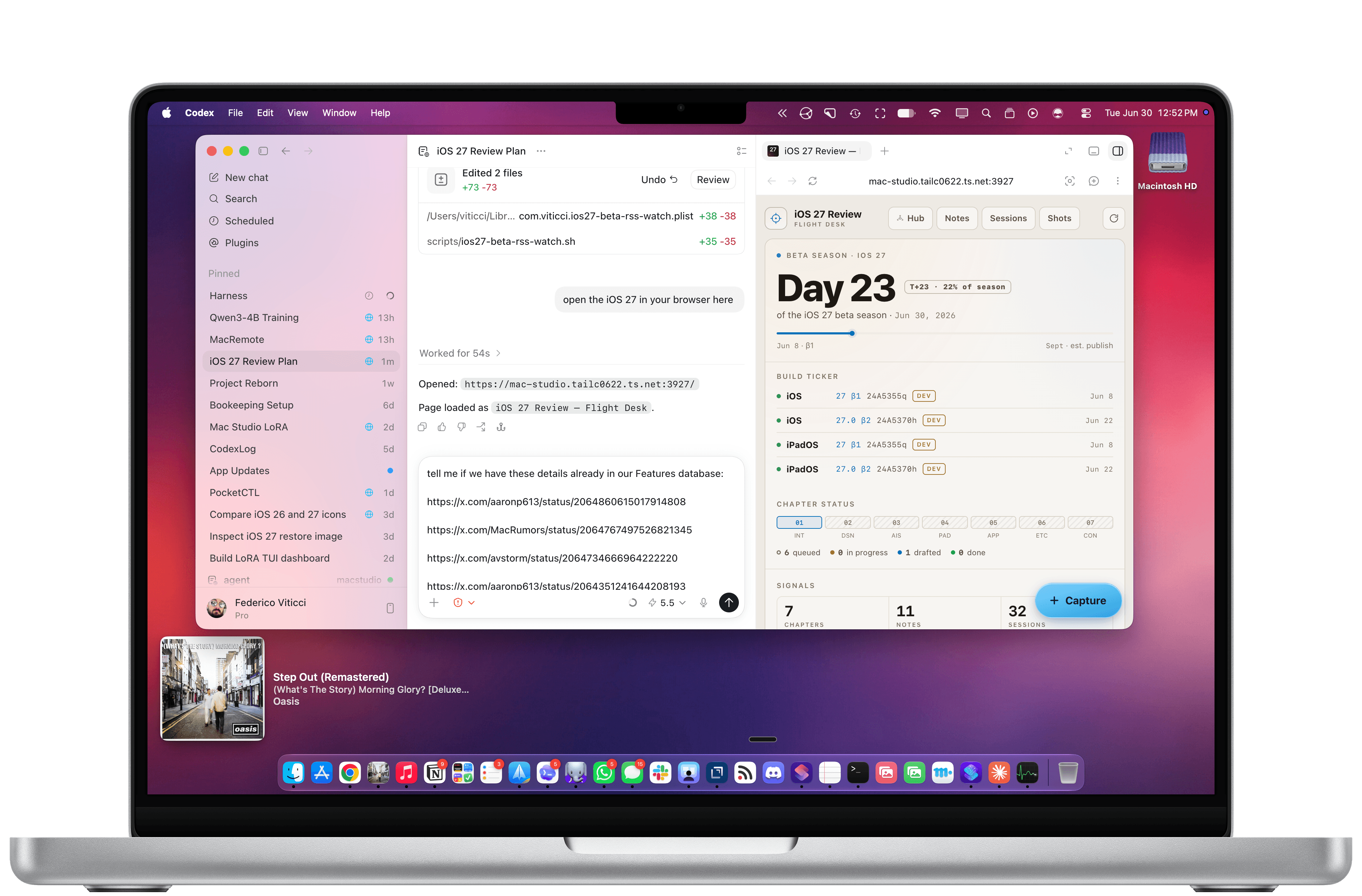
In the current era of coding agents becoming productivity assistants, iPadOS’ limitations are no longer defined by the lack of desktop-class multitasking or access to external peripherals. A new class of iPadOS shortcomings looms large on the horizon: the iPad’s app sandboxing and the absence of an open filesystem have relegated it to acting as a remote control for agents.
Podcast Rewind: WWDC Reflections, Thunderbolt Hubs, and Prime Day Finds
Enjoy the latest episodes from MacStories’ family of podcasts:
AppStories
This week, John and Federico are back home and reflect on all the WWDC announcements, including Siri AI, Apple Intelligence, design changes, developer tools, and more.
On AppStories+, we check in on our research setups and how they fared at WWDC.
NPC: Next Portable Console
This week, nose-bleed prices, foldables get wise to handheld gaming, and new products are teased and released by a long list of companies.
On NPC XL, Federico and John cover the pre-review news and rumors about the Steam Machine, plus John’s new Mobapad Switch 2 controller.
Comfort Zone
The gang’s back together! Niléane has a new window management system, Matt wonders if Thunderbolt is too fast, and everyone recovers from letting AI take the wheel for the week.
On Cozy Zone, Niléane has a new place, and it only seemed proper to roast her new setup.
MacStories Unwind
This week, Federico and John share their Amazon Prime Day finds before Federico recommends a pair of videogames for the weekend.