
Another bundle? It seems Mac applications are practically raining from the sky at ridiculously low prices. This bundle offers a different twist yet, as it becomes more expensive the longer you wait. If you’re going to add some apps to your stash, do it now, and get a copy of Cockpit for free (honestly a coincidence).
Macbuzzer’s Newest Bundle with Nine Mac Apps
ReaddleDocs: It Could Have Been Good, But…
If you read my Good Reader review last week, you should have noticed that I’m pretty satisfied with the app, even though it has some UI quirks and it surely can get a lot better. I know that the developers are working hard on improving the app, and I guess that an update addressed to fix the aforementioned problems is already on its way to the App Store.
Are there any alternatives to Good Reader though? Not so many, and most of them are very poorly executed applications that let you import documents and, in the best case, upload them somewhere on the internet. Can ReaddleDocs for iPad be any better than the others?
Adobe Promises “The Best Tools In The World” for HTML5
So you were scared Adobe was that ugly best dominating the internet world from their Flash-based throne. Perhaps you even thought that they called the Feds to start an investigation against Apple, the rebel who fights for a HTML5 world made of standard compliant houses and javascript flowers.
The iPad, A Story [Part II] - Details
As I held the iPad in my hands for the first time I knew that it was going to change something about the way I consume the internet and produce content for MacStories. I mean, I had no justified reason to believe the iPad was going to change anything, at least not after holding it for a few seconds and simply staring at its screen. But just like every revolution in our fast running technology world, it’s about the details, even those that you don’t see but perceive after a few seconds. My first encounter with the iPad was an impression, more than an approach.
Cockpit, Where Custom Controls take Flight
I was hoping to do this review alongside the MacPilot 4, as to tie together the whole aviation theme. As a Macintosh flyboy, I expect my machine to perform excellently in combat with nothing more than the twitch of my joystick or the press of button. Cockpit by green&slimy software can give aspiring pilots the precision they need to execute their daily tasks. Time to strap in to that five point harness Ace, it’s time for review.
Apple Updates the Downloads Page Again
As TUAW reports, it seems like Apple has updated the downloads page on Apple.com again. You know, the page that lists all the best softwares for Mac OS X and that used to be one of the best traffic sources for developers. Used to be, because some weeks ago it turned out that Apple wasn’t updating the page anymore, and developers freaked out.
Relax guys, Downloads are back.
Things for Mac, Built With HTML5
You know, awesome stuff can be developed using modern technologies such as HTML5 and CSS3. We’ve seen excellent examples before, like the Opera icon in CSS3 or Safari running inside Safari. What about a Mac application ported to HTML5 and running within your browser?
That’s what Bastian Allgeier of Zootool has managed to do by converting Cultured Code’s Things to a HTML5 / CSS3 “webapp”.
Apple’s Latest Trademarks: “Made for iPhone” and “Made for iPad”
Patently Apple has found out that Apple has filed two new trademark applications, and this time for a badge (or as the application reports, a “mark”) with the words “Made for iPhone” or “Made for iPad” on it.

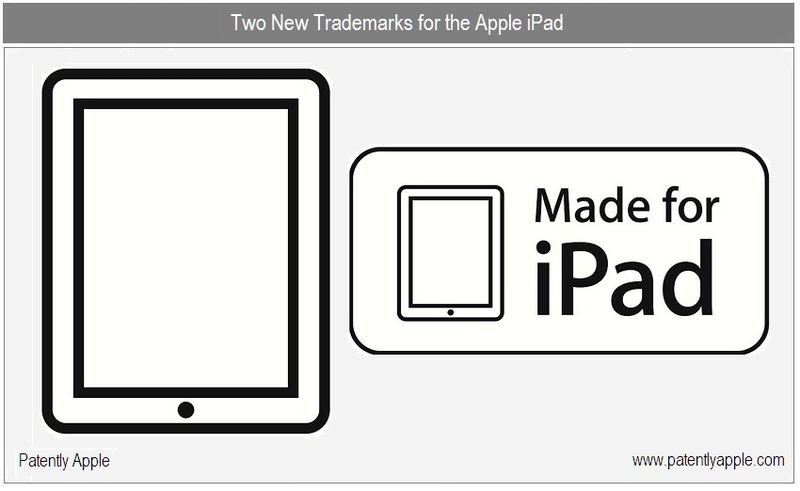
New Apple’s motto? There’s a trademark for that.
New Steve Jobs Email: Safari To Have Full HTML5 Support “Soon”
Apple has been talking a lot about HTML5 and open technologies, so much that they even created a page for HTML5 iPad-ready websites and wrote a popular “blog post” about the problems of Flash as a closed platform and the need to support new standards.
But as you probably know, Apple doesn’t actually fully support HTML5 in its flagship browser, the desktop version of Safari. Indeed, Safari for Mac (and Windows) doesn’t have official and full support for many HTML5 specs like Geolocation API, Drag and Drop, Form Features and Inline SVG but according to this new email from Steve we received, all this stuff is coming.