
Notational Velocity with Fullscren Mode, Horizontal Layout, Menubar Icon

Notational Velocity is one of my favorites apps for the Mac: it’s a minimal and focused writing application that enables you to entirely navigate between notes using the keyboard, it integrates with Simplenote and can store its plain text files anywhere on your computer - Dropbox folder included. It autosaves notes so that you don’t have to worry about losing anything. Also, you just have to press Enter to create a new note. It’s simple and powerful at the same time. It’s free and open source.

Its open-source nature gave birth to a plethora of “forks”, alternative versions of the software with custom modifications and features. Maybe you remember Steven Frank’s excellent Markdown fork. Today’s mod comes from Elastic Threads: it’s the Notational Velocity you’re used to, only with horizontal layout and fullscreen mode enabled. Read more
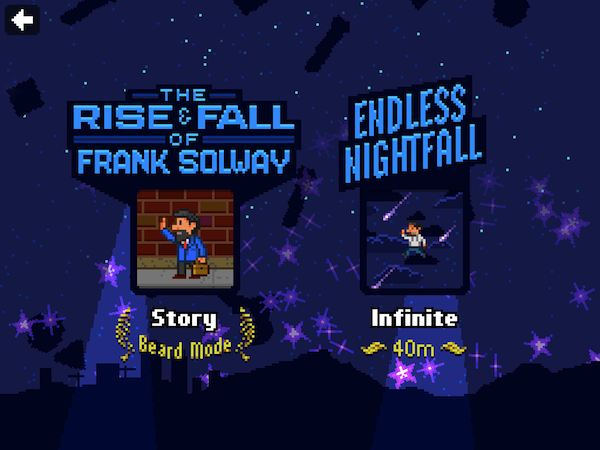

The Incident: Whatʼs New In 1.2

The Incident (our previous review) is undoubtedly one of the funnest and most addicting games on the App Store today. The retro styled smash hit became immediately popular with everybody, young and old. This past couple of weeks Iʼve had the pleasure of testing out the newest update to The Incident.

One of the biggest complaints with the original version was the lack of an endless mode. Well, rest assured your wishes were heard and thereʼs a new mode called “Endless Nightfall.” Complete with awesome new music from Cabel Sasser himself, Endless nightfall has some awesome additions to an already awesome game.

Read more


A Markdown Teleprompter

A Markdown Teleprompter

It takes input in standard Markdown format and, when you press the “Prompt” button or hit Shift-Enter, it blacks the screen and renders your Markdown in large, contrasting text. Then you can hit Spacebar or Enter to start and stop scrolling. Stopping auto-scroll and using your mouse’s scroll wheel will allow you to navigate. Escape (or a click on the background) will take you back to the editor.

Very cool. You can also run it locally or on your own server. The online version is available here.

Permalink


What Does a CDMA iPhone Mean for Apple? A 500 Million People New Market

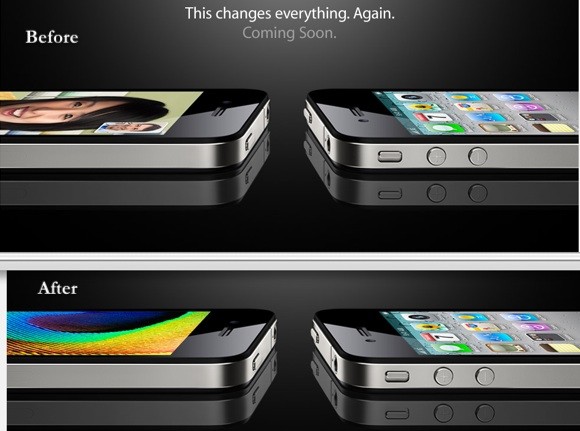
Tech pundits, blogs and media have been discussing about a Verizon iPhone for years. Since 2007, actually, when the first iPhone came out. According to the latest rumors we heard earlier this week, though, Apple is not working on a Verizon iPhone: it’s working on a CDMA iPhone that, among others, will support Verizon.

CDMA is a technology that’s deeply used in the US, not that much in Europe (do we have any CDMA providers here, fellow Europeans?) - an awful lot in Asia. Of course a Verizon iPhone would mean another huge round of possibilities and success for Apple in the US (the Verizon iPhone is now some sort of a myth), but what about other countries? If you think about it, it would make perfect sense for Apple to release an updated version of the iPhone 4 in January (together with an iPad 2 announcement, perhaps) to work on all international CDMA carriers, and not just Verizon.

So how big is this market? Read more


My Very First App - Review & Giveaway

This review is a little different than most reviews on MacStories, it’s targeted towards children. I have a 4 year old son and a 2 year old daughter, so this app was an easy one for me to grab onto. For what it’s worth, I have always been very protective of my iPhone, afraid it could get scratched or dropped but I couldn’t help but to break my old ways and let my kids start playing with it. Read more


Is Apple Working On A Game Store?

Apple is looking for a better way to separate “regular” apps from games in the App Store. In fact, in a matter of a few months we might be looking at a brand new version of the App Store specifically meant for iOS games - a Game Store.

Read more


How Steve Ballmer Told Me What To Do With My iPad

How Steve Ballmer Told Me What To Do With My iPad

The truth of the matter is the laptop weighs less – you can set it on your lap, it doesn’t weigh anything at that point and then you can type.  I’m not trying to say there’s not a place for touch-optimised slate-based devices, obviously we have shown enthusiasm about that before but you’ll see some optimisations coming in the course of the next year and some of the devices that convert, that have a keyboard, that flip around – I think some of those will be also pretty useful for people in the course of the next year.

Eh?

Permalink