

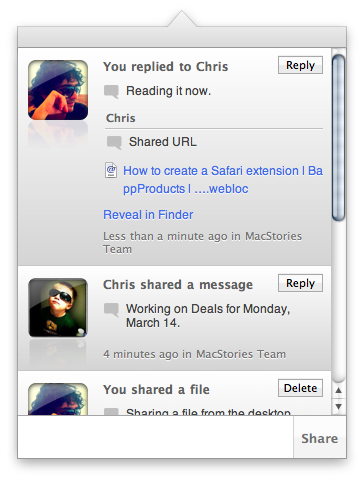
Back in September we talked about Frenzy, nothing more than a teaser at the time that was promising to bring a “Dropbox-based social network” to the Mac. Today, Aptonic Software (makers of popular utility Dropzone) has released the first public beta of Frenzy for Mac and, indeed, it works like a private social network powered by the Dropbox backend. We took the app for a quick spin earlier today and we were impressed. Read more
Frenzy Public Beta Available: A Dropbox-based Social Network
#MacStoriesDeals - Monday

Here are today’s deals on iOS, Mac, and Mac App Store apps that are on sale for a limited time, so get ‘em while they’re hot!
iPad & Productivity: One Year Later
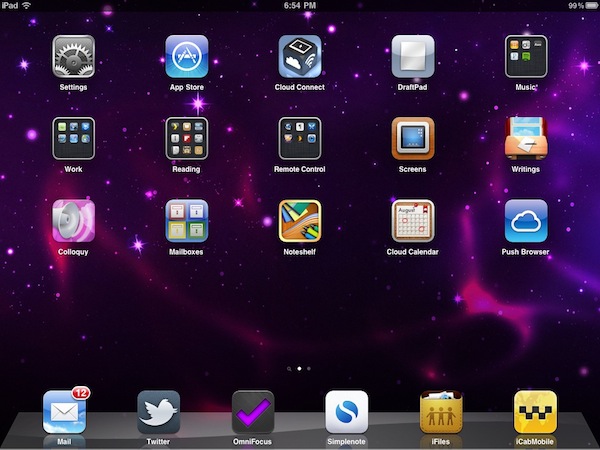
Instapaper developer Marco Arment makes the point on his personal blog about the iPad fitting more the entertainment category, rather than the productivity one. He thinks that, one year after its introduction, Apple hasn’t found the “sweet spot” yet for this new device:
Apple is now adapting to the market’s actual use by retreating somewhat from office productivity and pushing strongly into new territory — casual media creation — to see if that gets a stronger uptake in practice. I think it will be a lot more interesting than office productivity, but there’s still a lot of work that needs to be done in iOS to make it practical (especially regarding file transfers with computers).
I still don’t think Apple has found the sweet spot for the iPad’s usage: the ideal role it fills in personal computing. And I don’t think we, as developers or iPad owners, have found it, either. But I know that sweet spot exists, and for a computer category that has only existed for one year, we’re rushing towards it remarkably quickly.
Maybe it’s just me, but in this past year I’ve found a number of ways the iPad can help me be more productive to complete a series of tasks that would require a laptop otherwise. More importantly, the iPad has also created a new category of tasks that didn’t exist before. Read more
AirTuner Turns iPhones and iPads Into AirPlay Receivers
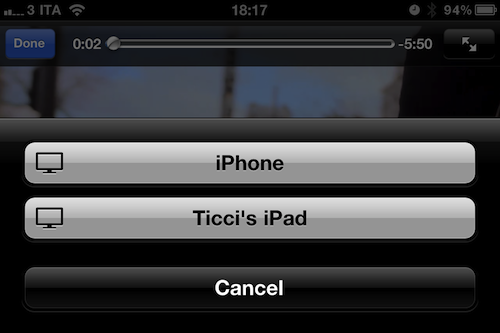
Speaking of AirPlay apps, here’s a $0.99 one that Apple’s isn’t featuring in its custom section, but should: AirTuner turns any iOS device into an AirPlay receiver that can display videos and photos coming from another device or iTunes.
Entirely hardware-accelerated and based on the same interface design Apple uses for AirPlay, AirTuner is universal for iPhones and iPads and in my tests worked perfectly with the Youtube and Photos apps, iTunes, Safari and other third-party applications thanks to the improved AirPlay support in iOS 4.3. For what it’s worth, the app’s icon is also nice on your homescreen.
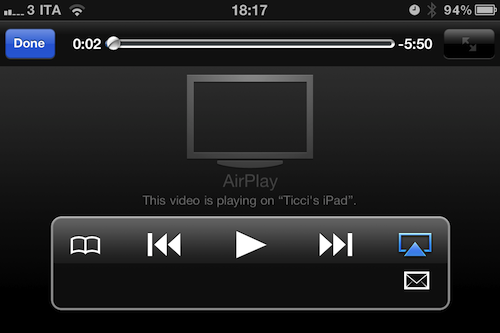
With the iPad 2 featuring two cameras, it makes more sense now to be able to instantly stream photos and videos from one iOS device to another. Imagine checking out some photos on your iPad 2, and also have the possibility to beam them to your friend’s iPad. AirTuner is a $0.99 download here.
Apple Using New Headphone Jack in iPad 2?
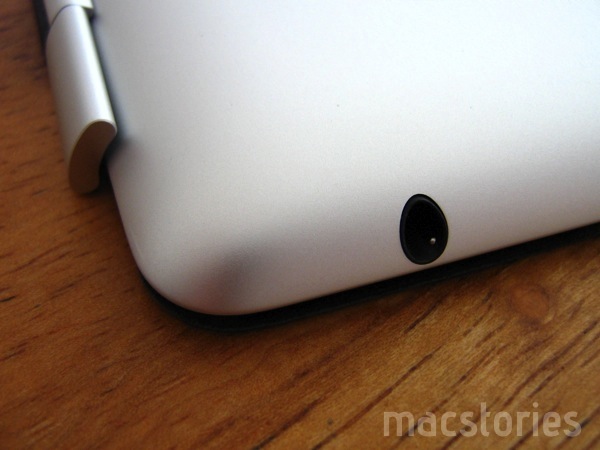
An Apple patent published in September 2010 revealed the company was working on a new headphone jack design that would allow to place significantly smaller headphone jacks in future iPhones and iPods. According to Kevin Fox at Fury.com, Apple might have implemented the new design in the iPad 2, which features a headphone jack to fit the iPad’s smaller form factor and it’s set “in to a steep curve”.
The original iPhone also placed the headphone jack on a curved exterior surface, but did so by insetting it, with the disastrous side-effect that only headphone plugs that strictly adhered to the spec would fit deep enough into the recessed space to complete the connection.
This time however it looks like there’s no recession at all. In fact, the opposite seems to be true: A plug fully inserted into the jack will have a surprisingly large portion of its ground ring (the outermost metal band) exposed to the elements.
AT&T iPad 1 Owners Experiencing Issues with iPad 2 Upgrade
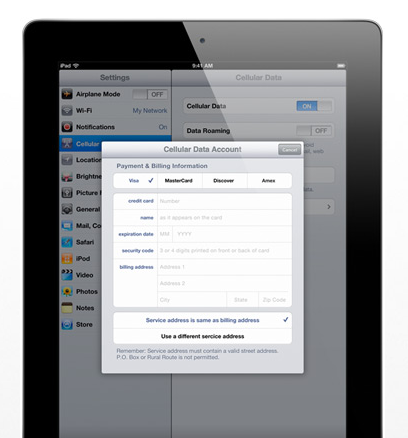
iLounge reports of a series of data activation issues experienced by original iPad owners when trying to upgrade the AT&T service for the iPad 2. As noted by the iLounge staff, an iPad 2 registered with a an existing, fully paid AT&T data service failed to activate; the second iPad 2 unit, set up with a new account, activated “almost immediately”. AT&T is offering two data plans for the iPad with the first one starting at 250 MB (at $14.99 per month) and a second tier with 2 GB traffic at $25 per month.
iLounge details the two issues original iPad owners may run into:
First, the iPad 2 will not activate. Second, the user will either have to manually swap the Micro-SIM cards between the iPad and iPad 2 units, or AT&T will disable the iPad’s Micro-SIM in order to allow the iPad 2’s Micro-SIM to work. The AT&T representative claimed that a user who chooses the latter option will have to buy a replacement card should they want to restore 3G service to the older model, as the first Micro-SIM will no longer be usable.
To enable the service on multiple iPads, AT&T customers will need to set up different accounts as the carrier’s system isn’t able to register two devices at once. While Apple didn’t make any specific mention of iPad 2 WiFi + 3G upgrade plans for iPad 1 owners, many expected the procedure to be simple and easy as swapping the SIM cards at any time with the same account on multiple devices.
Apple: Demand for iPad 2 Is “Amazing”→
Apple: Demand for iPad 2 Is “Amazing”

Speaking to The Loop’s Jim Dalrymple, Apple spokesperson Trudy Muller said the consumers’ demand for the iPad is “amazing”.
Demand for the next generation iPad 2 has been amazing,” Apple spokesperson Trudy Muller, told The Loop. “We are working hard to get iPad 2 into the hands of every customer who wants one as quickly as possible.”
Apple would not say exactly how many iPad 2s were sold over the weekend.
The launch of the iPad 2 saw long lines at Apple Stores across the US, delayed shipping times on Apple’s website and several retail stores sold out of units. A survey revealed 70% of iPad 2s are being sold to new customers, and an analyst predicted Apple would sell 600,000 copies over the launch weekend alone.
At this point, it wouldn’t be a surprise to see an Apple press release announcing 1 million iPads sold later this week.
Byword: Distraction-less Writing App For Mac
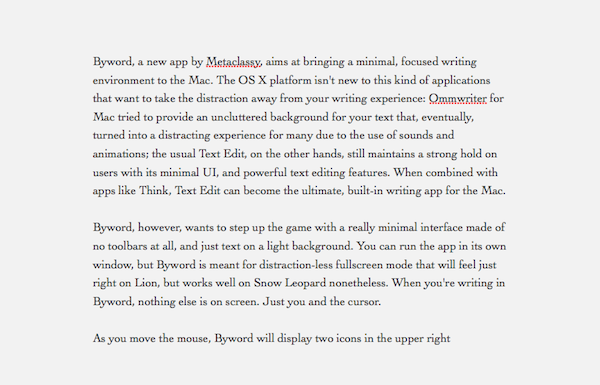
Byword, a new app by Metaclassy, aims at bringing a minimal, focused writing environment to the Mac. The OS X platform isn’t new to this kind of applications that want to take the distraction away from your writing experience: Ommwriter for Mac tried to provide an uncluttered background for your text that, eventually, turned into a distracting experience for many due to the use of sounds and animations; the usual Text Edit, on the other hand, still maintains a strong hold on users with its minimal UI and powerful text editing features. When combined with apps like Think, Text Edit can become the ultimate writing app for the Mac.
Byword, however, wants to step up the game with a really minimal interface made of no toolbars, and just text on a light background. You can run the app in its own window, but Byword is meant for distraction-less fullscreen mode that will feel just right on Lion, but works well on Snow Leopard as well. When you’re writing in Byword, nothing else is on screen. Just you and the cursor. Read more
Survey: iPad 2 Selling Mostly To New Customers
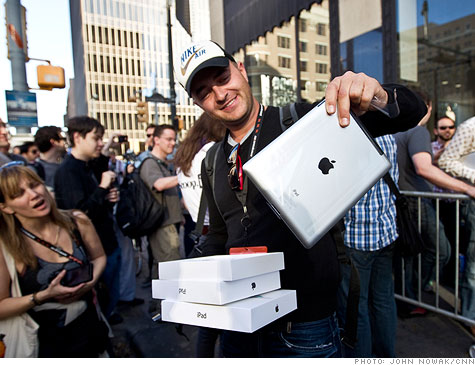
Market analyst Gene Munster surveyed just under 250 line-waiters at the iPad 2 launch last Friday and one of the most interesting findings was that 70% of the iPads being sold were to consumers who did not own the original iPad. Furthermore Munster estimated that Apple would have sold around 400,000 to 500,000 iPad 2’s, close to what analysts were predicting prior to the launch and well above the original’s 300,000-unit figure.
Munster said of the results “We believe this shows Apple is expanding its base of iPad users, which is critical to maintaining its early lead in the growing tablet market,” and this was backed up with statistics that whilst the original iPad had a predominantly Mac audience, iPad 2 owners were split 49% to PC and 51% Mac users. In addition Kindle users opting for an iPad 2 were at 24% compared to 13% for the original.
Munster also got some statistics on the break up of which model people were purchasing with more WiFi + 3G models chosen and the 32GB variant the most popular size chosen at 41% (up from 32%), although Munster notes that this increase could be in part due to the 16GB variety selling out faster. Finally another analyst, Chris Whitmore from Deutsche Bank, decided to call up around 100 stores (50 Apple Retail, 20 Best Buy and Walmart plus Verizon and AT&T stores) and found zero stock in all the stores which he called “shocking”.
[Via Cult of Mac]