Apple Releases Lion Developer Preview 3 in Dev Center

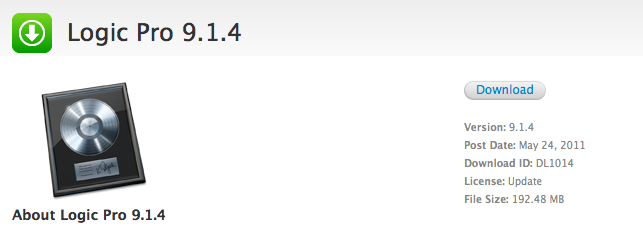
Following the release in Software Update last week, Apple just released Lion Developer Preview 3 in the Mac Dev Center as a direct download through the Mac App Store. Changes in Lion DP 3 can be found in our previous coverage, and we’ll update this post as more details come in. Build number of Preview 3 is 11A459e – same of the Software Update version.

The new build in the Mac Dev Center comes after a series of reports of users unable to correctly download and install Lion Developer Preview 3 through the Software Update mechanism.

Update: Lion Server Developer Preview 3 is also available as a separate download from the Mac App Store.


Apple Schedules US Retail Meeting on May 22

According to a tip we received from a trusted source, Apple will hold an all-hands employee meeting in US retail stores on Sunday, May 22. The retail meeting will start at 7 AM, an “unusual time” says our source, considering Apple usually holds this kind of meetings on Sunday evenings, after stores close.

Store meetings at 7AM Sunday across United States. Unusual time. Expecting some announcement. All stores, brand-wide US. Don’t know about other countries.

Last week, Cult of Mac reported the Apple Store in Fresno, CA, was planning on holding an employee meeting on Saturday, May 28. Our source says it’s normal for store leaders to choose a different meeting date within a certain window, and that could be the May 22-29 week. Of course, there’s plenty of room for speculation about this retail meeting: with the WWDC approaching (kicks off in San Francisco on June 6), Apple might want to train employees for the rumored new MobileMe features, iCloud, or some other product scheduled to be announced at the developer event – as also suggested by MacRumors back in April. It’s worth noting, however, that Apple celebrates the 10th anniversary of Retail this week, with several websites claiming the company was on track to set up special events and store merchandise for the anniversary.

AppleInsider reported on April 20 Apple was restricting employees from taking time off between May 20-22; our source says that’s because of the all-hands meeting set for May 22, though he couldn’t confirm as to whether it’s an anniversary-related meeting, or an internal training for new products and announcements.

Update: BGR has posted more details on the event Apple may be planning for its retail anniversary. These include NDAs to sign, overnight shifts at Apple Stores through mid-Sunday, May 22, new hardware to install and a password-protected folder for employees called “training.”

During the overnight shift, it’s going to be required that employees lock cell phones in the main office. They will also have to sign an NDA with Apple.

There are a wide variety of roles, we’re told, for the overnight shift. This includes all visuals staff, a manager, a business team member, a few Genius team members, one back-of-house employee, and a few generic Apple specialists.

Apple stores have apparently already received hardware to install, and are expecting more hardware to come on Friday or Saturday. All materials that Apple stores have received have been instructed to be under lock and key until after close on Saturday night.

Apple employees will be putting up black curtains at all stores so that people walking outside cannot see inside.

Employees have had to download gigabytes of data from Apple corporate labeled, “training” in a password-protected zipped folder that won’t accessible to managers or anyone else until Saturday afternoon.

BGR also confirms meetings are scheduled for Monday morning, May 22.


Elgato HDHomeRun Streams Digital TV To Your Macs, Lets You Record & Export

Elgato’s latest addition to the EyeTV software family for OS X machines and iOS devices is the HDHomeRun, a small device that can be connected to your TV and home router to share digital TV over a network. Combined with EyeTV for Mac and Windows Media Center for PCs, the HDHomeRun allows you to stream TV content from antenna or cable channels, send it off to multiple computers simultaneously for live streaming, and record it for later viewing with options to export to iTunes for maximum iOS compatibility. Alternatively, thanks to the EyeTV app for iPhone and iPad, users will be able to stream digital TV to mobile devices as well. Some of these features, like 3G streaming or iTunes compatibility, are of course iOS and Mac specific.

The HDHomeRun retails at $179.95 and it comes as a bundle that includes the device and the EyeTV 3 software. What’s really cool about the HDHomeRun digital tuner is that it can stream TV content to two connected desktop machines at the same time, allowing two users to watch and record separate shows and programs. Streaming can be enabled either wirelessly or via Ethernet, and a list if supported channels in your country can be found here.

With the EyeTV software for Mac, you also get popular features like:

  • Watch, pause, and rewind live TV on your Mac
  • Search two weeks of Program Guide listings; includes one year of free TV Guide data, with optional renewal for only $19.95 per year
  • Set up schedules to record your favorite TV shows
  • Edit out unwanted content
  • Share recordings with other Macs on the same network

Placed next to an Apple TV, Elgato’s HDHomeRun seems like the perfect solution to get your favorite digital TV programs available over the air for Mac and iOS streaming and recording. The product is available now for purchase on Elgato’s website, and we look forward to a full review in the next weeks.


Palimpsest for iPad Aggregates Hand-Picked Magazine Articles

I love Instapaper. Whether I’m finding cool links on Twitter or I simply mark items for later in Google Reader, Instapaper provides a unique and beautiful way to keep all my reading material together and synced across the web, iPhone and iPad. In fact, Instapaper has changed my reading habits, and especially on the iPad, it gives a whole new meaning to the tablet as a tool for text consumption. Yet sometimes, there are those days when you feel like you haven’t found anything new worth saving in the queue, and the more you keep looking because you’re hungry for new articles in your inbox, the more you keep hitting things you’ve already archived in Instapaper. With version 3.0, Instapaper developer Marco Arment added a new feature to find articles your friends are “liking”, thus making the app more social and better suited for discovery. In the past week, I’ve also been using a new iPad app called Palimpsest to find great material from sources like The New Yorker and The New York Times to send directly off to Instapaper.

Palimpsest aggregates articles from popular online magazines and presents them in a beautifully formatted view. The original webpage is preloaded in the background so you’ll be able to send it to Instapaper, or read it as the author intended. Articles are sourced from popular curators like Arts & Letters Daily, Longreads, LongForm, and many others, in addition to the developer’s own picks. This curation aspect gives the app a personal touch that I think is pretty cool considering we often stumble upon automatic link-tweeting bots online. But because the developer’s and curators’ tastes might be different than yours, Palimpsest also includes like / dislike buttons to tell the app articles you’ve found interesting, and others you won’t like to see the next time. The app fetches around 50 articles on first launch, with 5-10 new articles every day, and roughly 10 saved for offline usage in the app’s cache. In my tests, I was given articles about politics, the death of Osama bin Laden (quite obviously), technology, food, and economy. The articles came from top-notch sources, so basically if you’re a Longreads user you’ll feel right home using Palimpsest, only this app also aggregates content from other websites and curators.

At $1.99, Palimpsest is a neat way to find a fresh feed of great articles every day (and send them to Instapaper), although it could really use an iPhone counterpart. Get the app here.


ProductiveMacs Bundle: 8 Great Mac Apps at $29

Given all the great apps available for the Mac, wouldn’t be great if someone bundled together some really powerful utilities that help you get work done? How about utilities like Keyboard Maestro, Mail Act-on, TextExpander, and Path Finder all in one shot? If the addition of HoudahSpot and Today wasn’t enough, then how about the killer price tag of $29? The ProductiveMacs bundle, organized via Apparent Software (who just picked up Socialite from Realmac Software) are hosting a bundle that features a fine collection of seriously powerful software for your Mac.

Read more


Cloud Connect for iOS Gets 3.0 Update, Brings Finder Integration

When it comes to remotely accessing your computer, AirPort Extreme station, FTP, Dropbox or WebDAV servers, Cloud Connect Pro is a staff favorite here at MacStories. Not only the app provides a full-featured solution to connect to all kinds of machines, servers and online services, it also offers a neat way to browse files and media in a Finder-like view for iPhones, iPod touches and iPads. We have covered the app a few times in the past, and I was impressed when Antacea managed to port the whole tablet experience to the iPhone.

The latest 3.0 update, however, makes things look much better with some UI refinements, a new audio player, a proper PDF viewer and some stability enhancements. The app retains all the functionalities of the previous versions, but introduces some welcome features and little touches throughout the whole package that add a new layer of accessibility, communication with iOS built-in tools, and more. For example, Cloud Connect 3.0 can directly play music stored in the iPod.app library, or visualize photos and videos from the camera roll. Songs can be sent to the new audio player’s playlist, which sits at the bottom of the app and displays album artwork, a list of songs waiting in the queue, as well as an AirPlay button to beam music to external speakers. Speaking of which, gone is the hideous Mac-like dock, leaving room for a more minimal bar of icons. Browsing files and folders in Cloud Connect has been improved, too: alongside the (great) column view, the developers have implemented icon-based navigation to tap your way around the filesystem. What’s cool is that you can switch between views with a tap in the toolbar, and a new button in the column view allows you to bookmark, copy, download & compress or delete any file or folder. On top of that, this new version allows you to browse songs and media from the camera roll using your Mac’s Finder by connecting to the “iPad” device under the Shared tab once Cloud Connect is running. This is by far the easiest way to import photos and music off an iOS device and onto an OS X machine I’ve tried, with Cloud Connect acting as a bridge between the two. It works great.

The app could still use some UI polish (I personally can’t stand those blue and grey tones), but I can see why Antacea decided to focus on adding and refining features for now. The lack of a serious PDF viewer, for example, was a major disappointment in Cloud Connect 1.0: the new PDF viewer introduced in version 3.0 is quite fast and responsive, lets you create bookmarks and search for text within a document.

Other features in Cloud Connect 3.0 include Google Picasa support, possibility to use a Mac or PC as a gateway to connect to other Easy Connect computers, and RDP for HP printers only. At $24.99 in the App Store, Cloud Connect doesn’t come cheap but it’s powerful, easy to use and works both on the iPhone and iPad. The app keeps getting better on each release, and I’m looking forward to some serious design improvements in the next version. For now though, Cloud Connect surely is one of the best ways to manage your remote and local connections. Read more


Shine Is A Beautiful Weather App for iPhone

If you’ve found yourself struggling to find the perfect weather app that looks great and it’s packed with functionalities at the same time, you might want to take a look at Shine, the latest entry in the weather software panorama that, at $0.99 in the App Store, provides a neat way to check on your current location’s weather, forecasts, temperature and wind speed. Shine wants to keep things simple, and for someone like me who’s no weather expert at all, the promise of offering readable weather data in a beautiful and intuitive design sounds like a major selling point, especially considering the price of one buck.

The app’s main screen lets you see your location’s weather conditions at a glance. Current weather is displayed above in a large calendar-like view with temperature, icon and wind speed, whilst a today / tonight / tomorrow forecast is embedded below with the same stats. You can assign multiple locations in the settings, and re-fetch your location by tapping on the crosshair icon in the top right. Switching between locations is as easy as sliding your finger on the location bar on top. Another feature of Shine is the extended forecast view you get by pulling up the screen with a verticals swipe; the only problem is, the app seems to be US-centric in the way it gets weather information – it relies on SimpleGeo and the National Weather service, and I wasn’t able to get forecasts or correct wind speeds in Italy. Perhaps the developers should implement Yahoo Weather data or something else to make sure Shine works across countries outside the United States.

As it stands now, Shine is a simple, beautiful weather experiment that I’m sure works perfectly in the US, but lacks the necessary data to be a hit internationally. Perhaps the developers will fix this in a future update (I sure hope so), so if you live in the US and have $0.99 to spend, give it a try. Otherwise, wait for an update.


Seagate Announces Portable Wireless Hard Drive for iOS Devices

With all the recent talks about MobileMe and the cloud, it’s easy to forget most users still don’t have access to fast and reliable Internet connections that would allow them to stream their entire music library, movies and photos off the web. Whilst streaming is undoubtedly the future of media consumption (just look at the Apple TV, Google Music Beta, Netflix, or Spotify), managing media locally still plays an important role, especially for iPhone and iPad owners who are forced to keep everything organized into iTunes, and sync. Seagate wants to become the new middle man in this scenario, and with the official announcement of the GoFlex Satellite this morning, it looks like they have a chance to provide a better solution for many users.

The GoFlex Satellite is an external portable 500 GB drive that’s got a wireless connection and can stream content up to 3 connected devices at once. It’s got a built-in battery with 25 hours of promised life, and can stream 5 hours of continuous movie content. It works with iPhones and iPads through the GoFlex Media app, but Seagate says it’ll also be compatible with other WiFi-enabled devices and it will be accessible on a local network from a web browser. The portable drive, offering way more storage than an high-end iPhone or iPad, is clearly meant to carry all your music and HD movies around, bridging the gap between local storage and streaming. So while you’ll have to carry yet another gadget in your bag, at least no cable will be required to beam content to iOS. Most of all, music and movies won’t need to br synced locally to an iPhone or iPad; on the other hand, media can be transferred from your Mac or PC to the GoFlex Satellite with a USB 3.0 (USB 2.0 compatible) cable and the Media Sync desktop software.

With the growth of the tablet and iPad markets and the larger volumes of high-quality media now being consumed, there is a clear need for access to content that is not plagued with the challenges of streamed video over the Internet,” said Patrick Connolly, vice president and general manager of Seagate’s retail group. “The unfortunate fact is that these popular new mobile devices are hampered by their limited storage capacity while one of their primary functions is that of media consumption.

“With the GoFlex Satellite mobile wireless storage, we wished to create an elegant solution that provides real value to the multitude of iPad users out there by delivering a seamless connection to local storage. No longer will a consumer feel as though it is a compromise to purchase a lower capacity tablet or iPad. With GoFlex Satellite, people will be able to carry their entire media library with them without the need for wires or the web at a fraction of the cost of adding 3G or purchasing or a higher capacity tablet.

In spite of non-exceptional battery life (5 hours of video doesn’t sound exactly great, considering I like to watch my Lost episodes one after the other), I think this is a great idea, and I’m definitely looking forward to the product. The GoFlex Satellite ships this summer, and it’s available for pre-order now at $199.99 from Seagate.com, Amazon and BestBuy.com.