Toggle Mac OS X 10.7 Lion New Features On / Off With Lion Tweaks

Toggle Mac OS X 10.7 Lion New Features On / Off With Lion Tweaks
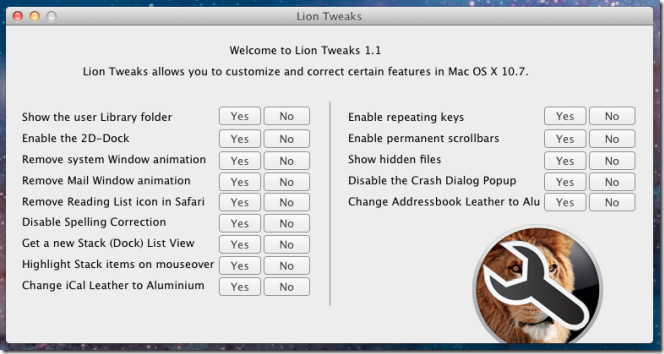
The latest Mac OS X 10.7 brings a whole lot of improvements along with a dozen iPad inspired UI features and animations. Although these improvements don’t come into conflict with UI design and core features of Mac Snow Leopard, many users hate the idea of bringing the iPad like UI elements and animations to Mac OS X. If you’re amongst those who want to keep Mac OS X 10.7 installed on your system but also want to toggle some of its new features, window options and animations on/off, Lion Tweaks is probably the best Mac Lion tweaking application that you can try.

We’ve posted lots of tips and tricks that require a bit of elbow grease when it comes to taking control of Lion, and we’ve even posted utilities like this one for Launchpad for hiding unwanted folders or apps. With everyone wanting to disable this or modify that, why not just create a utility that puts everything you’d want in one place? AddictiveTips has posted a utility from iFredrik that’ll have you customizing Lion with nothing more than a couple of button presses. For those of you who are fed up with slow window animations or that iCal leather, you can disable it with a simple click thanks to Lion Tweaks.
Permalink

eBay Launches a Minimal App Designed for OS X

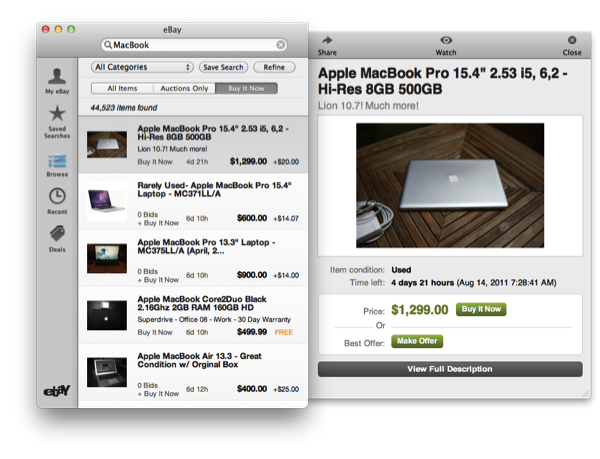
Tired of logging in on eBay just to get a sweet deal on that gadget you’ve been eyeballing? Check it out — eBay has a shiny new app on the Mac App Store that shares visual similarities with apps like Sparrow or Twitter for Mac, and is designed so you can bid on products right from the comfort of your desktop. The lightweight eBay companion for the Mac is very nice — you can keep track of your watched items, your bidding history, make bids, search for auctions, and do everything in the Mac app you’d generally want to do online. With access to your eBay console, daily deals, and a universal search bar built right in to such a compact interface, it’s a pretty sweet replacement for the website (and much easier to navigate). You can download eBay for the Mac in the Mac App Store, and we’ve posted some screenshots after the break so you can further check it out.

Update: Hearing reports on Twitter (and a comfirmation over at Macgasm) that this appears to be US only for right now.

Read more


Apple Upgrading their Fifth Avenue Store with Larger, Seamless Panes of Glass

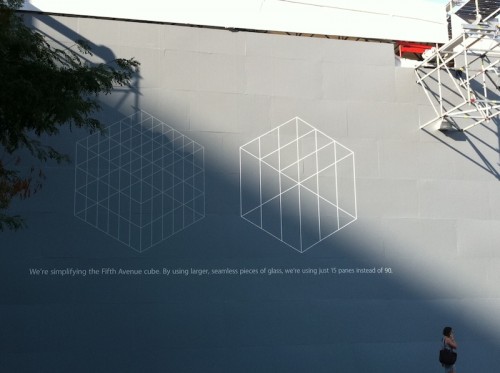
Apple’s flagship retail store on Fifth Avenue, Manhattan, is getting a new glass frame according to a new informational sign posted on the outside barrier of the store.

We’re simplifying the Fifth Avenue cube. By using larger, seamless pieces of glass, we’re using just 15 panes instead of 90.

Detailing the upgrades in an informational notice, Apple shows off past and present examples of the Fifth Avenue retail store, showing a reduction in glass panels from 90 to just 15 large strips (three vertical panes on each side and three on top). The appearance of the renovated Fifth Avenue will be much cleaner, and visually more seamless. According to MacRumors, the $6.6 Million upgrade includes work on drains, pavers, and the plaza bollards in addition to the glass replacement.

[via MacRumors]


Boxee Releases Their iPad App: Social Video Sharing & Streaming

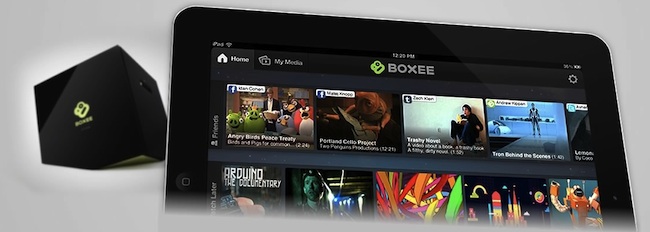
Earlier this year at CES, Boxee announced it was developing an iPad companion app to complement the Boxee Box and Boxee installations on PC’s and Macs. Today Boxee has finally delivered and released their iPad app after postponing the initial release date from May.

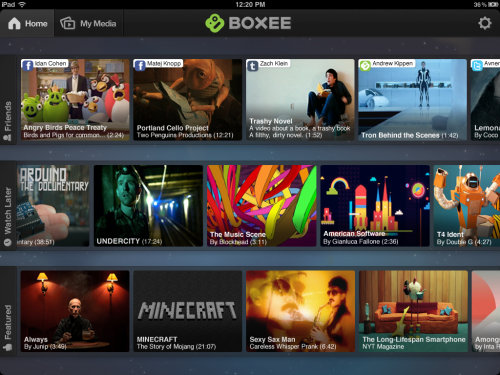
The main screen of the Boxee iPad app will remind many of the familiar Boxee experience with three streams of videos shown, one is a collection of videos from friends, another is the featured video feed and the last is a stream of videos that you have selected to ‘Watch Later’. Beyond this however, the Boxee iPad app has some more interesting features including what Boxee has dubbed ‘PC to iPad’ and ‘Send to TV’. The former allows any PC/Mac to stream videos directly to the iPad without any syncing or converting (similar to Air Video or Plex) - this feature is enabled with the new Boxee Media Manager which is a lightweight app that allows the streaming from PCs and Macs.

The ‘Send to TV’ functionality incorporates the ability for the iPad to stream video directly to a Boxee Box. What is even cooler is that the Boxee Box (which is also receiving an update from today) now includes an experimental feature where it can now receive AirPlay streams from any iPad/iPhone/iPod Touch - just like an Apple TV can.

You can download Boxee’s iPad app for free on the App Store. Jump the break for the release notes of Boxee for iPad and for a selection of screenshots.

Read more


New Apple Stores In Italy And Australia Opening This Saturday

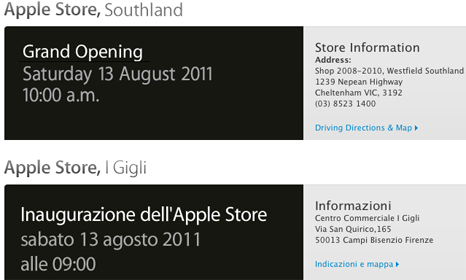
Apple will this Saturday hold two Apple Store grand openings on opposite ends of the world with one opening in Italy and the other in Australia. The new Australian Apple Store is located in Cheltenham Victoria within the Westfield Southland shopping centre. Dubbed the Southland Apple Store, it will become the twelfth Apple Store within Australia and third within the state of Victoria.

Over in Italy Apple will be opening a new store in Florence located within the I Gigli suburban shopping center — as we reported earlier this year it is on the ground floor of the shopping center and faces a large circular courtyard. The I Gigli Apple Store will be opening at 9:00am this Saturday, August 13th whilst the Southland store in Australia opens at 10:00am this Saturday after the local media have a period for photo opportunities.

It was noted last month that Apple was expecting to open 30 new Apple Stores by September 30th, after these two store openings this Saturday Apple has 26 left with less than two months to accomplish that goal.

[Via Delimiter, ifoAppleStore]


Lion Recovery Disk Assistant

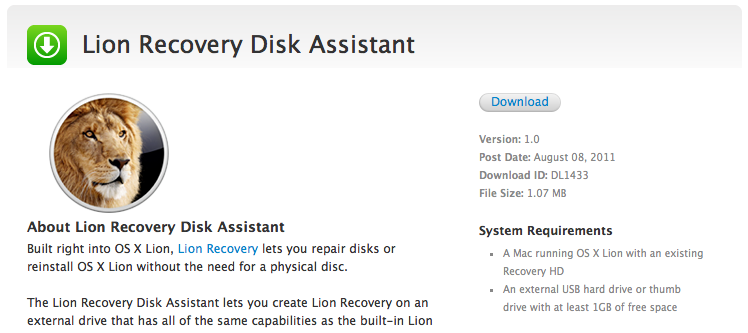
This afternoon, Apple is making available Lion Recovery Disk Assistant — an app available for the desktop that allows you to prepare an external hard drive (or thumb drive with at least 1 GB of space free) for recovery. Lion Recovery Disk Assistant will install the Lion Recovery partition to external media so you can create another boot disk. It requires OS X 10.7 Lion with a Recovery HD. Apple says in order to use the Recovery Disk Assistant, you only need to plug in an (empty) external hard drive, then run the assistant to create the recovery drive. This should make lots of people complaining about the lack of external recovery options very happy.

Download: Lion Recovery Disk Assistant (1.07 MB)

Update: Some additional details from the release notes:

  • If the computer shipped with Lion, the external recovery drive can only be used with the system that created it.
  • If the system was upgraded from Mac OS X v10.6 Snow Leopard to Lion, the external recovery drive can be used with other systems that were upgraded from Snow Leopard to Lion.

Screenshots after the break!

Read more


Logic Pro and Express 9.1.5 Updates Available for Download

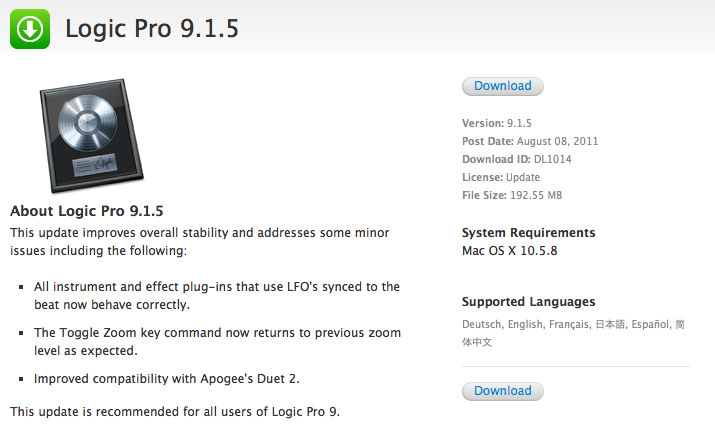
Apple has updated Logic Pro and Logic Express this afternoon to 9.1.5, fixing bugs, improving stability, and improving compatibility with various plugins.

This update improves overall stability and addresses some minor issues including the following:

  • All instrument and effect plug-ins that use LFO’s synced to the beat now behave correctly.
  • The Toggle Zoom key command now returns to previous zoom level as expected.
  • Improved compatibility with Apogee’s Duet 2.

This update is recommended for all users of Logic Pro 9.

You can download the updates via the links below.

Logic Express (138.84 MB) | Logic Pro (192.55 MB)

Release notes: Logic Express and Logic Pro


Pulp for Mac 2.1: Instant Resume, Push Sync, and Ready for Lion

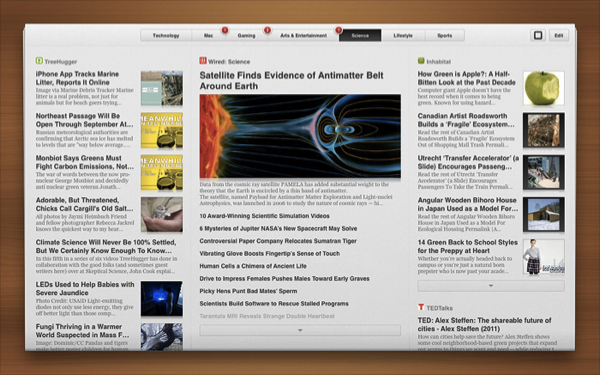
Among all of the changes for the latest version of Pulp for Mac (it hit 2.1 today), we’re really excited about Instant Resume and Push Sync. If you use Pulp across multiple Macs (or between your desktop and the iPad), Push Sync will instantly update your newspaper whenever you make a change on another device. On top of always being right where you left off with Push Sync, Instant Resume will let you return to the exact point you were reading when you leave Pulp and return to the app at a later time. So with reading taken care of, what else do we have in store?

Pulp for Mac 2.1 is a big Lion update that integrates Lion gestures with the newspaper itself — as you move your fingers, the pages will curl (just like directly manipulating the interface on the iPad). Pulp for Mac 2.1 also brings full-screen mode — it’s realistic interface is a great fit for 11- and 13-inch MacBook Airs.

Pulp for Mac is ready for OS X Lion, and available in the Mac App Store for $9.99. See the Acrylic Software blog for more information.


Sparrow 1.3.2: Drag & Drop to Labels, Conversation & Reply Redesigns, and Gradients!

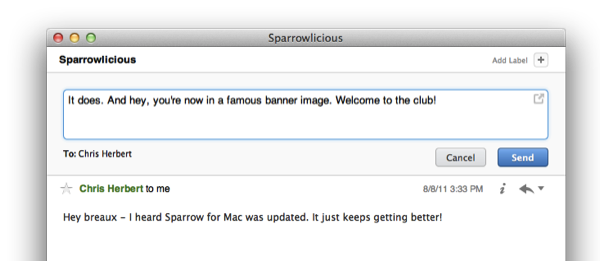
Sparrow has a really sweet Mac update available this afternoon from the Mac App Store, bringing lots of new features and tons of bug fixes to improve its game and interface on Lion. The last update brought full-screen support and a redesigned sidebar that’s significantly improved my workflow, and now that sidebar is getting some additional use thanks to drag & drop. Whether you’re on an IMAP account or using Gmail, you can drag and drop emails into a folder or label to quickly move and archive messages. That alone makes us really happy, but check out what else Sparrow has added past the break.

Read more