
 Monthly Log: December 2025
WinterFest 2025: The Winter Festival Of Artisanal Software [Sponsor]
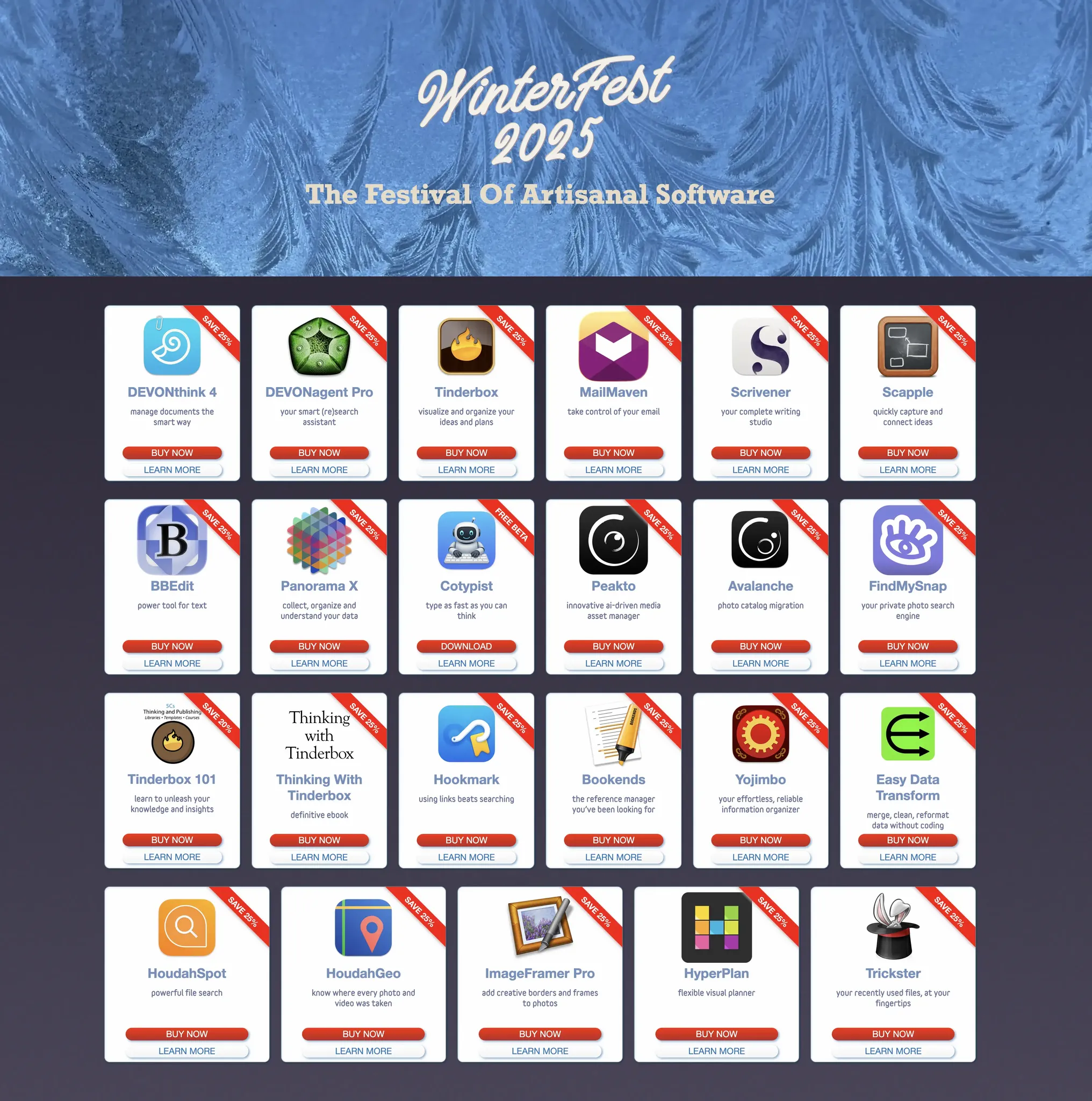
WinterFest 2025: The Festival of Artisanal Software is back with a fantastic new collection of carefully crafted software for writing, research, and thinking.
Innovative software often comes from small teams, crafted with imagination and a vision of a better way to work. There are no bundles, games, or prices that are too good to be true: just fresh software with fantastic support at great, sustainable prices.
Software artisans from around the globe have come together for this time-limited sale to bring you innovative apps to assist you with everyday work. This incredible catalog of productivity software includes:
- Avalanche: Photo catalog migration
- BBEdit: Power tool for text
- Bookends: The reference manager you’ve been looking for
- Cotypist: Type as fast as you can think (Free Beta)
- DEVONagent Pro: Your smart (re)search assistant
- DEVONthink 4: Manage documents the smart way
- Easy Data Transform: Merge, clean, and reformat data without coding
- FindMySnap: Your private photo search engine
- Hookmark: Using links beats searching
- HoudahGeo: Know where every photo and video was taken
- HoudahSpot: Powerful file search
- HyperPlan: Flexible visual planner
- ImageFramer Pro: Add creative borders and frames to photos
- MailMaven: Take control of your email
- Panorama X: Collect, organize, and understand your data
- Peakto: Innovative AI-driven media asset manager
- Scapple: Quickly capture and connect ideas
- Scrivener: Your complete writing studio
- Thinking With Tinderbox: The definitive ebook
- Tinderbox: Visualize and organize your ideas and plans
- Tinderbox 101: Learn to unleash your knowledge and insights
- Trickster: Your recently used files, at your fingertips
- Yojimbo: Your effortless, reliable information organizer
These amazing deals don’t come around often, so act today to start 2025 off with the best software available from this terrific group of developers.
Visit the WinterFest website to learn more about these amazing deals.
Our thanks to Winterfest for sponsoring MacStories this week.
Podcast Rewind: Apps in 2026 and The Best Handhelds of the Year

Enjoy the latest episodes from MacStories’ family of podcasts:
AppStories
This week, Federico and John look ahead to 2026 and what it will mean for apps, smarter Siri, and more.
On AppStories+, Federico and John update listeners on their latest app experiments and holiday hardware projects.
NPC: Next Portable Console
This week, Brendon, Federico, and John pick their top handheld consoles of 2025.
On NPC XL, Federico, John, and Brendon share their HOTY Honorable Mentions and trends they expect for 2026.
MacStories Weekly: Issue 494
Podcast Rewind: The 2025 MacStories Selects Awards, John’s Journey into Bazzite, Techy Clothes Shopping, and The Best Music of the Year
Enjoy the latest episodes from MacStories’ family of podcasts:
AppStories
This week, Federico and John reveal the winners of the 2025 MacStories Selects Awards, which celebrate the exceptional design, innovation, and creativity of apps across the iPhone, iPad, Mac, and Apple Watch.
On AppStories+, John has some Apple Music discovery tips for Federico, and they reveal the iPhone features they don’t use.
NPC: Next Portable Console
This week, handhelds are shipping for the holidays, AYANEO makes a bold bet on a phone, a new Strix Halo tablet one-ups the ASUS ROG Flow Z13, and John dips a toe in the Bazzite waters.
On NPC XL, Federico jumps into the Bazzite mini PC world, while Brendon is revisiting the iPod on handheld consoles.
Comfort Zone
Chris reflects on a big year of changes, Matt has turned his garage into a mini-factory, and the gang buys clothes, but in a techy way.
On Cozy Zone, we draft fonts…for real this time!
MacStories Unwind
This week, Federico and John close out the year by sharing their favorite music of 2025.
OpenAI Opens Up ChatGPT App Submissions to Developers
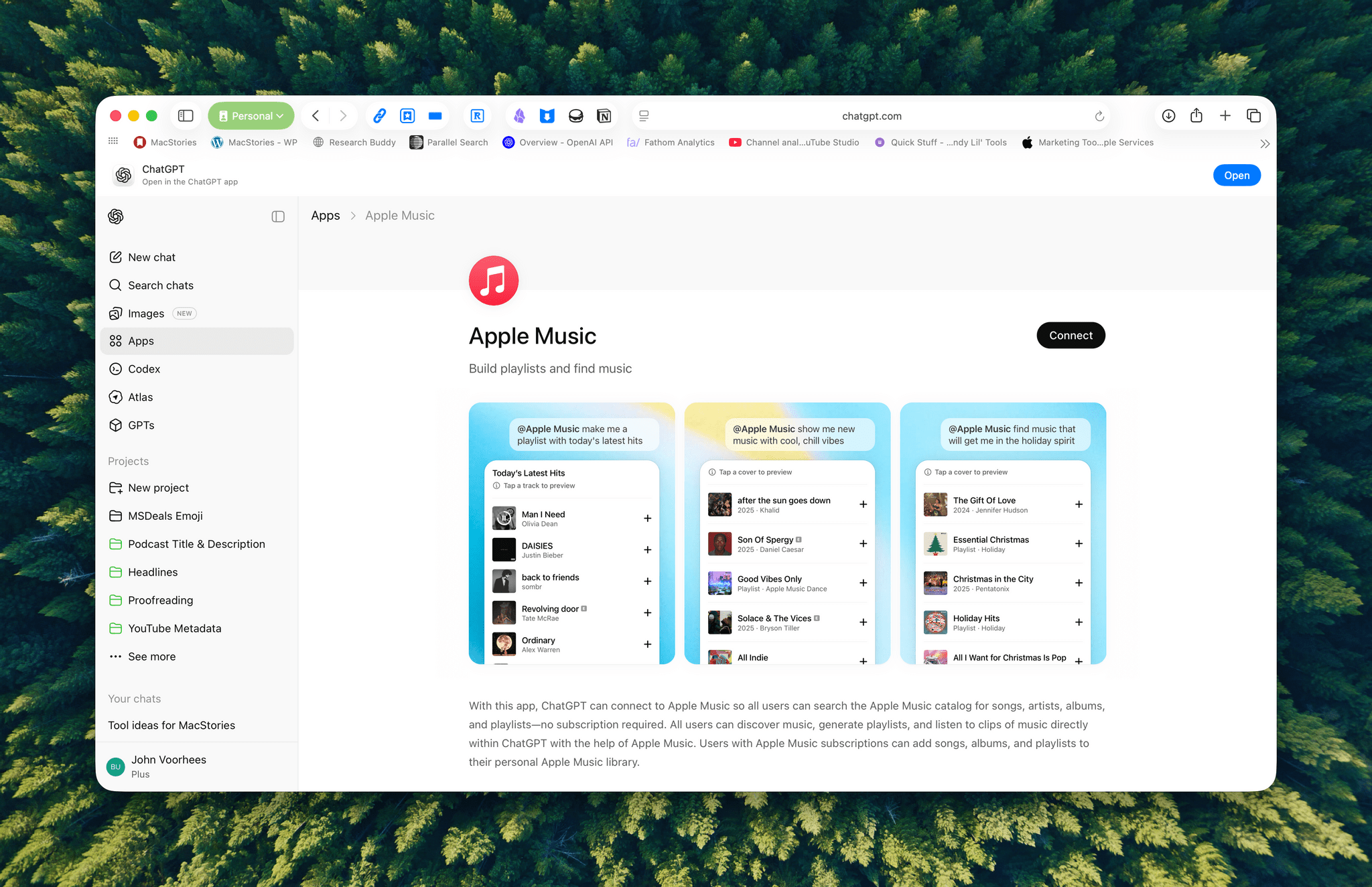
Announced earlier this year at OpenAI’s DevDay, developers may now submit ChatGPT apps for review and publication. OpenAI’s blog post explains that:
Apps extend ChatGPT conversations by bringing in new context and letting users take actions like order groceries, turn an outline into a slide deck, or search for an apartment.
Under the hood, OpenAI is using MCP, Model Context Protocol, which was pioneered by Anthropic late last year and donated to the Agentic AI Foundation last week.
Apps are currently available in the web version of ChatGPT from the sidebar or tools menu and, once connected, can be accessed by @mentioning them. Early participants include Adobe, which preannounced its apps last week, Apple Music, Spotify, Zillow, OpenTable, Figma, Canva, Expedia, Target, AllTrails, Instacart, and others.
I was hoping the Apple Music app would allow me to query my music library directly, but that’s not possible. Instead, it allows ChatGPT to do things like search Apple Music’s full catalog and generate playlists, which is useful but limited.
Currently, there’s no way for developers to complete transactions inside ChatGPT. Instead, sales can be kicked to another app or the web, although OpenAI says it is exploring ways to offer transactions inside ChatGPT. Developers who want to submit an app must follow OpenAI’s app submission guidelines (sound familiar?) and can learn more from a variety of resources that OpenAI has made available.
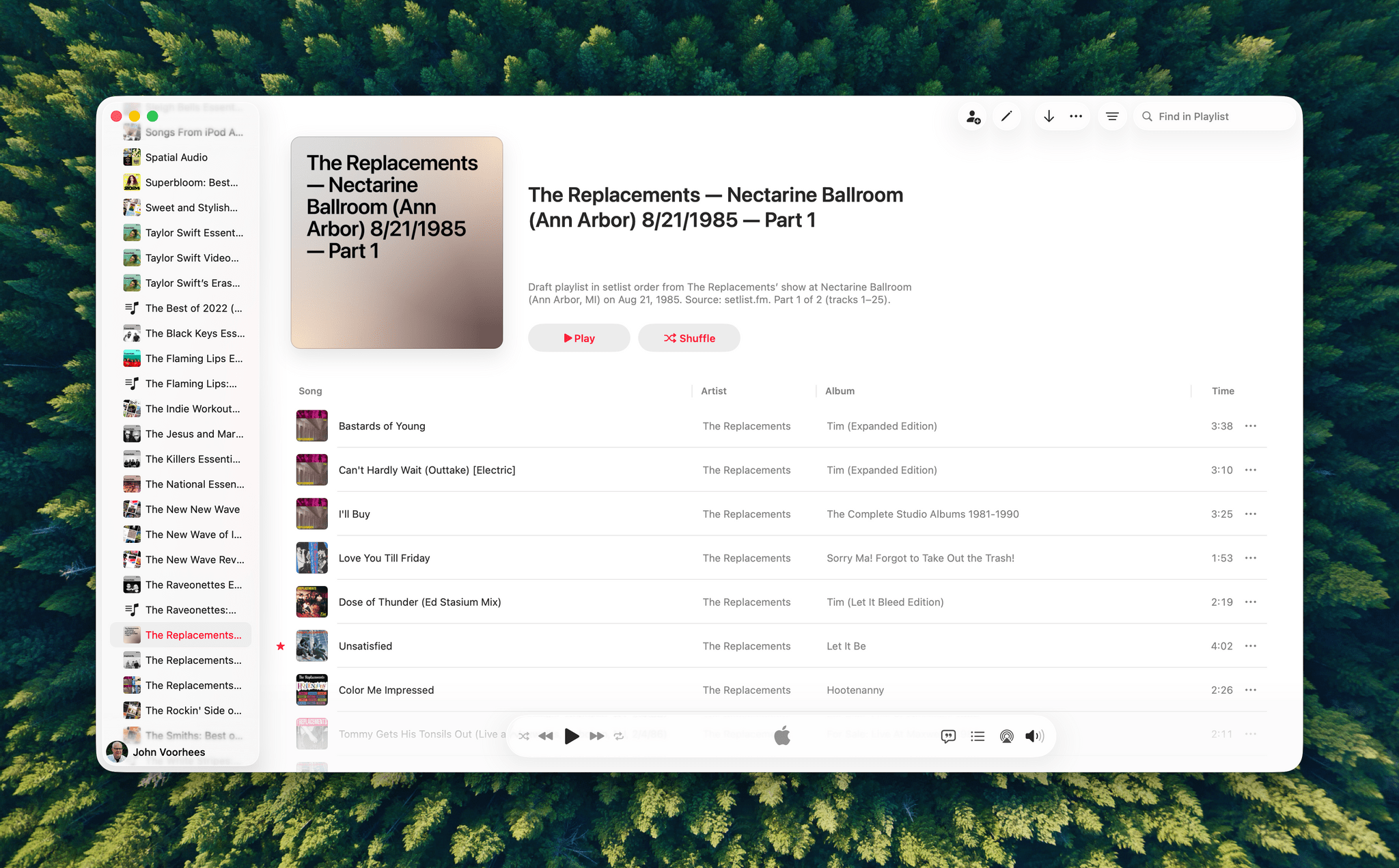
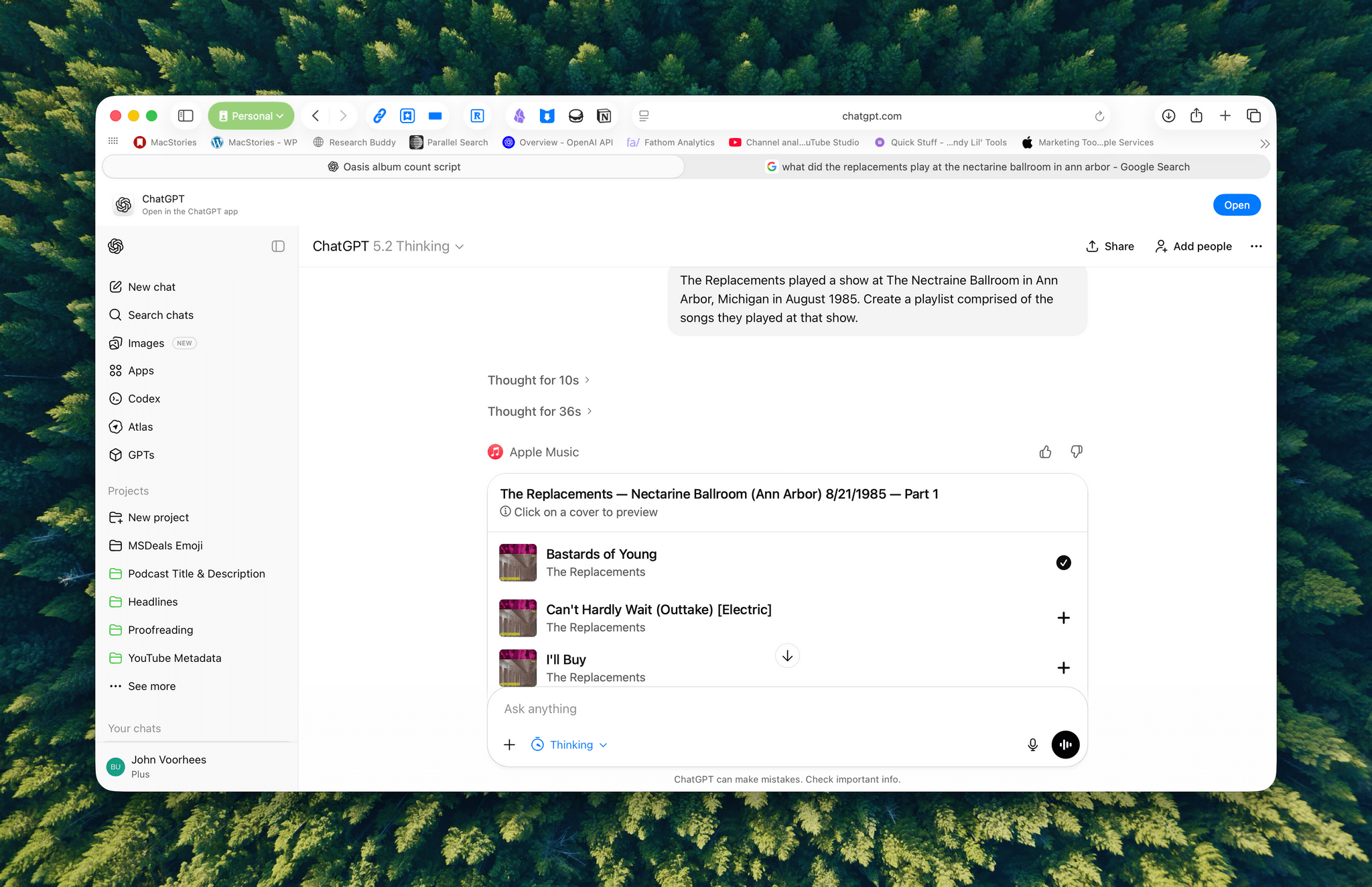
I haven’t spent a lot of time with the apps that are available, but despite the lack of access to your library, the Apple Music integration can be useful when combined with ChatGPT’s world knowledge. I asked it to create a playlist of the songs that The Replacements played at a show I saw in 1985, and while I don’t recall the exact setlist, ChatGPT matched what’s on Setlist.fm, a user-maintained wiki of live shows. I could have made this playlist myself, but it was convenient to have ChatGPT do it instead, even if the Apple Music integration is limited to 25-song playlists, which meant that The Replacements’ setlist was split into two playlists.
We’re still in the early days of MCP, and participation by companies will depend on whether they can make incremental sales to users via ChatGPT. Still, there’s clearly potential for apps embedded in chatbots to take off.
Our Final 2025 MacStories Setups Update→
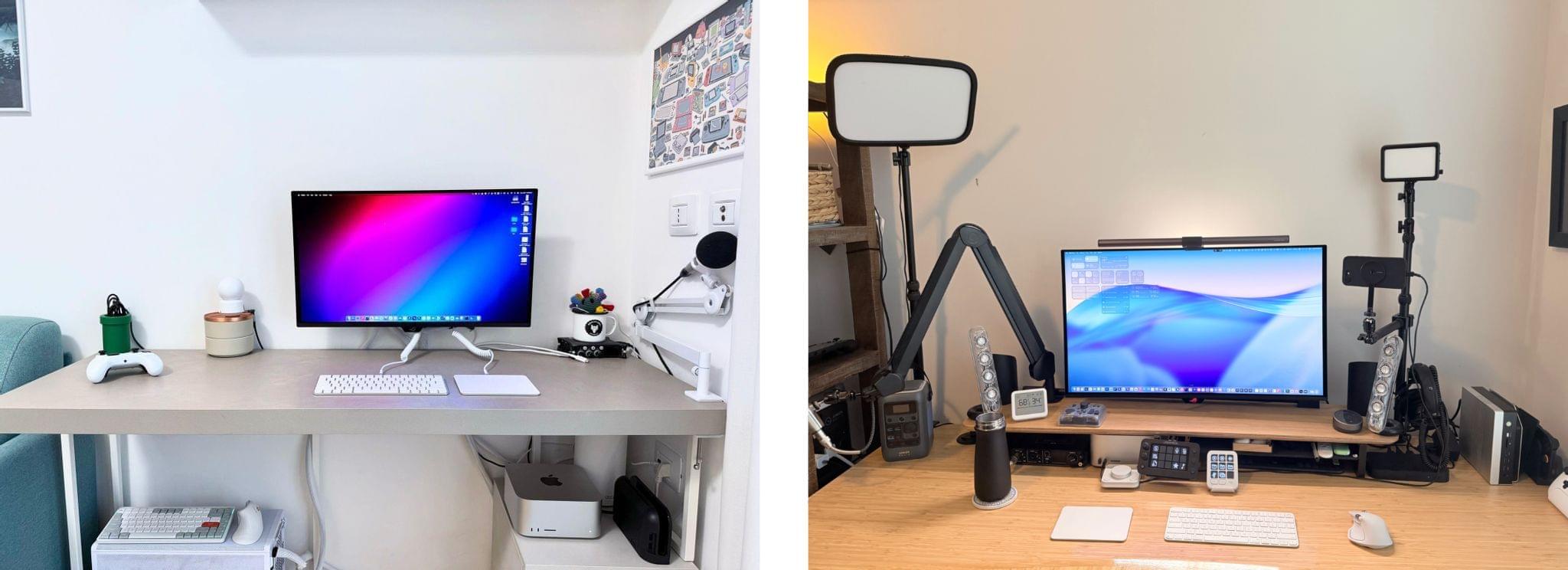
John: As 2025 comes to an end, Federico and I thought we’d cap off the year with a final update on our setups. We just went through this in November, but both Federico and I decided to take advantage of Black Friday sales to improve our setups in very different ways. Let’s take a look.
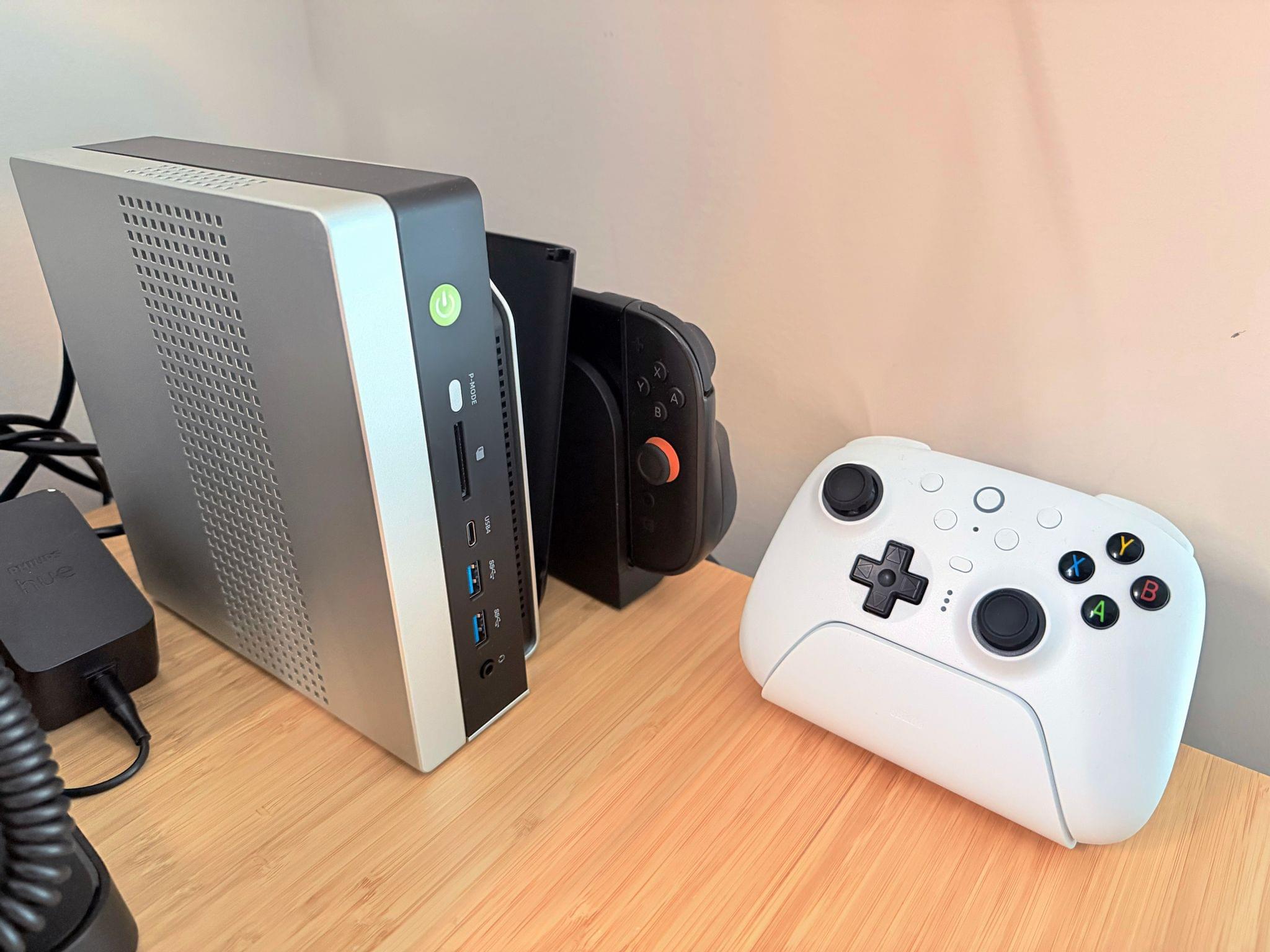
My changes were primarily to my office setup. I’ve wanted a gaming PC for a long time, but I never had a good place to set one up. The solution was to go with a high-end mini PC, the GMKtec EVO-X2, which features a Strix Halo processor, 64GB of RAM, and a 2TB SSD. It came with Windows installed, but after a few days, I installed Bazzite, an open-source version of SteamOS, which makes it dead simple to access my Steam videogame library.
Two things kept me from getting a PC earlier. The first was space, which the EVO-X2 takes care of nicely because it’s roughly the size of the Mac mini before its recent redesign.
The second and bigger issue, though, was my Studio Display. It’s an excellent screen, but it’s showing its age with its 60Hz refresh rate and 600 nits of brightness. Plus, with one Thunderbolt port for connecting to your Mac and three USB-C ports, the Studio Display is limiting. Without HDMI or DisplayPort, connecting it to other video sources like a PC or game console is nearly impossible.
So I also bought a deeply discounted ASUS ROG Swift 32” 4K OLED Gaming Monitor, which is attached to my desk using a VIVO VESA desk mount. I’d wanted a bigger screen for work anyway, and with its 240Hz refresh rate and bright OLED panel, the ASUS has been excellent. However, the ASUS display really shines when connected to my GMKtec and Nintendo Switch 2. As I covered on NPC: Next Portable Console recently, the mini PC combined with a great monitor, which also allows me to stream games to my handhelds over my local network, was the missing link in my setup, delivering a flexibility I just didn’t have before.
Along with the gaming part of my desktop setup, I updated my desktop lighting with two Philips Hue Play Wall Washer lights and a Hue Play HDMI Sync Box 8K, which casts light against the wall behind my desk that’s synced with what’s onscreen. In fact, the Sync Box 8K works with all the Hue lights in my office, allowing me to create a more immersive environment when I’m gaming.
I’ve been using a handful of other accessories lately, too, including:
- an Anker C300 battery that has the capacity of roughly nine 10,000 mAh batteries, allowing me to charge multiple devices without thinking about whether my battery has enough charge,
- the Philips Hue Bridge Pro, an updated version of the bridge that connects the Philips Hue lights throughout my house,
- Kuxiu’s clever K1 Ultra Qi 2.2 battery pack, which can charge multiple devices quickly and act as an iPhone stand,
- Native Union’s Weighter, a paperweight-like accessory for preventing cables from slipping off your desk, and
- The MOFT Dynamic Folio, an iPad case that folds into a wide variety of configurations for propping it while working.
That’s it from me for 2025, folks. Enjoy the holidays! Things will be a little quieter at MacStories over the next couple of weeks as we unwind and spend the time with family and friends over the holidays, but we’ll be back with lots more before long.
Federico: For this final update to my setup before the end of the year, I focused on two key areas: audio and my living room TV setup.
The biggest – literally – upgrade for me this month has been switching from my previous LG 65” TV to a flagship LG G5 77” model. I’d been keeping an eye on this TV for a while: it’s LG’s first model to use Tandem OLED technology, and it boasts higher brightness in both SDR and HDR with reduced reflections thanks to the new panel. I took advantage of an incredible Black Friday deal in Italy to buy it at 50% off, and we love it. The TV rests almost flush against the wall thanks to its compact design, but since it’s not completely flush, it allowed us to re-install our Philips Hue Gradient Light Strip behind it. Since I was in a renovation mood and I also wanted to future-proof my setup for the Steam Machine in 2026, I also upgraded to a Hue Bridge Pro and replaced my previous Hue Sync Box with the latest 8K edition that is certified for HDMI 2.1 connections. Speaking of gaming: as I discussed this week on NPC, I got a Beelink SER9 Pro mini PC and installed Bazzite on it to get a taste for SteamOS in the living room; this one will eventually be replaced by a more powerful Steam Machine.
The other area of improvement was audio. I recently realized that I wanted to fully take advantage of Apple Music and Spotify’s support for lossless playback with wireless headphones, which is something that, alas, Apple’s AirPods Max do not support. So after much research, I decided to treat myself to a pair of Bowers & Wilkins Px8 S2, which are widely considered some of the best Bluetooth headphones that you can buy right now. But you may be wondering: how do you even connect these headphones to Apple devices that do not support Qualcomm’s aptX Lossless or Adaptive codecs? That’s where the BT-W6 Bluetooth dongle comes in. In researching this field, I came across this relatively new category of small Bluetooth adapters that plug into an iPhone’s USB-C port (they work on a Mac or iPad, too) and essentially override the device’s built-in Bluetooth chip. Once headphones are paired with the dongle rather than the phone, wireless streaming from Apple Music or Spotify will use aptX Lossless instead of Apple’s legacy SBC protocol. The difference in audio quality is outstanding, and it makes me appreciate the Px8 S2 for all they have to offer.
While I was at it, I also took advantage of another deal for a Sonos Move 2 portable speaker; we’ll have to decide whether this one will be permanently docked on my desk or next to a record player that Silvia is getting me for Christmas. (We don’t like surprises for each other, especially when it comes to furniture-adjacent shopping.)
So that’s my update before we go on break for a couple of weeks. I can already feel that, when I’m back, I’ll have some changes to cover on the software front. But we’ll talk about those in 2026.
Two Months with the Narwal Freo X10 Pro
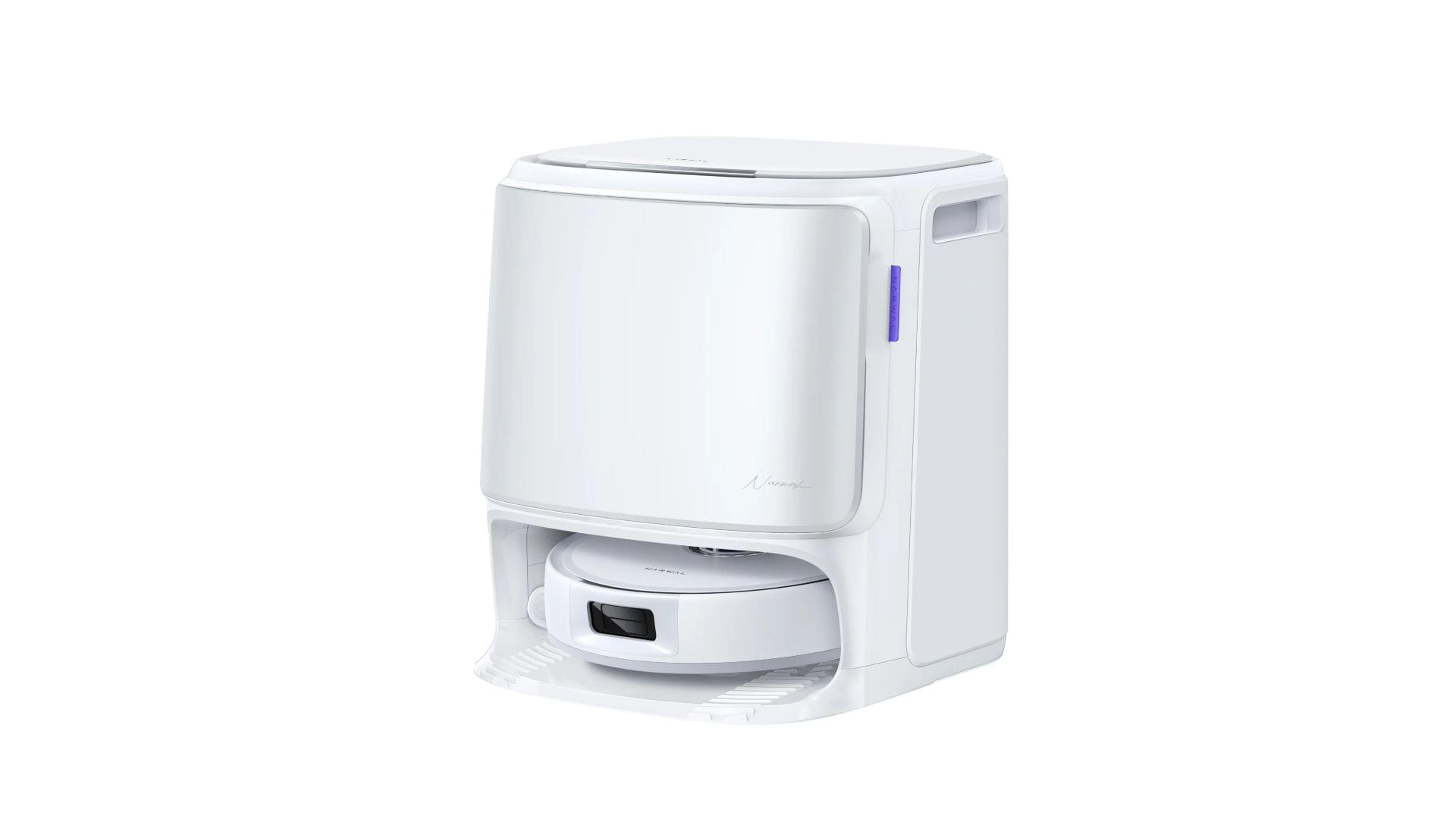
In the depths of the pandemic, I bought an iRobot Roomba j7 vacuum. At the time, it was one of the nicer models iRobot offered, but it was expensive. It did a passable job in areas with few obstacles, but it filled up fast, had a hard time positioning itself on its base and frequently got clogged with debris, requiring me to partially disassemble and clean it regularly. The experience was bad enough that I’d written off robot vacuums as nice-to-have appliances that weren’t a great value.
So, when Narwal contacted me to see if I wanted to test its new Freo X10 Pro, I was hesitant at first. However, I’d seen a couple of glowing early reviews online, so I thought I’d see if the passage of time had been good to robo-vacuums, and boy has it. The Narwal Freo X10 Pro is not only an excellent vacuum cleaner, but a mopping champ, too.
MacStories Selects 2025: Recognizing the Best Apps of the Year
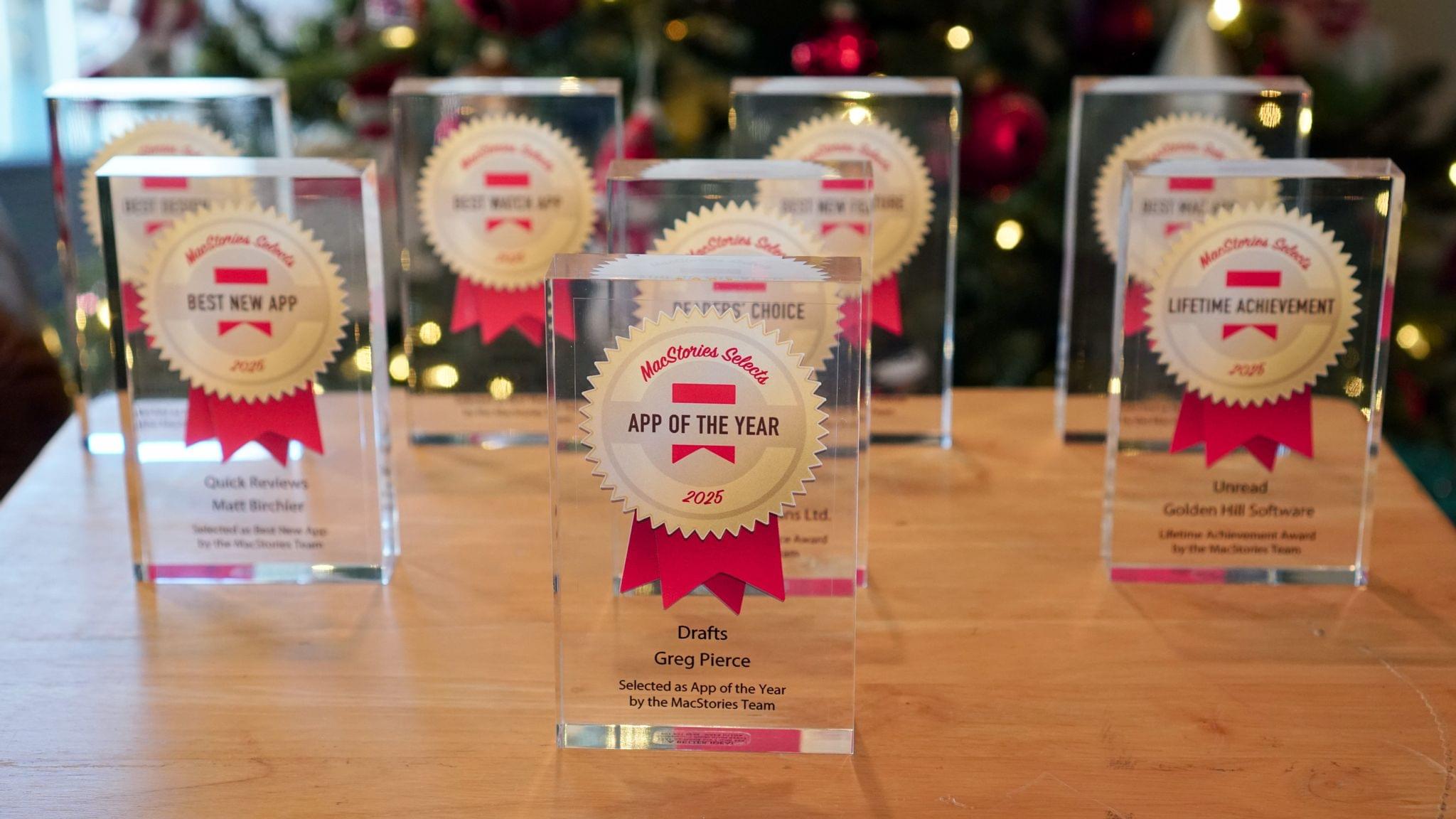
John: 2025 was a different sort of year for apps, which is reflected in this year’s MacStories Selects Awards winners. App innovation comes from many places. Sometimes it’s new Apple APIs or hardware, and other times it’s broader shifts in the tech world.
Last year was marked by a series of App Store changes in the EU, U.S., and elsewhere that have begun to reshape the app landscape. The updates have been slow to roll out and have been met with resistance from Apple, but we’re starting to see policy updates, like developers’ ability to offer web-based purchases, translate into new business models, expanding the kinds of apps that are available.
Political and regulatory pressures on Apple continued to affect the apps we use this year, too, but the lion’s share of the change we saw in 2025 came from more traditional sources. This year, it was great to see a surge in app innovation sparked by Apple Intelligence and other AI services, the Liquid Glass design language, and other new APIs and features from Apple. The result has been a broad-based acceleration of app innovation that we expect to continue into 2026 and beyond. But before looking ahead to what’s next, it’s time to pause as we do each year to reflect on the many apps we tried in 2025 and recognize the best among them.
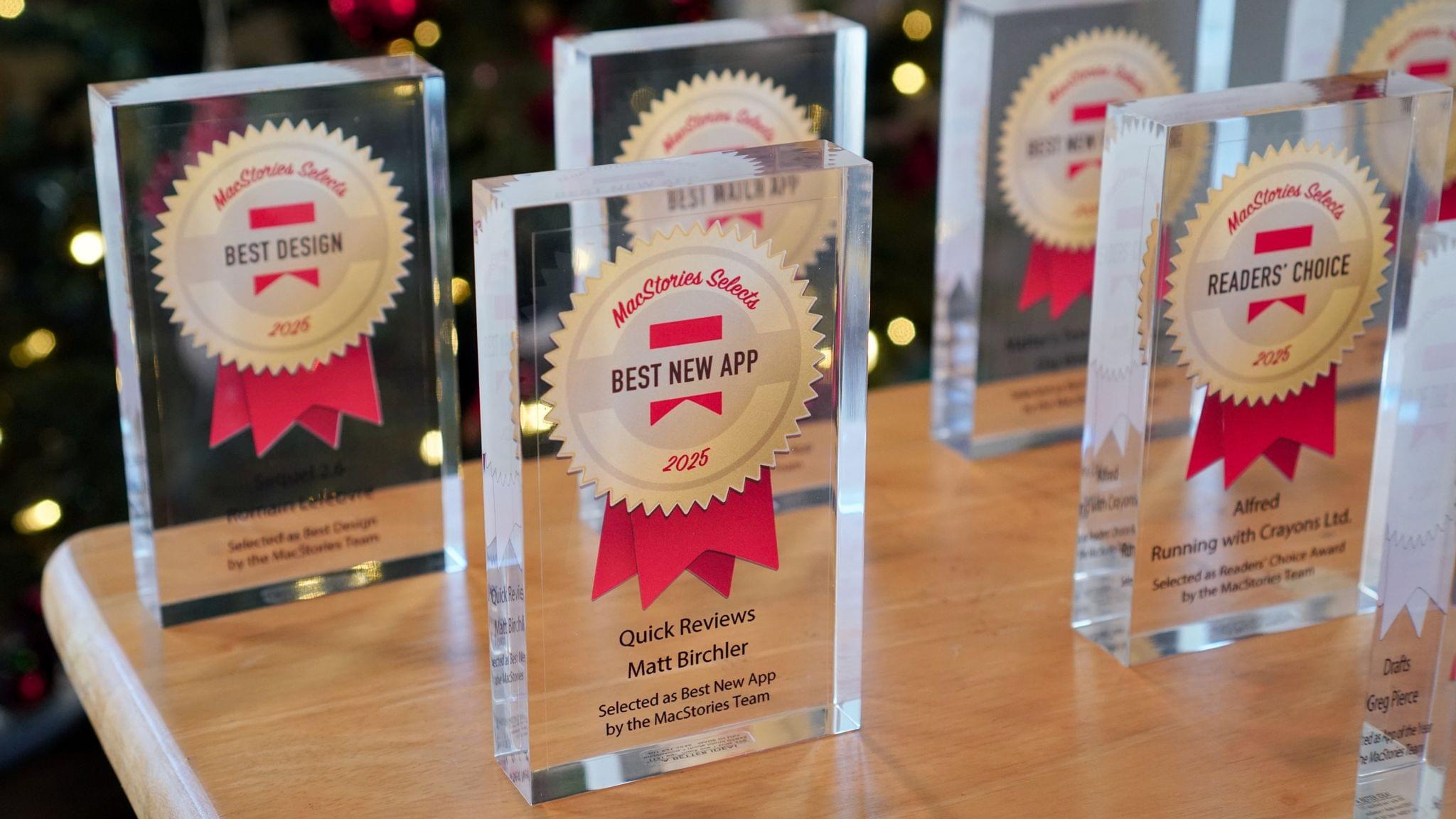
This year, the MacStories team picked the best apps in six categories:
- Best New App
- Best New Feature
- Best Watch App
- Best Mac App
- Best Design
- App of the Year
Club MacStories members were part of the selection process, too, picking the winner of the MacStories Selects Readers’ Choice Award. And as we’ve done in the past, we also named a Lifetime Achievement Award winner that has stood the test of time and had an outsized impact on the world of apps. This year’s winner, which joins past winners:
- Transit
- Pixelmator
- PCalc, and
- Drafts
is the subject of a special story that Federico wrote for the occasion.
As usual, Federico and I also recorded a special episode of AppStories covering all the winners and runners-up. It’s a terrific way to learn even more about this year’s honorees.
You can also listen to the episode below.






And with that, it’s our pleasure to unveil the 2025 MacStories Selects Awards.