When Apple launched the iPhone in 2007, Google was a partner and not a competitor. Apple’s Maps, with data supplied by Google, was famously demoed by Steve Jobs when he searched for nearby Starbucks establishments and made a prank phone call with a tap of his finger. When Apple unveiled their iPad three years later in 2010, Steve Jobs was equally delighted to show off Maps, as he pinched the display to get a bigger overhead view of the Eiffel tower.
Initially, Maps was a simple mobile companion to Google Maps. Standard, hybrid, and satellite views were there, as was the ability to show traffic congestion and get driving directions between two locations of interest. It wasn’t until just over a year later with iOS 2.2 that Maps was improved with walking directions, public transit information, and street view. On the iPad, a terrain view was added. Alternate routes for directions came later in iOS 5 alongside estimated time of arrival and the ability to print directions via AirPrint. Over time, it became a robust Maps application that was better than Google Maps on the web.
What Apple did with Google Maps was pretty incredible when it was first introduced with the iPhone and later on the iPad. In contrast to using sliders and buttons on the web, Apple demonstrated that maps could be intuitive to navigate with just your fingertips. Panning around a map with your finger, tapping on search results to pull up business information, and navigating the world with Street View simply felt right on a touchscreen. Google provided often accurate search results and map data, while Apple provided a delightful interface to show their world through.
Today, using maps on our smartphones to find our way is an everyday habit. Frequent fliers rely on their smartphones to find their way in new locales, while city dwellers actively use smartphones to request public transit information. The convenience offered by our smartphones makes it possible for us to actively plan our days around city schedules, plan road trips, and get directions to a business for an all important interview. Beyond Apple’s Maps, companies like TomTom, Garmin, and Navigon added to the iPhone’s capabilities by providing real-time navigation and voice-guided directions through apps from the App Store. Yet competitors, such as Android with Google Maps and Google Maps Navigation, and Windows Phone 7 with Bing Maps and Nokia Drive, were offering GPS navigation on their ecosystems for free. For iOS 6, the missing piece to be filled-in for Apple’s Maps would have to be such a feature.
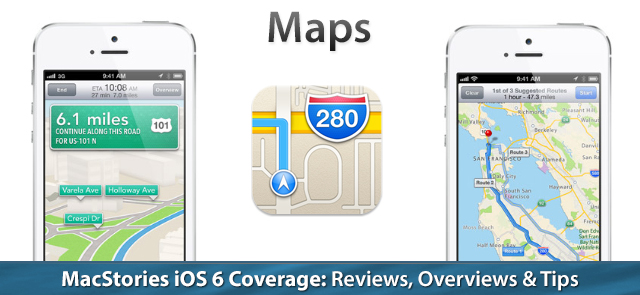
In iOS 6, Apple’s Maps is a headlining feature. During this year’s WWDC 2012 Keynote on June 11th, turn-by-turn navigation was showcased for Apple’s brand new Maps application in concert with the display of real-time traffic conditions. Apple added interactive 3D views and Flyover to select cities, giving maps a 3rd dimension on top of a traditional satellite view. As impressive as Apple’s demonstrations were, the most interesting feature are Apple’s new vector based maps, completely redesigned “from the ground up” as a replacement for Google’s Map data.