Siri AI is coming to spatial computing, but that’s not all Apple announced for visionOS 27 during yesterday’s WWDC keynote. Vision Pro users have new capabilities and platform improvements to look forward to this fall, too, and we’re going to dive into all of it.
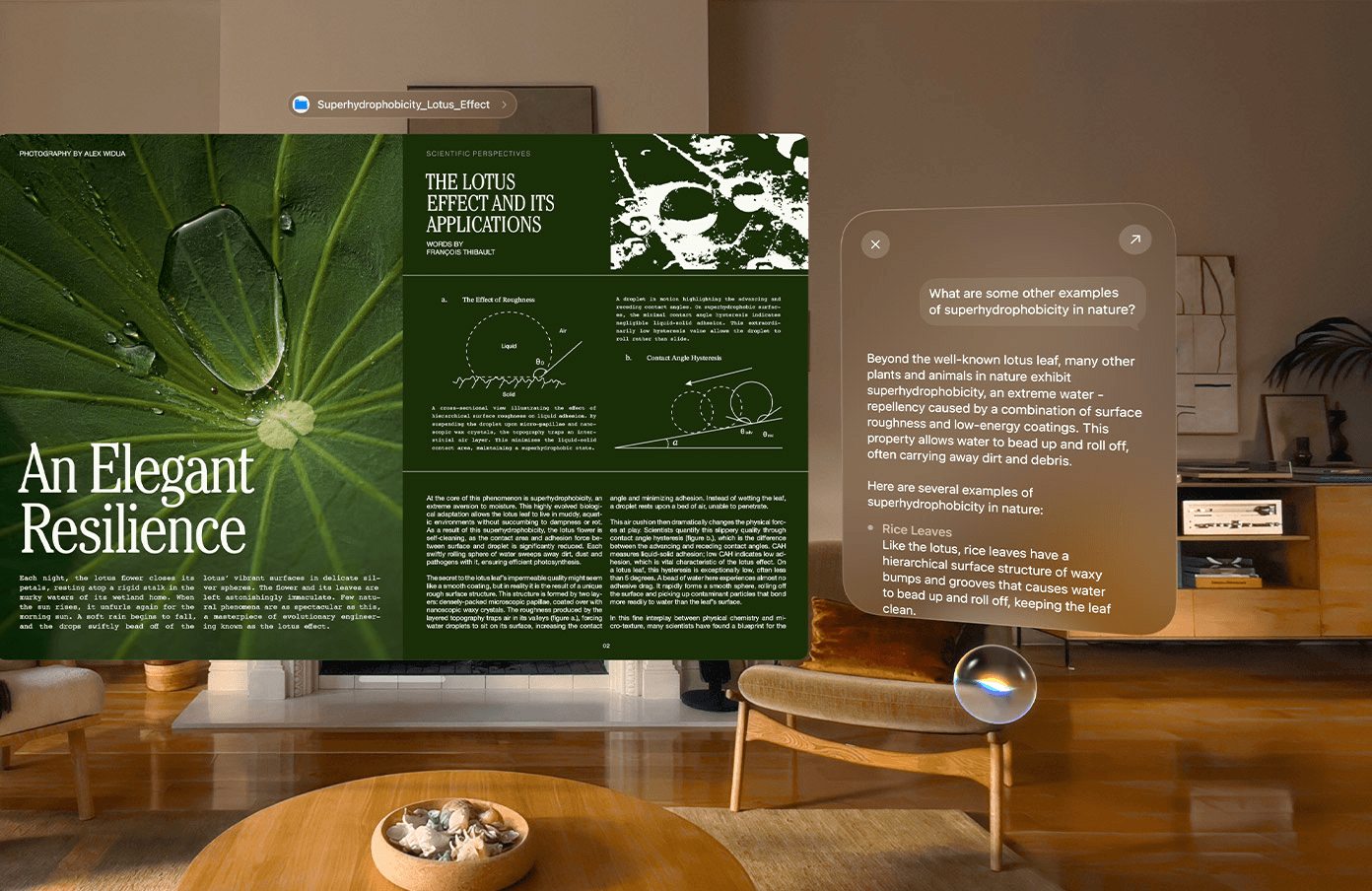
Let’s start with Siri AI, which exists as a floating, semi-translucent orb that you can place anywhere within your environment. It’s the strongest taste of the Liquid Glass style we’ve gotten so far in visionOS, and it makes for some fascinating interaction methods. Rather than using a trigger phrase or a gesture, you can activate Siri simply by looking at it and talking. As on Apple’s other platforms, you can have back-and-forth conversations with Siri and make use of its personal context awareness, world knowledge, and app actions.
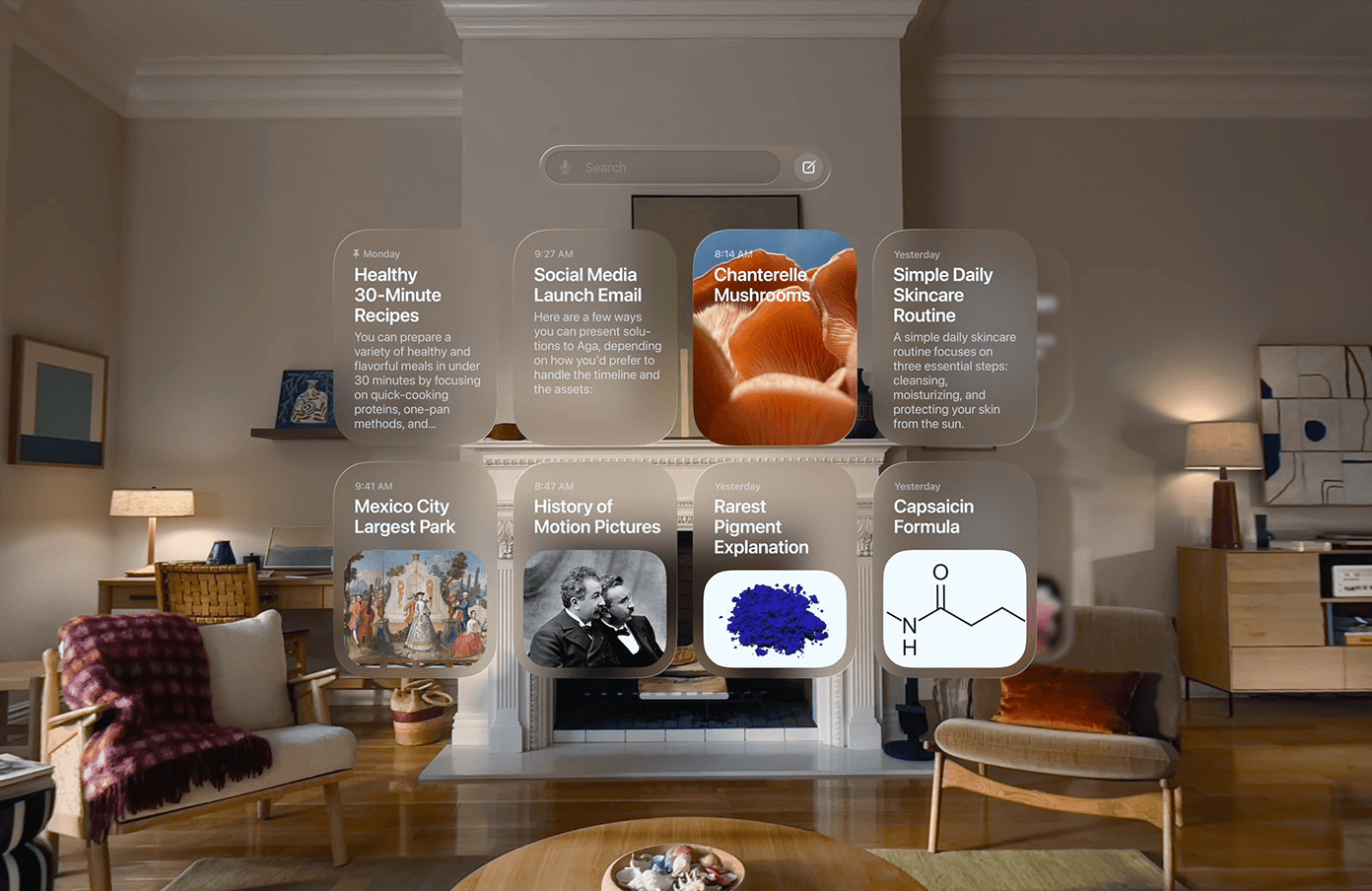
Conversations are stored and synced in the Siri app, where you can pick back up on any previous chats you’ve had with the assistant, even if they took place on another device. You can also use Visual Intelligence to ask Siri about content in a virtual window or objects in your real-world environment. Siri AI sees what you see.
Write with Siri, Safari tab organization, and other Apple Intelligence features are also coming to visionOS 27. You can read our full write-up of those features for all the details. It is worth noting that the M2 Vision Pro is not capable of running Apple’s latest on-device model, so the adjustable Siri voices and improved dictation features that rely on that model will only be available on the M5 version.
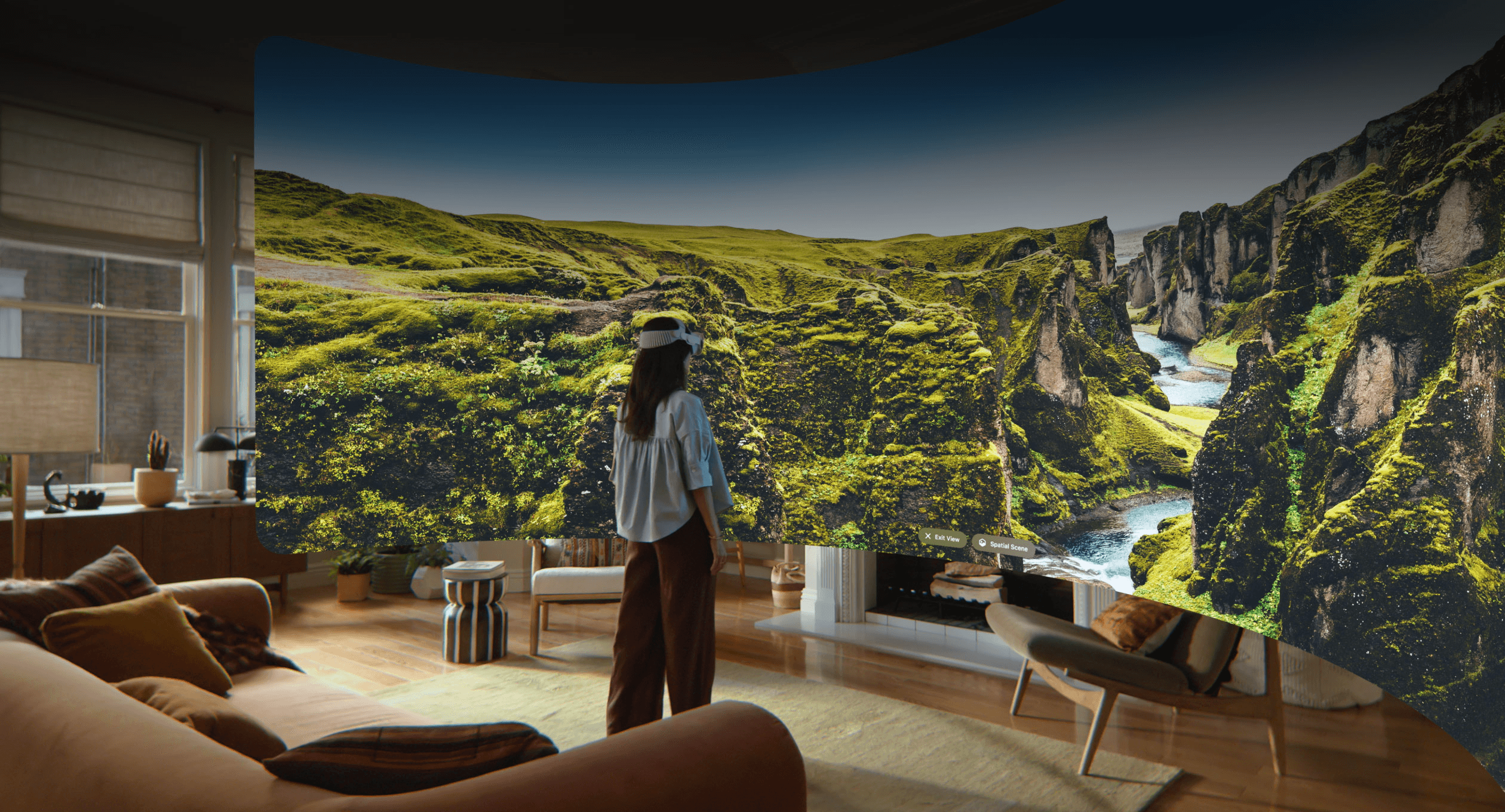
Besides AI, visionOS 27 offers a lot in terms of spatial experiences and features. There’s a beautiful new Environment that takes you to Thórsmörk in Iceland, complete with a night mode featuring the aurora borealis. And for fans of panoramic photos on Vision Pro, you can now convert your own panoramas into spatial scenes and use them as custom Environments. Like any other Environment, the panorama curves around you and adds depth, giving the impression that you’re really in another location.
More apps can now offer curved windows, too. Safari, Freeform, and the TV app’s Multiview feature can now arc around your position for more comfortable viewing at larger sizes.
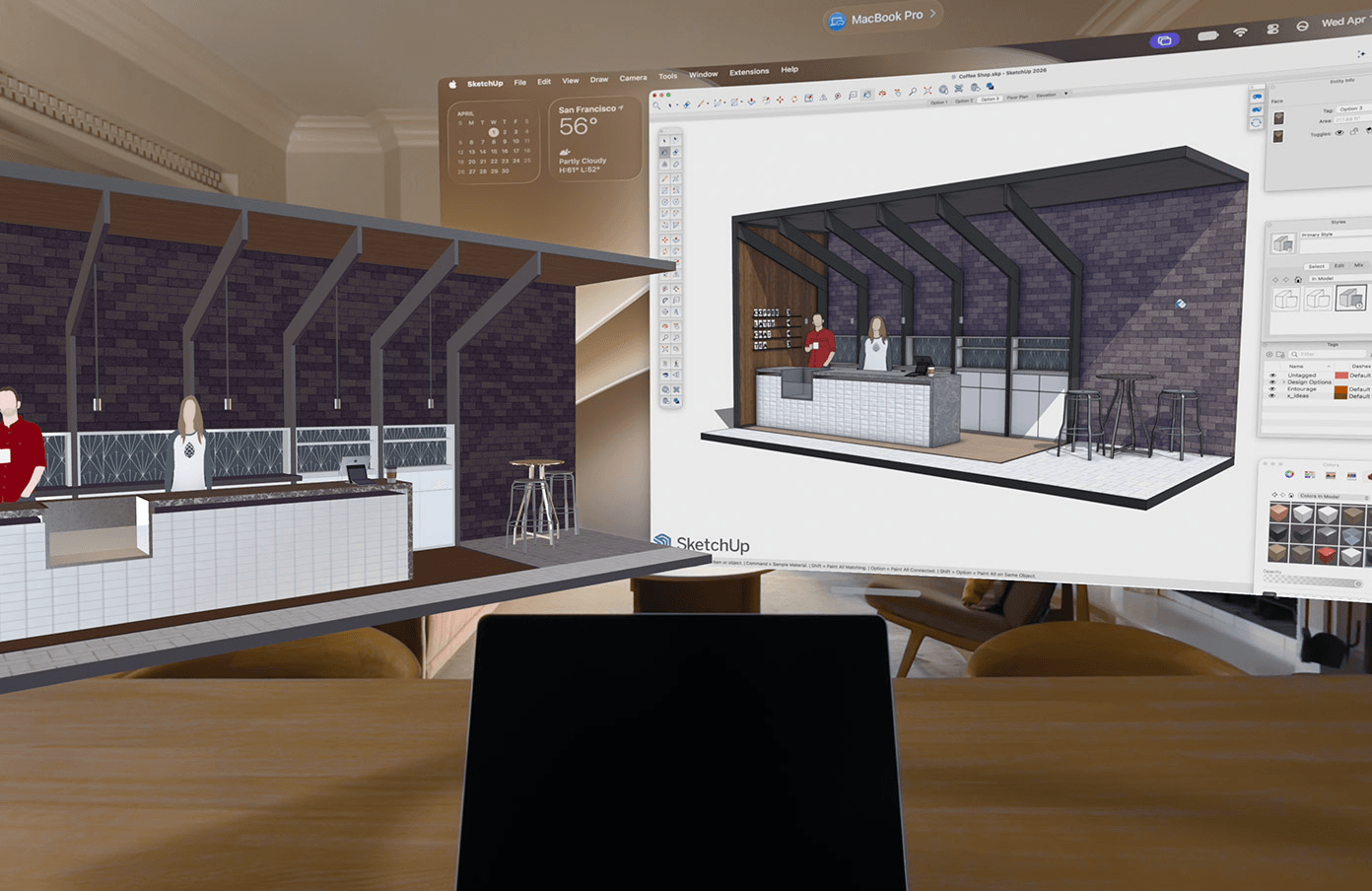
Quick Look offers new features for viewing 3D objects in your environment, including the ability to override materials to view wireframes and add feedback for teammates with annotations. The new Spatial Preview framework allows you to preview 3D objects created on your Mac directly in your environment with real-time updates, a perfect complement to Mac Virtual Display.
Speaking of Mac Virtual Display, visionOS 27 includes a widget you can place anywhere to instantly connect to your Mac. Spatial widgets also come in a new extra-small size.
Notifications are getting an overhaul this year. In visionOS 27, you can preview a notification by looking at it, then expand it to take action, such as replying to a message. Notifications sync more reliably across devices to keep information fresh, and messages sync between devices more quickly, too.
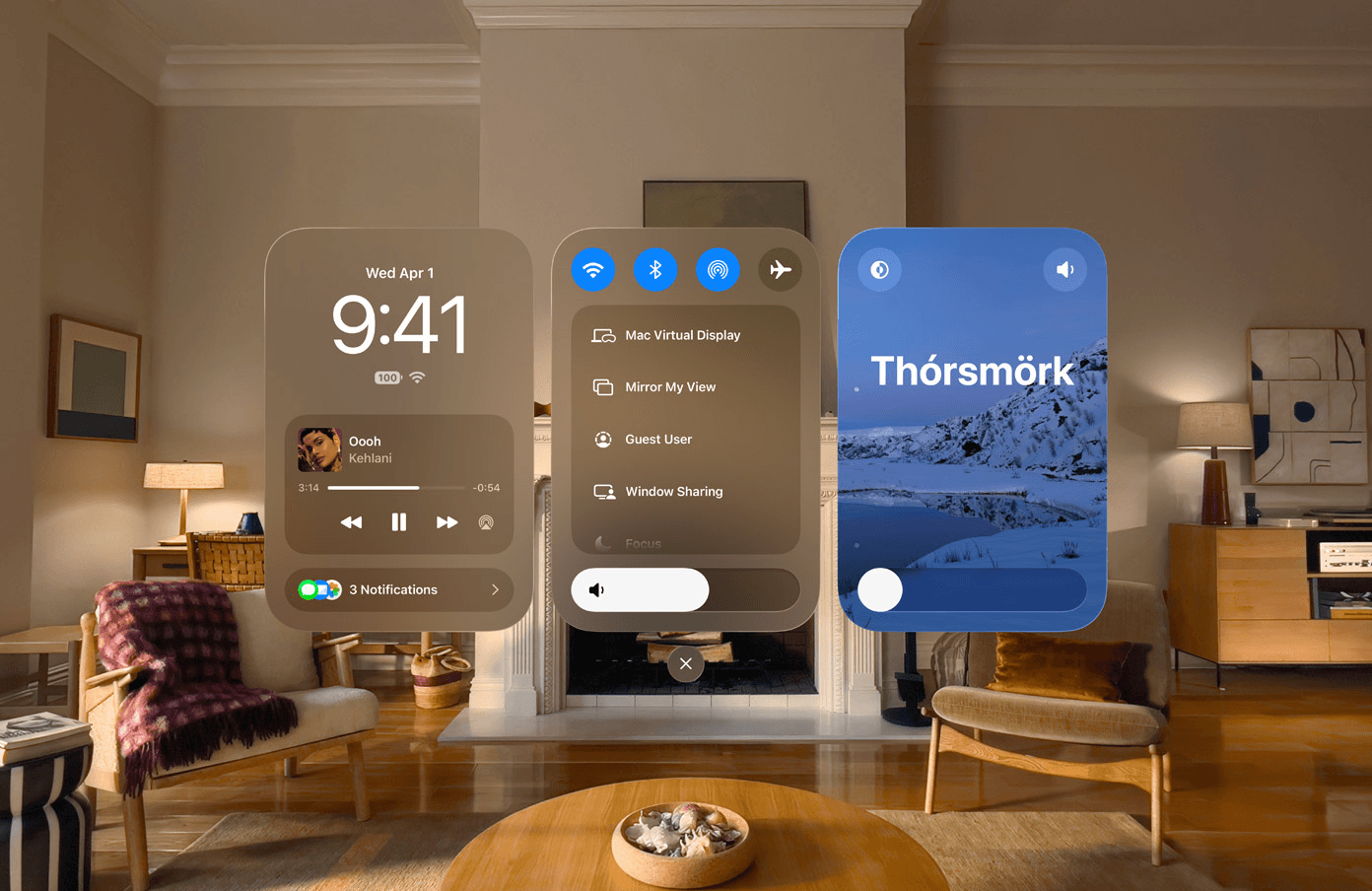
Control Center has been redesigned with a three-pane layout. The time, date, Now Playing, and notifications live in the left pane, core controls are in the center, and Environment controls are on the right. Users can now capture high-quality, unfoveated screen recordings up to three minutes long on device. And as part of Apple’s platform improvement effort, the company has made Vision Pro connect to Wi-Fi up to three times faster than before.
Between AI advancements in step with Apple’s other platforms, new spatial experiences, and continued iteration of key OS elements like notifications and Control Center, visionOS 27 has a lot to offer Vision Pro users. Turning panoramas into Environments is going to be especially popular, I think, and I’m already planning where I want to put my Siri orb. We’ll have all summer to test out the system and form impressions, so stick around, but based on what Apple has previewed, I’m excited about visionOS 27.
visionOS 27 will be released publicly this fall, with Siri AI coming later this year. A developer beta is now available.
You can follow all of our WWDC coverage through our WWDC 2026 hub or subscribe to the dedicated WWDC 2026 RSS feed.