

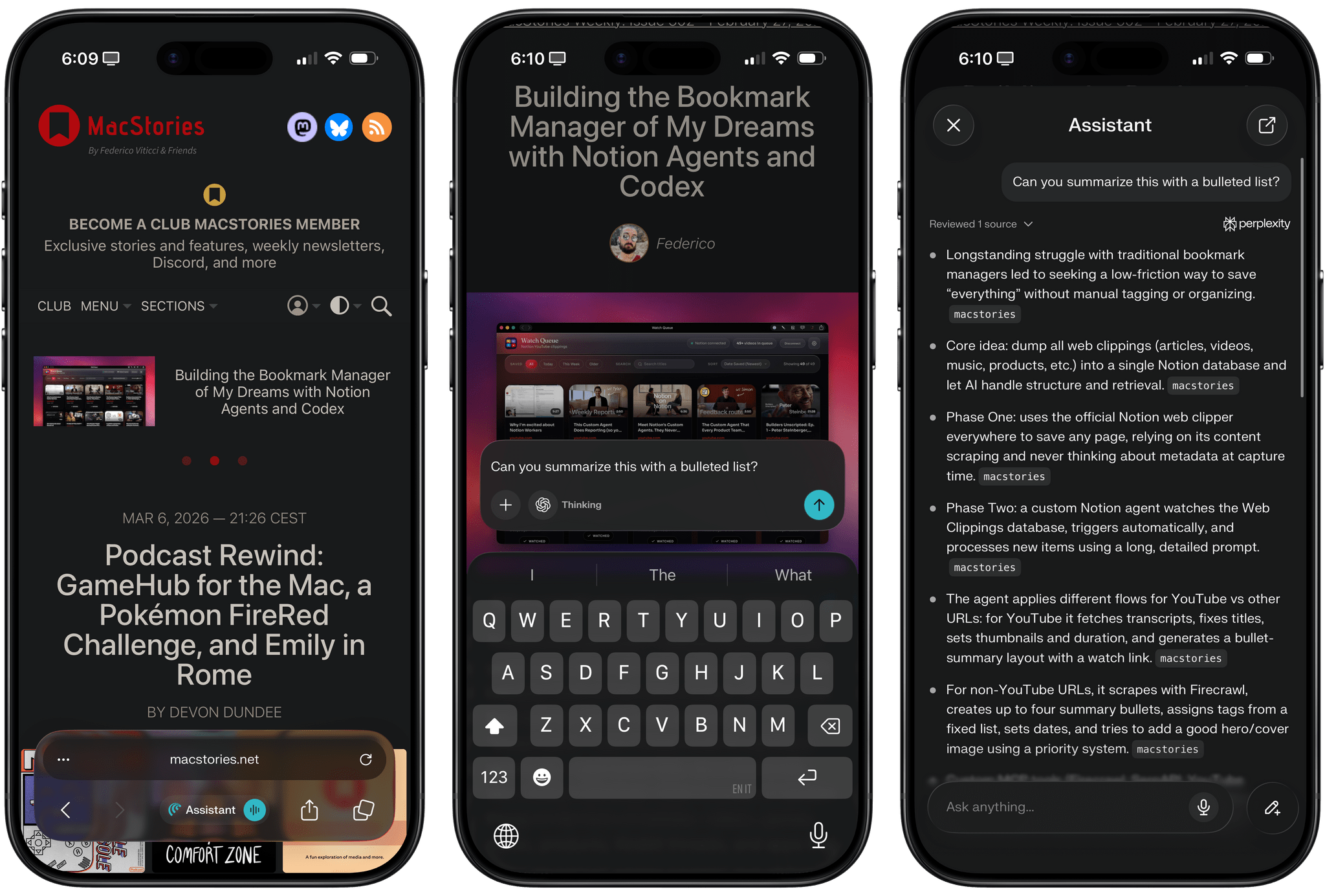
[Update: Perplexity has released an iPad version of Comet alongside the iPhone version, which you can install using the same App Store links below. However, because it wasn’t part of the TestFlight version of the app that we tested, we were unaware that it was launching with the iPhone version.]
For the past three weeks, I’ve been testing Comet, Perplexity’s cross-platform agentic web browser, on my iPhone Air. The iOS version of Comet, launching today on the App Store and (sadly) lacking an iPad counterpart, follows the expansion of Comet from macOS to Windows and Android devices, and it carries the inherent limitations of Apple’s platform. Comet for iOS is based on Safari’s WebKit engine; you cannot install third-party browser extensions due to iOS sandboxing restrictions; you can make Comet your default iOS browser, but in-app web views in third-party apps will still open with Safari View Controller, not Comet. By and large, Comet on iOS is a skin of Safari, but for the first time since the debut of Arc Search on iPhone two years ago (R.I.P.), I’m actually excited about an alternative to Safari on iOS once again.
You may not like Perplexity – we certainly gave the company our fair share of criticism over the years, as did many others – but it’s undeniable that they’ve been trying to rectify their past behavior and collaborating with web publishers more. Something else is also true: the Perplexity team has great design skills, and they know how to craft and ship appealing products such as a voice assistant on iOS and, more recently, Perplexity Computer (which we’ll cover on AppStories soon).
I’m a fan of Perplexity’s visual aesthetic and approach to orchestrating multiple models, as well as its support for multiple platforms. That aspect immediately removed one of the biggest roadblocks I typically encounter whenever I want to consider a new web browser: since I’m already using Comet on Mac, Android, and Windows, the app’s onboarding on iOS was just a matter of logging into my Perplexity account and joining the “sync chain” that synced my bookmarks, history, and user account data with the other instances of Comet.
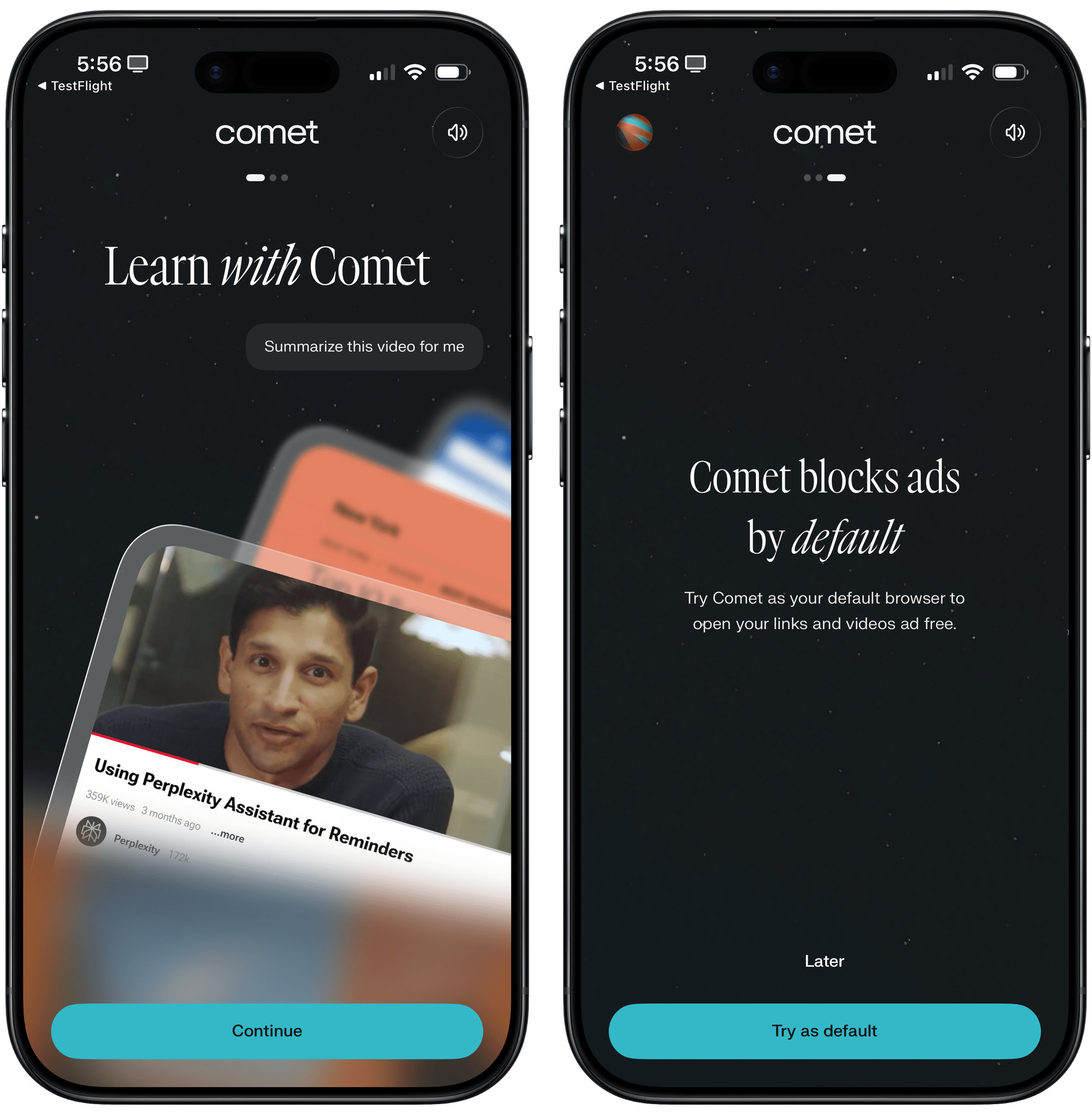
Comet’s onboarding is very similar to the desktop flow, and it also comes with a built-in ad blocker to make browsing the web less horrible.
When you first launch it, you’ll notice that Comet for iOS looks very similar to the latest version of Safari for iOS 26 with its “regular” bottom address bar mode, with a key difference: right in the middle of the lower half of the address bar, there’s a prominent ‘Assistant’ button that lets you invoke the browser’s built-in assistant to either ask questions about your tabs or perform actions across them. (More on this later.) If you tap carefully on the right side of the Assistant button, you can open Comet’s voice assistant, which is powered by the latest OpenAI realtime voice API for agents and lets you have inline conversations about the webpage you’re viewing in Comet.
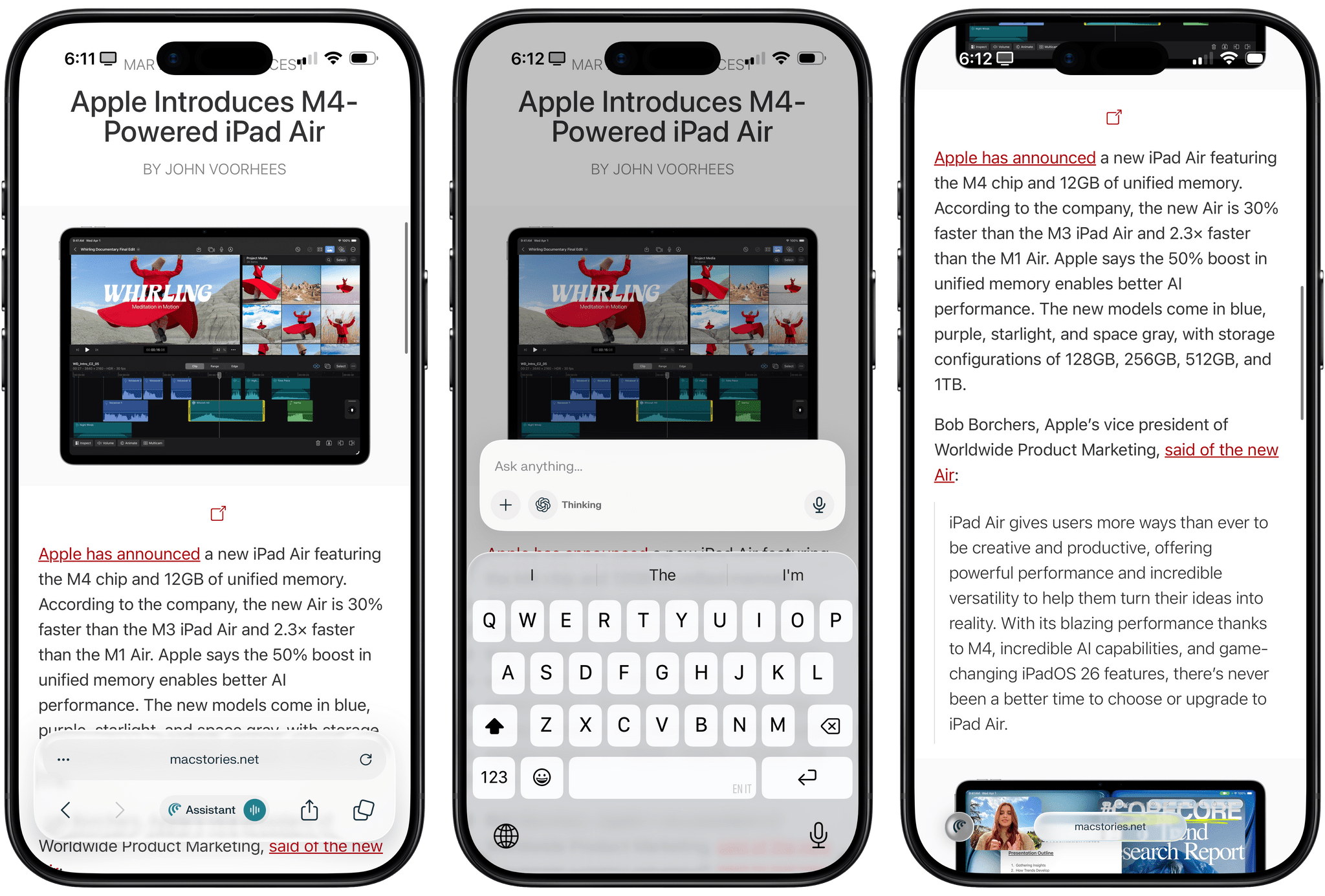
The assistant and the integration with your Perplexity account in addition to other instances of Comet on other platforms are the most interesting parts of the debut of Comet on iOS. Before I get to those, however, I need to point out the things that aren’t here at launch. As I mentioned above, there is no iPad version of Comet yet, which is a shame, but the fact that Perplexity is one of the few companies who still care about native iPadOS experiences gives me comfort and makes me optimistic about what they’re preparing.
Second, Comet continues the unfortunate tradition started by Chrome for iOS and followed by other browsers that, for some reason, do not prioritize your bookmarks and feature a barebones start page. When I tap on the address bar in Safari for iPhone, I can see my Favorites at the very top for quick access to frequently visited websites, followed by iCloud tabs, suggestions, recently closed tabs, and other sections that I can customize in Safari’s preferences. Conversely, Comet – just like Chrome for iOS before it – makes it way too hard to access your favorites (which would be the “bookmarks bar” on desktop) and doesn’t let you customize the new tab page at all.
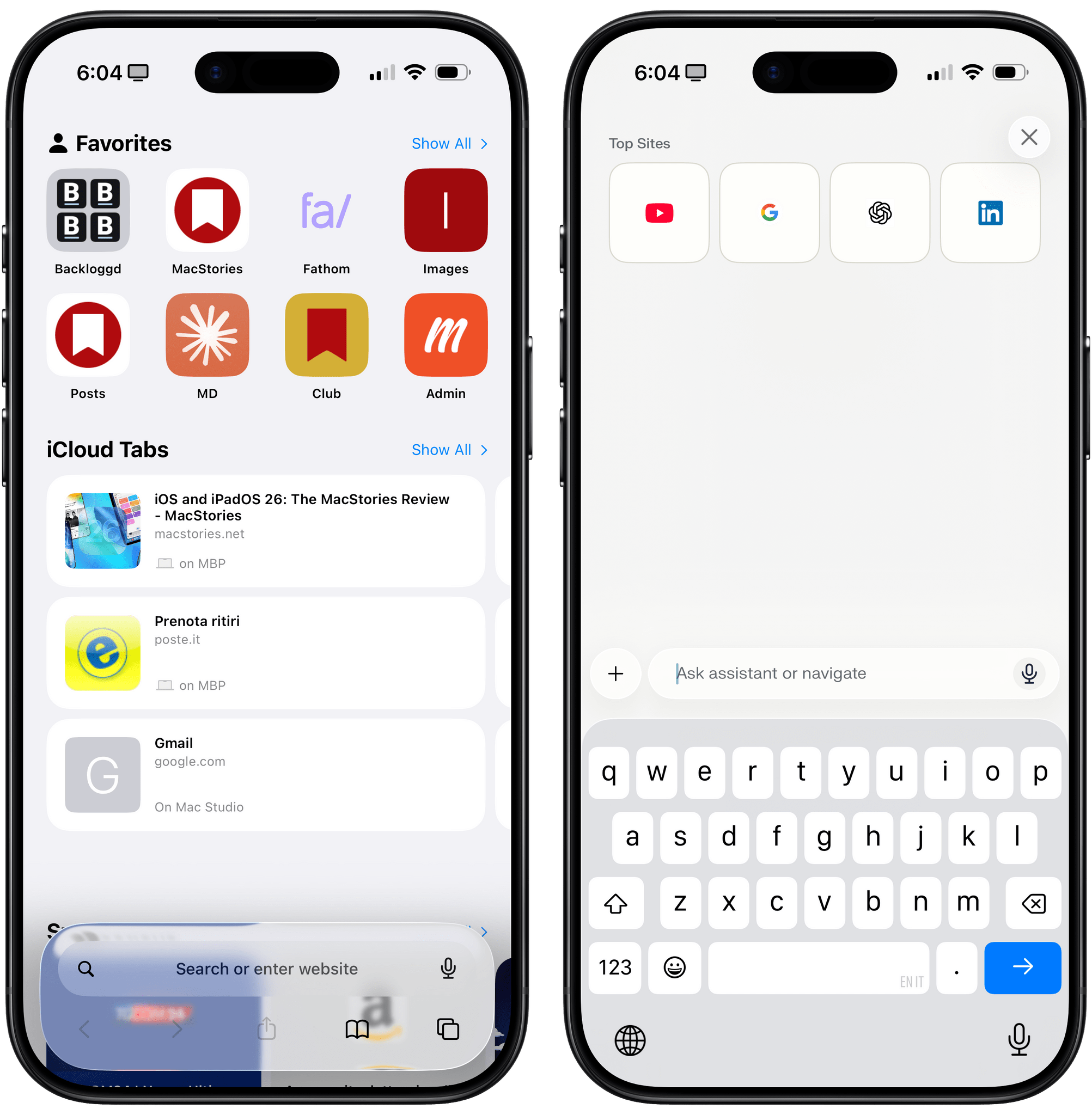
I understand that Perplexity’s focus is on search and agentic features, but just as Comet on desktop is a mature browser with more traditional features, so the iPhone version deserves a faster way to access bookmarks and navigate to your top sites. Hopefully, the Perplexity team will be able to follow in Apple’s design footsteps here rather than Google’s.
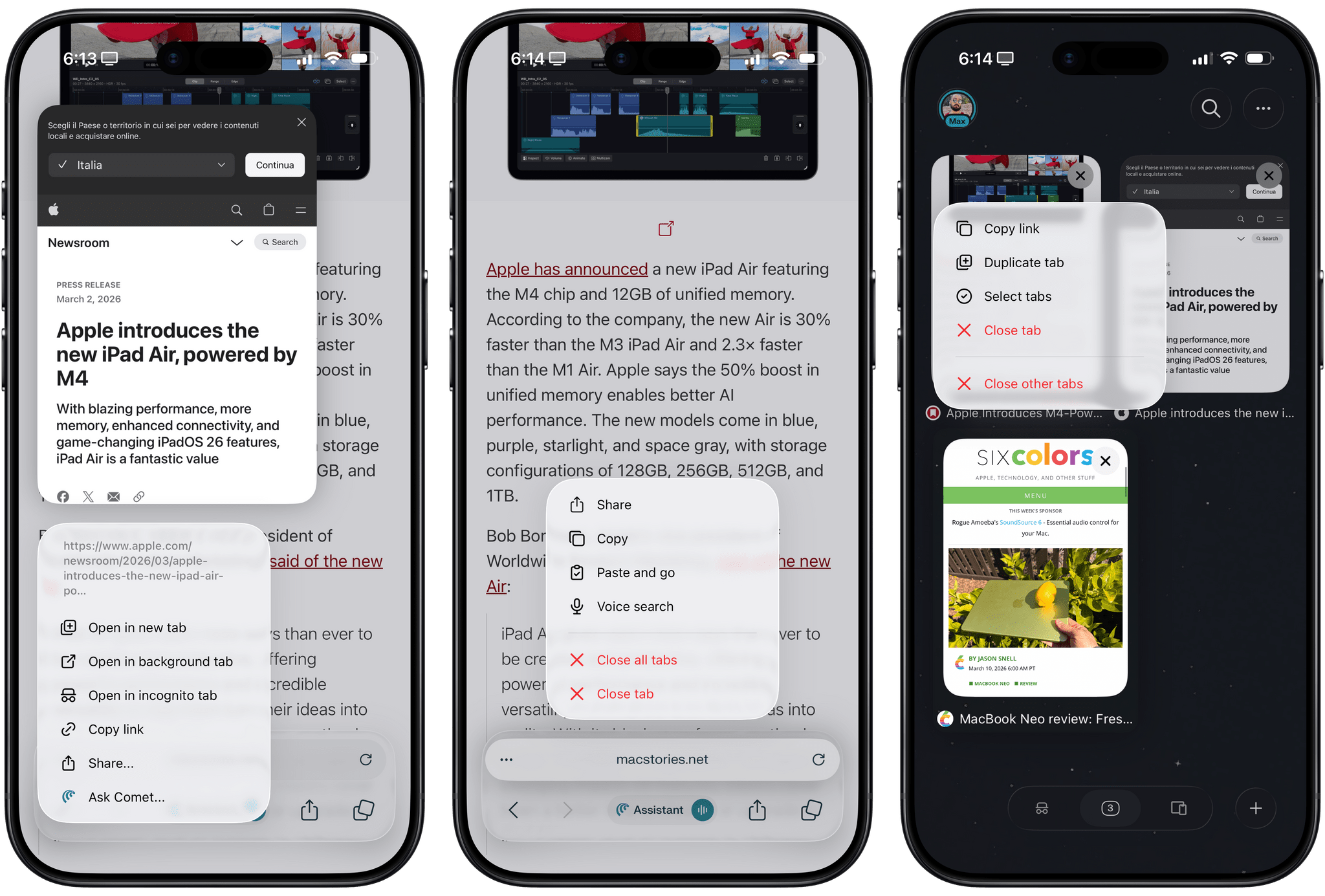
That being said, there is a lot to like about the non-AI parts of Comet as a pure iPhone browser. The app adopts a great-looking Liquid Glass aesthetic for its address bar that morphs and minimizes at the bottom of the screen when scrolling; in a nice touch, a glass button for the assistant is docked at the bottom-left corner of the screen as well. There are plenty of long-press gestures to choose from, too: you can long-press the address bar to close the current tab or all tabs, copy the URL, or “paste and go” to a link you’ve copied; you can long-press in the tab grid view to select multiple tabs or close all other tabs except the current one; just like in Safari, you can also swipe on the address bar to instantly move across open tabs. In a nice change of pace from Apple’s browser, there is a dedicated section to open a list of all tabs from other devices where you’re logged into Comet, which emphasizes Perplexity’s strong multi-platform approach.
Of course, the main draw of Comet for iOS is the inclusion of its agentic assistant. A couple of weeks into testing it, I have to say, while I’m not fully sold on the idea of an agent that browses the web for me, it’s very nice to have an AI chatbot integrated with an iPhone browser, and I’ve had a couple of actually useful experiences with the “browse for me” aspect of it, too. I’ve gotten so used to having the ability to ask questions about the current webpage or comparing multiple tabs that going back to an AI-free browser like Safari feels a bit archaic to me at this point. (Of course, for many MacStories readers, the AI-free nature of Safari may be considered a plus; enjoy it while it lasts, I suppose.)
The ability to chat with your tabs in an iPhone browser is, quite simply, pretty great. I don’t think I need to describe a chatbot product with browser integration. Instead, the design and overall user experience are what differentiate Comet here: you can choose between different state-of-the-art LLMs, you can attach images and files to conversations, and you can add multiple tabs to a question and ask the assistant to, say, compare two products or different takes on the same story. The details set Comet apart. You can choose to have responses read aloud by the voice assistant or exported to PDF, and you can even quickly invoke the assistant by long-pressing a link on a webpage and selecting ‘Ask Comet’ from the context menu for the selected link.
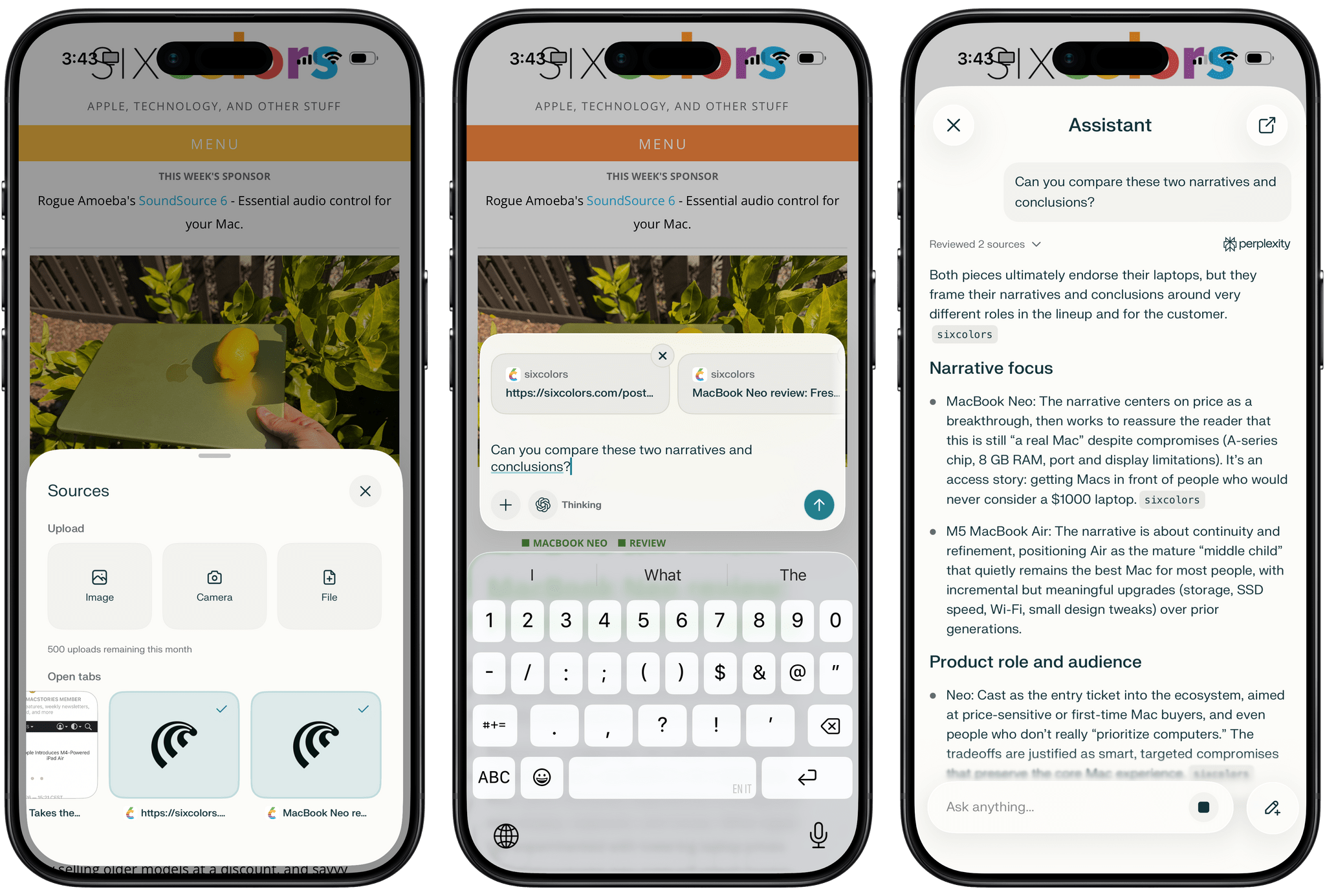
I have no doubt that a future version of Safari will have a similar Apple Intelligence-powered chatbot experience baked in. In the meantime, Comet for iOS is the first and only iOS browser with an ecosystem around it that does this. And more than that, it does so by leveraging Perplexity’s strong web search capabilities with citation display, its visible chains of thought (depending on the model), and its ability to go back and pick up any previous conversation from your Library page.
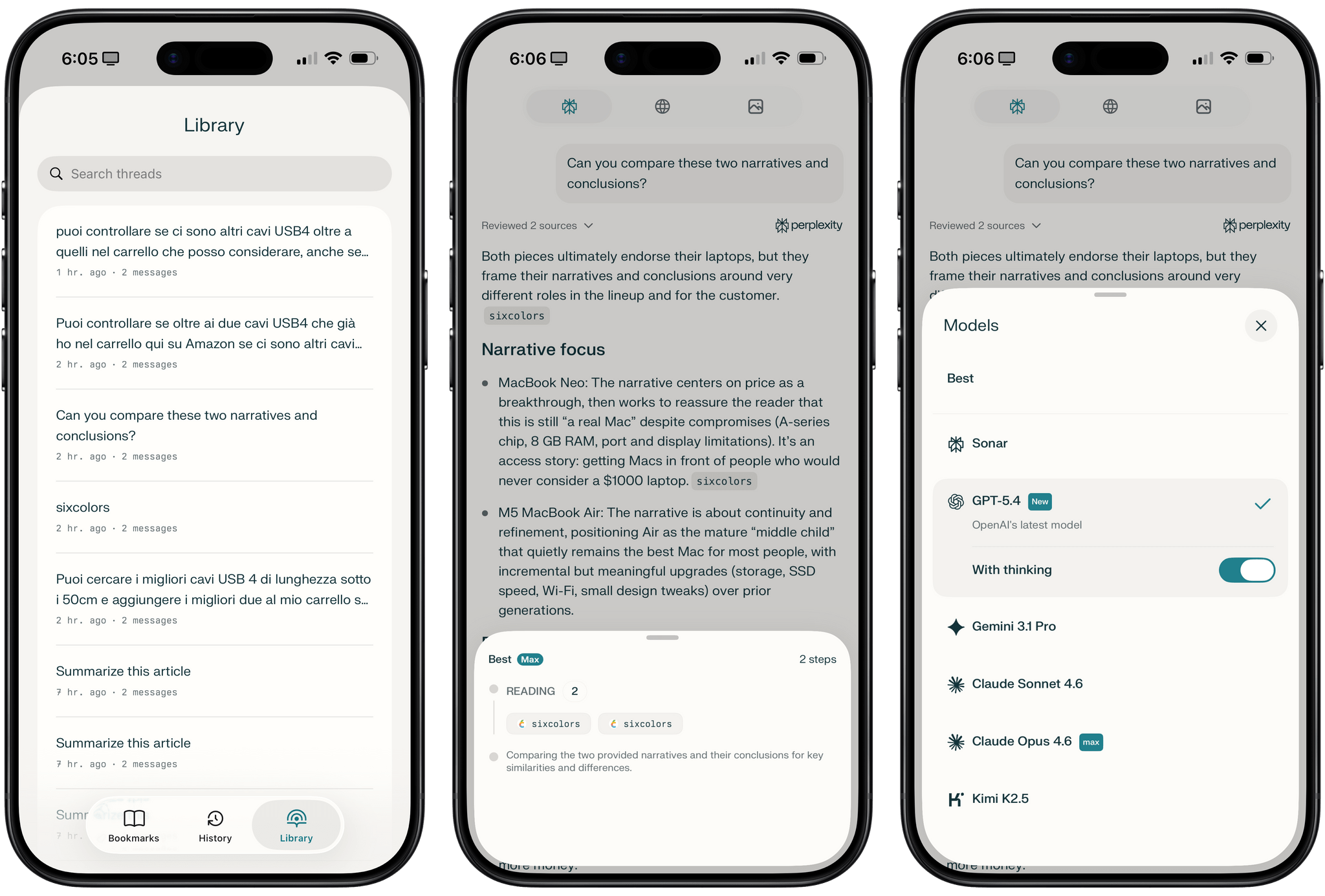
The Library page lets you pick up any previous assistant conversation, where you can always choose which model you want to use.
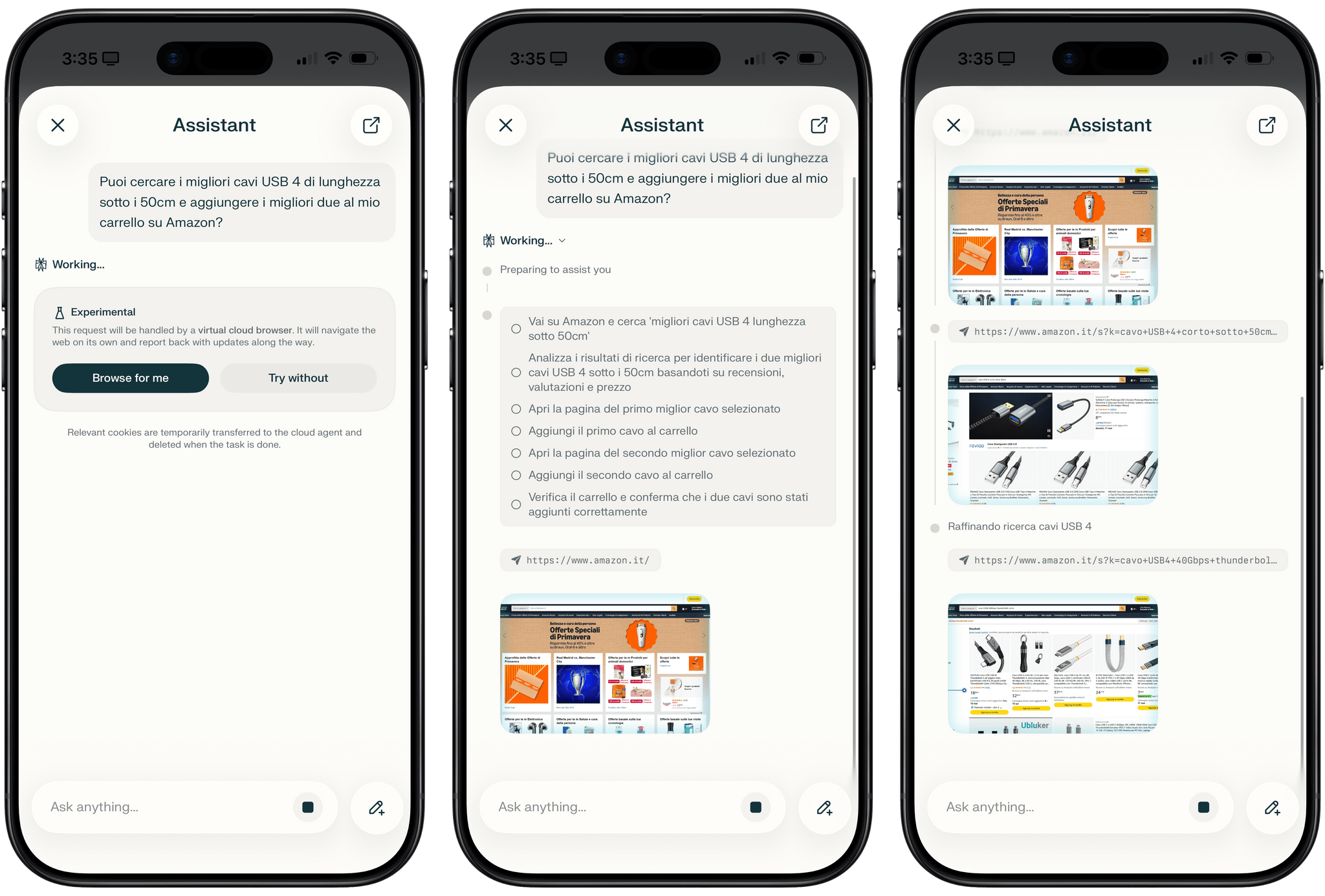
What I’ve found most interesting about Comet for iOS is how the company chose to integrate the agentic “browse for me” features into the app – or rather, how they decided not to ship them directly in the iOS app. Let me explain: unlike Comet on Android, Mac, or Windows, Comet for iOS’ agent does not browse the web for you inside the iOS app. Instead, it creates a virtual browser in the cloud, temporarily transfers your cookies to it to continue browsing as “you”, then discards them after the session is done. From the app:
This request will be handled by a virtual cloud browser. It will navigate the web on its own and report back with updates along the way.
Relevant cookies are temporarily transferred to the cloud agent and deleted when the task is done.
I couldn’t figure out if Comet for iOS was actually browsing for me when I asked to find some USB4 cables on Amazon and add them to my cart; on Android and desktop, a pulsing blue highlight around the webpage signifies that Comet’s assistant is currently browsing on your behalf, and you can take over at any time. In a subsequent beta of Comet, the company shipped the interface we have in the app today. The assistant asks for your permission first, then starts sending you screenshots of the virtual browser that has your cookies and which a Comet cloud agent is operating for you. The behavior is the same: the agent takes a long time to browse, read, click around, and take actions. The delivery is different in that the iPhone’s version is not running locally inside the webpage you’re looking at. For what it’s worth, my experiment worked, and Comet’s iOS assistant browsed Amazon for me and found some sweet StarTech USB4 cables that I’m now considering.
There are already many concerns about agentic web browsers, so Comet’s cloud approach with cookie transfer to a virtualized browser somewhere else is – to put it mildly – scary. It’s undeniable that it works, although I probably shouldn’t have given it my Amazon cookies. I would strongly recommend against testing this stuff with your bank’s website or anything that contains sensitive data you never want to leave your device. Still, a part of me wonders: Perplexity was able to ship an in-browser agent on Android without issues; is the requirement to run in the cloud another imposition from Apple’s App Review?
My main complaint about Comet for iOS – besides those missing browser features and iPad version – is an issue that is common to all major AI companies right now, and which was the focus of this episode of AppStories: fragmentation. Comet uses my Perplexity login, and I can use some third-party connectors (like Notion) in Comet for Mac and on Perplexity’s website, but not in Comet or Perplexity for iOS. Some connectors are exclusive to Perplexity Computer, and they don’t work in regular Perplexity or Comet. It’s a mess. This problem is not exclusive to Perplexity; it just stings a bit more here since this company (unlike OpenAI) actually took the time to bring their browser to Windows, Android, and now iOS. Going forward, I hope Perplexity won’t forget about Comet for iOS just like OpenAI did with Atlas on the one platform where they shipped it.
If the browser’s next step – and it’s a big “if” – is to become an AI-infused tool to browse the web and, occasionally, let the AI perform autonomous actions, then Comet is currently at the forefront of this changing landscape, and it now comes with a compelling iPhone version that is more than a “companion” app. The likes of Google, Microsoft, and OpenAI certainly seem to think that the browser space is ripe for AI disruption, but only Perplexity has, so far, built a useful, pleasant ecosystem of browsers around it. Just like on desktop and Android, Comet for iOS is nice to use, and it short-circuits several interactions that typically involve copying links and pasting them in another chatbot by virtue of having a built-in assistant.
I’m making Comet my default browser on iPhone for now, and I hope the Perplexity team will iterate quickly on the app with more features, such as a customizable start page, widgets and Shortcuts actions, and an iPad counterpart. And more broadly, I hope they can make the overall experience of Perplexity + Comet more consistent with connectors, modes, and agentic features across all supported platforms.
