This Week's Sponsor:

Dropzone 5

Improve your Drag-and-Drop Workflow


Posts in reviews

Marco Arment Launches Peace, an iOS 9 Content Blocker Powered by Ghostery

Among the hundreds of Content Blockers for iOS 9 launching today on the App Store, one that deserves attention is Marco Arment’s Peace.

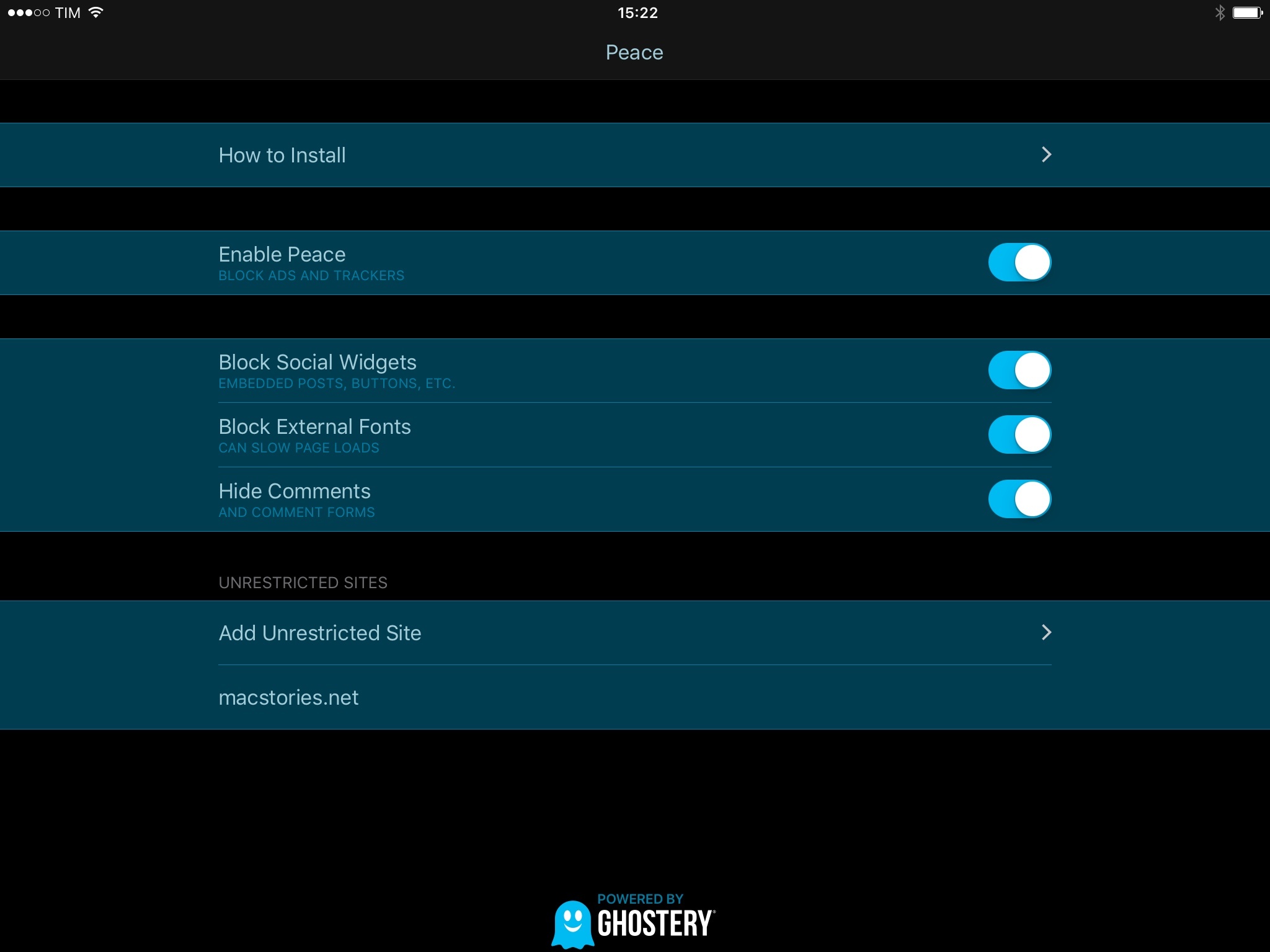
Available at $2.99 for the iPhone and iPad, Peace is a Content Blocker which exclusively licenses the official Ghostery database to block trackers and ads, but also social widgets, external fonts, and comment forms.

Read more

Access Extra Content and Perks

Founded in 2015, Club MacStories has delivered exclusive content every week for nearly a decade.

What started with weekly and monthly email newsletters has blossomed into a family of memberships designed for every MacStories fan.

Learn more here and from our Club FAQs.

Club MacStories: Weekly and monthly newsletters via email and the web that are brimming with apps, tips, automation workflows, longform writing, early access to the MacStories Unwind podcast, periodic giveaways, and more;

Club MacStories+: Everything that Club MacStories offers, plus an active Discord community, advanced search and custom RSS features for exploring the Club’s entire back catalog, bonus columns, and dozens of app discounts;

Club Premier: All of the above and AppStories+, an extended version of our flagship podcast that’s delivered early, ad-free, and in high-bitrate audio.

Learn more here and from our Club FAQs.


Sofa: Discover New Movies from Curated Collections

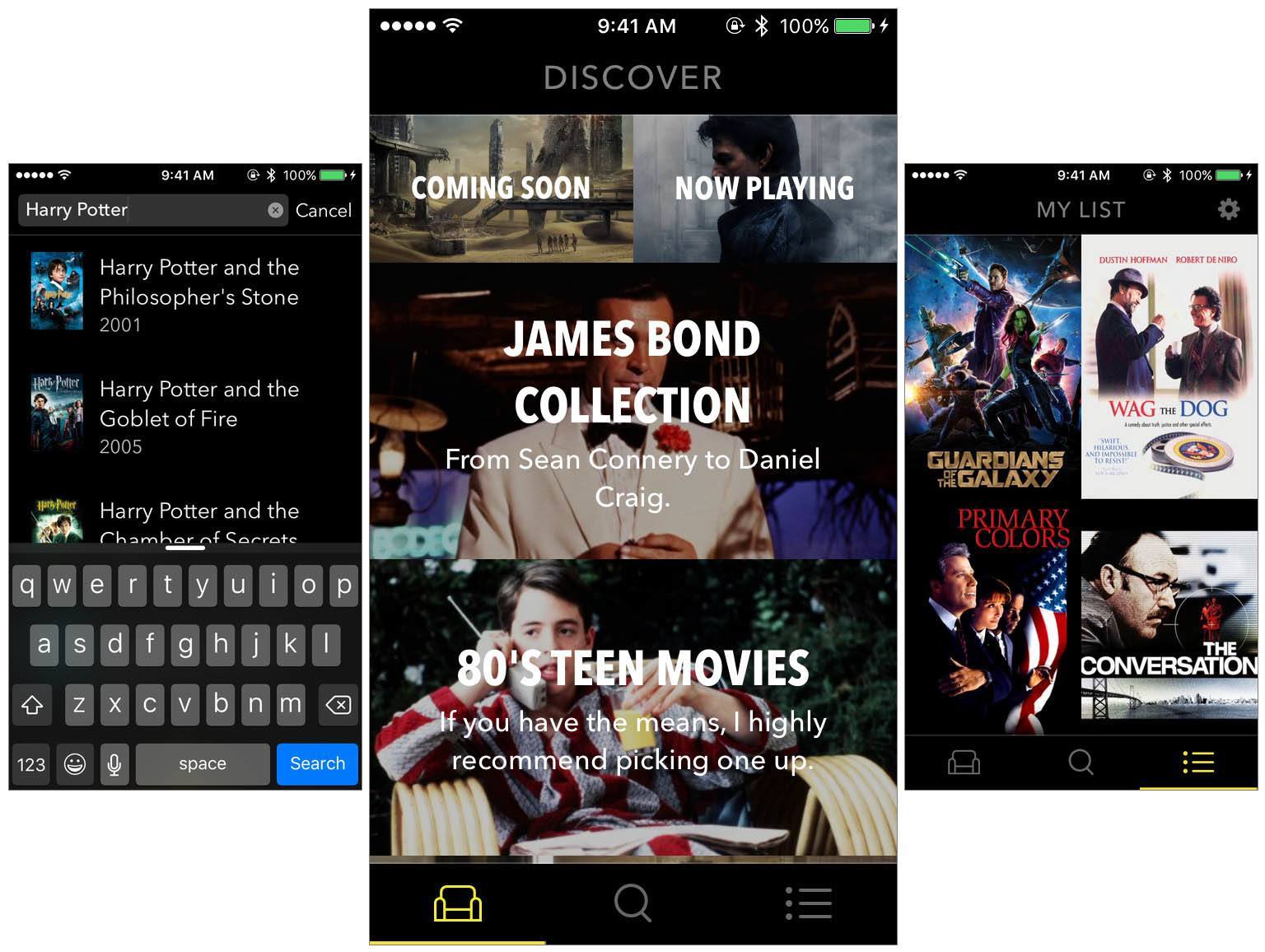
Sofa is a new app that launched just last Friday. Sofa does two things: it helps you discover new movies to watch, and it lets you keep a list of movies you want to watch. Despite its rather sparse feature list, Sofa is well worth your time. One of the reasons why is because Sofa’s discover section is populated by hand-curated collections of movies. But Sofa also looks great and, because it isn’t burdened with dozens of features, the app is simple and delightful to use.

Read more

Access Extra Content and Perks

Founded in 2015, Club MacStories has delivered exclusive content every week for nearly a decade.

What started with weekly and monthly email newsletters has blossomed into a family of memberships designed for every MacStories fan.

Learn more here and from our Club FAQs.

Club MacStories: Weekly and monthly newsletters via email and the web that are brimming with apps, tips, automation workflows, longform writing, early access to the MacStories Unwind podcast, periodic giveaways, and more;

Club MacStories+: Everything that Club MacStories offers, plus an active Discord community, advanced search and custom RSS features for exploring the Club’s entire back catalog, bonus columns, and dozens of app discounts;

Club Premier: All of the above and AppStories+, an extended version of our flagship podcast that’s delivered early, ad-free, and in high-bitrate audio.

Learn more here and from our Club FAQs.


Elegant Image Watermarking and Resizing with Watermarker 2

I’m a bit behind in mentioning it, but Watermarker 2 is out. This Mac app from developer (and former MacStories writer) Don Southard lets you quickly resize and add professional watermarks to batches of photos. It’s a great-looking app that elegantly accomplishes its goal.

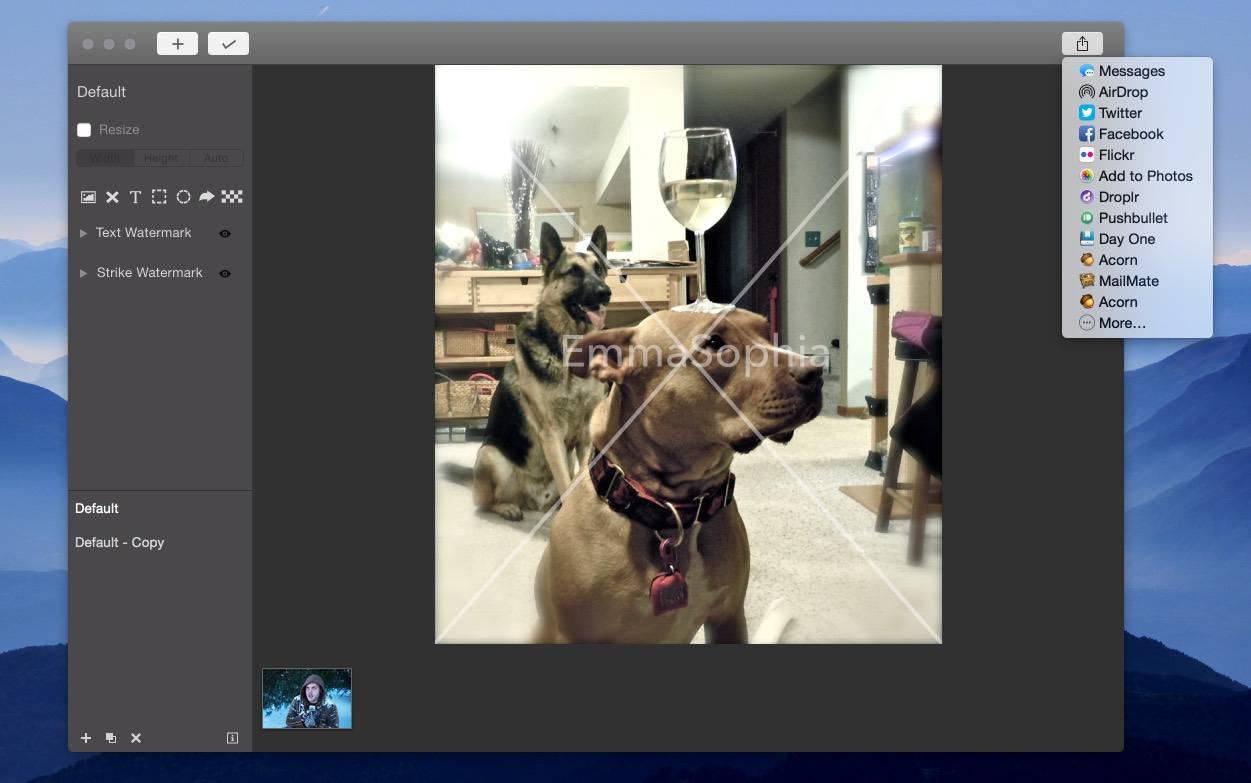
You can use custom text, import your own logo or image, and apply a customizable strike-through “X” over an image (all with adjustable transparency). You can also add pixelation to an image to obscure parts of it, and annotate images with additional shapes.

Watermarker 2 offers powerful batch photo manipulation features such as renaming groups of files based on patterns and resizing using pixel or percentage constraints.

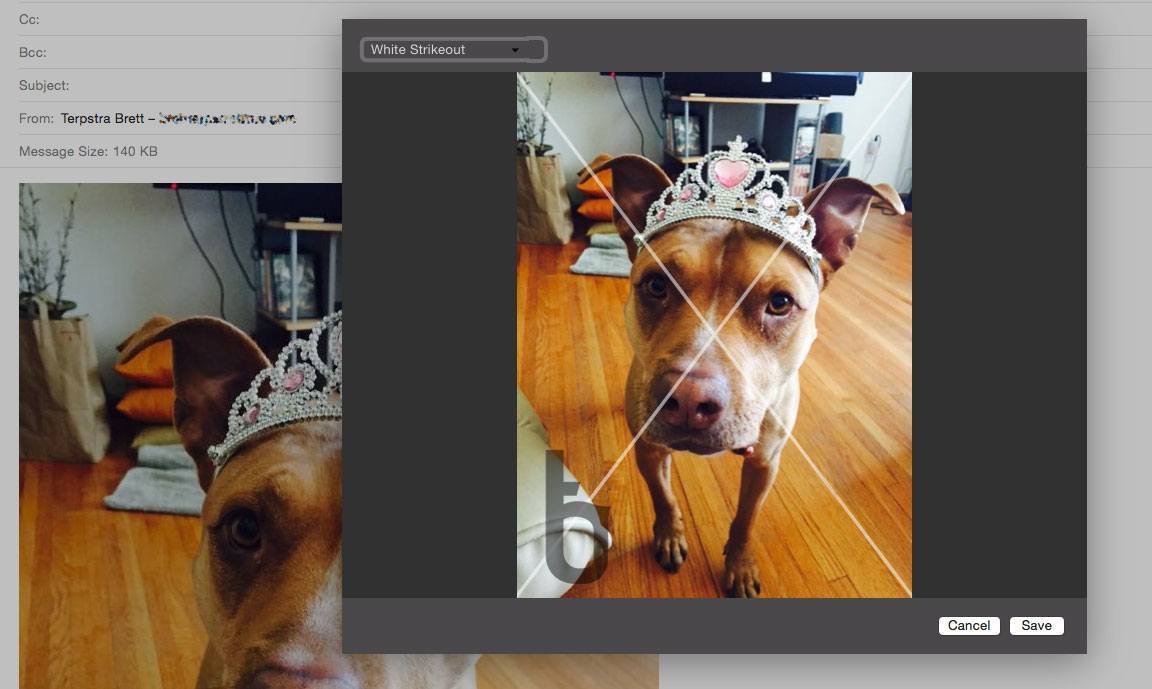
You can save your watermark settings as presets, and apply them to batches in the future with a couple of clicks. There’s even an Action Extension for sending images from other apps to Watermarker, and a Share Sheet for sending watermarked images to others.

Watermarker 2 Action Extension

Watermarker 2 Action Extension

Watermarker 2 is available for $14.99, both on the Mac App Store and through direct purchase (with a free trial available).

Access Extra Content and Perks

Founded in 2015, Club MacStories has delivered exclusive content every week for nearly a decade.

What started with weekly and monthly email newsletters has blossomed into a family of memberships designed for every MacStories fan.

Learn more here and from our Club FAQs.

Club MacStories: Weekly and monthly newsletters via email and the web that are brimming with apps, tips, automation workflows, longform writing, early access to the MacStories Unwind podcast, periodic giveaways, and more;

Club MacStories+: Everything that Club MacStories offers, plus an active Discord community, advanced search and custom RSS features for exploring the Club’s entire back catalog, bonus columns, and dozens of app discounts;

Club Premier: All of the above and AppStories+, an extended version of our flagship podcast that’s delivered early, ad-free, and in high-bitrate audio.

Learn more here and from our Club FAQs.


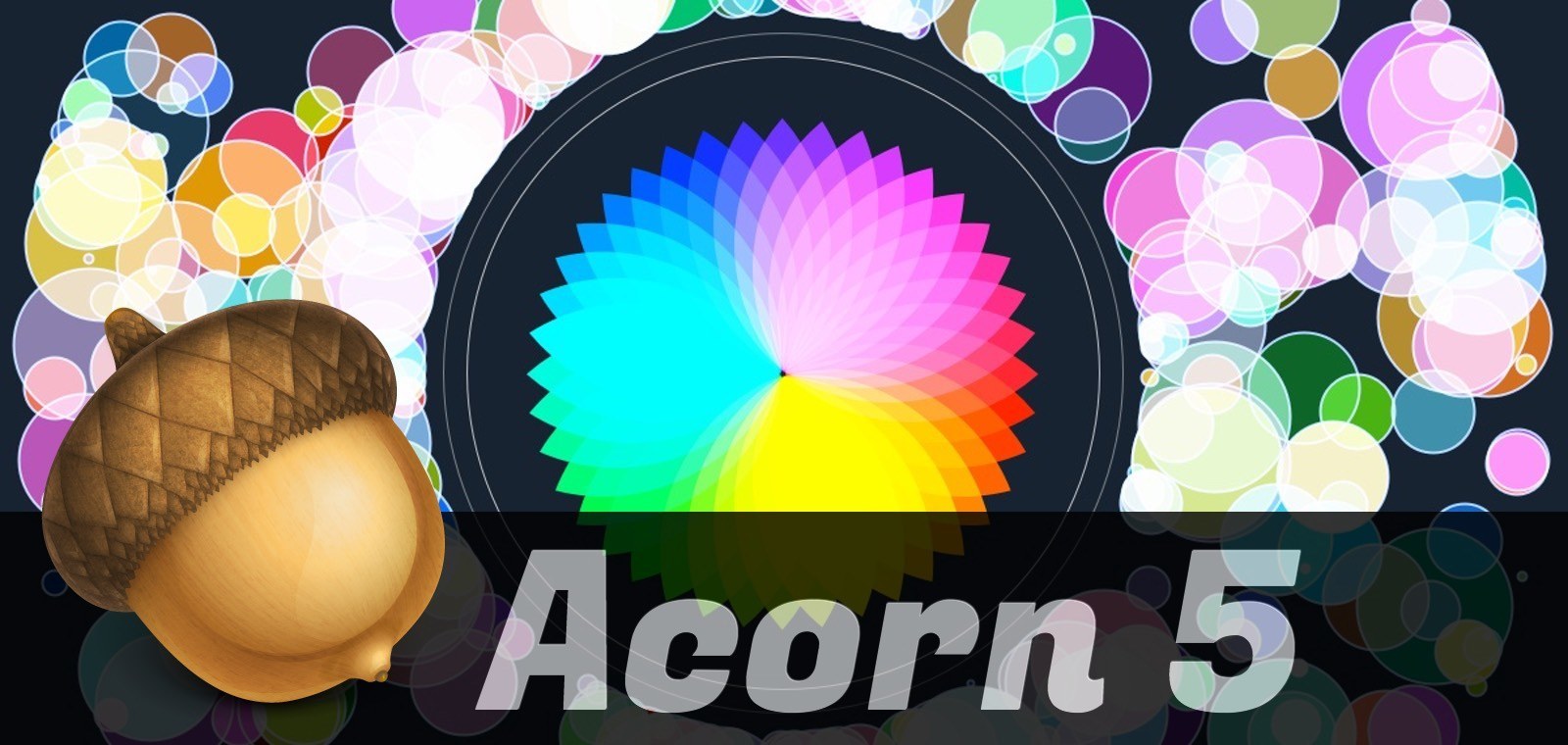
Acorn 5: Shape Generators, PDF Import, and More

I’ve been an Acorn user for years now. I first started using it as my primary photo editing tool because I could open, edit, and export a perfectly-optimized web image before Photoshop had finished bouncing in the Dock. Photoshop has improved its launch time in recent versions, but Acorn has stepped up its game, too.

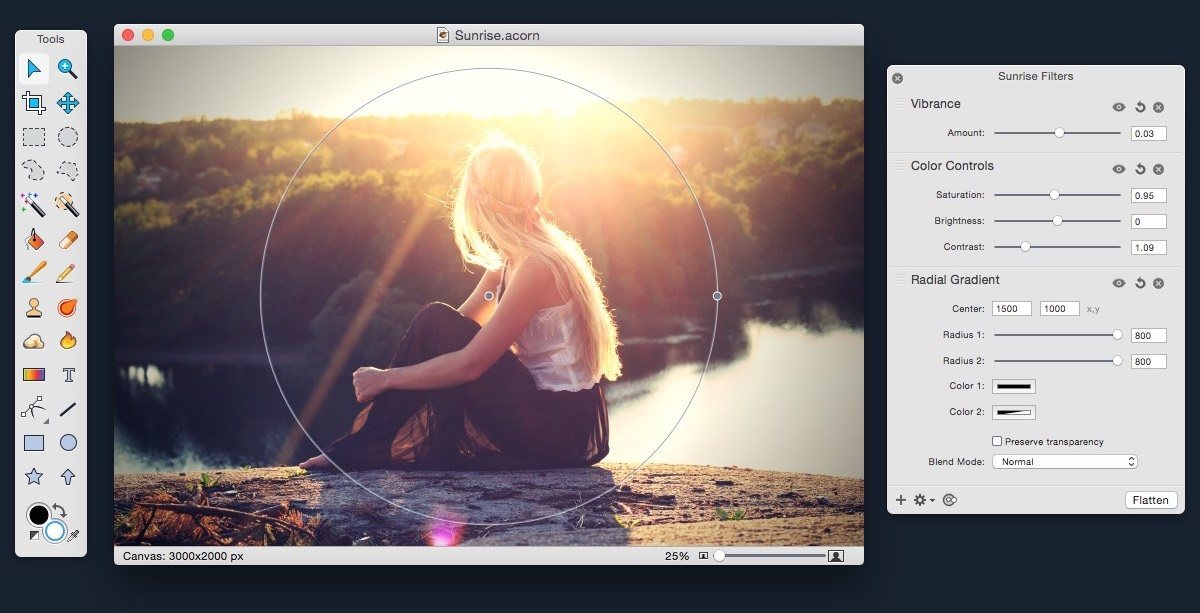
Acorn 5 came out this week, and it adds some powerful new features. Notably, it adds tools for vector manipulation and generation, as well as additional bezier and vector tools, PDF Import, snapping to grids, guides, other shapes, and more.

If you’re a Photoshop user looking for an alternative, Acorn has the tools you’re used to: dodge and burn, hue and curve adjustments, custom selection editing, and everything you need to do advanced photo editing. Acorn 5 can even import Photoshop brushes. Given the wide diversity of custom brushes available on the net, this opens up a lot of possibilities.

Version 5 also adds additional non-destructive filters and adjustments for both raster and vector layers, and the new Shape generators and processors are stackable and non-destructive as well. The layer adjustments are stored in the native Acorn file format, so you can always access and update them.

Acorn still has all of the great tools from version 4, including professional photo editing tools, Smart Layer Export for automatic 1x and 2x images, and the best compression on exported PNGs you’re likely to find.

Acorn 5 is $24.99 US on the Mac App Store (also available for direct purchase, with a few small differences). Check out the website for more info, and read the release notes for a mind-boggling list of all of the new features.

Access Extra Content and Perks

Founded in 2015, Club MacStories has delivered exclusive content every week for nearly a decade.

What started with weekly and monthly email newsletters has blossomed into a family of memberships designed for every MacStories fan.

Learn more here and from our Club FAQs.

Club MacStories: Weekly and monthly newsletters via email and the web that are brimming with apps, tips, automation workflows, longform writing, early access to the MacStories Unwind podcast, periodic giveaways, and more;

Club MacStories+: Everything that Club MacStories offers, plus an active Discord community, advanced search and custom RSS features for exploring the Club’s entire back catalog, bonus columns, and dozens of app discounts;

Club Premier: All of the above and AppStories+, an extended version of our flagship podcast that’s delivered early, ad-free, and in high-bitrate audio.

Learn more here and from our Club FAQs.


Photoflow: An Instagram Client for the Mac

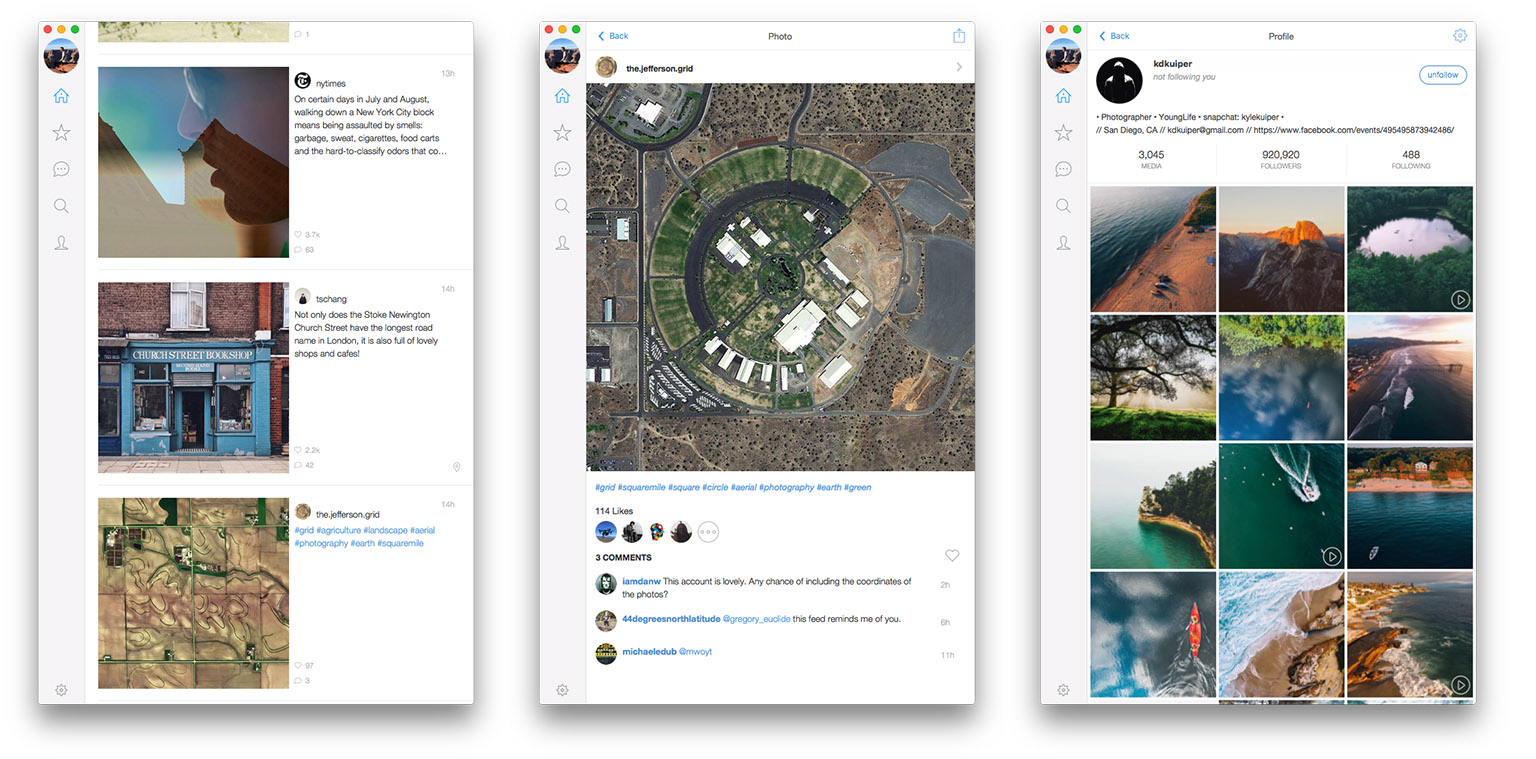
I’ve been using Instagram (shameless plug) almost since day one, and although I don’t post to it that frequently, I do look at my feed on a daily basis. For the most part I’ve always used the official Instagram client, except for a brief period when I also used Flow, an iPad Instagram app. Until this week, I’d never tried an Instagram client for the Mac, which is what Photoflow is.

I was pleasantly surprised to find that Photoflow includes virtually every single feature that the official Instagram app has. Of course there is one giant exception; you cannot post images to Instagram from Photoflow. But that’s a restriction that Instagram has imposed on all third party apps, it’s not a failure of Photoflow. But almost everything else, whether it be liking images (but not commenting), interactive hashtags, featured images, viewing profiles or searching nearby locations is available in Photoflow. It also supports easy account switching and can send you notifications for new images, comments, likes and followers.

Read more

Access Extra Content and Perks

Founded in 2015, Club MacStories has delivered exclusive content every week for nearly a decade.

What started with weekly and monthly email newsletters has blossomed into a family of memberships designed for every MacStories fan.

Learn more here and from our Club FAQs.

Club MacStories: Weekly and monthly newsletters via email and the web that are brimming with apps, tips, automation workflows, longform writing, early access to the MacStories Unwind podcast, periodic giveaways, and more;

Club MacStories+: Everything that Club MacStories offers, plus an active Discord community, advanced search and custom RSS features for exploring the Club’s entire back catalog, bonus columns, and dozens of app discounts;

Club Premier: All of the above and AppStories+, an extended version of our flagship podcast that’s delivered early, ad-free, and in high-bitrate audio.

Learn more here and from our Club FAQs.


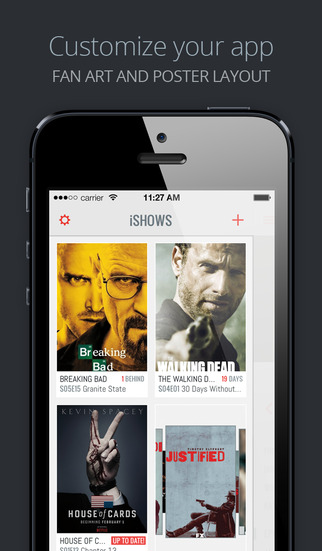
Tracking TV Shows with iShows 2: Welding Great Design with Extensive Customization

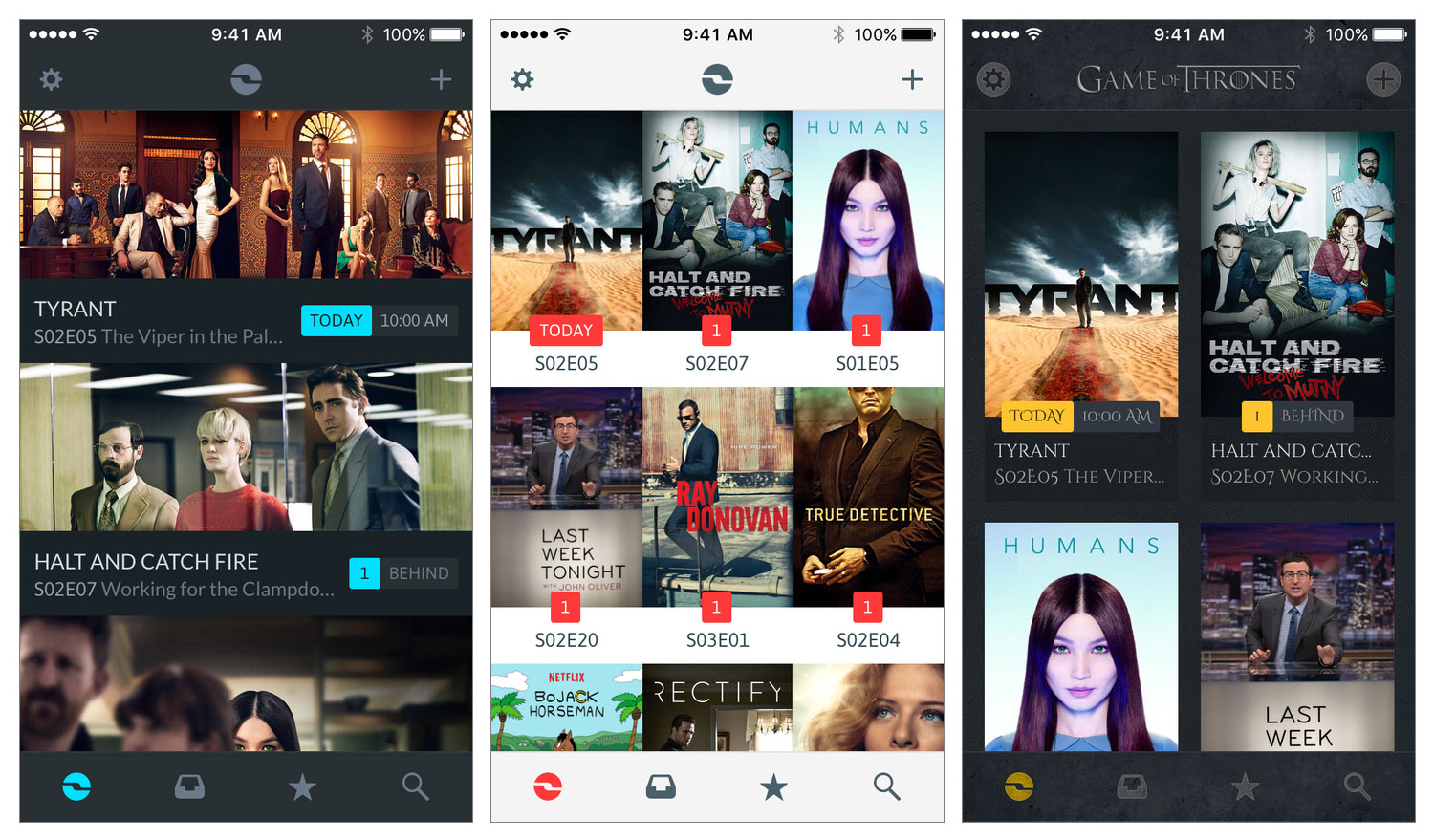
I watch a lot of TV – almost certainly too much TV. Years ago I used to keep track of the TV shows I watched mentally and through a TV guide from the Saturday newspaper. But as I started to watch more TV it became harder to keep track of when shows air. Fortunately, I started to use iPhone TV tracker apps, which make it effortless to keep track of your favorite TV shows. I’ve probably used 4 or 5 different apps for a solid period of time, and this February I switched to what I think is the latest and greatest TV tracker app: iShows 2, which officially launches today in the App Store.

I had briefly used the original iShows app, but I never permanently switched to it. Whilst the design was quite good, it had this very odd layout that left a gap on the side of the screen which (as petty as it sounds) I couldn’t get over. Somewhat embarrassingly the other issue I encountered was that I never discovered some of the gestures, without which the app was a lot harder to use. Some of those gestures persist in iShows 2, and I’ll discuss them shortly.

Prior to switching to iShows 2 whilst it was in beta, I had been using iTV Shows for around a year. It never looked quite as good as iShows or TeeVee 3 (another popular and very pretty app), but I preferred the way iTV Shows worked. I’m still a fan of iTV Shows, but I’ve been convinced (after months of use) that iShows 2 is the better option for me.

Read more

Access Extra Content and Perks

Founded in 2015, Club MacStories has delivered exclusive content every week for nearly a decade.

What started with weekly and monthly email newsletters has blossomed into a family of memberships designed for every MacStories fan.

Learn more here and from our Club FAQs.

Club MacStories: Weekly and monthly newsletters via email and the web that are brimming with apps, tips, automation workflows, longform writing, early access to the MacStories Unwind podcast, periodic giveaways, and more;

Club MacStories+: Everything that Club MacStories offers, plus an active Discord community, advanced search and custom RSS features for exploring the Club’s entire back catalog, bonus columns, and dozens of app discounts;

Club Premier: All of the above and AppStories+, an extended version of our flagship podcast that’s delivered early, ad-free, and in high-bitrate audio.

Learn more here and from our Club FAQs.


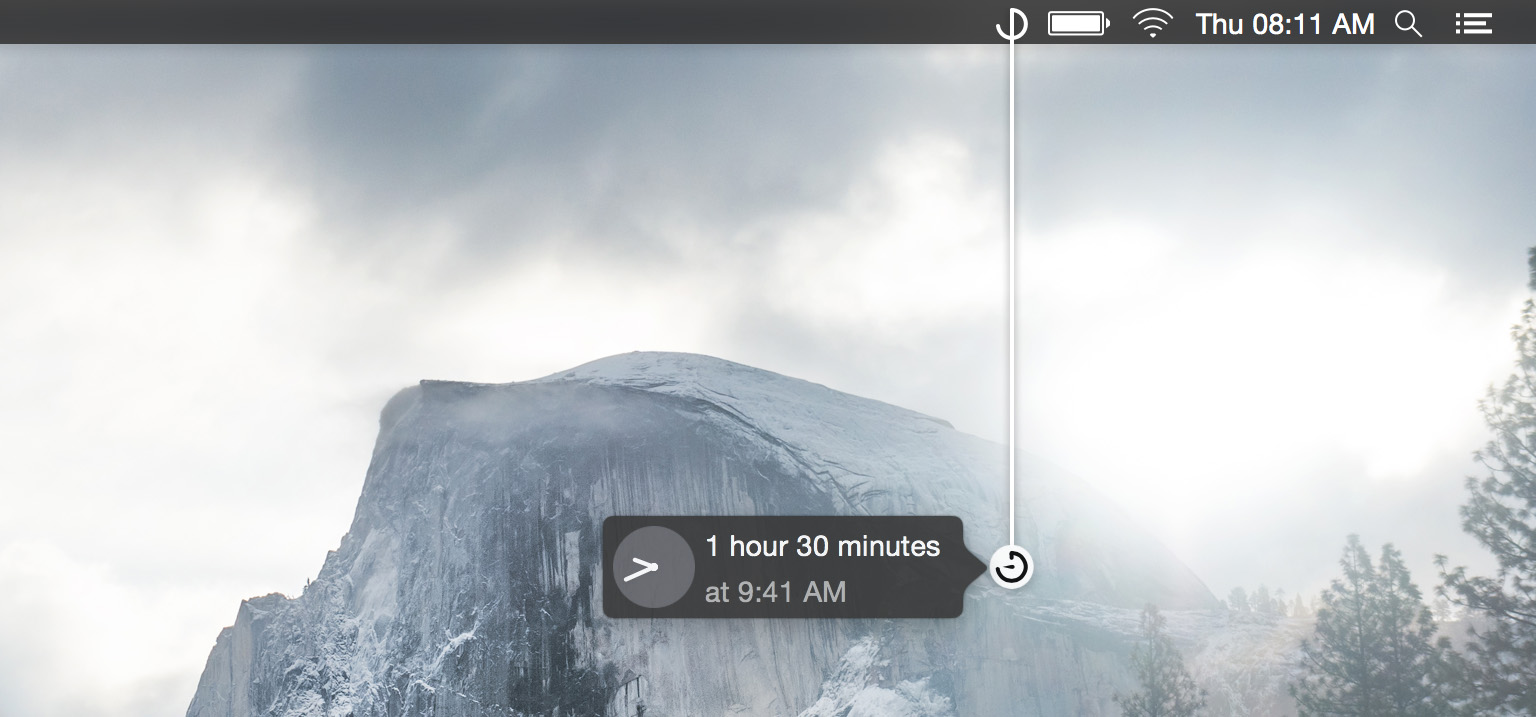
Gestimer: Effortlessly Set Timers on a Mac

When I think about what makes a great app, I don’t think it needs to be packed full of every imaginable feature. It doesn’t need to be as precisely and extensively engineered as Editorial or Tweetbot. A great app can just as easily be an app like Pedometer++ or Blink, apps which enable users to accomplish a specific task in a way that is delightful and useful. Which brings me to Gestimer, a Mac App that launched in late June.

Read more

Access Extra Content and Perks

Founded in 2015, Club MacStories has delivered exclusive content every week for nearly a decade.

What started with weekly and monthly email newsletters has blossomed into a family of memberships designed for every MacStories fan.

Learn more here and from our Club FAQs.

Club MacStories: Weekly and monthly newsletters via email and the web that are brimming with apps, tips, automation workflows, longform writing, early access to the MacStories Unwind podcast, periodic giveaways, and more;

Club MacStories+: Everything that Club MacStories offers, plus an active Discord community, advanced search and custom RSS features for exploring the Club’s entire back catalog, bonus columns, and dozens of app discounts;

Club Premier: All of the above and AppStories+, an extended version of our flagship podcast that’s delivered early, ad-free, and in high-bitrate audio.

Learn more here and from our Club FAQs.


Typed for Mac Hits the Mac App Store

Typed for Mac

Typed for Mac

Realmac released Typed, their new Markdown editor, as a direct sale product a little while ago. Today it hit the Mac App Store.

Read more

Access Extra Content and Perks

Founded in 2015, Club MacStories has delivered exclusive content every week for nearly a decade.

What started with weekly and monthly email newsletters has blossomed into a family of memberships designed for every MacStories fan.

Learn more here and from our Club FAQs.

Club MacStories: Weekly and monthly newsletters via email and the web that are brimming with apps, tips, automation workflows, longform writing, early access to the MacStories Unwind podcast, periodic giveaways, and more;

Club MacStories+: Everything that Club MacStories offers, plus an active Discord community, advanced search and custom RSS features for exploring the Club’s entire back catalog, bonus columns, and dozens of app discounts;

Club Premier: All of the above and AppStories+, an extended version of our flagship podcast that’s delivered early, ad-free, and in high-bitrate audio.

Learn more here and from our Club FAQs.


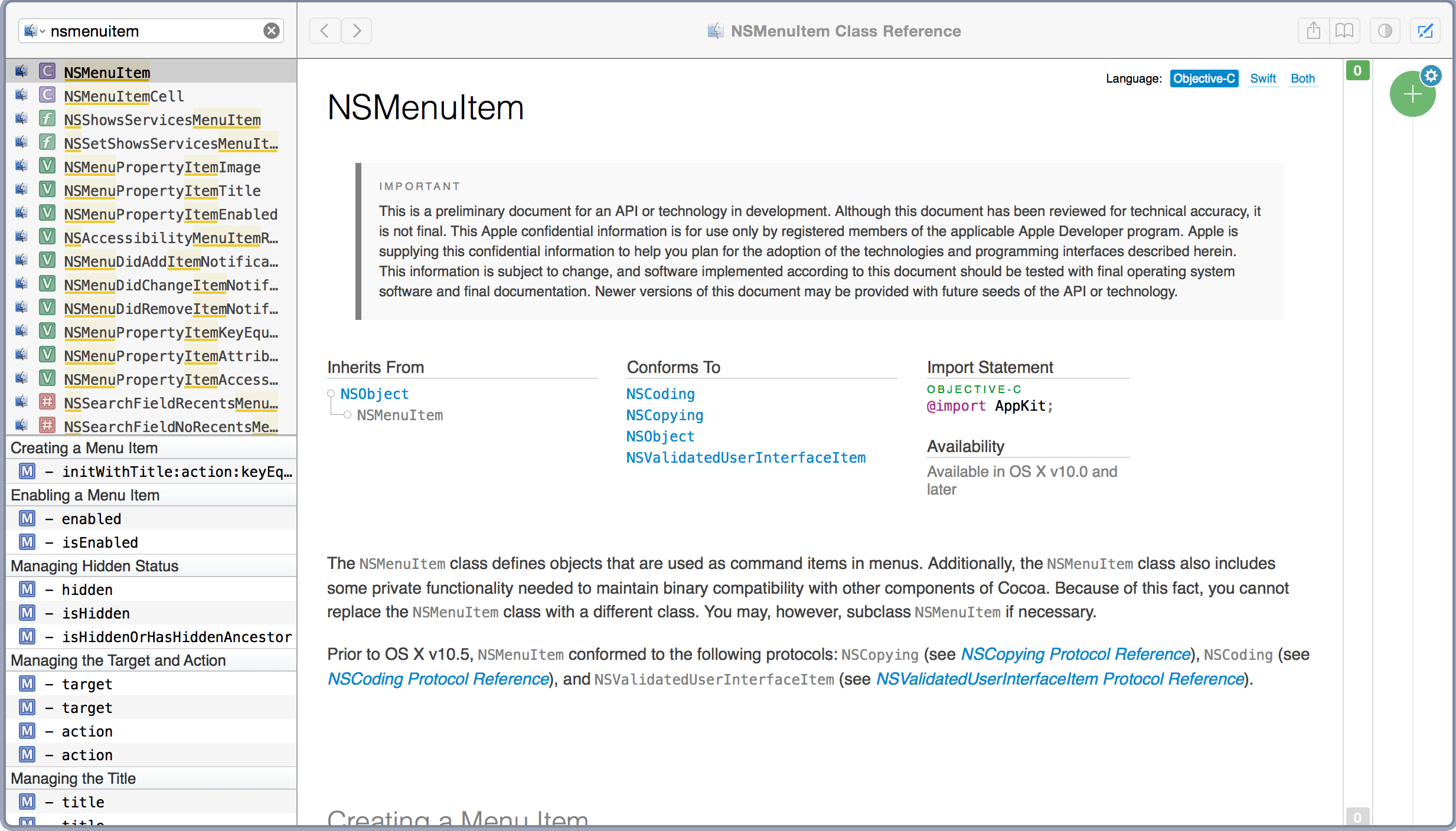
Dash 3: A Coder’s Best Friend

Dash 3

Dash 3

As a Mac and iOS developer, web designer, Unix lover and all around coder, Kapeli’s Dash has become an indispensable part of my workflow. Version 3 of the reference tool was released recently, and it continues to be a tool I’d be lost without.

Read more

Access Extra Content and Perks

Founded in 2015, Club MacStories has delivered exclusive content every week for nearly a decade.

What started with weekly and monthly email newsletters has blossomed into a family of memberships designed for every MacStories fan.

Learn more here and from our Club FAQs.

Club MacStories: Weekly and monthly newsletters via email and the web that are brimming with apps, tips, automation workflows, longform writing, early access to the MacStories Unwind podcast, periodic giveaways, and more;

Club MacStories+: Everything that Club MacStories offers, plus an active Discord community, advanced search and custom RSS features for exploring the Club’s entire back catalog, bonus columns, and dozens of app discounts;

Club Premier: All of the above and AppStories+, an extended version of our flagship podcast that’s delivered early, ad-free, and in high-bitrate audio.

Learn more here and from our Club FAQs.