This Week's Sponsor:

LookAway

It helps you take regular breaks from your Mac to rest your eyes, without breaking your flow.


Posts in reviews

Game Day: RunGunJumpGun

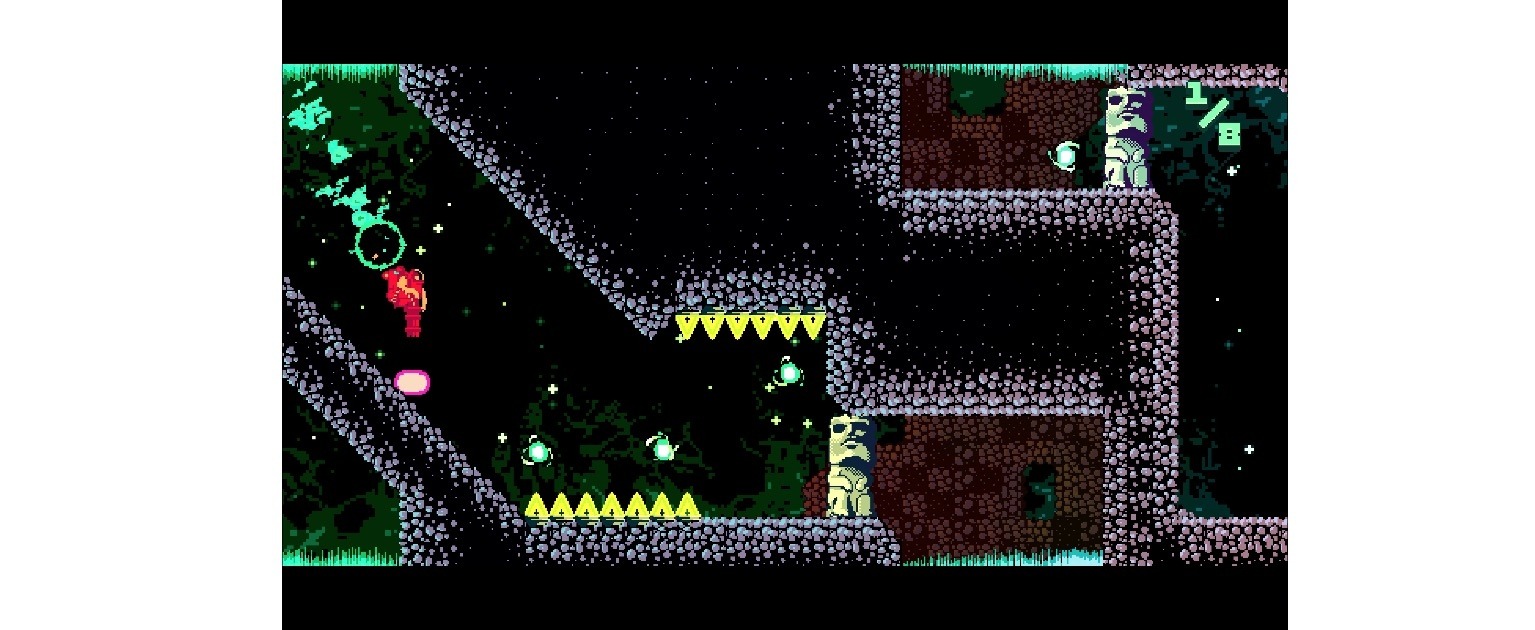
RunGunJumpGun, by Canadian indie studio ThirtyThree Games, may be the hardest game I’ve played so far this year. The game requires precise timing and quick reflexes, which is something I’m not great at, but it balances the difficulty and gameplay so well, it’s more fun than frustrating. Instead of quitting the game exasperated, I found myself trying segments again and again each time my character died.

RunGunJumpGun has a crazy, colorful pixel art style straight out of a 90s platformer. You can tell that a lot of care has gone into every detail of each of the 120 levels. Everything around you is in constant, colorful motion, which adds to RunGunJumpGun’s complexity.
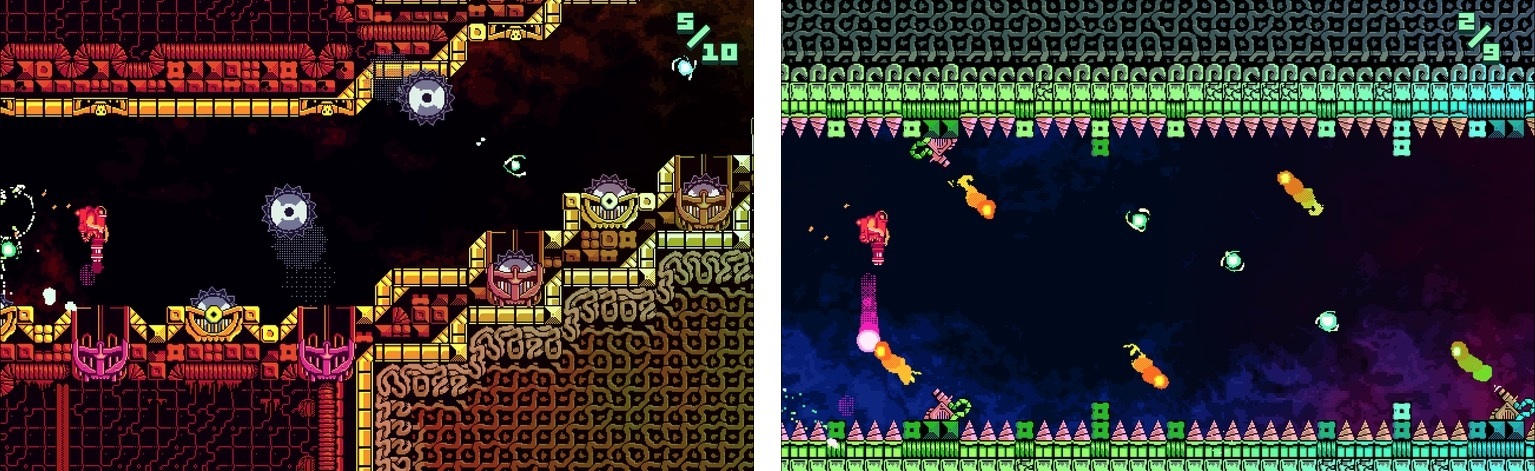
The game is an interesting synthesis of genres. Like an endless runner, your character moves to the right automatically. Get hung up on a wall and the scene overtakes you and you die. But RunGunJumpGun is more involved than a typical endless runner, adding elements of classic platformer games. Instead of just avoiding obstacles, you have to collect items to advance through the three worlds, fly to avoid things, and shoot your way through others.

You tap the left side of the screen to fly and the right side to shoot. It’s simple, but the fact that you can’t fly and shoot at the same time makes it hard to master the controls. Fly up avoid spikes and you can’t shoot. Start shooting at a barrier while you’re flying and you begin to fall. It requires a careful balance of both controls to make it through each level.

If you do hit a barrier, you die immediately. There is no concept of health, but dying doesn’t take you back to the beginning, just the last checkpoint you reached. That happens with a cool rewind animation that is so fast that it hardly feels like you died at all. You’re immediately thrown back into the game to try to advance further. The process is so seamless that I found I wasn’t bothered by having to repeat segments over and over until I made it to the next checkpoint or the end of the level.

RunGunJumpGun started life as a PC and Mac game on Steam. Developer Logan Gilmour told Engadget:

“We weren’t out to just make an infinite runner mobile game that’s run-of-the-mill,” said programmer Logan Gilmour. “We were hoping it would stand more among PC games than mobile games, but then play equally well on mobile.”

I haven’t played RunGunJumpGun on my Mac, but having played on my iPhone and iPad, ThirtyThree Games has definitely succeeded on mobile. I particularly liked playing on my iPad where I could tap on the far lower edges of the screen making it easier to see what was happening in the game.

RunGunJumpGun stands out among recent iOS game releases for its attention to detail and frantic pace. The game is undeniably hard, but also easy to get lost in for long periods. Even if twitchy, fast-paced games are not your thing, RunGunJumpGun is worth trying because it’s an example of one of the best games of its genre.

RunGunJumpGun is available on the App Store for $2.99. The Mac App Store version is $7.99.

Game Day: F1 2016

From time to time, a game comes along that is designed to test iOS hardware and see just how far it can be pushed. In the past, we’ve seen that with games like the Infinity Blade series. In September, the torch was passed to F1 2016 by Codemasters, a racing game that got stage time during Apple’s iPhone 7 event.

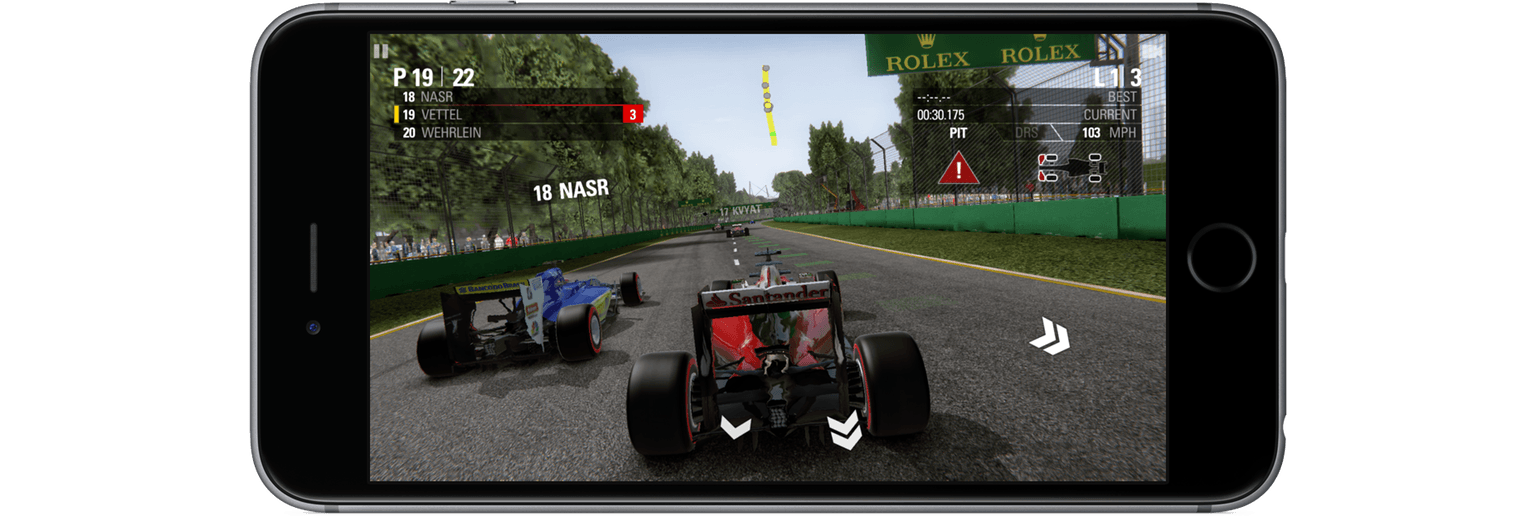
F1 wasn’t demoed on stage in September, but Phil Schiller’s comments about the game caught my attention. He specifically called out F1’s use of wide color gamut, haptic feedback, and the iPhone 7’s new stereo speakers, claiming that with the iPhone 7’s new A10 chip and GPU, F1 would bring console-level gaming to iOS. He was right.

F1 was released this week and it’s impressive on every level. I played F1 on my iPhone 7 Plus, iPad Pro, and Apple TV and it was great on each, but it was fantastic on the iPhone 7. The combination of hardware-stretching performance and integration of iPhone 7-only features sets F1 as a benchmark against which other triple-A iOS games will be measured.

Read more


Game Day: Alone

Every week thousands of new games are released on the App Store. As I set up my new iPhone 7 Plus recently and scrolled through the Purchased tab in the App Store, I realized that there’s another ‘new’ category - new to me. I download a lot of apps, including games, and sometimes they get lost in the shuffle. That’s exactly what happened to Alone, a fantastic endless runner by Laser Dog released about two years ago. Alone may not be new to you, but even if you’ve played it before, Alone is worth rediscovering.

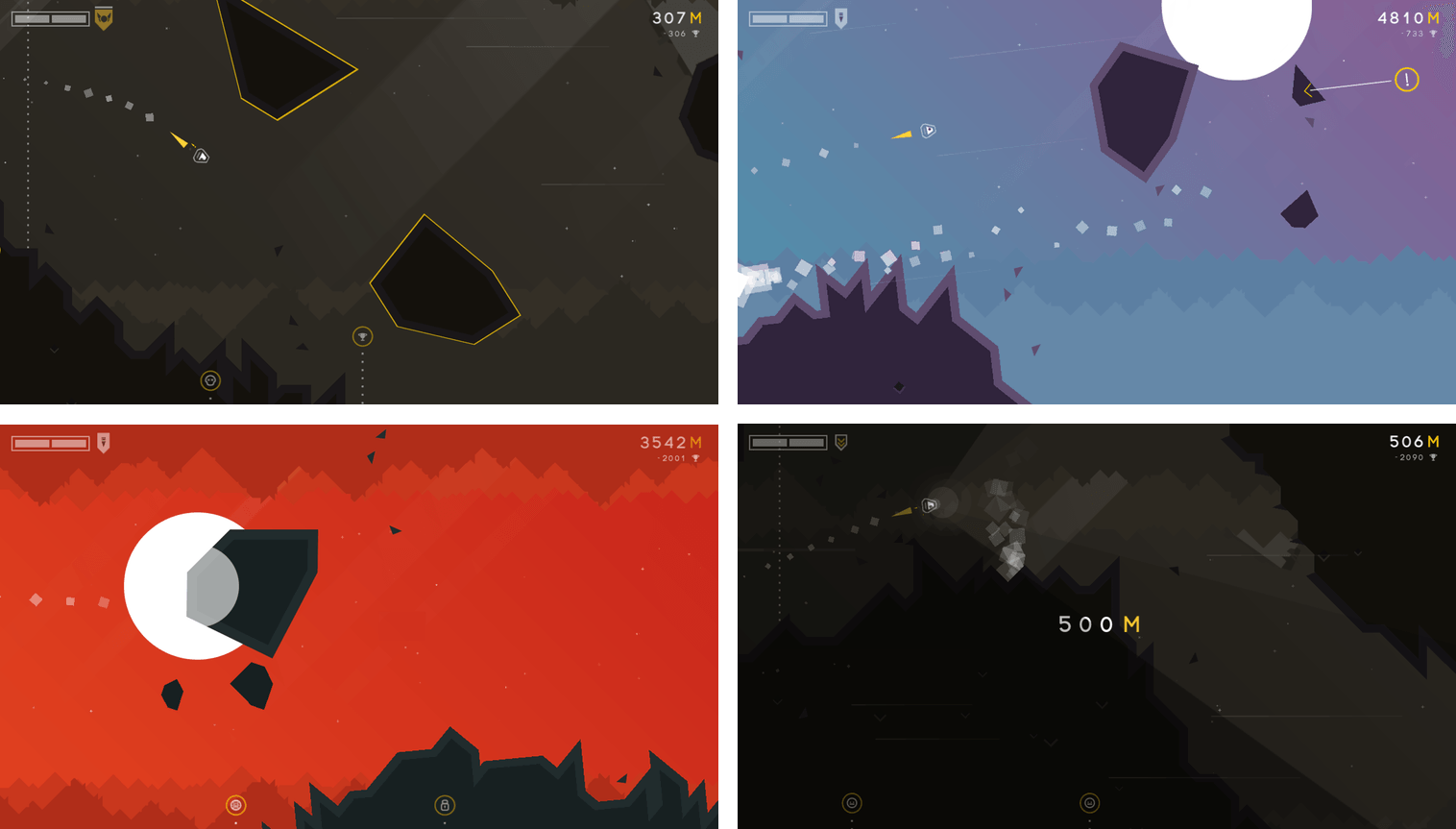
Alone, adds a sci-fi twist to the endless runner genre. You’re a spacecraft navigating thorough collapsing caves. Rocks fall as you maneuver your ship through the tunnels. The design of the game echoes its name. Your ship feels small and isolated in the harsh space environment. You can take a couple of small hits from debris, but more than that, or a collision with a wall, and it’s game over. Make it far enough in a world and you’ll be rewarded by unlocking new environments to explore.

Navigate your tiny spaceship through an unforgivingly bleak environment.

Navigate your tiny spaceship through an unforgivingly bleak environment.

Alone requires concentration and fast reflexes. Even though I’m not great at twitchy arcade games, I’ve had a lot of fun playing Alone. The focus it requires makes it easy to get absorbed in the game.

As you progress, Alone’s pace increases and additional obstacles, like rockets, are introduced, making for an even more harrowing journey. The controls are sensitive, which requires focus and concentration to make it very far. By default, dragging your finger down on the screen makes your ship rise and dragging it up does the opposite. If this feels counterintuitive, you can reverse the controls in the settings. The sensitivity of the controls would be more frustrating, but by building in the ability to survive small collisions, Alone has struck a good balance that makes it fun without being discouraging.

The fast pace of Alone and the relentless electronic beat of the soundtrack are a great combination. Endless runner games are by their nature somewhat one-dimensional, but Alone sets itself apart with its design and unique gameplay. Whether you’ve played Alone before or not, take it for a spin this weekend. Some of the best iOS games are hidden beneath a mountain of new releases.

Alone is available on the App Store for $1.99.


Game Day: Eggggg

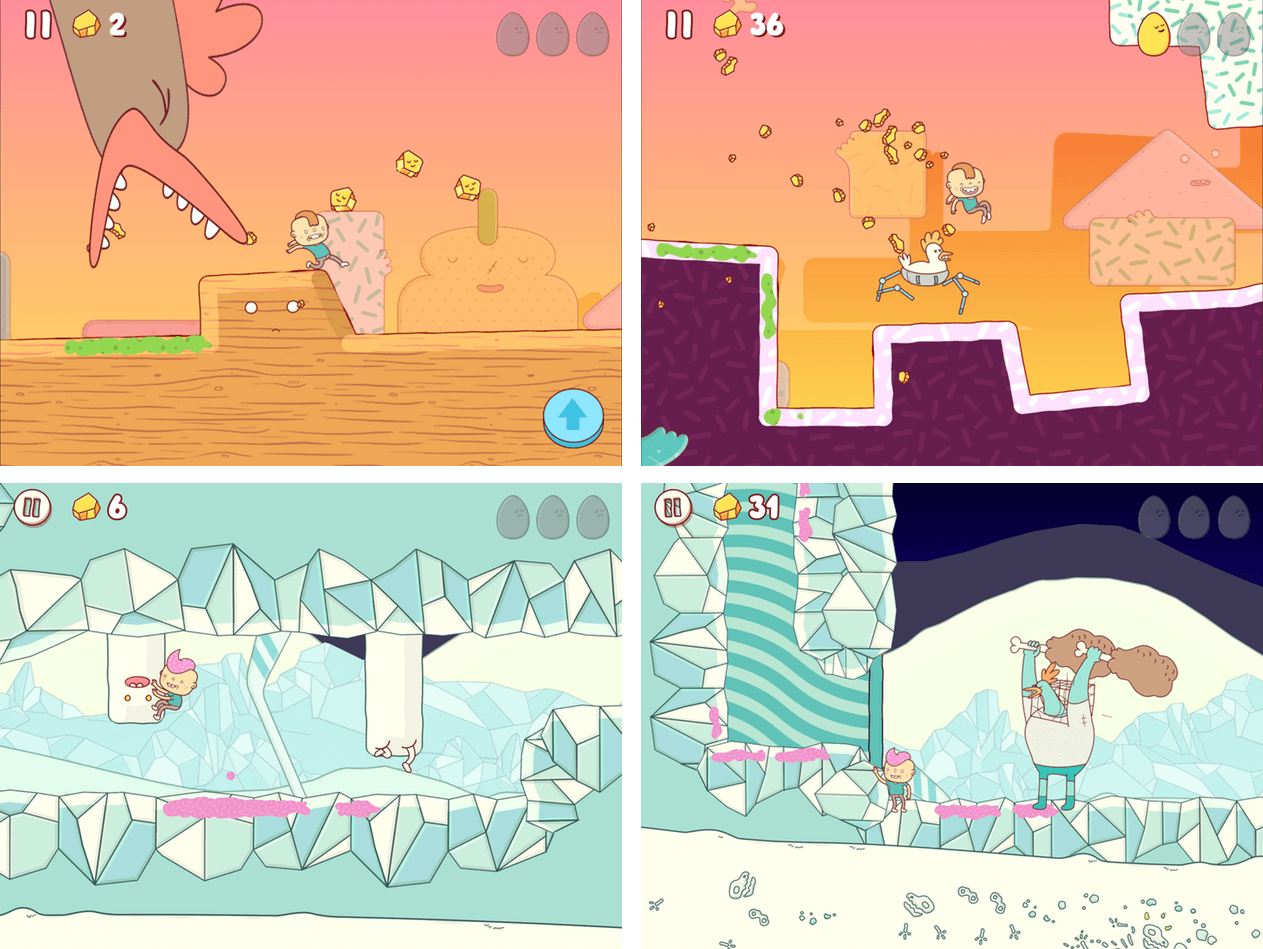
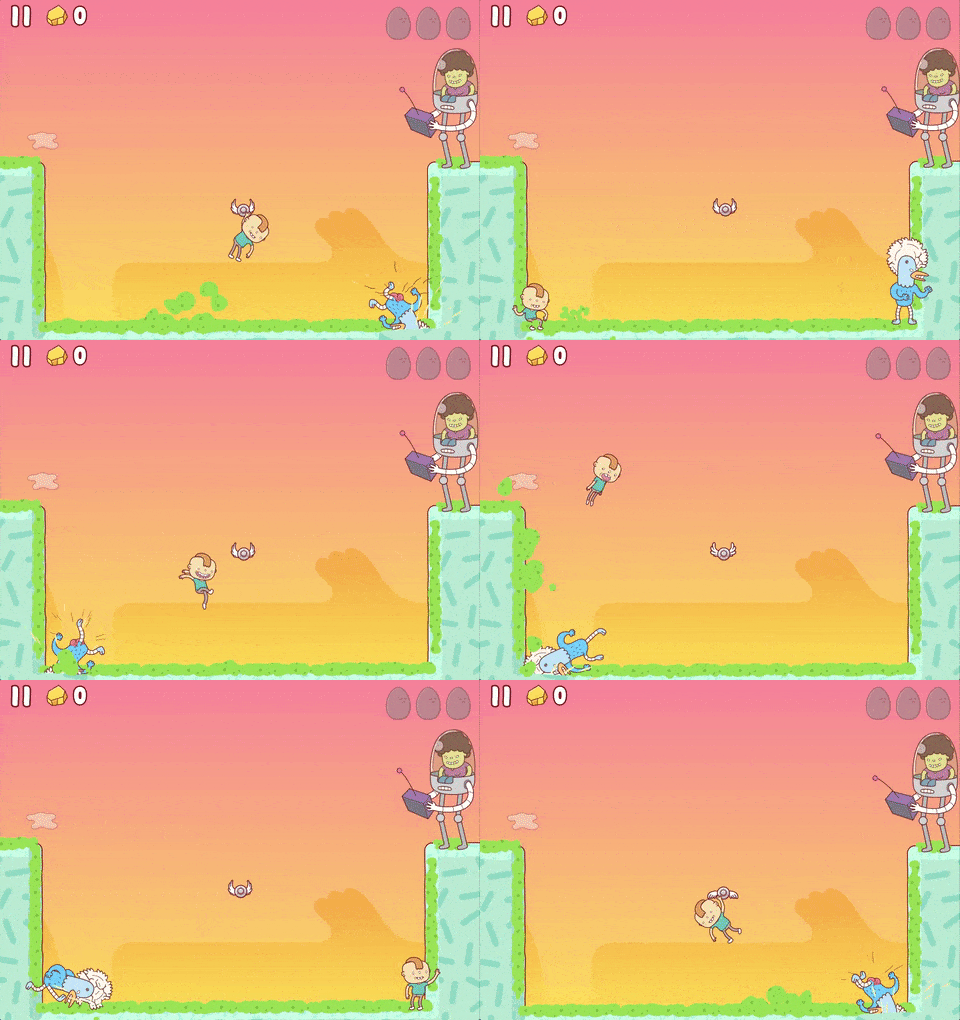
Eggggg, by Norwegian developer Hyper Games, bills itself appropriately enough as a platform puker. You play as Gilbert who jumps out a window and into a giant egg to escape his mean Aunt Doris who won’t let him go to a birthday party. The trouble is, Gilbert is allergic to eggs. They make him vomit – a lot. Thrown into a world of eggs and cyborg chickens, Gilbert uses what he’s got – his vomit – to propel him through each level. If Eggggg sounds odd, that’s because it is, but it’s also not as gross as you might expect, and it’s a whole lot of fun.

Eggggg draws inspiration from many sources. The levels are reminiscent of Mario platformers. Each is full of secret items to collect and hard-to-reach areas to explore. Eggggg only has 20 levels, but they are more complex and varied in their look and feel than most mobile games, which makes them a joy to replay.

When I first tried Eggggg, I immediately thought of Adventure Time. Eggggg shares a certain visual absurdity and bizarreness with the popular Cartoon Network show thanks to the fantastic artwork of Brosmind, a design studio based in Barcelona, Spain. But the visual style of Eggggg also harkens back to 90s cartoons like Rugrats. It’s an interesting mix of styles that feels fresh and works well in the game.

The sound design of Eggggg is just as fun and fits perfectly with the game’s style. The sound effects all started with mouth sounds recorded by Bendik Høydahl who has a great post on Hyper Games’ website that demonstrates how he recorded the sound effects. I also love that there’s a compilation of the effects on SoundCloud.

Eggggg’s game mechanics are simple, but a little different than you might have seen in other games – not different in a bad way, but they take some getting used to. You can tap on either side of the screen to send Gilbert in that direction. A second tap makes Gilbert jump. So, if Gilbert is running left, tapping the right side of the screen changes his direction and tapping again makes him jump. If Gilbert is already running to the right tapping just makes him jump. Fortunately, the first two levels of the game have no obstacles and are enough practice to get the hang of the controls before you start battling enemies.

Each level includes unique obstacles like chicken-spiders, buzzsaws, chickens in flying saucers, and more. You are timed as you race through each level, which gives you some incentive to go back and try levels again to see if you can beat your time and move up the Game Center leaderboards, though the game is just as fun when you take it at your own pace.

Platformers are hard to get right on mobile devices without joysticks and dedicated buttons. Eggggg’s controls took some getting used to, but I think Hyper Games made the right choice by avoiding dedicated buttons or simulated joystick controls on the screen. The blend of deep Mario-style levels, colorful artwork, and squishy sound effects come together to make Eggggg one of the best platform games I’ve seen on iOS. It’s definitely one worth trying.

Eggggg is available on the App Store for $1.99.


PDF Viewer Delivers Free PDF Viewing and Editing Tools

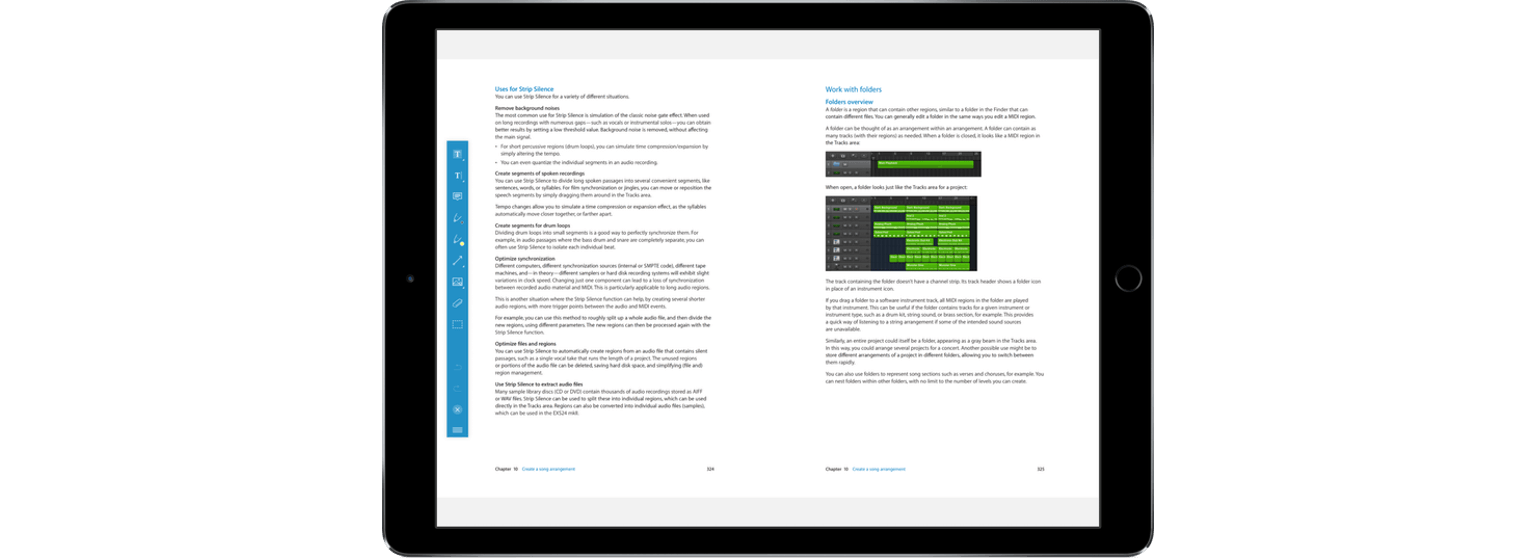
PDF Viewer’s name belies the power under its hood. This is more than just a viewer app. PDF Viewer includes powerful PDF editing tools on par with, and in some cases more extensive than, some of the best PDF apps I’ve tried. That’s not to say that there aren’t a few rough edges and limitations, but for a free app, PDF Viewer should suit the PDF viewing and editing needs of most people.

Read more


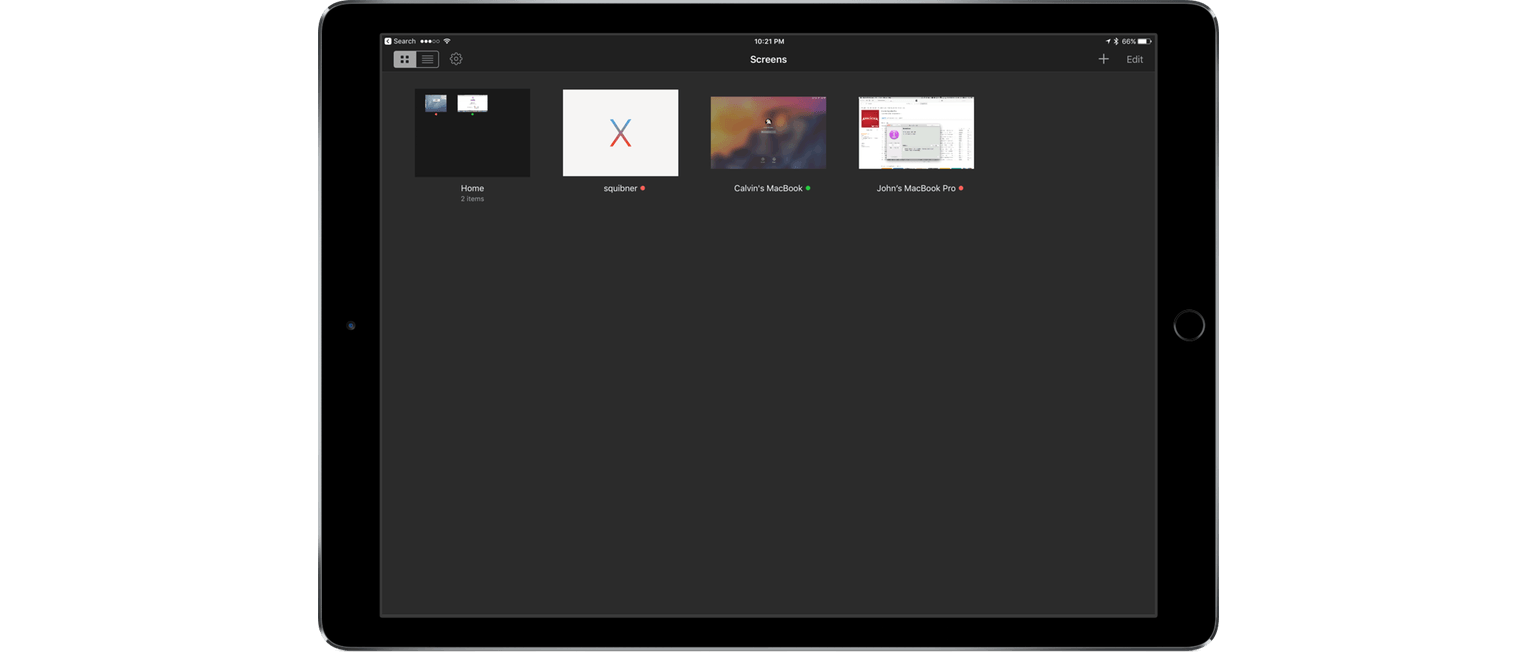
Screens Updated with Mobile Trackpad and Dark Mode

Screens 4, which I reviewed in April, improved the process of logging into and controlling a desktop computer remotely with a long list of features that eliminated hassles inherent in trying to control a desktop computer from a touchscreen display. Screens 4.2 continues down the same path offering a host of smaller refinements along with two headline features – Mobile Trackpad, which lets you use an iPhone as a trackpad for the computer you are connected to remotely, and Dark Mode.

Read more


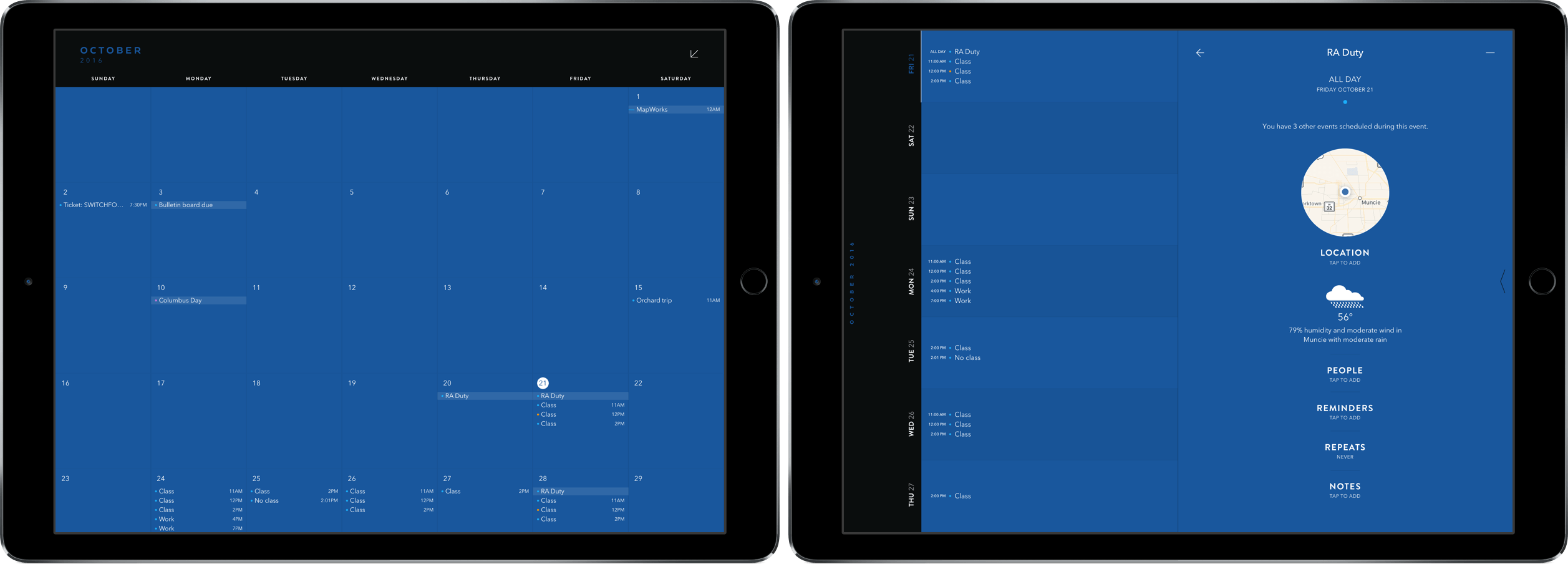
Moleskine Releases Timepage for iPad

Moleskine’s Timepage has been a MacStories favorite ever since I reviewed it for the iPhone back in January. With its innovative design and slick group of features, it was an easy pick for my calendar of choice – with one big caveat: no iPad version.

Last week, the team at MacStories finally got our wish in Timepage for iPad. In it, we get all the same features we’ve come to love in previous versions in a beautifully designed package supporting the larger screen.

Read more


Game Day: Mini Metro

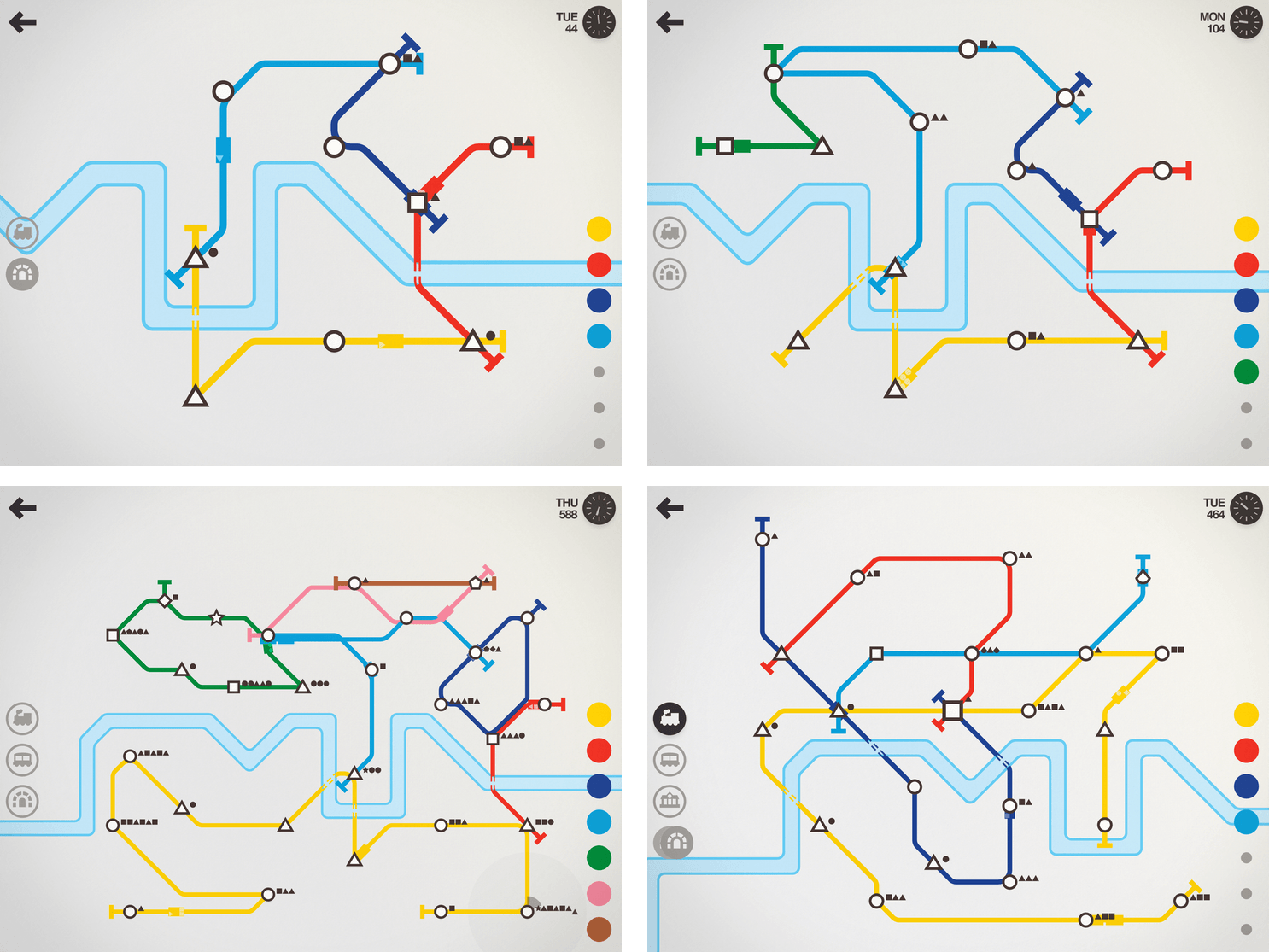
I haven’t been able to put Mini Metro down all week. The game, by New Zealand-based Dinosaur Polo Club, debuted on the desktop with promises of an iOS version ‘soon.’ It took about two years, but the wait was worth it. Touch Arcade is right on point with its assessment:

the iOS version [of Mini Metro] may well be the definitive version of one of the best indie puzzle games of recent years.

That’s high praise, but deserved. Mini Metro combines simple mechanics with elegant, minimalist artwork and challenging puzzles into a whole that transcends the sum of its parts.

What makes the iOS version of Mini Metro special is how you interact with it. The premise of the game is simple. You are in charge of building a transit system for your citizens. Mini Metro starts by tasking you with building London’s Tube from a few initial train stops that you connect with rail lines by dragging your finger between them. It’s the direct manipulation of the transit system – building parts up and tearing others down – that makes Mini Metro so engrossing.

Read more


SoundShare Adds an iMessage App

SoundShare is designed to bring music lovers together regardless of the streaming services they use. I reviewed SoundShare back in May when it launched a big update and since then, Matt Abras has continued to refine and improve the app with a series of updates.

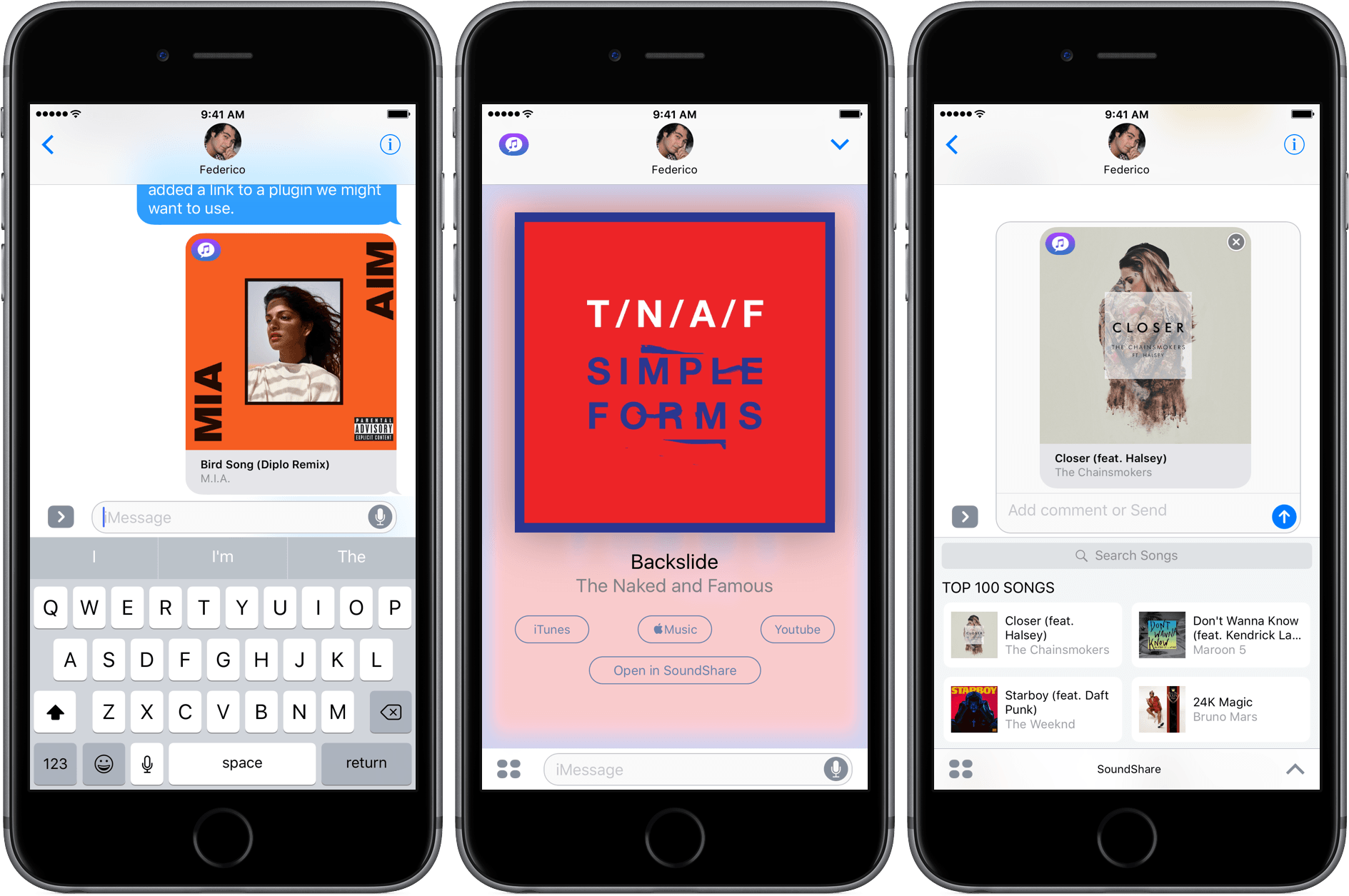
Today, SoundShare released an update that includes a great iMessage app. From SoundShare’s iMessage app, you can pick a song from among the iTunes Top 100 list or search for something else using the search bar at the top of the iMessage drawer. Tapping a song adds album art, the title, and artist to a message ready to send with or without a comment.

What makes SoundShare’s iMessage app so handy is that when your recipient taps on the album art, it opens full screen with options to open the song in iTunes, Apple Music, YouTube, or the SoundShare app. This isn’t the full compliment of services that SoundShare works with, but the others (Spotify and Deezer) can be accessed through the ‘Open in SoundShare’ option. That opens the SoundShare iOS app and immediately starts playback of the song with one of those services if you are logged into them through SoundShare.

We have started to see some interesting iMessage apps a month into the iMessage App Store that take advantage of platform. SoundShare is one of my favorites so far because it removes the friction of sharing music. I can send a nicely formatted link to a song without thinking about whether the person on the other end of my message has the correct service to play it.

SoundShare is iPhone-only and can be downloaded for free on the App Store.