This Week's Sponsor:

SoundSource

New Year, New Audio Setup: SoundSource 6 from Rogue Amoeba


Posts in reviews

PDF Viewer Offers a Pro Pack with Advanced PDF Editing and Collaboration Tools

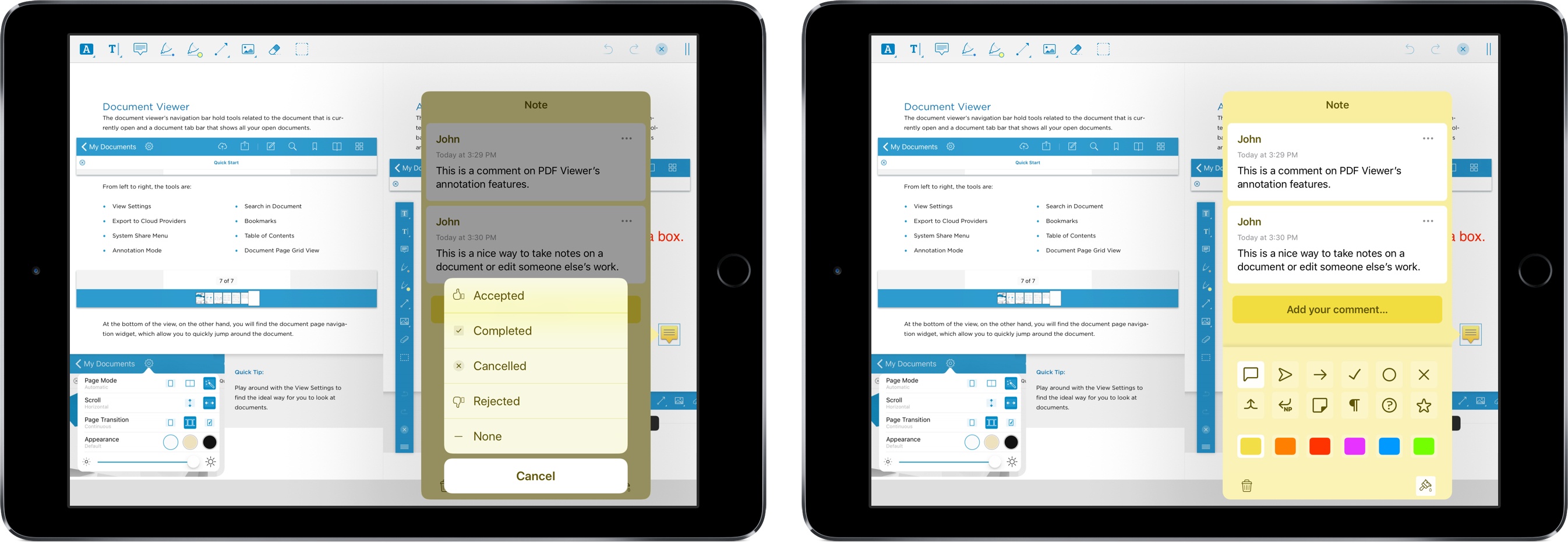
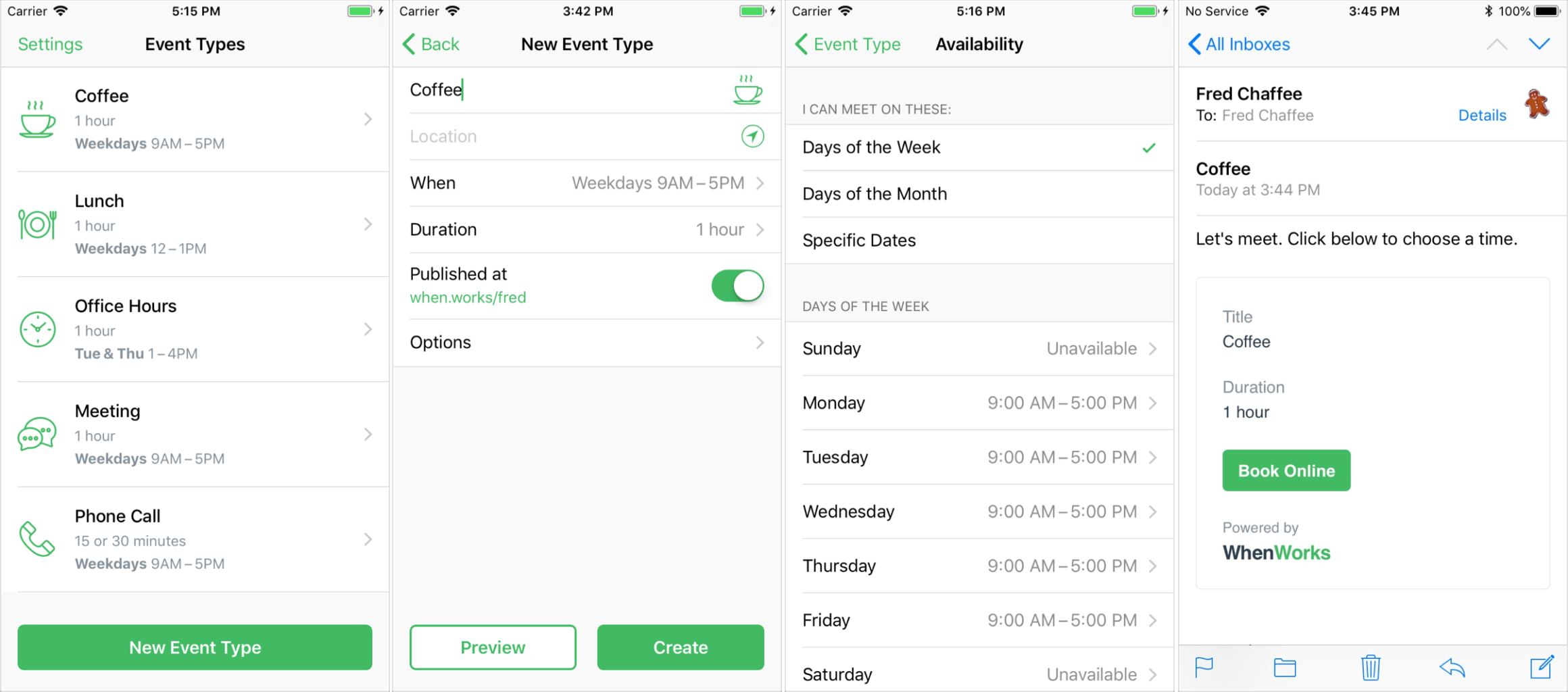
As Federico and I discussed on AppStories this week, PDFs are a big part of the work day for many people. There are several solid PDF apps for iOS, but one of my favorites is PDF Viewer by PSPDFKit, the maker of a PDF viewing and editing SDK that many well-known companies use to integrate PDF functionality into their apps.

One of PDF Viewer’s advantages is that it’s free. With version 3, PDF Viewer’s core functionality remains free, but it is introducing a Pro Pack that is a set of advanced features available as part of a $9.99/year or $2.99/3-month subscription.

It’s a savvy move and one that’s been well-executed. By first building a free PDF app with functionality that rivals established paid apps, PDF Viewer has made a name for itself in a crowded market. The broad feature set of the free version of PDF Viewer, which we’ve covered in the past here, here, and here makes it hard for someone to argue that the app is only useful if you pay for the In-App Purchase. That’s just not the case. If you work with PDFs every day, you’ll love the new pro features, but the app’s free version still serves more casual users as well as ever.

Read more


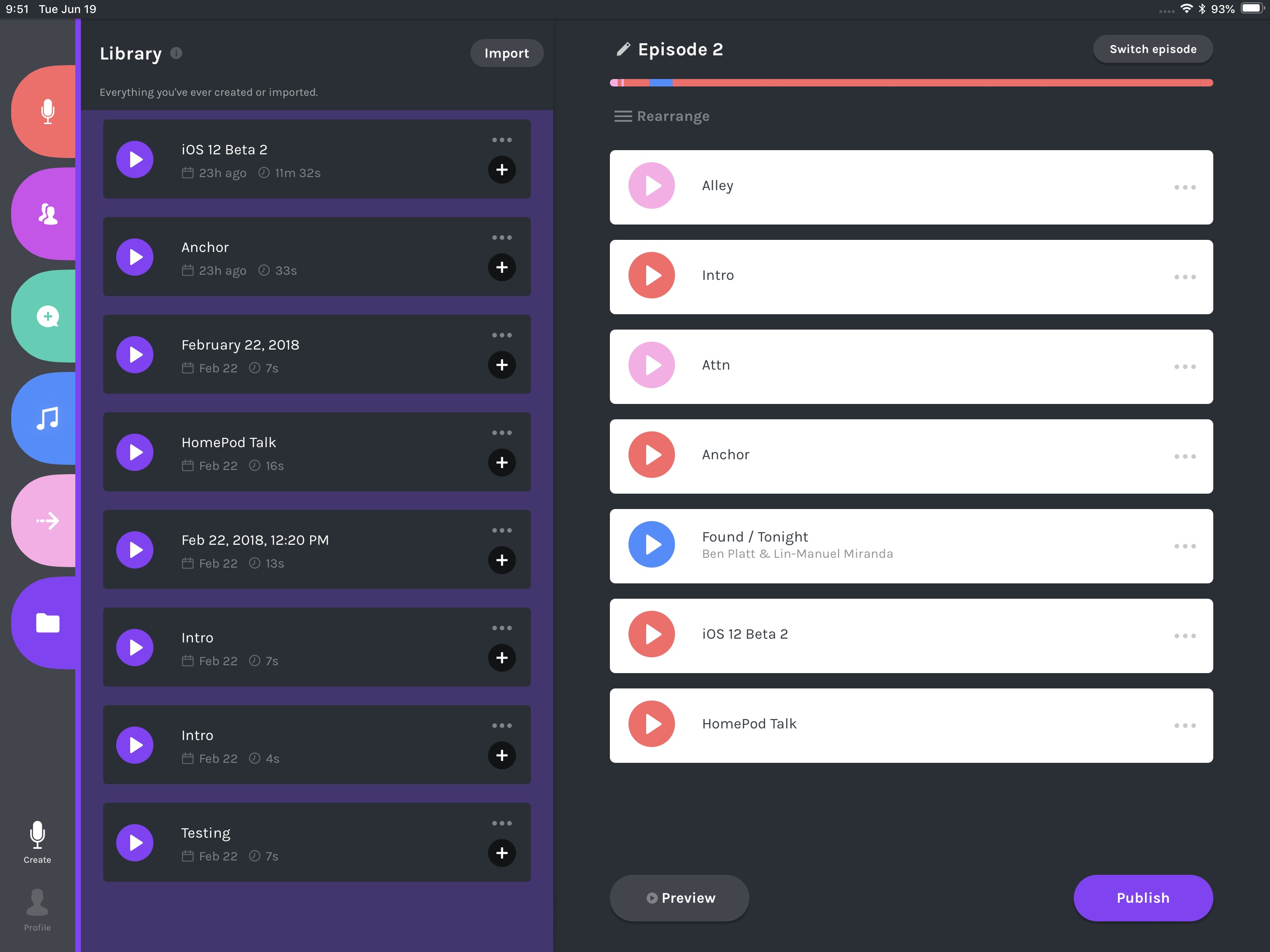
Doppler Enables Pain-Free Importing of Music and Podcasts from Safari on iOS

I’ve been an iOS-first user for nearly three years now, and during that time there have been very few tasks that required me to pull out my old MacBook Air. One remaining holdout has been downloading music or podcast files from the web and saving them somewhere I can conveniently access them on iOS. The ideal scenario would enable importing those files into iTunes, where they get added to my iCloud Music Library – unfortunately, that remains impossible on iOS today. But the next-best option I’ve discovered can be found in an iPhone app called Doppler.

Doppler launched a few months ago as a music app aimed at the non-streaming market. Despite the increasing popularity of services like Apple Music and Spotify, there are still plenty of users who want greater ownership of their music library, and that’s where Doppler comes in. It specializes in offline playback and custom library curation. You can import your existing iTunes purchases, or import songs or podcasts saved in the Files app, and customize metadata so your library’s organized exactly as you like it.

Today in version 1.2, Doppler adds a feature I’ve long wanted on iOS: the ability to import files directly from Safari.

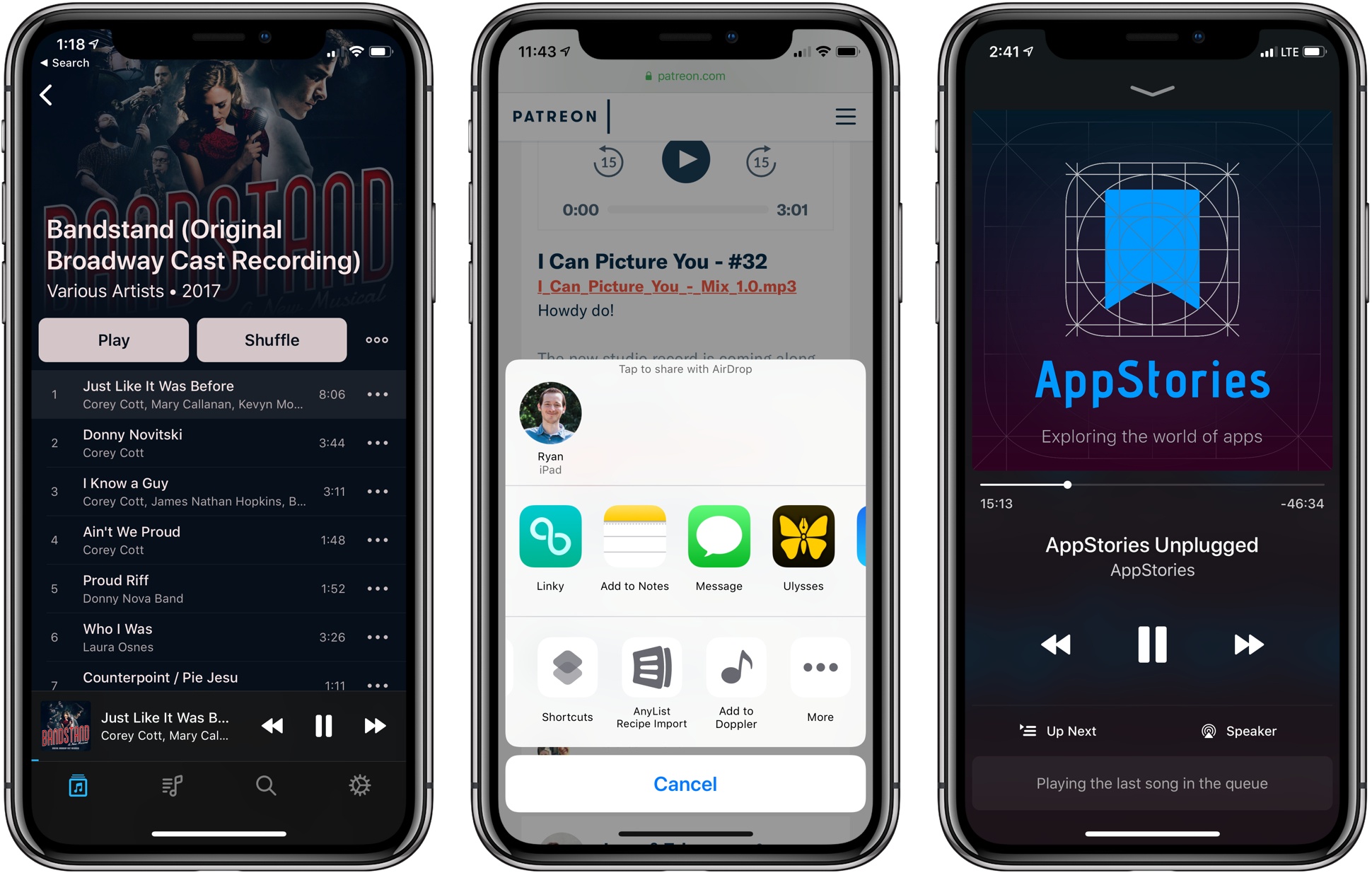
My main use cases for Doppler’s new feature include downloading MP3 tracks from an artist I support on Patreon, and downloading special members-only podcasts, like AppStories Unplugged from Club MacStories. In both cases, getting the audio files from Safari into a music player, or even just a cloud storage provider, has historically been way too difficult on iOS. Last year when iOS 11 introduced the Files app, I thought this problem would finally be taken care of; surely I’d be able to use Files’ share extension from Safari to save the audio tracks. Unfortunately, Safari only presents the Files extension when downloading certain file types, and audio files aren’t included. And that’s where Doppler comes in.

Doppler now offers an action extension that can be used in two contexts: either when an audio file is already loaded in Safari, or even just when long-pressing a link to an audio file and hitting the ‘Share…’ option. The action extension then pulls in the file, lets you modify track metadata, and saves it to your Doppler library. The app is billed as a music player, but this same process works well for podcasts too – just know that due to their increased track size, podcasts will take longer to import.

Doppler is still a young app, so it’s missing key features that will hopefully be added in the future, such as an iPad app and iCloud sync. Its design is solid though – I like how it evokes past versions of Apple’s Music app with backgrounds matching the color scheme of each album. Despite being feature-light, Doppler works well as a basic music player for your non-streaming service needs. And now, thanks to its Safari import feature, it’s become a crucial utility that’s staying installed on my device.

Doppler is available for iPhone on the App Store.


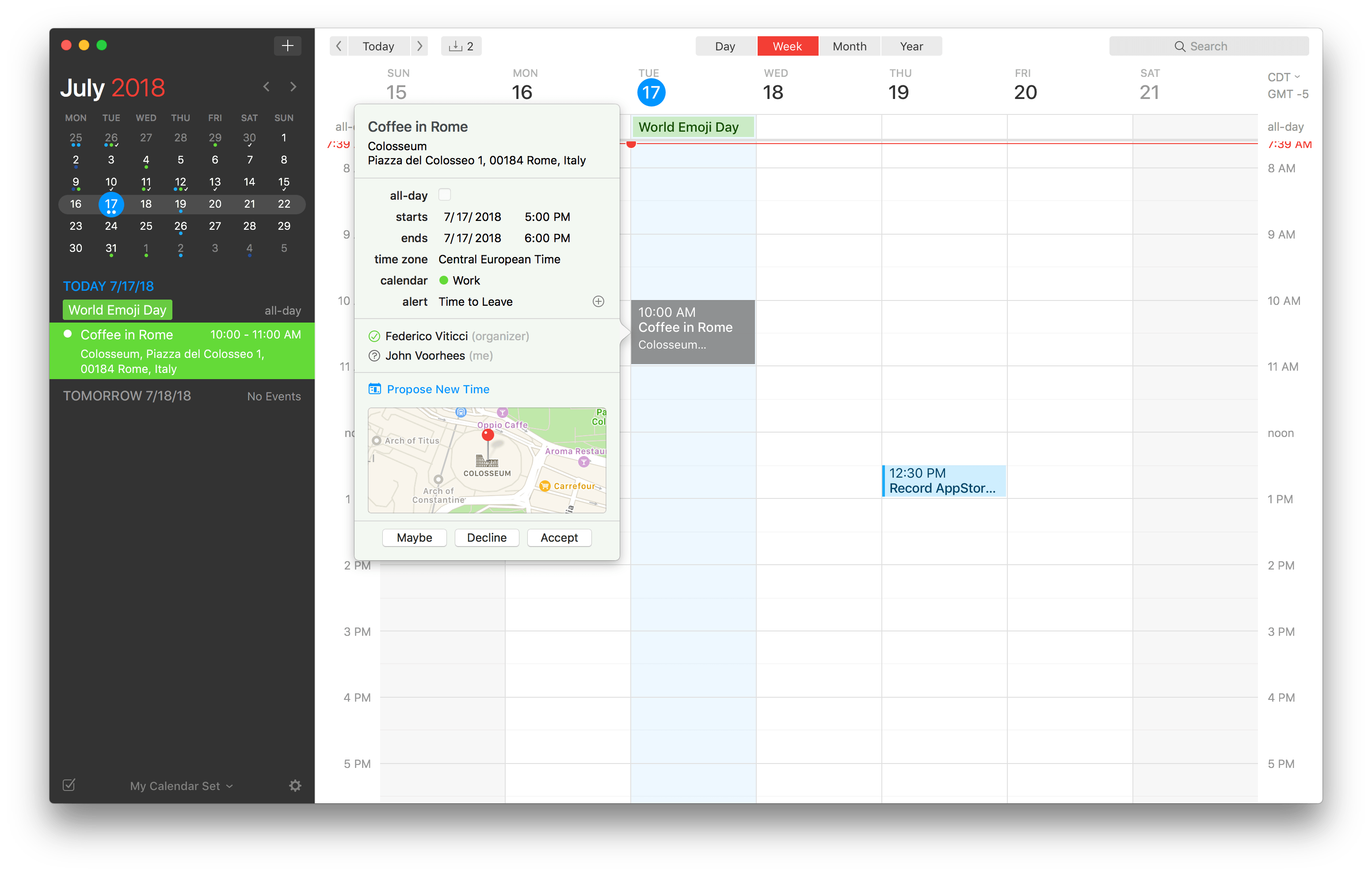
Fantastical 2.5 for Mac Adds Time Change Proposals, Meetup.com Support, and More

Flexibits has released an update to the Mac version of its popular calendar app Fantastical. The feature that should be useful to most users immediately is the ability to send and receive new time proposals for events. Fantastical already could send meeting invitations and acceptances, but with version 2.5, recipients of an invitation can propose a new time. The feature works with iCloud, Google, Exchange and CalDAV calendaring services, which should cover most use cases.

Read more


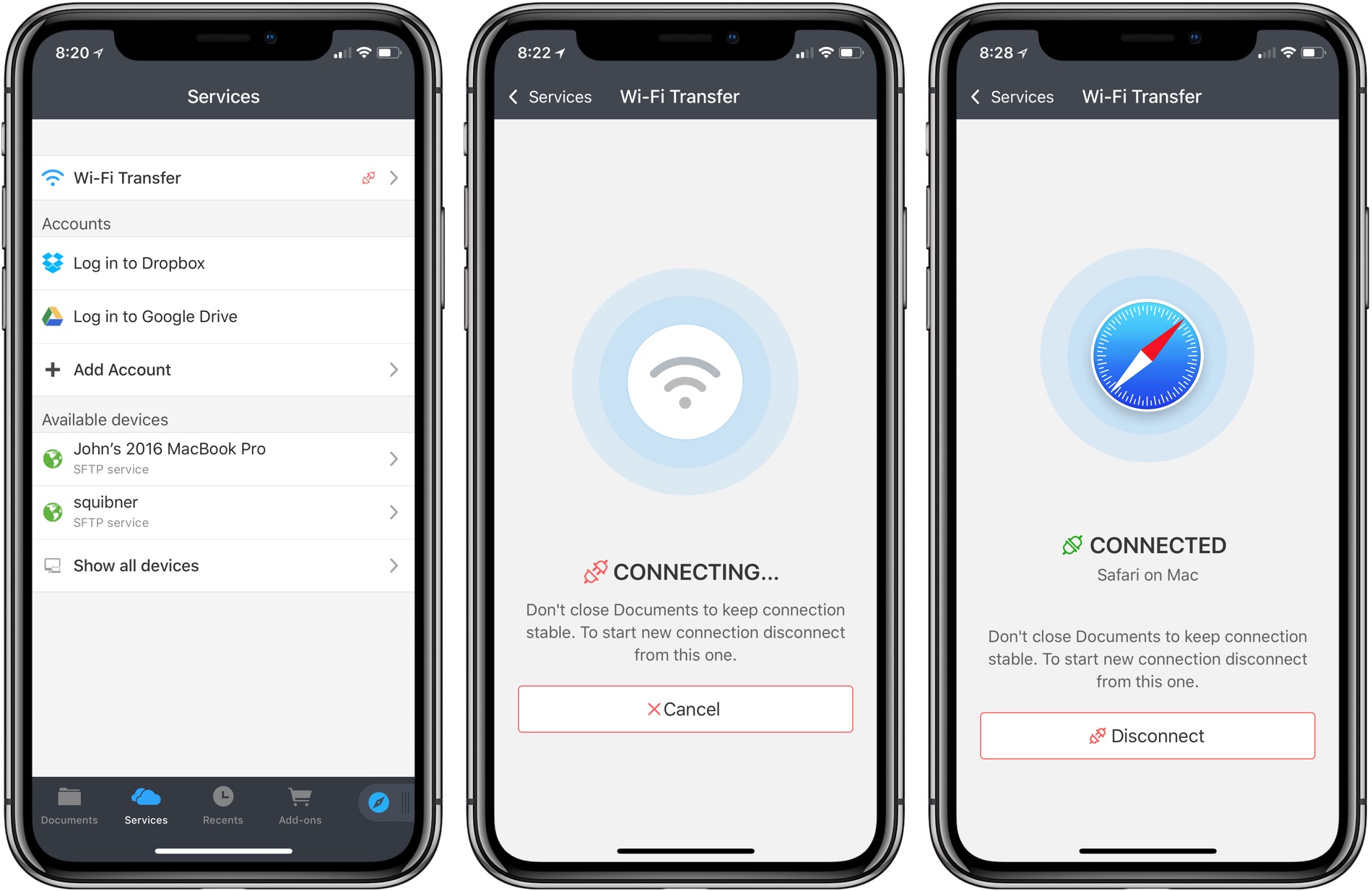
Documents Adds WiFi File Transfer

Documents by Readdle has been on the App Store a long time. Before Apple released its Files app, Documents filled the gap with features that made it indispensable for accessing files on iOS devices and doing things like unzipping an archived folder. Although the stock Files app has taken over many of my day-to-day needs for file handling, Documents continues to evolve and adapt, providing tools that aren’t in Files.

Today, for instance, Readdle added WiFi file transfers between a Mac and iOS device to Documents. The system is easy to use and more flexible than AirDrop, making it something to keep in mind, especially when you are moving large numbers of files between a Mac and iOS device.

Read more


OmniFocus 3 Review: More Approachable and Powerful, All at Once

If you’re anything like me, you probably remain perpetually dissatisfied with your task management setup. You may have chosen an app and settled in with it, but some of its design choices don’t quite fit with your way of working, so you’re always keen to try the latest and greatest app that comes along. Realistically though, you’ve resigned yourself to the fact that the “perfect task manager” doesn’t exist, and likely never will.

Task management is a tough problem to solve, because every option out there is optimized for specific use cases, resulting in different complexity levels. Some aim to remain simple and user-friendly, while others try to put every tool at your disposal, endearing themselves to power users while scaring off prospective customers who need a bit less. On this complexity spectrum, OmniFocus has historically been the poster child for the weightier end: if you have a lot of complicated projects that need a high degree of structure, there’s no better place to start than OmniFocus; however, for lighter needs, I’ve always found its myriad of options too overwhelming to recommend.

OmniFocus 3, released today for iOS (and later coming to the Mac), adds even more power and options to the app’s existing toolset, yet rather than growing more complex in the process, it’s surprisingly become more approachable. This improved user friendliness is achieved thanks to a new level of flexibility that can, upon tweaking your ideal setup, obscure the app’s complexity in everyday use. In more ways than ever before, OmniFocus provides the tools to make the app your own.

Outside of a lovely new design, where icons and fonts are bolder and everything feels more fresh, my favorite changes in OmniFocus 3 are this increased flexibility, which encompasses a lot of new and updated features, and its excellent iPad improvements. Let’s dive in.

Read more


Retrobatch from Flying Meat Brings Nodal Batch Processing of Images to the Mac

Retrobatch is a new batch photo processing app for the Mac from Flying Meat, the maker of Acorn. Batch processing of photos isn’t new. There are plenty of apps available that let you manipulate collections of photos. What’s different about Retrobatch is how it goes about processing images.

If you’ve ever used Audio Hijack from Rogue Amoeba, you’ll understand the power of Retrobatch immediately. The app is based on the idea of linking individual nodes together to create complex workflows. Point your new workflow at a batch of images, hit go, and Retrobatch goes about its work, delivering your processed photos to wherever you specify. The power is in abstracting complex actions into simple building blocks that can be strung together and branched as though you were building a flowchart.

That last point is the essential distinction between Retrobatch and other batch processors. Most image processors are linear, moving through a series of steps that outputs modified images. Retrobatch’s nodal structure allows you to start with a folder of images, perform actions on them, and then branch off to different actions at any point in the process.

Read more