
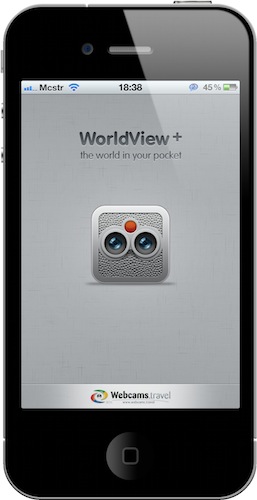
The iPhone 4 has got a great camera, but this app is about checking on images captured by other cameras around the globe. If you’ve ever wished to have access to more than 14,000 webcams from your pocket, WorldView+ might be just the app for you. With a nice icon and a redesigned UI by Marcelo Marfil, this app combines the functionality of checking on live webcams with additional data pulled from Wikipedia, weather stations and Google Maps.
Posts in reviews
WorldView+: Webcams Worldwide, With An Elegant Interface
Meet My New Gmail App for iPad
Every day I check on 7 different Gmail accounts. Both personal and work-related, I have to keep an eye on them. On the desktop I use Mailplane, which is a must-have application that wraps Google’s Gmail web UI around a Cocoa native interface for the Mac, and adds a lot of features to it. If you haven’t tried it yet, go get Mailplane right now.
On iOS we don’t have anything like Mailplane. There’s Mailroom, but it’s not as rich or powerful as Mailplane and it’s only for iPhone. I use Mailroom, but I’d like to be able to do more stuff with it and have a full-featured iPad version as well.
So I’m forced to either keep on switching between accounts on Google.com (not a chance in hell), or use different apps on the iPhone and iPad to enjoy this useful “easy multi-account” feature. Like I said, I use Mailroom on the iPhone; on the iPad I’ve been using MailWrangler and Mailboxes for months, but I think I’ve found something that’s faster, equally powerful and free.
MultiG is a simple app for iPad that lets you switch between regular Gmail accounts and Google Apps ones, it’s got a lightweight and fast integrated browser and it even comes with Instapaper support. Read more
Linkie, Another iPhone App To Track Bit.ly Links. The One I’m Sticking With.
Last week I took a look at Clicks Count, a free iPhone app to keep track of bit.ly links posted by a Twitter account. By using the public bit.ly’s APIs, the app allows you to check on the clicks a link has received and nothing much, really. But it’s free, and I’m sure it’ll be just fine for many of you.
I, however, need more. I want mobile analytics and referrers. So I went digging in the App Store some more and found this other app, Linkie, which comes at a $0.99 but does everything I need. So I’m sticking with it. Read more
Delibar for iPhone Syncs Bookmarks In The Cloud - Review & Giveaway
I don’t really save bookmarks anymore like I used to, but I know hundreds of thousands of users out there save any kind of content every day on popular services like Delicious, Pinboard and historio.us. I’m out of the bookmarking game, maybe because my browser’s address bar became so smart I can type a few characters and get back to that post I needed. Or maybe because I save the stuff I want as starred items in Google Reader and faves in Twitter or then again, maybe I was just tired of bookmarking. Like I said, though, bookmarking services are far from dead, even if people like me stopped using them.
For this very reason you should welcome the release of Delibar for iPhone, which is, hands down, the best iOS app to access Delicious and Pinboard bookmarks. Read more
Note & Share: A Note Taking App, With Twitter and Dropbox Support
There are so many note taking apps for iPhone and iPad out there in the App Store, I don’t want to even keep a list of them anymore. Since Dropbox announced the possibility for developers to plug into the system and people remembered that Evernote has always been a great solution to store notes, developers rushed to release both great and terrible clients to create notes and save them to multiple online locations. Me? I’ve been using Simplenote all along and I’m not moving away from it, although PlainText makes a great note taking application with excellent Dropbox support. Read more
AirProjector - iPhone Presentation Tool
A few months ago Cody reviewed AirSketch: an iPad sketchpad that allows you to easily share your doodles over a local network to anyone with a HTML compatible browser. Also from qrayon we now have its other half: AirProjector, an iPhone app that acts as a simplified wireless projector.
Typo Base HD for iPad
If you’re a designer that occasionally gets a hard-on for accentuated rounded curves in the letter G, or an iOS developer eyeballs deep in PDF documents detailing the available fonts on the iPad, get yourself a copy of Typo Base HD.
Clicks Count: Simple iPhone App To Track Clicks on Bit.ly Links
A few days ago I asked this on Twitter: what’s the best way to track bit.ly links on the iPhone? It turns out there are a handful of interesting choices out there. The first app I was passed along is Clicks Count by Spicy Apps, a very straightforward way to keep track of clicks on bit.ly links posted over any Twitter account. Read more
JotAgent: The Quickest Way To Save Notes and Ideas in Dropbox
A few weeks ago I reviewed Captio, which is a neat and simple application for iPhone to email yourself a note, or a picture, with one tap. How many times have you wished there was a way to easily save an idea for later? For many, quickly emailing yourself a note is the best way to save it.
For many others, though, getting additional stuff in the inbox can become a nightmare. Not only the inbox is already overloaded, but getting notes in there as well? No way. I’ve set up a nice filtering and tagging system in Gmail to handle Captio notes, but I understand some of you guys just don’t want notes to be turned into emails.
Meet JotAgent: a new app for iPhone and iPad which can be described as “Captio for Dropbox”. Read more