Posts in news

Apple Releases Updates to Final Cut Pro and Logic Pro for the Mac and iPad

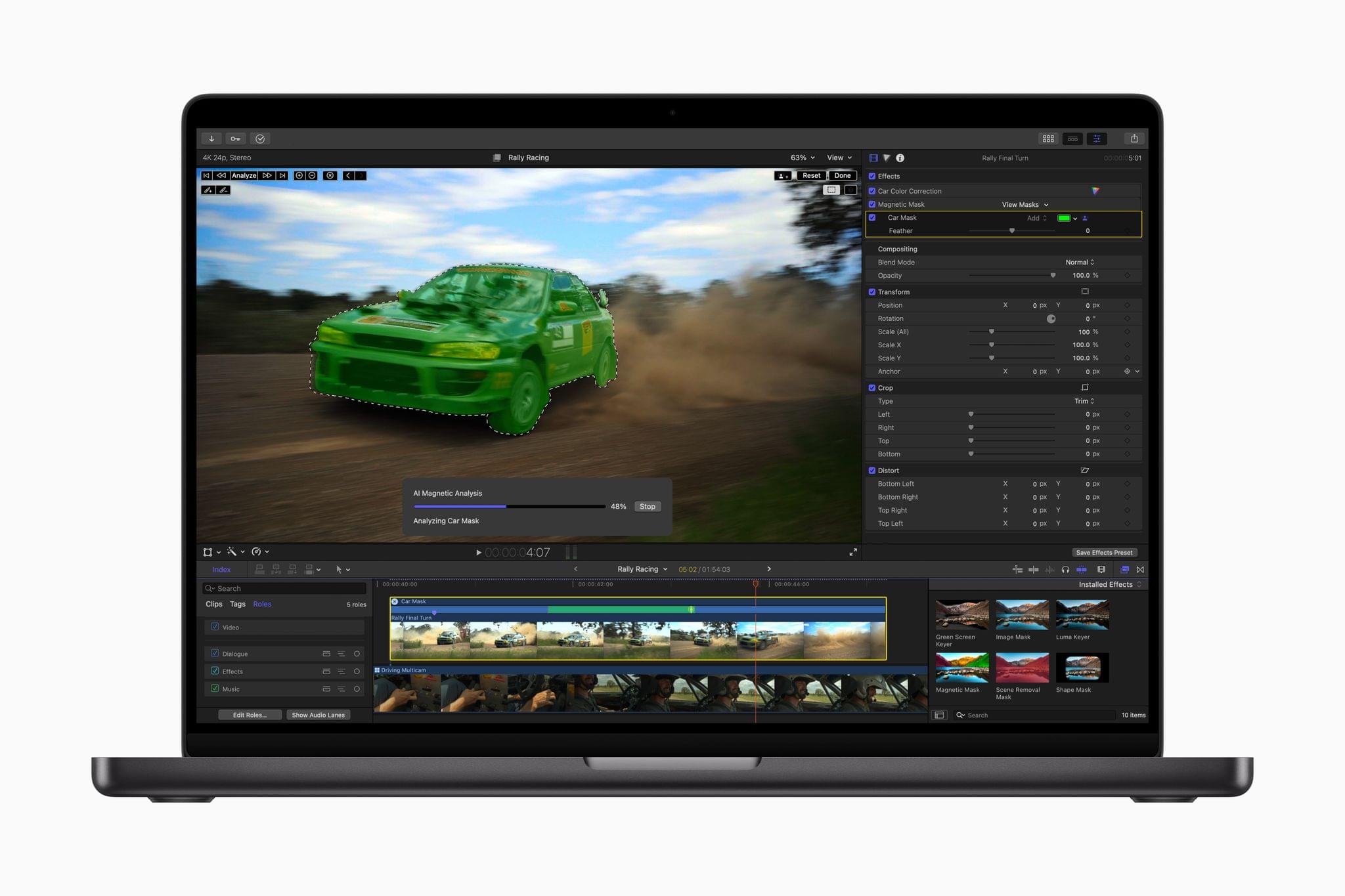
The Magnetic Mask. Source: Apple.

The Magnetic Mask. Source: Apple.

Today, Apple revealed the latest updates to Final Cut Pro for the Mac and iPad, with both offering a variety of new features and simplified workflows.

Final Cut Pro 11 for the Mac has added magnetic masks, extending the “magnetic” metaphor used for clips placed on your timeline. Apple says the new feature will allow you to quickly mask people and objects in a shot to color grade them or add effects separately from the rest of a scene.
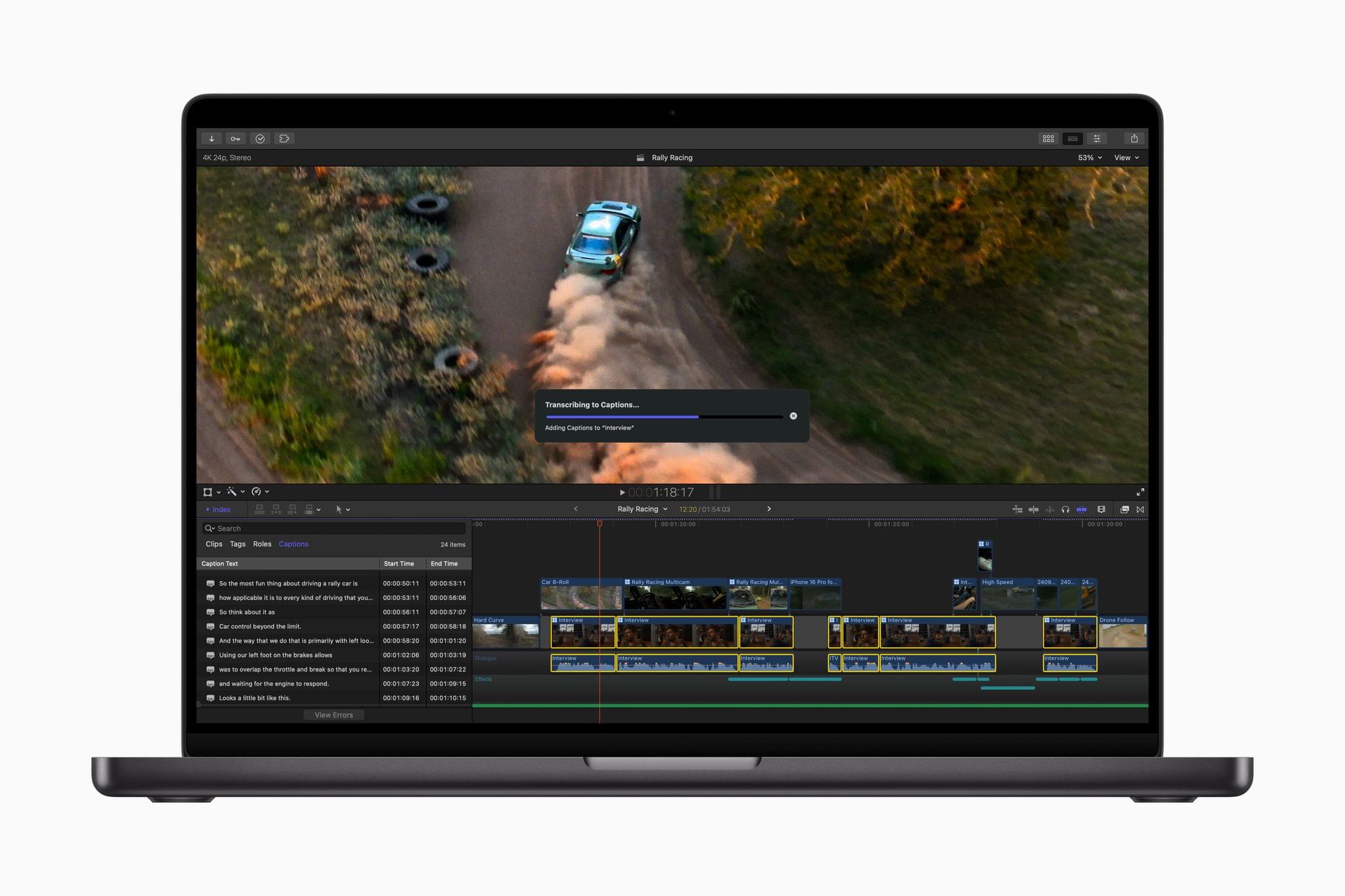
Final Cut Pro for Mac creating closed captions. Source: Apple.

Final Cut Pro for Mac creating closed captions. Source: Apple.

The app can automatically generate closed captions now, too. The feature, which was briefly shown off in a video published alongside the announcement of the new Mac mini, uses artificial intelligence to convert dialogue into text.

Final Cut Pro 11 is also now capable of editing spatial video for the Apple Vision Pro. In its press release, Apple says:

Final Cut Pro 11 now supports spatial video editing, allowing editors to import their footage and add effects, make color corrections, and enhance their projects with titles. The depth position of titles and captured footage can also be adjusted during the editing process. Spatial video clips can be captured directly with Vision Pro, or on iPhone 15 Pro, iPhone 16, iPhone 16 Pro, and Canon’s new RF-S7.8mm F4 STM DUAL lens paired with Canon R7.
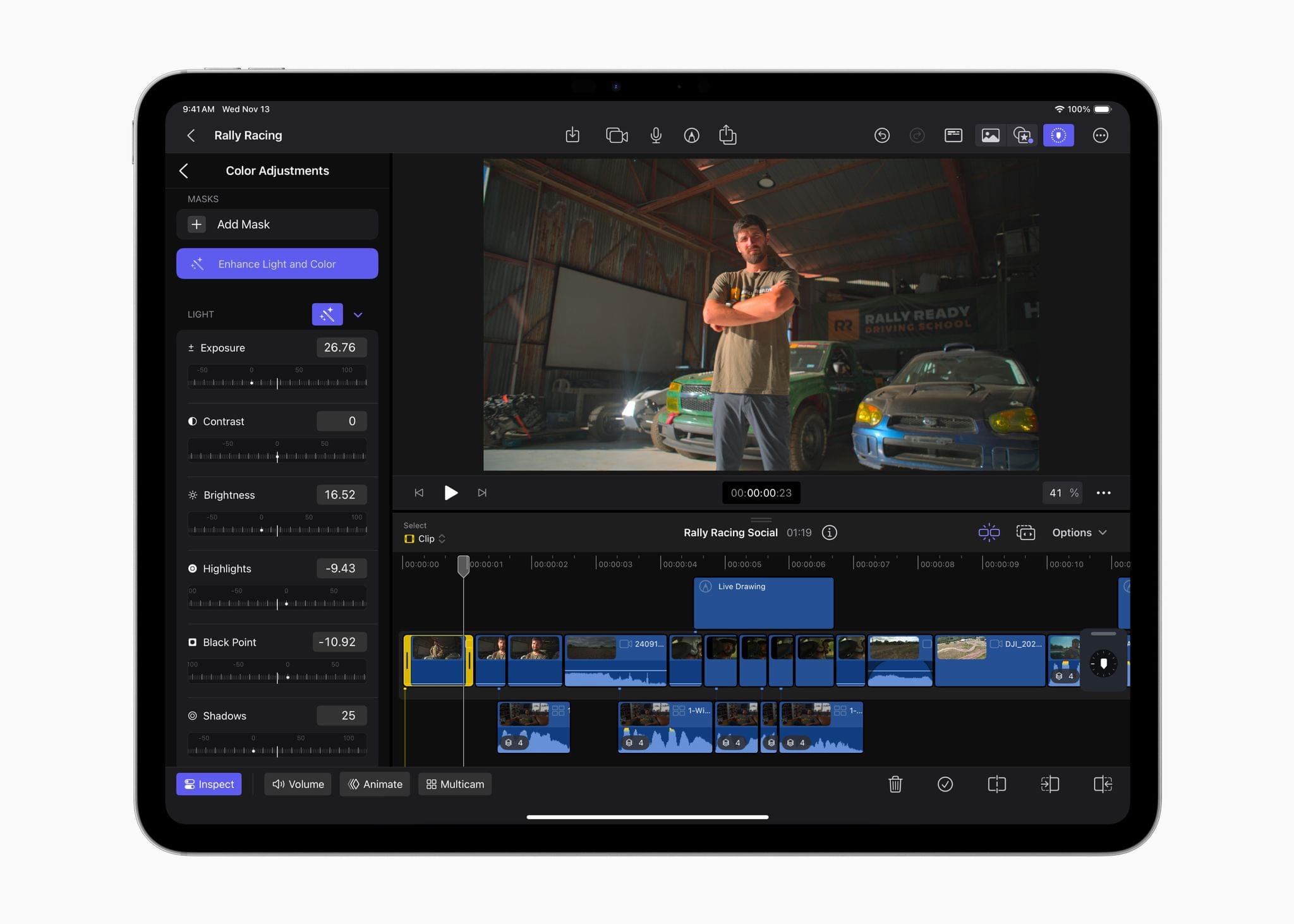
Enhance Light and Color in action. Source: Apple.

Enhance Light and Color in action. Source: Apple.

Final Cut Pro for the iPad has been updated to version 2.1 with several new features. I’ve been using Final Cut Pro more regularly since we started the MacStories YouTube channel, and one of the limitations I noticed immediately is that the color correction tools in the iPad version weren’t nearly as good as on the Mac. The iPad’s color tools still aren’t as sophisticated as what’s available on the Mac, but this update does add new color grading presets as well as a new Enhance Light and Color feature that intelligently applies color, contrast, brightness, and color balance to a video and works with SDR, HDR, RAW, and Log-encoded media.
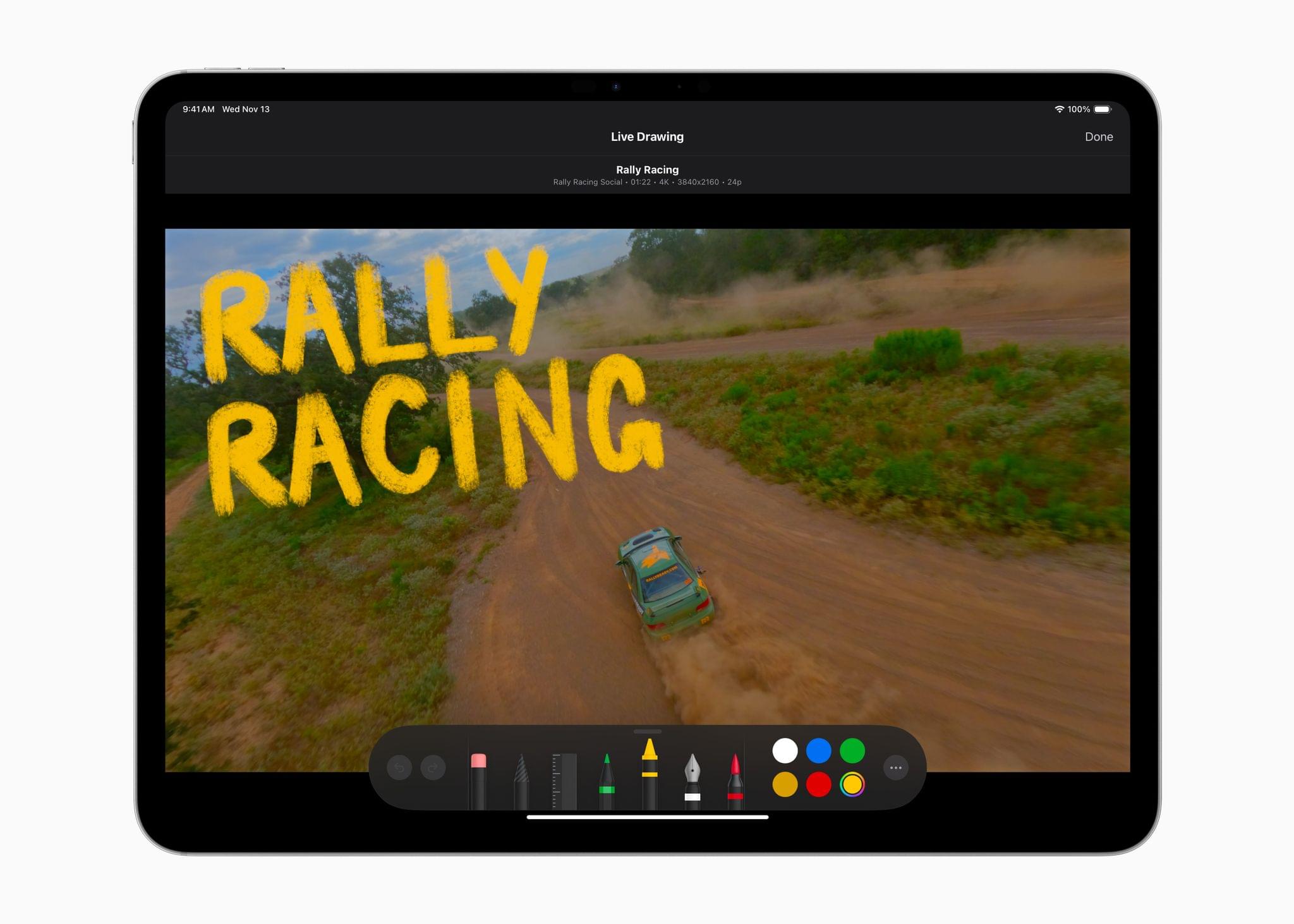
One of Final Cut Pro for iPad's new brushes. Source: Apple.

One of Final Cut Pro for iPad’s new brushes. Source: Apple.

Live Drawing on a video has been expanded with new brushes, too. There are new watercolor, crayon, fountain pen, and monoline pen brushes, letting users create a greater variety of looks for their videos. Other new effects include a picture-in-picture effect, callouts, and a set of built-in soundtracks. I’m eager to try picture-in-picture, which should be a good way to create tutorials and other types of videos and callouts; it’s an effect available from multiple third-party effects vendors on the Mac, but new to the iPad.

The iPad version of Final Cut Pro is also adding a host of other new features, including:

  • the ability to expand clips in the timeline vertically with a pinch gesture,
  • dynamic adjustments to the size of the picture-in-picture window,
  • support for editing high-frame-rate video, and
  • Apple Pencil Pro haptic feedback for timeline scrubbing and dropping effects onto the timeline.
Read more

Access Extra Content and Perks

Founded in 2015, Club MacStories has delivered exclusive content every week for nearly a decade.

What started with weekly and monthly email newsletters has blossomed into a family of memberships designed for every MacStories fan.

Learn more here and from our Club FAQs.

Club MacStories: Weekly and monthly newsletters via email and the web that are brimming with apps, tips, automation workflows, longform writing, early access to the MacStories Unwind podcast, periodic giveaways, and more;

Club MacStories+: Everything that Club MacStories offers, plus an active Discord community, advanced search and custom RSS features for exploring the Club’s entire back catalog, bonus columns, and dozens of app discounts;

Club Premier: All of the above and AppStories+, an extended version of our flagship podcast that’s delivered early, ad-free, and in high-bitrate audio.

Learn more here and from our Club FAQs.


Kino 1.2 Adds Camera Control Support and Higher Resolution and Frame Rate Recording

Source: Lux Camera.

Source: Lux Camera.

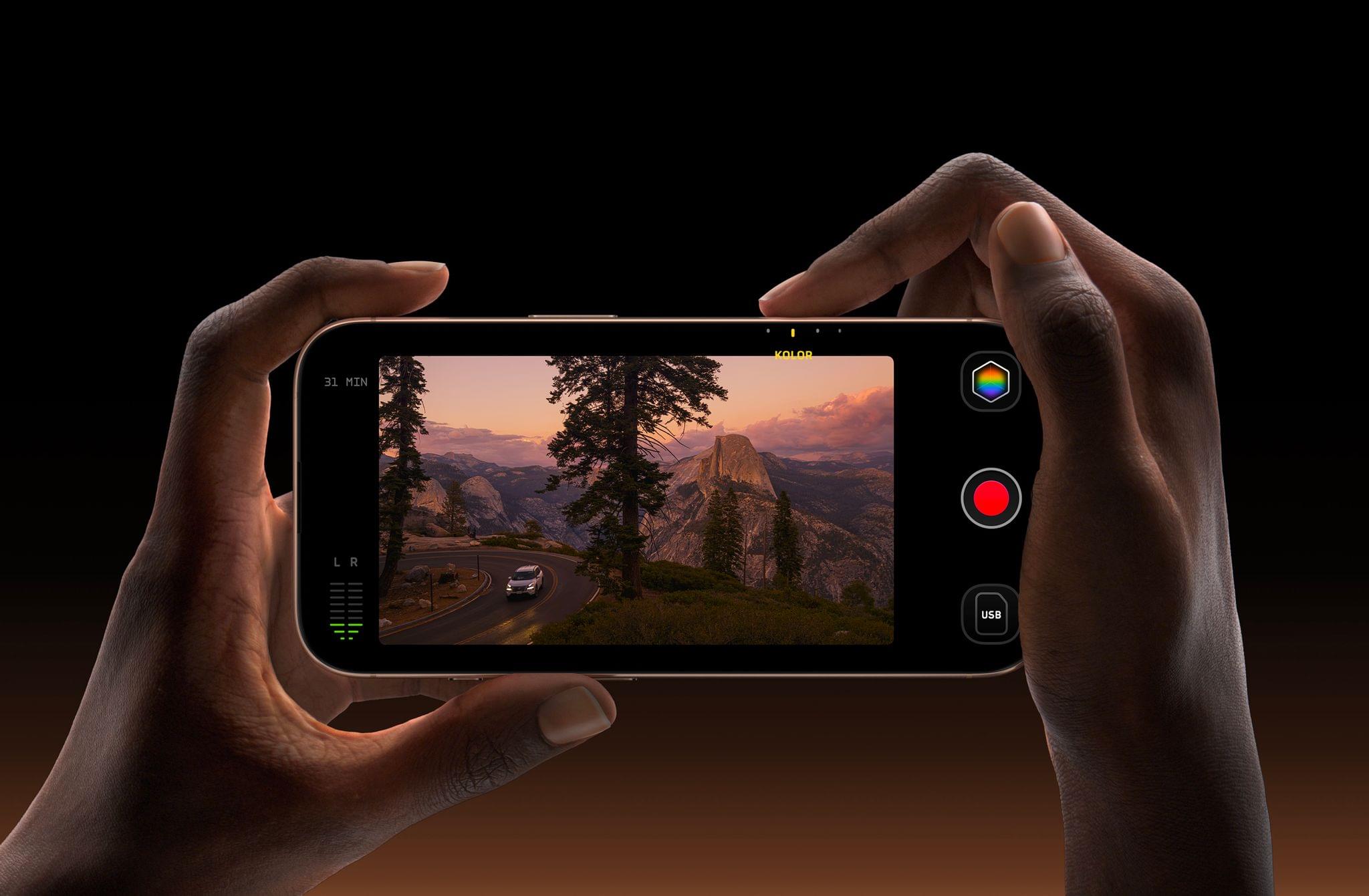
Lux Camera’s video camera app Kino has been updated to version 1.2, bringing a variety of new features and a redesigned icon. I covered the debut of Kino back in May and have been using it a lot lately because its design makes taking great-looking video so easy.

At the heart of Kino’s 1.2 update is support for the latest iPhones. Kino now works with the iPhone 16 and 16 Pro’s Camera Control for making adjustments that previously were only possible by touching your iPhone’s screen.

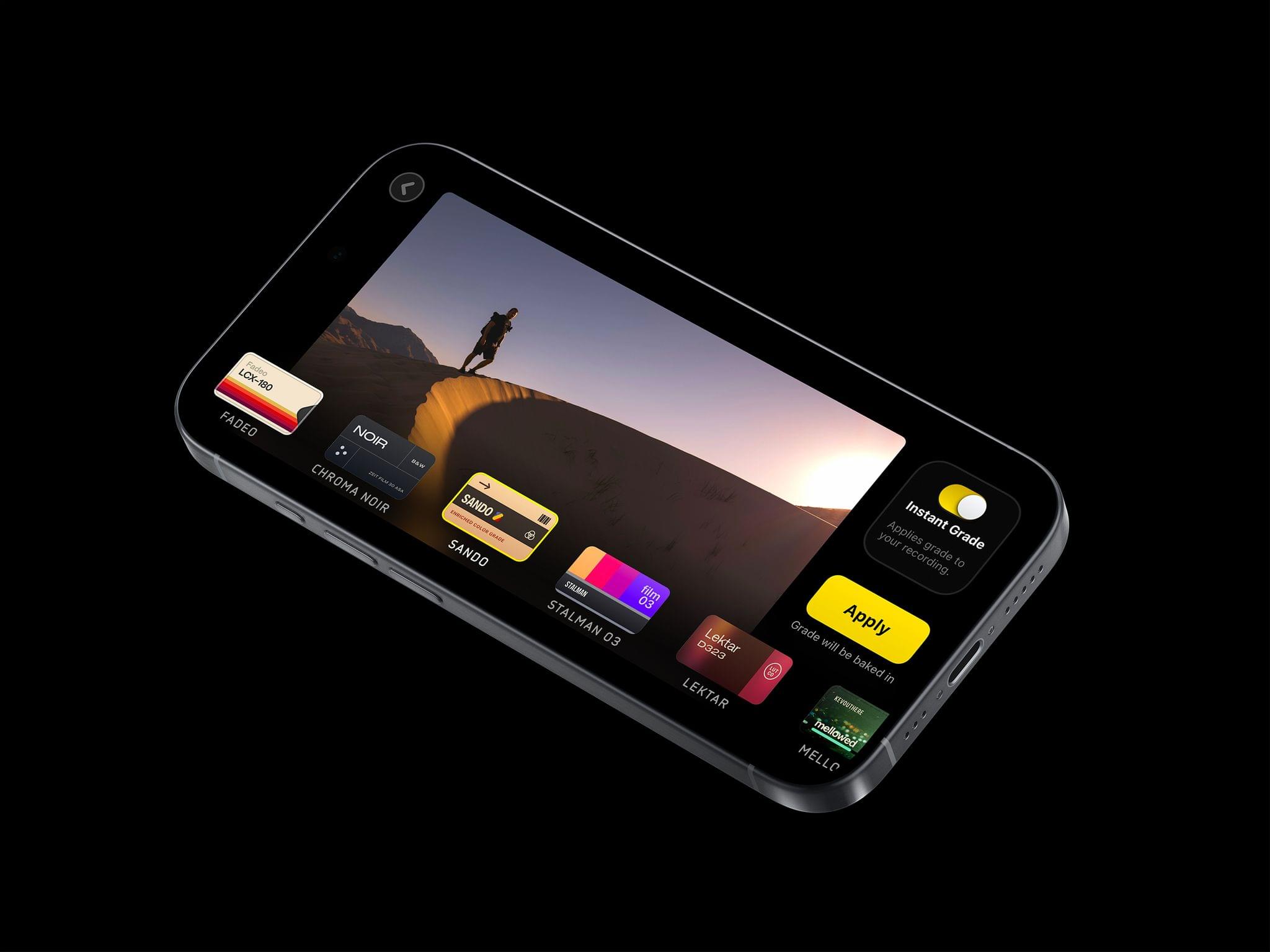
Kino Instant Grades. Source: Lux Camera.

Kino Instant Grades. Source: Lux Camera.

On the 16 Pro, the app also supports 4K video at 120fps with its Instant Grade feature enabled. That’s the feature that lets you pick a color grading preset created by video experts, including Stu MaschwitzSandwich VideoEvan SchneiderTyler Stalman, and Kevin Ong. Version 1.2 of Kino lets you reorder those grades in its settings to make your favorites easier to access. Finally, Kino has added support for the following languages: Chinese, Dutch, French, German, Italian, Japanese, Korean, Portuguese, Russian, and Spanish.

If you haven’t tried Kino before, it’s available on the App Store for $9.99.

Access Extra Content and Perks

Founded in 2015, Club MacStories has delivered exclusive content every week for nearly a decade.

What started with weekly and monthly email newsletters has blossomed into a family of memberships designed for every MacStories fan.

Learn more here and from our Club FAQs.

Club MacStories: Weekly and monthly newsletters via email and the web that are brimming with apps, tips, automation workflows, longform writing, early access to the MacStories Unwind podcast, periodic giveaways, and more;

Club MacStories+: Everything that Club MacStories offers, plus an active Discord community, advanced search and custom RSS features for exploring the Club’s entire back catalog, bonus columns, and dozens of app discounts;

Club Premier: All of the above and AppStories+, an extended version of our flagship podcast that’s delivered early, ad-free, and in high-bitrate audio.

Learn more here and from our Club FAQs.


Apple Announces New Games Coming to Apple Arcade

Source: Apple.

Source: Apple.

Apple has announced fifteen games coming to Apple Arcade between December 5 and January 9, ranging from all-new titles to App Store games making the jump to Arcade.

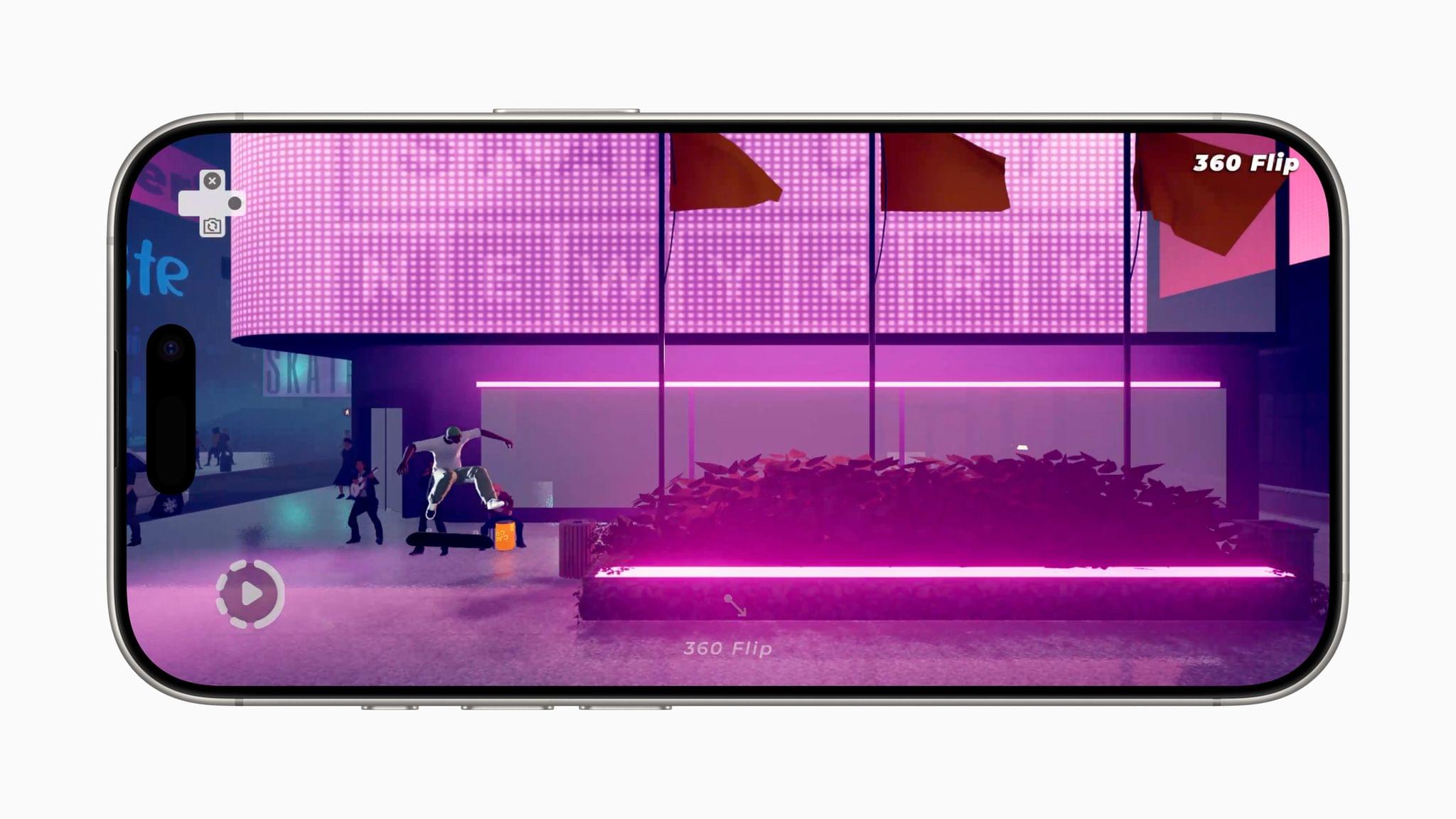
Snowman is making another Skate City game dedicated to New York. The original Arcade title takes place in cities around the world, but on January 9, Skate City: New York will take Arcade subscribers on a tour of the Big Apple.

Source: Apple.

Source: Apple.

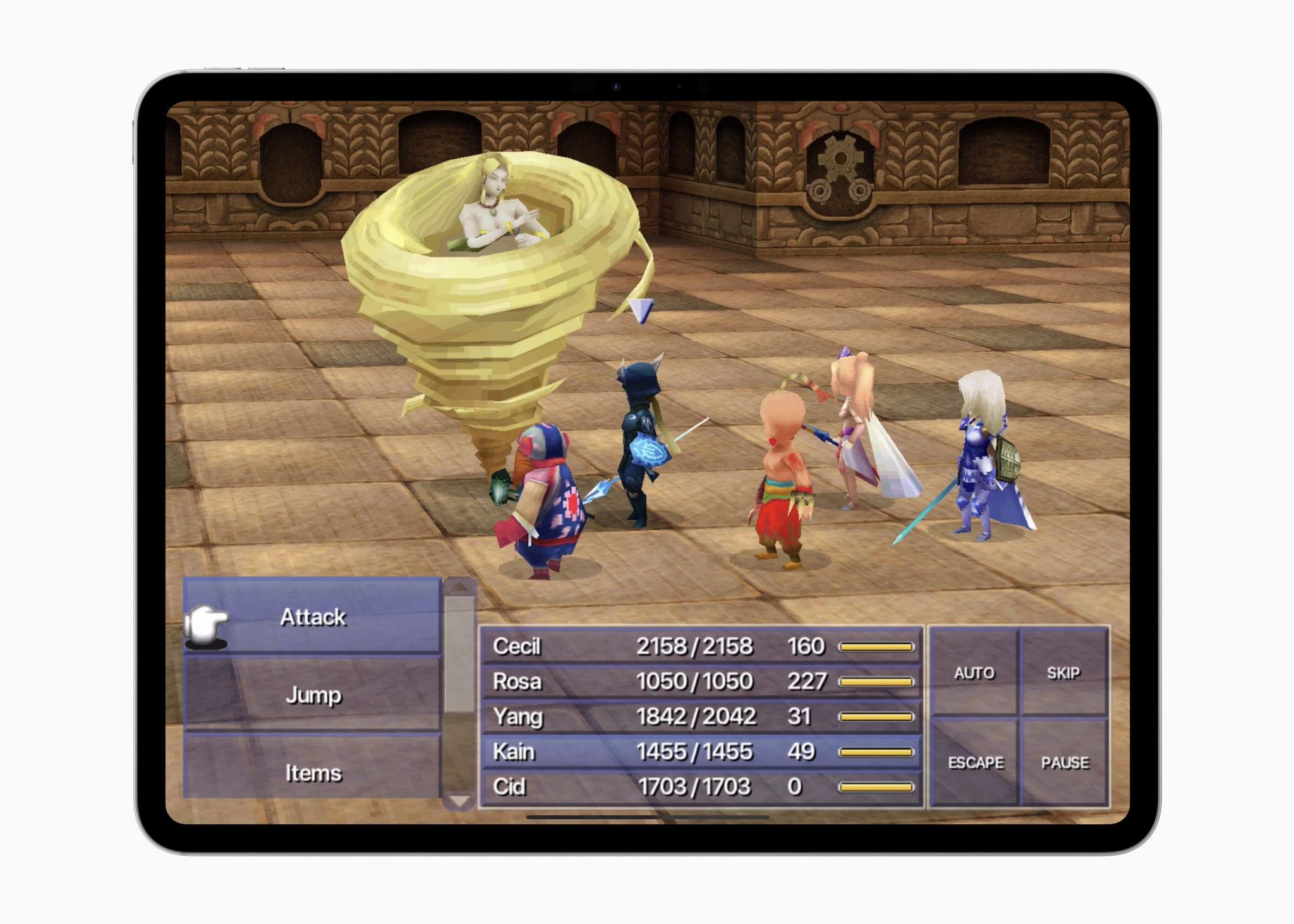
Arcade is getting three Final Fantasy titles too. Apple describes Square Enix’s Final Fantasy IV (3D Remake)+ as:

beautifully revived with updated graphics, and improved gameplay and voice acting for event scenes. The hit fourth game in the iconic FINAL FANTASY series is also the first title to introduce the Active Time Battle system that players have come to love in the franchise.

The game, which will be out on December 9, looks similar to what is available for Windows on Steam. FF IV: The After Years+ will also debut on Arcade December 9.

Then on January 9, Apple Arcade will get Final Fantasy+, which is the first of the Final Fantasy Pixel Remaster games that are currently available as paid upfront games on the App Store and other platforms.

Apple also announced Gears & Goo, a Vision Pro exclusive game by Resolution Games. It’s a colorful tower defense game that plays out in front of you and will release on January 9.

Apple announced the following games, too:

That’s a lot of games for the holiday season with a nice variety that should appeal to a wide audience. I’m looking forward to dipping into a few of these games soon.

Access Extra Content and Perks

Founded in 2015, Club MacStories has delivered exclusive content every week for nearly a decade.

What started with weekly and monthly email newsletters has blossomed into a family of memberships designed for every MacStories fan.

Learn more here and from our Club FAQs.

Club MacStories: Weekly and monthly newsletters via email and the web that are brimming with apps, tips, automation workflows, longform writing, early access to the MacStories Unwind podcast, periodic giveaways, and more;

Club MacStories+: Everything that Club MacStories offers, plus an active Discord community, advanced search and custom RSS features for exploring the Club’s entire back catalog, bonus columns, and dozens of app discounts;

Club Premier: All of the above and AppStories+, an extended version of our flagship podcast that’s delivered early, ad-free, and in high-bitrate audio.

Learn more here and from our Club FAQs.


App Store Connect Adds New Tools for Developers to Promote Their Apps

Source: Apple.

Source: Apple.

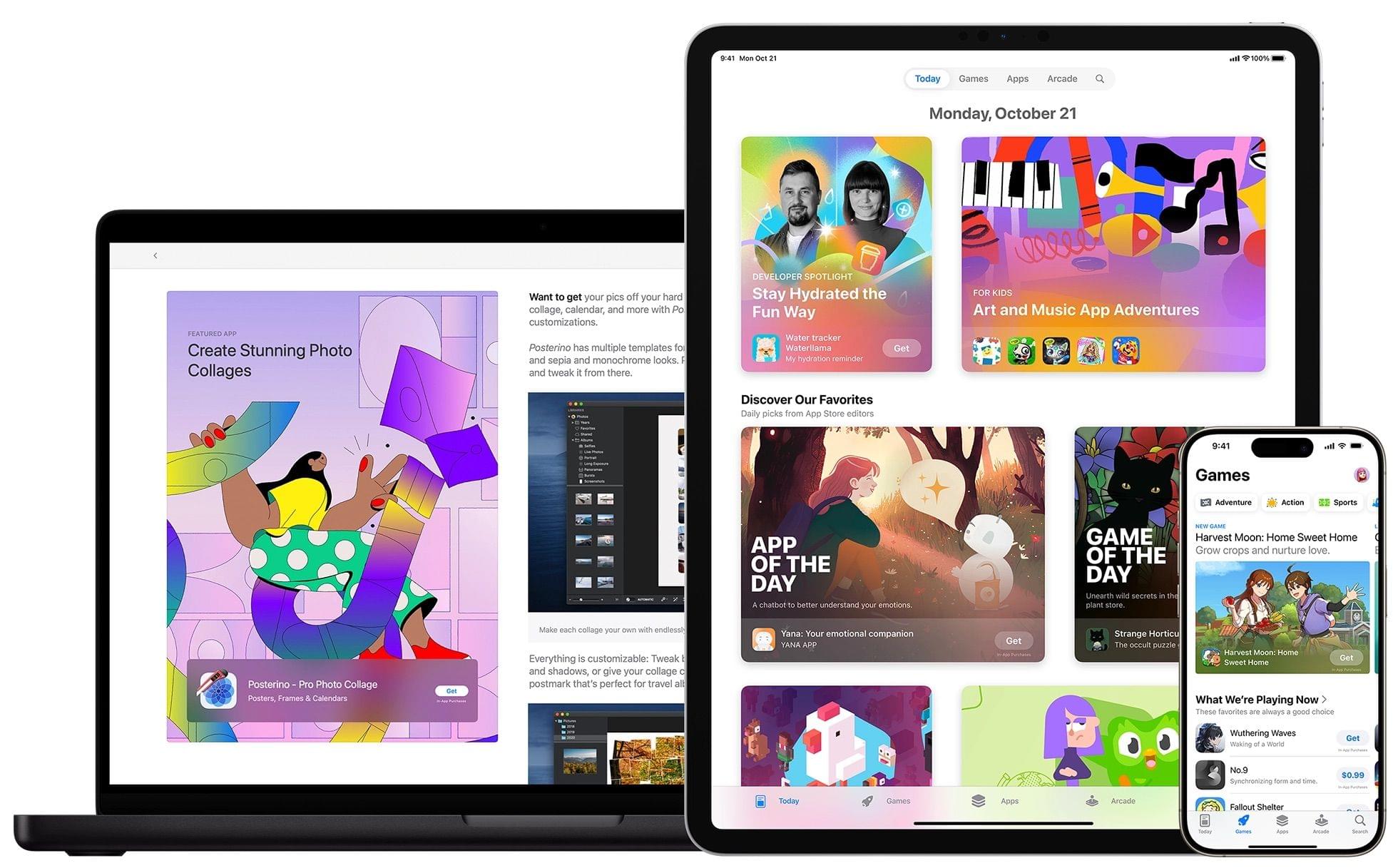
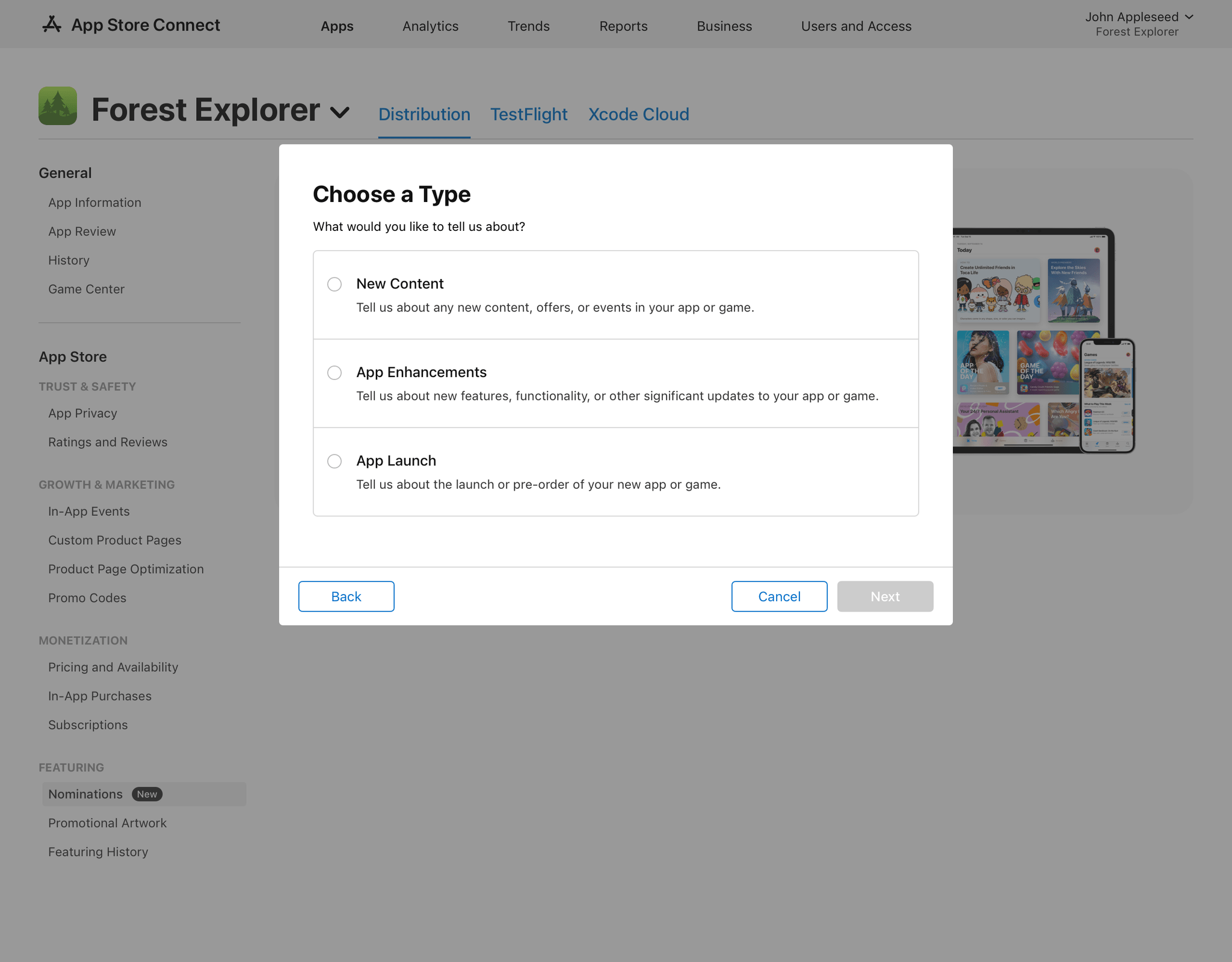
App Store Connect, the web app that developers use to submit their apps to Apple’s App Store and manage them, was updated yesterday with new tools developers can use to promote their apps.

Source: Apple.

Source: Apple.

Developers have been able to submit promotional requests to Apple for quite some time, but the new Featuring Nomination process is now baked right into App Store Connect. Developers can submit nominations from App Store Connect where they will be asked for information about their app. Nominations can be made for events such as a new app launch or adding in-app content and features. When an app is chosen by the App Store editorial team for a feature, developers will be notified in App Store Connect, too.

App Store Connect has also added the ability to generate promotional materials. The assets created can be used on social media and other platforms to promote app launches and other significant events.

These new App Store Connect tools promise to make promoting apps more convenient by including the Featuring Nomination process alongside other aspects of app submission. However, I expect it’s the ready-made promotional assets that are the more significant addition for smaller developers who may not have the budget or skills to create the materials themselves.

Access Extra Content and Perks

Founded in 2015, Club MacStories has delivered exclusive content every week for nearly a decade.

What started with weekly and monthly email newsletters has blossomed into a family of memberships designed for every MacStories fan.

Learn more here and from our Club FAQs.

Club MacStories: Weekly and monthly newsletters via email and the web that are brimming with apps, tips, automation workflows, longform writing, early access to the MacStories Unwind podcast, periodic giveaways, and more;

Club MacStories+: Everything that Club MacStories offers, plus an active Discord community, advanced search and custom RSS features for exploring the Club’s entire back catalog, bonus columns, and dozens of app discounts;

Club Premier: All of the above and AppStories+, an extended version of our flagship podcast that’s delivered early, ad-free, and in high-bitrate audio.

Learn more here and from our Club FAQs.


The Latest from AppStories and Ruminate

Enjoy the latest episodes from MacStories’ family of podcasts:

AppStories

This week, Federico and I are joined by Chris Lawley for a fun defense of his taste in music and beverages, plus a discussion of Apple’s acquisition of Pixelmator, working on the iPad, Final Cut Pro for iPad, and the apps Chris uses for his daily work.

On AppStories+, how Chris Lawley got started on YouTube.

This episode is sponsored by:

  • Memberful – Help Your Clients Monetize Their Passion.
  • Inoreader – Build your own newsfeed with Inoreader.

Ruminate

Snack news has some cactis candy and cereal, I follow up on Godspeed, and we discuss Apple’s very small history of book publishing.

Read more

Access Extra Content and Perks

Founded in 2015, Club MacStories has delivered exclusive content every week for nearly a decade.

What started with weekly and monthly email newsletters has blossomed into a family of memberships designed for every MacStories fan.

Learn more here and from our Club FAQs.

Club MacStories: Weekly and monthly newsletters via email and the web that are brimming with apps, tips, automation workflows, longform writing, early access to the MacStories Unwind podcast, periodic giveaways, and more;

Club MacStories+: Everything that Club MacStories offers, plus an active Discord community, advanced search and custom RSS features for exploring the Club’s entire back catalog, bonus columns, and dozens of app discounts;

Club Premier: All of the above and AppStories+, an extended version of our flagship podcast that’s delivered early, ad-free, and in high-bitrate audio.

Learn more here and from our Club FAQs.


Pre-Orders Begin for Book Commemorating Apple Music’s 100 Best Albums

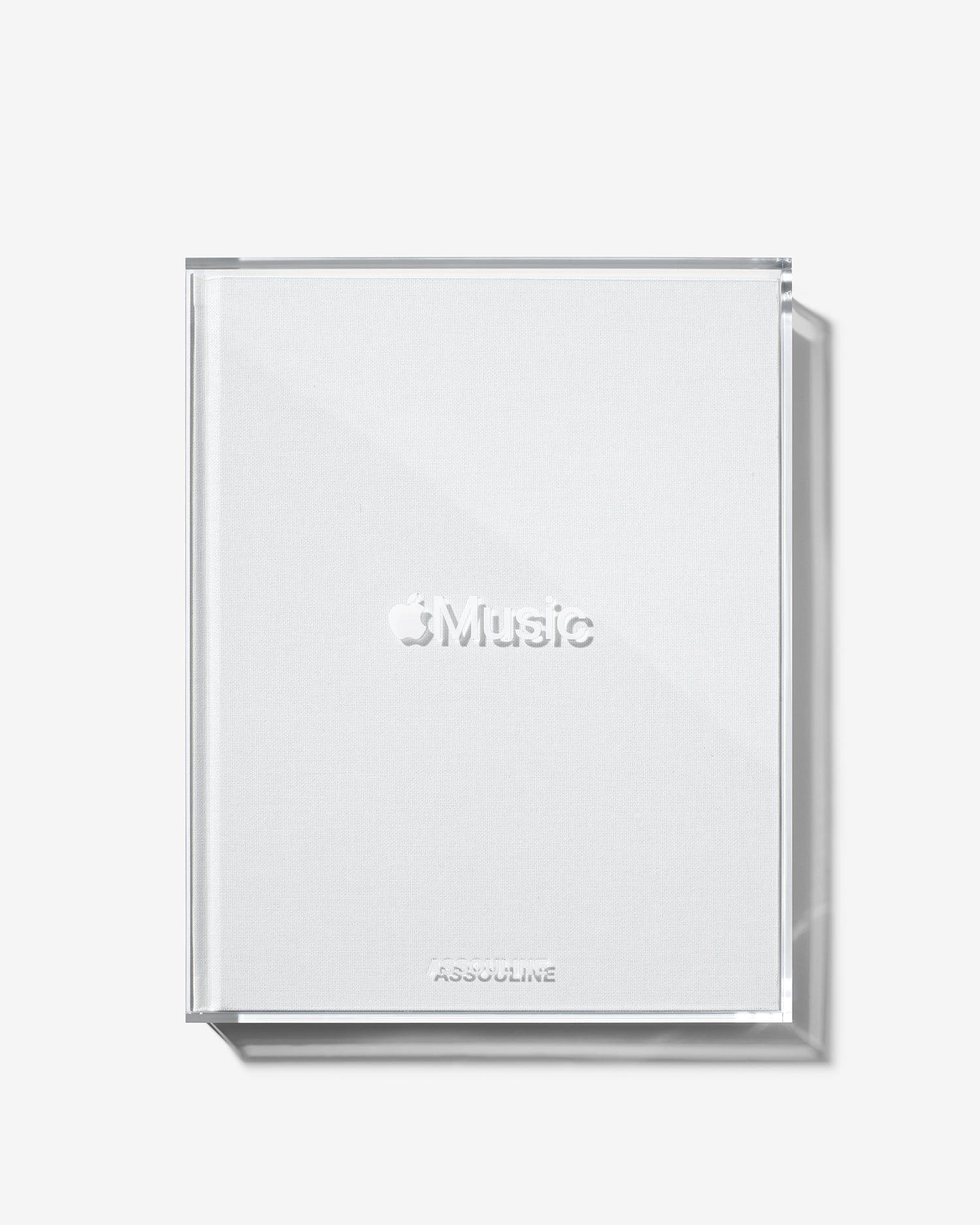
Apple Music has teamed up with Assouline, a book publisher based in Paris and London, to sell a $450 book that commemorates Apple Music’s 100 Best Albums of all time. If you haven’t heard of Assouline before, it’s known for its high-end books and other items:

Today, through its exceptionally crafted books, home fragrances, and objets d’art, Assouline invites the intellectual and curious into a world of beauty.

Source: Assouline.

Source: Assouline.

The book, which is available for pre-order is estimated to ship on November 25, 2024, and as the listing says, it’s:

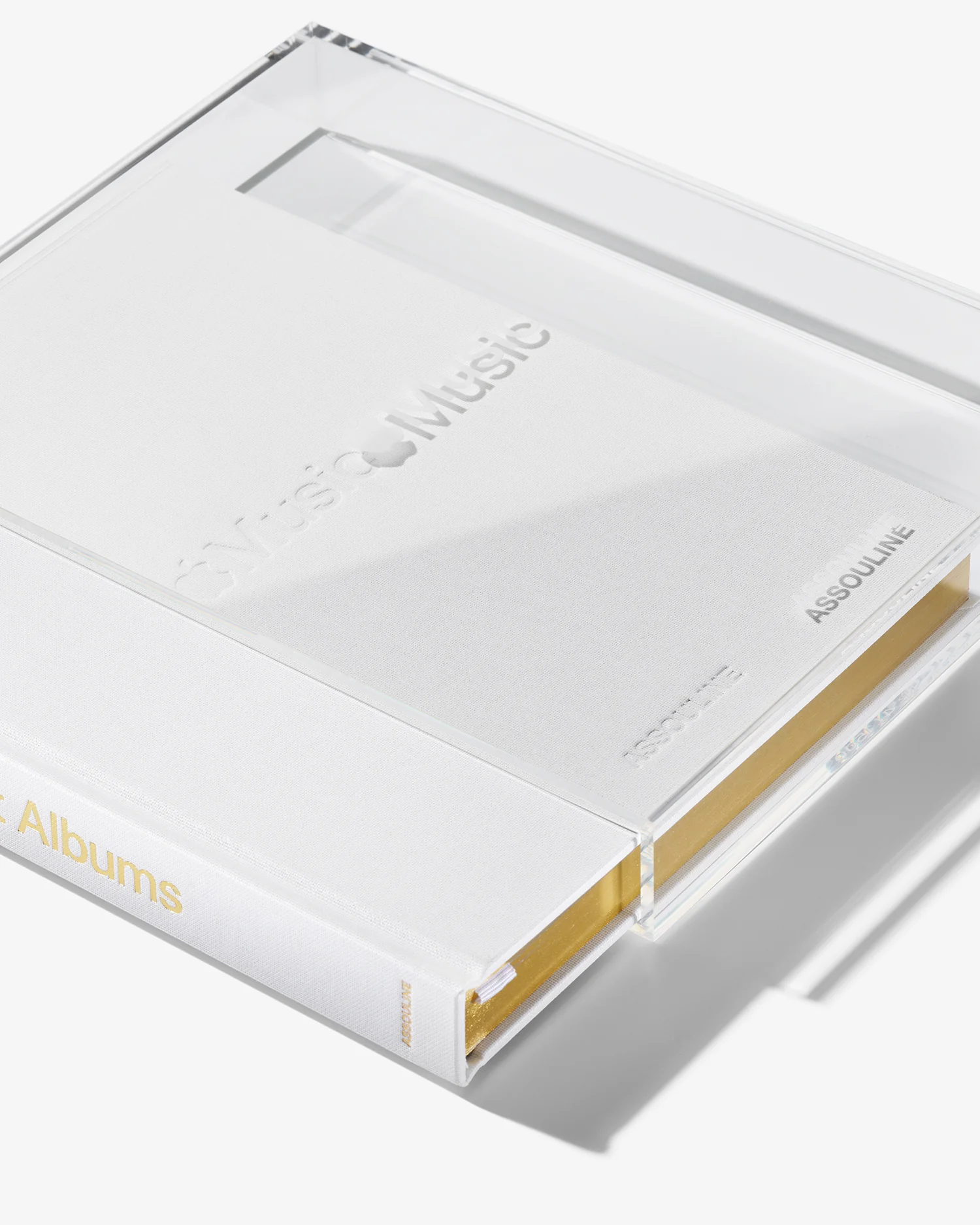
A celebration of Apple Music’s inaugural list of the greatest records ever made, Apple Music: 100 Best Albums is a lasting companion piece to the digital initiative, which launched on the streaming service in 2024. With a release limited to 1,500 copies, the books are housed in sleek, transparent acrylic slipcases, each individually etched with its edition number. Inside, readers will find the featured albums, selected by Apple Music’s team of experts alongside an exclusive group of artists including Maren Morris, Pharrell Williams, J Balvin, Charli XCX, Mark Hoppus, Honey Dijon, and Nia Archives, as well as songwriters, producers, and industry professionals. The list is a wholly editorial statement that does not fit any neatly defined criteria—and is fully independent of any streaming numbers. In effect, it’s a love letter to the records that have shaped the world music lovers live and listen in.

This isn’t Apple’s first book. Notably, the company created and sold a book celebrating its hardware design in 2016, which it sold in a small $199 format and a larger $299 format.

Source: Assouline.

Source: Assouline.

The book includes what looks to be the editorial content created for Apple Music’s 100 Best Albums list, along with artwork for each of the 100 albums that Apple Music included in its list. There’s also a foreward by Apple Music’s Zane Lowe.

When Apple’s hardware design book was released, it was just as unexpected as this book. However, that book was sold by Apple and paid tribute to the company’s rich history of hardware innovation. A list of 100 albums picked by Apple Music’s editors and others lands a little differently. It doesn’t carry the same weight as decades of hardware design. At the same time though, as someone whose writing exists in an ephemeral format online, I understand the desire to collect it in a physical format. So, while this book isn’t for me, for fans of Apple Music’s album picks with the wherewithal, this looks like a beautifully designed eight-pound book.

Access Extra Content and Perks

Founded in 2015, Club MacStories has delivered exclusive content every week for nearly a decade.

What started with weekly and monthly email newsletters has blossomed into a family of memberships designed for every MacStories fan.

Learn more here and from our Club FAQs.

Club MacStories: Weekly and monthly newsletters via email and the web that are brimming with apps, tips, automation workflows, longform writing, early access to the MacStories Unwind podcast, periodic giveaways, and more;

Club MacStories+: Everything that Club MacStories offers, plus an active Discord community, advanced search and custom RSS features for exploring the Club’s entire back catalog, bonus columns, and dozens of app discounts;

Club Premier: All of the above and AppStories+, an extended version of our flagship podcast that’s delivered early, ad-free, and in high-bitrate audio.

Learn more here and from our Club FAQs.


The Latest from Comfort Zone, Magic Rays of Light, and MacStories Unwind

Enjoy the latest episodes from MacStories’ family of podcasts:

Comfort Zone

Chris breaks down Apple Intelligence, and while Matt is under the weather, he brings the good Nintendo vibes. Then we all do our best to speak a different language, with delightful results.


Magic Rays of Light

Sigmund and Devon dive into 21:9 support and the other aspect ratio options in the tvOS 18.2 beta, grade their M4 Mac predictions, and share relaxing Up Next picks.


MacStories Unwind

This week, Federico attempts to make audio unboxings a trend, plus he recommends a TV show and videogame, while I encourage listeners to try a decade-old cartoon.

Read more

Access Extra Content and Perks

Founded in 2015, Club MacStories has delivered exclusive content every week for nearly a decade.

What started with weekly and monthly email newsletters has blossomed into a family of memberships designed for every MacStories fan.

Learn more here and from our Club FAQs.

Club MacStories: Weekly and monthly newsletters via email and the web that are brimming with apps, tips, automation workflows, longform writing, early access to the MacStories Unwind podcast, periodic giveaways, and more;

Club MacStories+: Everything that Club MacStories offers, plus an active Discord community, advanced search and custom RSS features for exploring the Club’s entire back catalog, bonus columns, and dozens of app discounts;

Club Premier: All of the above and AppStories+, an extended version of our flagship podcast that’s delivered early, ad-free, and in high-bitrate audio.

Learn more here and from our Club FAQs.


Building a Downtime Home Screen Featuring Louie Mantia’s Retro Gaming Icons

Louie Mantia has been making beautiful icons for many years, both as one of the owners of icon design studio Parakeet and as personal side projects. Recently, two of Mantia’s personal projects caught my eye because they combine my love of classic games with the technology I use every day.

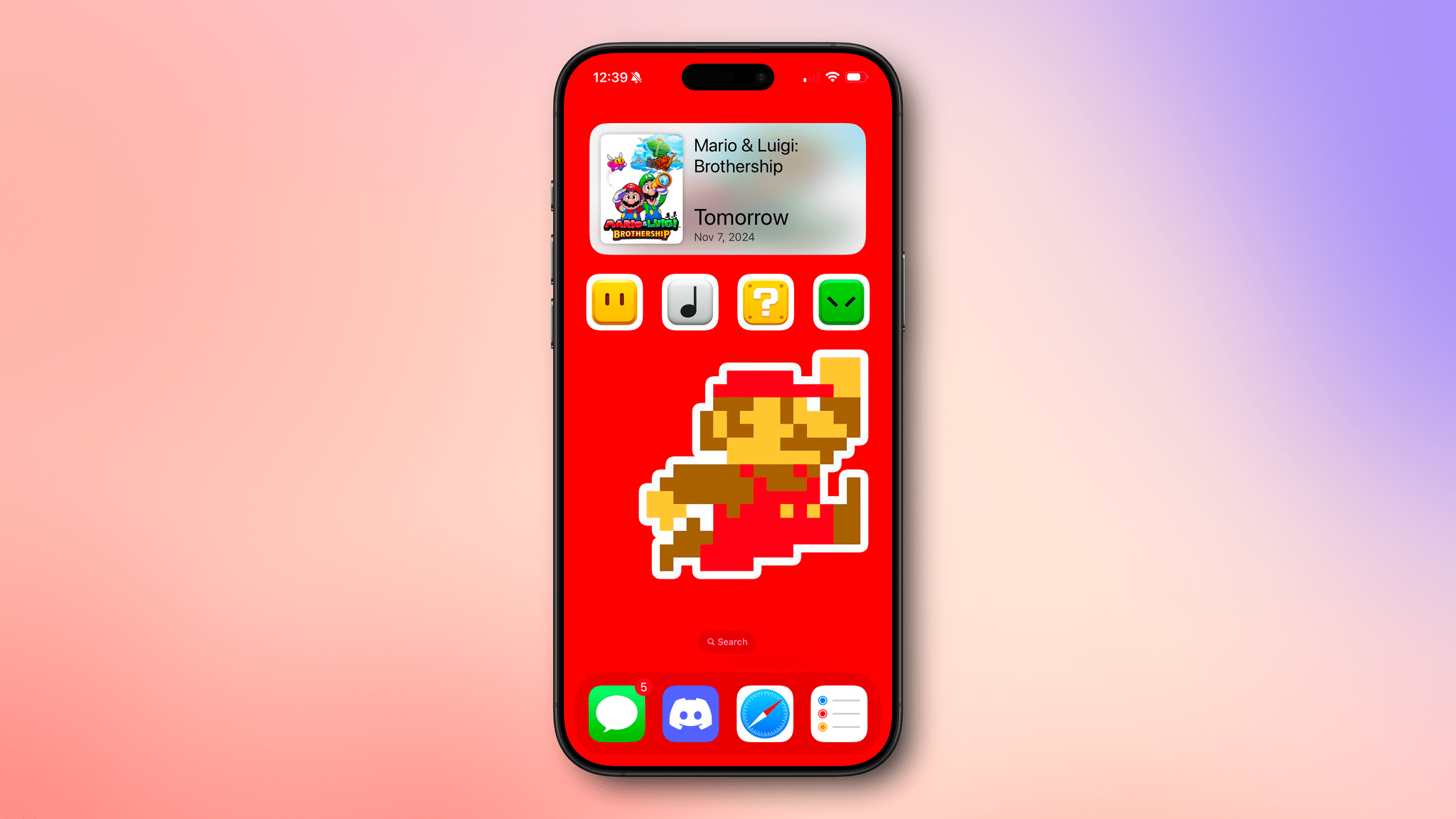
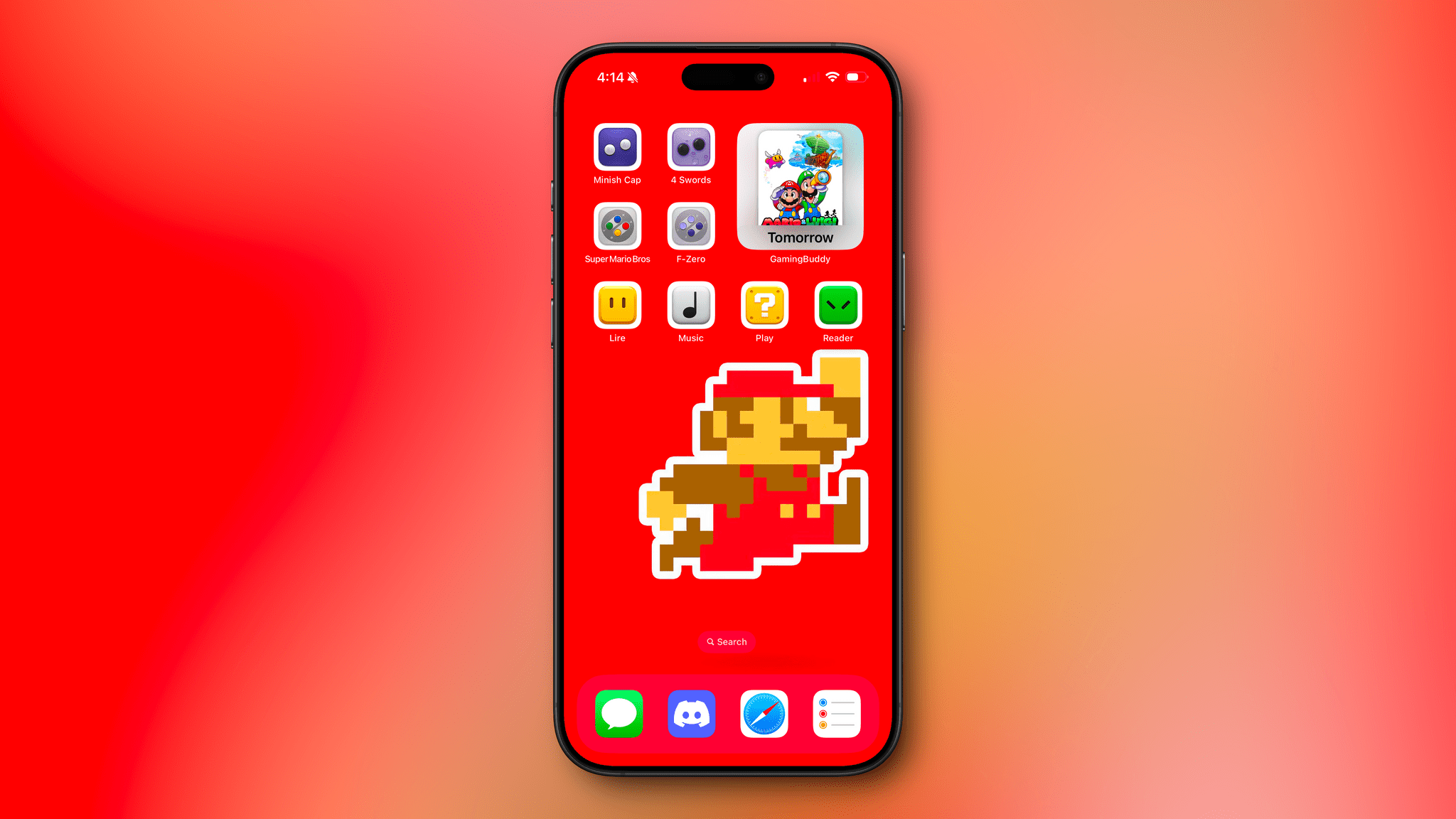
The first set of icons includes eight Super Mario blocks. When these were released in October, I remembered I had an 8-bit Mario wallpaper tucked away somewhere that would work perfectly with the icons on my iPhone. I dug the wallpaper out (sorry, I don’t recall where I got it), set up four single-action shortcuts using the ‘Open App’ action, and assigned Mantia’s icons to them using ‘Add to Home Screen’ and the Files option for the images. I set the four shortcuts to open Lire, Apple Music, Play, and Readwise Reader. Then, I lined up the wallpaper to make it look like Mario was jumping to hit the last block in the row. I also added a large GameBuddy widget at the top of the screen to count down the days until the release of Mario and Luigi: Brothership.

I think the result, which you can see in the screenshot above, looks great. Mantia’s icons were designed for the Mac, which means they each have a white border around them on the iPhone, but it fits well with the wallpaper, so it worked out without any tweaking.

The second set of icons is based on Nintendo controllers, another of my obsessions. I was chatting with Federico about Mantia’s latest icon set, and he had a great idea: why not take advantage of Delta’s deep linking feature (also used by GameTrack) to create shortcuts that use Mantia’s icons to open individual classic games?

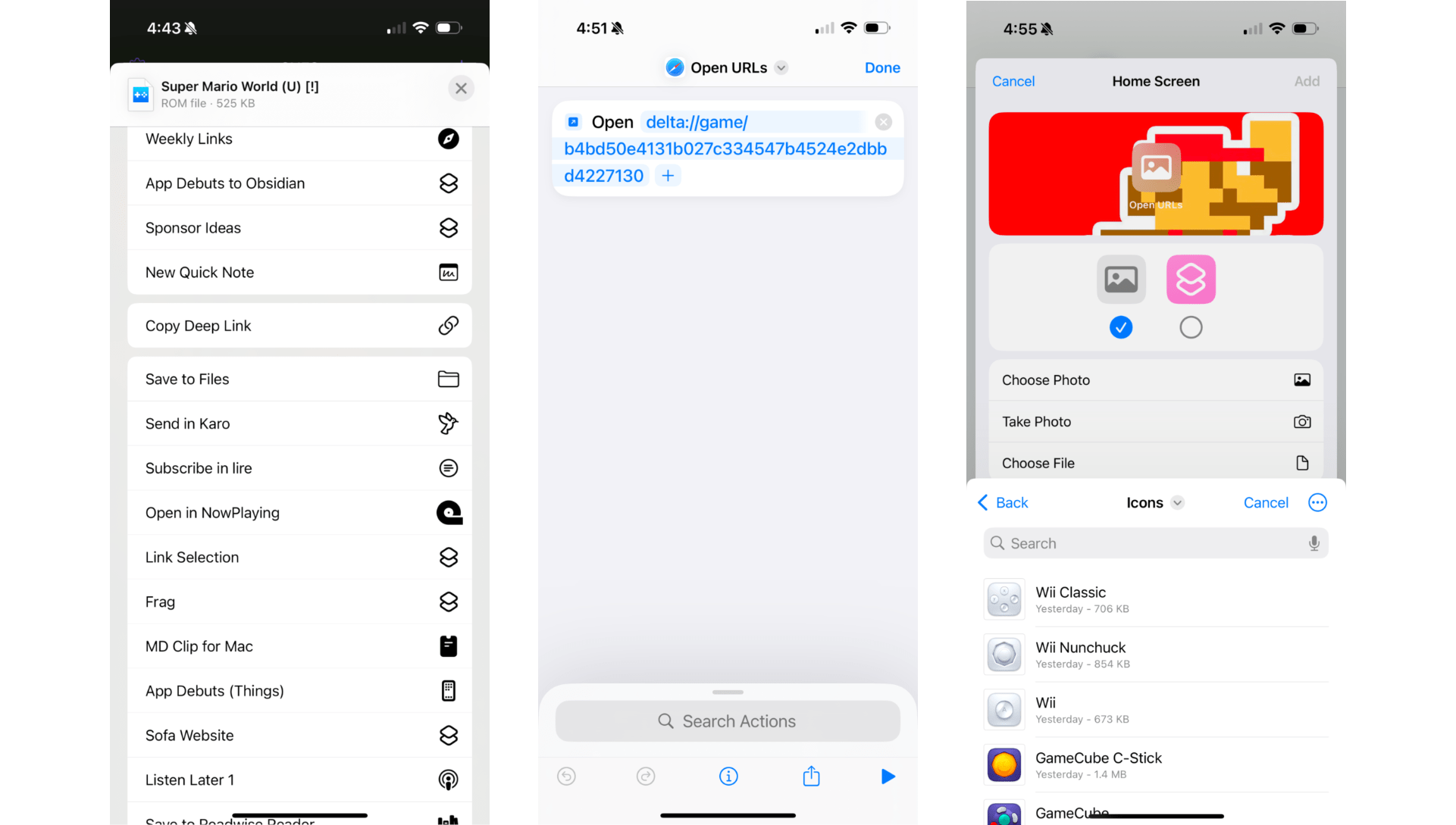
Retrieving a Delta deep link and setting up a simple shortcut with a Home Screen bookmark.

Retrieving a Delta deep link and setting up a simple shortcut with a Home Screen bookmark.

The process is simple. You can copy a deep link to a game in Delta by long-pressing it, selecting ‘Share,’ and picking ‘Copy Deep Link’ from the list of action extensions. After I did that, I set up more single-action shortcuts using the ‘Open URL’ action and again assigned Mantia’s icons to the shortcuts using the ‘Add to Home Screen’ option, adding The Legend of Zelda: The Minish Cap, The Legend of Zelda: Four Swords, Super Mario World, and F-Zero to my Home Screen. Then, so I could tell everything apart, I switched my Home Screen to use small icons so the labels I’d added to my shortcuts would be visible.

I’m pleased with the result and plan to tie this Home Screen to a Focus mode that activates in the evening for some downtime activities. I can always access other apps as needed via Spotlight Search or the App Library, but it’s sometimes nice to end the day with a simpler setup that invites me to play a game, listen to some music, read, or watch a video.

Louie Mantia’s icons are free to download, but there’s an option to make a name-your-own-price donation, which I highly recommend you do if you download these wonderful icons.

Access Extra Content and Perks

Founded in 2015, Club MacStories has delivered exclusive content every week for nearly a decade.

What started with weekly and monthly email newsletters has blossomed into a family of memberships designed for every MacStories fan.

Learn more here and from our Club FAQs.

Club MacStories: Weekly and monthly newsletters via email and the web that are brimming with apps, tips, automation workflows, longform writing, early access to the MacStories Unwind podcast, periodic giveaways, and more;

Club MacStories+: Everything that Club MacStories offers, plus an active Discord community, advanced search and custom RSS features for exploring the Club’s entire back catalog, bonus columns, and dozens of app discounts;

Club Premier: All of the above and AppStories+, an extended version of our flagship podcast that’s delivered early, ad-free, and in high-bitrate audio.

Learn more here and from our Club FAQs.


The Latest from NPC: Next Portable Console and AppStories

Enjoy the latest episodes from MacStories’ family of podcasts:

AppStories

This week, Federico and I are joined by Jonathan Reed to check in on the parts of watchOS 11 that he’s still using, talk about browsing the web from an Apple Watch, and dig into the apps he uses day-to-day.


NPC: Next Portable Console

On NPC’s latest episode, we have lots of smartphone gaming news, console mods, a first peek at the future of Windows handheld gaming, and more. Plus, I share my first impressions of the Ayaneo Pocket Micro, and Brendon digs into OG hardware with the Nintendo DSi and Sony PSP.

Read more

Access Extra Content and Perks

Founded in 2015, Club MacStories has delivered exclusive content every week for nearly a decade.

What started with weekly and monthly email newsletters has blossomed into a family of memberships designed for every MacStories fan.

Learn more here and from our Club FAQs.

Club MacStories: Weekly and monthly newsletters via email and the web that are brimming with apps, tips, automation workflows, longform writing, early access to the MacStories Unwind podcast, periodic giveaways, and more;

Club MacStories+: Everything that Club MacStories offers, plus an active Discord community, advanced search and custom RSS features for exploring the Club’s entire back catalog, bonus columns, and dozens of app discounts;

Club Premier: All of the above and AppStories+, an extended version of our flagship podcast that’s delivered early, ad-free, and in high-bitrate audio.

Learn more here and from our Club FAQs.