

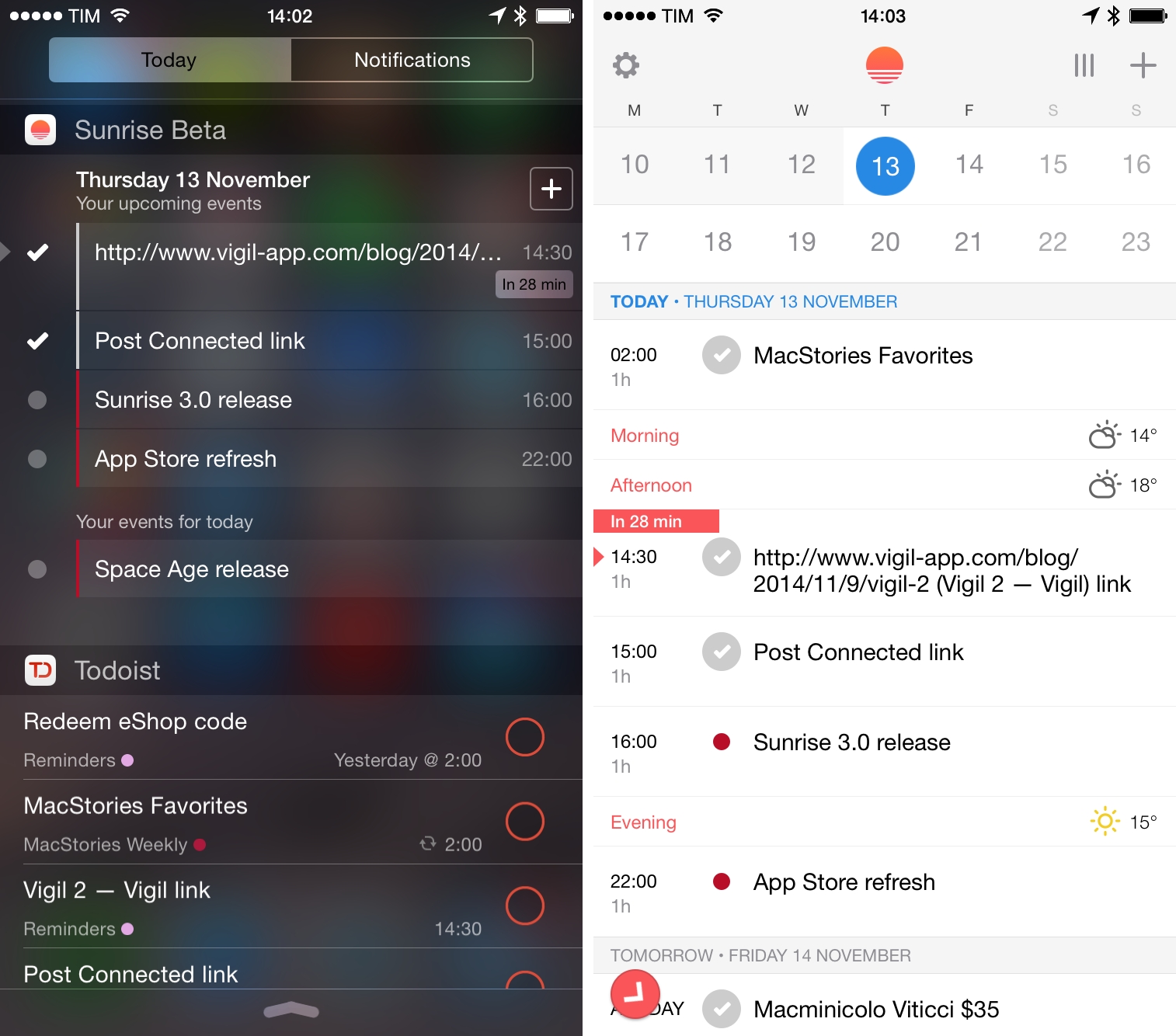
I rediscovered Sunrise earlier this year, when I was looking for a calendar app that integrated with Todoist and offered a web app in addition to solid iOS clients. Sunrise, founded by Pierre Valade and launched last year, has quickly become one of the most popular free alternatives to the stock calendar apps on iOS and Android thanks to a polished design and integration with various web services such as Evernote, LinkedIn, and Songkick.
Posts in news
Sunrise 3.0 Brings Google Tasks and Eventbrite Integration, New iOS 8 Widget
Automatic: Your Smart Driving Assistant on Your Smart Phone [Sponsor]
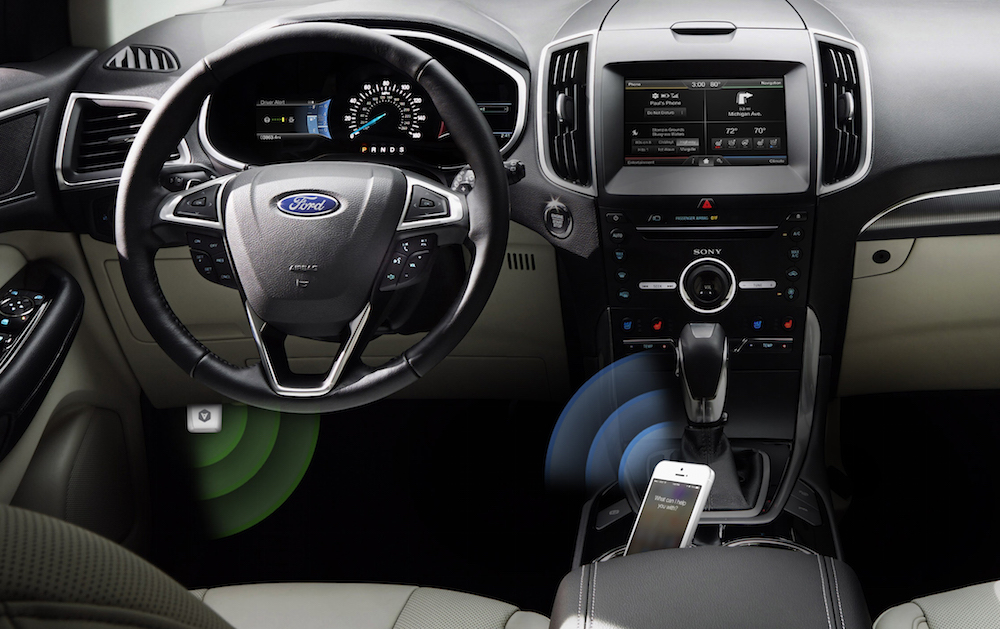
There’s a mountain of data inside your car waiting to be unleashed, and all you have to do is plug in a quick little connector and download a mobile application.
Automatic is a smart driving assistant that plugs into your car’s data port and lets you connect your smartphone (either iPhone or Android) with your car. By talking to your car’s onboard computer and using your smartphone’s GPS and data plan to upgrade your car’s capabilities, Automatic will allow you to easily diagnose your engine light, never forget where you parked your car, and save hundreds of dollars on gas.
Automatic learns your driving habits and gives you suggestions through subtle audio cues to drive smarter and stop wasting gas. Thanks to a map view available on your phone, Automatic can display a trip timeline after every driving session, showing you how you’re doing with a Drive Score; the app can even track local gas prices and tell you how much you’re spending.
In case of engine problems, Automatic can decipher what the “check engine” light means and show you a description of the issue with a possible solution. And thanks to a feature called Crash Alert, Automatic can detect many types of serious crashes and automatically alert local authorities as well as your loved ones when you can’t.
Automatic is currently available in the US for iPhone and Android devices, with a 45-day return policy and free shipping in 2 business days. Automatic retails at $99.95 with no subscription fees.
MacStories readers can go to automatic.com/macstories to get $20 off and buy Automatic at just $79.95. For more information, check out Automatic’s website.
Our thanks to Automatic for sponsoring MacStories this week.
Microsoft Releases New Office for iPhone Apps, Makes Office Free for Mobile Users
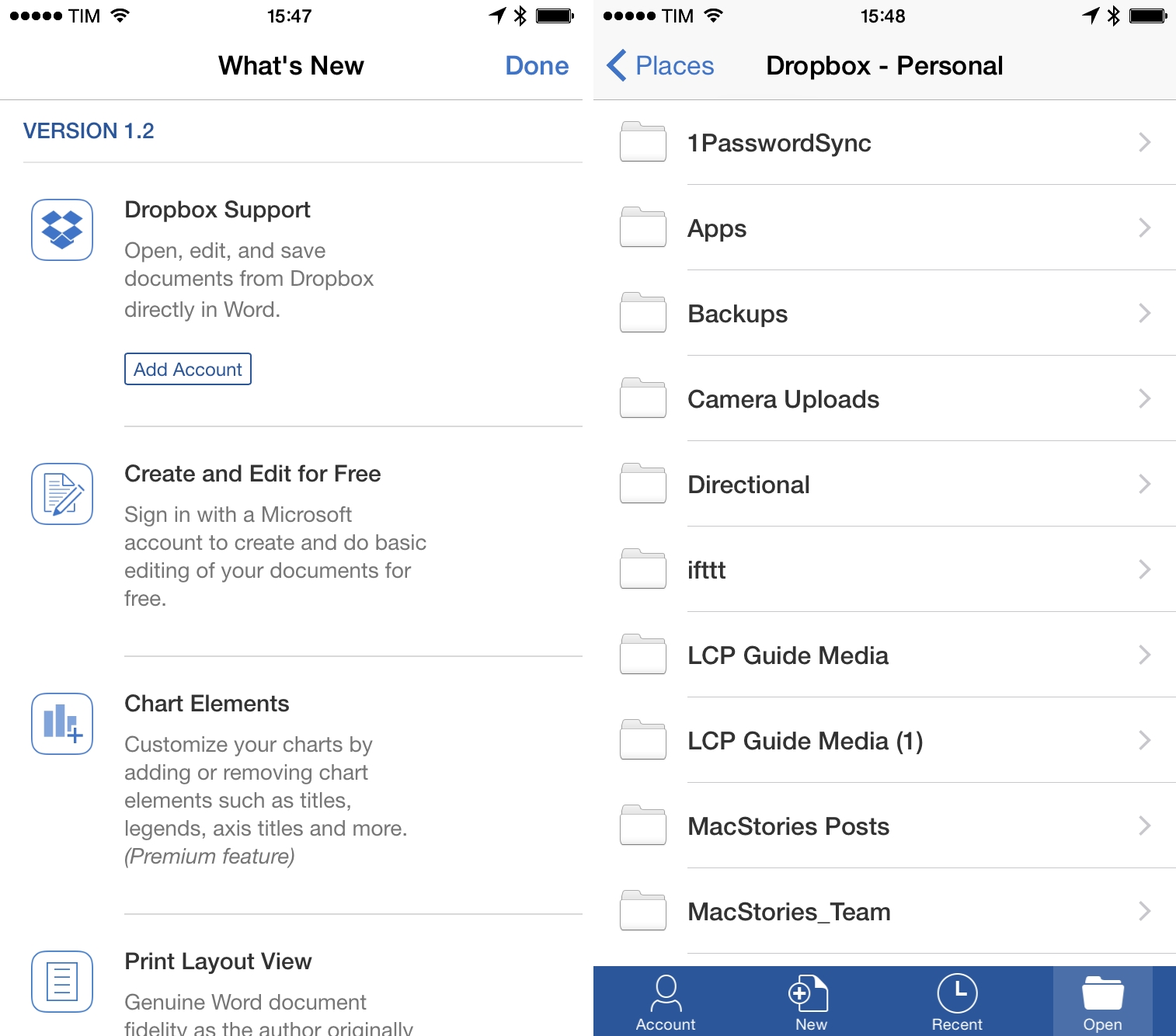
Following the news of Dropbox integration from earlier this week, Microsoft has today announced new Office apps for iPhone with full creation and editing capabilities and changed the entire pricing model for Office on mobile devices (iOS and Android). Office for iPhone, iPad, and Android is now free for basic creation/editing/printing features for personal accounts (that includes the new Dropbox sync), but an Office 365 subscription will still be required for advanced editing features and business users (either on OneDrive for Business or Dropbox for Business accounts).
New Office for iPhone apps (Word, PowerPoint, and Excel) have been released, bringing document editing features to smaller screens. MacRumors notes that the apps have been “designed with the existing iPad apps in mind”:
All three apps take advantage of an innovative “vertical ribbon” that puts a full suite of editing tools right within thumb’s reach at the bottom of the device’s screen. Each individual app also has built-in tools to make the viewing experience more streamlined on the iPhone’s Retina screen.
Some advanced features in the new iOS apps will require a paid Office 365 subscription: change tracking features in Word won’t be available to free users, and the same will apply to Pivot Tables in Excel.
The Verge spoke with Microsoft about today’s launch and pricing changes:
“It’s an extension of the strategy that we’ve got,” explains Microsoft’s head of Office marketing Michael Atalla. “It’s not a total strategic shift, as much of an extension of the existing strategy.” Microsoft offers free Office apps online, and Atalla argues that recent development model changes inside Microsoft have allowed the company to open up editing functionality to mobile clients. “We’re taking that same user experience we provide online to the native apps of iOS and Android. We want to make sure that our customers can be productive across all the devices they have.”
Microsoft’s new Office apps for iPhone are available now on the App Store as version 1.2 and Universal updates.
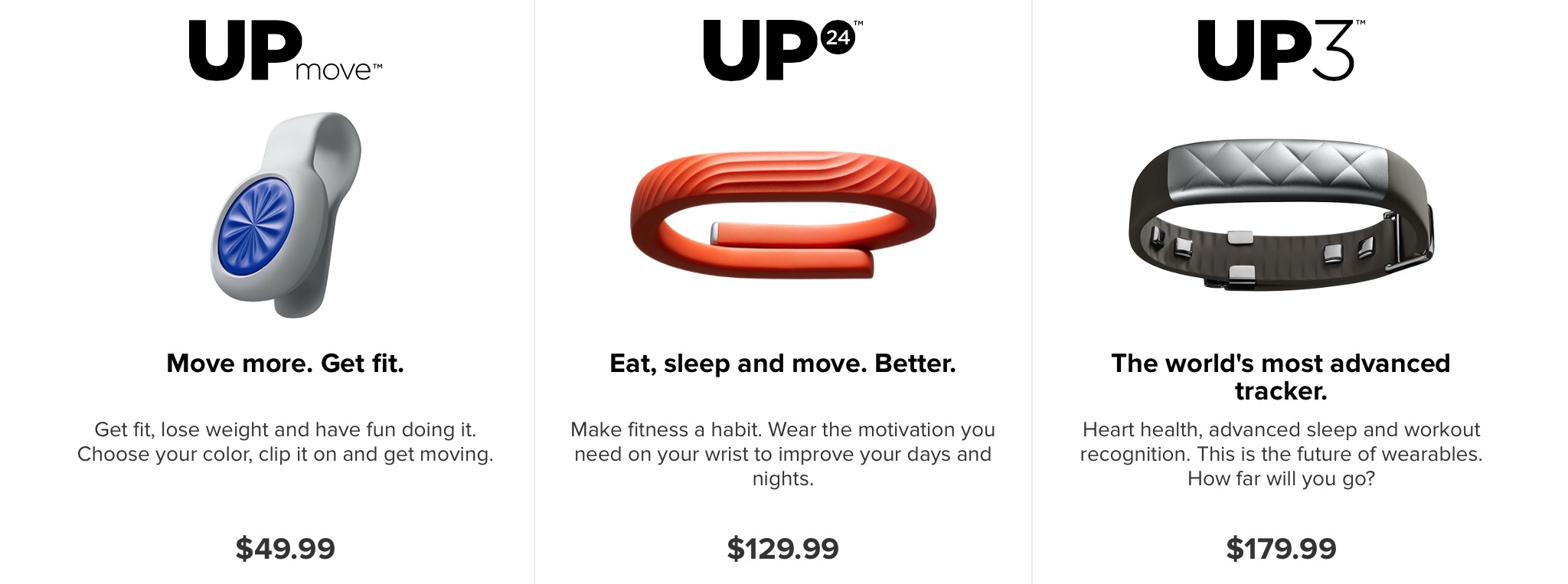
Jawbone Announces UP3, UP Move Activity Trackers
Igloo: An intranet that actually works on your phone [Sponsor]
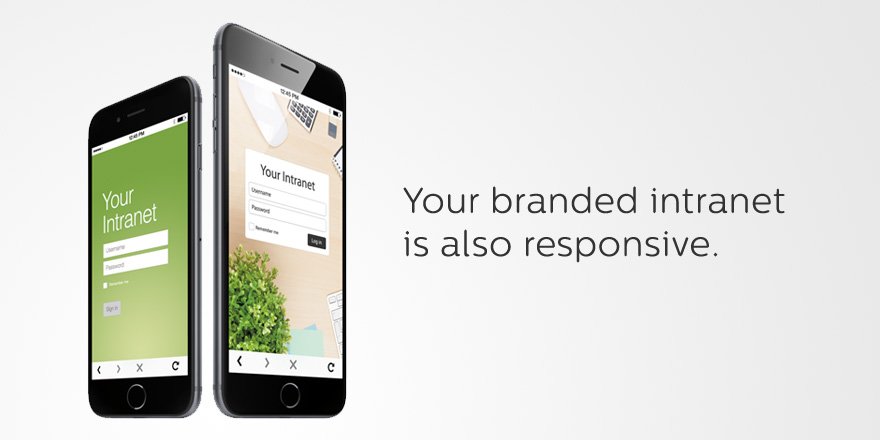
Work doesn’t stop when you leave your desk (although most intranet software will have you believe that).
With Igloo’s responsive design, your intranet can be fully optimized for almost any device you’re using. Manage tasks, share status updates, download documents — almost everything you can do on your desktop, you can do on your tablet or phone. It will even work on your new iPhone 6 or 6 Plus. Boom.
Plus, when you design your Igloo, any change you make to the look and feel carries across all devices.
Igloo is free to use with up to ten people. Sign up now to start building your mobile-friendly intranet.
Our thanks to Igloo for sponsoring MacStories this week.
Spotify Brings New Design, Your Music to iPad App
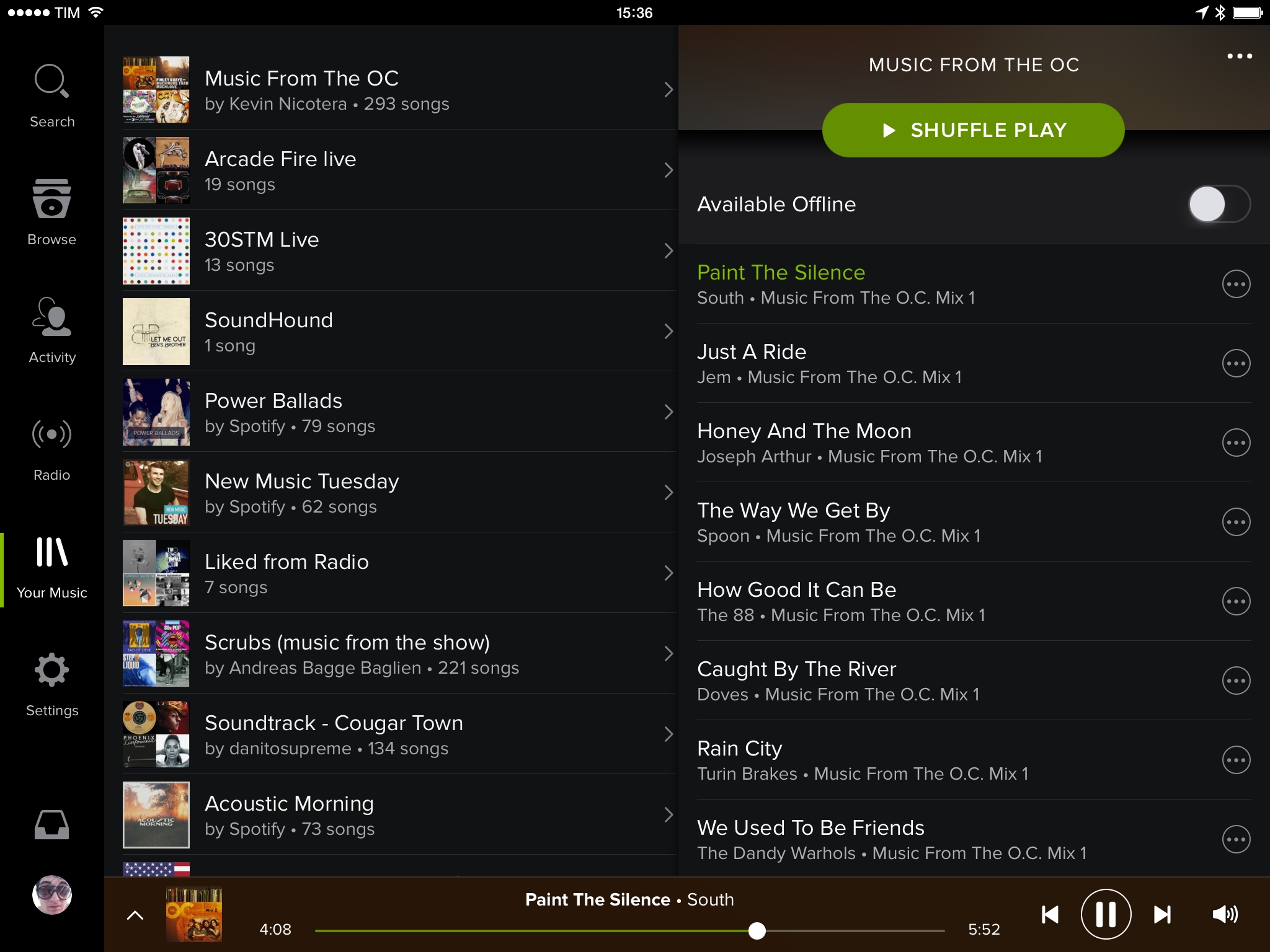
Spotify updated their iPad app this morning, bringing a long-awaited design refresh in line with iOS 7 and the company’s iPhone app, which received a drastic redesign back in April. On top of visual changes, Spotify also brought the service’s music collection feature, called Your Music, to the iPad.
Transporter: Your Own Private Cloud [Sponsor]
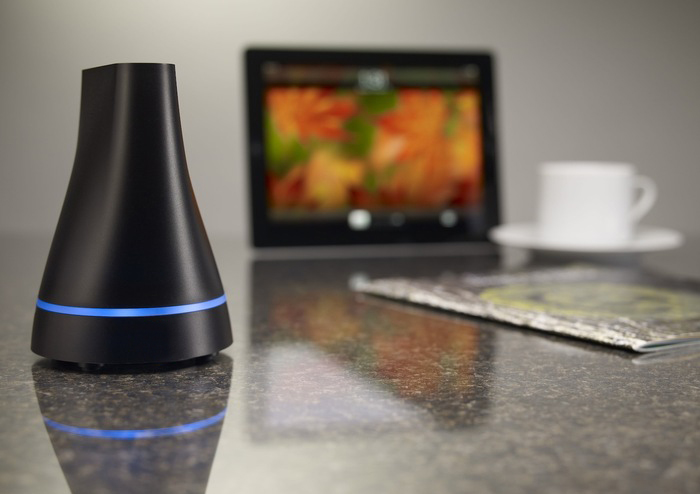
Transporter is your own private cloud for syncing, accessing, protecting, and sharing all your files across all your devices. A storage device that you control, Transporter starts at $99 with no monthly fees or other recurring costs and it doesn’t put your files on anyone else’s cloud.
Setting up a Transporter is easy: you create an account and create a folder on your Mac or PC to hold all the files you want to make available on multiple devices. Whether you choose the Transporter (in 500 GB, 1 TB, or 2 TB variations) or the Transporter Sync (turn any USB drive into a Transporter device), your files will always be securely stored in your own private cloud that you can access with desktop and mobile apps. On OS X, unlike other sharing services, you can select any folder and set it up for syncing and sharing.
Transporter is great for storing any kind of file, especially private photos and videos. With the iOS app, you can automatically upload new photos and videos to your Transporter device, which can hold hundreds of GBs worth of media and securely share them with your friends and family. Your data is always encrypted during transfers to protect it against snooping, and images are always saved at full resolution from the iOS camera roll.
Alternatively, you can use your Transporter for work purposes and keep important documents and projects in a cloud that’s under your control. Last week, Transporter launched versioning, a feature that lets you save revisions of files automatically and restore them at any time. Think of it like Time Machine for Transporter files: it doesn’t consume too much space thanks to incremental versioning, and you can rest assured that you’ll never lose changes to a file.
Transporter lets you access everything you want, right when you need it. Find out more here.
Our thanks to Transporter for sponsoring MacStories this week.
Google Approaches Email in a New Way with Inbox

Google yesterday unveiled Inbox, a new email client for Gmail that takes a different approach to email. Google frames Inbox as a product that recognises we now use email in very different ways today, but email (and email clients) have barely changed.
Email started simply as a way to send digital notes around the office. But fast-forward 30 years and with just the phone in your pocket, you can use email to contact virtually anyone in the world…from your best friend to the owner of that bagel shop you discovered last week.
With this evolution comes new challenges: we get more email now than ever, important information is buried inside messages, and our most important tasks can slip through the cracks—especially when we’re working on our phones. For many of us, dealing with email has become a daily chore that distracts from what we really need to do—rather than helping us get those things done.
Google Inbox is different in a few fundamental ways, with a strong focus on some interesting features:
- Bundles: Inbox will group together similar emails into bundles such as Travel, Purchases, Promotions.
- Highlights: Inbox will try to intelligently highlight key information from your emails (event details, flight itineraries) and even pull in information from outside your emails (such as real-time status of a delivery or flight)
- Reminders, Assists, and Snooze: Inbox also becomes a kind-of to-do app, able to remind you about emails or tasks to accomplish at a later date. This includes letting you snooze on messages until a later date.
Maps Connect: Apple’s Tool for Small Businesses to List on Apple Maps→
Greg Sterling of Search Engine Land has a great post that details how small businesses can use Apple’s Maps Connect tool to add their business to the Apple Maps database. It isn’t a completely new feature, as pointed out by Apple Spotlight, but new features have been added and Apple is now actively promoting the feature.
This afternoon Apple notified us of a new self-service portal to add or edit local business listings: Apple Maps Connect. It’s intended for small business owners or their authorized representatives (though not agencies) to be able to quickly and easily add content directly into Apple Maps.
Updates or new listings will show up within a week or could show up more quickly depending on the situation and whether the listing was flagged and/or there’s additional verification required. Beyond this, Apple has additional fraud prevention measures in place but didn’t discuss them extensively.
Sterling’s post has screenshots of the entire process, so if you’re interested I recommend reading it yourself. Also interesting is that as part of Maps Connect, businesses can apply for Apple’s indoor positioning technology which it launched with iOS 8. The website notes that Apple is currently focused on working with those businesses that have annual visitors of over 1 million, WiFi throughout and accurate maps, amongst other things.