Posts in news

iOS 8.1.3, OS X 10.10.2 Released

Apple today released software updates for iOS 8 and OS X Yosemite, bringing bug fixes and stability improvements alongside some welcome enhancements to the iOS update process and Yosemite’s iCloud Drive.

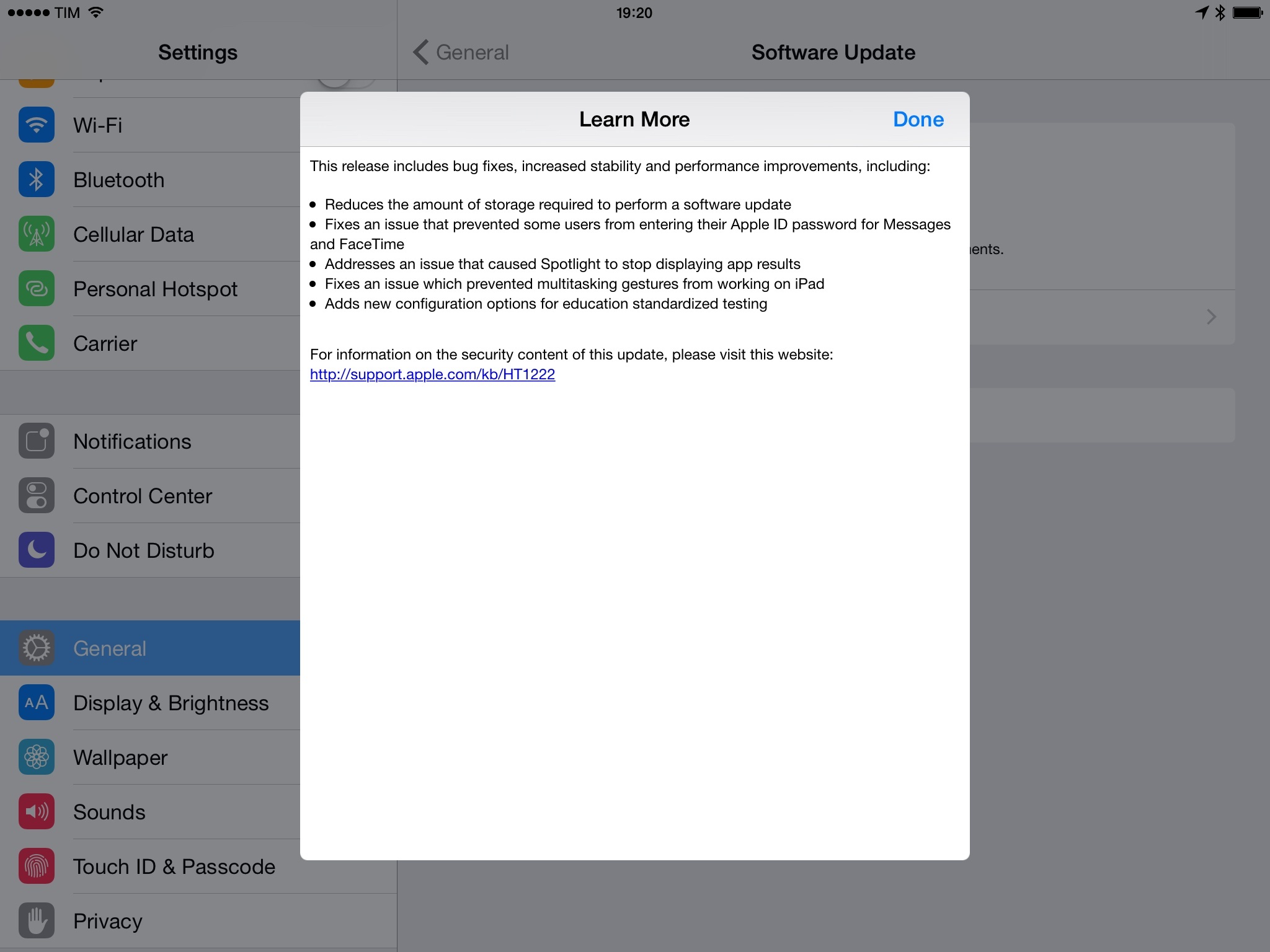
In the iOS 8.1.3 changelog (pictured above), Apple notes that they have reduced the amount of storage required to perform a software update. This is an important change as Apple has been criticized for releasing OTA (over-the-air) software updates for iPhones and iPads that required users to free up too much storage on their devices. Notably, iOS 8.1.3 also includes fixes for Spotlight, which often failed to find results for apps previously downloaded and installed.

In OS X Yosemite, Apple resolved a series of issues with WiFi connections, slow performance in loading webpages, and a security issue with loading remote Mail content in Spotlight. iCloud Drive content can now be browsed in Time Machine, the company’s local backup solution for OS X.

Both iOS 8.1.3 and OS X 10.10.2 are now available in Software Update.


Automatic: Your Smart Driving Assistant on Your Smartphone [Sponsor]

There’s a mountain of data inside your car waiting to be unleashed, and all you have to do is plug in a quick little connector and download a mobile application.

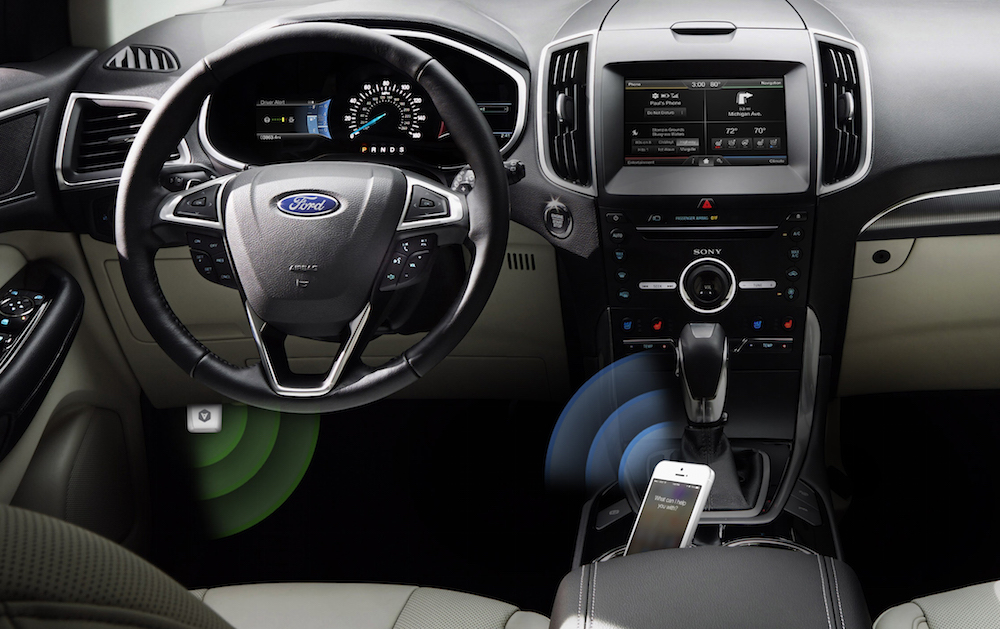
Automatic is a smart driving assistant that plugs into your car’s data port and lets you connect your smartphone (either iPhone or Android) with your car. By  talking to your car’s onboard computer and using your smartphone’s GPS and data plan to upgrade your car’s capabilities, Automatic will allow you to easily diagnose your engine light, never forget where you parked your car, and save hundreds of dollars on gas.

Automatic learns your driving habits and gives you suggestions through subtle audio cues to drive smarter and stop wasting gas. Thanks to a map view available on your phone, Automatic can display a trip timeline after every driving session, showing you how you’re doing with a Drive Score; the app can even track local gas prices and tell you how much you’re spending.

In case of engine problems, Automatic can decipher what the “check engine” light means and show you a description of the issue with a possible solution. And thanks to a feature called Crash Alert, Automatic can detect many types of serious crashes and automatically alert local authorities as well as your loved ones when you can’t.

Automatic is currently available in the US for iPhone and Android devices, with a 45-day return policy and free shipping in 2 business days.

MacStories readers can go to automatic.com/macstories to get $20 off and buy Automatic at just $79.99. For more information, check out Automatic’s website.

Our thanks to Automatic for sponsoring MacStories this week.


Boom 2 – The Root of All Good Audio [Sponsor]

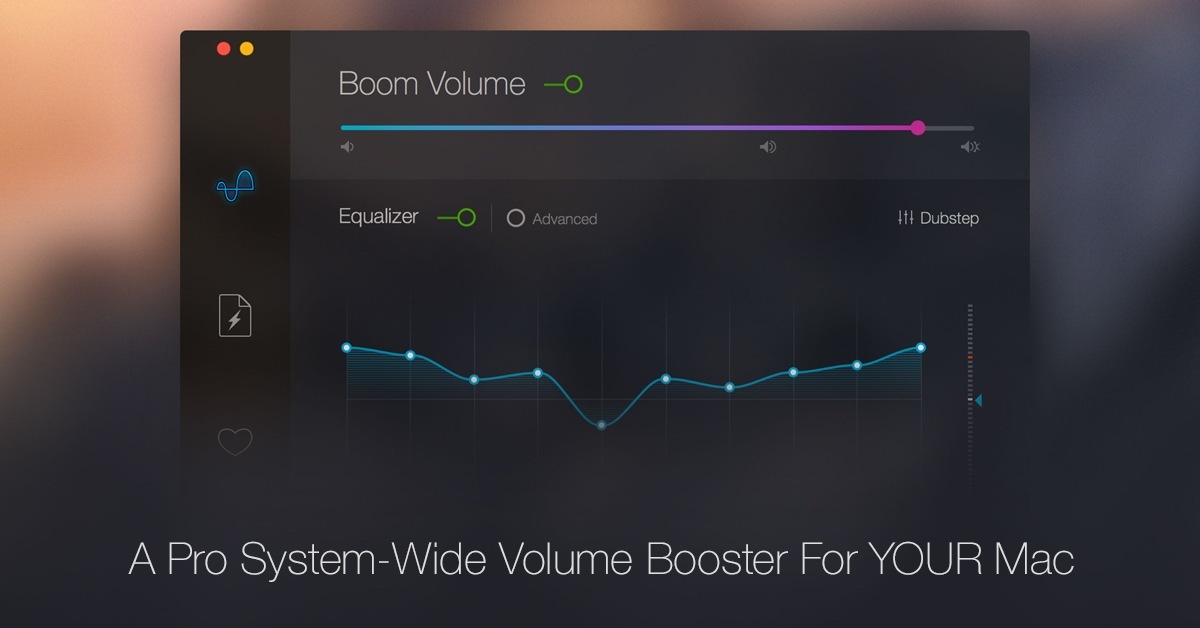
Boom 2 is a pro-audio app for Mac that offers a system-wide volume booster, advanced equalizer control and presets, amazing audio effects and much more. This indispensible app was built from scratch and is designed especially for Yosemite. Boom 2 is tailored to calibrate itself to suit your Mac as no two are the same.

With personalized and customized sound to suit every occasion, it also gives you the power to fine-tune and control every single element of audio coming out of your Mac. Spotify, Netflix, YouTube, iTunes and every other service out there is about to sound a whole lot better. Boom 2 can be tried for free from the website and is now also available on the Mac App Store.

For more information, visit Boom’s website to check it out for yourself!

Our thanks to Boom 2 for sponsoring MacStories this week.


The Ultimate Unofficial Dropbox Guide [Sponsor]

Dropbox isn’t just a folder, and you can maximize its potential to simplify your work and personal life.

The Ultimate Unofficial Dropbox Guide was created to help the modern knowledge worker who wants to make their digital life more organized and efficient. The guide is a comprehensive look to power-using Dropbox, whether you’re just setting up your Dropbox account or already think you’re a pro.

Sample topics include: Comprehensive walk-throughs for photo sharing; best practices for organizing your folders and documents; keeping your files secure; and automating tasks using IFTTT.

Complimentary bonus products include a handy keyboard-shortcut reference page, 15 Tips and Tricks for Families, and Photosharing Guides for you and a beginning photo guide to giv eaway to your less-savvy family members who still want to see photos of your kids.

For more information and to preview free samples, check out The Ultimate Unofficial Dropbox Guide’s website here.

Our thanks to The Ultimate Unofficial Dropbox Guide for sponsoring MacStories this week.


Automatic: Your Smart Driving Assistant on Your Smart Phone [Sponsor]

There’s a mountain of data inside your car waiting to be unleashed, and all you have to do is plug in a quick little connector and download a mobile application.

Automatic is a smart driving assistant that plugs into your car’s data port and lets you connect your smartphone (either iPhone or Android) with your car. By  talking to your car’s onboard computer and using your smartphone’s GPS and data plan to upgrade your car’s capabilities, Automatic will allow you to easily diagnose your engine light, never forget where you parked your car, and save hundreds of dollars on gas.

Automatic learns your driving habits and gives you suggestions through subtle audio cues to drive smarter and stop wasting gas. Thanks to a map view available on your phone, Automatic can display a trip timeline after every driving session, showing you how you’re doing with a Drive Score; the app can even track local gas prices and tell you how much you’re spending.

In case of engine problems, Automatic can decipher what the “check engine” light means and show you a description of the issue with a possible solution. And thanks to a feature called Crash Alert, Automatic can detect many types of serious crashes and automatically alert local authorities as well as your loved ones when you can’t.

Automatic is currently available in the US for iPhone and Android devices, with a 45-day return policy and free shipping in 2 business days.

MacStories readers can go to automatic.com/macstories to get $20 off and buy Automatic at just $79.99. For more information, check out Automatic’s website.

Our thanks to Automatic for sponsoring MacStories this week.


Automatic: Your Smart Driving Assistant on Your Smart Phone [Sponsor]

There’s a mountain of data inside your car waiting to be unleashed, and all you have to do is plug in a quick little connector and download a mobile application.

Automatic is a smart driving assistant that plugs into your car’s data port and lets you connect your smartphone (either iPhone or Android) with your car. By  talking to your car’s onboard computer and using your smartphone’s GPS and data plan to upgrade your car’s capabilities, Automatic will allow you to easily diagnose your engine light, never forget where you parked your car, and save hundreds of dollars on gas.

Automatic learns your driving habits and gives you suggestions through subtle audio cues to drive smarter and stop wasting gas. Thanks to a map view available on your phone, Automatic can display a trip timeline after every driving session, showing you how you’re doing with a Drive Score; the app can even track local gas prices and tell you how much you’re spending.

In case of engine problems, Automatic can decipher what the “check engine” light means and show you a description of the issue with a possible solution. And thanks to a feature called Crash Alert, Automatic can detect many types of serious crashes and automatically alert local authorities as well as your loved ones when you can’t.

Automatic is currently available in the US for iPhone and Android devices, with a 45-day return policy and free shipping in 2 business days.

MacStories readers can go to automatic.com/macstories to get $20 off and buy Automatic at just $79.99. For more information, check out Automatic’s website.

Our thanks to Automatic for sponsoring MacStories this week.


HelloTalk: Learn Languages, Meet the World [Sponsor]

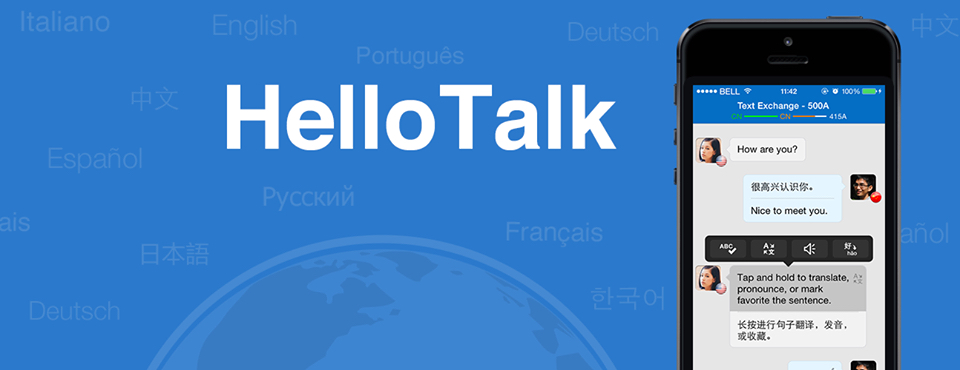
HelloTalk is the first language exchange social networking app in the world, allowing you to find native speakers of the language you’re learning locally or worldwide.

The best way to learn a foreign language is to practice with real people. If you are a native English speaker learning Chinese Mandarin, ideally you’d want to meet native Chinese speakers learning English. HelloTalk does just that: you can find native speakers and, through a unique text and talk exchange mode, write in one language and then switch to another one, or talk for 5 minutes in one language then switch again. HelloTalk is capable of counting time automatically, so you’ll never lose your stats or progress.

HelloTalk supports dozens of languages including English, Chinese Simplified, Chinese Traditional, Cantonese, Japanese, Korean, Spanish, French, Portuguese, German, Italian, Russian, and Arabic. In addition to text and talk modes, the app lets you share photos with your language partner about your life and home country culture.

For more information, visit hellotalk.com and start learning a new language with native speakers today.

Our thanks to HelloTalk for sponsoring MacStories this week.


Apple Adds More Channels to Apple TV, YouTube Channel Gets a New Design

Click image for full resolution version

Click image for full resolution version

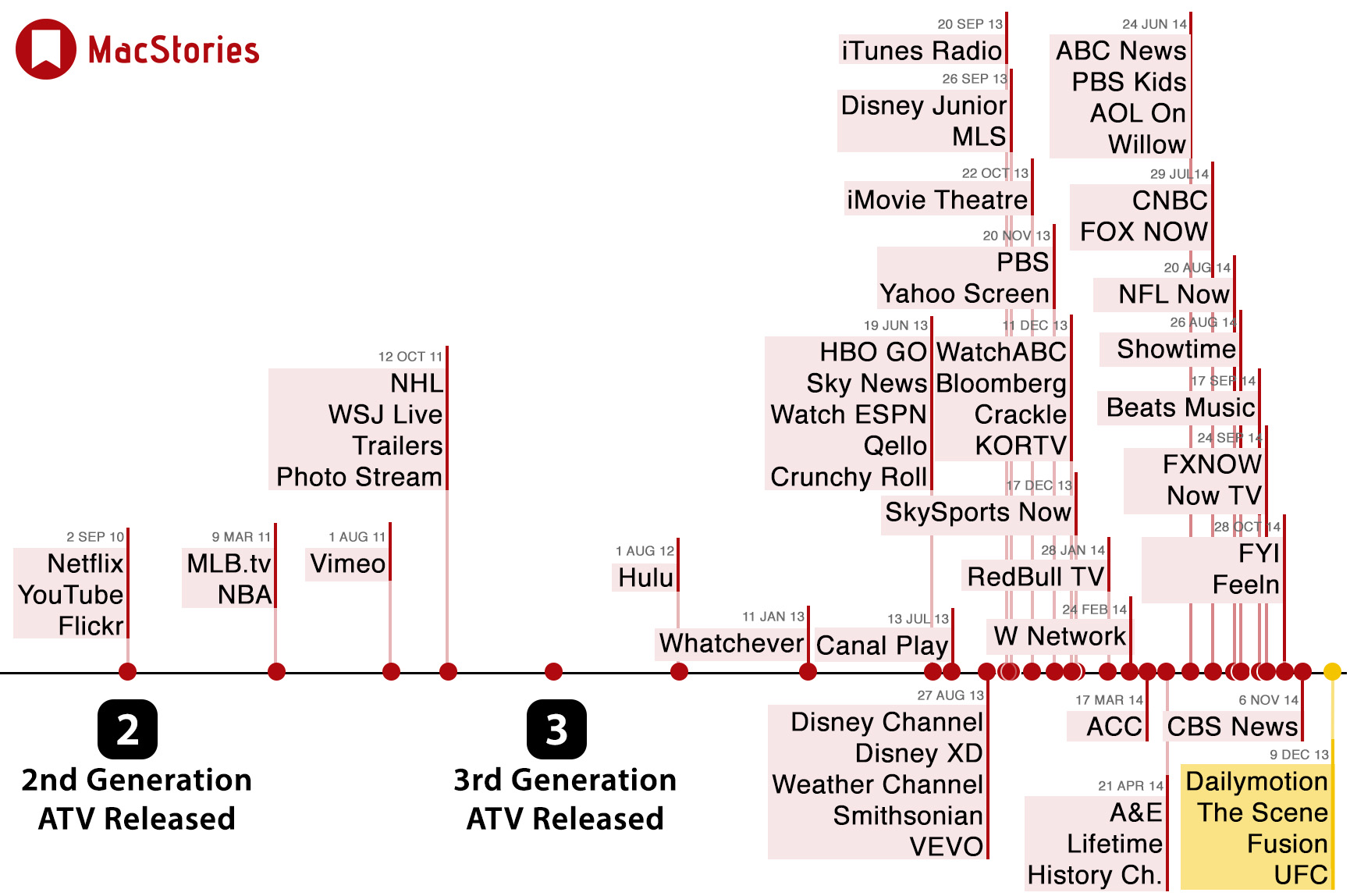
The Apple TV yesterday received four more channels, with UFC, The Scene, Fusion and Dailymotion joining the dozens of other channels available on the device. The above image is an update to our original article that visualizes the addition of Apple TV channels since the Apple TV 2 launched (the original black puck version).

The Apple TV also got an update to the long-standing YouTube channel, featuring a new design and new features. The highlights of this update includes predictive search, personalized recommendations and the ability to subscribe to channels. It probably wouldn’t be considered a ‘feature’, but the updated YouTube channel now also supports advertisements before videos. You can watch a brief promotional video from Google that talks about the update below.

Read more