Posts in news

Acorn 5: Shape Generators, PDF Import, and More

I’ve been an Acorn user for years now. I first started using it as my primary photo editing tool because I could open, edit, and export a perfectly-optimized web image before Photoshop had finished bouncing in the Dock. Photoshop has improved its launch time in recent versions, but Acorn has stepped up its game, too.

Acorn 5 came out this week, and it adds some powerful new features. Notably, it adds tools for vector manipulation and generation, as well as additional bezier and vector tools, PDF Import, snapping to grids, guides, other shapes, and more.

If you’re a Photoshop user looking for an alternative, Acorn has the tools you’re used to: dodge and burn, hue and curve adjustments, custom selection editing, and everything you need to do advanced photo editing. Acorn 5 can even import Photoshop brushes. Given the wide diversity of custom brushes available on the net, this opens up a lot of possibilities.
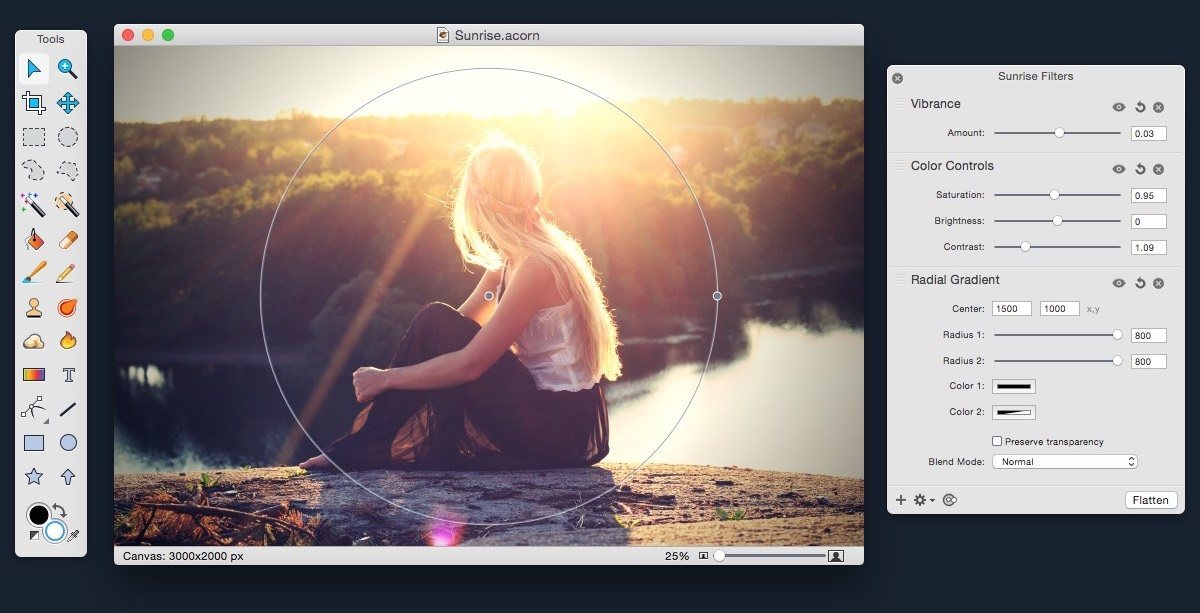
Version 5 also adds additional non-destructive filters and adjustments for both raster and vector layers, and the new Shape generators and processors are stackable and non-destructive as well. The layer adjustments are stored in the native Acorn file format, so you can always access and update them.

Acorn still has all of the great tools from version 4, including professional photo editing tools, Smart Layer Export for automatic 1x and 2x images, and the best compression on exported PNGs you’re likely to find.

Acorn 5 is $24.99 US on the Mac App Store (also available for direct purchase, with a few small differences). Check out the website for more info, and read the release notes for a mind-boggling list of all of the new features.
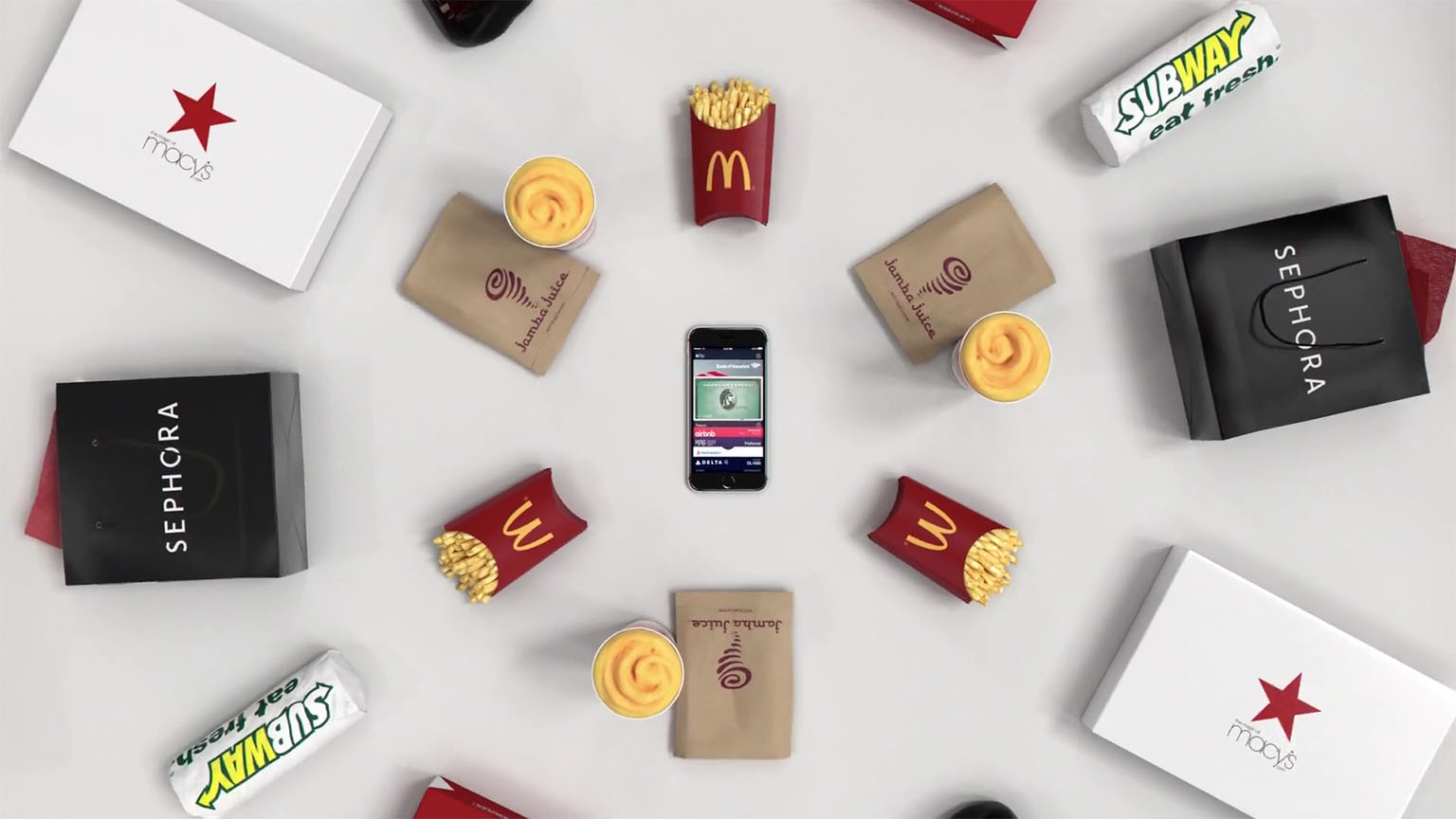

Apple Posts New iPhone Advert: “Apple Pay”

Apple’s fourth advert featuring the new “If it’s not an iPhone, it’s not an iPhone” tagline was last night posted online. The new advert, “Apple Pay”, naturally focuses on Apple Pay, demonstrating Apple’s contactless payment method available on the iPhone 6 in the US and UK. The advert’s narration makes particular mention of how Apple Pay is “faster”, “safer” and keeps your information private.

This is an iPhone, and this is Apple Pay, which lets you shop in a faster, simpler way. For groceries, and kicks, toys and your lunchtime fix. It’s safer than a credit card and keeps your info, yours. And you can already use it in one million stores. If it’s not an iPhone, it’s not an iPhone.

You can watch the new advert below the break, or on YouTube.

Read more


Apple Music Festival Arriving in September for Ten Nights at London’s Roundhouse

Apple today announced that it will host an Apple Music Festival at London’s Roundhouse for ten nights running from September 19 through to September 28. Headlining the festival will be performances from Pharrell Williams, One Direction, Florence + The Machine and Disclosure.

“We wanted to do something really special for music fans this year,” said Eddy Cue, Apple’s senior vice president of Internet Software and Services. “The Apple Music Festival is a greatest hits set of ten unbelievable nights featuring some of the best performers on the planet appearing live and interacting directly with their fans on Connect and Beats 1.”

The performances will be broadcast live and on-demand on Apple Music, iTunes and through the Apple Music Festival channel on the Apple TV. Apple is also promising coverage on Beats 1, and “backstage news and footage” on Apple Music Connect.

You can learn more about the Apple Music Festival in Apple Music on your iOS device or in iTunes. Additionally, for those who live in the UK, you can apply to win tickets to the Apple Music Festival.

The event was previously called the iTunes Music Festival which Apple has hosted at the Roundhouse since 2007. Unlike in previous years where the event usually ran for an entire month (September in recent years), this year’s festival run has been shortened to ten nights.


Automatic: Your Smart Driving Assistant on Your Smartphone [Sponsor]

There’s a mountain of data inside your car waiting to be unleashed, and all you have to do is plug in a quick little connector and download a mobile application.

Automatic is a smart driving assistant that plugs into your car’s data port and lets you connect your smartphone (either iPhone or Android) with your car. By  talking to your car’s onboard computer and using your smartphone’s GPS and data plan to upgrade your car’s capabilities, Automatic will allow you to easily diagnose your engine light, never forget where you parked your car, and save hundreds of dollars on gas.

Automatic learns your driving habits and gives you suggestions through subtle audio cues to drive smarter and stop wasting gas. Thanks to a map view available on your phone, Automatic can display a trip timeline after every driving session, showing you how you’re doing with a Drive Score; the app can even track local gas prices and tell you how much you’re spending.

In case of engine problems, Automatic can decipher what the “check engine” light means and show you a description of the issue with a possible solution. And thanks to a feature called Crash Alert, Automatic can detect many types of serious crashes and automatically alert local authorities as well as your loved ones when you can’t.

Automatic is currently available in the US for iPhone and Android devices, with a 45-day return policy and free shipping in 2 business days.

MacStories readers can go to automatic.com/macstories to get $20 off and buy Automatic at just $79.99. For more information, check out Automatic’s website.

Our thanks to Automatic for sponsoring MacStories this week.


Apple Posts New Apple Music Ads with the Theme of “Discovery”

Today Apple released three new videos advertising Apple Music, all focused on the discovery aspects of the service. The new tagline debuted in the ads is “All the artists you love and are about to love”.

While that tagline seems like a bit of a mouthful, I suppose it makes its point. Apple wants to position Apple Music as the new home for your music: there’s no downside to trying it because all of the artists you already know and love are there waiting for you, but it’s also the best place to discover new artists you’ll love that you are currently missing out on.

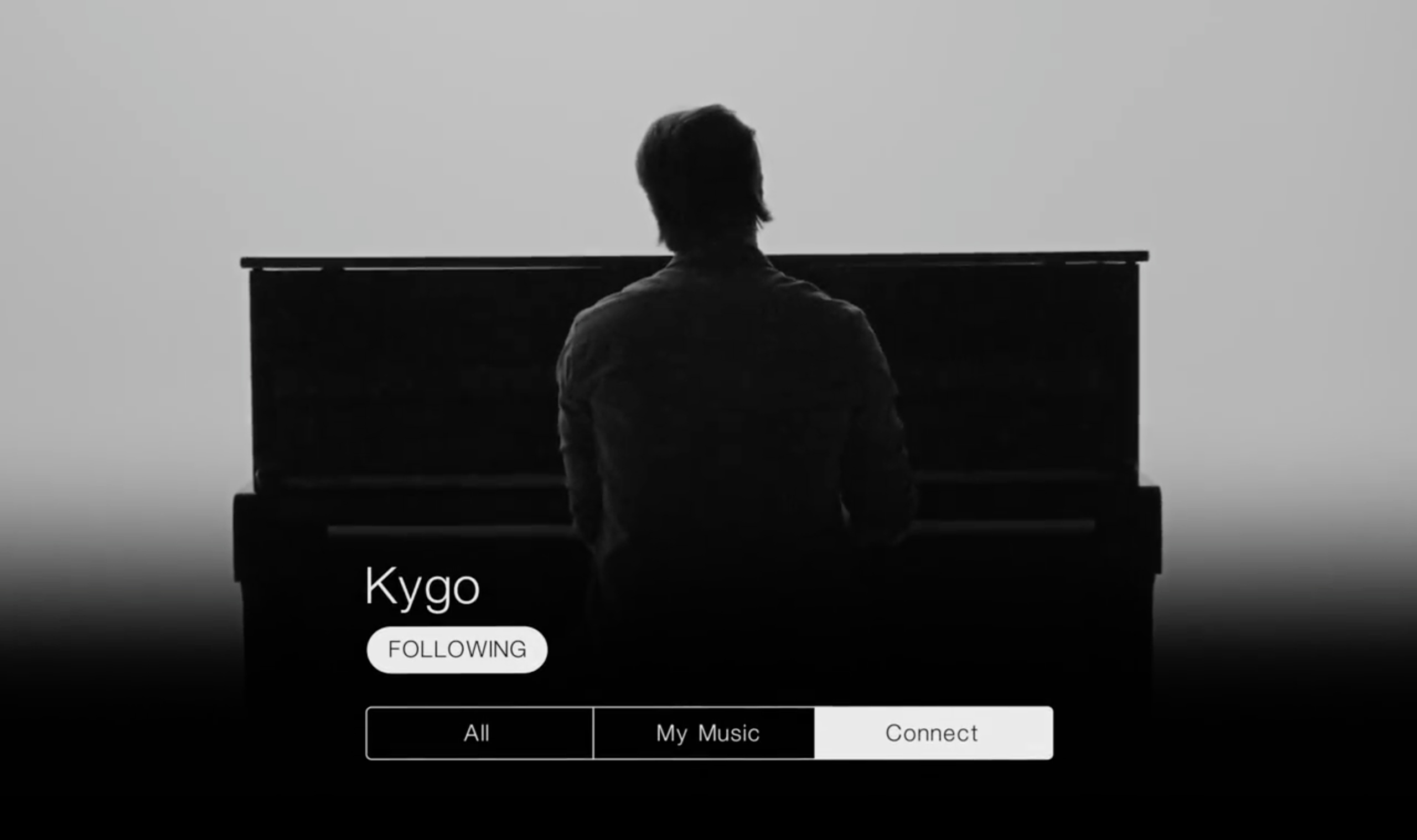
To showcase this, two of the ads are almost entirely made up of performances by artists James Bay and Kygo. At the end of the “Discover James Bay” and “Discover Kygo” ads, some text and buttons scroll down on top of the video. It is the artist’s name, a “Following” button, and three radio buttons: All, My Music, and Connect. This is the view you see in Apple Music when you open an artist’s page.

Amusingly, while in both ads the “Connect” radio button is selected, Kygo does not actually even have a Connect page at this time (meaning that “Connect” button which is selected doesn’t even exist on his page in Apple Music), and James Bay has only ever posted a single item. Probably not the best two artists to use to drum up interest in the Connect features of Apple Music.

The third video, titled simply “Discovery” is voiced by Trent Reznor, and features a variety of artists (including Bay and Kygo) preparing to be filmed. Reznor’s narration describes the motivations behind starting Apple Music, leading up to the new tagline. I would be surprised if we didn’t see some more of these “Discover [some artist]” videos soon, featuring the other artists that were shown in “Discovery”.

You can check out all three ads below.

Read more


Apple Publishes Updated Employee Diversity Data

Apple yesterday published updated data on the diversity of their employees, for the second year in a row. Some of the news is good (Apple hired 65% more women in the last 12 months than they did in the previous year) but the picture is still bleak in other respects (only 22% of “tech” employees are female). Apple’s updated Diversity webpage includes a letter from Tim Cook, in which he says:

Last year we reported the demographics of our employees for the first time externally, although we have long prioritized diversity. We promised to improve those numbers and we’re happy to report that we have made progress. In the past year we hired over 11,000 women globally, which is 65 percent more than in the previous year. In the United States, we hired more than 2,200 Black employees — a 50 percent increase over last year — and 2,700 Hispanic employees, a 66 percent increase. In total, this represents the largest group of employees we’ve ever hired from underrepresented groups in a single year. Additionally, in the first 6 months of this year, nearly 50 percent of the people we’ve hired in the United States are women, Black, Hispanic, or Native American.

You can view all the numbers on Apple’s Diversity page, including some interactive statistics, the full letter from Tim Cook and information on what Apple is doing today to improve diversity at Apple, and steps they are taking to improve the numbers in the future.

Some people will read this page and see our progress. Others will recognize how much farther we have to go. We see both. And more important than these statistics, we see tens of thousands of Apple employees all over the world, speaking dozens of languages, working together. We celebrate their differences and the many benefits we and our customers enjoy as a result.

Permalink

Igloo: An Intranet You’ll Actually Like [Sponsor]

Igloo is an intranet you’ll actually like.

It’s a cloud platform that can help you do your best work – share files, blog updates, coordinate calendars, and manage projects. It’s easy-to-use and easy to configure – even for the most non-technical of users. And it’s built using responsive design, which means that everything you can do at your desk, you can now do on the go, on your phone or tablet. The responsive design is meant to look great on all of your devices.

Whether you’re a large enterprise stuck using SharePoint or a fast-growing business overwhelmed by apps, create an intranet that matches your brand’s look and feel, simplifies how you work, and is accessible on your phone.

Sign up now and try it for free at igloosoftware.com/macstories, and invite up to ten of your favorite co-workers to try it with you.

Our thanks to Igloo for sponsoring MacStories this week.


Apple Posts New ‘Photos & Videos’ iPhone Ad

Apple aired a new commercial as part of their “If it’s not an iPhone, it’s not an iPhone” campaign, this time focusing on the device’s camera for photos and videos.

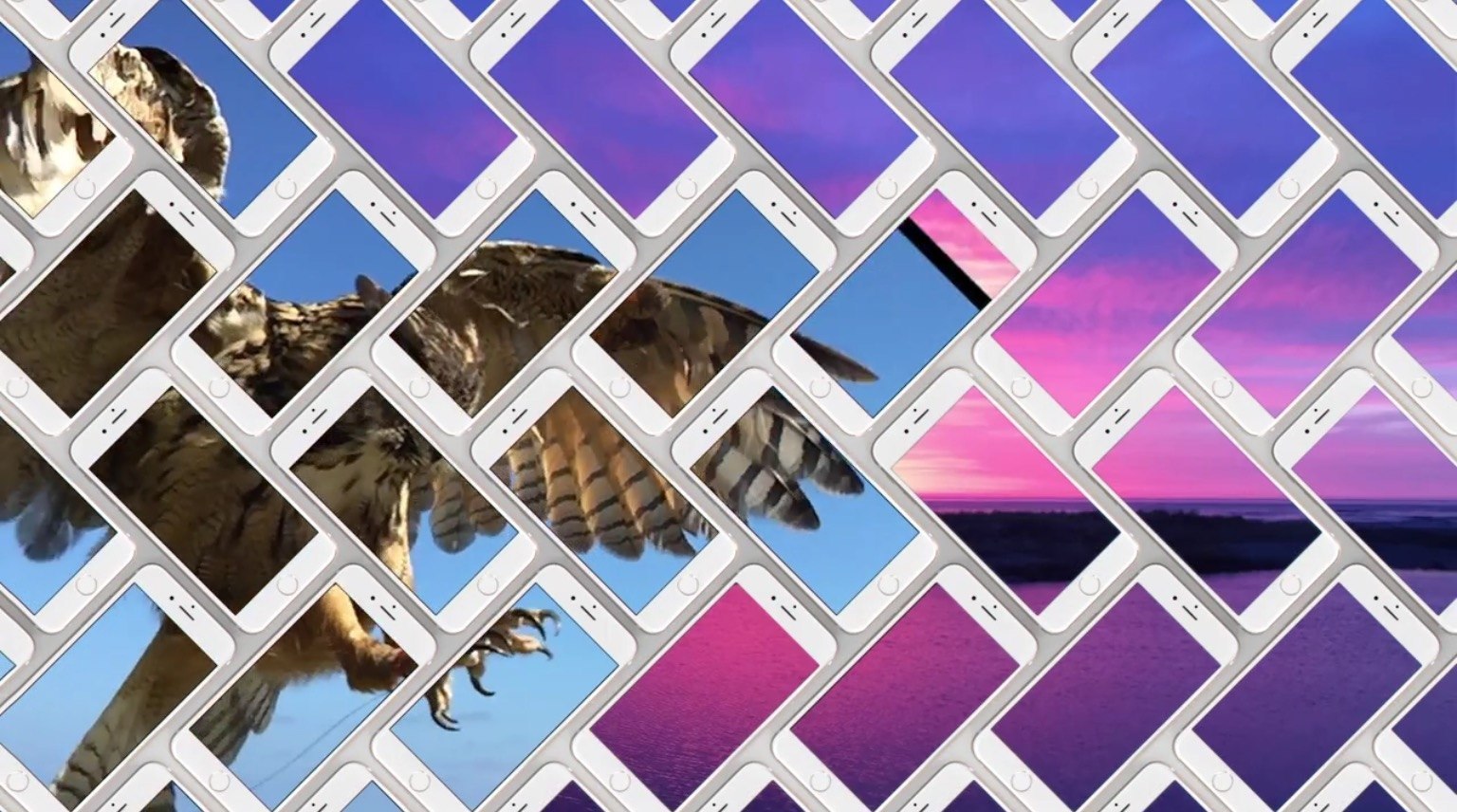
The entire ad showcases full-screen photos and videos taken on the iPhone 6, noting that “every day, millions of amazing photos” are shot with iPhone. Unlike other ads in the campaign, there’s no mention of third-party apps – just the iPhone’s camera and animations generated by photos and videos. Previously, Apple had featured iPhone photography with the “Shot on iPhone 6” initiative, which was later expanded to ads, films, and billboards across the world.

You can watch Apple’s latest iPhone commercial below.

Read more


Microsoft Outlook App Now Available on the Apple Watch

As noted by The Verge, Microsoft Outlook is now available for the Apple Watch after Microsoft updated the Outlook iPhone app today. The Outlook Watch app enables users to reply to emails directly on the Watch through various quick reply options or via dictation.

Besides replying to emails on the Watch, there’s an Outlook glance which enables users to review their inbox or see what’s next on their calendar. Finally, Outlook’s custom notifications on the Apple Watch add support for archiving and scheduling emails as they arrive.

Tom Warren from The Verge tried the new Outlook Apple Watch app wrote:

By default, Outlook notifications on the Apple Watch now show a lot more of the email body instead of cutting it short after a couple of sentences. While you still can’t reply instantly from a notification, you can now tap on the Outlook icon in the notification to launch a dedicated Outlook Apple Watch app that lets you see an overview of email and reply to any messages using quick replies or dictation.

Permalink