Posts in news

Telegram Adds SiriKit Support and Game Bots

Telegram received a significant update today that adds SiriKit support for sending messages and upgrades its bot platform. Both features will help keep Telegram closer in line with the features available in Apple’s own Messages app.

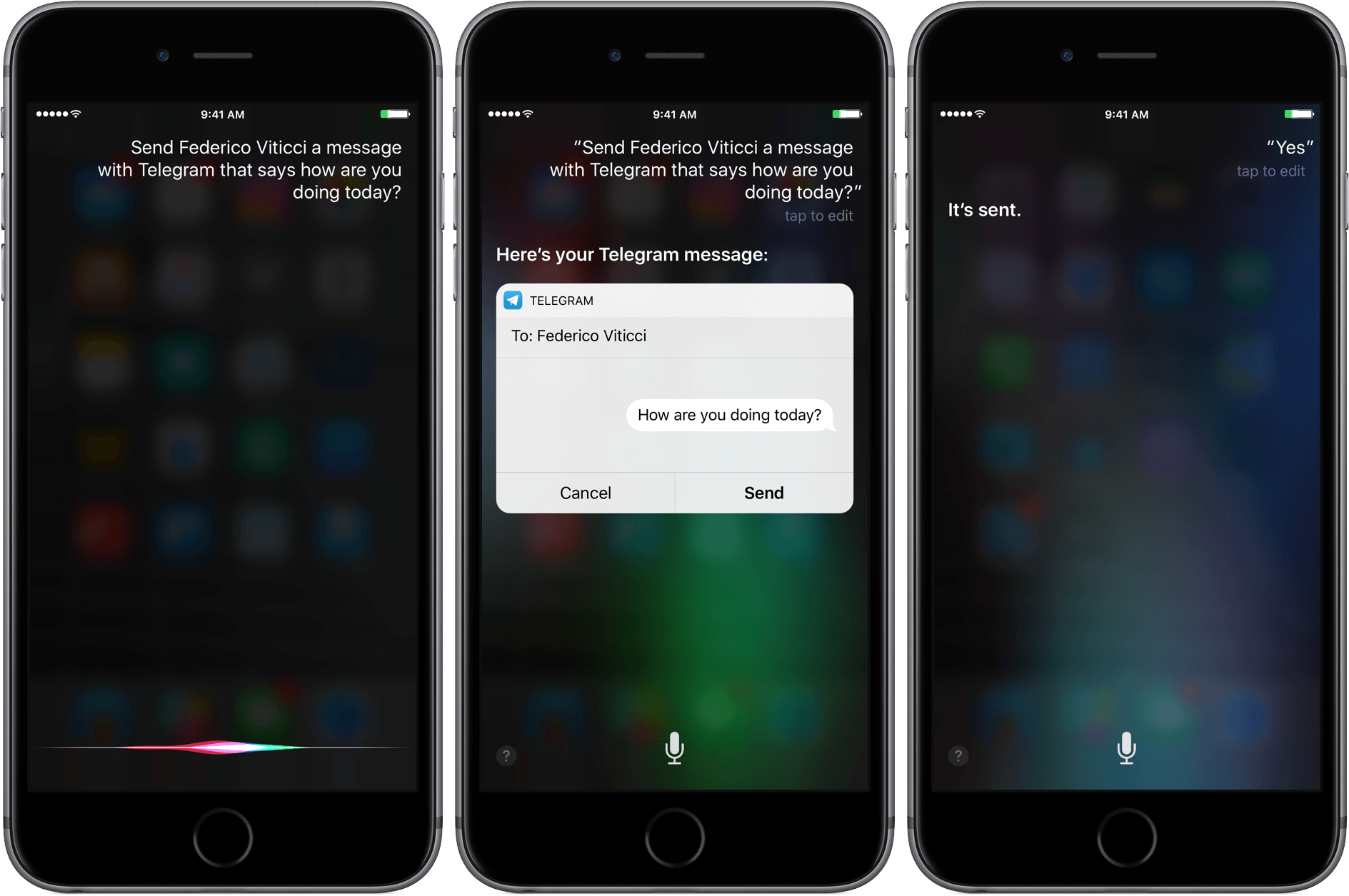
By integrating with Siri, messages can be sent with Telegram using commands like ‘Send Federico a Telegram message that says what’s the weather like in Rome today?’ Similar to Messages, Siri interprets your instructions and presents you with a draft message before sending it. In my tests, the feature worked to send messages to individuals, but I couldn’t send a message to The MacStories Lounge channel, which broadcasts messages to everyone who subscribes to that channel.
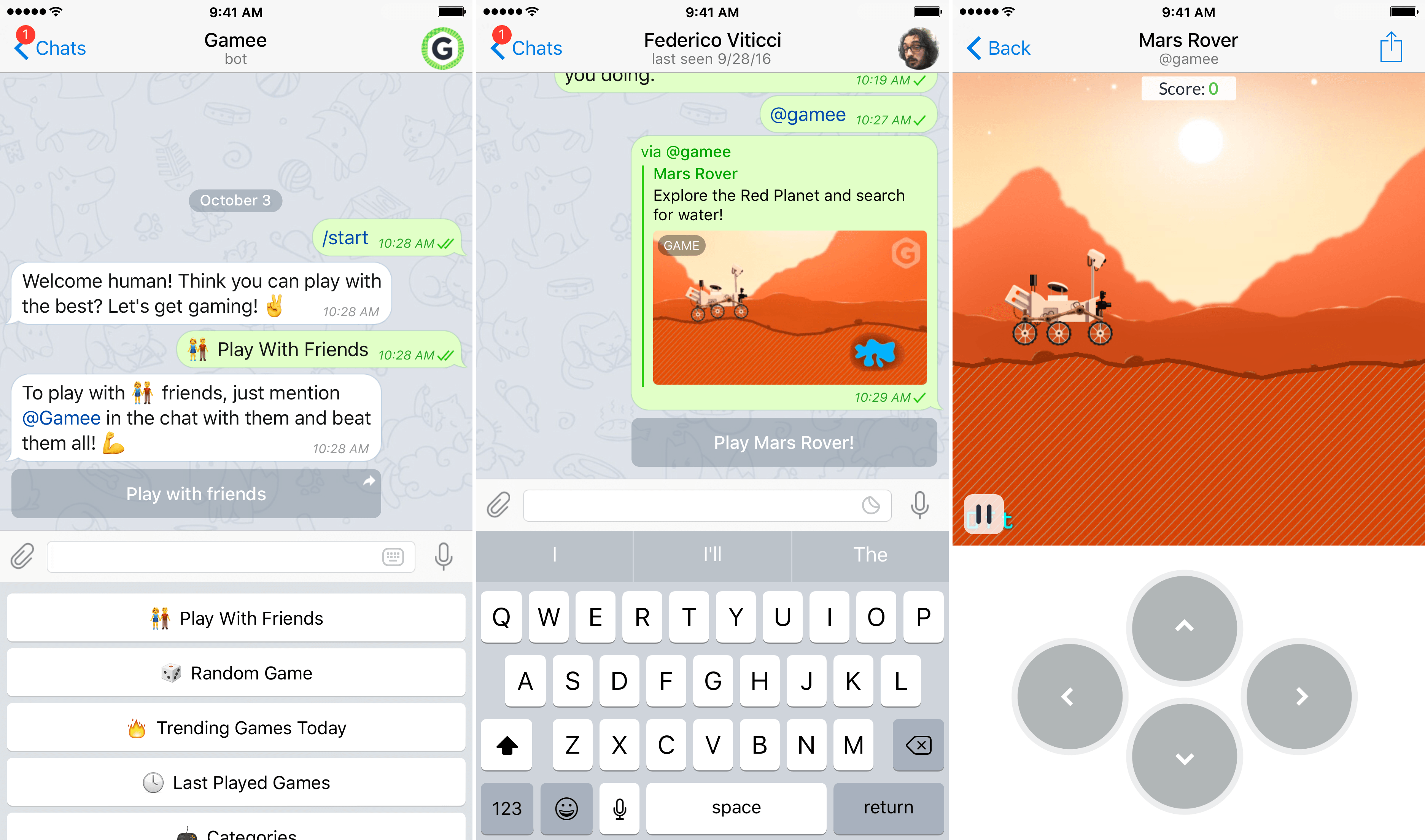
Starting a game in Telegram with a bot.

Starting a game in Telegram with a bot.

Telegram also updated its bot platform to support games made using HTML5. The iOS release notes for Telegram also suggest that the changes to bots could be used for other rich media experiences, but for now, Telegram has chosen to focus on games. According to Telegram’s blog:

The best part of the Telegram Gaming Platform is the competition across all your existing chats. We save high scores for every game played in every chat, and you can instantly check out how you and your friends are doing against each other. Every time there’s a new leader in the game, other playing members of the chat are notified that they need to step it up.

I took a quick look at a few of the thirty games available at launch from Gamee and they were fairly basic games, but it’s a good start, and it will be interesting to see what developers do with the new APIs.


Apple Reveals Balloons Ad

Apple released another advertisement in its ‘practically magic’ series, focusing on the new effects that can be used with Messages. ‘Balloons’ begins with a single red balloon floating out the window of a house. The balloon travels across landscapes, through forests, swamps, and across a large body of water. Eventually, it’s joined by a second balloon under a rusted structure.

When the camera pulls back, it becomes apparent that the balloons are in Chicago. As the camera follows the balloons, they pass by several Chicago landmarks, including an ‘L’ train, the Chicago Board of Trade, and finally, the Chicago River near the Wrigley Building.

The scene cuts to an office where a woman is working. Balloons begin to blow into an open window as she receives an iMessage wishing her a happy birthday, which is sent with Messages’ new balloons effect, echoing the scene surrounding her. The spot ends with the camera pulling back to a wide angle view of millions of balloons rising among Chicago’s skyscrapers, including the Willis (née Sears) Tower with the tag line ‘expressive messages on iPhone 7.’

Previous spots have focused on iPhone 7 hardware features like its water resistance and camera. This is the first ad since iOS 10 was released that focuses solely on a new feature of iOS.


Enhanced Edition of ‘A Game of Thrones’ Available on the iBooks Store

The iBooks Store is today featuring the launch of ‘A Game of Thrones: Enhanced Edition’:

Navigate the astounding world of Westeros with the enhanced editions of George R.R. Martin’s magnificent series. Available only on iBooks, they’re the best way to read this thrilling epic. Interactive maps, author notes, glossaries, family trees and illustrations add to the adventure, whether you’re new to the books or speak fluent Dothraki.

A Game of Thrones is the first book in the series, and the Enhanced Edition is available now. The other books in the series are also set to received Enhanced Editions over the coming months. A Clash of Kings is coming on 27 October, A Storm of Swords is arriving on 15 December, A Feast of Crows is arriving 2 February 2017, and A Dance with Dragons is expected on 30 March 2017. The Guardian has a few more details on the Enhanced Editions, including this quote from George R.R. Martin:

“We’re now entering a new period in the history of publishing,” said Martin, announcing the new edition. “The digital book gives readers the ability to experience all this rich secondary material that had not been possible before. These enhanced editions, available only on iBooks, include sigils and family trees and glossaries. Anything that confuses you, anything you want to know more about, it’s right there at your fingertips. It’s an amazing next step in the world of books.”

This is not the first time the iBooks Store has released Enhanced Editions of a popular series. Last October saw the release of Enhanced Editions of the Harry Potter series on the iBooks Store, which included new illustrations and animations.

(via 9to5Mac)

Permalink

Apple Starts Selling App Store Search Ads, Launching October 5th

First announced at WWDC in June and beta-tested over the Summer, Apple launched Search Ads for iOS apps today. The ads will appear at the top of App Store customers’ search results based on a combination of search relevancy and bidding. According to Apple, the program is designed to be a simple way for developers to get their apps in front of potential customers. Developers can sign up today and schedule campaigns, but ads won’t go live until October 5, 2016.

In an email to developers Apple says:

Search Ads was designed to be effortless for small and independent developers. Invest as much or as little time as you have and still get results. We create your ads and match them to relevant searches. You can refine who sees your ad with optional keyword, audience and location features, and you only pay when a customer taps on your ad.

Read more


Skype Integrates with SiriKit and Contacts

iOS 10 introduced seven domains that third-party developers can use to hook into Siri. One of those domains lets VoIP providers like Skype use Siri. Apple also debuted CallKit with iOS 10, which lets VoIP providers tie into the Lock screen of the iPhone in the same way the built-in Phone app does.

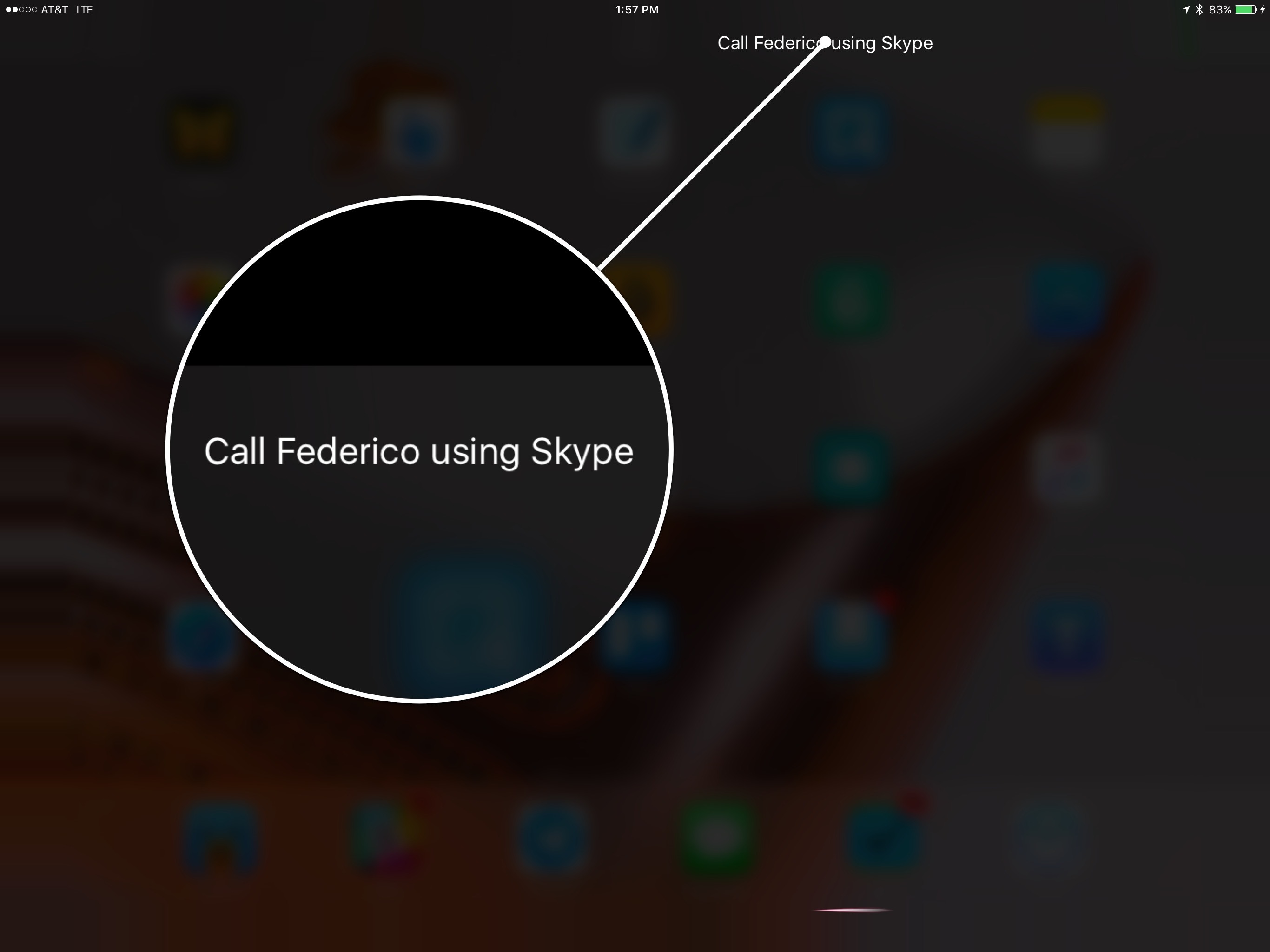
Today, Microsoft updated Skype for iPad (and presumably an iPhone update, which is a separate app, will be coming soon) to take advantage of both new iOS 10 APIs. Now you make Skype calls with a variety of spoken commands via Siri like ‘Call Federico with Skype’ or ‘Make a Skype call to Federico.’ The first time you try it, you will be prompted to go to Settings to turn on Siri integration, which is off by default.

Skype’s access to the Lock screen means that calls you receive will show up on, and can be answered from, the Lock screen and the full-screen interface that appears everywhere else in the iOS UI when a call comes in, just like a standard phone call. Previously, all Skype could do was send a notification that a call recipient could tap to answer. Now when a call comes in, the only difference from a standard phone call interface is that the alert on the Lock screen indicates under the caller’s name that the call is using Skype.

The Skype update also works closely with the Apple’s Contacts app. If you grant permission to Skype to use your contacts, you can tap and hold the call icon on a contact card to get a popup that will include the option to initiate a call via Skype. Skype will also take any Skype contact data that it finds in the Contacts app and add it to its own contact list.


Matthew Panzarino’s Hands-On with the iPhone 7 Plus’ Portrait Mode in iOS 10.1 Beta

Matthew Panzarino, writing for TechCrunch, was able to test the iPhone 7 Plus’ upcoming Portrait mode, released to developers with a first beta of iOS 10.1 earlier today.

If you’ve skipped here to see how the heck it works, I don’t blame you. The short answer: incredibly, miraculously well in many instances. And pretty rough in others. Apple says this is still in beta and it is. It has trouble with leaves, with chain link fences and patterns and with motion. But it also handles things so well that I never thought possible like fine children’s hair and dog fur, shooting pictures with people facing away and objects that are not people at all.

What does it have major trouble with? Fine lines, wires, chain link, glass, leaves. Anything that merges with the edges of your subject a bunch of times could confuse it. The closer to the subject the harder it is for it to distinguish. Motion, too, is a no. If the subject moves a bit, ok. If it moves too much you get ghosting, as you do in HDR mode — because there is compositing involved.

Let’s look at some examples and I’ll dissect what works, what doesn’t and how the mode is applying the effect in each image. In each case, I’ll include both the standard and Depth Effect image for comparison.

Panzarino reports that Portrait works on non-human subjects as well (which Apple didn’t originally mention) and that it uses new body detection systems and a “sliding scale” mechanism to apply blurs for the background. Fascinating explanation – with some good points on how Apple could improve Portrait mode in the future.

Permalink


Tweetbot Updated with Support for Longer Tweets

When Twitter rolled out support for longer tweets yesterday, we mentioned that Tweetbot – the popular third-party client – would soon support the new format natively. Tapbots has released updates to the iOS and macOS apps today that let you view and create longer tweets (where media, polls, and quotes don’t count against 140 characters) without having to rely on Twitter’s official app. You can get the iOS update here.

Permalink