

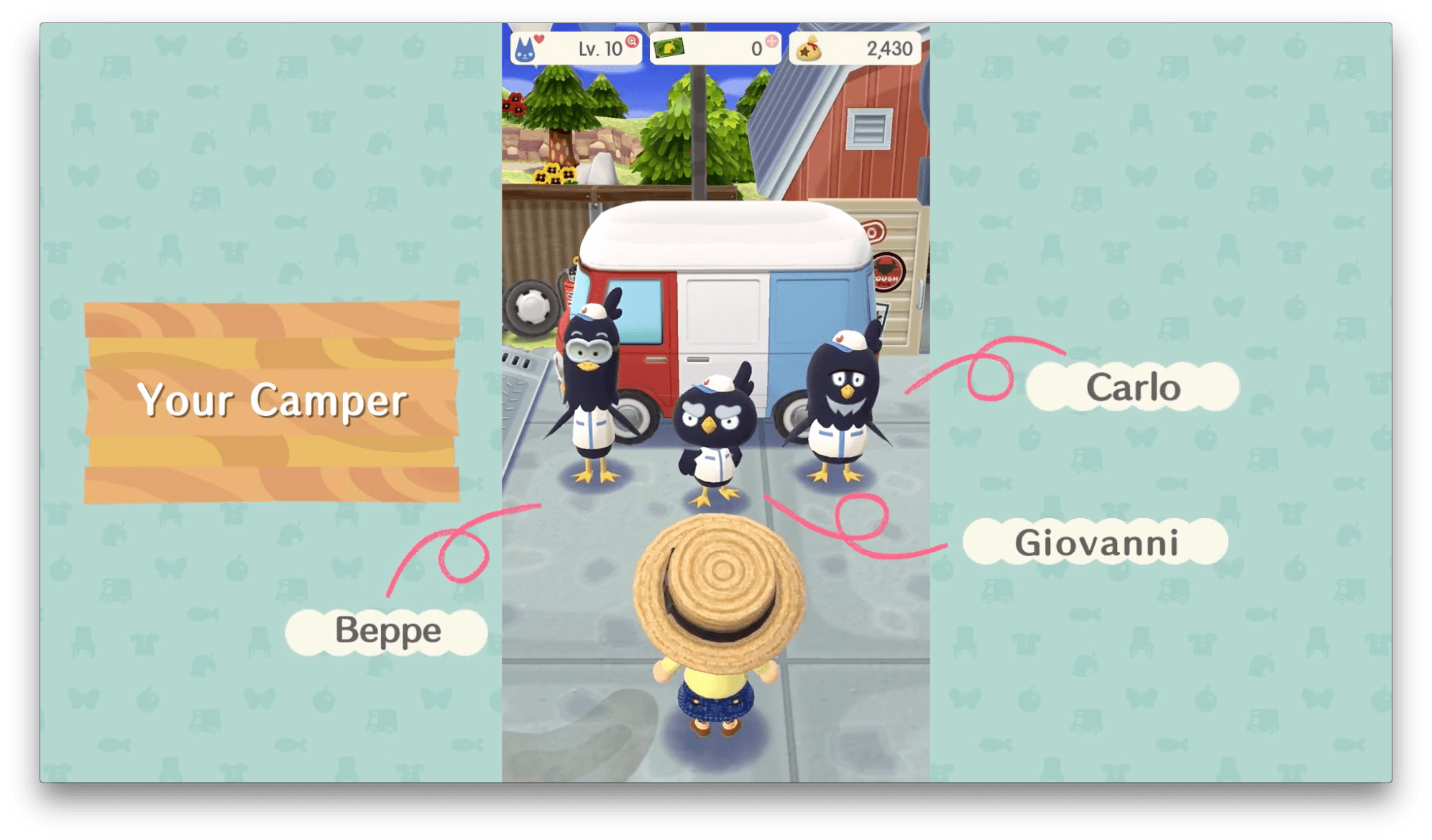
Nintendo has announced that Animal Crossing: Pocket Camp will be released on iOS and Android. The game, which follows a free-to-play model like Fire Emblem Heroes that debuted earlier this year, will be familiar to anyone who has played other titles of Nintendo’s Animal Crossing franchise. Originally expected by March 2017 along with three other games, Nintendo’s latest iOS game will be released in late November 2017, although it is already available in Australia.
Posts in news
Animal Crossing: Pocket Camp Is Coming to iOS
Kindle for iOS Redesigned with Clean, Streamlined Organization
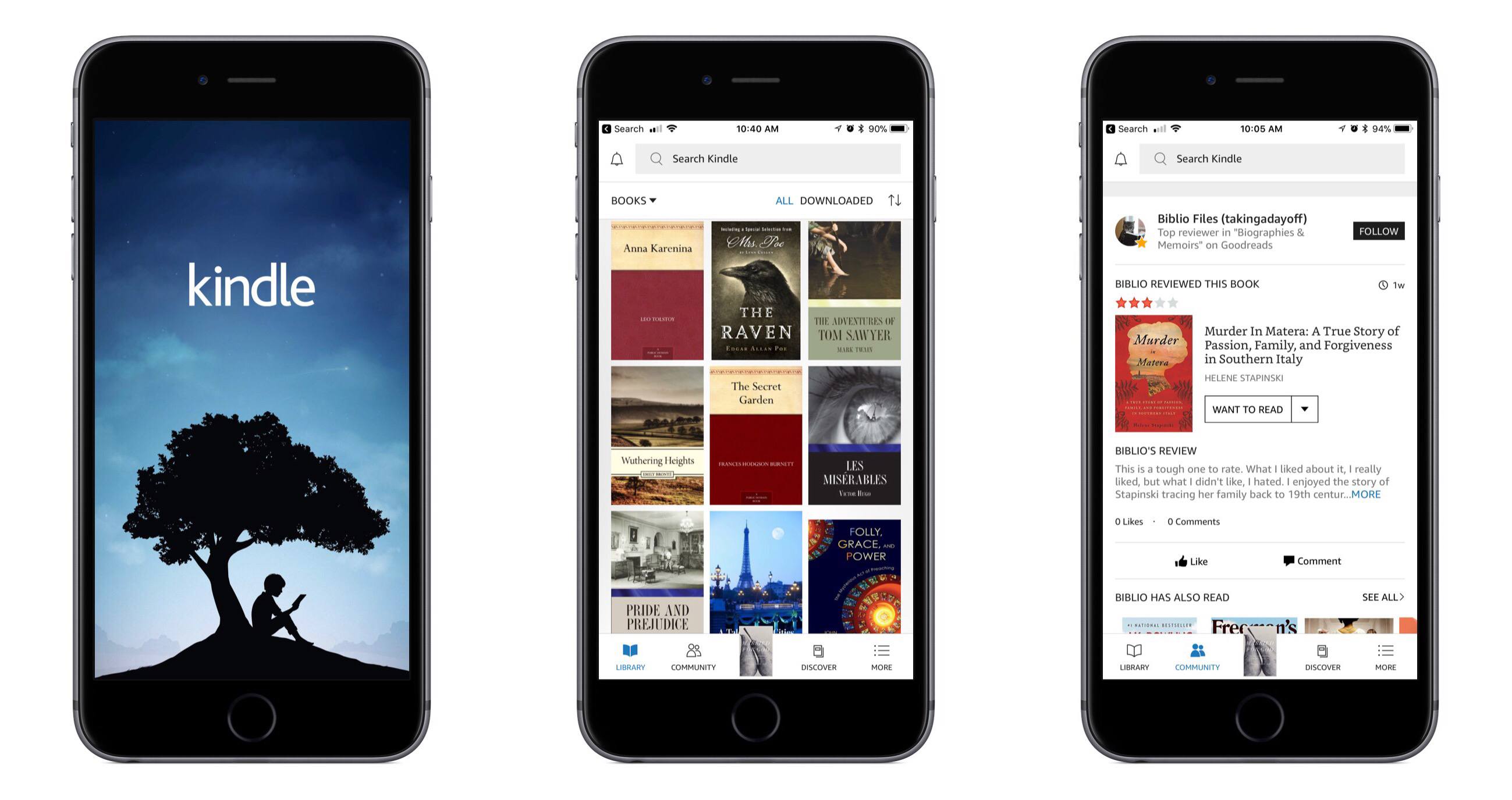
Amazon’s Kindle app for iOS received a major update today, bringing redesigned navigation tabs, a new light theme, and more. The change that excited me most, small as it may be, is the greatly improved app icon – it includes a beautiful new illustration, and the word Kindle has been removed.
The Kindle app now feels more at home on iOS, with a familiar navigation tab layout lining the bottom of the screen. The first tab, Library, is essentially what the main interface of the app was before – all your books are found there. The Library tab is cleaner and simpler now, as several options it formerly contained have been assigned to other areas of the app. The Goodreads and Discover pages, for example, now live in the main navigation bar as Community and Discover tabs, respectively. Extra items like settings and sync have been moved into the navigation bar’s final tab, More. There’s also now a search bar at the top of the screen that’s accessible from nearly anywhere in the app. Overall, these layout changes make the app easier to navigate and less cluttered than before.
Joining the app’s original dark theme, you can now turn on a light theme for the app; this navigation theme is separate from the reading theme, which has long had dark and light options. The light theme looks nice, and I plan to keep it turned on. Another change is that while reading, it’s easier to get back to your library – the upper left corner contains a down-facing arrow that instantly closes your book.
I do nearly all of my book reading digitally, and I’ve long preferred reading in iBooks over Kindle due to it having the superior app in my mind. Today’s update fixes several of the issues I’ve had with Kindle, but unfortunately there’s one big problem outstanding: Kindle still doesn’t support Split View on iPad. Once Amazon adds that to its app, I’ll have less reason to always go with iBooks.
Balance Is a Wallet For the World’s Currencies [Sponsor]
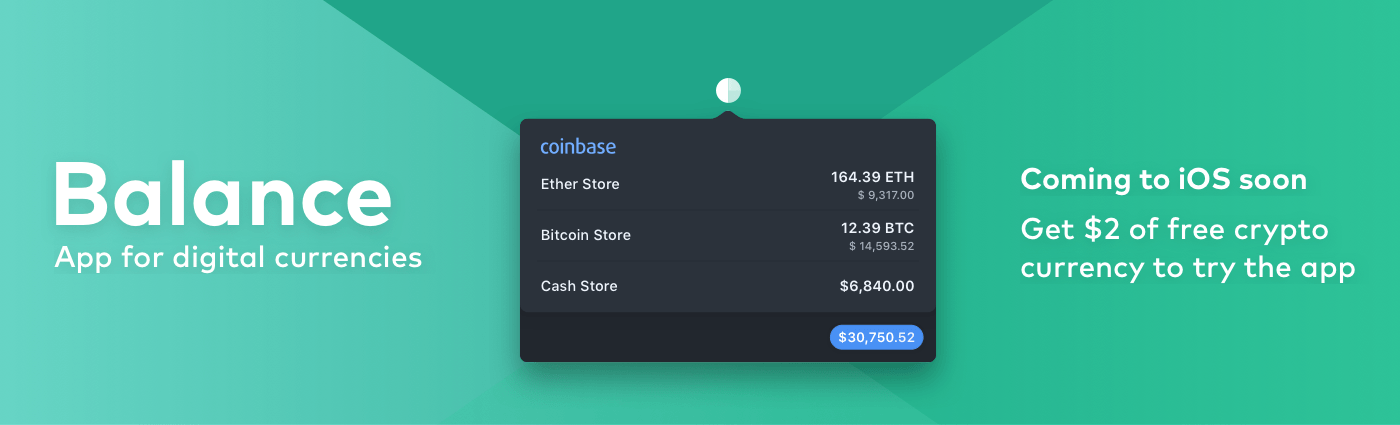
We are on the cusp of a financial revolution fueled by crypto-currencies and Balance makes it easy for everyone to get involved. You’ve probably heard of Bitcoin, one of the earliest crypto-currencies, but there are others including Ethereum. Balance connects to the most popular crypto-currency exchanges like Coinbase along with traditional financial institutions bridging the gap between the old financial world and the new one.
Balance connects with crypto-currency exchanges as well as traditional bank accounts, investment accounts, credit cards, and online services like PayPal using Plaid, a super-secure platform that works with financial institutions around the world.
When you set up accounts in Balance, the app automatically updates them periodically with new transactions, so you’re always up to date. You can view balances, transactions, notifications and gain insights about your spending. Soon, Balance will release an iOS version of their app too.
Balance is ready for the future. The current financial system is based on outdated, legacy software. Blockchains are the bedrock of a more secure and open system based on cryptocurrencies, but not many people are using them yet. Balance is poised to change that by becoming a single destination for traditional financial accounts and crypto-currency exchanges.
Balance has a great offer for MacStories readers who want to see what crypto-currencies are all about. Just go to bal.money/macstories this week and submit your email address to join the Balance iOS beta when it’s released along with $2 worth of Ether in a Coinbase account that you can track with Balance. It’s a great way to see for yourself what the financial world’s future looks like.
Our thanks to Balance for sponsoring MacStories this week.
A Photo Tour of Apple’s New Flagship Chicago Store

For 14 years, Apple’s flagship retail store was a fixture at the north end of Chicago’s Michigan Avenue, the shopping district known as the Magnificent Mile. Built in 2003, Apple’s Michigan Avenue location was the company’s first flagship store, featuring a glass staircase that seemed to float to the second floor just beyond the store’s entrance. Yesterday though, after many months of construction, Apple opened a new flagship store to the public along the Chicago River that reflects the new direction in which Apple began taking its retail locations last year.
AppStories, Episode 27 – Music Services and Apps→
On this week’s episode of AppStories, we compare the apps and services we use to listen to, discover, and share music.
Sponsored by:
- Balance - A wallet for all the worlds currencies and tokens.
- Mutable - Specializing in iOS development from idea to App Store.

AppStories Episode 27 - Music Services and Apps
0:00
28:13
28:13






Balance Is a Wallet For the World’s Currencies [Sponsor]
We are on the cusp of a financial revolution fueled by crypto-currencies and Balance makes it easy for everyone to get involved. You’ve probably heard of Bitcoin, one of the earliest crypto-currencies, but there are others including Ethereum. Balance connects to the most popular crypto-currency exchanges like Coinbase along with traditional financial institutions bridging the gap between the old financial world and the new one.
Balance connects with crypto-currency exchanges as well as traditional bank accounts, investment accounts, credit cards, and online services like PayPal using Plaid, a super-secure platform that works with financial institutions around the world.
When you set up accounts in Balance, the app automatically updates them periodically with new transactions, so you’re always up to date. You can view balances, transactions, notifications and gain insights about your spending. Soon, Balance will release an iOS version of their app too.
Balance is ready for the future. The current financial system is based on outdated, legacy software. Blockchains are the bedrock of a more secure and open system based on cryptocurrencies, but not many people are using them yet. Balance is poised to change that by becoming a single destination for traditional financial accounts and crypto-currency exchanges.
Balance has a great offer for MacStories readers who want to see what crypto-currencies are all about. Just go to bal.money/macstories this week and submit your email address to join the Balance iOS beta when it’s released along with $2 worth of Ether in a Coinbase account that you can track with Balance. It’s a great way to see for yourself what the financial world’s future looks like.
Our thanks to Balance for sponsoring MacStories this week.
Motion Stills Adds In-App Motion Still and Live Photo Capture, GIF Export, and More
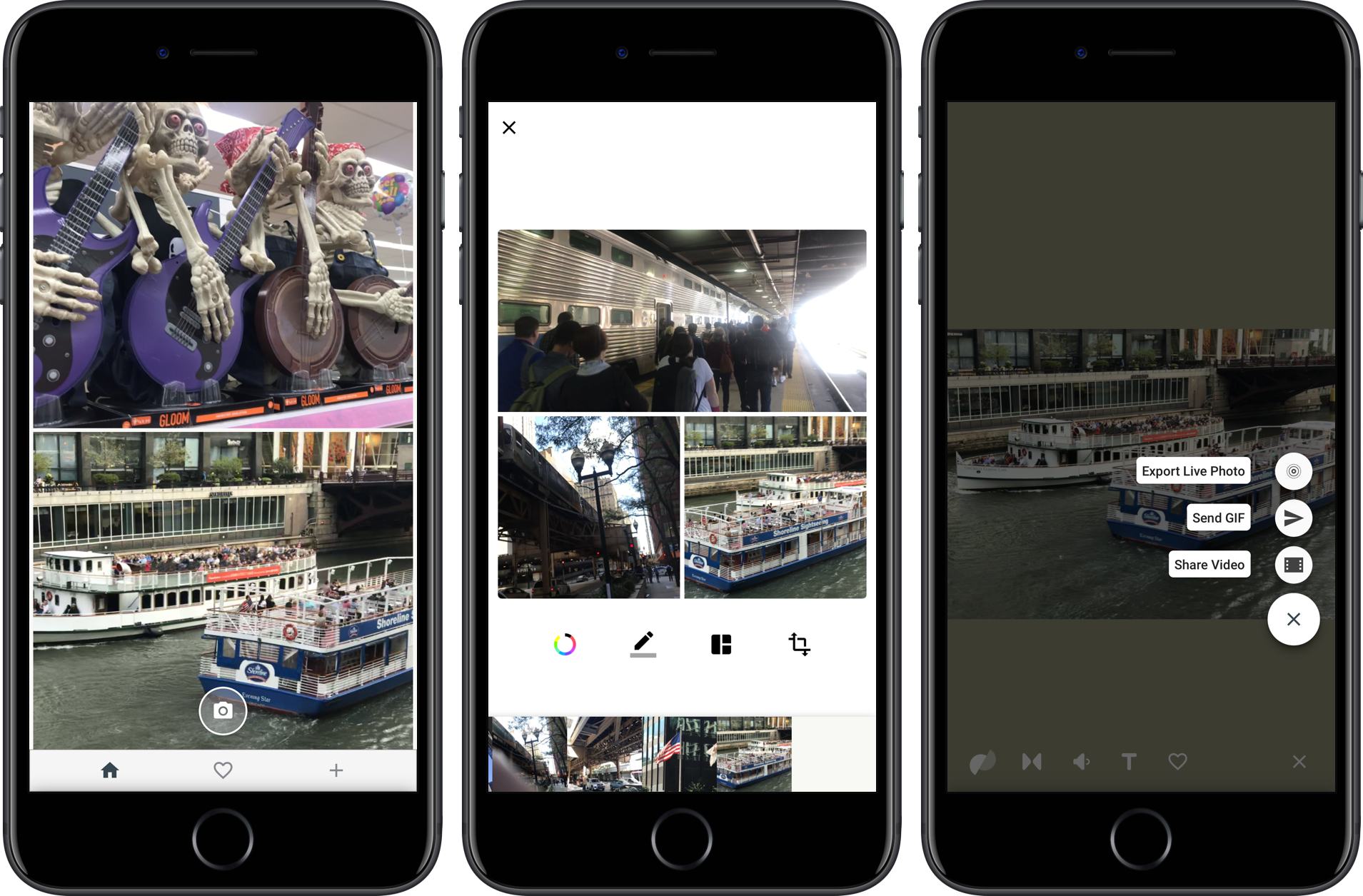
Google introduced Motion Stills on iOS in 2016. The app enables users to convert Live Photos into movies or GIFs applying stabilization to the video in the process. Live Photos can also be combined into moving collages.

Google has released version 2.0, which dispenses with the need to access your photo library to add Live Photos to a Motion Still. Instead, the app can now capture Live Photos and Motions Stills from within the app itself. The option to import from your photo library is still there, but having the option to shoot from within the Motion Stills app is a convenient addition. The new version also lets you delete Live Photos from your photo library with a swipe gesture and export collages you create as GIFs.
Motion Stills is available on the App Store.
Spark Adds Key Email Productivity Features: Send Later and Follow-Up Reminders
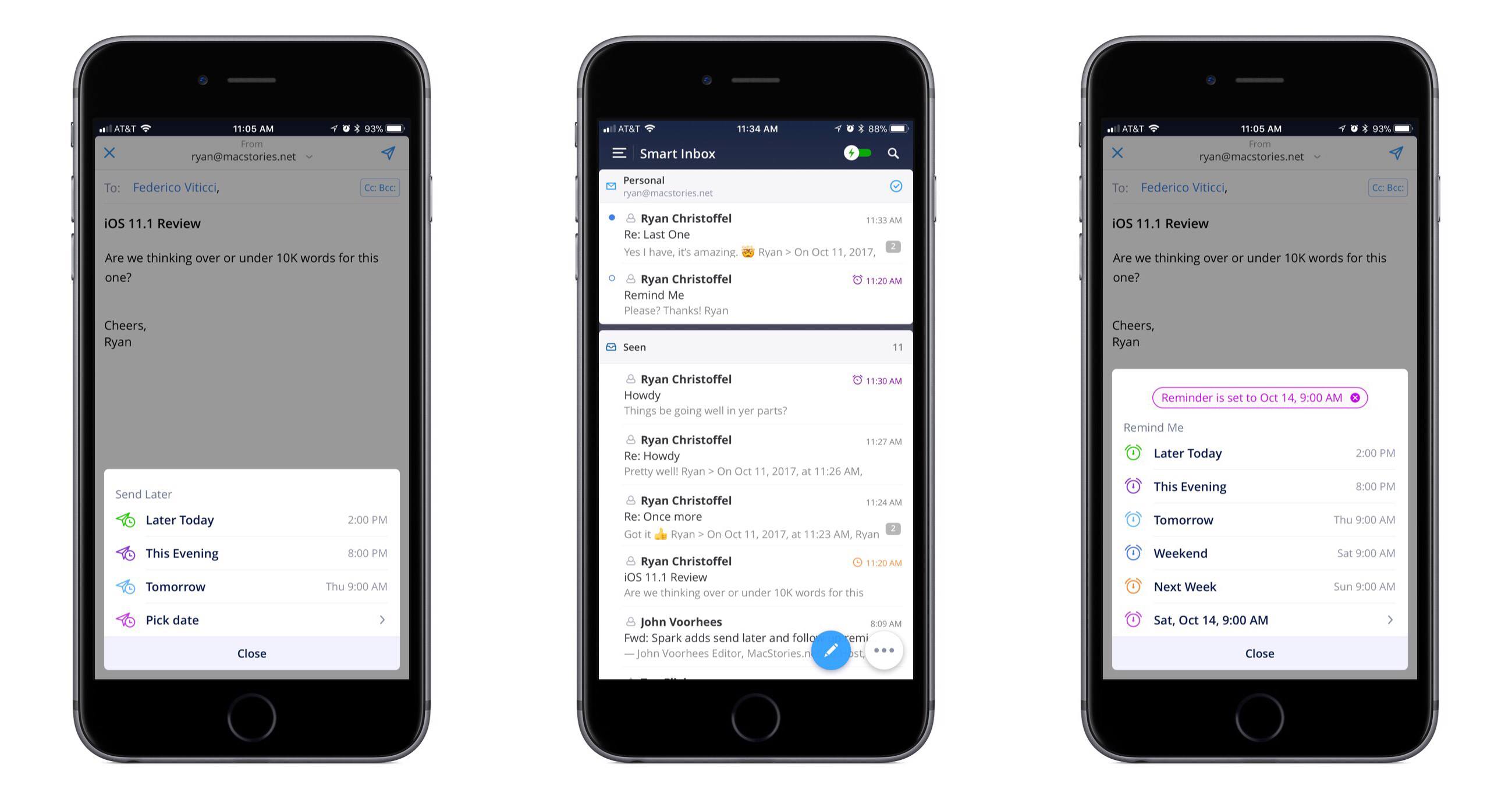
In updates to Readdle’s Spark app for iOS and macOS released today, the email client gained two key power user features: send later and follow-up reminders.
Send later works exactly as you would expect. When composing an email, hitting the send later button in the compose bar will present several default options for when you’d like the message sent: Later Today, This Evening, and Tomorrow. Perhaps the most common use case will be responding to emails late at night and wanting them to send as soon as the next work day kicks off, which the Tomorrow option is perfect for. Thankfully, you can also set a custom date and time. Once you schedule the delivery time, Spark will take care of the rest.
With follow-up reminders, there are five default options joining the custom date picker: Later Today, This Evening, Tomorrow, Weekend, and Next Week. This feature serves to stifle a key pain point I’ve regularly encountered in email management: reminding me to follow up on an email when I don’t receive a response.
In the past I’ve tackled this problem by pairing my email client with a task manager, such that after sending an important, time-sensitive message, I would assign myself a task to follow up with a second email on a certain date in the future. The problem with this approach is that it requires two apps, and that my task manager has no way of communicating with my email inbox – it doesn’t know if I received a response to the message or not, meaning I may end up with an unnecessary task on my list. Integrating this function within an email client is exactly the right move, and Spark does it well. When your set follow-up point arrives, if you haven’t received a response yet, the sent message reappears at the top of your inbox with an icon denoting it’s a reminder. It’s easy from there to open the original email and send a quick follow-up.
The team at Readdle continues adding functionality into Spark that sets it apart as a true productivity-focused email client. With third-party integrations, snoozing, deep customization options, and now the ability to send later and receive follow-up cues, Spark is growing into an email powerhouse that every power user should give a serious look.
AppStories, Episode 26 – Tips for Travelers→
On this week’s episode of AppStories, with Federico’s trip to the United States for the Release Notes conference just around the corner, we talk about the travel apps we use, from planning a trip, to getting around an unfamiliar city.
Sponsored by:
- Bear - A beautiful app for crafting notes and prose.
- 1Blocker – Make Safari browsing fast, safe, and productive.