Posts in news

iPhone XR Reviews Are Out and Reviewers Conclude It’s a Great Value

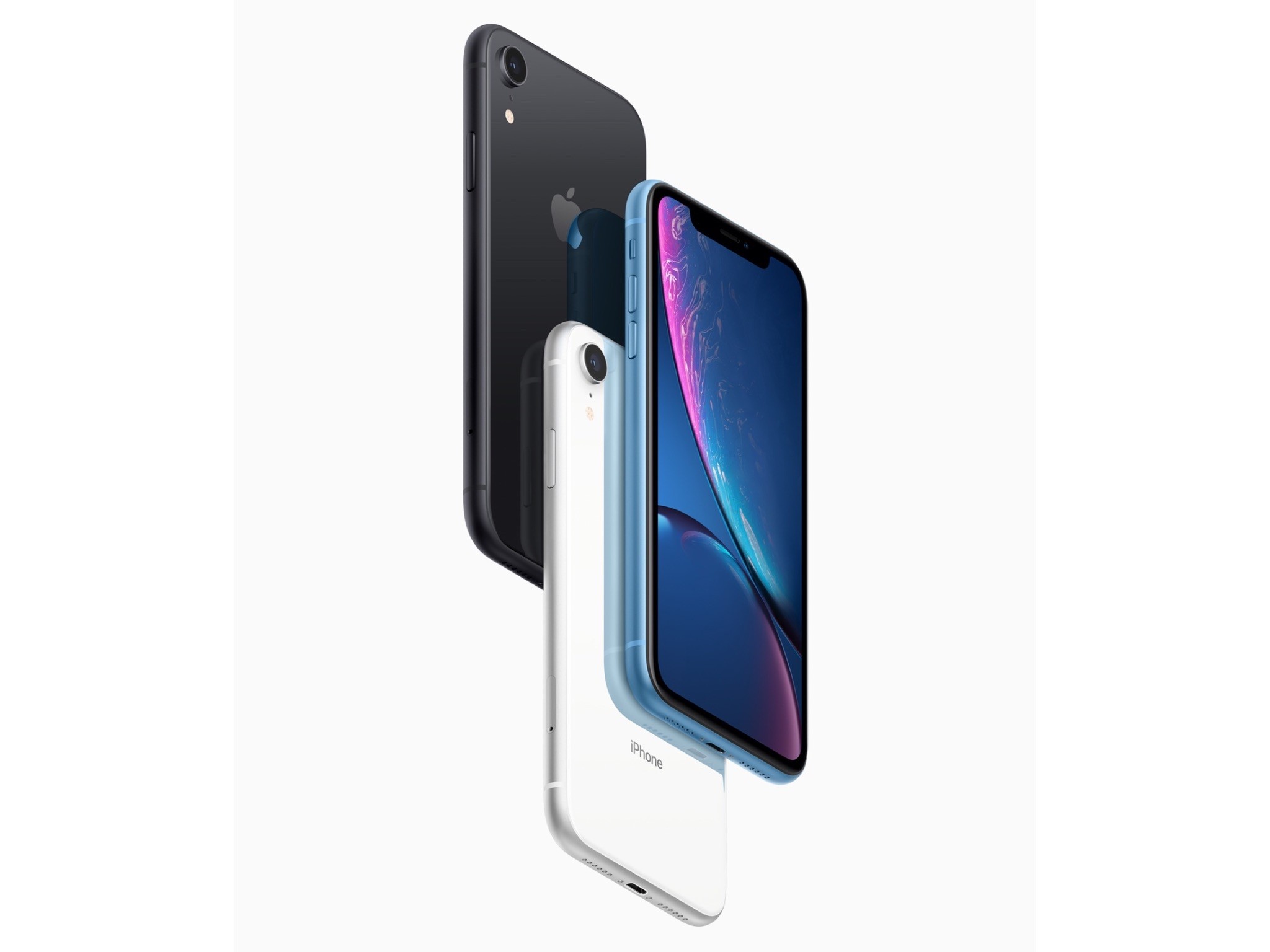
The iPhone XR won’t show up on your doorstep or at your local Apple Store until Friday, but today the embargo on reviews for the device was lifted. The common refrain from reviewers is that the XR is more similar to the XS than different. So similar that Nicole Nguyen of Buzzfeed concludes:

But so far, after five days of reviewing the device, the biggest problem with the iPhone XR is that it’s mostly good — which makes picking an iPhone in 2018 more confusing than ever.

Acknowledging the differences between the XR and XS models, Nilay Patel of The Verge says:

Those differences are interesting, and worth pulling apart, but really, the simplest way to think about the iPhone XR is that it offers virtually the same experience as the iPhone XS for $250 less, but you’ll be looking at a slightly worse display.

So, what are the differences? They include:

  • Most notably, a non-HDR LCD display instead of an OLED one
  • Slightly larger screen bezels
  • An aluminum instead of steel band around the edge of the XR
  • A single, wide-angle lens camera that has Portrait mode but limited to human faces and with fewer Portrait Lighting modes available
  • Less durable glass on the back of the XR than the XS
  • 3GB of RAM instead of 4GB
  • No 3D Touch; instead, the XR uses Haptic Touch, which is essentially a long-press with haptic feedback
  • No first-party cases yet
  • No Gigabit LTE where available
  • Longer battery life than the XS (rated at 15 hours by Apple)
  • Six vibrant colors

As the reviews bear out, these are relatively minor differences that most users won’t notice.

Reviewers generally give the new LCD display with rounded corners high marks, though acknowledge it isn’t as good as the XS. On the display, Nilay Patel says:

The iPhone XR LCD definitely shifts a little pink and drops brightness quickly when you look at it off-axis, which often leads to a bit of a shimmery effect when you move the phone around. I noticed that shimmer right away, but I had to point it out to other people for them to see it; it’s one of those things you might not notice at first but you can’t un-see. Apple told me the XR display should match previous iPhone LCDs in terms of performance, but side-by-side with an iPhone 8 Plus, the off-axis shifts are definitely more pronounced.

Patel was also impressed with how Apple pulled off those rounded corners:

So Apple built little apertures for the pixels around the corners of the XR display to mask some of the light coming through, on top of antialiasing the curve in software. It’s a neat example of Apple’s attention to detail.

Reviewers spent a lot of time on the XR’s camera. Patel was impressed with the single-lens camera:

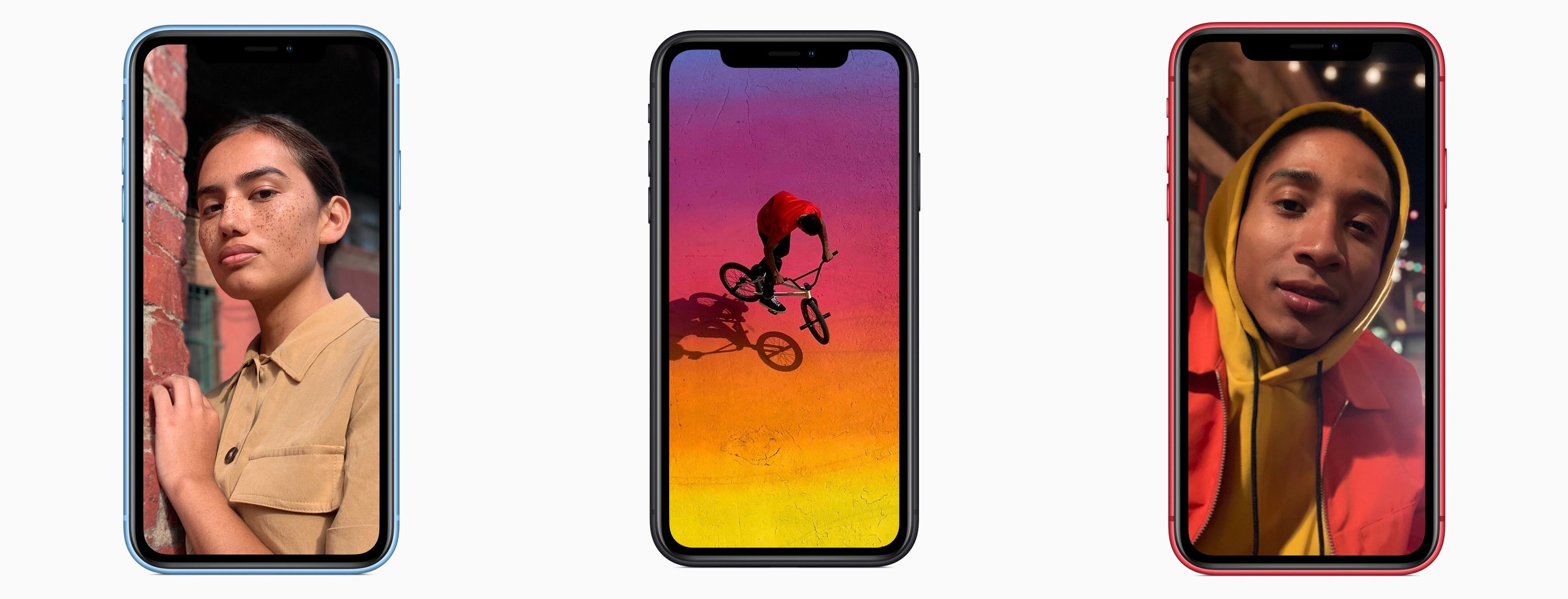
Like the XS, iPhone XR photos look incredibly even and preserve highlight and shadow detail more aggressively than any camera I’ve ever used before, at the expense of contrast. It’s a conscious aesthetic decision, according to Apple — the company knows Smart HDR photos look different from traditional photos that have lots of contrast, but the bet is that people will get used to it and eventually prefer this look. And in some cases, I prefer it to the Pixel 3.

As John Gruber of Daring Fireball points out, providing real-world examples:

Portrait Mode is usable on the XR in some low light situations where it’s unusable on the XS.

The bottom line seems to be that the XR is a good value compared with the XS. Gruber concludes:

The iPhone XR is everything Apple says it is, and it’s the new iPhone most people should buy. I’ve been using one as my primary phone for the last week, and it’s a lovely, exciting device. Even some of the things I thought were compromises don’t feel like compromises at all in practice. Overall, yes, the XS and XS Max are better devices, but in a few regards the XR is actually better.

Patel has a similar take:

When I first picked up the iPhone XR, it felt like the big questions would be about what the XR was missing compared to the XS. But now that I’ve used this thing for a while, that seem like the wrong way to think about it. The real question for iPhone buyers is whether the high-res OLED display on the XS is worth $250 more than the XR. Because otherwise, the XR offers almost everything you’d want in a 2018 phone.

The reviews highlight a few interesting details too. According to Gruber, ‘Portrait Mode on the iPhone XR does not offer the Stage Lighting or Stage Lighting Mono lighting effects.’ Patel reveals that the skin smoothing controversy that erupted in the wake of the XS launch is an HDR photo bug that will be corrected in iOS 12.1. Patel also says he’s been told that the lack of a X, XS, or XR battery case is a deliberate choice to avoid antenna interference.

If you’re thinking about buying an iPhone XR, check out the Daring Fireball, The Verge, and BuzzFeed reviews in their entirety, especially for the excellent camera comparisons.
iPhone XR Hands-On Videos Offer Best Look Yet at Apple’s Latest Flagship

Today a variety of YouTube videos have been published featuring hands-on looks at the iPhone XR, which becomes available for pre-order tomorrow and ships Friday, October 26th. We’ve embedded several of the best videos below.

One common message across multiple videos is that the iPhone XR doesn’t feel at all like a budget phone. Despite its similarities, this isn’t the iPhone 5C all over again; instead, the iPhone XR feels very much like a premium device, just at a much lower cost than the iPhone XS and XS Max.

Read more


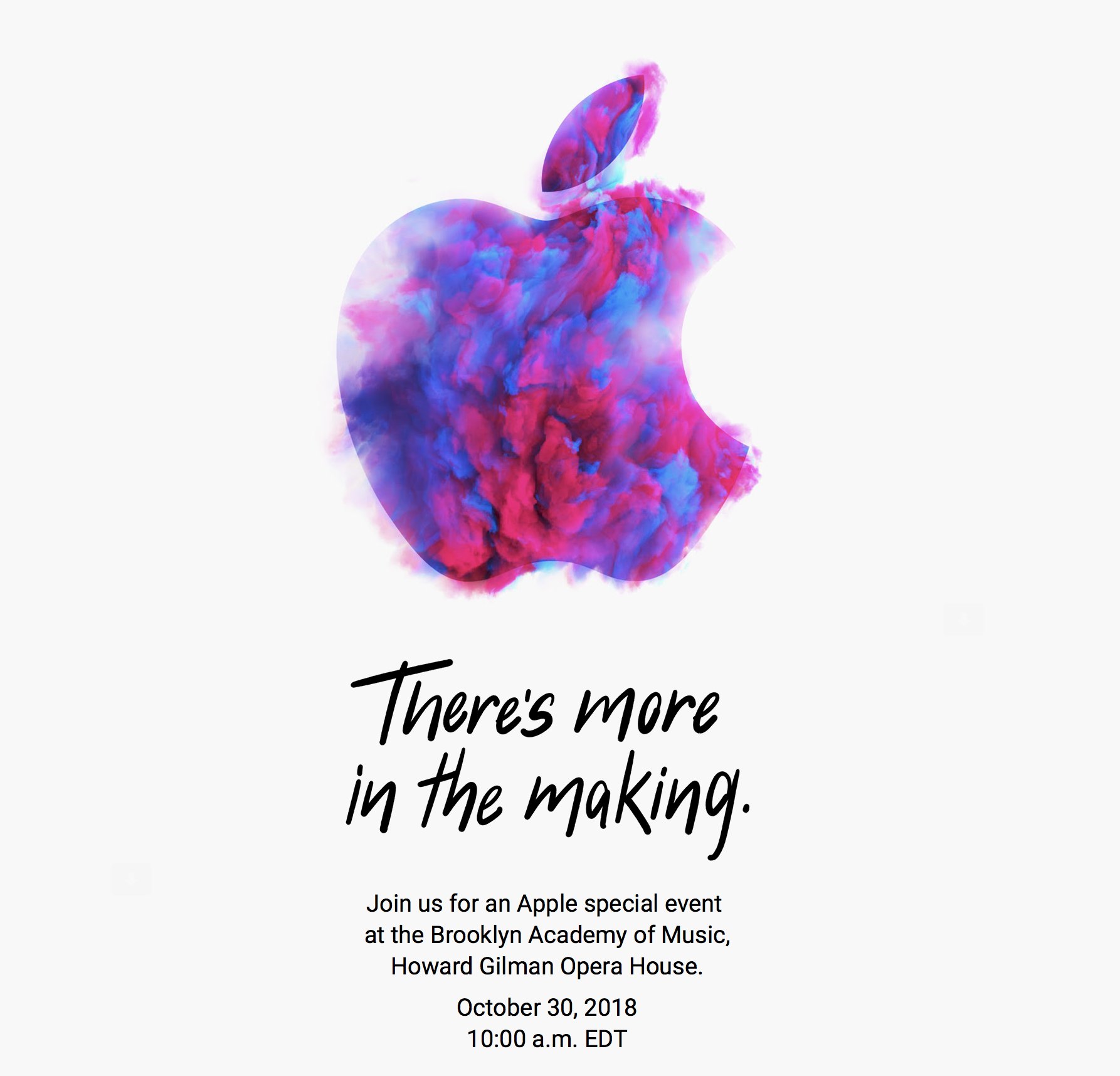
Apple Announces October 30th Event

As first reported by Neil Cybart, Apple has announced a media event for October 30, 2018 at 10:00 am Eastern. The event will be held at the Brooklyn Academy of Music, Howard Gilman Opera House.

To announce the event, Apple sent invitations to members of the press with a wide variety of artistic renderings of the Apple logo. The designs are also used on Apple’s event website. Here’s a sampling collected by Sebasiaan de With on Twitter:

Based on rumors that have circulated for months, Apple is expected to introduce new iPad Pros with edge-to-edge screens and Face ID and external display support. There has also been speculation of a redesigned Apple Pencil that will pair with the new iPads using proximity sensing technology and a redesigned magnetic connector on the back of the iPad. It’s possible Apple might use the event to introduce the long-expected AirPower charging mat and new Mac hardware too.


Developers Show What They Could Make if Apple Opened Up Watch Face Development

Last week we linked to Marco Arment’s article critiquing Apple’s watch faces and calling for Apple to open up watch face design and development to third parties. By the next day, Steve Troughton-Smith had an Xcode project up and running that uses SpriteKit to simulate custom watch faces. Troughton-Smith posted pictures of the watch faces he created on Twitter, which drew a lot of interest from other developers.

Troughton-Smith uploaded his watch face project to GitHub, and in the days that followed, developers, including David Smith, who’s been making Apple Watch apps for his health and fitness apps since the Series 0 was introduced, began playing with Troughton-Smith’s code. Writing about the experience on his website Smith said:

There is something delightful about solving a problem that is superficially so simple and constrained. The constraint leads to lots of opportunities for creative thinking. Ultimately you just need to communicate the time but how you do that can take countless different forms. It reminds me of the various ‘UI Playgrounds’ that have existed in app design. For a while it was twitter clients, then podcast players and weather apps.

I spent the weekend following along as Troughton-Smith, Smith, and others designed all manner of personalized watch faces. The experience reminds me of the flurry of activity and excitement during the first months after the iPhone was released when developers reverse-engineered Apple’s APIs to create the first jailbroken apps even before there was an App Store. Let’s hope that history repeats itself and Apple opens up watch face development to third parties like it did with apps.

Below and after the break, we’ve collected tweets following Troughton-Smith’s work and showing off some of the designs that have been created over the past several days.

https://twitter.com/stroughtonsmith/status/1049733933175369729
https://twitter.com/stroughtonsmith/status/1049739746967203840
https://twitter.com/stroughtonsmith/status/1050010561151475712
https://twitter.com/stroughtonsmith/status/1050022867738484736

Read more


Adobe Unveils Photoshop for iPad, Launching in 2019

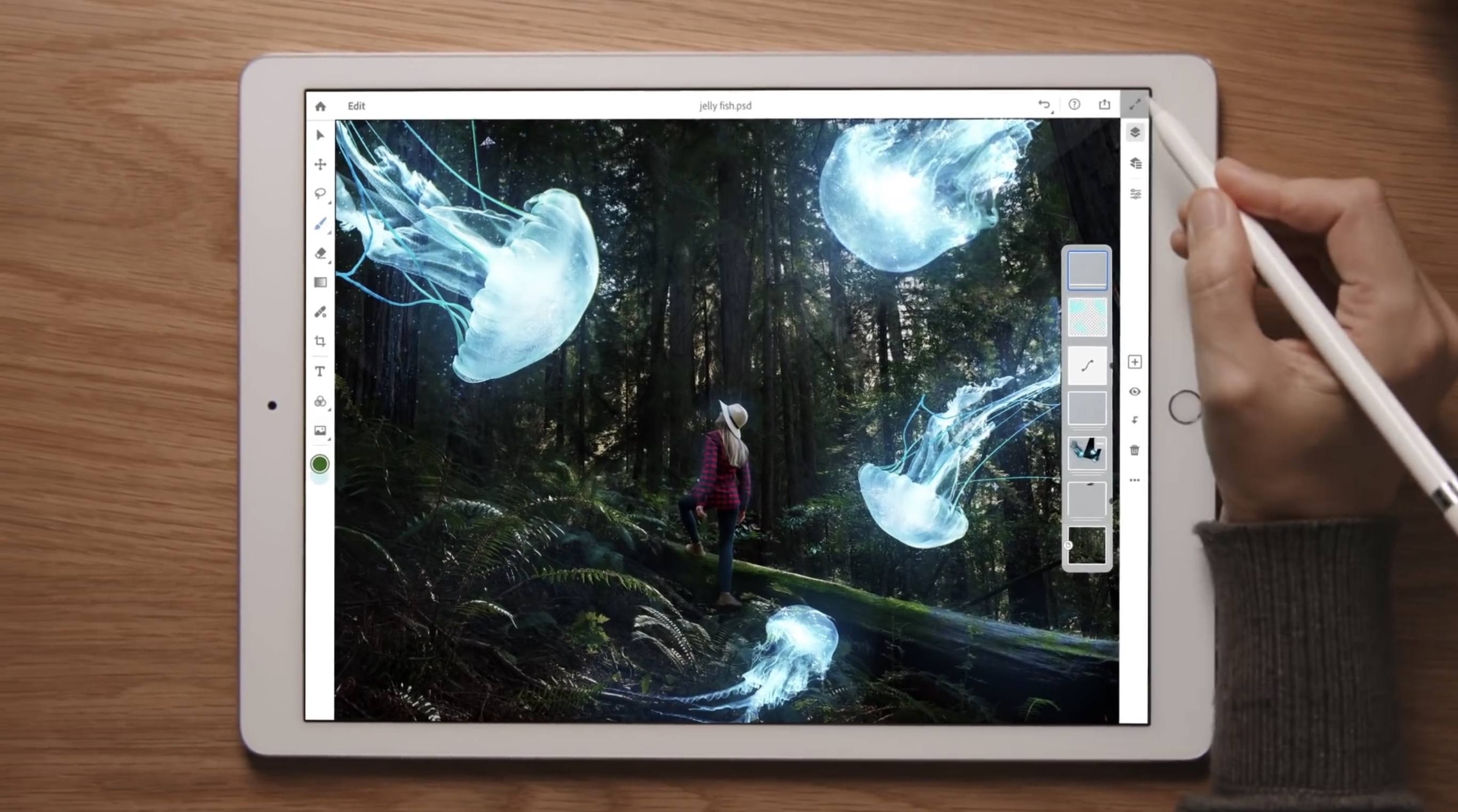
Earlier this year Adobe confirmed that it was working on a full-featured version of Photoshop for the iPad, but no real details on the product were given. Today that changed, however, as the app’s official announcement arrived alongside the kickoff of Adobe’s MAX conference.

Photoshop for iPad won’t arrive until some time in 2019, but when it does launch it will differ drastically from Adobe’s current lineup of Photoshop-related iOS apps. Rather than focusing on an individual subset of desktop features, like Adobe’s existing Photoshop Fix, Express, and Mix do, the aim with this forthcoming app is to provide the full desktop Photoshop experience on an iPad.

As part of its iPad efforts, Adobe has brought the same underlying codebase of Photoshop for desktop to iOS, and it has also worked to modernize PSD files for the cloud. These new Cloud PSDs will be the default file format on the new iPad app, offering a seamless file experience across multiple devices. Adobe’s chief product officer, Scott Belsky, told The Verge:

“Cloud PSDs, when we ship Photoshop on the iPad, will also run and automatically show up on your desktop…Suddenly, you’ll have this cloud-powered roundtrip experience akin to a Google Docs experience, where literally the source of truth of your Photoshop creation is in the cloud.”

Cloud PSDs will eliminate the need for importing or exporting files, removing a major friction point that currently stands in the way of working with Adobe’s apps on the iPad. With Creative Cloud’s automatic syncing of all files, you should be able to pick up editing on any device at any time without needing to do a thing.

When manual importing or exporting does make sense to your workflow, those options will still be available in Photoshop for iPad. The app will support file providers like iCloud Drive, Dropbox, and more. Based on the preview version of the app, it appears to support Files.app’s document providers, and I’m hopeful that iOS 11’s drag and drop features will be supported as another option for importing and exporting.

The Verge was granted a week of hands-on time with Photoshop for iPad, and has a great video that demonstrates the app in action. It appears very similar to Photoshop on desktop, with some adaptations made for OS differences like iOS’s lack of a menu bar. There are sure to be touch-optimized improvements offered too though, such as a gesture the video highlights where you can tap with two fingers on the screen to undo.

Though Adobe’s goal is full feature parity between desktop and iPad versions of Photoshop, the 1.0 release of Photoshop on iPad will lack certain features that will be added over time with future updates. That full list of missing features is unavailable at this time, but we’re sure to learn more as the launch approaches.

Photoshop for iPad will be available free to all Creative Cloud subscribers, but there’s no word currently on whether a standalone purchase or iPad-only subscription will be possible. It would be a strong vote of confidence in iPad-first users to make the app available for non-CC subscribers, but based on Adobe’s history that appears unlikely.

Today’s announcement highlights what an exciting time it is to be an iPad user. With new iPad Pro models expected to be announced in the coming weeks, and a reported focus on significant iPad features coming in iOS 13, there’s no time like the present for the full power of Photoshop to make its way to Apple’s tablet.


Apple Releases Bug Fix Update to iOS 12

Apple has released iOS 12.0.1, which fixes several bugs that affected users after upgrading to iOS 12.

One of the highest profile issues affected the iPhone XS, which sometimes failed to begin charging when connected to a Lightning cable. Other users reported that after the iOS 12 update, their iPhones would connect to WiFi networks at 2.4 GHz instead of 5.0 GHz even when both were available. Apple’s release notes say both issues have been fixed. The update also addresses a Bluetooth connectivity issue and a problem where subtitles sometimes didn’t appear in video apps.

iOS 12.0.1 includes a small design change on the iPad too. With the iOS 12 update, the ‘.?123’ key was moved. With version 12.0.1, that key has been restored to its previous position on the software keyboard.


Daily Dictionary’s New Watch App Showcases the Latest watchOS Capabilities

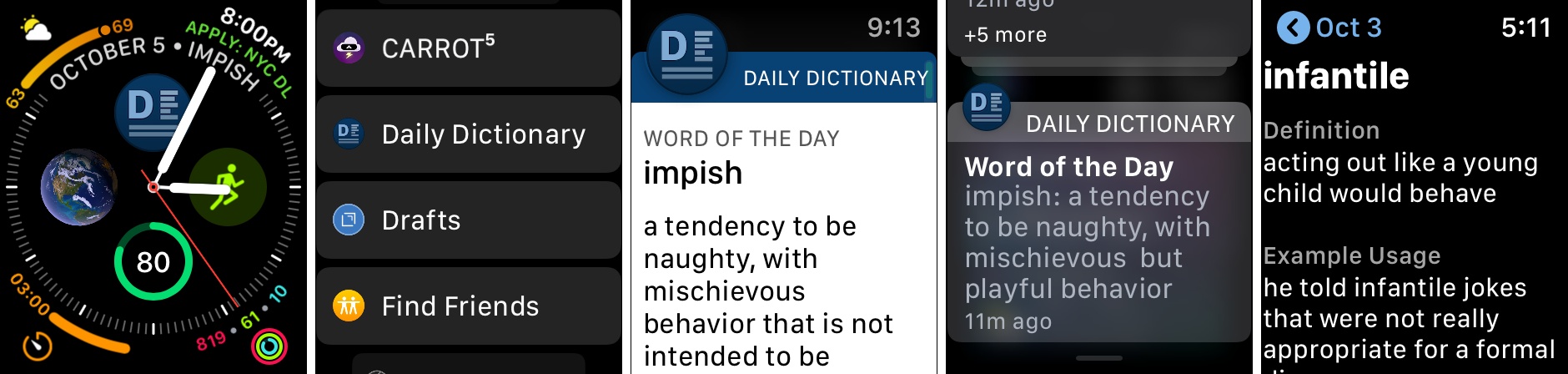
Developer Benjamin Mayo released an update this week to his new word of the day app, Daily Dictionary. Version 1.2 adds an Apple Watch app, making it easy and convenient to view each day’s featured word from your wrist.

Daily Dictionary’s Watch app is particularly noteworthy due to its complications for the Series 4’s Infograph faces, and its custom UI for notifications. For complications, you can use a smaller option containing the app’s logo which serves as a launcher, or you can select a larger complication that includes the logo alongside the word of the day itself. If you’d like it to, the larger complication can also display the current date, saving you the need for a separate date complication elsewhere on the face.

One of the ways Daily Dictionary can provide its featured word each day is through a push notification, and if you have the new Watch app installed, you’ll get to see a custom notification UI that reflects the design of the full iOS app. Watch developers can take advantage of APIs that enable crafting more customizable notification interfaces, and Daily Dictionary is a great example of that. Now that the Apple Watch is becoming a more mainstream product, and since one of the Watch’s chief strengths is as a notification conduit, I hope we see lots of apps follow Daily Dictionary’s example in providing more creative Watch notifications.

Daily Dictionary is available on the App Store.


Apple Strongly Refutes Bloomberg Report That Its Servers Were Compromised by Malicious Chips

Earlier today, Bloomberg published a story claiming that Apple and Amazon discovered tiny, malicious chips on Elemental network servers built by Super Micro. According to the story, the chips were the work of Chinese spies and designed to infiltrate the tech companies’ networks. Shortly after publication, Apple responded in an email statement strongly refuting Bloomberg’s account.

Amazon’s chief information security officer similarly discredited the claims saying in part:

There are so many inaccuracies in this article as it relates to Amazon that they’re hard to count.

A short time ago, Apple elaborated on its initial statement to Bloomberg on its Newsroom website:

In response to Bloomberg’s latest version of the narrative, we present the following facts: Siri and Topsy never shared servers; Siri has never been deployed on servers sold to us by Super Micro; and Topsy data was limited to approximately 2,000 Super Micro servers, not 7,000. None of those servers have ever been found to hold malicious chips.

Topsy is a startup that Apple acquired in 2013.

For over 12 months, Apple says it repeatedly told Bloomberg reporters and editors that they and their sources were incorrect.

We are deeply disappointed that in their dealings with us, Bloomberg’s reporters have not been open to the possibility that they or their sources might be wrong or misinformed. Our best guess is that they are confusing their story with a previously-reported 2016 incident in which we discovered an infected driver on a single Super Micro server in one of our labs. That one-time event was determined to be accidental and not a targeted attack against Apple.

Security and privacy are cornerstones of Apple’s business that it uses to differentiate the company’s products from competitors’, so the fact that the company takes this sort of claim seriously isn’t unusual. This also isn’t the first time Apple has taken Bloomberg to task on the veracity of its reporting. However, the forcefulness of the responses from Apple and Amazon, followed by Apple’s press release on its Newsroom site is something that is unprecedented. It will be interesting to see whether Bloomberg responds.