This Week's Sponsor:

Dropzone 5

Improve your Drag-and-Drop Workflow


Posts in news

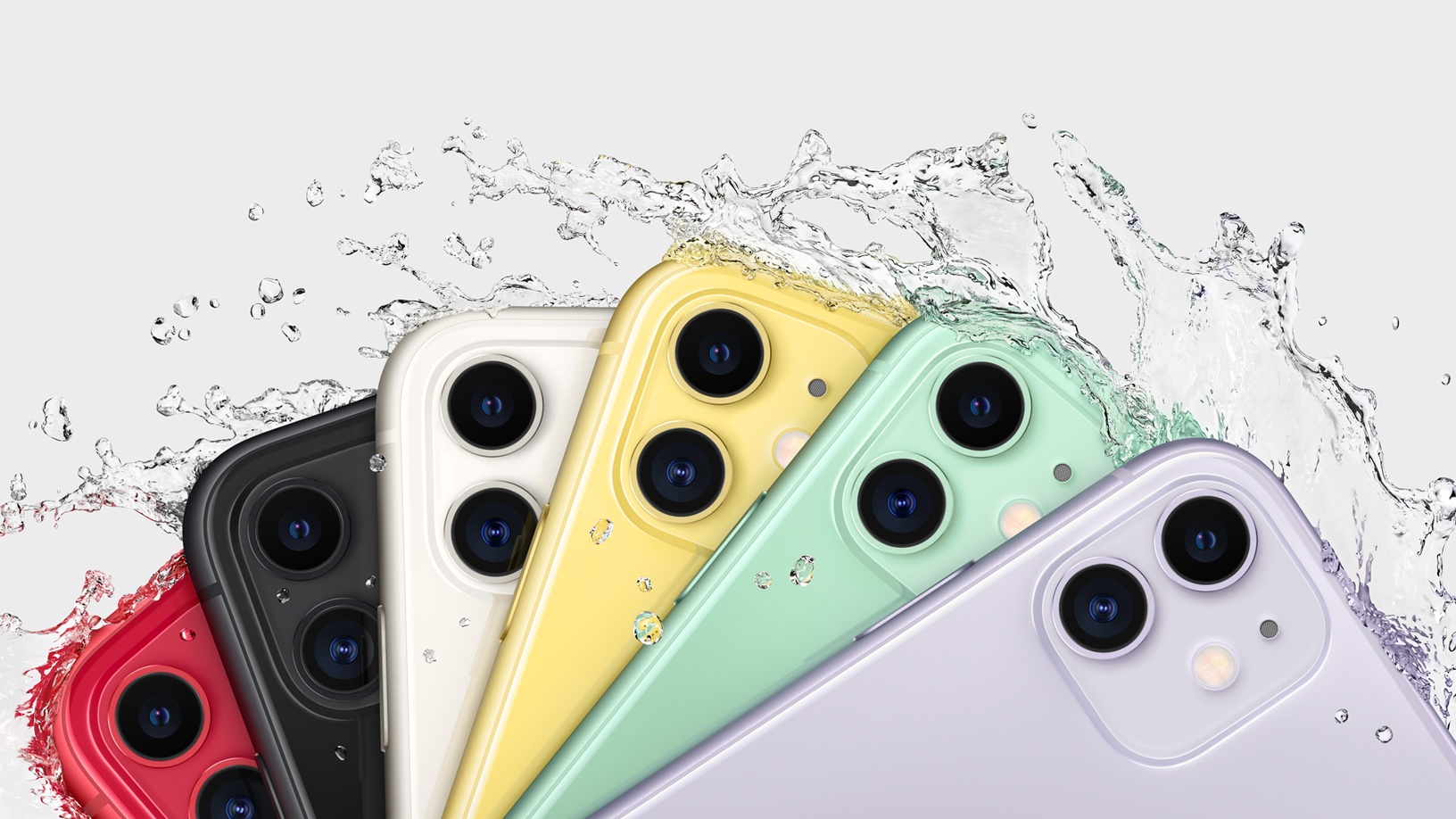
iPhone 11 and 11 Pro: The MacStories Overview

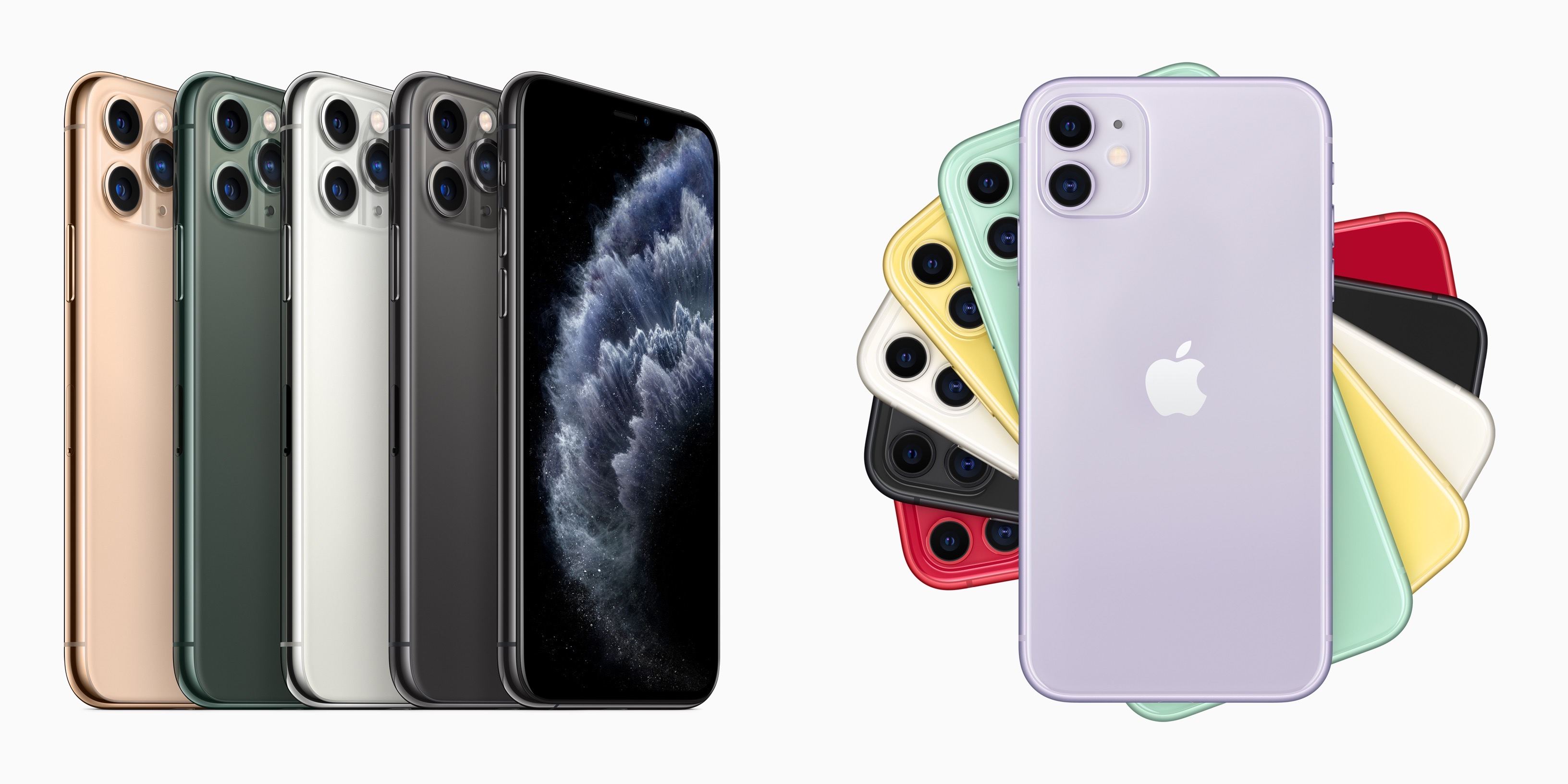
Today Apple hosted its annual September event at Apple Park in Cupertino, unveiling new hardware for the fall and the launch details of its latest services. New iPhones were a large focus of the event, as always, with Apple debuting three flagship models: the iPhone 11, iPhone 11 Pro, and iPhone 11 Pro Max. All new models will be available for pre-order this Friday, September 13 starting at 5AM PDT, and will ship the following Friday, September 20.

The iPhone 11 is the successor to last year’s iPhone XR model, with a 6.1-inch LCD display, while the two Pro models succeed the iPhone XS and XS Max, retaining their 5.8-inch and 6.5-inch sizes in newly upgraded OLED screens. These names represent a shift in how Apple is positioning its different iPhone models. 2018’s iPhone XR model was presented by Apple as the lower cost sibling of the XS and XS Max flagships. The device’s high level of feature parity with the XS line meant it was actually the best option for the masses, but Apple’s naming and marketing failed to communicate that well. This year there’s no question: the iPhone 11 is the flagship iPhone, while the Pro and Pro Max exist as higher end options for customers who value the specific advantages they offer. Ultimately, however, all new models share far more similarities than differences.

Each new iPhone comes with a variety of improvements, such as the upgraded A13 Bionic chip, which enables significant battery improvements, plus there’s faster and easier to use Face ID, increased water resistance, spatial audio, and more. Over and above all these things, however, the clear emphasis for Apple this year was on cameras. Though the 11 Pro and Pro Max offer the greatest improvements, the standard 11 likewise seems poised to offer significant leaps forward in photo and video capabilities.

Read more


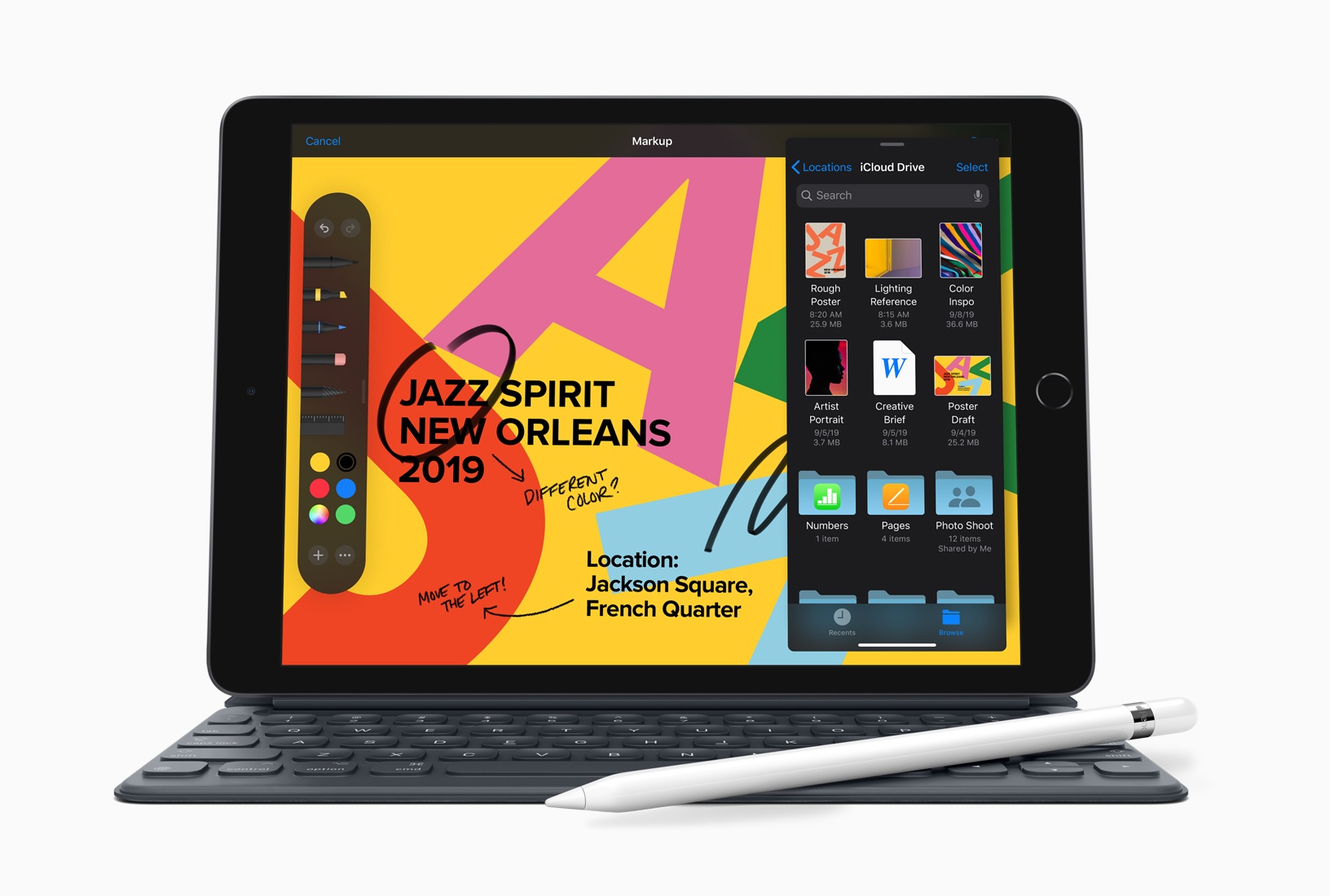
Apple Introduces Larger Screen 7th Generation iPad with Smart Connector

Today, at the keynote event at the Steve Jobs Theater in Cupertino, California, Apple announced a replacement to the sixth generation, 9.7-inch iPad. The new 7th generation version of the device extends the diagonal measurement of the Retina display by one-half inch to 10.2 inches. The new iPad also adds a Smart Connector, which makes it compatible with Apple’s Smart Keyboard, another first.

Other than that however, the iPad’s specs remain the same. The iPad features an A10 Fusion chip, 8MP rear-facing camera with f/2.4 aperture, records video at 1080p and 30fps, 1.2MP front-facing camera with f/2.2 aperture, and stereo speakers. The pricing is also the same too, starting at $329 ($299 for educational buyers). The Smart Keyboard costs $159.

Perhaps most interesting is how close the 7th generation iPad is to the existing iPad Air, which has a 10.5-inch Retina screen and Smart Connector too, but starts at $499. For the extra price what you get is an iPad with a little bigger screen that’s slightly lighter and thinner, has a fully-laminated, True Tone display, better front-facing camera, higher frame rate slow motion video, and faster A12 Bionic chip. Those are meaningful differences, but ones that may be hard for consumers to understand looking at the two iPad’s next to each other in an Apple Store. Still, it’s nice to see Apple fit a bigger screen in an iPad body that’s only modestly larger than prior models.


You can follow all of our Apple event coverage through our September 10, 2019 hub, or subscribe to the dedicated September 10, 2019 RSS feed.


Replay Apple’s September 10, 2019 Keynote and New Product Videos

If you didn’t follow the live stream or announcements as they unfolded at the Steve Jobs Theater in Cupertino today, you can replay it on Apple’s Events site and catch all the the product videos on YouTube.

The keynote video can be streamed here and on the Apple TV using the Apple Events app. A higher quality version should be made available soon through iTunes on the Apple Keynotes podcast.

Apple also posted new videos, including its product-reveals for the new iPhones and Apple Watch Series 4 and a two-minute speed run version of the event on its YouTube channel. You can find all those videos below after the break.

Read more


Apple Unveils Apple Arcade Game Subscription Details

Today, Apple took the wraps off of Apple Arcade, the game subscription service that will bring a curated selection of games to iOS devices, the Apple TV, and Macs. Although the service was originally announced in March, until today, few details were available.

During the keynote event at the Steve Jobs Theater in Cupertino, California, Apple shared new details about Arcade, which will be available beginning September 19th on iOS, September 30th on iPadOS, and in October on macOS Catalina. As promised, Arcade features games with no ads, In-App Purchases, or other add-ons. Instead, for $4.99 per month, subscribers can download any of the games in Arcade’s catalog on their devices from the dedicated Arcade tab in the iOS and Mac App Stores, and a separate pre-installed Arcade app on Apple TVs. Games are available to up to six family members through Apple’s Family Sharing feature, sync progress across devices with iCloud, and do not require an Internet connection to be played.

Phil Schiller had the following to say about Arcade in Apple’s press release:

“We are so excited to launch Apple Arcade on the App Store. A curated selection of over 100 new and exclusive games from many of the most innovative game developers in the world is the perfect complement to the App Store’s existing massive catalog of games,” said Phil Schiller, Apple’s senior vice president of Worldwide Marketing. “We think customers of all ages are going to be delighted that a single subscription gives the whole family unlimited access to the full catalog of amazing Apple Arcade games, all without any ads or additional purchases, while knowing every game must meet Apple’s high privacy standards.”

The new Arcade tab in the App Store will feature personalized game recommendations, game trailers, and editorial content that appears to be similar to what the App Store editorial team has been creating since iOS 11. Apple says:

The catalog will exceed 100 games in the coming weeks as new titles are introduced, with more games to come every month.

As rumored, Arcade will cost $4.99 per month and Apple will offer a one-month free trial.

It’s heartening to see Apple take an interest in promoting high-quality games with artistic value. I’m hopeful that the promise of services revenue will push Apple even further to make its devices first-rate gaming platforms. Helping game developers produce and promote top-notch games for its platforms is a fantastic first step. However, whether Arcade will succeed will depend largely on the undisclosed terms of Apple’s business deals with developers. If that piece of the puzzle works for everyone involved, next I’d like to see Apple address hardware limitations of its devices, especially the Mac, which has difficulty handling anything but the simplest games.


You can follow all of our Apple event coverage through our September 10, 2019 hub, or subscribe to the dedicated September 10, 2019 RSS feed.


Apple Announces Release Dates for OS Updates, New iPhones, and Apple Watch

Apple announced a lot of dates today. Here’s a rundown of all the dates mentioned in the keynote:

iPhone 11, iPhone 11 Pro, and iPhone 11 Pro Max

  • Pre-orders: 5 a.m. Pacific on September 13, 2019, which is a time change from prior pre-orders
  • In Stores and Deliveries: September 20, 2019

7th Generation iPad (10.2-inch)

  • Pre-orders: Today, September 10, 2019
  • In Stores and Deliveries: September 30, 2019

Apple Watch Series 5

  • Pre-order: Today, September 10, 2019
  • In Stores and Deliveries: September 20, 2019

iOS 13.0

Release Date: September 19, 2019

iOS 13.1

Release Date: September 30, 2019

iPadOS

  • Release Date: September 30, 2019
  • Note: Apple has not said whether the version that ships on September 30th is iPadOS 13.0 or 13.1.

iOS and iPadOS

Features Coming Later This Fall After iOS and iPadOS 13.1:

  • AirPods audio sharing
  • HomeKit Secure Video & routers
  • iCloud Drive folder sharing
  • HomePod/AirPlay 2 in scenes & automations
  • Image Capture API
  • Screen Time communication limits
  • Announce Messages w/ Siri

HomePod Features

  • Radio Station Support: September 30, 2019
  • Features Coming Later This Fall:
    • Multi-user support
    • Music handoff
    • Ambient Sounds

tvOS 13

Release Date: September 30, 2019

watchOS 6

Release Date: September 19, 2019 for Series 3 and later Apple Watches and later this fall for Series 1 and 2

macOS Catalina

Release Date: October 2019

Services

Apple Arcade

Release Dates: September 19, 2019 (iOS 13); September 30, 2019 (iPadOS and tvOS); October 2019 (macOS Catalina)

TV+

Release Date: November 1, 2019


You can follow all of our Apple event coverage through our September 10, 2019 hub, or subscribe to the dedicated September 10, 2019 RSS feed.


Apple TV+ Launching November 1 at $4.99/month, Free for 1 Year with Hardware Purchase

Today at the Steve Jobs Theater during a packed September event, Apple shared the launch details for its forthcoming video streaming service, Apple TV+. The paid subscription service will launch in over 100 countries on November 1, at a price of $4.99/month; a 7-day free trial period will be available to all users. Additionally, Apple is offering an entire year of free Apple TV+ service with the purchase of any iPhone, iPad, Mac, Apple TV, or iPod touch from today on.

On launch day, the selection of Apple Originals available on TV+ will be limited to the following:

  • See
  • The Morning Show
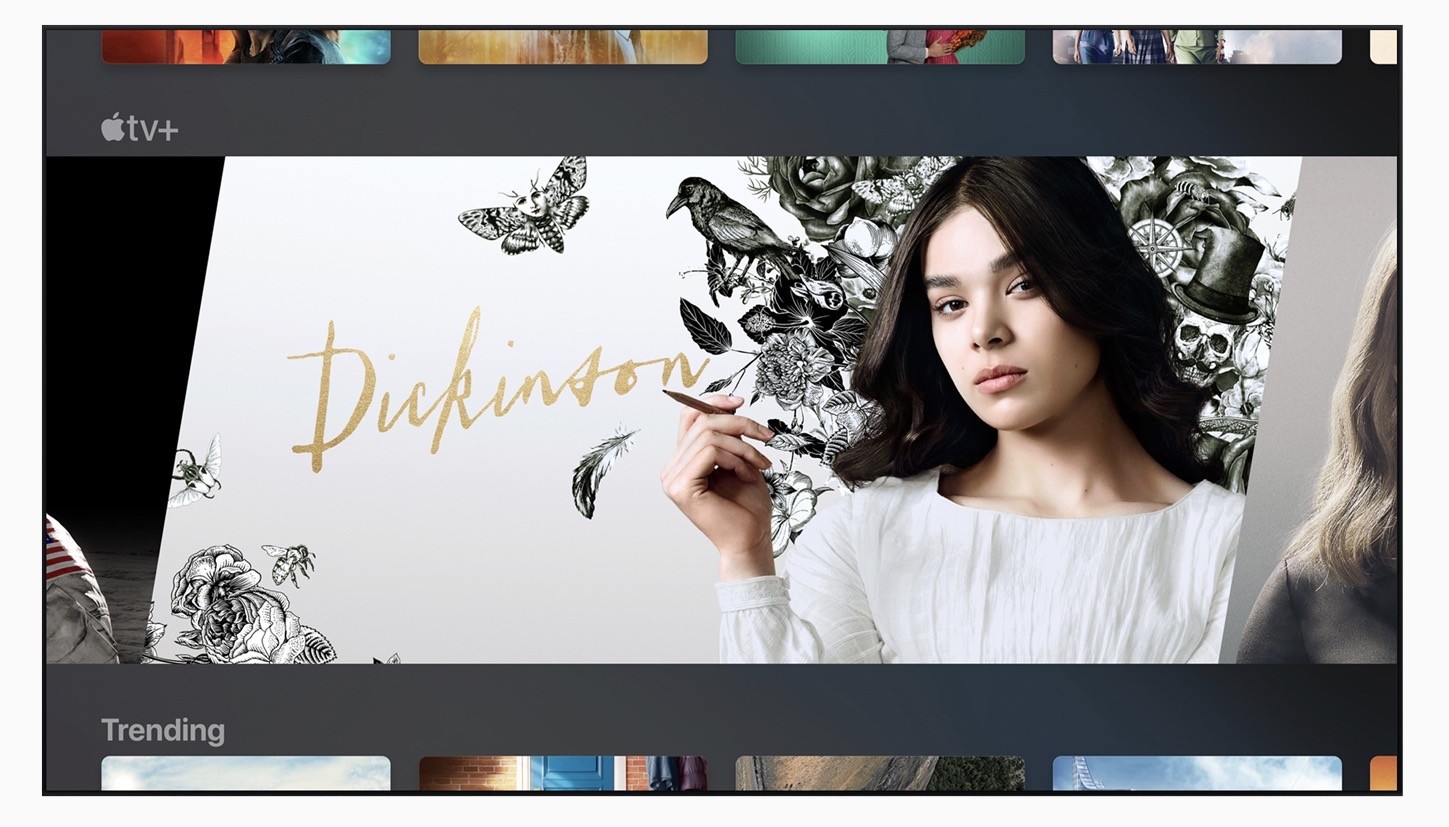
  • Dickinson
  • For All Mankind
  • Helpsters
  • Snoopy in Space
  • Ghostwriter
  • The Elephant Queen
  • Unspecified Oprah Winfrey projects

Most of these are shows, while The Elephant Queen is a documentary. We’ve seen trailers for some titles before, but today Apple debuted the first trailer for See, the big-budget series starring Jason Momoa. Apple has also highlighted some of its other Originals in a press release, which it says will be added on a monthly basis. Other content includes the show “Servant” from M. Night Shyamalan and the award-winning film “Hala.”

With Apple’s shows, most series will debut three episodes at launch, with new episodes released weekly thereafter. However, some series will drop full seasons at once, following the Netflix-style binge model.

After launching, Apple TV+ will be available inside the TV app everywhere that app lives, including iPhones, iPads, Apple TVs, Macs, and select third-party television sets and streaming sticks. Notably, Apple also announced today that you’ll be able to watch TV+ content on the web too, by visiting tv.apple.com. TV+ will be available as a channel inside the TV app, so just like with other channels such as HBO and CBS All-Access, you can easily subscribe with just a couple steps using your Apple ID, and you’ll receive all the playback benefits guaranteed for channels: no ads ever, offline downloads on iOS, Picture in Picture on supported devices, and you can share your subscription at no additional cost with your whole household through Family Sharing.

As part of the global launch for TV+, Apple Originals will be available dubbed and subtitled, according to Apple’s press release:

Audiences worldwide can enjoy Apple TV+ originals subtitled and/or dubbed in nearly 40 languages, including Subtitles for the Deaf and Hard-of-Hearing (SDH) or closed captions. Apple TV+ series and movies will also be available with audio descriptions in eight languages.


Apple TV+ first debuted at Apple’s services-oriented event this March, but aside from teasing some of its shows and stating that it would be accessible from the TV app, the company revealed few details about the service at that time. Six months later, our questions have finally been answered. As the streaming service market begins to heat up, with players like Disney+ and HBO Max launching soon, and incumbents such as Netflix ramping up their content budget, there will be no shortage of TV options for consumers. However, Apple hopes that its focus on quality over quantity – combined with the benefits of a unifying TV app – will make Apple TV+ stand out in the streaming wars. If it can build a reputation that matches its ambitions, with every show and movie earning critical acclaim, then the company has a shot. But only time will tell if such a bold feat can be accomplished.


You can follow all of our Apple event coverage through our September 10, 2019 hub, or subscribe to the dedicated September 10, 2019 RSS feed.


Classic iOS Game Service GameClub Is Coming this Fall

First announced in March just ahead of the annual Game Developer Conference in San Francisco, GameClub has released a video revealing that the classic iOS game subscription service is coming later this fall. GameClub is working with developers of classic iOS titles that no longer work on modern hardware or versions of iOS to update and re-release them as part of their service free of ads and In-App Purchases.

Since March, GameClub has been running a free public beta test that has released updates of classic games like Hook Champ, Incoboto, Rocket Ski Racing, Super Crate Box, Legendary Wars, and Mage Gauntlet. During the beta period, those games have been free to play by anyone who signs up, but will become part of the subscription service this fall.

MacRumors reports that the subscription service will include over 50 titles at launch with new games released weekly, adding that:

In addition to classic titles, after launch, GameClub plans to expand into new and original premium games.

GameClub pricing hasn’t been announced, although the company told MacRumors it would be a ‘small monthly fee.’ The company has also said that if you owned one of the classic games they are bringing back, you’ll be able to download it again free of charge even if you don’t subscribe.

Apple is on the cusp of launching its own game subscription service called Arcade. At first blush, that may seem like it puts GameClub in a tough spot, but I don’t think so. Unlike Arcade’s curated collection of new titles, GameClub’s catalog is packed with proven classics curated by GameClub’s Vice President of Business Development and former TouchArcade editor-in-chief Eli Hodapp. Nostalgia for classic games and increasing efforts to preserve them in recent years puts GameClub in a unique position to carve out an important role for themselves. I can’t wait to hear the final details and try GameClub myself.


AppStories, Episode 128 – Organizing iOS 13’s New Share Sheet

On this week’s episode of AppStories, we cover Apple’s new second-screen feature coming to macOS Catalina and iOS 13 in the fall and what it means for both platforms.

Sponsored by:


AppStories+ Deeper into the world of apps

AppStories Episode 128 - Organizing iOS 13’s New Share Sheet

0:00
49:54

AppStories+ Deeper into the world of apps


Apple Launches Web-Based Music App as Public Beta

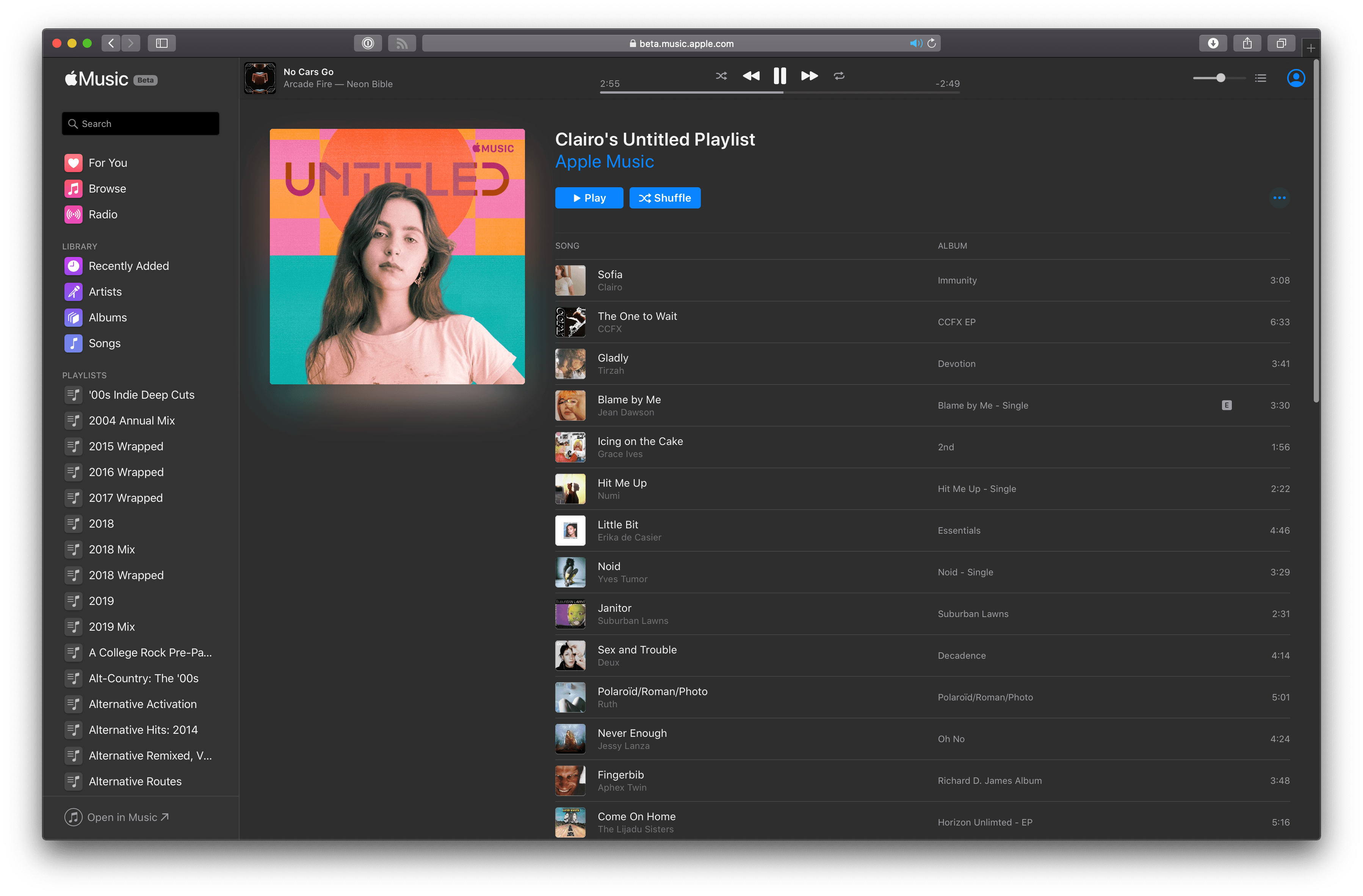
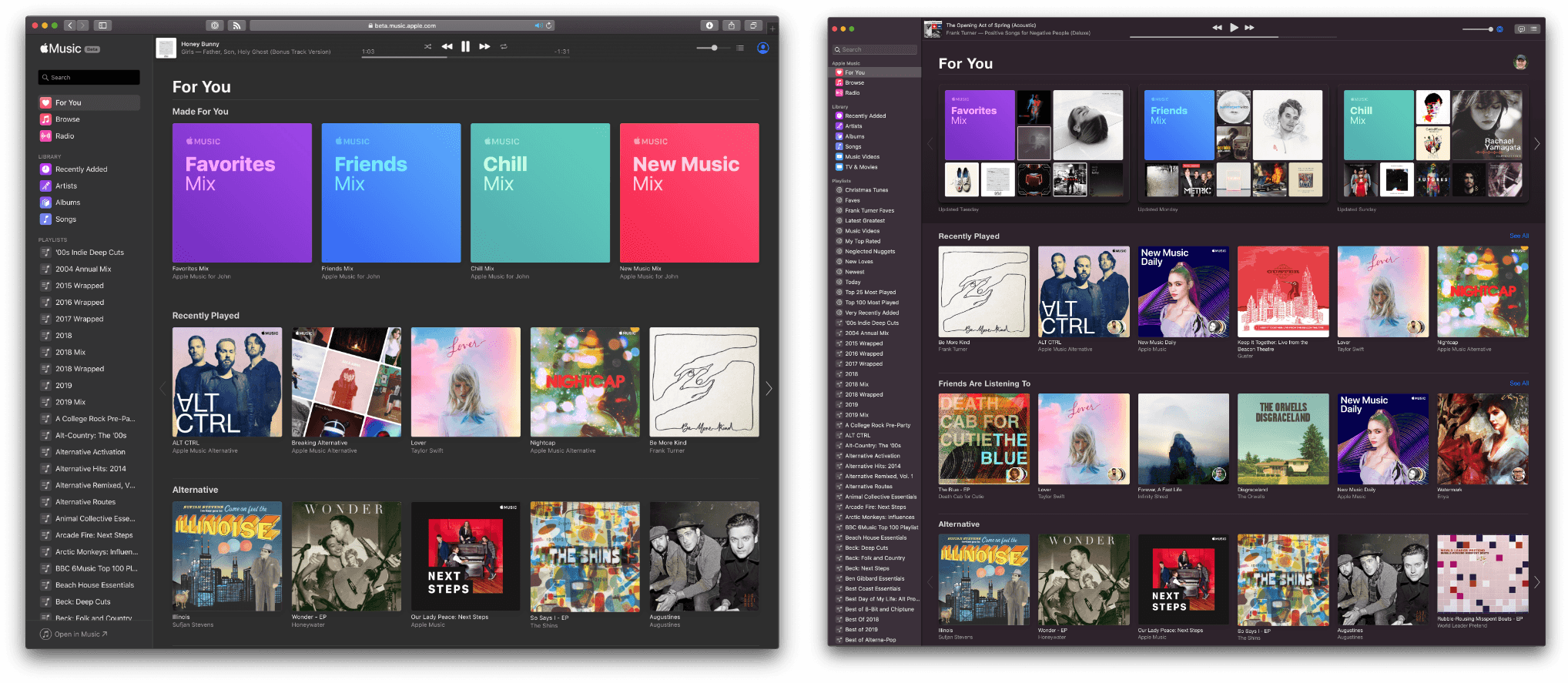
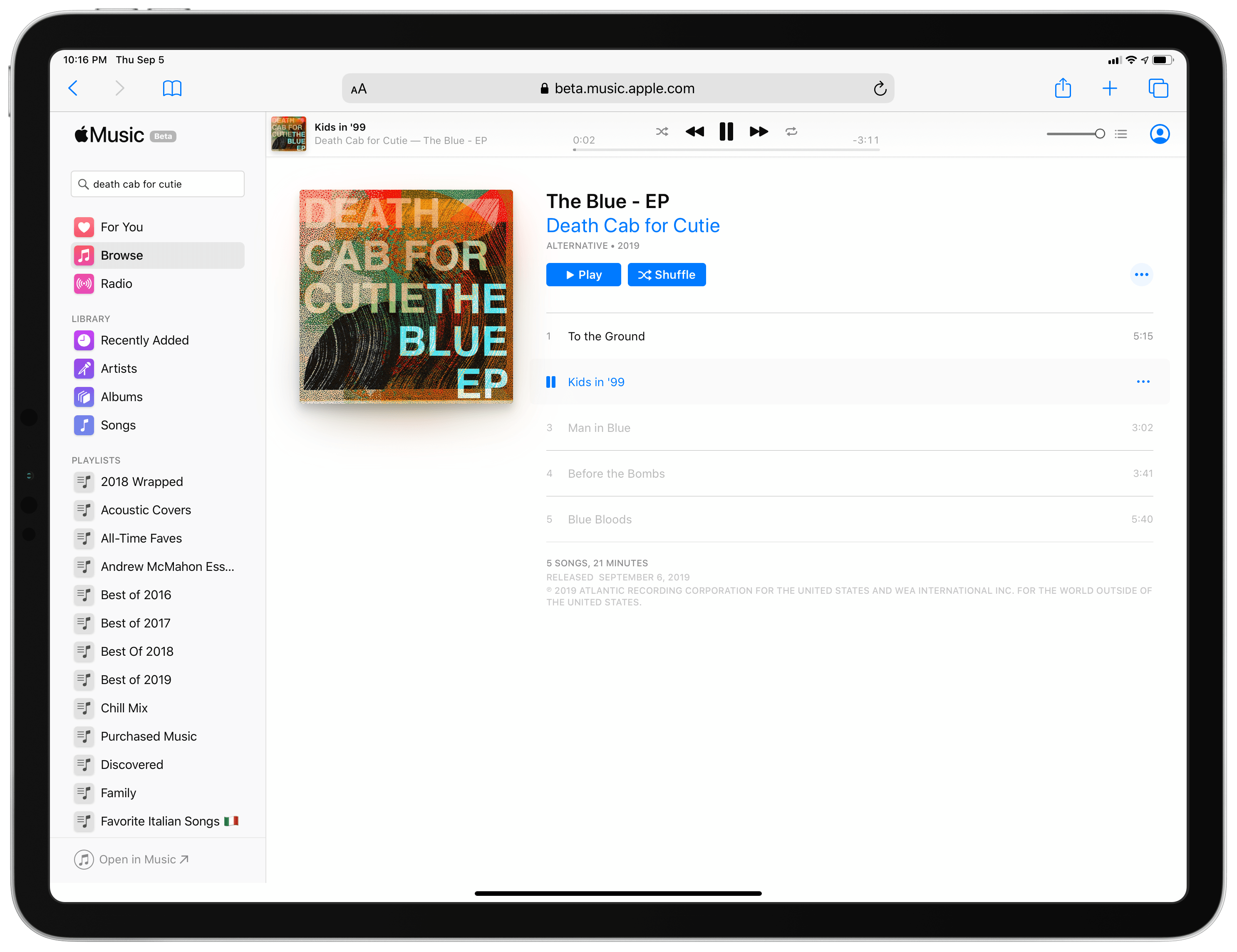
As first reported by TechCrunch and The Verge, Apple has launched a web-based version of its Music app as a public beta at beta.music.apple.com. The app looks and feels a lot like the Music app coming to Catalina later this fall. The two are so close in fact that it’s easy to confuse the two if they’re open at the same time, which I did almost immediately.

Music running in desktop Safari (left) and in the Music app on Catalina (right).

Music running in desktop Safari (left) and in the Music app on Catalina (right).

The app features a left sidebar that’s divided into Apple Music’s For You, Browse, and Radio sections followed by your music library which contains Recently Added, Artists, Albums, and Songs. The final section includes playlists you’ve added from Apple Music as well as ones you’ve created yourself.

Playback controls are arrayed across the top of the window. In addition to play/pause and skip forward and back buttons, there are buttons to shuffle and repeat tracks, albums, and playlists, a volume slider, and a button that reveals an Up Next drop-down of songs you’ve queued for playback. When you visit an album or playlist page, there’s a ellipses button the reveals options to Add to Library, Play Next, Play Later, Like, and Suggest Less of This.

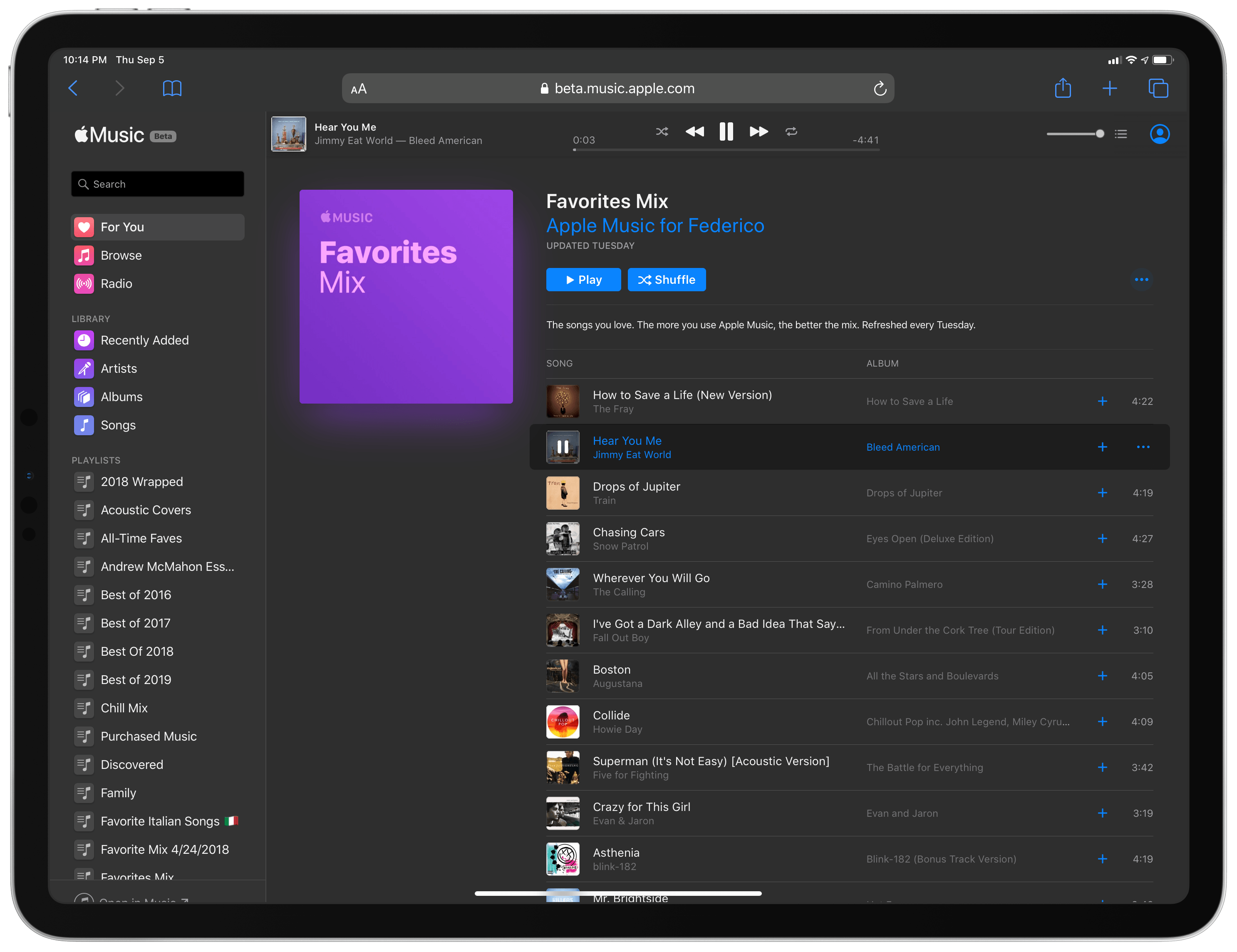
The experience is impressively close to the Mac Music app, though there are differences. The artwork for algorithmically generated playlists like the Favorites Mix doesn’t include album artwork. Also, I didn’t see a ‘Friends Are Listening To’ section in the beta, and my Recently Played albums and playlists were in a different order than in the Mac app.

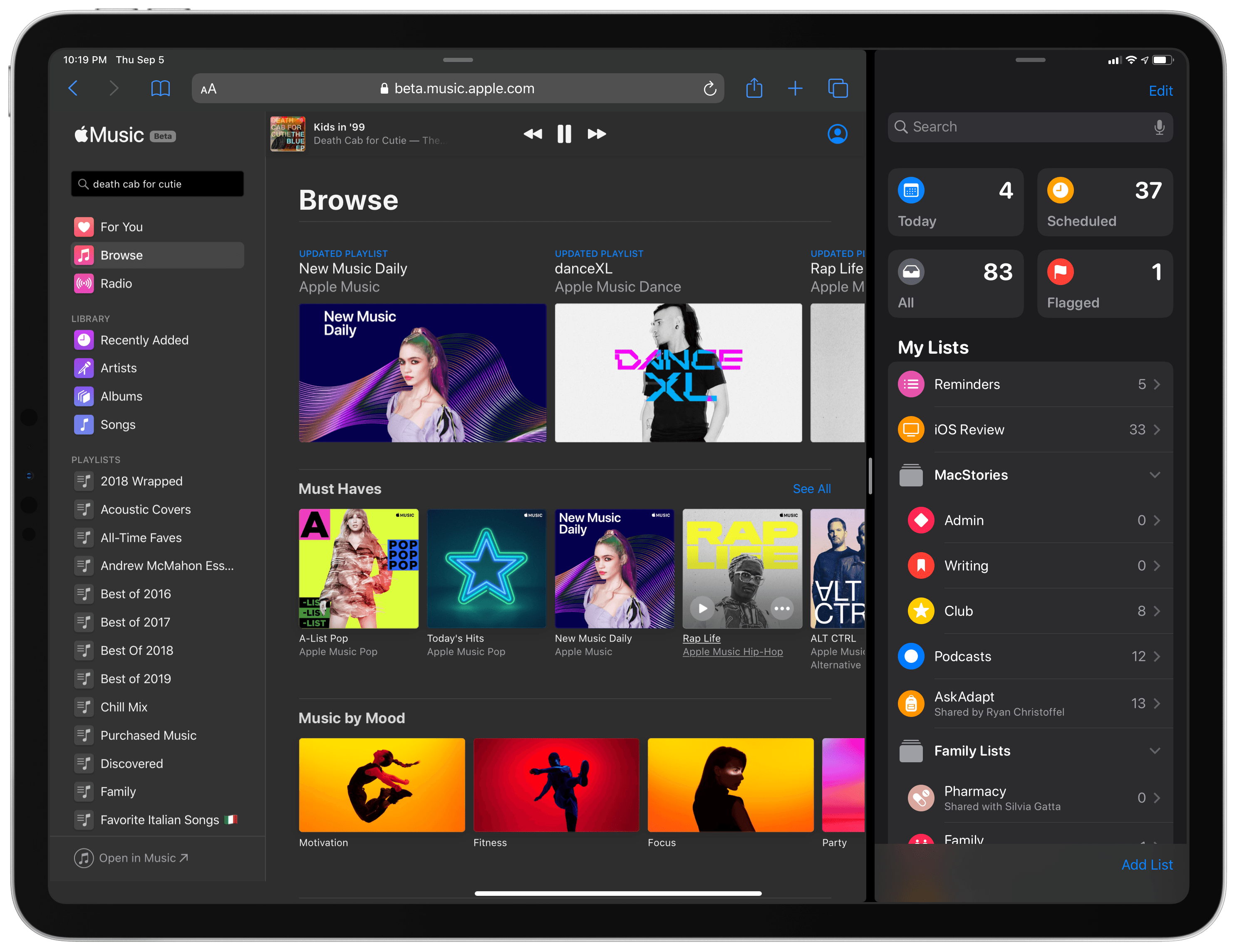
The web app works on both desktop and mobile Safari where it can be saved to your Home screen as a progressive web app. On the iPad, Safari-based Music supports dark mode and Split View too.

Music running in mobile Safari in dark mode.

Music running in mobile Safari in dark mode.


Music in mobile Safari in Split View with Reminders.

Music in mobile Safari in Split View with Reminders.

I’ve only had a short time to play with Music in Safari, but I’m impressed with what I’ve seen so far. With very few exceptions, the beta is already the full Music experience providing access not only to Apple Music streaming content but also your entire music library. This is an excellent option for anyone who doesn’t have access to a Mac or iTunes on Windows at work or elsewhere. I wouldn’t be surprised if this solution eventually replaces iTunes on Windows, which does not appear to be getting an update alongside Catalina.