


Sorry for not having Deals yesterday, it was hectic around MSHQ! But don’t worry, today will make up for it! Here are all of today’s deals on iOS, Mac, and Mac App Store apps that are on sale for a limited time, so get ‘em while they’re hot!
Posts in mac
#MacStoriesDeals - Super Friday!
Apple Prepares For Retina Monitors With HiDPI Mode in OS X Lion
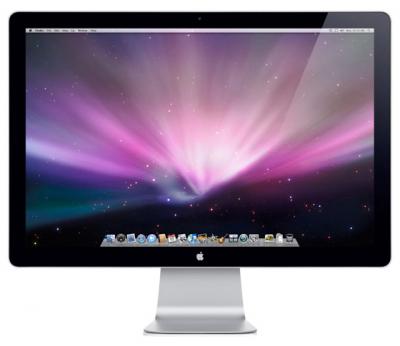
Digging through the build of Mac OS X Lion that was seeded to developers yesterday, MacRumors discovered the presence of “HiDPI display modes” which suggests that Apple is planning for the possibility of Mac displays running something similar to a Retina display sometime in the near future.
Developers would, as they have done on the iPhone, provide each UI element in two sizes, one in the size they currently are and then one at twice the resolution. It would work virtually identically to how Apple implemented the Retina display for the iPhone, with the high-resolution displays using the double sized UI elements so that physically the size of the elements would stay the same.
MacRumors gives the example of a 15” MacBook Pro that has a resolution of 1440x900 that could be doubled to 2880x1800 and then use an app’s UI 2X elements and which would leave the application’s UI elements the same physical size, but with much greater detail. Apple had previously dabbled in the notion of creating OS X a resolution independent OS through a number of methods from using vector graphics to providing bitmaps for multiple screen resolutions, but none had previously eventuated.
The HiDPI mode is not turned on by default and must be done so through Lion’s Quartz debug in Xcode.
[Via MacRumors]
Sparrow Lite Available in the Mac App Store
Sparrow, one of our favorite mail clients for the Mac, has just realeased Sparrow Lite via the Mac App Store. The Lite version integrates all the features of Sparrow but you can only use one Gmail mail account, it has ads by Carbon (very nice by the way), and your signature adds ‘Sent with Sparrow’ after your name.
Sparrow Lite is a great way to give it a try before deciding if you are interested in buying the full version for $9.99. Sparrow Lite is FREE and is now available in the Mac App Store.
Apple To Preview Lion & Lion Server: Features AirDrop, New Mail [Updating]

Businesswire has lit up with a pair of Apple press releases, one of them being a developer preview for OS X Lion. Mission Control and Launchpad are the prominent features we’ve heard about in the past, and Apple is talking about new gestures to zoom in on web pages and switch between full screen apps. More notably is an overhaul of Mail, and other new Mac features you’ll find after the break.
Update: Apple has updated their Mac OS X Lion page to reveal some of the upcoming features. There’s a lot to sort through, and we’re digging into the details.
Bodega Update Adds Background Updating

Bodega, the alternative Mac App ‘store’, has been updated to version 1.4 and has a new feature that allows Bodega to update apps in the background. The app has also received extensive feature and performance improvements.
The background updater works as a background daemon that will check once a week for any applications that can be updated. It utilizes the Sparkle update framework, so whilst it may not work for every app, it should work for most. Bodega does not have to be running for the daemon to check and users have the option of ignoring pending updates if they wish.
[Via MacNN]
New MacBooks Could Follow Intel Thunderbolt Announcement, And Yerba Buena Doesn’t Match Up
MacRumors suspects that tomorrow’s new MacBook Pros would be officially launched after Intel’s event starting at 9.00 Am Pacific Time. Apple would likely introduce their products as the first to feature Thunderbolt, which isn’t an Apple technology: Thunderbolt is an Intel trademark that can be used across any platform. So what’s the deal with Apple’s mini DisplayPort standard? On Twitter, Arnold Kim writes,
So interesting theory on why mini Display port for LightPeak/Thunderbolt, and not USB…
…basically, USB committee didn’t seem pleased that Intel was going to their port. But guess who designed mini DisplayPort? Yep, Apple.
To differentiate Thunderbolt from USB products, it will feature a new standard connection type which conveniently fits the bill for Apple to step with their port. The mini DisplayPort is freely licensed by Apple, and would explain this afternoon’s speculative images.
#MacStoriesDeals - Wednesday

Duplifinder Gets Update, Highlights Duplicates & Better iPhoto Deletion

Duplifinder is growing up fast! We checked out the iPhoto duplicate remover last week, and the developer has already launched a big update. Not only are duplicates now highlighted with the grew squares you see above, but you can double click a photo to immediately reveal it in iPhoto, and pressing the delete key will now delete those duplicates from iPhoto effortlessly. As you can see, our product review pictures get duplicated quite a bit between camera imports, and it’s become an essential tool to help clean out my Mac after an afternoon of product shoots. Ready to jump on board with Duplifinder 2? Download it here!
SyncMate 3 Syncs Androids To Mac Over WiFi, Bluetooth, & USB
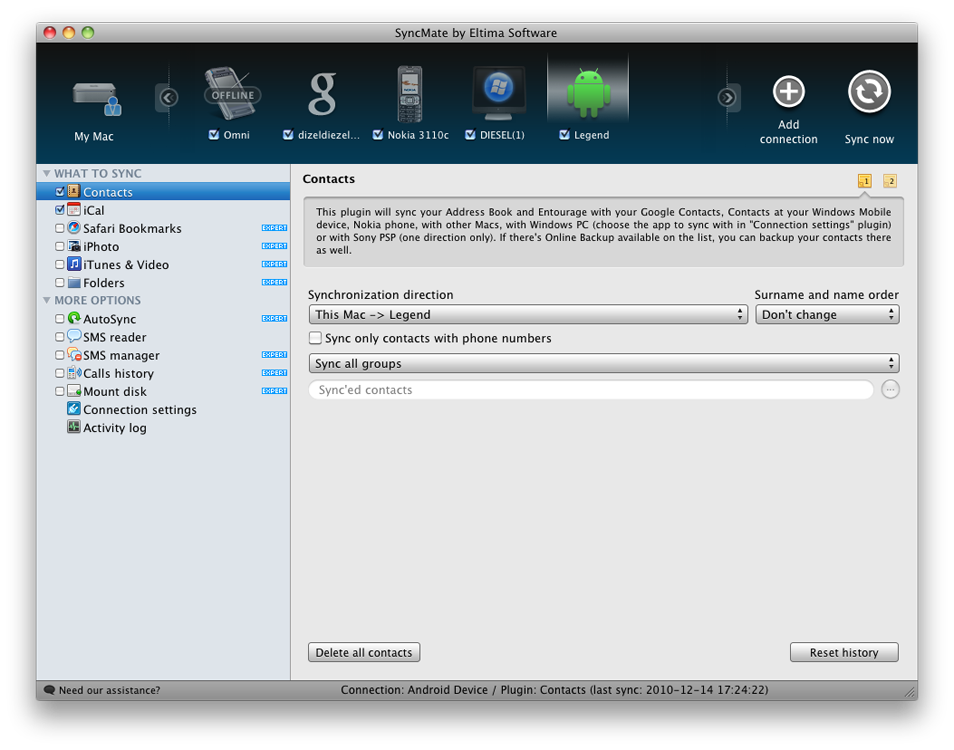
Why are we talking about Androids? Let’s just say our little green friends need some love too, and there’s nothing like a quick trip down syncing lane to remind us that manually inserting tunes onto your SDCard is definitely a lot more painful than iTunes. Without bloated music software, how can you manage your Droid or Nexus One? Eltima Software has the answer with their launch of SyncMate 3, which is a well rounded information manager I reviewed not too long ago. If you sport the latest in Google technology, SyncMate’s latest update can mount your Android phone wirelessly or by cable, and sync contact information like music, images, and video straight to the device.
One of my complaints was SyncMate was its interface, but the latest rendition is much improved to fit our sometimes picky standards. Plus, I quite like having a portrait of Andy giving me a quick link to my Motorola Droid when it’s time to load a podcast or two. If you’re still syncing with those Windows PCs, SyncMate also gives you more control over which accounts you want to pull information from.
If you have Android phone and use a Mac (don’t forget SyncMate is on the PC too), you’ll want to check out the latest update at Eltima Software. SyncMate Expert includes all the features described above (including the ability to manage SMS which is neat), and costs only $39.95 for a personal license (good for two Macs).