Today, Apple announced on its Machine Learning Research website that iOS and iPadOS 16.2 and macOS 13.1 will gain optimizations to its Core ML framework for Stable Diffusion, the model that powers a wide variety of tools that allow users to do things like generate an image from text prompts and more. The post explains the advantages of running Stable Diffusion locally on Apple silicon devices:
One of the key questions for Stable Diffusion in any app is where the model is running. There are a number of reasons why on-device deployment of Stable Diffusion in an app is preferable to a server-based approach. First, the privacy of the end user is protected because any data the user provided as input to the model stays on the user’s device. Second, after initial download, users don’t require an internet connection to use the model. Finally, locally deploying this model enables developers to reduce or eliminate their server-related costs.
Optimizing Core ML for Stable Diffusion and simplifying model conversion makes it easier for developers to incorporate this technology in their apps in a privacy-preserving and economically feasible way, while getting the best performance on Apple Silicon.
The development of Stable Diffusion’s has been rapid since it became publicly available in August. I expect the optimizations to Core ML will only accelerate that trend in the Apple community and have the added benefit to Apple of enticing more developers to try Core ML.
If you want to take a look at the Core ML optimizations, they’re available on GitHub here and include “a Python package for converting Stable Diffusion models from PyTorch to Core ML using diffusers and coremltools, as well as a Swift package to deploy the models.”
In November, HandyGames released Wreckfest for iPhones and iPads. The demolition racing game was originally released by Bugbear Entertainment on PC in 2018 and the following year on PS4 and Xbox One. Since then, the game has been brought to current-generation consoles, streaming, and now, mobile platforms.
Although Wreckfest is several years old, it’s one of the more demanding console games brought to mobile recently, which makes it a good test for Apple’s latest SoCs. That’s what MrMacRight did on his YouTube channel, testing the game on everything from an original iPhone SE with an A9 chip to a 12.9” iPad Pro with an M2 chip.
There’s a lot of the sort of technical detail in MrMacRight’s video that I love, along with settings recommendations if you want to get the most out of whatever device you’re using to play the game. To me, though, the most interesting part of the video is the point in the Apple silicon lineup where the game’s performance drops off and how the choices the publisher made to bring Wreckfest to mobile affect the game.
The M1 and M2 SoCs handle Wreckfest well, maintaining an almost steady 60fps throughout. The first dip comes when trying to run the game at 60fps on an iPhone 14 Plus with an A15 SoC that ran into thermal throttling issues. Still, with tweaks to the game’s settings, it remains playable on a wide variety of iPhones and iPads thanks to quality reductions of some graphics assets, which also serve to reduce the size of the game and its memory footprint. Those graphical compromises made by HandyGames are understandable but also a bit disappointing for anyone with an M1, M2, or A16 device, which could handle better graphics and textures.
Wreckfest on mobile compromises on some assets to reduce the size and memory footprint of the game.
Big picture, MrMacRight’s analysis of Wreckfest suggests that we’re still in the early days when it comes to games that approach console quality coming to the iPhone and iPad. Plus, the sheer size of the gaming market that is still on older A-series SoCs means the sweet spot for game development will likely take a few more years before the performance that is possible on M-series and A16-based devices becomes the norm for most mobile gamers. Whether Apple silicon gets to that point before another solution, like game streaming, takes widespread hold, it will likely be one of the most interesting stories to follow in mobile gaming.
I enjoyed this story about Last.fm’s 20th (!) anniversary by Jacob Kastrenakes, writing for The Verge:
I was a little surprised to see that Last.fm was still around when I first started writing this story, let alone that it had new communities flourishing around its data. (The company didn’t respond to a request for an interview.) But I suppose in a world where most services close off and hide your data, there’ll always be people looking for a way to track it and analyze it themselves. And in exchange, they get the joy of arguing about music stats every day — and not just once a year when Wrapped comes out.
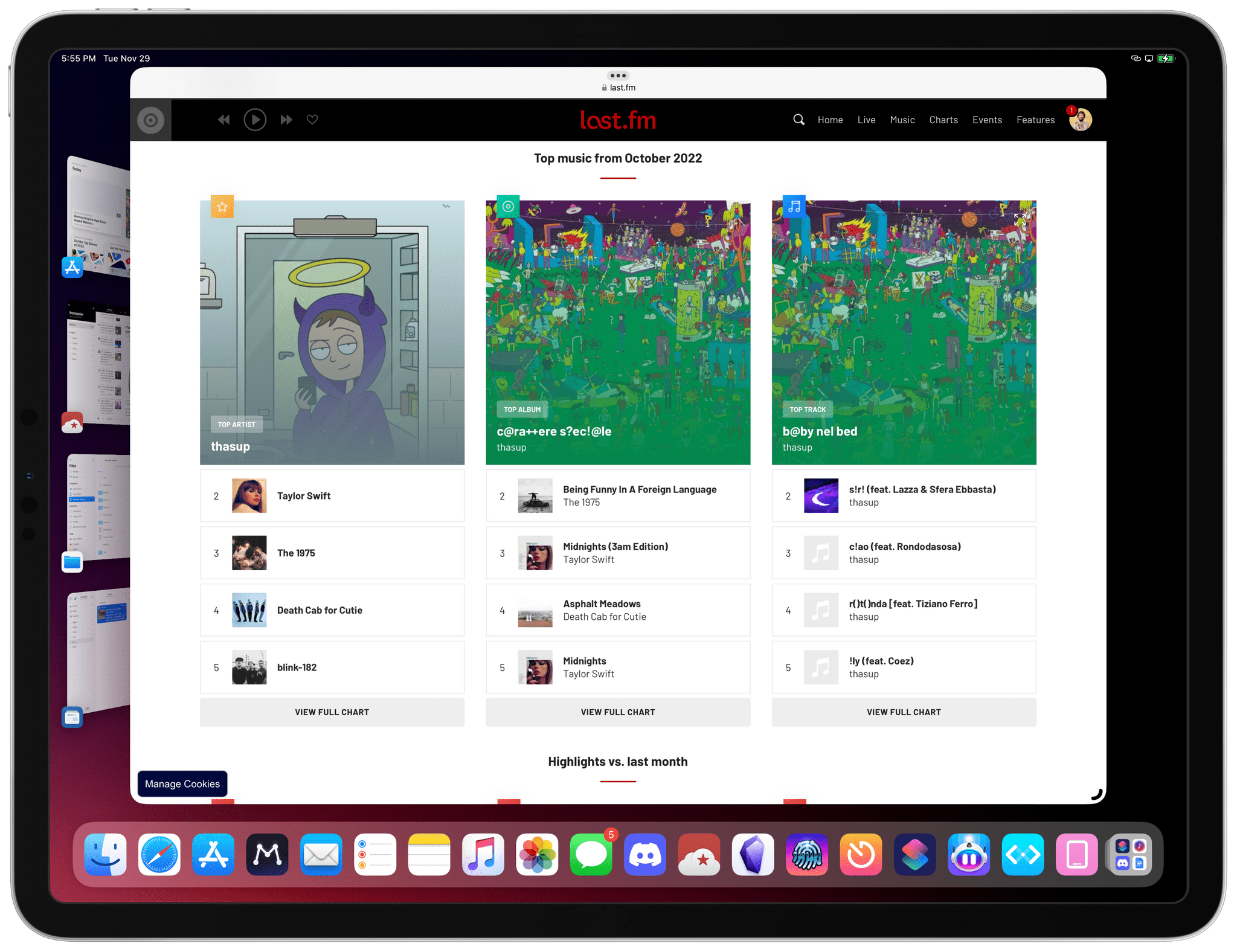
My co-hosts on Connected like to make fun of me for being One of Those People Who Still Scrobbles, but I can honestly say it’s one of the best things I’ve done for my music consumption in the past few years. (That, plus having an offline library with albums I own that I can enjoy with my favorite headphones and amp – which I also scrobble via Roon.) Ever since I started scrobbling again last year thanks to Marvis Pro on iPhone and iPad (and NepTunes on the Mac), I’ve been able to enjoy some fascinating monthly and annual breakdowns of my music listening habits that go much more in depth than Apple Music or Spotify would ever want to.
An example of a monthly Last.fm report.
In Internet years, it’s pretty wild for anything to turn 20 – let alone a service that faces competition from the likes of Apple and Spotify. And yet Last.fm has been able to carve a niche for itself by appealing to people like me, who want to know more about the music they listen to. Maybe it’s a weird thing to say in 2022, but if you listen to a lot of music every day, I can’t recommend dusting off your old Last.fm account enough.
DMS bought 12 speakers and a bunch of DACs, but immediately had trouble getting the system to decode a Dolby Atmos signal without buying an expensive decoder. Ultimately, the solution was to use Loopback to combine the DACs into one virtual multichannel DAC, a far cheaper solution than trying to handle 12 channels at once.
DMS’s setup has been documented for anyone who wants to try it themselves. What struck me about it is how well Loopback handled an incredibly complex setup and saved DMS thousands of dollars by creating a software version of what otherwise would have required expensive hardware. This is a terrific example of why so many people turn to Rogue Amoeba’s apps when they need to do something with audio on the Mac, whether it’s as simple as recording a live track of their favorite band streaming in Safari, or as complex as a 12-channel Dolby Atomos surround sound system.
I enjoyed this article by Mitchell Clark, writing for The Verge, about the removal of the classic page-turn animation from the redesigned Books app in iOS 16:
Apple Books has been my main reading app for years for one very specific reason: its page-turning animation is far and away the best in the business. Unfortunately, that went away with iOS 16 and has been replaced by a new animation that makes it feel like you’re moving cards through a deck instead of leafing through a digitized version of paper. And despite the fact that I’ve been trying to get used to the change since I got onto the beta in July, I still feel like Apple’s destroyed one of the last ways that my phone brought joy into my life.
I forgot to mention this in the Books section of my iOS 16 review. The Books app received a major redesign this year, and I’ve heard from quite a few people over the past few months about why, for serious readers like them, the new UI layout of the Books app is a regression from iOS 15. All that aside, however, I don’t understand why the page-turn animation – a fun, whimsical aspect of the Books UI that felt uniquely Apple – had to be taken away.
I agree with Mitchell on this: the page-turn animation should come back – if anything, as an optional setting.
Command bars are command-line bars that pop up in the middle of the screen when you hit a certain keyboard shortcut.They’re also known as ‘command palettes’, ‘command launchers’, or ‘omniboxes’ Traditionally CMD + K, hence the moniker “Command K bars.” But CMD + E and CMD + / have also been strong shortcut contenders.
[…]
They don’t even have to remember its exact name. Fuzzy search can help them find it by simply typing in similar names or related keywords. For example, if I type “make” into a command bar, it’s likely to show me any actions related to creating new items. Even if “make” isn’t part of the action name.
[…]
These bars also do double duty as universal search bars. You’re not only searching through the available actions in an app. You can also search through content like documents, file names, and tasks.
I’m intrigued by Command-K bars as a feature that speeds up keyboard-driven interactions on iPad and Mac while at the same time serving as a search box for an app’s own commands. Think of the typical Command-K bar as a mix of Spotlight, the macOS menu bar, and iPadOS’ keyboard shortcut menu, but as an element that can be invoked from anywhere in an app and dismissed with just a keystroke. As the examples in Maggie’s article show, Command-K bars can be genuinely useful to surface hidden commands and allow power users to save time when using complex apps.
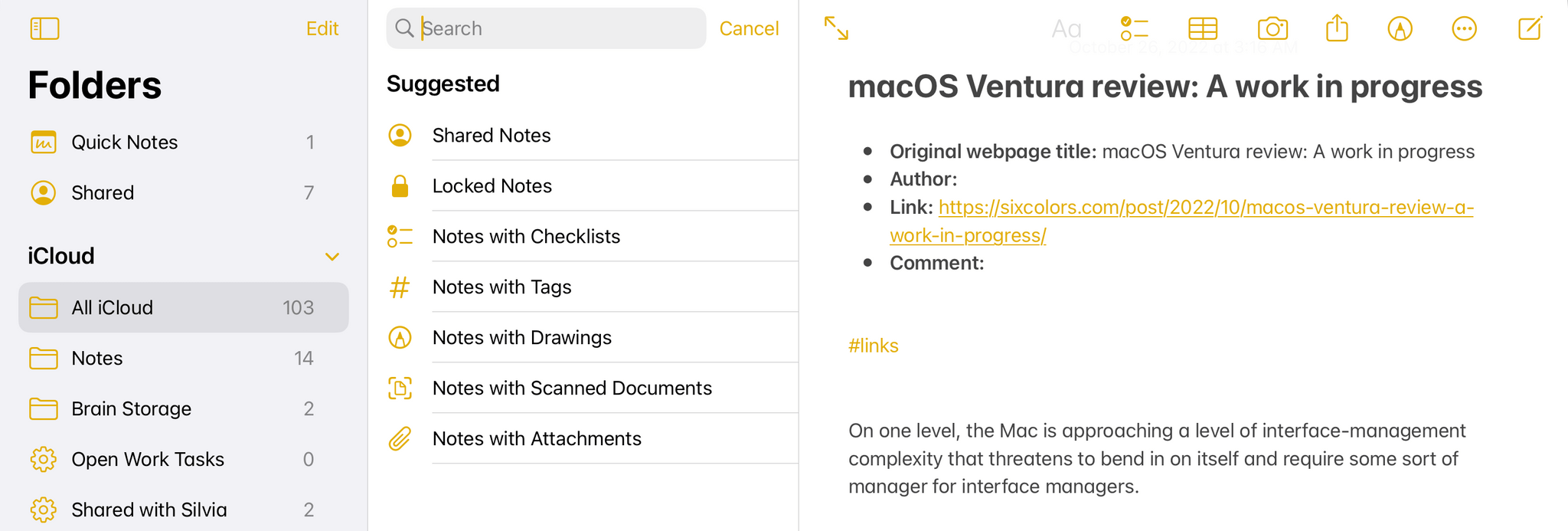
There are plenty of cases where Apple’s apps could benefit from this kind of in-app search makeover. Here’s Notes, for instance, when you activate the ‘Note List Search’ command:
Search inside Notes.
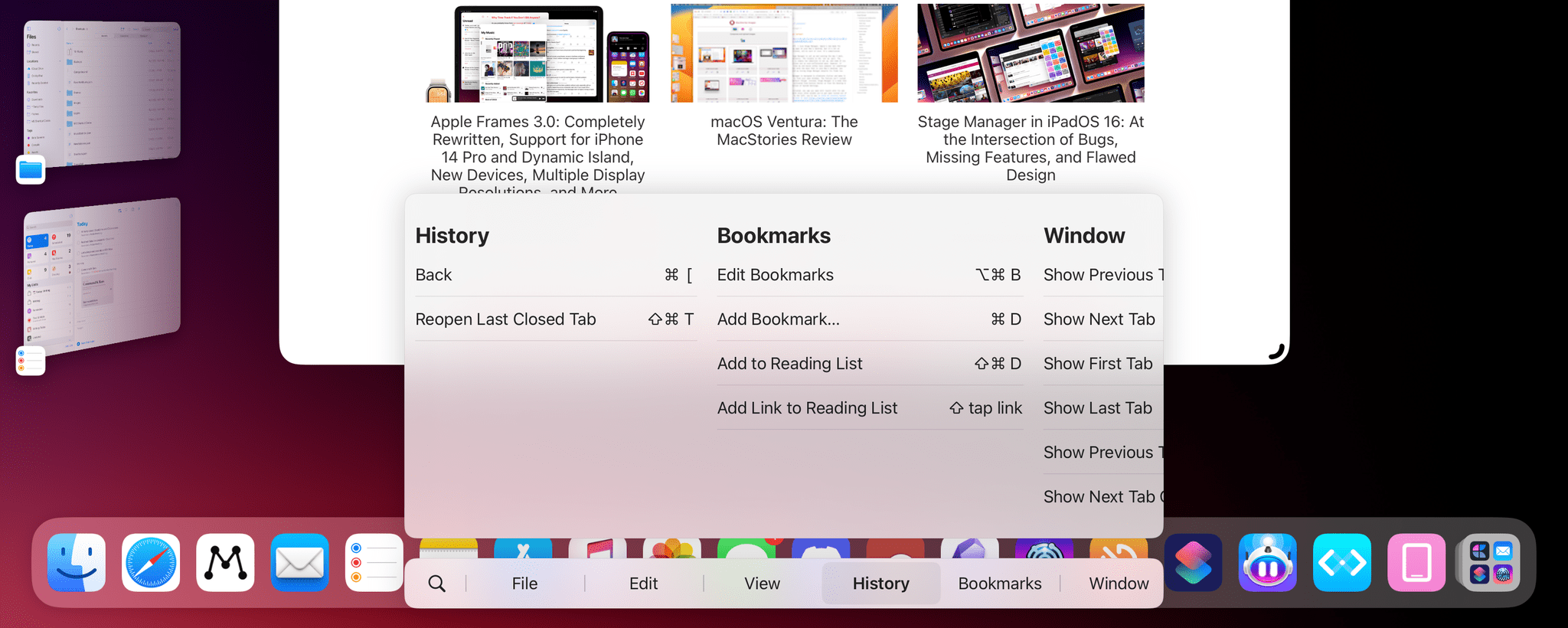
And here’s the rather complex list of keyboard shortcuts supported by Safari:
Keyboard shortcuts in Safari for iPad.
I said this on AppStories and I’ll say it again: I think Apple should consider an in-app version of Spotlight that replicates the functionality of Command-K bars and is optimized for keyboard usage on iPadOS and macOS. Modern productivity software is clearly moving in this direction on desktop and the web; I’d like to see Apple apps offer faster keyboard navigation and command discoverability too.
This week on AppStories, we dig into two excellent apps we’ve been enjoying recently: Anybox, a bookmark and file organizer, and Spring, a third-party Twitter client.
Sponsored by:
Memberful – Monetize your passion with membership.








](https://cdn.macstories.net/banneras-1629219199428.png)