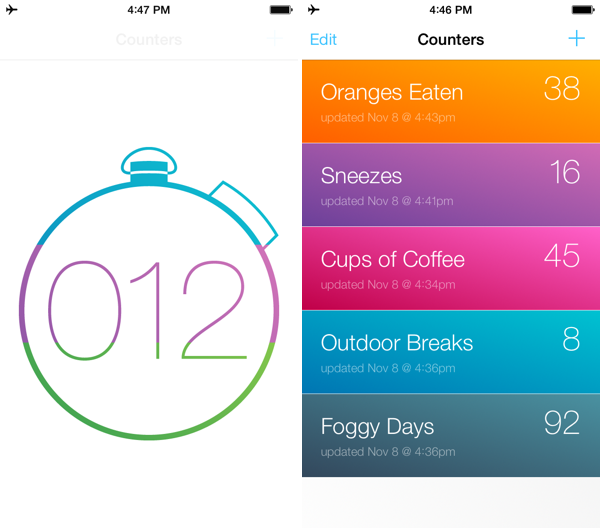
Keeping score? Counting how many of cups of coffee you drink? Need a quick way to count up for a science experiment? Keep track of multiple figures with Counters, a simple, focused app that keeps tabs on how many times you do… well, anything. It looks great and is a buck on the App Store.
Posts in Linked
Counters: For Tallying Things→
Runtime: Track And Share Your Runs→
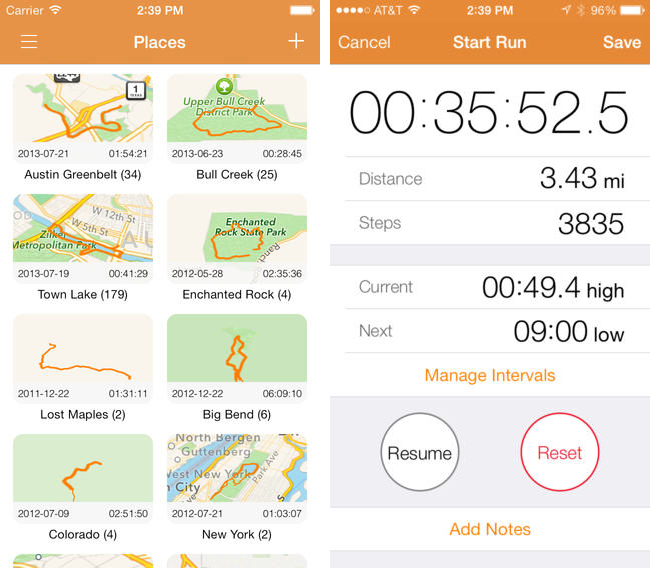
Runtime keeps track of not only where, but how you run, highlighting workout intervals and displaying your path on a shareable map. Runtime lets you add individualized notes to each workout, define custom interval timers (useful for mixing up intensity), and safely backs up your data to Dropbox. You can even use it as a basic pedometer and step counter, as a tool to track hikes, and as a way to measure your athletic progress. Because Runtime is so focused around places and routes, I’d love to see integration with an app like Day One so you can turn trips into memories. It’s simple, looks great on iOS 7, and is well done.
Runtime can be had for $2.99 from the App Store.
FlightTrack 5→
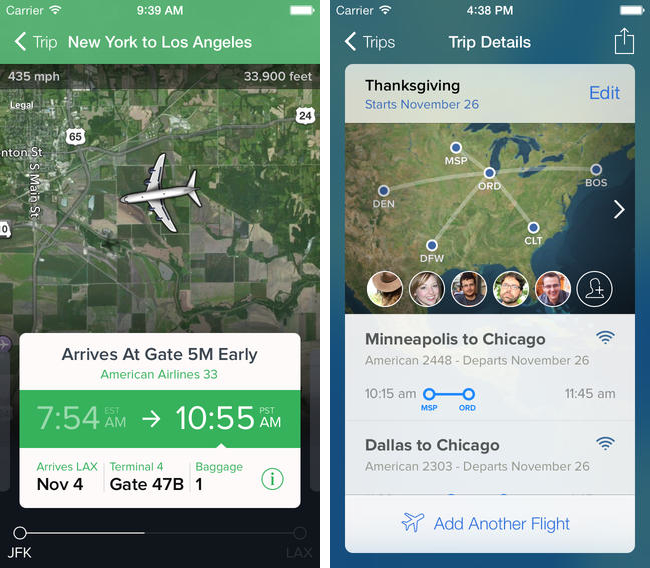
If you’re catching a flight this holiday season, Mobiata just announced FlightTrack 5, a completely redesigned must have flight tracking tool that always keeps you in the know about departures, delays, arrival times, and weather conditions.
Now, all FlightTrack users get push notifications with flight updates and can view terminal maps to help navigate to the gate. With FlightTrack, you can search flights by number or route in a single search field, create trips with multiple flights and travelers, and view the progression of an entire trip within a single workflow.
As always, you get real-time departure info, delays, and gate numbers at a glance. International coverage allows you to track flights worldwide. We even inform you of cancellations and help you find alternate flights when you’re in a pinch.
Nab it from the App Store for $2.99 for a limited time.
Oak: A Pokédex for Your iPhone→
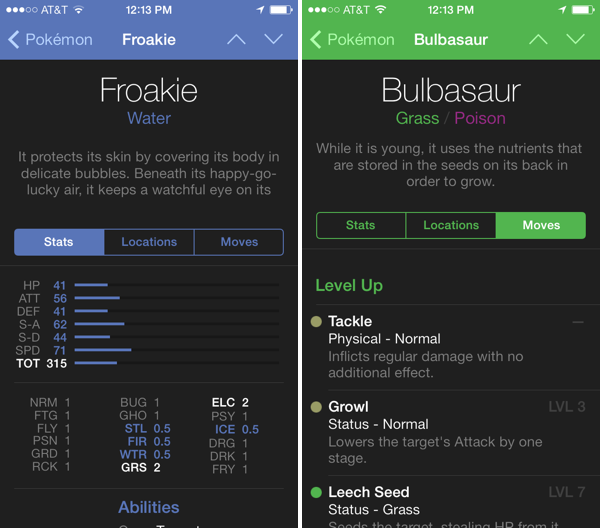
I’ve had Oak on my iPhone for a while, but now that it has Kalos region Pokémon for X & Y, I’ve been using it more and more as a companion for referencing abilities
The hardest decisions you’ll have to make in these games is deciding which of your Pokémon’s moves stay and which ones go. Not having played since I was a kid, I’m not familiar with a lot of the new moves and types that have been added since Red and Blue. Oak lets me search for Pokémon, find pertinent stats, and browse through their entire moveset. The app is free to try, with an in-app purchase unlocking the full directory of over 700 Pokémon for $4.99.
Download it from the App Store.
First iOS 7 Game Controllers Now Available→
As reported by The Verge, the first third-party iOS 7 game controllers are going on sale this week, although with mixed reviews by the press. Namely, PowerA has released the MOGA Ace Power ($100) and Logitech announced the PowerShell (Controller + Battery, shipping in December in the United States, priced at $99).
Both controllers take advantage of Apple’s new game controller API that was added in iOS 7, which allows hardware makers to create physical controllers that follow a specification provided by Apple, and that lets game developers easily add support for the controller framework once and expect their games to work with controllers by any company. However, Apple decided to make controllers optional in iOS 7 games (multi-touch is still required as primary input) and they didn’t launch or highlight a specific section of controller-ready games in the App Store, which led me to wonder about the potential of game controllers in the future.
Polygon’s Russ Frushtick tried the MOGA Ace Power, and he was not impressed:
It has a cheap, plastic feel and a rattle that makes it seem like the controller could shake apart at any moment. There’s also no wireless support, which means that you can only use devices that fit inside the controller’s expanding design (basically just newer iPod Touch and iPhones that support Apple’s lightning connector will work). There is a battery pack in the controller, so you can use it to charge your phone in a pinch, but it’s far from ideal for anything beyond that.
The MOGA Ace Power uses the “extended” controller option of Apple’s framework, which has support for dual analog sticks and shoulder buttons + triggers. Apparently, Apple asked PowerA to make sure iPhones and iPod touches could sit in the middle of the controller.
In his hands-on post, TouchArcade’s Eli Hodapp noted the potential of the MOGA Ace Power, its poor build quality, but also described the experience of playing first-person shooters on iOS:
Additionally, I’ve found myself actually enjoying playing first person shooters on my iPhone for the first time I can ever remember. All the frustration of having your thumbs all over the screen desperately trying to look and move while avoiding and/or hitting a plethora of virtual buttons just totally fades away. If you’re a huge fan of iOS first person shooters, consider one of these controllers an absolute must-have accessory.
Alas, it sounds like most game developers haven’t tested their games with the first iOS 7 controllers, resulting in interfaces that don’t disappear when a controller is connected (virtual buttons and sticks) or control schemes that don’t use all the provided buttons.
The Logitech PowerShell, on the other hand, uses the simple, SNES-like controller configuration with no dual analog sticks. SlashGear’s Chris Davies tried the PowerShell, although I’m not sure this justifies its premium price tag:
As you might hope for a hundred-dollar controller, the keys are sturdy and firm, with just the right sort of response under your fingertip. If you’ve tried a recent Logitech pad for PC, they’ll be very familiar.
On the official website, Logitech has posted a list of games that are compatible with the PowerShell (and presumably any other controller as well) and a product page with additional information and photos.
Based on initial reviews, it sounds like it’s too early to invest in an iOS 7 game controller: as expected, the first controllers work but they’re not great, and, more importantly, you won’t find many games with proper support for game controllers today. iOS 7 game controllers keep having enormous potential to enhance gaming on iOS; at the same time, though, we’ll have to wait and see if physical controllers are what iOS really needed to go beyond freemium games, ports, spin-offs, and the occasional gem.
iPads Are Transforming The NBA→
Hatch Brings Virtual Pets to the iPhone→
Suzanne LaBarre for Co.Design on Hatch, the latest app from Impending dream team Phill Ryu, David Lanham, and friends.
The average app is a money making proposition first, and artistic statement or utility second. That’s why the App Store is loaded with clunky Angry Birds clones and pandering zombie shooters. But Hatch, a tamagotchi app by the two-man, part-time team at Impending, is a rarely polished labor of love.
It’s worth $2 alone to see David’s creatures come to life. Download it from the App Store.
Podcasting On iOS→
When I told some friends that I was “podcasting” on iOS, they assumed that all I was doing was recording myself on iOS and doing the post-production later on a Mac. Not so! In fact, we actually do the entire end-to-end audio production purely on iOS.
Fraser Speirs details his workflow for producing episodes of Out of School without a Mac. The fact that several episodes have been created using an iPhone and iPad with a portable podcasting setup is pretty incredible.
Also of note (towards the end): one of the benefits of the A7 processor.
App Stagnation→
Michael Lopp decided to move away from Things:
How can I trust that I’m using the state of the art in productivity systems when I’m using an application that took over two years to land sync I could easily use? What other innovations are they struggling to land in the application? Why hasn’t the artwork changed in forever? What is that smell? That smell is stagnation.
Daniel Jalkut responds:
He applauds the app for allowing him to do his work “frictionlessly.” How does a software developer achieve this level of performance? By first building a quality product and then working deliberately over months and years to address the minor issues that remain. Woodworking makes a reasonable analogy: after a chair has been carved and assembled the job is functionally complete. It’s a chair, you can sit in it. It’s done. But customers will gripe with good cause about its crudeness unless the hard work of detailing, sanding, and lacquering are carried out. Only then will it be considered finely crafted.
I’ve gone through a similar process several times in the past few years. Why change something that works? But, on the other hand, why avoid trying something that could be better?