

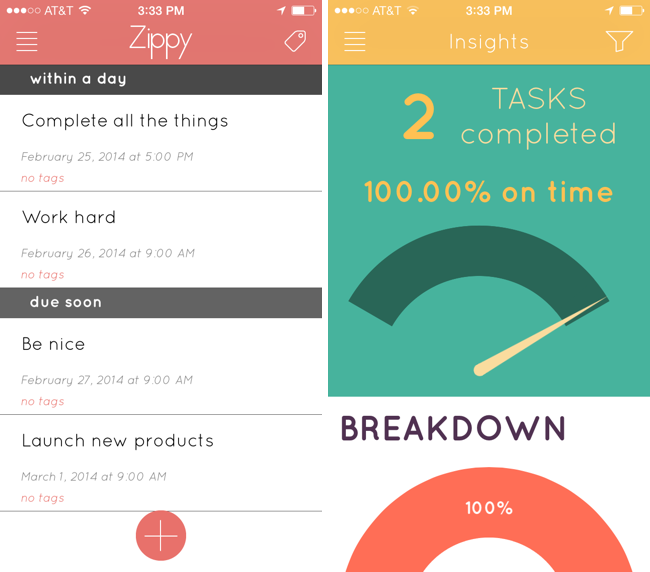
There’s lots of task managers on the iPhone, but how many break down just how good you are at getting things done? Zippy adds some recent features that have found their way into apps like Mailbox, such as a flyover grid of options for snoozing tasks until a later date, and maintains a list of completed tasks and whether you’ve completed them on time. Tags help keep your tasks organized so you can attribute things to home, work, and personal projects, and view tasks per tag. Perhaps the only improvement Zippy could make is the ability to add tags when creating tasks themselves. The insight’s tab is Zippy’s most original feature, and it breaks down things like when you complete tasks, how good you are at planning in advance, and what times of the day you’re most likely to mark things as done. Analyze your daily routine and replace your stack of sticky notes with Zippy, which is only a dollar until March 4th. Grab it from the App Store.
Posts in Linked
Zippy: A Task Manager With Insights→
OS X 10.9.2 Update Adds FaceTime Audio Calling, iMessage Blocking, Fixes Mail and Security Bugs→
If you have a Mac running OS X Mavericks, update 10.9.2 has been pushed to the Mac App Store, which adds several new features, fixes a variety of bugs, and namely fixes the SSL/TLS vulnerability. On the feature side, 10.9.2 adds the ability to initiate and receive FaceTime audio calls, while also blocking individual senders on iMessage. Mail is named as having received a slew of bug fixes: compatibility improvements for Gmail’s Archive folder and labels are listed, as well as resolutions for a bug that prevented Mail from receiving messages from “certain providers.” The update will require a restart for installation.
- More information about 10.9.2 can be found here: http://support.apple.com/kb/HT6114
- Security details about 10.9.2 can be found here: http://support.apple.com/kb/HT6150
- Download link for the combo update (for advanced users installing the update outside of the Mac App Store): http://support.apple.com/kb/DL1726
Tact Adds Contacts To Your iPhone’s Home Screen→
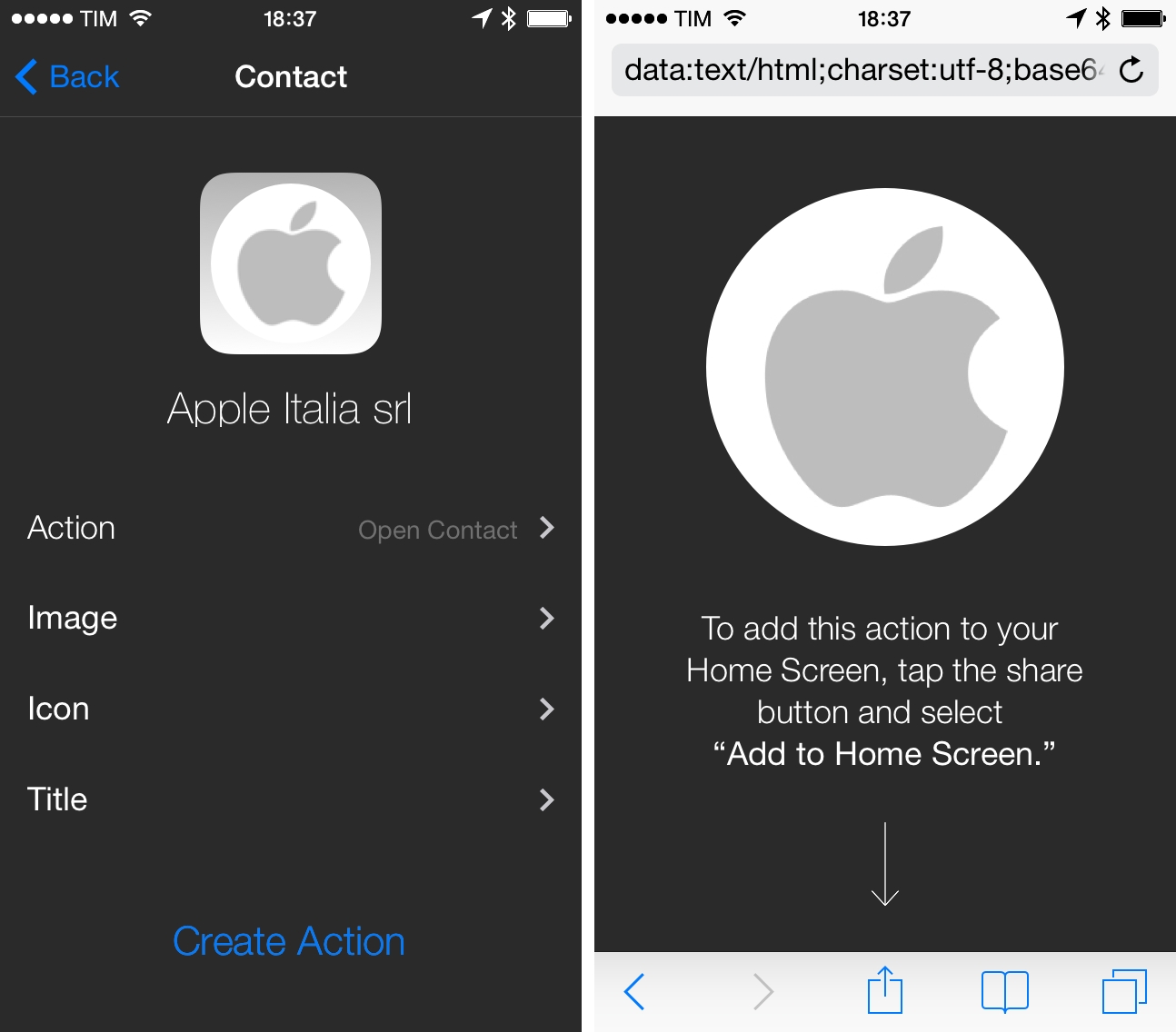
There are plenty of apps to create Home screen shortcuts for contacts, but Tact by Marco Tabini is polished and easy to use.
If you want a more direct access to your contacts than what Launch Center Pro can provide, Tact presents a contact picker that you can scroll to pick one of your contacts that you want to turn into an icon shortcut. Each contact can be assigned one of four actions (Call, Message, Email, and Open) and icons can be tweaked: you can choose a color, title, and image – if having an iPhone Home screen with faces of your friends inside icons is your thing, Tact lets you do that. Technically speaking, Tact creates Home screen icons by generating webclips from Safari – unlike other apps, the process is well explained and, when launching Tact’s icons, you’ll get a nice preview image before being taken to the corresponding action in the Phone, Messages, or Mail app.
Some Of Apple’s Lemons→
Stephen Hackett:
While Macintosh hardware is considered some of the most reliable in the industry, the company has had some pretty epic failures in the past. We spoke about some of these a couple of weeks ago on The Prompt, but after doing some digging, I’ve tweaked and expanded the list.
Yahoo News Digest 1.1 Adds “What You’ve Read” and Other Improvements→
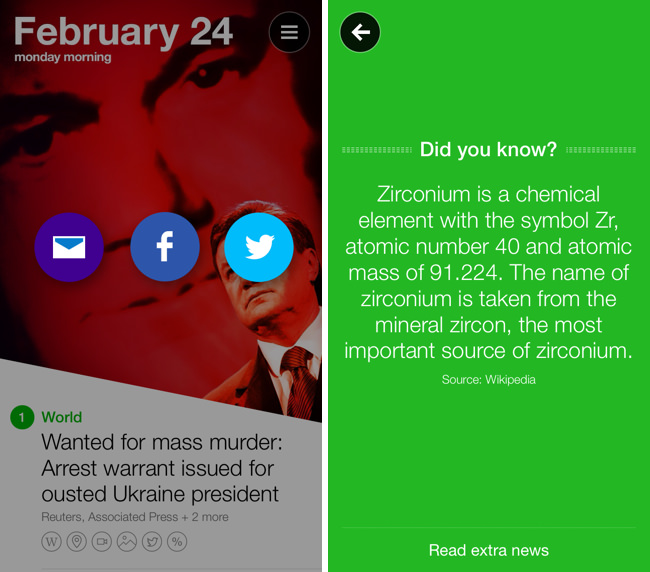
I’m a fan of Yahoo News Digest simply for the fact that it breaks me out of the tech news bubble in short spurts. The latest point update adds atoms for Weather and Statistics, new sharing options such as the ability to tweet Cover Posters, and a new “What You’ve Read” overview has been added that shows you a grid of what digests you’ve browsed through. Shown above, there’s also a little “Did you know?” section that now precedes extra articles in the app. Yahoo News Digest is free to download from the App Store.
Macworld’s FAQ on Apple’s SSL Bug in Plain English→
On Friday, Apple issued what seemed at first to be a run-of-the-mill security update. According to the update’s initial documentation, the patch was supposed to “provide a fix for SSL connection verification.” But when Apple posted the patch’s security information to its website, the company revealed that the fix was for something quite serious: Without the patch, “an attacker with a privileged network position may capture or modify data in sessions protected by SSL/TLS.” That was hardly run-of-the-mill.
The next time your friends, family, or coworkers tell you that Apple has been hacked or if they ask you what’s going on, send them this article by Macworld. A few of the authors on the site put together some nice tidbits of information explaining what the SSL bug is, what’s vulnerable, and what you can do to secure your communications online. Update your iOS devices if you haven’t already, and use an alternate web browser on your Mac until a patch can be downloaded.
Memories Of Steve Jobs→
I’ve been following the work Jim has been doing with The Loop Magazine, and today they published an issue dedicated to Steve Jobs and his accomplishments. There’s a great list of writers in this issue:
I gathered together people that worked with Steve and those that were influenced by his extraordinary life. Former Apple executive, Richard Kerris, tells of introducing Jobs to The Rolling Stones to show off iTunes before it was released to the public; Don Melton, former head of the Safari team at Apple, tells of a number of interactions with Jobs; Industry analyst, Tim Bajarin, recounts how he watched Steve grow into the showman we all saw on stage; Actor Matthew Modine played John Scully in the recently released “Jobs” movie and talks about that experience; Matt Gemmell believes we’ve all met Steve through his work; and Jonathan Zufi talks about why he set out to photograph as many Apple products as he could to publish “Iconic,” a design book about Apple.
The Loop Magazine is available on iTunes.
WriteRight and Tag Journal→
Our thanks to WriteRight and Tag Journal for sponsoring MacStories this week. WriteRight and Tag Journal are two excellent apps for writers who want to enhance their writing workflows on iOS.
WriteRight is a unique text editor with synonyms, antonyms and phraseology. With support for Markdown and full iCloud and Dropbox integration, WriteRight lets you easily select words and expressions to check for synonyms/antonyms, choosing from a set of A4, Letter, and Manuscript previews with colored folders.
You can find out more about WriteRight for iPhone/iPad here.
Tag Journal is a complete diary to record your thoughts and ideas with photos, videos and sound recordings. Tag Journal supports Markdown for fast text entry and formatting, and you can add multiple photos per entry. Entry/note merging helps and speeds up your writing workflow, and notes can be shared on Facebook, Twitter, iMessages, Mail, or as PDF.
You can find out more about Tag Journal for iPhone/iPad here.
Federico’s note: I personally use WriteRight (which was developed in Italy and the US) when I write on my iPad, and I truly enjoy the app’s feature set for synonyms and antonyms that lets me quickly replace an active selection in the text editor with other words.
Releasing Games Through Apple, Valve, Nintendo And Sony’s Digital Storefronts→
Swedish indie development studio Image & Form has released games for iOS, Nintendo devices, and Steam; next month, they will release Steamworld Dig for PS Vita and PlayStation 4. CEO Brjann Sigurgeirsson spoke to Edge about the differences between digital storefronts, suggesting that Apple could do a better job at selecting and working with indies:
The developer’s experience with Apple – or rather, the lack of it – suggests that the App Store’s greatest strength is also its greatest weakness. “So many games are coming out every day and the largely DIY submission procedures are so effective that it’s impossible for Apple to keep up personal relations,” says Sigurgeirsson. “A year and a half after having released a Game of the Week I met my first Apple representative in person, and many developers probably couldn’t tell you who ‘their’ person is. The ‘right’ Apple e-mail addresses used to be hard currency, real bargaining chips.”
In throwing its doors open and welcoming all comers, Apple has made it easy for developers to release a game, certainly, but perhaps it’s too easy right now. Sigurgeirsson would like to see Apple raise the entry level to the App Store – “make it a tiny bit harder to become a licensed developer, so that the average quality of the games goes up,” he says.