Posts in iPad

iPad 2 Launch Details Roundup

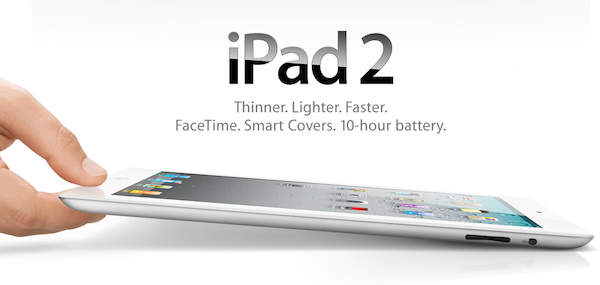
There has been an avalanche of information regarding the iPad 2 launch since the Apple event last week so if you are confused, unsure or just want a refresher on the launch details just jump the break for a full roundup of all the important details!

Also be sure to check out our iPad 2 roundup to get all the details what exactly is new and awesome about the iPad 2.

Read more

Access Extra Content and Perks

Founded in 2015, Club MacStories has delivered exclusive content every week for nearly a decade.

What started with weekly and monthly email newsletters has blossomed into a family of memberships designed for every MacStories fan.

Learn more here and from our Club FAQs.

Club MacStories: Weekly and monthly newsletters via email and the web that are brimming with apps, tips, automation workflows, longform writing, early access to the MacStories Unwind podcast, periodic giveaways, and more;

Club MacStories+: Everything that Club MacStories offers, plus an active Discord community, advanced search and custom RSS features for exploring the Club’s entire back catalog, bonus columns, and dozens of app discounts;

Club Premier: All of the above and AppStories+, an extended version of our flagship podcast that’s delivered early, ad-free, and in high-bitrate audio.

Learn more here and from our Club FAQs.


Yes, The iPad 2 Is Carrier Unlocked

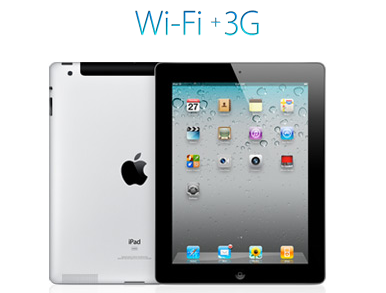
Over the weekend there were some reports that WiFi+3G iPad 2’s would be locked to a specific carrier after people read on the Canadian Apple site that “the iPad model you purchase is specially configured to work with either Bell, Rogers, or Telus.” It turns out that this wordage, whilst technically correct, is very confusing in that whilst the iPad is initially configured to work with a specific carrier, it can be reconfigured to work with other carriers at any stage.

This has been confirmed by a number of people from iPadinCanada to TUAW that have all confirmed from a variety of sources including Rogers Wireless, Apple Experts and Apple Support that you can swap SIMs and carriers with the iPad 2. The only issue (a very minor one) is that the iPad will need to connect to iTunes after the SIM has been swapped to download the new carrier settings, which is required for the 3G service to be usable.

So to be totally clear to all those interested, the iPad 2 is not carrier locked, rather Apple has just over-simplified the information it provided, because you can indeed reconfigure the iPad to work with another carrier with a simple SIM swap and iTunes sync. The one caveat to all this is of course the Verizon (CDMA) iPad 2 which will not be able to switch to any carrier using a GSM network because it does not contain a 3G chipset compatible with GSM networks.

[Via TUAW]

Access Extra Content and Perks

Founded in 2015, Club MacStories has delivered exclusive content every week for nearly a decade.

What started with weekly and monthly email newsletters has blossomed into a family of memberships designed for every MacStories fan.

Learn more here and from our Club FAQs.

Club MacStories: Weekly and monthly newsletters via email and the web that are brimming with apps, tips, automation workflows, longform writing, early access to the MacStories Unwind podcast, periodic giveaways, and more;

Club MacStories+: Everything that Club MacStories offers, plus an active Discord community, advanced search and custom RSS features for exploring the Club’s entire back catalog, bonus columns, and dozens of app discounts;

Club Premier: All of the above and AppStories+, an extended version of our flagship podcast that’s delivered early, ad-free, and in high-bitrate audio.

Learn more here and from our Club FAQs.


#MacStoriesDeals – Friday

What a great week for Apple news! Here are today’s deals on iOS, Mac, and Mac App Store apps that are on sale for a limited time, so get ‘em while they’re hot!

Read more

Access Extra Content and Perks

Founded in 2015, Club MacStories has delivered exclusive content every week for nearly a decade.

What started with weekly and monthly email newsletters has blossomed into a family of memberships designed for every MacStories fan.

Learn more here and from our Club FAQs.

Club MacStories: Weekly and monthly newsletters via email and the web that are brimming with apps, tips, automation workflows, longform writing, early access to the MacStories Unwind podcast, periodic giveaways, and more;

Club MacStories+: Everything that Club MacStories offers, plus an active Discord community, advanced search and custom RSS features for exploring the Club’s entire back catalog, bonus columns, and dozens of app discounts;

Club Premier: All of the above and AppStories+, an extended version of our flagship podcast that’s delivered early, ad-free, and in high-bitrate audio.

Learn more here and from our Club FAQs.


Top-Notch GTD App Voodo for iPad Gets Reviewed, Plus A Giveaway!

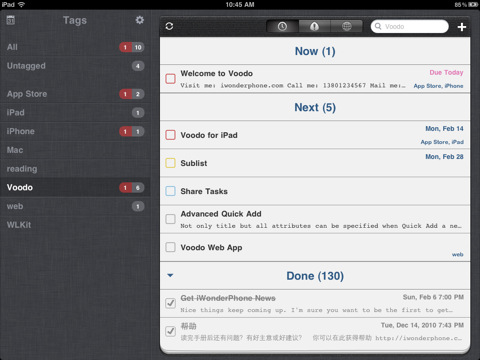
If you are looking for a GTD app that works on the iPhone and iPad you have many, many excellent options that include Things, Due, OmniFocus and a multitude of others. Well now you can add Voodo to that extensive list of compelling GTD apps. Voodo had previously been available as an iPhone app but earlier this week it made it to the iPad as well and I was able to give it a go whilst it was being approved last month.

Jump the break for a review of Voodo for iPad and win one of five copies of the iPhone companion app!

Read more

Access Extra Content and Perks

Founded in 2015, Club MacStories has delivered exclusive content every week for nearly a decade.

What started with weekly and monthly email newsletters has blossomed into a family of memberships designed for every MacStories fan.

Learn more here and from our Club FAQs.

Club MacStories: Weekly and monthly newsletters via email and the web that are brimming with apps, tips, automation workflows, longform writing, early access to the MacStories Unwind podcast, periodic giveaways, and more;

Club MacStories+: Everything that Club MacStories offers, plus an active Discord community, advanced search and custom RSS features for exploring the Club’s entire back catalog, bonus columns, and dozens of app discounts;

Club Premier: All of the above and AppStories+, an extended version of our flagship podcast that’s delivered early, ad-free, and in high-bitrate audio.

Learn more here and from our Club FAQs.


RSS Reader Byline Updated with iPad Support

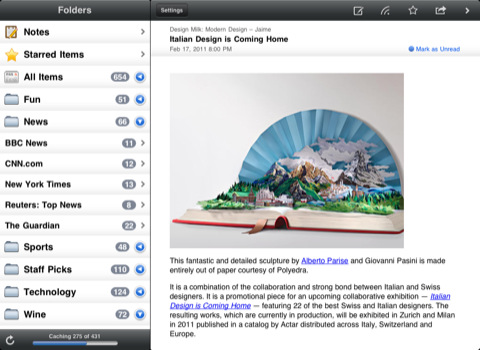
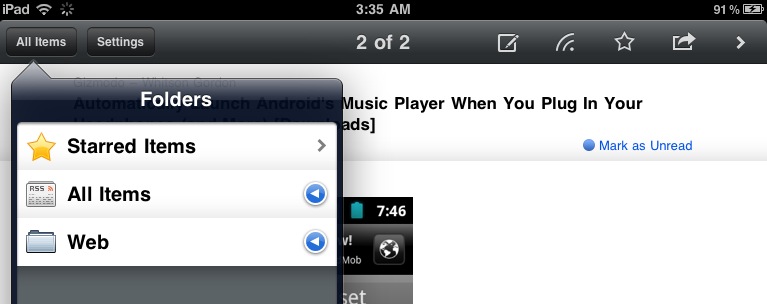
Back in the day when Reeder was not around and Google didn’t have a great optimized version of Reader for iPhones and iPod touches, RSS app Byline was the choice of many. The app featured a minimal and elegant UI following the standards of Apple’s interface guidelines (something that Silvio Rizzi’s Reeder eventually did not), synced with Google Reader and, again, was just popular. With time and the invasion of RSS apps in the App Store many users switched over to something else, some grew tired of RSS apps entirely, some stayed with Byline.

The app is making a comeback today, with a shiny new version 4.0 that introduces a couple of new features, design improvements and, finally, iPad support. As for the new features and fixes, this update introduces a new Edit button you can actually slide to mark all feeds as read. It’s a kind of neat gesture I’d personally like to see implemented in other apps. It’s not something Apple created, of course, but it feels native. Speed of Google Reader sync has been improved as well – Byline feels more responsive now and it’s almost as fast as Reeder at syncing unread feeds and caching items for offline usage. In the Settings, the old options have been kept: Twitter sharing, Instapaper and Read It Later support for articles you don’t want to check out right away. A couple of touches to the UI here and there are a welcome addition, too.

The iPad version comes bundled in the new Universal application, which can be upgraded to ad-free for a limited-time offer of $5.99 through in-app purchase. The iPad counterpart of Byline unsurprisingly follows Apple’s standards for UI approach: you’ve got a sidebar in landscape mode with all your feeds and folders, a popover in portrait with the same functionalities. The article view is as clean as before, although I would have liked to see some additional interface love here. Sometimes it almost feels too clean. But I have to say, it’s fast, reliable and definitely gets its job done. Byline for iPad looks a lot like the iPhone version – your call if this is a bad thing or not.

Byline 4.0 (universal) is available for free here.

Access Extra Content and Perks

Founded in 2015, Club MacStories has delivered exclusive content every week for nearly a decade.

What started with weekly and monthly email newsletters has blossomed into a family of memberships designed for every MacStories fan.

Learn more here and from our Club FAQs.

Club MacStories: Weekly and monthly newsletters via email and the web that are brimming with apps, tips, automation workflows, longform writing, early access to the MacStories Unwind podcast, periodic giveaways, and more;

Club MacStories+: Everything that Club MacStories offers, plus an active Discord community, advanced search and custom RSS features for exploring the Club’s entire back catalog, bonus columns, and dozens of app discounts;

Club Premier: All of the above and AppStories+, an extended version of our flagship podcast that’s delivered early, ad-free, and in high-bitrate audio.

Learn more here and from our Club FAQs.


#MacStoriesDeals - Thursday

Here are today’s deals on iOS, Mac, and Mac App Store apps that are on sale for a limited time, so get ‘em while they’re hot!

Read more

Access Extra Content and Perks

Founded in 2015, Club MacStories has delivered exclusive content every week for nearly a decade.

What started with weekly and monthly email newsletters has blossomed into a family of memberships designed for every MacStories fan.

Learn more here and from our Club FAQs.

Club MacStories: Weekly and monthly newsletters via email and the web that are brimming with apps, tips, automation workflows, longform writing, early access to the MacStories Unwind podcast, periodic giveaways, and more;

Club MacStories+: Everything that Club MacStories offers, plus an active Discord community, advanced search and custom RSS features for exploring the Club’s entire back catalog, bonus columns, and dozens of app discounts;

Club Premier: All of the above and AppStories+, an extended version of our flagship podcast that’s delivered early, ad-free, and in high-bitrate audio.

Learn more here and from our Club FAQs.


AT&T Confirms iPhone Personal Hotspot with iOS 4.3, Also Offering Postpaid Subscription Plans for iPads

PERSONAL HOTSPOT

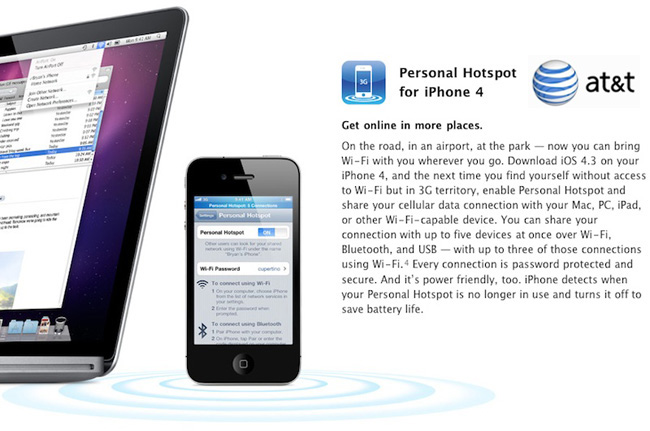
Well, we knew that when Verizon got the Hotspot feature on their iPhone 4s, AT&T’s iPhone wasn’t too far behind. With iOS 4.3 available on March 11, AT&T will also offer Apple’s Personal Hotspot feature after updating your iPhone’s OS.

AT&T will start supporting the Personal Hotspot feature in sync with the launch of iOS 4.3. Hotspot functionality will require a $25/month DataPro plan with 2 GB of data plus the $20/month add-on tethering plan that AT&T recently changed by adding an additional 2 GB of data capacity. So, you will be paying $45 a month for a 4GB of data.

At first people actually thought that AT&T may not offer this option, as it was one of the first features noticed on the Verizon iPhone, but we all knew AT&T would have to do this to stay competitive with iPhone sales. Read more

Access Extra Content and Perks

Founded in 2015, Club MacStories has delivered exclusive content every week for nearly a decade.

What started with weekly and monthly email newsletters has blossomed into a family of memberships designed for every MacStories fan.

Learn more here and from our Club FAQs.

Club MacStories: Weekly and monthly newsletters via email and the web that are brimming with apps, tips, automation workflows, longform writing, early access to the MacStories Unwind podcast, periodic giveaways, and more;

Club MacStories+: Everything that Club MacStories offers, plus an active Discord community, advanced search and custom RSS features for exploring the Club’s entire back catalog, bonus columns, and dozens of app discounts;

Club Premier: All of the above and AppStories+, an extended version of our flagship podcast that’s delivered early, ad-free, and in high-bitrate audio.

Learn more here and from our Club FAQs.


The Genius of Apple’s Smart Cover

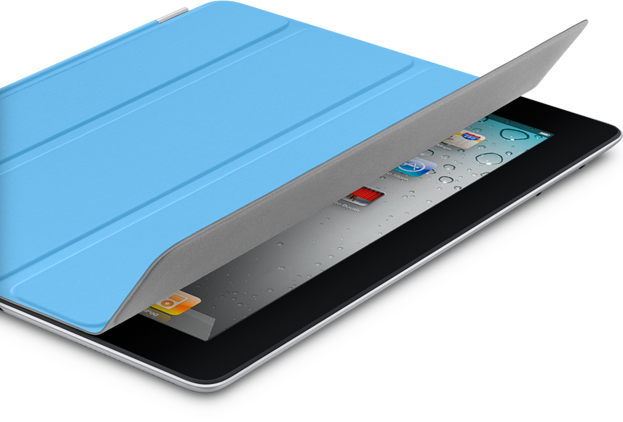
The most exciting part of the March 2nd keynote was not the introduction of the iPad 2, but the introduction of its surprise accessory that makes the iPad 2 twice as magical as its predecessor. Approximately twenty-five minutes into his speech, Steve Jobs broadcasts signals of pure excitement. Suddenly the mediocre announcement of the Digital AV Adapter was transitioned into what might have as been Job’s, “One last thing.” With the unveiling of the Smart Cover, Jobs hadn’t yet looked so happy in the keynote. Clearly, this was something to pay attention to.

Read more

Access Extra Content and Perks

Founded in 2015, Club MacStories has delivered exclusive content every week for nearly a decade.

What started with weekly and monthly email newsletters has blossomed into a family of memberships designed for every MacStories fan.

Learn more here and from our Club FAQs.

Club MacStories: Weekly and monthly newsletters via email and the web that are brimming with apps, tips, automation workflows, longform writing, early access to the MacStories Unwind podcast, periodic giveaways, and more;

Club MacStories+: Everything that Club MacStories offers, plus an active Discord community, advanced search and custom RSS features for exploring the Club’s entire back catalog, bonus columns, and dozens of app discounts;

Club Premier: All of the above and AppStories+, an extended version of our flagship podcast that’s delivered early, ad-free, and in high-bitrate audio.

Learn more here and from our Club FAQs.


New iOS 4.3 Feature: iTunes Home Sharing

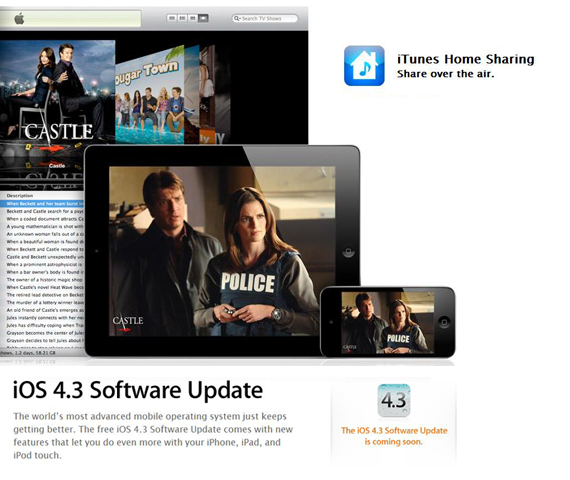
At today’s iPad 2 event, Apple said iOS 4.3 will be available next Friday, March 11. A new feature mentioned was iTunes Home Sharing, so let’s dig in.

iTunes currently has Home Sharing between Macs or PCs on the same Wi-Fi network, but now iOS 4.3 is letting you stream all your music, movies and TV shows from your Mac or PC to any iPad, iPhone or iPod Touch. After installing iTunes 10.2, tap and enjoy all your media in your iTunes library anywhere in your home. Imagine, you can stream a movie from your Mac to your iPad anywhere your Wi-Fi range can reach. Want to listen to an excellent new podcast, connect and go!

Current iOS 4.3 GM users, the iTunes Home Sharing feature is now in the beta. Others, it will definitely be in the public release on March 11.

UPDATED WITH SCREENSHOTS BELOW: Read more

Access Extra Content and Perks

Founded in 2015, Club MacStories has delivered exclusive content every week for nearly a decade.

What started with weekly and monthly email newsletters has blossomed into a family of memberships designed for every MacStories fan.

Learn more here and from our Club FAQs.

Club MacStories: Weekly and monthly newsletters via email and the web that are brimming with apps, tips, automation workflows, longform writing, early access to the MacStories Unwind podcast, periodic giveaways, and more;

Club MacStories+: Everything that Club MacStories offers, plus an active Discord community, advanced search and custom RSS features for exploring the Club’s entire back catalog, bonus columns, and dozens of app discounts;

Club Premier: All of the above and AppStories+, an extended version of our flagship podcast that’s delivered early, ad-free, and in high-bitrate audio.

Learn more here and from our Club FAQs.