There’s no doubt Smule knows how to release popular applications. If you look at their iOS portfolio, there’s not a single app that hasn’t sold thousands and thousands of copies in the App Store: I Am T-Pain, Magic Piano, Ocarina, Glee Karaoke and now, again on the iPad, the new Magic Fiddle.
Just like Magic Piano allowed you to play some sort of digital piano based on its own rules and system, Magic Fiddle recreates a violin on screen you can play with a few taps and swipes. The app is getting rave reviews on many blogs and publications, and while I haven’t tried the app myself (I’m not really a big fan of music apps in general) I have to admit it looks good from the screenshots and video posted by the developers.
The app contains a tutorial section to teach you how to bow, pluck, trill, vibrato and glissandi with your fingers; when you’re good enough to show off your skills, you can play with your friends and aim at the global leaderboards. Graphically speaking, Magic Fiddle looks interesting.
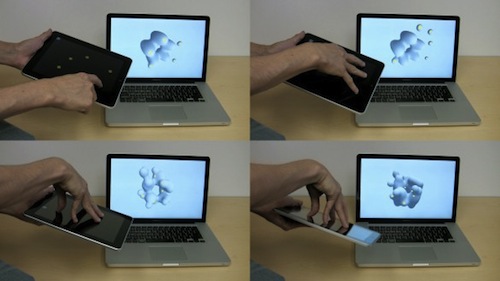
Of all the purposes we’ve seen the iPad used for, 3D models are kind of a novelty. Interactive Fabrication released a software tool for “gestural sculpting” which uses the iPad as a multitouch-based remote controller. The software renders 3D models on a Mac, the iPad is used for touch controls up to 5 fingers.
As you can see, the iPad works as a controller for the app running on the MacBook, and not only is touchscreen information passed on to the 3D modeling program (I like that multitouch works as well, so you can mold five different points in the sculpture at once), but accelerometer information is also passed across, so tilting the iPad around also tilts the onscreen view.
You can even pass the information along to a 3D printer and get a physical result of what you’ve been creating with the iPad and OS X. The developers released the tool as open source code, it’s available on their website. Check out the video below. Very cool. Read more
We are big fans of The Incident by Big Bucket Software. Developed by Panic’s Neven Mrgan and Matt Comi, The Incident is a simple and addictive 16-bit styled game where you control a man named Frank who has to constantly jump and avoid obstacles falling from the sky. From our review:
As Frank, you’ll be climbing your way above and beyond mountains of just about anything that might fall from the sky. Couches, minivans, and propeller blades attempt to crush you under their fantastic weight; even with a little pushing and shoving, you’ll have quite the challenge in avoiding dangers from above and below.
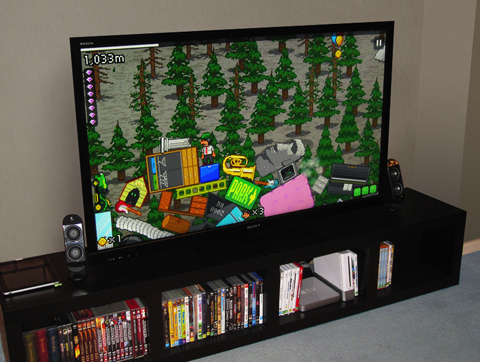
Now, after a 1.2 update that brought game controlling from the iPhone, The Incident 1.3 will come to a TV near you. That’s right: you’ll be able to play an iOS game on your television (just like we always used to, remember?) using the iPhone as a remote controller. No technical details have been provided by the developers yet, except that all you need to get the thing up and running is “pluggin your iPad into the TV”. I guess it’s a standard VGA cable from Apple, anyway. Read more
A huge update to Adobe Ideas for iPad has been released a few hours ago in the App Store. First off, the app is now Universal for iPhone and iPod Touch, supports the Retina Display and iOS 4 multitasking both on iPhones and iPads. A Universal version of the app was one of the most requested features since the app came out on the tablet, and it’s a great addition to an already popular app.
Then, layers: available as in-app purchase (smart move, Adobe), you can insert up to 10 layers plus a photo layer in each sketch. The user interface for this functionality looks fairly simple and accessible. You can also “redo” actions now. Last, the app is now much faster and optimized for every device.
Adobe Ideas is available for free here. Check out the introductory video below.
Fresh off Youtube, here comes Verizon’s first official iPad commercial. Featuring a man with an iPad on his lap and a Verizon MiFi unit, the ad outs the focus on the “magical iPad” now available on the nation’s most reliable network.
It’s very well done, Apple-ish yet aimed at promoting Verizon’s network. We like it. [via The Next Web]
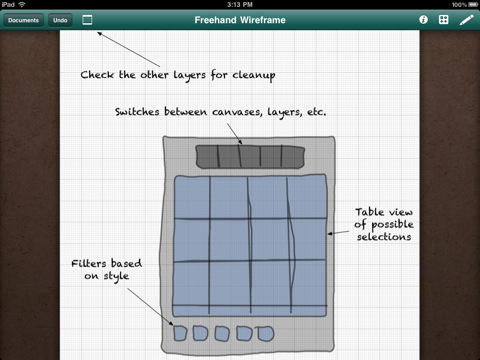
A major new version of OmniGraffle for iPad has been approved – and it’s one hell of an update. OmniGraffle 1.4 introduces full iOS 4.2 compatibility, which means the app can now store its persistent state when you switch to another application and can print your diagrams and wireframes using AirPrint.
The OmniGroup didn’t stop at new OS support, even though that would have been enough. They added an enhanced Document Browser with improved sorting and filtering options, stencil management and remote file syncing to iDisk and WedDAV. You can now also create your own stencils from scratch and access a Font Inspector popover from anywhere.
I’m a big fan of River of News for iPad: it’s a well-designed RSS app that instead of presenting news as a list on unread items inside folders (much like most iPad and iPhone apps do), tries a different approach by enabling you to scroll a constantly updating “stream” (or, yeah, river) of articles. When you reach the bottom of the stream, the app will automatically load the next items until there’s nothing left to load.
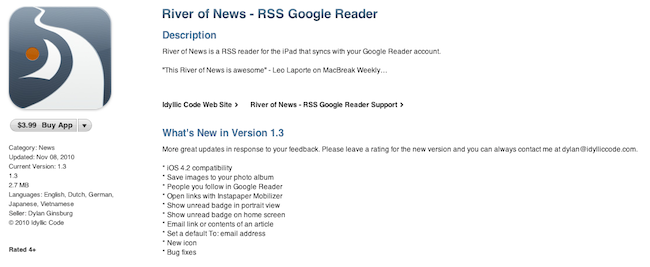
A few weeks ago the developer of River of News also posted the results of the app’s sales, fully committing to iOS development as his new day job. Today an update to RoN has been approved: with version 1.3, the apps comes with a new icon (even though I used to like the old one), full iOS 4.2 compatibility and a “save image” feature. You can also open links with the Instapaper Mobilizer, email articles, check on items from people you follow on Google Reader.
It used to hold true that I’d occasionally coordinate my nefarious plans for world domination inside of the iPad’s very own Notes application. I don’t like using Simplenote (as many will tell me to do) for such radical means, which is its own whitespace dedicated for short bursts of random prose. The only solace I could find was with MacJournal, though for a while, it only existed on OS X. And MacJournal is appealing not as a blogging solution, but as a database solution for maintaing multiple journals with optional encryption and password protection. When I can avoid it, I don’t like maintaining multiple files in the Finder.