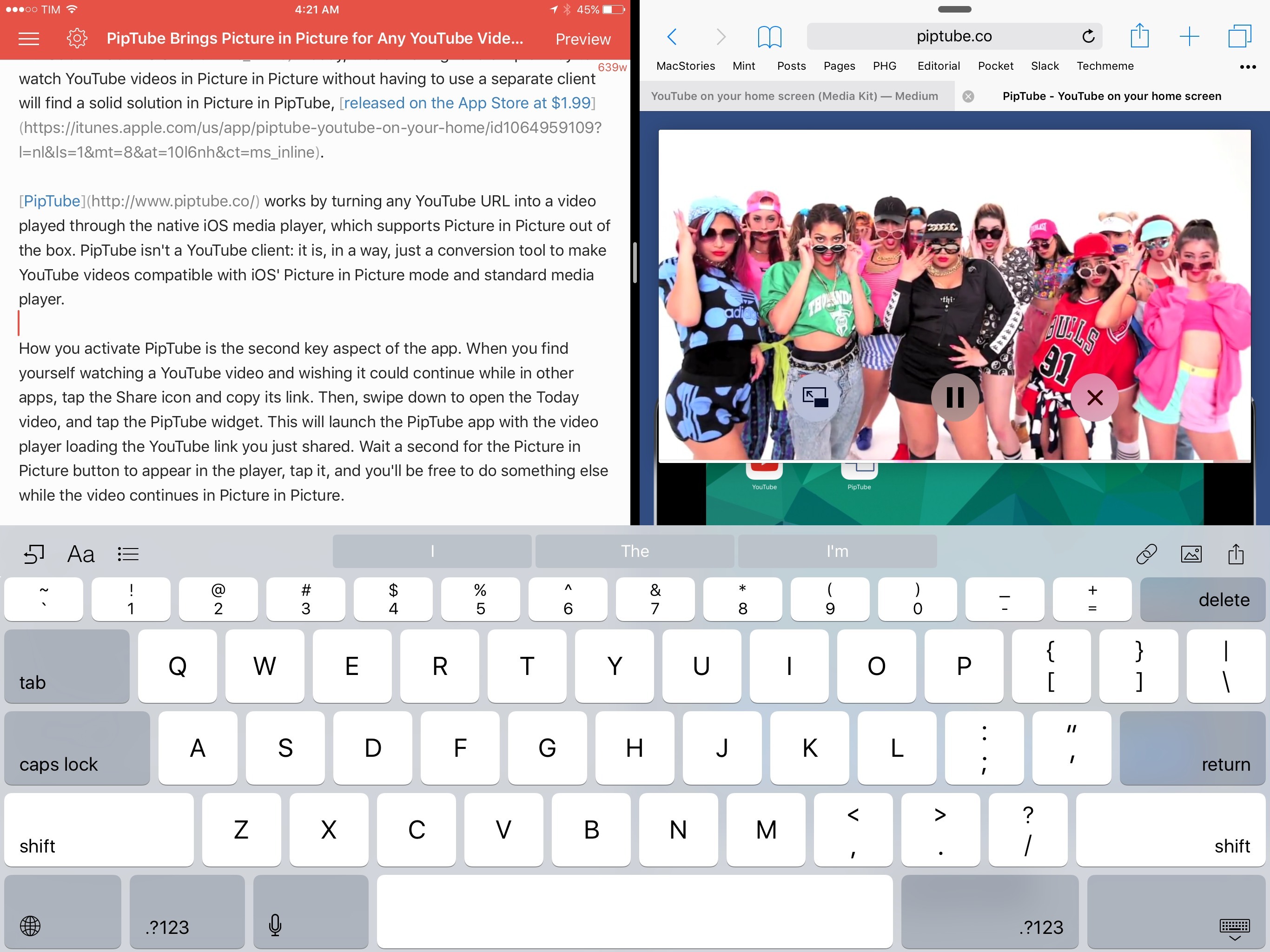
When iOS 9 launched in September, it was easy to understand the potential of Picture in Picture: for the first time, iPad users could continue watching a video in the background through a floating media player capable of coexisting with other apps – it could even stay on screen during Split View.
As I cautioned in my review, however, it was also obvious to see how big media companies wouldn’t like Picture in Picture: by stripping them of control over player customization, Picture in Picture would provide a universal way to watch videos across iOS with the system video player, which comes with specific restrictions and media limitations. This is the reason why the likes of YouTube and Netflix haven’t implemented Picture in Picture yet: relying on Apple’s Picture in Picture player would force them to relinquish control of custom player buttons, ads, or other content overlaid on top of videos that can’t be shown in the Picture in Picture box.
Four months later, the lack of iPad Pro and Picture in Picture support in the official YouTube app is a daily annoyance that has only been partly remedied by third-party YouTube clients like YouPlayer or ProTube. Today, those wishing for a simpler way to watch YouTube videos in Picture in Picture without having to use a separate client will find a solid solution in PipTube, released on the App Store at $1.99.
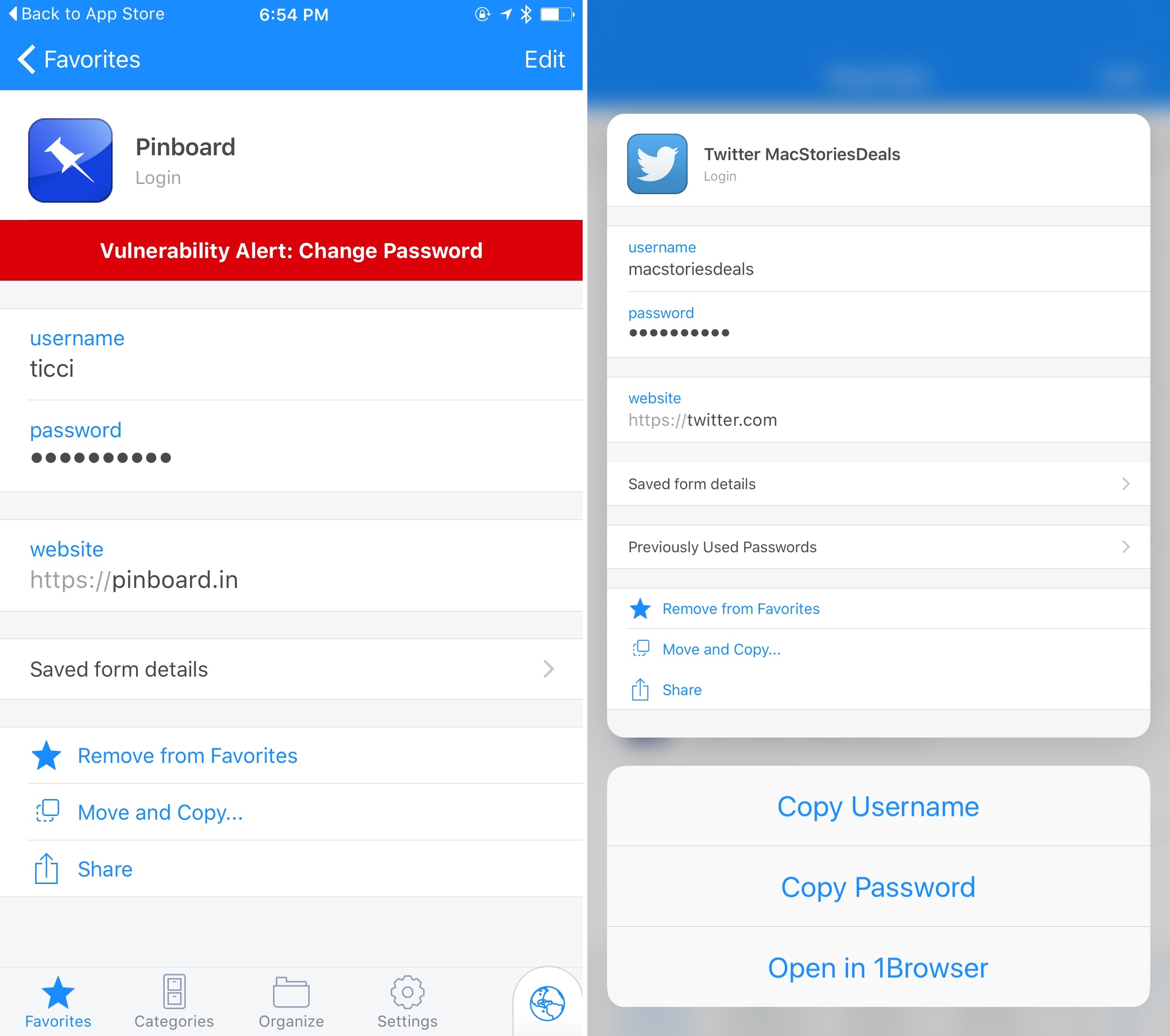
Released earlier today on the App Store, 1Password 6.2 for iOS has brought some nice additions for security and speed. As an app built on the premise of staying secure and accessing private information quickly, I find these improvements pleasant and necessary.
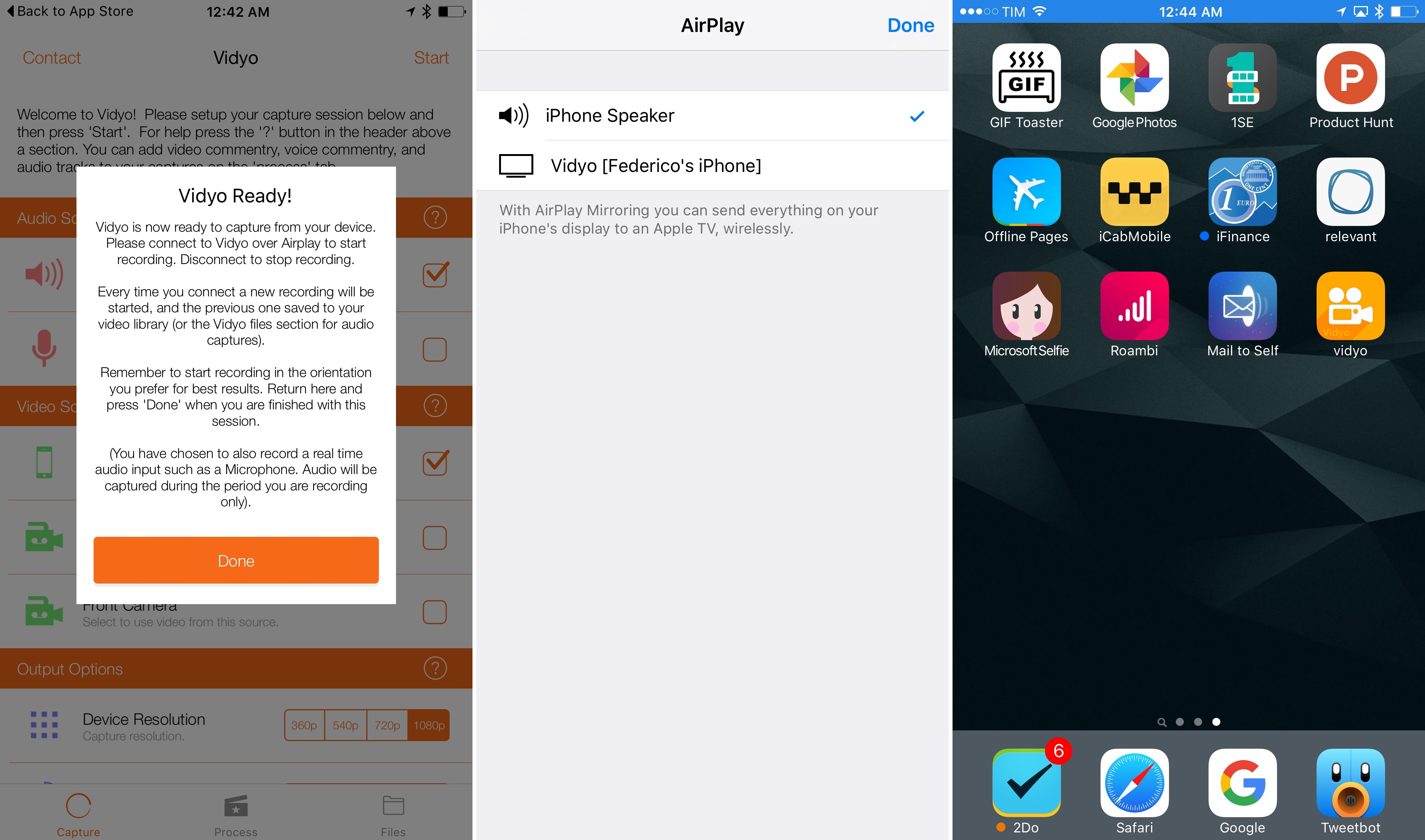
Vidyo, a screen recording utility for iPhone and iPad available at $4.99 on the App Store, seems like one of those apps that will soon be removed by Apple. By simulating an AirPlay Mirroring connection to the app itself, Vidyo allows you to capture your device’s screen even when you’re not using the app – which means you can record your Home screen as well as other apps, saving everything to a video file on your device.
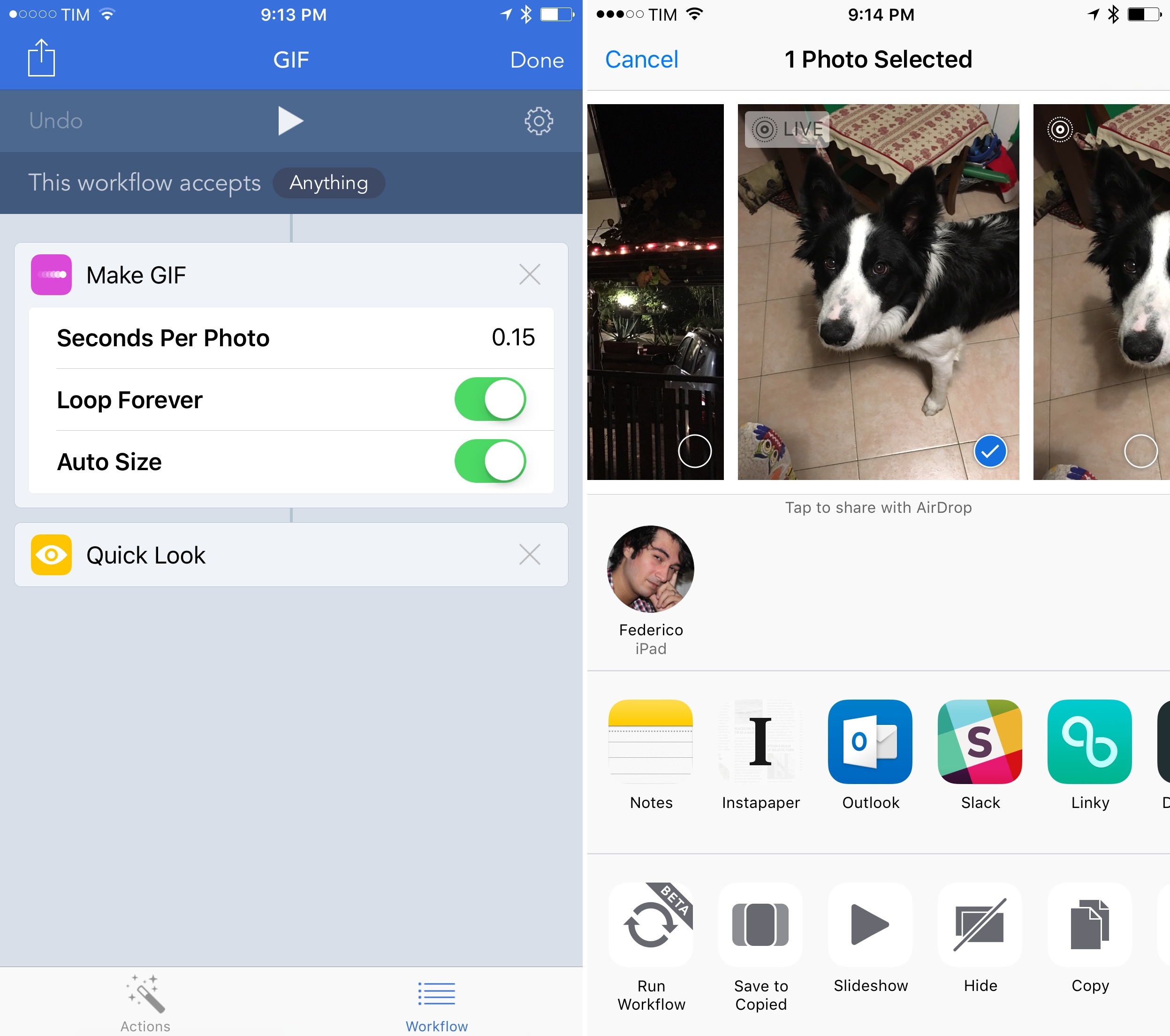
Never to be outdone by changes in iOS, the Workflow team has shipped a revised Photos integration in the latest update to the app, bringing support for bursts and Live Photos with improved GIF generation.
In addition to dedicated ‘Get Latest Bursts’ and ‘Get Latest Live Photos’ actions that will return the latest items from your photo library matching those media types, Workflow’s action extension can now be used to pass a burst or a live photo to a ‘Make GIF’ action. With this simple workflow, for example, you can turn a live photo to a looping animated GIF and preview it with Quick Look directly into the native Photos app. While a number of standalone Live Photo-to-GIF utilities have appeared in the past few months – often with some great advanced controls – this means that a basic conversion can now be done entirely with Workflow and automated any way you want.
Furthermore, because the Make GIF action now supports an unlimited number of images as input, you can create workflows that use hundreds of screenshots or photos to generate a long GIF. You can even pass a video if you want and turn it into a GIF. And the opposite is also true: with the ‘Get Frames from Image’ action, you’ll be able to extract specific frames from GIFs and photo bursts without needing an app for that.
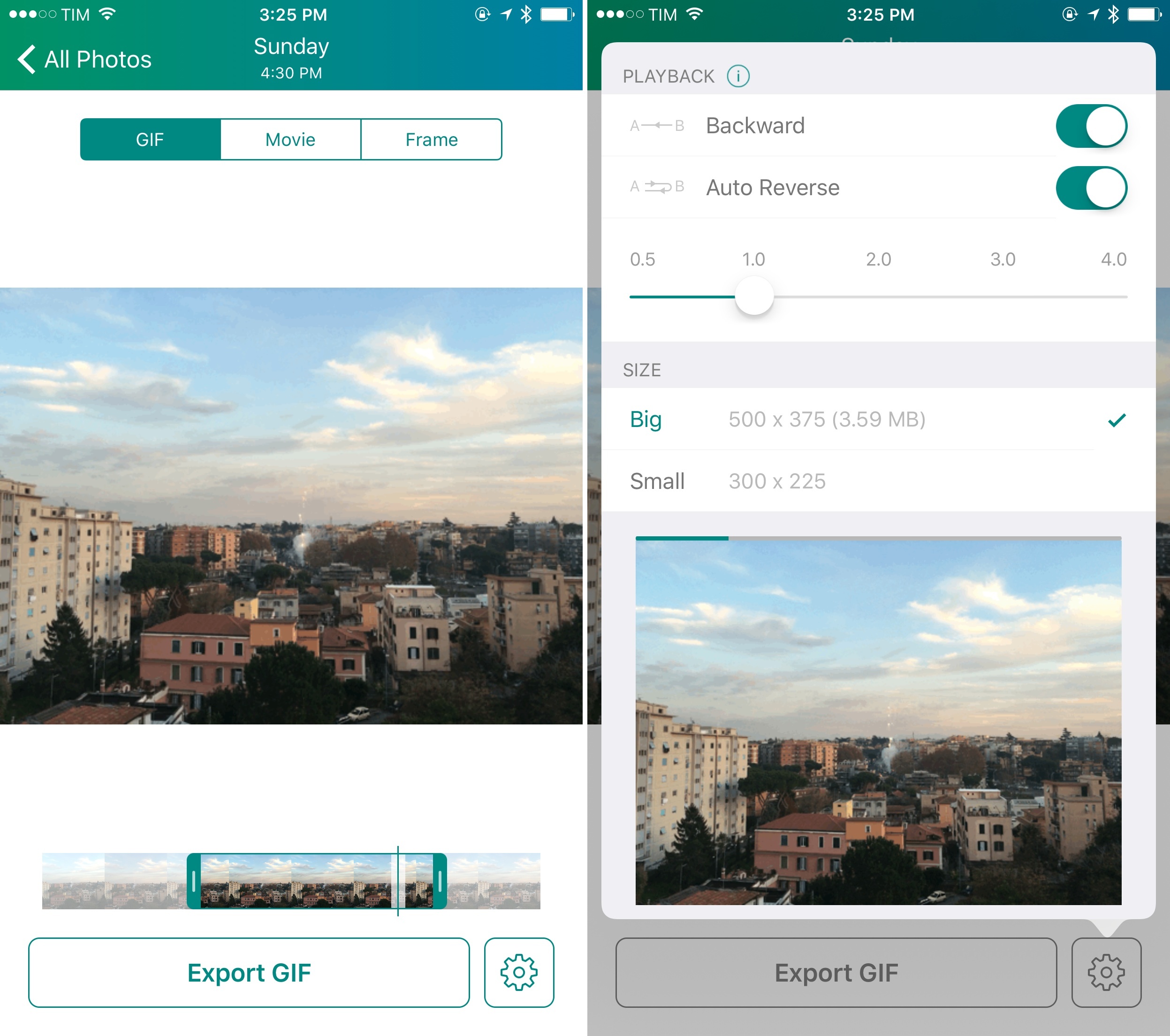
Developed by Tiny Whale (the same studio behind Lean), Lively was one of the first utilities to enable exporting of Live Photos to GIF shortly after the iPhone 6s was released. Today, Tiny Whale has launched Lively 2.0 with new options for video trimming and GIF generation, and it’s a lot of fun.
I first covered Sidefari by Francisco Cantu last month, noting how such a clever idea had arisen from Apple’s limitations in the multitasking framework of iOS 9 for iPad:
Sidefari essentially acts as an on-demand Safari View Controller built into an app that does nothing else, and that’s been made available for Split View. In its simplicity, I find Sidefari to be an ingenious idea for an app that uses a built-in technology to work around a limitation of Apple’s multitasking design in iOS 9. By using Safari View Controller, Sidefari comes with a series of Safari features available by default (such as autofill and Reader); for Safari users, this is a superior alternative to using Safari and a browser like Chrome in Split View, as third-party browsers can’t access user data and settings from Safari.
I’ve been using Sidefari extensively on my iPad: while other third-party browsers exist with support for Split View (notably, both Google Chrome and the Google app can be used to browse webpages alongside Safari), Sidefari brings the convenience of having an instance of Safari that looks and behaves like the system browser. This convenience applies to design and security features, but also to everyday tricks like holding the address bar to open a URL or built-in Reader mode.
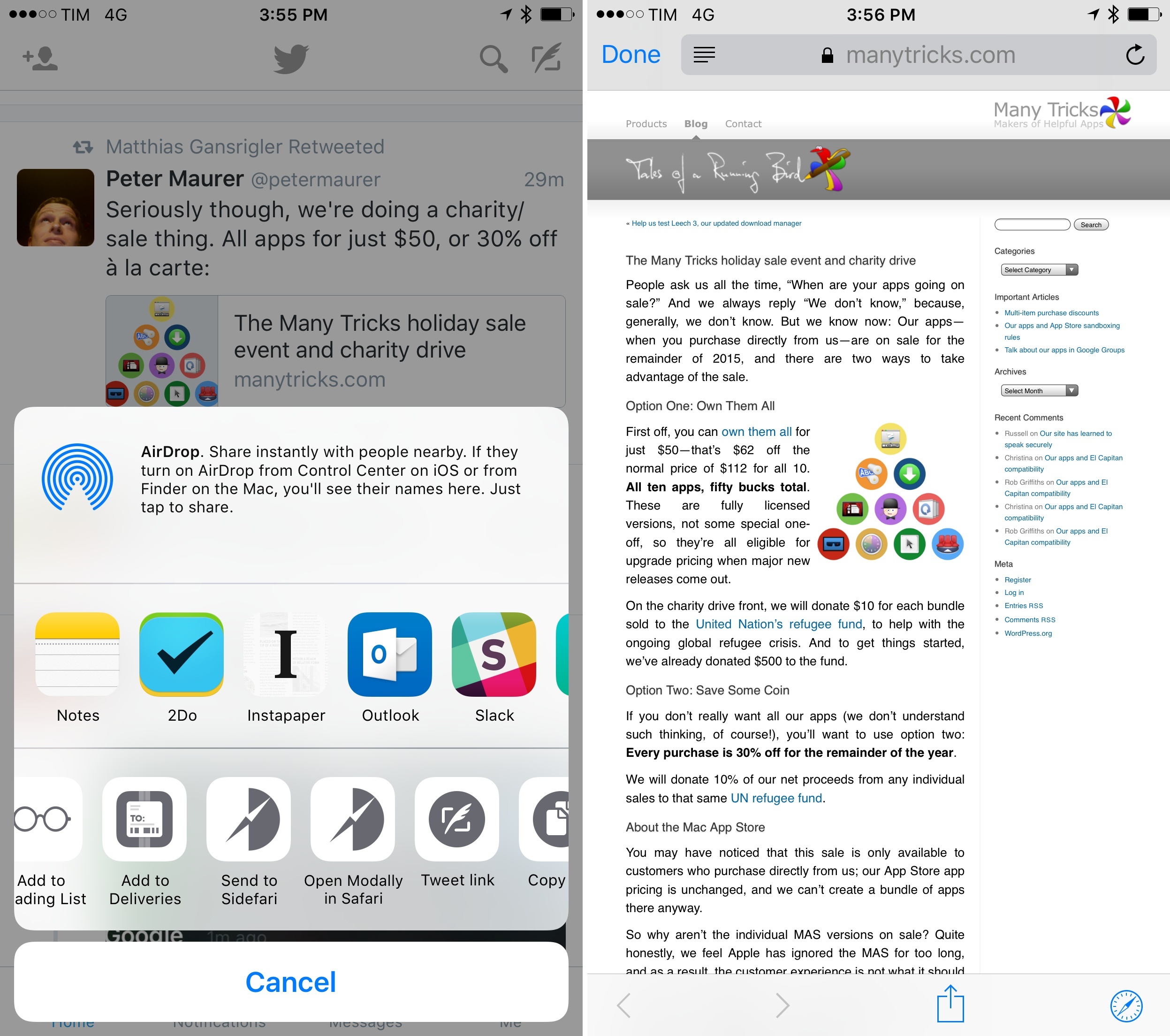
Yesterday, Cantu updated Sidefari with iPhone support and other minor improvements on the iPad. On the iPhone, the app now offers an action extension to open any link modally in Safari View Controller from any app. This is reminiscent of Browsecurely in that you can summon Safari views from apps that don’t support them– like Twitter’s official app – and it works well. On the iPad, the app has two new options: the address bar now doubles as a search box for Google search so you can type any query in it, and you can set a Home page to open with an icon in the main view. Both additions are quite handy if you want to save a little bit of time when using Safari and Safari View Controller simultaneously (the latter doesn’t let you tap the address bar to search manually, nor can you access bookmarks with it).
Sidefari has become one of my must-have utilities on the iPad, and I’m glad it’s on the iPhone too. Sidefari is available at $0.99 on the App Store.
Algoriddim launched djay Pro for iPad today, the latest version of their award-winning DJ software for iPhone, iPad, and Mac. The new version (which I played around with over the past couple of days) has been built with the iPad Pro in mind, with tons of design changes and new features for the new platform.
From the app’s product page:
At the heart of djay Pro is an innovative, modern user interface that provides flexible layers of functionality. It features advanced performance modes including horizontal and vertical colored waveforms, live sampler and drum pads, FX racks, a video mixer, as well as a powerful four deck view that allows you to play, mix, slice, and synchronize up to four tracks simultaneously.
And:
The sheer performance of iPad Pro enables a host of new features that were previously impossible on a mobile device, including mixing of up to 4 audio tracks, plus two simultaneous 4K video streams, all rendered in pristine sound quality and with brilliant video output in full HD, at 60 frames per second. djay Pro combines rock-solid stability with unrivalled performance, delivering a powerful, dependable solution for performing DJs and VJs.
What Algoriddim has done with djay over the years has always been impressive, but this time they’ve gone far beyond what I’ve seen in any other music app for iPad.
The interface has been completely revamped to take advantage of the bigger screen, so it’s not just another scaled up app without a deeper consideration of what the larger canvas enables. The hardware of the iPad Pro is used throughout the app with tangible benefits: scrubbing through 4K video streams is silky smooth, as is mixing audio tracks, applying effects, and rendering the final product. If you use an external keyboard, djay offers an insane Discoverability menu with pages of keyboard shortcuts – the first time I’ve seen a paginated layout in the cheat sheet. The list goes on (and you should check out the website for more details), but I want to mention one feature: with its Music integration, djay has rolled out multitasking support for music playback before Apple’s own Music app.
A few weeks ago, there was a lot of talk about the lack of pro software for the iPad Pro. djay Pro is a great example of how developers who know their audience can rebuild their apps from the ground up with the iPad Pro in mind, catering to a new category of users – those who want power and the portability of an iPad. I believe djay Pro shows the way for more kinds of professional software to come to the App Store in the future. I want to see more developers follow Algoriddim’s approach and build iPad-first software that’s just as powerful as desktop counterparts – if not more powerful thanks to iOS. It’s possible.
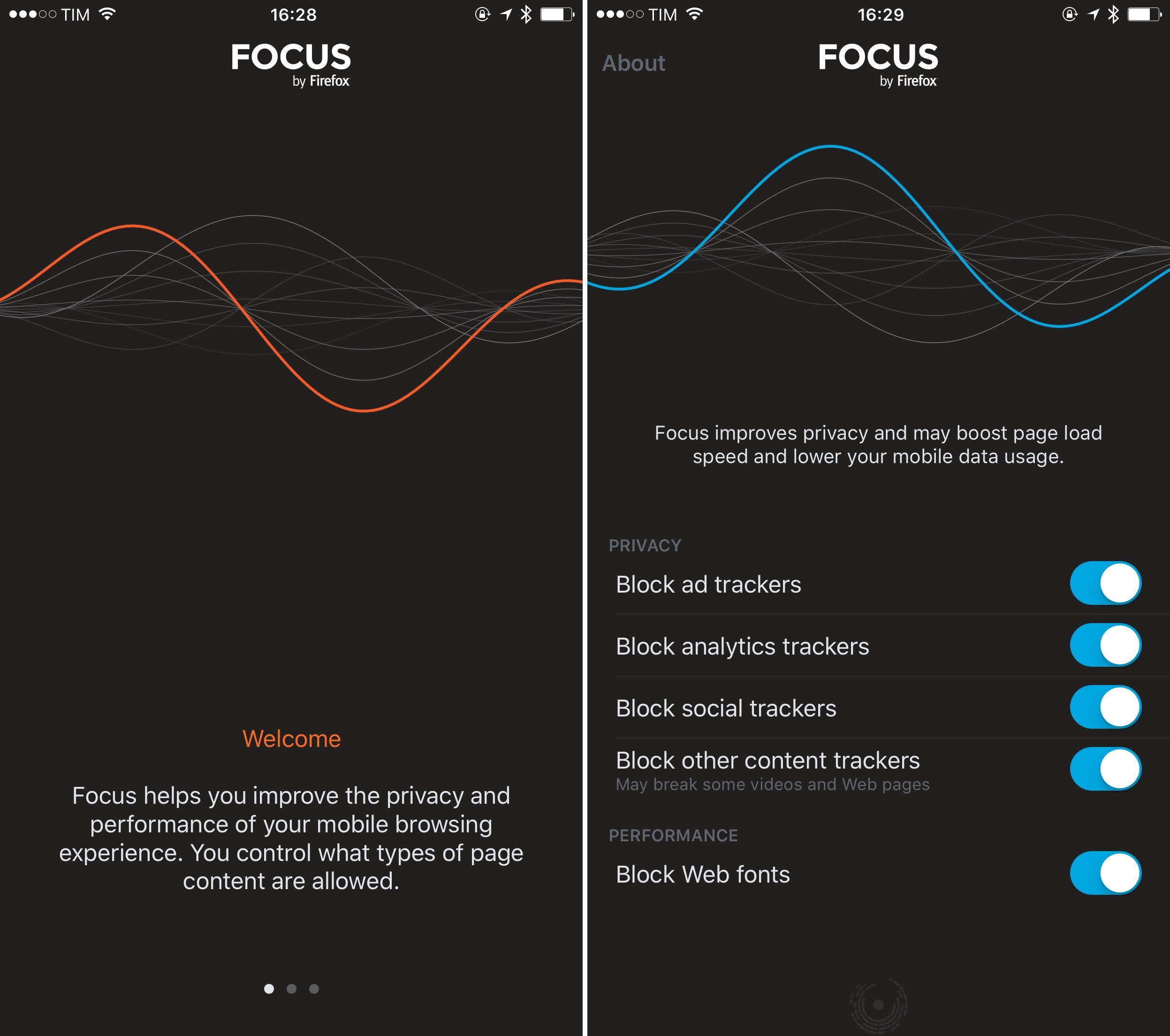
Earlier today, Mozilla released Focus, a content blocker for iOS aimed at blocking common web trackers, social trackers, and, optionally, web fonts in Safari for iPhone and iPad.
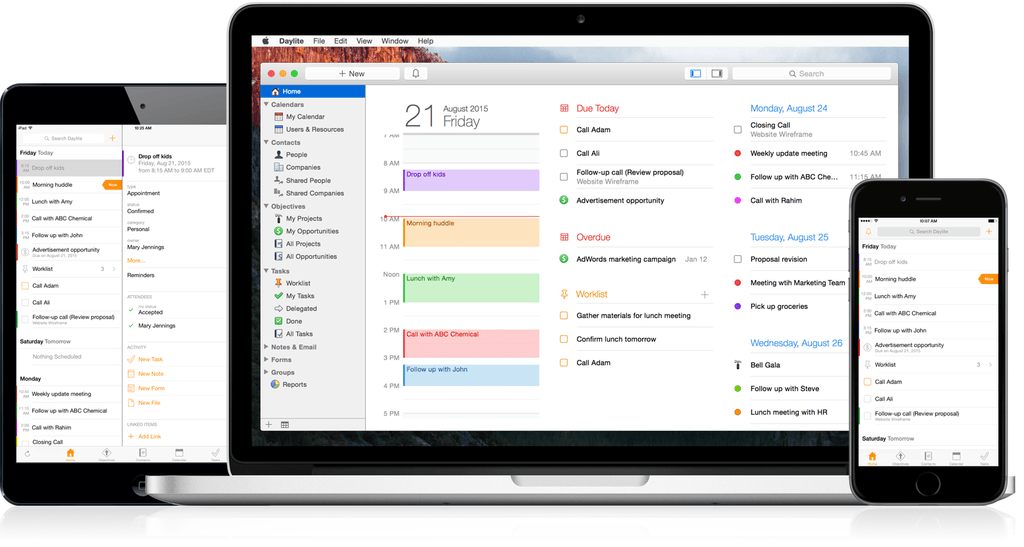
Daylite 6 was released today for both Mac and iOS, and it’s a major upgrade for the business productivity app. Already boasting a complete set of tools for managing projects, clients, and tasks for an individual or workgroup, the new version adds a slew of new features that take the app even further.
One of the major highlights of this release is the announcement of “Daylite Cloud.” Previously, centralizing a group’s Daylite data required running a copy of Daylite Server. With Daylite Cloud, it’s all handled seamlessly, allows offline access, is cheaper, and has no barrier to incorporating it into your company workflow.
The task management features of Daylite have also expanded. The constraints of the previous Pipeline/Activity Set features have been augmented by a “Task Lists” feature, allowing free-form creation of task lists that might not be assigned to a linear timeline, with complete control over ordering, a new entry interface, and additional fields for time, location, estimated time, and other details. There’s also a new “Smart Filtering Bar” for viewing tasks by details such as assigned team member, category, or keyword.
The iOS version has new goodies as well, with features including Today Widgets, full filtering capabilities, and improved editing of Daylite entries. It also adds file linking tools which allow you to snap a photo and link it to one or more items in Daylite.
If you’re a Mail.app user, also check out the Daylite Mail Assistant. It’s not a new feature, but it’s impressive. It allows you to link emails to Daylite items, schedule meetings, and share data without a chain of cc’s and forwards, all from within Mail.