
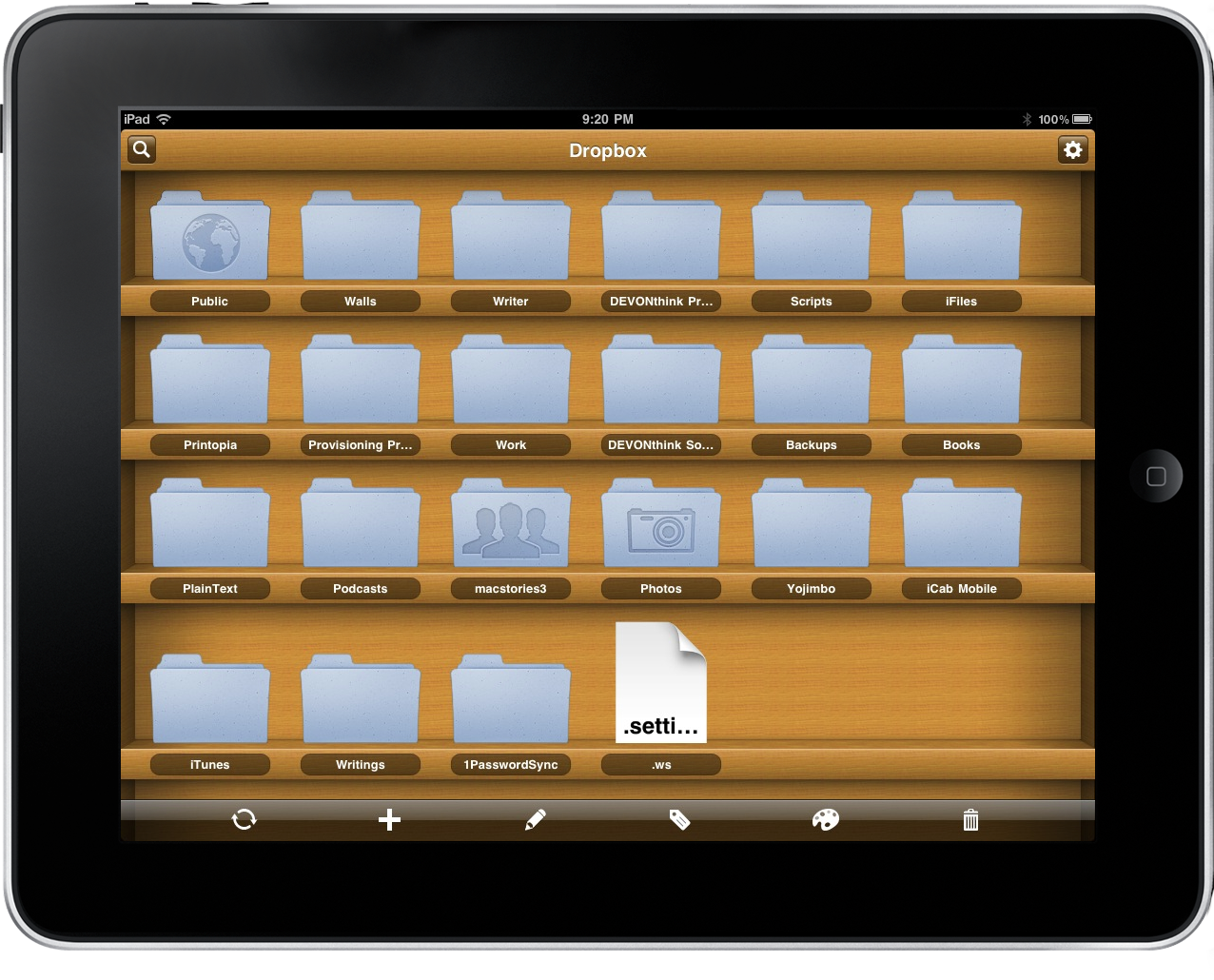
Berokyo is an app you never knew you needed until you actually get your hands on it: presenting a one of a kind management system that organizes your contacts, photos, documents, and media onto an array of bookshelves, you always have access to your most used content. We were especially excited by its capabilities with Dropbox, and now we have ten promocodes to giveaway thanks to the awesome developers at Think, Code, Release. Click past the break below for the full rundown of contest rules.
Posts in Featured
We Reviewed Berokyo For iPad: Now We’re Giving It Away

Access Extra Content and Perks
Founded in 2015, Club MacStories has delivered exclusive content every week for nearly a decade.
What started with weekly and monthly email newsletters has blossomed into a family of memberships designed for every MacStories fan.
Club MacStories: Weekly and monthly newsletters via email and the web that are brimming with apps, tips, automation workflows, longform writing, early access to the MacStories Unwind podcast, periodic giveaways, and more;
Club MacStories+: Everything that Club MacStories offers, plus an active Discord community, advanced search and custom RSS features for exploring the Club’s entire back catalog, bonus columns, and dozens of app discounts;
Club Premier: All of the above and AppStories+, an extended version of our flagship podcast that’s delivered early, ad-free, and in high-bitrate audio.
Cloud Connect Pro: A Finder for iPad
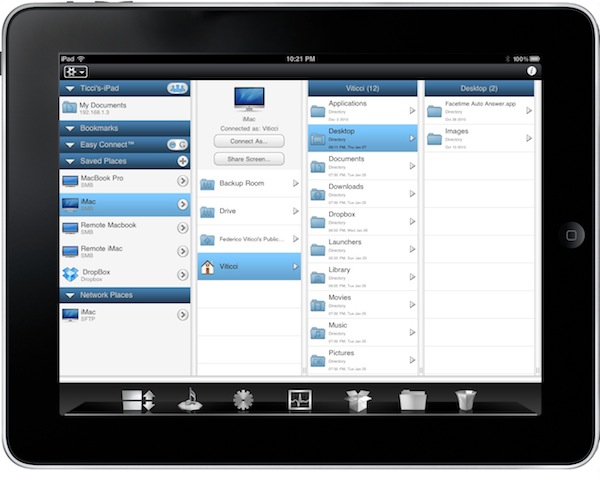
iOS devices don’t have a Finder, and in many ways that’s a good thing. Apple simplified the approach to file management by making the filesystem virtually invisible to the users and delegating “database functionalities” to apps, which are nothing but containers of files, data and information. Apps like Pages, PlainText or the Photos app itself keep actual files together, it’s just that on iOS users aren’t forced to manage, organize, clean and sort them like on the desktop. It’s a simpler and more intuitive approach. For many, though, file management sometimes is necessary. Either because of an app that doesn’t support sharing (thus documents can’t get out) or working needs that require access to a specific file in a specific location, several users over the years have lamented the impossibility to have a Finder-like system on their iPhones and iPads. We have also seen apps like Berokyo trying to bring folders and files together on iOS by making compromises with iOS’ default interface style and features.
Cloud Connect Pro, a new app by Antacea I’ve been testing for the past week, aims at bringing true Finder-like options and file management capabilities to the iPad with deep cloud integration. This app can connect to any computer, Dropbox or iDisk instance and WebDAV / SFTP / FTP server to access folder structures, files and media. It can stream music and videos, double as a lightweight but useful VNC client, open and preview document and much more. Read more
Access Extra Content and Perks
Founded in 2015, Club MacStories has delivered exclusive content every week for nearly a decade.
What started with weekly and monthly email newsletters has blossomed into a family of memberships designed for every MacStories fan.
Club MacStories: Weekly and monthly newsletters via email and the web that are brimming with apps, tips, automation workflows, longform writing, early access to the MacStories Unwind podcast, periodic giveaways, and more;
Club MacStories+: Everything that Club MacStories offers, plus an active Discord community, advanced search and custom RSS features for exploring the Club’s entire back catalog, bonus columns, and dozens of app discounts;
Club Premier: All of the above and AppStories+, an extended version of our flagship podcast that’s delivered early, ad-free, and in high-bitrate audio.
Apple & News Corp. To Hold Event on Feb. 2 To Announce The Daily

The Loop reports Apple and News Corp. will hold a media event in New York on February 2 to launch The Daily, the long rumored iPad-only digital newspaper that should rely on a new iTunes-based subscription service. This automatic billing system is rumored to be built into a new version of iOS, and we know Apple is currently testing iOS 4.3 with developers.
If the rumors are to be believed, will there be an “official” sneak peek at iOS 4.3 with subscriptions on February 2? And if The Daily will “launch” on that day, does it mean iOS 4.s3 is nearing its public release as well? Or maybe the subscription system doesn’t need to be built into iOS 4.3 at all, contrary to what the rumors suggested so far?
We will find out next week. It’s interesting that Eddy Cue, Vice President of Internet Services, will join Rupert Murdoch on stage to unveil The Daily. Perhaps these subscriptions functionalities don’t need to be baked into iOS, and could a server-side implementation on Apple’s end. It’s also worth considering that this is a News Corp. event with an Apple VP on stage – we don’t think Apple will provide an extensive preview of iOS 4.3 there.
We know that The Daily will be priced at $0.99 /week, as confirmed by News. Corp’s CEO James Murdoch.
Access Extra Content and Perks
Founded in 2015, Club MacStories has delivered exclusive content every week for nearly a decade.
What started with weekly and monthly email newsletters has blossomed into a family of memberships designed for every MacStories fan.
Club MacStories: Weekly and monthly newsletters via email and the web that are brimming with apps, tips, automation workflows, longform writing, early access to the MacStories Unwind podcast, periodic giveaways, and more;
Club MacStories+: Everything that Club MacStories offers, plus an active Discord community, advanced search and custom RSS features for exploring the Club’s entire back catalog, bonus columns, and dozens of app discounts;
Club Premier: All of the above and AppStories+, an extended version of our flagship podcast that’s delivered early, ad-free, and in high-bitrate audio.
Tapu: iPad Browser That Looks Like Chrome, Plugs Into Facebook
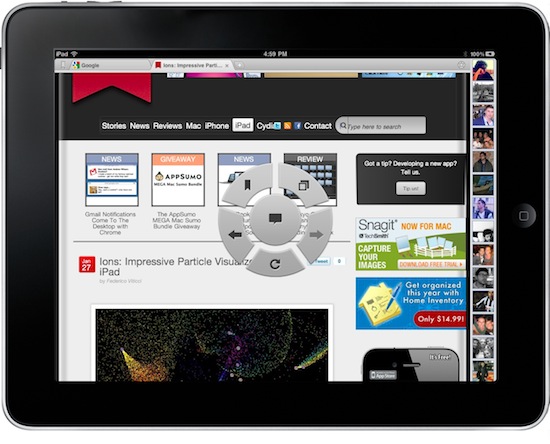
Looking for great alternatives to Mobile Safari, I have stumbled upon a lot browsers for the iPad. Some of them are really nice, like Grazing and Browser+; some them are the result of strange experiments gone terribly wrong, like Super Prober. Overall, the trend amongst developers seem to be that of trying to reinvent Safari by adding features over features that, without good software engineering and quality control, may end up cluttering an app, making everything barely usable. It happened with many browsers I have tested so far. Read more
Access Extra Content and Perks
Founded in 2015, Club MacStories has delivered exclusive content every week for nearly a decade.
What started with weekly and monthly email newsletters has blossomed into a family of memberships designed for every MacStories fan.
Club MacStories: Weekly and monthly newsletters via email and the web that are brimming with apps, tips, automation workflows, longform writing, early access to the MacStories Unwind podcast, periodic giveaways, and more;
Club MacStories+: Everything that Club MacStories offers, plus an active Discord community, advanced search and custom RSS features for exploring the Club’s entire back catalog, bonus columns, and dozens of app discounts;
Club Premier: All of the above and AppStories+, an extended version of our flagship podcast that’s delivered early, ad-free, and in high-bitrate audio.
Gmail Notifications Come To The Desktop with Chrome
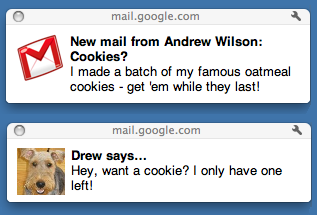
A few minutes ago Google rolled out a new feature for Gmail and Chrome users: native Gmail notifications. These notifications are only available to Google Chrome users for now, and they’re very similar to Growl in the way they appear on your computer on top of any window you’re currently on. Unlike Growl, though, it all runs natively within Chrome and Gmail.
These notifications, however, seem to be in need of some serious tweaking. Testing them briefly, I’ve noticed that they stick on the desktop, there’s no timeout option (Growl offers this functionality in its preferences) and they’re definitely slower then Growl associated to, say, Mailplane. Also, they don’t work in Safari and Firefox – just Chrome. They work both with new email messages, new “important” messages (in Priority Inbox) and IMs.
To activate Gmail notifications, head over your inbox, then Settings and enable as you can see in the screenshot below.

Access Extra Content and Perks
Founded in 2015, Club MacStories has delivered exclusive content every week for nearly a decade.
What started with weekly and monthly email newsletters has blossomed into a family of memberships designed for every MacStories fan.
Club MacStories: Weekly and monthly newsletters via email and the web that are brimming with apps, tips, automation workflows, longform writing, early access to the MacStories Unwind podcast, periodic giveaways, and more;
Club MacStories+: Everything that Club MacStories offers, plus an active Discord community, advanced search and custom RSS features for exploring the Club’s entire back catalog, bonus columns, and dozens of app discounts;
Club Premier: All of the above and AppStories+, an extended version of our flagship podcast that’s delivered early, ad-free, and in high-bitrate audio.
The AppSumo MEGA Mac Sumo Bundle Giveaway

We’ve given away some AppSumo bundles as of late that include everything from productive power plants to apps that allow you to just sit down and relax. What if we combined all of those previous bundles, and added must-have utilities like Skitch, Yummy FTP, and IconBox2? The MEGA Mac Sumo Bundle might initially sound like a character out of Mega Man, but it’s really just the latest bundle we’re giving away to another five lucky readers.
Access Extra Content and Perks
Founded in 2015, Club MacStories has delivered exclusive content every week for nearly a decade.
What started with weekly and monthly email newsletters has blossomed into a family of memberships designed for every MacStories fan.
Club MacStories: Weekly and monthly newsletters via email and the web that are brimming with apps, tips, automation workflows, longform writing, early access to the MacStories Unwind podcast, periodic giveaways, and more;
Club MacStories+: Everything that Club MacStories offers, plus an active Discord community, advanced search and custom RSS features for exploring the Club’s entire back catalog, bonus columns, and dozens of app discounts;
Club Premier: All of the above and AppStories+, an extended version of our flagship podcast that’s delivered early, ad-free, and in high-bitrate audio.
MacBook Pro Stock Running Low, Update Coming Soon?

According to a report posted by MacRumors, stock for the 15-inch and 17-inch MacBook Pros is beginning to run low suggesting that Apple may be planning to not ship orders to suppliers in order to prepare an update to the product line, expected for the first half of 2011.
The 17” MacBook Pro generally appears to be in the shortest supply at the moment, with Amazon quoting a shipment window of 1-2 months for the base Core i5 model and several popular resellers connected through Amazon’s systems also showing low stocks of the 17” models. For its part, Apple continues to show “within 24-hour” availability of all MacBook Pro models in its online stores, suggesting that the company may be prioritizing remaining stock to serve its customers directly.
An update to the MacBook Pro family could integrate Intel’s Sandy Bridge processors and internal Solid State Drives, not to mention a new thinner design to reduce weight and increase portability like Apple did with the MacBook Airs last year. It is unclear whether or not Apple will also implement USB 3.0 or Intel’s Light Peak, but what’s for sure is that we should be hearing news about the Pro line any day now.
Personally, a lighter and slightly thinner 15” MacBook Pro with built-in SSD and higher resolution screen would be my perfect machine.
Access Extra Content and Perks
Founded in 2015, Club MacStories has delivered exclusive content every week for nearly a decade.
What started with weekly and monthly email newsletters has blossomed into a family of memberships designed for every MacStories fan.
Club MacStories: Weekly and monthly newsletters via email and the web that are brimming with apps, tips, automation workflows, longform writing, early access to the MacStories Unwind podcast, periodic giveaways, and more;
Club MacStories+: Everything that Club MacStories offers, plus an active Discord community, advanced search and custom RSS features for exploring the Club’s entire back catalog, bonus columns, and dozens of app discounts;
Club Premier: All of the above and AppStories+, an extended version of our flagship podcast that’s delivered early, ad-free, and in high-bitrate audio.
Berokyo Creates Bookshelves for Anything, Including Dropbox
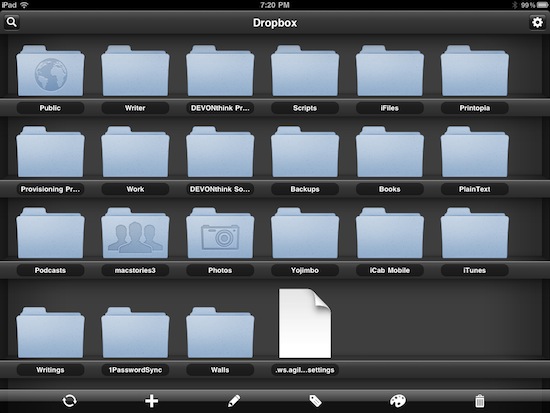
Desktop organizer and quick launcher Berokyo has been around on the Mac and Windows for quite some time now. On the desktop, the app allows you to organize, sort and manage your most used files and folders for quick access and media consumption. The developers recently released a universal iOS version of the app, which like the Mac counterpart puts the focus on letting users visually organize their documents on a virtual bookshelf; unlike the desktop, though, iOS devices don’t have the possibility to display a file system. The developers thus had to rethink the whole approach of Berokyo, changing the way users get files into the app. Berokyo for iOS can create unlimited bookshelves for documents coming from other apps on your iPhone and iPads (like Pages and Numbers) but, most of all, can sync with Dropbox. Read more
Access Extra Content and Perks
Founded in 2015, Club MacStories has delivered exclusive content every week for nearly a decade.
What started with weekly and monthly email newsletters has blossomed into a family of memberships designed for every MacStories fan.
Club MacStories: Weekly and monthly newsletters via email and the web that are brimming with apps, tips, automation workflows, longform writing, early access to the MacStories Unwind podcast, periodic giveaways, and more;
Club MacStories+: Everything that Club MacStories offers, plus an active Discord community, advanced search and custom RSS features for exploring the Club’s entire back catalog, bonus columns, and dozens of app discounts;
Club Premier: All of the above and AppStories+, an extended version of our flagship podcast that’s delivered early, ad-free, and in high-bitrate audio.
Superstash For iPad Snaps And Annotates Web Clippings: Review & Giveaway!
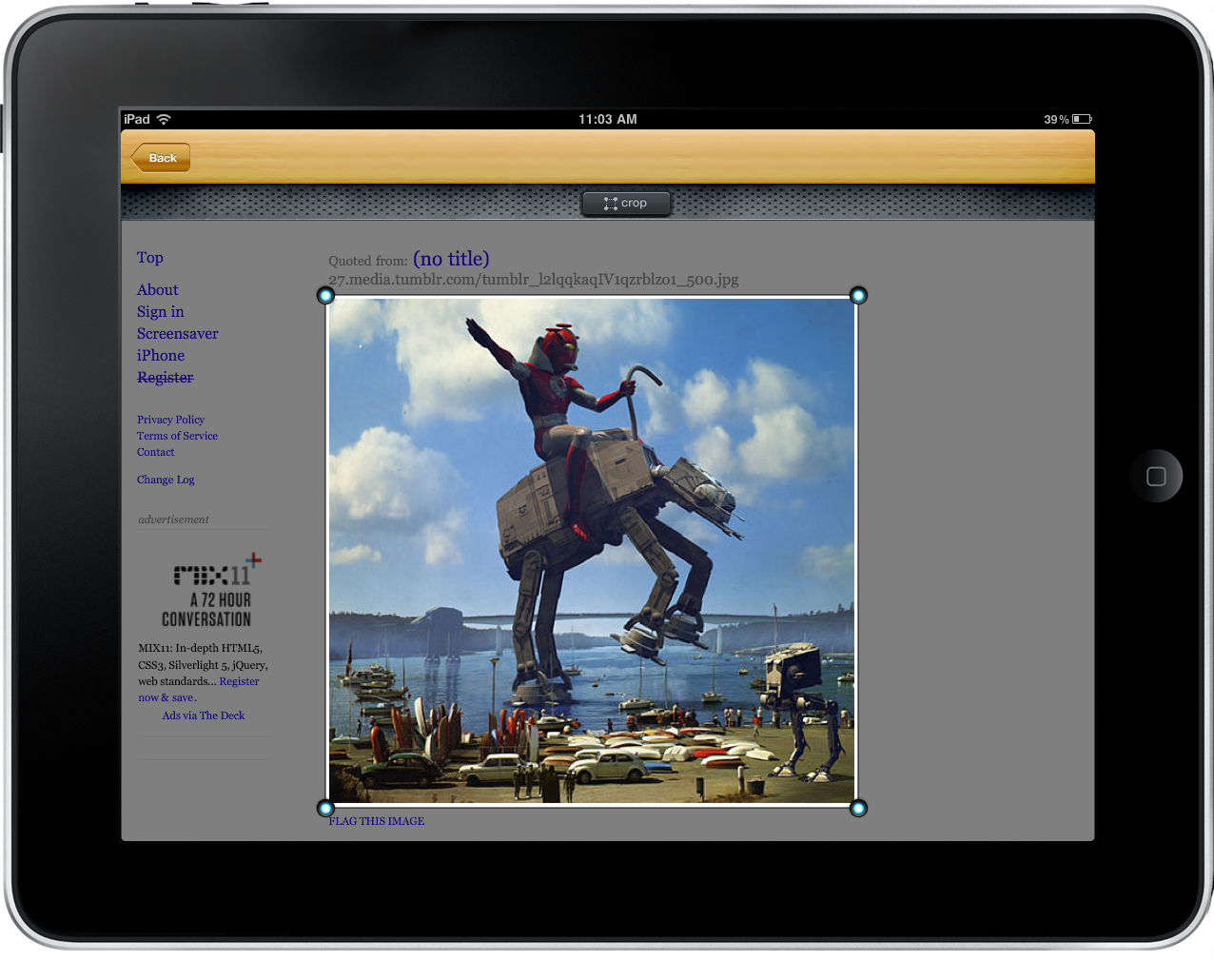
More and more time is seemingly spent on the iPad than the Mac as of late, and it’s funny that I’d forgo the comfort and speed of a laptop for the wrist-destroying aluminum slate. Maybe it’s because of all the great apps developers keep sending us! Casually my iPad resides in a proper case (the Macally Bookstand) that allows me to prop the iPad at a slight typing angle, complete with the “kitchen lean” where I ruin the back legs of my favorite wooden chair. I’ll swipe through Flipboard, pinch into Reeder, and browse Safari before starting my work & school day over a couple hot cups of coffee. Those moments in the morning are often spent finishing the previous evening’s Instapaper & Read It Later queues, then spending the remaining free time looking for new content. On the Mac I’m accustomed to saving bits and pieces of pictures and web pages I find to LittleSnapper, and I haven’t had that luxury on the iPad without some manual work dragging content out of iPhoto.
Superstash for the iPad solves this dilemma: it is the web browser for web hoarders, creative thinkers, and anyone looking to collect, annotate, file, and share good ideas. You’d never think about collecting pictures and web clippings in a browser, but Superstash arrives on the iPad with every intention to reshape those ideas, and to get us thinking about using our iPads as a proper discovery and collection bin.
Access Extra Content and Perks
Founded in 2015, Club MacStories has delivered exclusive content every week for nearly a decade.
What started with weekly and monthly email newsletters has blossomed into a family of memberships designed for every MacStories fan.
Club MacStories: Weekly and monthly newsletters via email and the web that are brimming with apps, tips, automation workflows, longform writing, early access to the MacStories Unwind podcast, periodic giveaways, and more;
Club MacStories+: Everything that Club MacStories offers, plus an active Discord community, advanced search and custom RSS features for exploring the Club’s entire back catalog, bonus columns, and dozens of app discounts;
Club Premier: All of the above and AppStories+, an extended version of our flagship podcast that’s delivered early, ad-free, and in high-bitrate audio.