Federico Viticci

10781 posts on MacStories since April 2009

Federico is the founder and Editor-in-Chief of MacStories, where he writes about Apple with a focus on apps, developers, iPad, and iOS productivity. He founded MacStories in April 2009 and has been writing about Apple since. Federico is also the co-host of AppStories, a weekly podcast exploring the world of apps, Unwind, a fun exploration of media and more, and NPC: Next Portable Console, a show about portable gaming and the handheld revolution.

A Beautiful TV Guide For Your iPhone and iPad

I’m thankful for the possibilities offered by today’s technologies, which allow me to ditch the old ways of doing…stuff for more pleasant, rich, interactive and beautiful experiences. Apple’s devices and apps in the App Store surely played a great role in this digital revolution: we don’t buy specific items anymore because there’s an app for that. The last time you bought a radio player? An actual map? A point & shoot camera? Exactly.

Still, there was no “last time” for me when it comes to TV guides. I never bought those magazines that offered monthly and weekly views and summaries of what would be in television – I  just checked TV programming on the internet. Or on my local newspaper. But now I’m ready to step my game up, with an app simply called “TV” and available at .99 cents in the App Store for iPhone and iPad. It’s uncluttered, beautiful, elegant and, finally, it’s something that deeply integrates a TV guide with the information coming from the internet. Read more


Here’s A Way To Keep The App Store App From Closing When Downloading Apps

On the iPhone and iPad, every time you search for an app inside the on-device App Store and click the buy button to download it, the App Store app closes and you’re brought back to the homescreen. For most iOS users, that’s simply wrong: many would like a way to keep pressing the Buy button and “queue” downloads without having to re-open the App Store app every single time.

StayOpened is a new tweak available for free in Cydia that, when activated, modifies the App Store’s default behavior to stay opened even after pressing the Buy button. Simple as that, the download goes in the background and the app will be saved on your homescreen.

Next up, a proper App Store download manager?


Apple Patents A Way To Easily Share iOS Apps & Demos

What’s great about the App Store is that it allows for a one-click purchase experience that makes it easy to download apps. Users can browse the App Store on their Macs, PCs, iPhones and iPads, check on new releases and apps they’ve been keeping an eye on, tap a button and download an app. For free apps and those sold at $.99 , it can become quite an addiction.

The App Store, though, doesn’t allow you to share apps with your friends as easily as it lets you buy them. Sure, there’s the possibility to share apps on Twitter and Facebook from iTunes – but that’s not really the best way to let your friends know about a specific app sold in the App Store, nor does it enable you to provide one of your friends an actual copy of the app.

Apps can’t be shared, and a new patent Apple has been granted, published by Patently Apple, is aimed at fixing that. Read more


Cydia Tweak Shows The Size Of App Store Updates On Your iPhone

AppStore Update Size is a new tweak available for free in Cydia which can turn out to be very useful for when you’re out and about, check on your iPhone’s App Store app and find out that there are some updates available. This tweak, as the name suggests, shows the size in MBs of the updates right below the download button.

Very useful as Apple limits the download of large updates while on 3G connection, and this tweak allows you to instantly see if you can update or not.

Recommended.


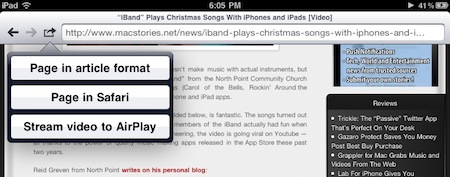
AirPlay: Here To There

Airplay: Here To There

But what made Netflix an instant success was that element of touch in the browsing experience. People need to keep their fingertips on those VHS boxes in the countless white wireframe shelves at the Video Depot. The tactile experience of picking out a cassette by its cover, transporting it back home, sticking it in the VCR box and hearing the clunk when you hit Play, and then finally stepping back, separating yourself from the object that has earned your trust, and transforming yourself into a spectator,that’s actually a great representation of the appeal of AirPlay.

Because what AirPlay promises is that I can touch media here, and then weightlessly move it there.

Adam Lisagor nails it.

Permalink

Apple Also Confirms What The App Store Has Become

Did you check out the iTunes Rewind 2010 section Apple posted this morning in the iTunes Store homepage? It features the best music, movies, TV shows, audiobooks and podcasts of 2010. It also features the best & top selling iPhone and iPad apps of this year.

I’d like to take a second look at the top apps charts, because something interesting lies in there. Something that confirms an idea that has been floating around in our minds for months. Read more


Is This The First iPad 2 Case? With A Rear Camera?

Just in time for today’s iPad 2 rumors, iLounge is reporting of what appears to be the first case the second-generation iPad. Produced by Chinese manufacturer Shenzhen MacTop Electronics, the case shows a slightly more curved design and a hole in the upper left corner for a rear camera. Just like on the iPhone 4 and iPod Touch 4th generation.

The Crystal Case for iPad 2nd Generation also sports a much bigger speaker opening. There have been rumors recently about the “iPad 2” coming out in less than 100 days, and there also have been rumors about Apple willing to implement features such as FaceTime camera, Retina Display and a USB port on it. But a rear camera? That’d be new to the rumor mill. Read more


Apple Posts The Best iPhone & iPad Apps of 2010

Just like every year, the iTunes Rewind section in the iTunes Store lists the best music, movies, TV shows, podcasts and audiobooks of 2010. This year’s iTunes Rewind is available here, and it includes a huge selection of apps, too.

As you can see in the screenshot above, Apple is showcasing Hipstamatic, Angry Birds, Flipboard and Plants Vs. Zombies in the iTunes Rewind 2010 main page. As you click through, you can check out the “Hot Trends” in iPhone and iPad apps in 2010 – and many more apps are listed there.

The “Hot Trends” contains other sub-sections, such as “Shoot, Edit, Share” (iTunes) which features apps like Instagram and Path. Read more


Mac App Store Actually Coming in January 2011

Mac App Store Actually Coming in 2011

At the Back to the Mac event in October, Steve Jobs said the Mac App Store would open in 90 days – thus giving it a January 2011 release date. According to rumors surfaced a few days ago, though, it seemed like there was the possibility of an early launch next week.

Well, Jim Darlymple over at The Loop reports:

Reports earlier this week claimed Apple would launch the Mac App Store on December 13, ahead of the holiday shopping season. However, according to my sources, Apple will launch the store in the new year.

While a specific date was not given for the official opening of the store by my sources, Apple will meet the 90-day deadline given during its October “Back to the Mac” media event.

Please note that Darlymple’s sources are usually spot-on and correct. Those rumors never really made sense to me either, considering Apple didn’t notify developers about an early launch.

So there you have it: the Mac App Store is indeed coming in January.

Permalink