Federico Viticci

10855 posts on MacStories since April 2009

Federico is the founder and Editor-in-Chief of MacStories, where he writes about Apple with a focus on apps, developers, iPad, and iOS productivity. He founded MacStories in April 2009 and has been writing about Apple since. Federico is also the co-host of AppStories, a weekly podcast exploring the world of apps, Unwind, a fun exploration of media and more, and NPC: Next Portable Console, a show about portable gaming and the handheld revolution.

OpenClaw Showed Me What the Future of Personal AI Assistants Looks Like

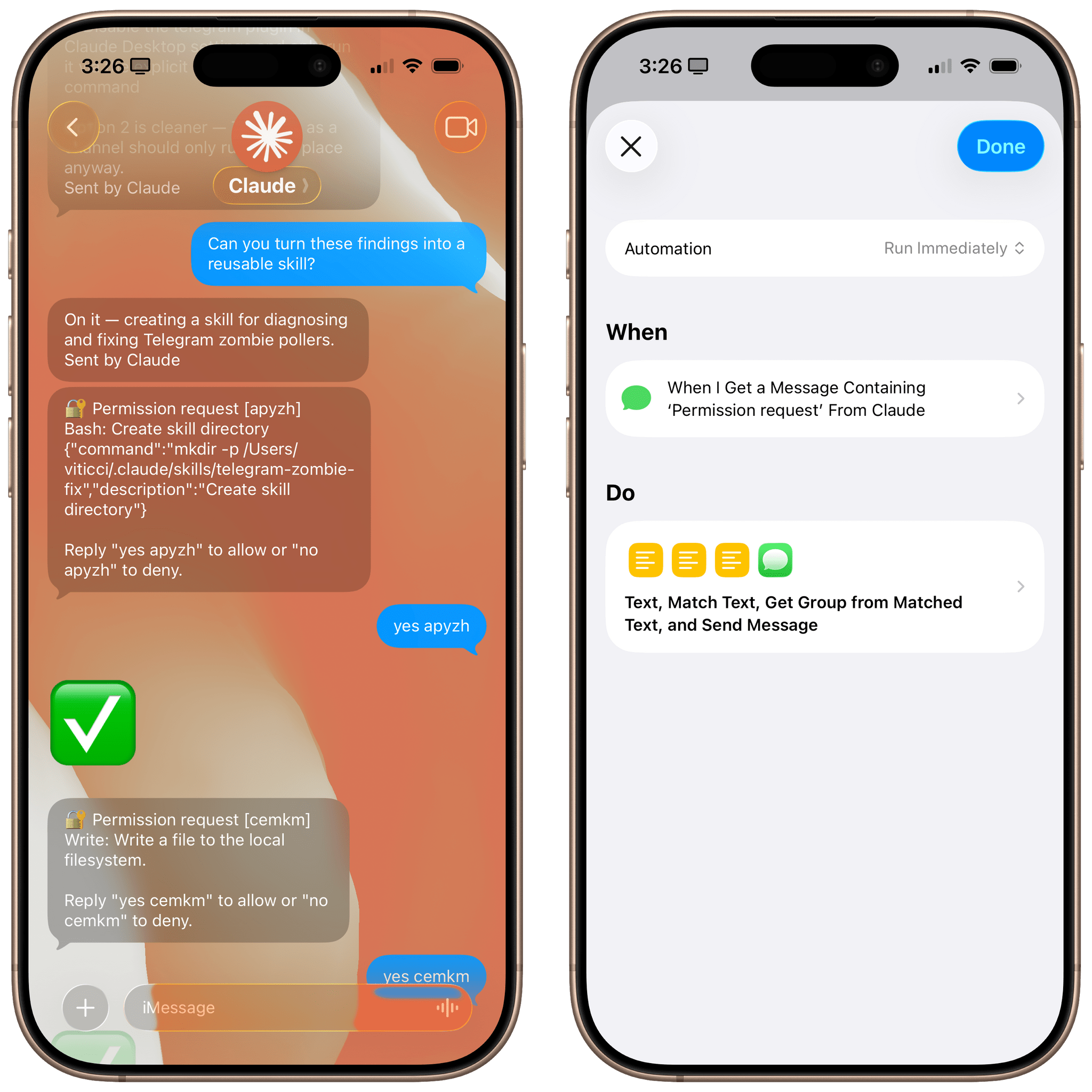
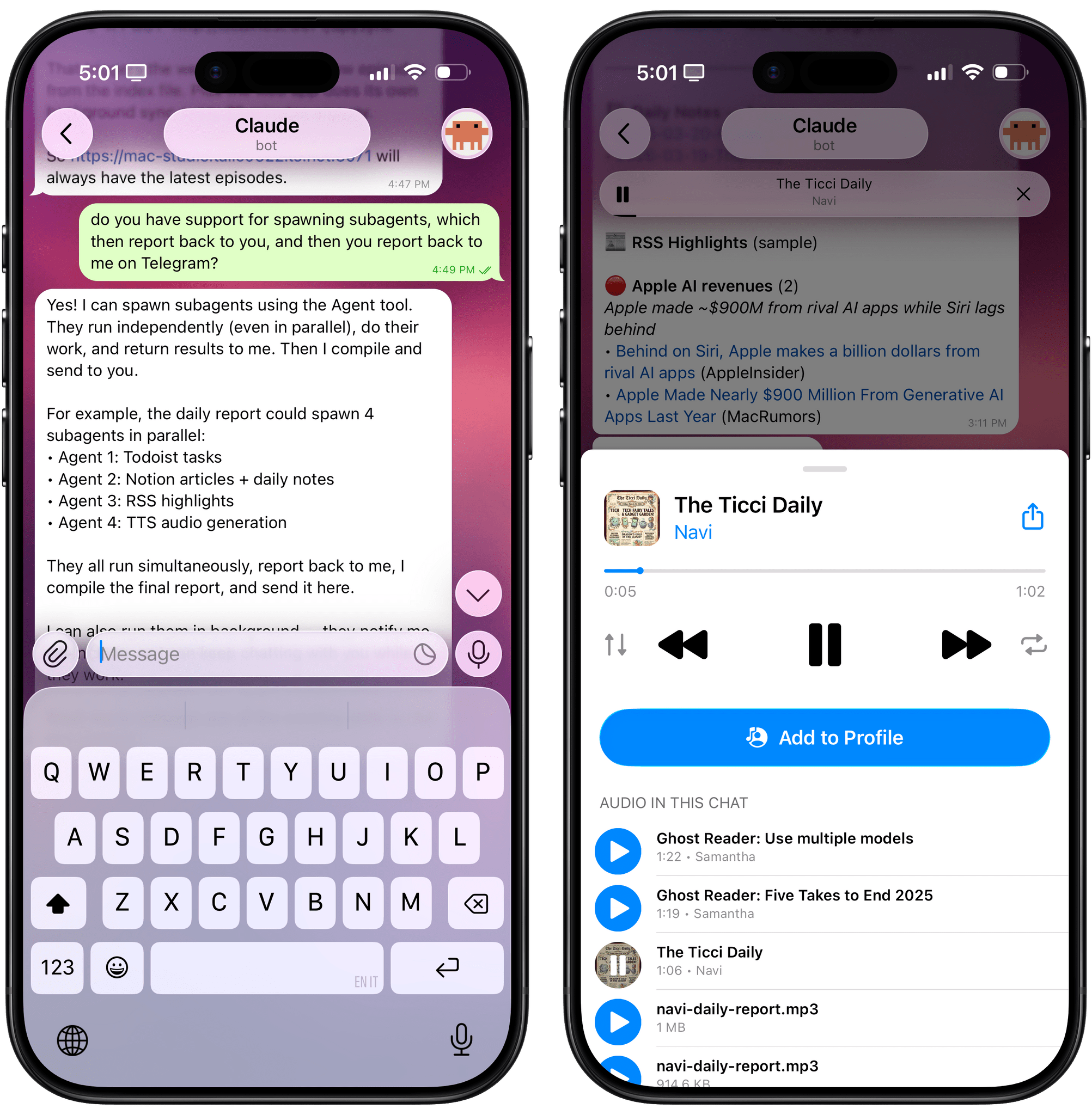
Using OpenClaw via Telegram.

Using OpenClaw via Telegram.

Update, February 6: I’ve published an in-depth guide with advanced tips for secure credentials, memory management, automations, and proactive work with OpenClaw for our Club members here.

For the past week or so, I’ve been working with a digital assistant that knows my name, my preferences for my morning routine, how I like to use Notion and Todoist, but which also knows how to control Spotify and my Sonos speaker, my Philips Hue lights, as well as my Gmail. It runs on Anthropic’s Claude Opus 4.5 model, but I chat with it using Telegram. I called the assistant Navi (inspired by the fairy companion of Ocarina of Time, not the besieged alien race in James Cameron’s sci-fi film saga), and Navi can even receive audio messages from me and respond with other audio messages generated with the latest ElevenLabs text-to-speech model. Oh, and did I mention that Navi can improve itself with new features and that it’s running on my own M4 Mac mini server?

If this intro just gave you whiplash, imagine my reaction when I first started playing around with OpenClaw, the incredible open-source project by Peter Steinberger (a name that should be familiar to longtime MacStories readers) that’s become very popular in certain AI communities over the past few weeks. I kept seeing OpenClaw being mentioned by people I follow; eventually, I gave in to peer pressure, followed the instructions provided by the funny crustacean mascot on the app’s website, installed OpenClaw on my new M4 Mac mini (which is not my main production machine), and connected it to Telegram.

To say that OpenClaw has fundamentally altered my perspective of what it means to have an intelligent, personal AI assistant in 2026 would be an understatement. I’ve been playing around with OpenClaw so much, I’ve burned through 180 million tokens on the Anthropic API (yikes), and I’ve had fewer and fewer conversations with the “regular” Claude and ChatGPT apps in the process. Don’t get me wrong: OpenClaw is a nerdy project, a tinkerer’s laboratory that is not poised to overtake the popularity of consumer LLMs any time soon. Still, OpenClaw points at a fascinating future for digital assistants, and it’s exactly the kind of bleeding-edge project that MacStories readers will appreciate.

Read more


How to Enable Smoother 120Hz Scrolling in Safari

I came across this incredible tip by Matt Birchler a few weeks ago and forgot to link it on MacStories:

Today I learned something amazing: Safari supports higher than 60Hz refresh. It’s the only mainstream web browser that doesn’t, and I have never understood why, but apparently as of the end of 2025 in Safari version 26.3 (and maybe earlier) you can enable it. Here’s how to do it.

I won’t paste the steps here, so you’ll have to click through and visit Matt’s website (I keep recommending his work, and he’s doing some really interesting work with “micro apps” lately). I can’t believe this feature is disabled by default on iOS and iPadOS; I turned it on several days ago, and it made browsing with Safari significantly nicer.

Also new to me: I discovered this outstandingly weird website that lets you test your browser’s refresh and frame rates. Just trust me and click through that as well – what a great way to show people who “don’t see” refresh rates what they actually feel like in practice.

Permalink

A Very ‘Just Build It’ Holiday

This week, Federico and John complete their tour of holiday projects with a look at the tools both of them built with the help of Claude Code, Codex, and other tools.

On AppStories+, John pushes Claude Code by building a Safari web extension that integrates with Notion.


We deliver AppStories+ to subscribers with bonus content, ad-free, and at a high bitrate early every week.

To learn more about an AppStories+ subscription, visit our Plans page, or read the AppStories+ FAQ.


AppStories+ Deeper into the world of apps

AppStories Episode 468 - A Very ‘Just Build It’ Holiday

0:00
42:35

AppStories+ Deeper into the world of apps

Read more


Interesting Links

Spigen announced a new retro-inspired iPhone case called the Classic LS, featuring a boxy design reminiscent of the Macintosh 128K and Apple Lisa, complete with keyboard-style buttons and a beige color scheme. Guess who got one. (Link) Taphouse is a new native macOS client for Homebrew that brings a visual package management experience to...


LLMs Have Made Simple Software Trivial

I enjoyed this thought-provoking piece by (award-winning developer) Matt Birchler, writing for Birchtree on how he’s been making so-called “micro apps” with AI coding agents:

I was out for a run today and I had an idea for an app. I busted out my own app, Quick Notes, and dictated what I wanted this app to do in detail. When I got home, I created a new project in Xcode, I committed it to GitHub, and then I gave Claude Code on the web those dictated notes and asked it to build that app.

About two minutes later, it was done…and it had a build error.

And:

As a simple example, it’s possible the app that I thought of could already be achieved in some piece of software someone’s released on the App Store. Truth be told, I didn’t even look, I just knew exactly what I wanted, and I made it happen. This is a quite niche thing to do in 2026, but what if Apple builds something that replicates this workflow and ships it on the iPhone in a couple of years? What if instead of going to the App Store, they tell you to just ask Siri to make you the app that you need?

John and I are going to discuss this on the next episode of AppStories about the second part of the experiments we did over our holiday break. As I’ll mention in the episode, I ended up building 12 web apps for things I have to do every day, such as appending text to Notion just how I like it or controlling my TV and Hue sync box. I didn’t even think to search the App Store to see if new utilities existed: I “built” (or, rather, steered the building of) my own progressive web apps, and I’m using them every day. As Matt argues, this is a very niche thing to do right now, which requires a terminal, lots of scaffolding around each project, and deeper technical knowledge than the average person who would just prompt “make me a beautiful todo app.” But the direction seems clear, and the timeline is accelerating.

I also can’t help but remember this old rumor from 2023 about Apple exploring the idea of letting users rely on Siri to create apps on the fly for the then-unreleased Vision Pro. If only the guy in charge of the Vision Pro went anywhere and Apple got their hands on a pretty good model for vibe-coding, right?

Permalink

A Very Nerdy Holiday Break

This week, Federico and John are back from their holiday break, included so many hardware and automation projects that this is part one of a two-part episode regarding Federico’s networked music automation setup and John’s new research tool.

On AppStories+, Federico shares his foldable phone experiments.


We deliver AppStories+ to subscribers with bonus content, ad-free, and at a high bitrate early every week.

To learn more about an AppStories+ subscription, visit our Plans page, or read the AppStories+ FAQ.


AppStories+ Deeper into the world of apps

AppStories Episode 467 - A Very Nerdy Holiday Break

0:00
47:53

AppStories+ Deeper into the world of apps

This episode is sponsored by:

Read more


How I Freed Up 400 GB of Storage on My Mac Thanks to Claude Code

Recovering disk space with Claude Code.

Recovering disk space with Claude Code.

If you’re not Very Online and, specifically, Very Online and Plugged Into AI News, you may not know that over the past couple of weeks, a lot of folks seem to have realized that it’s possible to use Anthropic’s Claude Code desktop coding agent to do a lot more than just coding on a computer....


What’s Next for Apps in 2026

This week, Federico and John look ahead to 2026 and what it will mean for apps, smarter Siri, and more.

On AppStories+, Federico and John update listeners on their latest app experiments and holiday hardware projects.


We deliver AppStories+ to subscribers with bonus content, ad-free, and at a high bitrate early every week.

To learn more about an AppStories+ subscription, visit our Plans page, or read the AppStories+ FAQ.


AppStories+ Deeper into the world of apps

AppStories Episode 466 - What’s Next for Apps in 2026

0:00
28:22

AppStories+ Deeper into the world of apps

Read more


Home Screen: Federico Viticci

A lot has changed since the last time I shared my iPhone Home Screen here in MacStories Weekly in October 2024. The past year in software and apps has been a whirlwind of experiments, discovery, and reevaluation of old workflows for me. As you can probably tell if you’ve been listening to AppStories in...